Virtual reality (VR) has rapidly transitioned from a niche technology to a mainstream one, transforming gaming, entertainment, remote collaboration, and even creative workflows. With the right VR headset, you can not only dive into immersive worlds but also integrate VR into a creator‑focused setup (think content capturing with tripods, rich audio experiences like wireless earbuds, and multi‑device workflow).
In this article, I’ll walk you through why a VR headset matters, how to pick the right type, and present the top five VR headsets you can buy today, with detailed sections for each and everything you need to decide confidently.
Why Use a VR Headset?
VR headsets offer experiences that standard screens cannot match. Here are some of the reasons why you should use a VR:
- Immersive Gaming & Entertainment: You’re inside the world, not just watching it.
- Remote Collaboration & Productivity: Virtual meetings, 3‑D design, creative spaces.
- Fitness & Well‑being: VR workouts convert exercise into play.
- Creator Workflows: Capturing 360° content, editing immersive footage, and integrating with other gear for creators (see our article on best tripods for creators).
- Better Audio & Immersion: Pair with top headphones or wireless earbuds under $100, or premium Beats headphones for an immersive experience.
According to experts, the best VR headsets offer high resolution, more comfortable optics, and easier setup than ever.
Types of VR Headsets

When choosing a headset, you’ll encounter several categories:
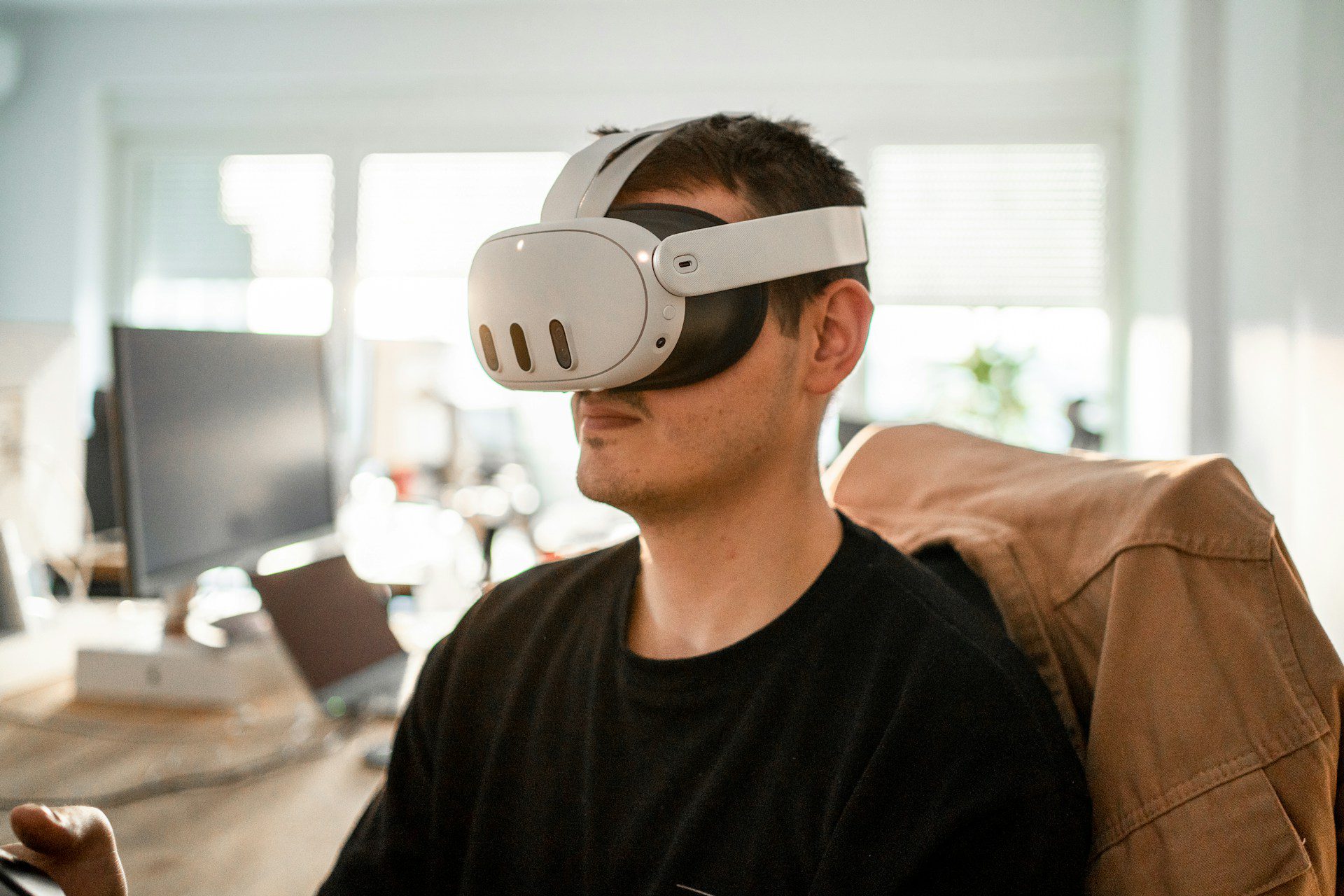
- Standalone: No PC/console required. All‑in‑one device (e.g., Meta Quest 3).
- PC/Console‑Tethered: High‑end visuals; requires PC or console (e.g., Valve Index, PS VR2).
- Hybrid/Mixed‑Reality: Standalone capability plus PC tethering (e.g., HTC Vive XR Elite).
- Mobile/Entry‑Level: Uses smartphones or external hardware.
Each type has its pros and cons in terms of performance, cost, setup complexity, and portability.
Key Features to Consider
Before you buy, here are the specs that matter most:
- Display & Optics: Resolution per eye, refresh rate (90 Hz, 120 Hz+), lens type (pancake, Fresnel)
- Tracking System: Inside‑out (cameras on headset) vs outside‑in (external sensors)
- Comfort & Fit: Weight, strap design, IPD adjustment, foam cushioning
- Controllers & Accessories: Motion controllers, haptics, finger tracking, click wheels
- Ecosystem & Compatibility: Games/apps library, PC/console or standalone, mixed reality support
- Price & Value: Budget vs enthusiast; also factor in accessories and upgrade path
Top 5 VR Headsets
1. Meta Quest 3
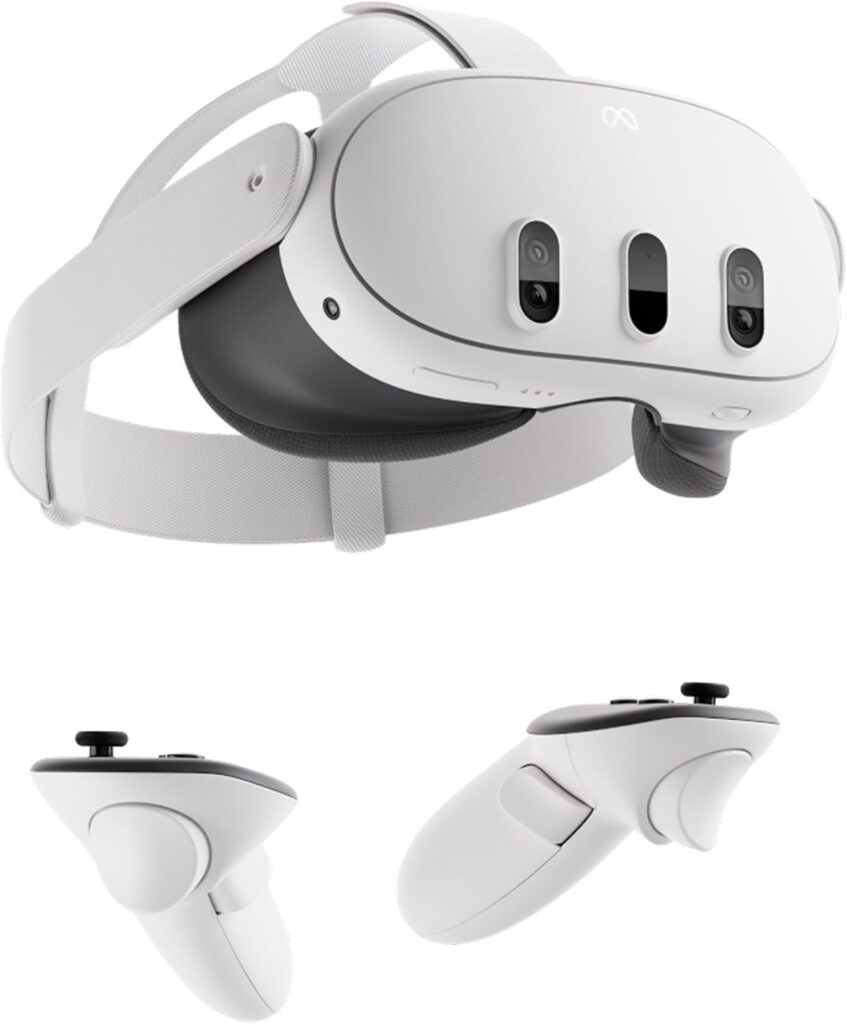
Type: Standalone
Resolution: 2,064 × 2,208 per eye
Tracking: Inside-out
Key Features:
- High-resolution displays with pancake lenses for a slimmer design.
- Standalone operation, no PC or console required.
- Inside-out tracking for easy setup.
- Compatible with a large library of games and apps.
Pros:
- Easy to set up and use.
- Excellent balance of performance and price.
- Lightweight and comfortable for long sessions.
Cons:
- Battery life is limited (~2–3 hours).
- Graphics are not as high-end as PC-tethered headsets.
Why It Stands Out: Meta Quest 3 is ideal for casual gamers and creators who seek a seamless, plug-and-play VR experience without the need for a PC.
2. Apple Vision Pro
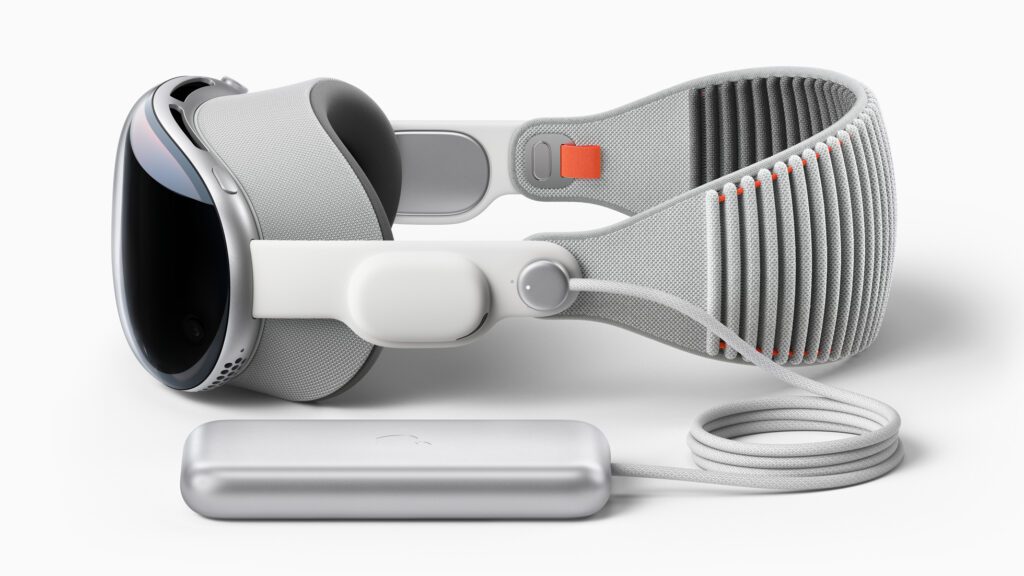
Type: Premium Mixed Reality
Resolution: Micro-OLED ultra-high resolution
Tracking: Inside-out + Eye-tracking
Key Features:
- Combines VR and AR for immersive mixed-reality experiences.
- Eye-tracking and gesture control for intuitive interaction.
- Seamless integration with the Apple ecosystem.
Pros:
- Cutting-edge hardware and displays.
- Ideal for both productivity and entertainment.
Cons:
- Extremely high price.
- The ecosystem is still in development, with a limited number of apps compared to its competitors.
Why It Stands Out: Apple Vision Pro offers the most advanced mixed-reality experience, making it ideal for creators and early adopters who want premium hardware.
3. PlayStation VR2 (PSVR2)
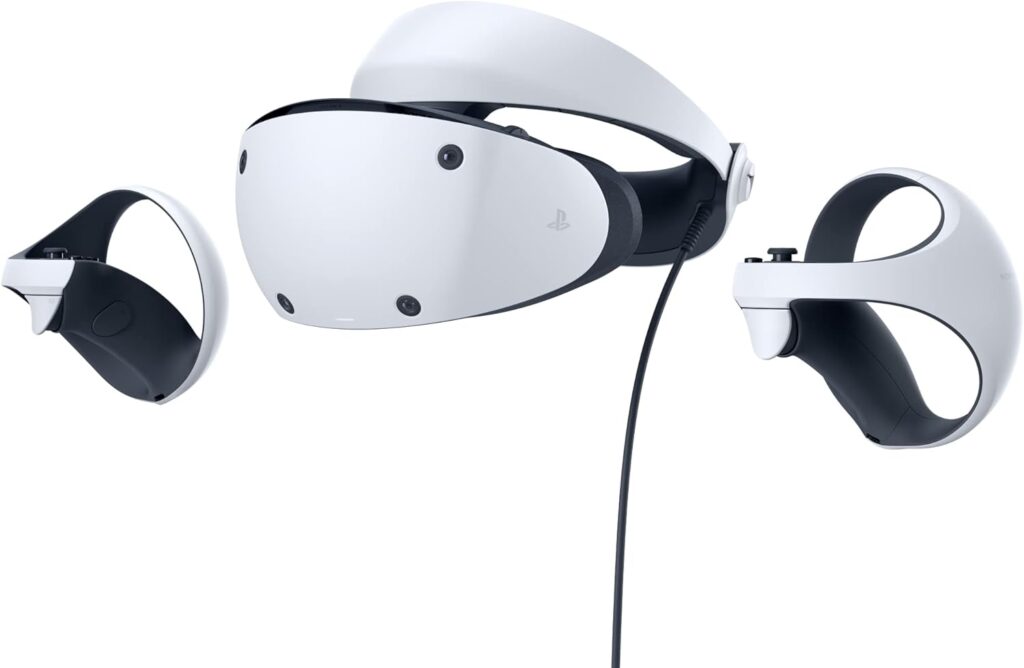
Type: Console (PS5)
Resolution: ~2.5K per eye (OLED)
Tracking: Inside-out
Key Features:
- Haptic Sense controllers for immersive gaming.
- OLED display with high refresh rates.
- Seamless integration with PS5.
Pros:
- Excellent for console gaming.
- Comfortable design for long play sessions.
Cons:
- Requires a PS5 console.
- Limited to the PlayStation ecosystem.
Why It Stands Out: PSVR2 delivers premium gaming experiences for PS5 users, offering exclusive titles and high-quality visuals.
4. HTC Vive XR Elite
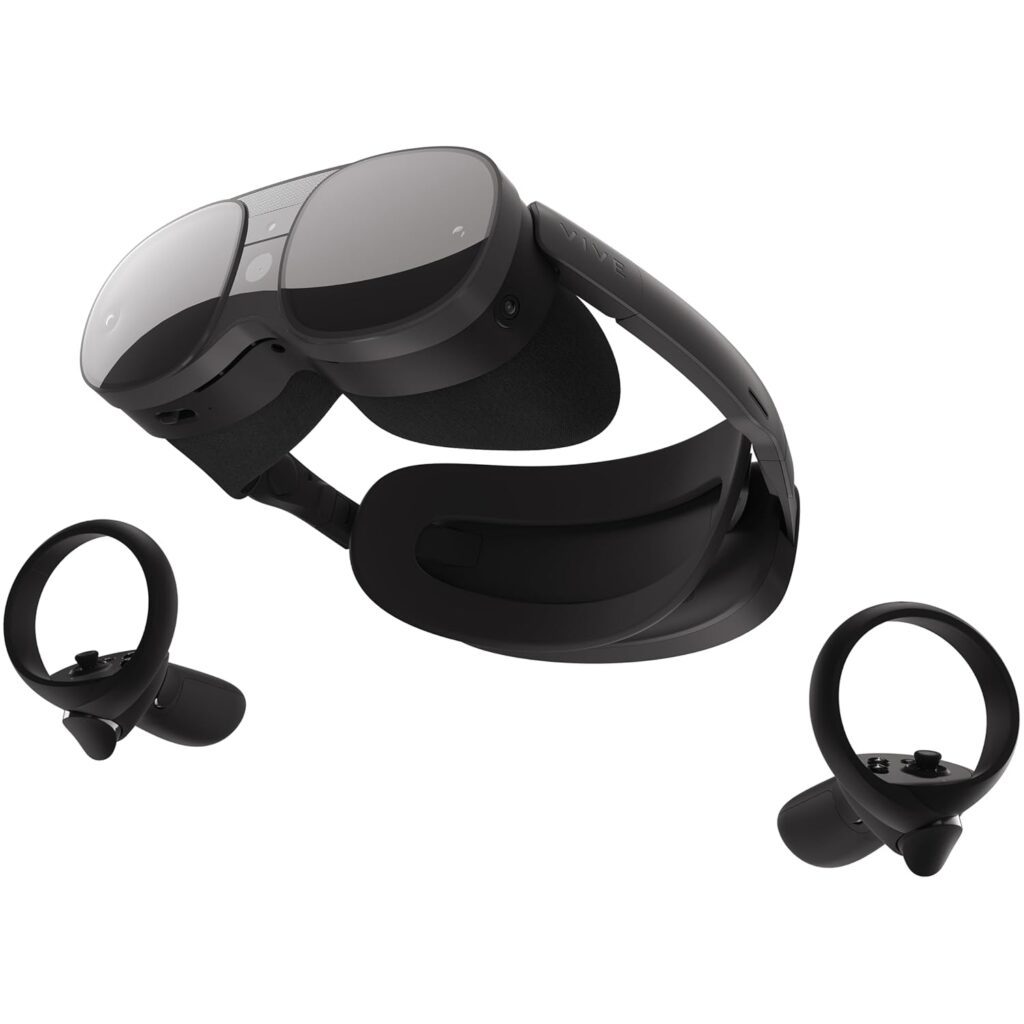
Type: Hybrid (Standalone + PC-tethered)
Resolution: ~1920 × 1920 per eye
Tracking: Inside-out + External
Key Features:
- Convertible design for standalone or PC-tethered use.
- Supports mixed reality applications.
- High-resolution optics for clarity.
Pros:
- Flexible for travel and high-end PC setups.
- Mixed reality support.
Cons:
- Premium price.
- Requires accessories for a full setup.
Why It Stands Out: HTC Vive XR Elite is ideal for creators who need a headset that works both on the go and with high-performance PCs.
5. Valve Index
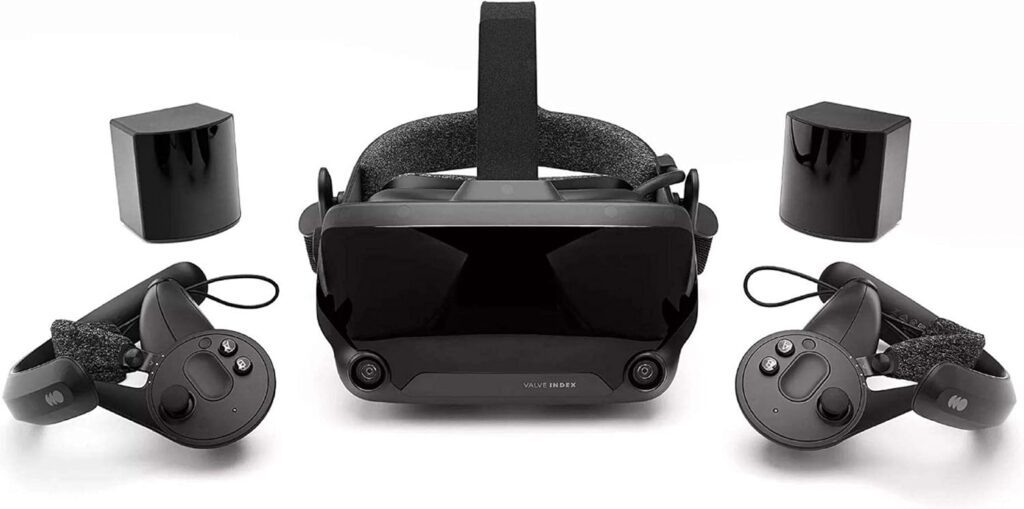
Type: PC-Tethered
Resolution: 1440 × 1600 per eye
Tracking: External sensors
Key Features:
- High refresh rate and superior tracking.
- Comfortable design for long gaming sessions.
- Full suite of accessories and controllers.
Pros:
- Best-in-class visuals and motion tracking.
- Ideal for hardcore VR gamers and creators.
Cons:
- Requires a VR-ready PC and room space.
- Not a standalone device.
Why It Stands Out: The Valve Index is ideal for enthusiasts seeking the ultimate VR experience, featuring high-fidelity graphics and precise motion tracking.
Comparison Table
Headset | Type | Resolution per Eye | Tracking |
Standalone | 2,064 × 2,208 | Inside‑out | |
Premium MR | Micro‑OLED ultra high res | Inside‑out + eye | |
Console (PS5) | ~2.5K per eye (OLED) | Inside‑out | |
Hybrid | ~1920 × 1920 per eye | Inside‑out / external | |
PC‑VR | 1440 × 1600 per eye | External sensors |
How to Choose the Right VR Headset
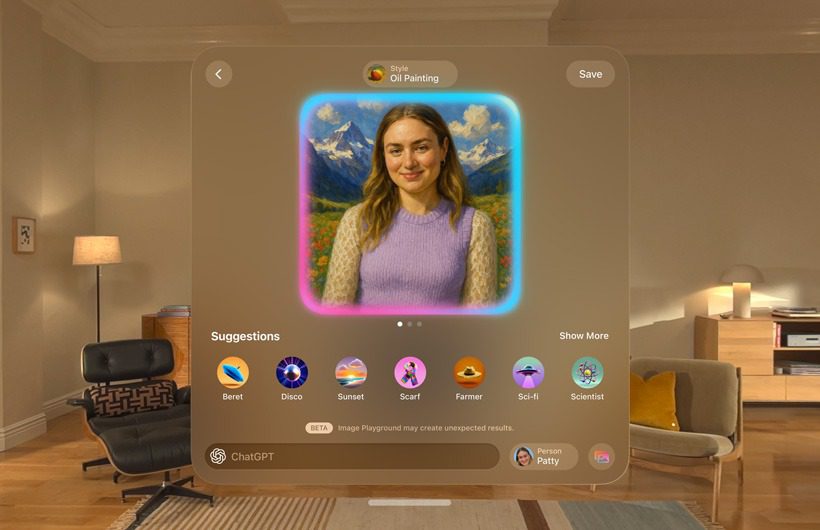
Here’s how to match a headset to your needs:
- Casual/Plug-and-Play Use: Standalone devices, such as the Meta Quest 3, offer ease with strong features.
- Console Gaming: PSVR2 is ideal if you already own a PS5.
- Creator or Pro Workflows: HTC Vive XR Elite or Apple Vision Pro provide advanced features for immersive content.
- PC Gaming Enthusiasts: The Valve Index offers best-in-class performance, but it demands high-end hardware and a complex setup.
- Wireless vs Tethered: Standalone offers freedom; PC/console tethering provides higher fidelity.
- Budget and Ecosystem: Factor in the cost of the headset, accessories, and ecosystem lifeline (games, content, apps).
- Space & Comfort: Room size, play area, headset weight, and strap comfort are crucial for maintaining comfort during long sessions.
Tips for Getting the Best VR Experience
- Prepare Your Space: Clear room, secure cables, remove obstacles.
- Optimize Settings: Use an appropriate refresh rate, adjust IPD, and set up comfort modes to reduce motion sickness.
- Use Quality Audio: Pair the headset with high-quality headphones or earbuds to enhance immersion (check our guide on wireless earbuds under $100).
- List Setup & Usage Routines: Clean lenses, update firmware, calibrate tracking.
- Manage Comfort: Take breaks, adjust straps, and avoid long continuous sessions.
- Content Creator Tip: If you’re capturing VR footage or live-streaming, your tripod and gear (see our best tripods for creators) will matter just as much as the headset.
Conclusion
VR headsets are no longer just gimmicks; they’re powerful tools for gaming, entertainment, creation and more. Whether you’re a creator setting up immersive content, a gamer seeking the next level of immersion, or someone looking for a new way to collaborate and create, the right headset will elevate your experience.
Consider your budget, platform (standalone, console, or PC), space, and use case. Choose a headset that fits your lifestyle and gear ecosystem. The models above cover a full spectrum of needs and price points, so you’re equipped to pick the one that’s right for you.
FAQs
Absolutely, especially now with standalone devices; you’ll get genuine immersive experiences without needing high‑end PCs.
Yes, in some cases. Good headsets with high refresh rates and proper calibration can reduce the risk; take breaks and adjust the comfort settings as needed.
Meta Quest 3 offers the best balance of cost, ease of use, and content library for those just getting started.
Standalone headsets do not. PC/console models require compatible hardware. For example, PSVR2 requires PS5; Valve Index needs a VR‑ready PC.