Active Directory remains a foundational technology in enterprise identity and access management, even as cloud-based identity services grow in prominence. Many organizations still depend on it to centralize user accounts, manage device access, enforce security policies, and streamline authentication across complex networks. Although newer identity systems and hybrid approaches continue to evolve, Active Directory’s role in large-scale IT environments endures because of its flexibility, administrative tools, and integration with Windows-centric infrastructures.
This article explains what Active Directory is, how it works, its core components, typical use cases, modern deployment scenarios, and how it compares to cloud identity solutions. Along the way, I’ll connect these concepts to broader system management tasks, such as reinstalling operating systems in heterogeneous environments and running Windows on non-Windows hardware (as with Windows for Mac), to give practical context. By the end, you’ll understand not just the theory of Active Directory but how its functionality maps to real enterprise requirements, and I’ll share the perspective I’ve developed from managing identity systems in mixed environments.
What Is Active Directory
At its core, Active Directory (AD) is a directory service developed by Microsoft for Windows domain networks. It was designed to provide a centralized repository of objects, such as users, computers, and resources, and to manage relationships and security policies among them.
Administrators can create, modify, and enforce authentication and authorization rules across the network from a central location. A directory like this differs from a simple database in that it is optimized for frequent lookups of object attributes, hierarchical organization, and rapid propagation of policy changes across distributed systems. (Microsoft docs)
How Active Directory Works
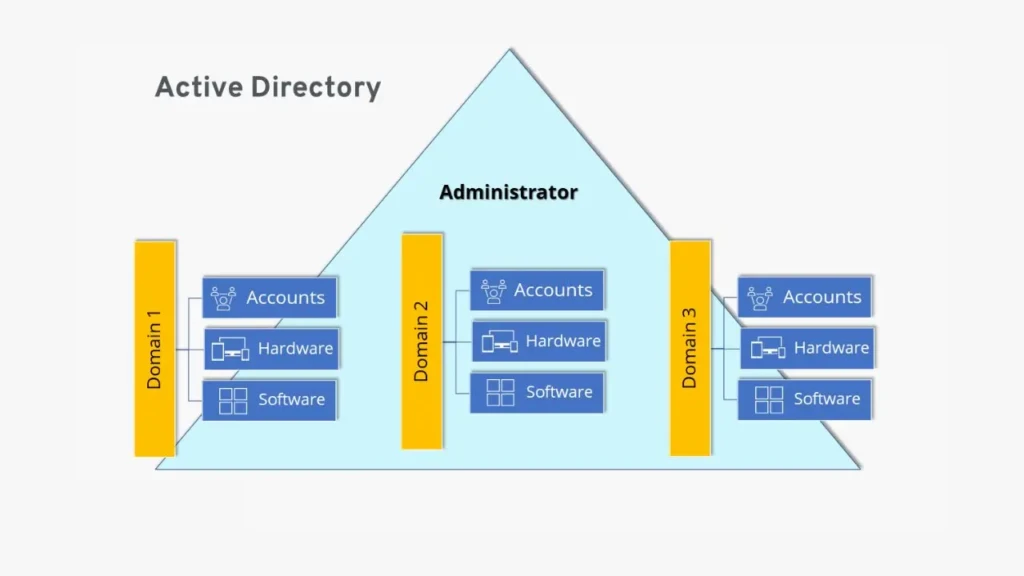
Active Directory is based on a hierarchical structure that supports both logical and physical configurations:
Domain, Forest, and Tree
- Domains are administrative boundaries that contain objects such as users and devices that share a common directory database.
- A tree is a collection of domains that share a contiguous namespace.
- Forests are the topmost containers that house one or more trees and establish a trust relationship among them.
Domain Controllers and Replication
Active Directory operates using domain controllers, servers that host a writable copy of the directory. When changes occur (such as password updates), they are replicated to other controllers according to defined replication schedules and topologies, ensuring consistency across the network.
Authentication and the Role of DNS
Authentication in AD leverages protocols like Kerberos and LDAP (Lightweight Directory Access Protocol). Domain controllers validate credentials and issue session tickets for resource access. Domain Name System (DNS) plays a critical role by enabling clients and servers to locate services and controllers within the environment.
Key Components of Active Directory
Domains
Domains function as core security boundaries that group related objects and policies.
Organizational Units (OUs)
OUs allow administrators to organize objects within a domain for easier delegation and policy application.
Users and Groups
User accounts represent individuals or services; groups bundle users for collective policy and permission assignment.
Group Policy
Group Policy enforces settings across users and devices, including security settings, software installation parameters, and desktop configurations.
Trust Relationships
Trusts allow users from one domain to access resources in another, enabling collaboration across administrative boundaries.
What Active Directory Is Used For
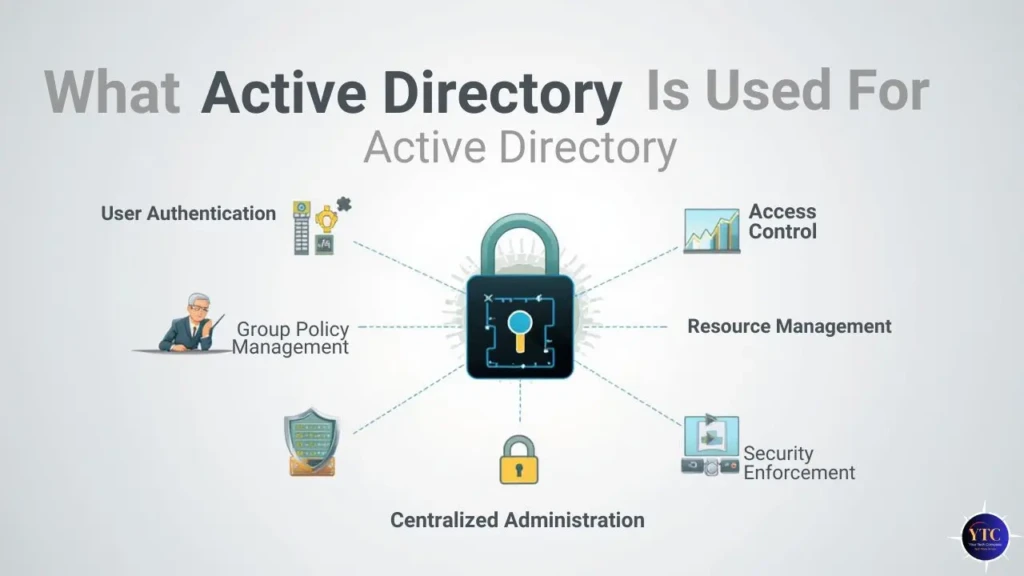
Organizations leverage Active Directory for various critical functions:
- Centralized User Management: Create and manage all user accounts in one place.
- Access Control: Define who can access which resources and under what conditions.
- Device and Computer Management: Enforce configuration policies and ensure compliance.
- Security Enforcement: Apply consistent security settings across thousands of endpoints.
- Authentication Services: Provide single sign-on (SSO) experiences for Windows networks.
For mixed environments that include non-Windows systems, integration tools and federation services can extend AD’s reach.
Active Directory in Modern IT Environments
Despite the rise of cloud identity systems, Active Directory remains relevant. Many organizations deploy hybrid identity models that combine on-premises AD with cloud services such as Azure Active Directory to extend functionality, especially for mobile and distributed workforces. Yet, the core principles of centralized identity and policy enforcement carry forward across both paradigms.
This relevance also extends to scenarios where operating system flexibility is required. For example, users who need to run Windows on non-Windows hardware (see our guide on Windows for Mac) often still connect to AD environments for authentication and resource access. Similarly, system administrators need to integrate identity workflows with broader maintenance tasks, such as reinstalling macOS, backing up, and restoring, which are covered in our How to Reinstall macOS guide.
Active Directory vs Cloud Identity Services
Traditional AD and modern cloud identity platforms each offer distinct strengths:
Feature | Active Directory | Cloud Identity Services |
Centralized on-Premise Control | Strong | Limited |
Cloud Integration | Possible with extensions | Native |
Device Management | Deep Windows integration | Broad across platforms |
Policy Enforcement | Mature Group Policy | Modern conditional access |
Scalability | Proven in large enterprises | Highly elastic |
Active Directory remains the better choice where deep on-premise control and legacy system support are required, while cloud identity services excel in multi-platform mobility and low-maintenance scalability.
Security Considerations in Active Directory

Active Directory’s centralized nature makes it a prime target for attackers. Misconfigurations or overlooked security gaps can lead to escalated privileges or unauthorized access. Best practices include:
- Least Privilege Administration: Assign only the minimum required rights for each task.
- Regular Auditing: Monitor changes to critical objects and policies.
- Patching and Updates: Keep domain controllers and related infrastructure up to date.
- Role Separation: Avoid concentrated administrative permissions.
Failing to secure AD properly is a frequent cause of enterprise breaches, underscoring the importance of robust governance.
Common Active Directory Challenges
Despite its strengths, Active Directory can present challenges:
- Complexity: Large forests with many domains require rigorous design and documentation.
- Maintenance Overhead: The replica topology and controller health require ongoing attention.
- Legacy Dependencies: Older applications may rely on specific AD behaviors.
- Skill Requirements: Expertise in AD design and troubleshooting remains in high demand.
These factors mean that proper planning and continuous management are critical to success.
Who Should Use Active Directory
Active Directory is particularly valuable for:
- Large enterprises with many users and devices.
- Medium businesses needing centralized policy and access control.
- Regulated industries where consistent auditing and control matter.
Smaller organizations with limited infrastructure or that rely fully on cloud services may find that cloud identity platforms alone are sufficient.
Conclusion
Active Directory remains a cornerstone of enterprise identity and access management because it delivers centralized control, robust policy enforcement, and mature administrative tooling. Even as organizations adopt cloud identity services, AD’s core principles and mechanisms are often extended rather than replaced, especially in hybrid environments. Understanding how domains, group policies, and trust relationships work helps administrators manage complex environments with confidence.
Moreover, the practical application of Active Directory often intersects with broader system management tasks, such as integrating user policies across mixed device landscapes and coordinating with workflows, such as system reinstallation or cross-platform support. Based on experience with real-world deployments, I see Active Directory as a strategic foundation for enterprises that require deep control and predictable identity management, and I recommend evaluating cloud integration options carefully to complement rather than replace it.
FAQs About Active Directory
Yes. Many enterprises continue to rely on Active Directory for centralized identity and access management, even as they adopt hybrid or cloud approaches.
They can, but the administrative overhead may outweigh the benefits unless centralized control is necessary.
Active Directory is included with Windows Server licenses; the software itself is not sold separately.
Native AD services are built around Windows infrastructure, but directory data and authentication can be extended to non-Windows systems through integration tools.