If you’re a teacher right now, you already know the problem; there are hundreds of EdTech tools competing for your attention, and most of them promise to revolutionize your classroom while quietly wasting your time. The reality is that most teachers don’t need more tools; they need the right tools that actually fit into a real school day without adding another layer of complexity. Whether you’re building lesson plans at 10 pm, trying to keep 30 students engaged after lunch, or writing your fifteenth parent email of the week, the tools in this guide are built to solve those exact problems.
What you’ll find here is a curated, research-backed breakdown of the best tech tools and websites for teachers across every major teaching category, including lesson planning, student engagement, assessment, classroom management, research resources, professional development, and AI. Every tool has been evaluated based on free-tier availability, ease of use, compliance with student data privacy regulations, and real-world classroom applicability. No fluff, no tools that look impressive in a demo but break down in practice, just what genuinely works.
How We Selected These Tools
Every tool in this guide was evaluated against six criteria before making the cut.
First, ease of use (if it takes more than 20 minutes to figure out, it’s not realistic for a teacher with 45 minutes of prep time). Second, free tier availability (because most teachers buy their own supplies; the same standard applies here). Third, device compatibility (every tool here works across Windows, Mac, Chromebook, iOS, and Android, so no student gets left out). Fourth, active development (abandoned tools were excluded entirely, because nothing is worse than building a workflow around a platform that stops working mid-semester). Fifth, real classroom applicability (every tool solves a problem you actually face, not a theoretical one). Sixth, student data privacy (COPPA and FERPA compliance is non-negotiable when student accounts are involved, and every tool in this guide takes that seriously).
Lesson Planning and Content Creation Tools

Canva for Education
Canva for Education is completely free for verified K-12 teachers and students, not a trial, not a stripped-down version, but full Canva Pro access at zero cost. You get thousands of education-specific templates for presentations, worksheets, infographics, posters, and classroom décor, plus Canva’s AI-powered Magic Write and Magic Design tools for generating content quickly. To access it, go to canva.com/education and apply with your school email; verification typically takes 24 to 48 hours.
Google Slides and Microsoft PowerPoint
These are the workhorses you probably already have, and they’re worth naming explicitly because both have improved significantly with AI features. Google Slides is free with any Google Workspace for Education account and integrates seamlessly with Google Classroom for distributing student-facing presentations. Microsoft PowerPoint now includes Copilot integration for slide generation and design suggestions, available free to teachers with most school Microsoft 365 licenses.
Diffit
Diffit is one of the most practical AI tools for teachers who work with mixed reading levels. You paste in any article, topic, or URL, tell it the reading level you need, and it instantly generates a differentiated version with a vocabulary list, comprehension questions, and discussion prompts; all ready to distribute. The free tier covers most everyday differentiation needs; a paid plan adds deeper customization and Google Classroom export.
MagicSchool AI
MagicSchool AI is the most widely adopted AI platform built specifically for educators, and is used by over 5 million teachers across 160 countries and in nearly every US school district. You get access to 80+ AI tools covering lesson plans, rubrics, quiz generation, IEP drafts, parent emails, accommodation suggestions, and more; all on the free tier. The honest catch worth knowing: the free plan does not save your work history, so copy your outputs immediately or upgrade to Plus ($8.33/month billed annually) for persistent history and 1-click Google and Microsoft export.
Curipod
Curipod takes a topic you type in and generates a complete interactive lesson (slides, polls, word clouds, drawing activities, and reflection prompts) in seconds. Beyond the time saving, what makes it genuinely useful in the classroom is that the student response features are built directly into the slides, so you don’t need a separate polling tool running alongside your presentation. The free plan covers most individual classroom needs; the Schools package adds analytics and admin features at district pricing.
Student Engagement and Interactive Learning Tools

Kahoot!
Kahoot! is the most recognized game-based quiz tool in education for good reason. The competitive format, the quiz-show music, and the real-time leaderboard create an energy in the classroom that few other tools match.
You can build your own questions from scratch, pull from a massive library of teacher-created games, or use Kahoot’s AI assistant to convert your existing lesson notes into quiz questions automatically. The free tier is genuinely strong for individual classroom use; Premium adds detailed reports, more question types, and higher player limits.
Gimkit
If you find that Kahoot’s 30-second-per-question format moves too fast for your students, Gimkit is worth trying as your primary game-based tool. Students earn in-game currency for correct answers and spend it on power-ups and upgrades, creating a more sustained, strategic engagement that works particularly well in middle and high school. The free tier includes core game modes; paid plans add more kit types and detailed individual performance tracking.
Nearpod
Nearpod transforms any presentation into a fully interactive lesson with built-in student-response features, such as polls, open-ended questions, collaborative boards, drawing activities, 3D models, and VR field trips, all on a single platform. You can run it teacher-paced (you control the progression) or student-paced (students move at their own pace), making it versatile for both live instruction and asynchronous assignments. The free tier works well for individual teachers, but it has storage limits; Nearpod Gold removes those limits and adds more advanced features.
Pear Deck
Pear Deck works as an add-on inside Google Slides and Microsoft PowerPoint, meaning you don’t need to rebuild your existing presentations from scratch. You add interactive response prompts directly into slides you already have, and students respond in real time on their own devices while you continue teaching. The free tier includes the core interactive features that most teachers need daily; Premium adds pacing controls, audio, and more detailed session reports.
Assessment and Formative Feedback Tools

Google Forms
Google Forms is the starting point for most teachers building digital assessments; it’s free, reliable, self-grading for multiple-choice and short-answer questions, and integrates directly with Google Classroom and Google Sheets for tracking responses over time. The response data flows automatically into a spreadsheet, which means you can filter, sort, and analyze class performance without doing it manually. If your school uses Google Workspace for Education, you already have full access at no additional cost.
Formative
Formative is the assessment tool that changes what real-time feedback actually means in a classroom. As students type their answers, you see their responses appearing on your screen live, not after they submit, but while they’re working, which means you can identify misconceptions and adjust your instruction immediately rather than discovering them when you grade the stack at home. The free tier covers most core formative assessment needs; paid plans add more question types, audio responses, and deeper analytics.
Wayground (formerly Quizizz)
Wayground is a self-paced quiz and homework tool that adds personality to assessment through meme-style feedback, power-ups, and a game-like interface that students actually enjoy. Beyond the student-facing experience, the teacher analytics are genuinely strong; you get question-by-question performance data, individual student reports, and class-level trends that help you identify exactly which concepts need re-teaching. In addition, the free tier covers most classroom assessment needs with no meaningful limitations for individual teacher use.
Edpuzzle
Edpuzzle solves one of the most persistent problems with video-based learning: students skipping ahead without watching. You can embed comprehension questions at specific timestamps in any YouTube video, Khan Academy clip, or uploaded lesson recording, so students cannot skip past a question until they answer it. Furthermore, the free plan supports up to 20 active students per class; the Pro Teacher plan, at around $11.50/month, removes that limit for teachers with larger classes or multiple sections.
Edulastic
Edulastic is the right choice when you need standards-aligned assessments with more than basic question types. You get 45+ question types, including drag-and-drop, fraction models, graphing, and technology-enhanced item formats, and reporting that breaks down performance by standard rather than just by score. The free tier for individual teachers is strong; school and district plans add benchmark testing, progress monitoring, and administrator-level reporting.
Classroom Management and Organization Tools

Google Classroom
Google Classroom is the most widely used LMS in K-12 education, and if your school uses Google Workspace for Education, you already have it. It handles assignment distribution and collection, grading with rubrics, class announcements, Guardian summaries for parents, and integration with every other Google tool in one clean interface. The learning curve is minimal compared to more complex LMS platforms, which is exactly why adoption rates are higher than any competing option in the K-12 space.
ClassDojo
ClassDojo is the dominant classroom management and family communication tool in elementary education, and is used in over 95% of US schools, according to the company. You track behavior, award points, send photos and updates to families, and build a classroom community portfolio all in one free platform. It’s genuinely free for teachers, with no meaningful paid tier required for core classroom functionality, making it the rare ed-tech tool that doesn’t eventually ask you for a credit card to unlock what you actually need.
Seesaw
Seesaw is a digital portfolio and family communication platform where students post evidence of their work (photos, drawings, videos, documents), and teachers give feedback that families can see in real time. Beyond the portfolio function, Seesaw also serves as a student-facing LMS for elementary settings where Google Classroom’s interface is too complex. Additionally, the free tier covers individual teacher use, with core portfolio and family-sharing features; Seesaw School adds admin features and deeper analytics.
Remind
Remind is the messaging tool most teachers trust for parent and student communication because it keeps your personal phone number private while enabling two-way texting. Messages translate automatically into 90+ languages (a practical necessity in multilingual communities), and you can schedule messages in advance for reminders, upcoming due dates, and event announcements. The core messaging functionality is free; premium features, such as class feeds and in-depth analytics, are available at the school and district levels.
Trello and Notion for Teacher Productivity
For your personal planning and organization (curriculum maps, lesson planning boards, grading trackers, professional development notes), both Trello and Notion offer free tiers that are sufficient for individual teachers. Trello’s visual card-and-board system works well for project-style planning; Notion’s flexible page-and-database structure is better for teachers who want to build a comprehensive personal knowledge system.
For a deeper comparison of how these tools stack up against each other and similar platforms, our Trello vs ClickUp comparison breaks down the differences across productivity and planning workflows in detail.
Research, Reading, and Reference Websites for Students

Khan Academy
Khan Academy is the most trusted free learning resource on the internet. It is comprehensive, self-paced, covers every major K-12 subject, and is completely free for students and teachers, with no meaningful limitations. Beyond the instructional content, Khanmigo (Khan Academy’s AI tutor) is free for teachers and guides students through Socratic questioning rather than handing them direct answers, making it a genuinely pedagogically sound AI tool for independent practice. It’s the first resource you should direct students to for concept reinforcement and self-paced review.
Newsela
Newsela takes current events articles and levels them by Lexile score. The same article is available at five reading levels, making it one of the most practical differentiated reading tools. Built-in quizzes, annotation tools, and writing prompts make it assignment-ready without additional preparation, and the media literacy practice of analyzing real news stories has genuine curriculum value beyond reading comprehension. In addition, the free tier gives you access to the article library with limited assignment features; Newsela Pro adds full assignment tools, reporting, and the complete content library.
CommonLit
CommonLit is a completely free library of literary and informational texts for grades 3 through 12, including short stories, poems, speeches, historical documents, and nonfiction articles, each paired with guided reading questions, vocabulary support, discussion prompts, and a reading log that teachers can assess. For ELA teachers, especially, CommonLit replaces a significant amount of manual resource preparation with ready-to-assign, standards-aligned materials. The full platform is free with no meaningful paid upgrade required for individual teachers.
National Geographic Education
National Geographic Education offers free maps, articles, videos, and complete lesson plans tied to geography, science, history, and social studies standards. The visual quality of National Geographic’s photography and media alone makes it worth bookmarking as a student-facing resource.
Additionally, the combination of compelling visuals and curriculum-aligned content makes geography and earth science tangibly engaging in a way that textbooks rarely achieve. It’s particularly useful for project-based learning units and interdisciplinary connections.
Mr. Greg’s English Cloud
For ESL and EFL teachers looking for free, classroom-ready materials built by a practicing teacher, Mr. Greg’s English Cloud is a well-regarded free resource for printable worksheets, ESL lesson ideas, grammar activities, and communicative games across multiple levels. The materials are practical, classroom-tested, and immediately usable without adaptation, which matters enormously when your planning time is limited. It’s the kind of resource built by someone who actually teaches, not a content team optimizing for SEO.
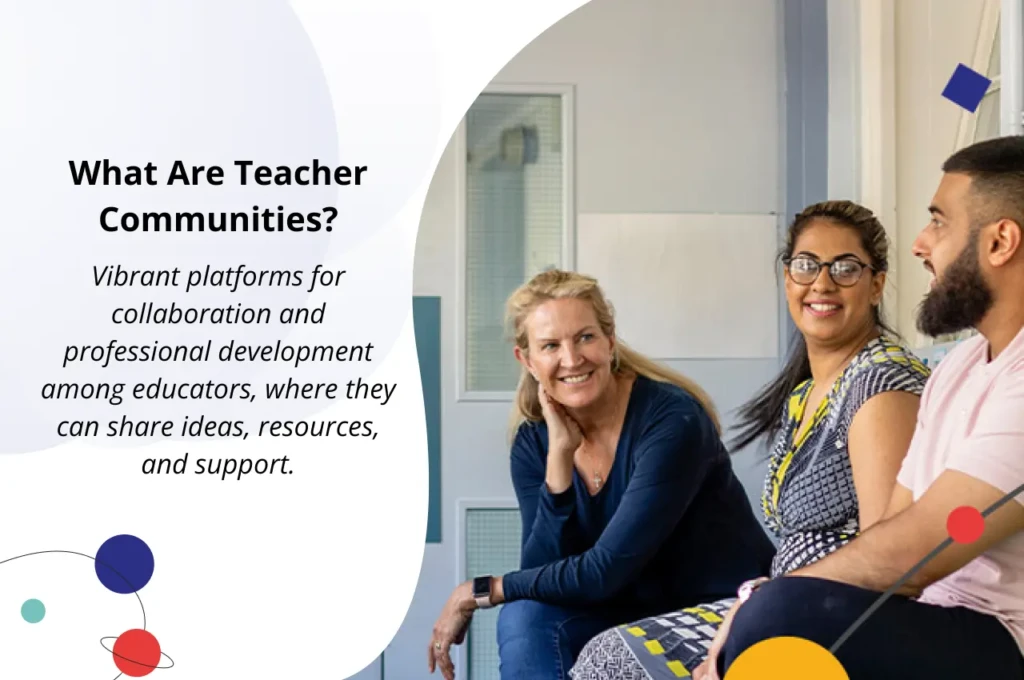
Professional Development and Teacher Community Resources
Edutopia
Edutopia is the most trusted free education publication, published by the George Lucas Educational Foundation. It covers research-backed strategies, classroom case studies, and practical teaching techniques across all subjects and grade levels.
The articles are readable without being shallow, the video content is genuinely instructive, and the topic organization makes it easy to find resources relevant to whatever you’re working on right now. Therefore, it’s worth bookmarking as a professional reading habit rather than a one-time visit.
TeachersPayTeachers
TeachersPayTeachers (TPT) is the largest marketplace for teacher-created resources. It has millions of worksheets, unit plans, assessments, activities, and templates, some of which are free and others are paid. However, the quality varies significantly, so the practical tip for getting value from it is to filter by rating (4.0 stars and above), read the preview carefully before downloading, and prioritize resources from sellers with a large review history in your specific subject and grade band.
For more detailed reviews of digital tools for education and productivity, visit our apps and tools category.
ISTE (International Society for Technology in Education)
ISTE is the professional standard-setting body for educational technology. If you’re serious about integrating tech meaningfully into your teaching, the ISTE Standards for Educators and ISTE Standards for Students are the frameworks most school districts and accreditation bodies reference.
Free webinars, a practitioner-focused blog, and the annual ISTE conference make it the most credible professional community for teachers who want to stay at the forefront of ed-tech practice. In addition, membership unlocks deeper resources; a significant amount of content is freely accessible without joining.
AI Tools Specifically Built for Teachers
MagicSchool AI
Already covered in lesson planning, but worth naming again here because its breadth goes beyond what most teachers initially realize. The 80+ tools span every teaching task, from generating accommodation suggestions for students with IEPs to writing parent communication in multiple languages to building Socratic seminar discussion questions from any text you paste in.
Start with the free tier, use it for two weeks on your actual workload, and you’ll quickly know whether the Plus plan at $8.33/month billed annually is worth it for your usage level.
Khanmigo
Khanmigo is Khan Academy’s AI teaching assistant, built on GPT-based models but tuned specifically for education with a Socratic approach that guides students toward answers rather than handing them over. For teachers, it generates fresh lesson ideas, creates personalized assignment suggestions, and helps frame difficult conversations with students.
This AI tool is free for educators in participating regions, and it’s one of the most important free AI tools available to teachers seeking AI student support with genuine pedagogical guardrails.
SchoolAI
SchoolAI is designed specifically for the classroom safety gap that general AI tools like ChatGPT can’t fill. You set the scope of what students can ask, the topics they can explore, and the guardrails on responses, and then students interact with AI inside those boundaries while you monitor the conversations in real time.
In addition, the teacher dashboard gives you live visibility into every student interaction, making it genuinely appropriate for classroom use in a way that unmodified ChatGPT is not. The free tier is available for individual teachers; school and district pricing covers broader deployment.
Brisk Teaching
Brisk Teaching is a Chrome extension that adds AI tools directly inside Google Docs, Google Slides, Google Classroom, and YouTube, without switching tabs or opening a separate app. You can generate feedback on a student essay, create a rubric from a learning objective, or build a quiz from a YouTube video you’re already watching, all from a small toolbar that appears in your existing workflow.
The free tier covers the core features most teachers use daily; a paid plan adds higher usage limits and advanced customization.
Free vs Paid: What You Actually Need to Pay For

Category | Best Free Option | Worth Paying For |
Lesson Planning | Canva for Education (free) | MagicSchool AI Plus ($8.33/month) |
Student Engagement | Kahoot! (free) | Nearpod Gold (removes storage limits) |
Assessment | Google Forms / Wayground (free) | Formative Pro / Edulastic (district) |
Classroom Management | Google Classroom / ClassDojo (free) | Seesaw School (admin + analytics) |
AI for Teachers | MagicSchool AI free / Khanmigo | SchoolAI paid (district-wide guardrails) |
Student Research | Khan Academy / CommonLit (free) | Newsela Pro (full assignment tools) |
Teacher Productivity | Trello / Notion free tiers | Notion Plus (if managing a team) |
The honest answer is that the free tiers in this guide cover 80% of your daily needs without spending a cent. The tools most worth upgrading to paid (if you’re going to spend anything) are MagicSchool AI Plus for the persistent work history alone, and Newsela Pro if differentiated current events reading is a weekly part of your curriculum.
For a broader look at how productivity and health-tracking tools compare across free and paid tiers, our Cronometer vs MyFitnessPal comparison is a useful reference for considering free-tier limitations across tool categories.
Tips for Implementing New Tech Tools in Your Classroom

The most common mistake teachers make with new tech tools is trying to adopt five things at once after a professional development day, and burning out by week three. Start with one tool per category from this guide, use it for a full month, and evaluate whether it’s actually saving you time before adding anything else. If it isn’t saving time after a month, drop it without guilt and try the next option.
Before you introduce any tool to students, always pilot it yourself first. Create a student account, go through the experience as your students will, and identify every friction point before they encounter it in class. Additionally, check your school or district’s approved software list and verify COPPA and FERPA compliance before students create accounts; this protects you professionally and protects your students’ data.
Finally, collect honest feedback from your students after two to three weeks with any new tool. A quick two-question Google Form (“What worked?” and “What got in the way?”) takes them 60 seconds to complete and gives you the most useful signal for whether a tool is genuinely supporting learning or just adding friction. The tools your students tell you work are the ones worth keeping.
FAQs
For lesson planning, MagicSchool AI’s free tier gives you the broadest coverage, with 80+ tools covering every planning and communication task. For student engagement, Kahoot! and Flip are the strongest free options. For assessment, Google Forms, combined with Quizizz, covers most formative and summative needs at no cost.
MagicSchool AI (FERPA- and COPPA-compliant, with a 93% Common Sense Privacy rating), SchoolAI (teacher-monitored with guardrails), and Khanmigo (Socratic tutor built within Khan Academy) are three AI tools designed from the ground up for student-safe use in K-12 classrooms.
MagicSchool AI and Diffit are the most widely used for AI-generated and differentiated materials. Edutopia, Khan Academy, and National Geographic Education are the strongest free content and ideas resources. TeachersPayTeachers is the largest community marketplace for teacher-made materials.
Yes, Google Classroom is completely free for schools and teachers using Google Workspace for Education. Your school’s IT administrator sets up the Google Workspace account; individual teachers access Classroom through that account at no additional cost.
Kahoot! for competitive review games, Gimkit for sustained strategic engagement, Nearpod for interactive lessons with built-in response features, and Flip for video-based discussion are the four engagement tools most consistently recommended by classroom teachers across grade levels.
Based on adoption rates and educator survey data, the five most recommended tools are Google Classroom (LMS), MagicSchool AI (AI planning), Canva for Education (content creation), Kahoot! (engagement), and ClassDojo (elementary management and communication).
Conclusion
The best place to start, regardless of grade level, subject, or tech comfort, is three tools: MagicSchool AI for planning and administrative tasks, Google Classroom for assignment management and communication, and Kahoot! or Wayground for engagement and formative assessment. Those three free tools cover the majority of what makes a classroom run smoothly on the tech side, and they integrate with each other without friction. Once those feel natural in your workflow, add one tool from the engagement and assessment categories based on the specific gap you’re most aware of in your teaching.
Everything else in this guide is worth exploring at the pace that works for you, not the pace that a vendor demo or a professional development day suggests. The goal is a toolkit that actually reduces your workload rather than adding to it, and that looks different for every teacher. For more AI tool comparisons and reviews, our AI Unboxed category is the right place to keep exploring.
Ready to explore more? Visit YourTechCompass for hands-on reviews, buying guides, and how-to articles that cut through the noise and give you exactly what you need.