Cronometer and MyFitnessPal are the two most-used nutrition-tracking apps, but they’re built on fundamentally different philosophies. Cronometer is built for accuracy: a fully verified food database, 84 micronutrients tracked, and detailed health data that goes well beyond calories and macros. MyFitnessPal is built for accessibility: the largest food database of any nutrition app, a beginner-friendly interface, and deep integrations with fitness platforms and wearables. Choosing the wrong one for your goals is the most common mistake people make when starting to track nutrition.
This guide compares the two apps across every dimension that actually matters (database accuracy, micronutrient depth, free-tier value, barcode scanning, integrations, and real-world usability) and gives you a clear recommendation based on your specific goal. And if you’re already using a fitness tracker or smart ring alongside a nutrition app, our fitness bands comparison guide and best smart rings for fitness tracking are worth reading alongside this one.
Cronometer vs MyFitnessPal: Quick Comparison
Feature | Cronometer | MyFitnessPal |
Food Database | Smaller, fully verified (USDA, NCCDB) | 14+ million entries, user-generated |
Micronutrients Tracked | 84 (vitamins, minerals, amino acids, fatty acids) | Basic vitamins and minerals only |
Barcode Scanner (Free) | ✅ Yes (unlimited) | ❌ Limited to 10 scans/day on free |
Custom Macro Goals (Free) | ✅ Yes (gram-based) | ❌ Percentage-based only; grams = Premium |
Meal Separation (Free) | ❌ No (Gold only) | ✅ Yes (up to 6 meals) |
Free Tier Ads | ❌ No ads | ✅ Yes (ad-supported) |
Data Privacy | Does not sell user data | Has sold anonymized data historically |
Paid Tier Cost | ~$4.99/month or $29.99/year (Gold) | ~$19.99/month or $79.99/year (Premium) |
Integrations | Apple Health, Fitbit, Oura, Garmin | 50+ apps (Apple Health, Garmin, Fitbit, Strava) |
Platform | iOS, Android, Web | iOS, Android, Web |
Best For | Athletes, medical tracking, micronutrient focus | Beginners, restaurant eaters, and general weight loss |
What Is Cronometer?
Cronometer launched in 2005 and has built its reputation on one thing: nutritional accuracy. Every food entry in Cronometer’s database is verified by sourcing directly from the USDA or the NCCDB (Nutrition Coordinating Center Food and Nutrient Database), or by users submitting a photo of the nutrition label for review by Cronometer’s curation team before going public. No entry gets added to the shared database without human review.
Beyond accuracy, Cronometer tracks 84 micronutrients, including individual vitamins (A, B1–B12, C, D, E, K), minerals (calcium, iron, magnesium, zinc, selenium, phosphorus), all essential amino acids, and fatty acids broken down by type. The free tier includes all core tracking features with no ads, no scan limits, and unlimited history.
Cronometer Gold ($4.99/month or $29.99/year) adds meal separation, custom charts, a fasting tracker, advanced biometric logging (blood glucose, HRV, ketones), and lab service integrations, such as InsideTracker. Cronometer Pro is a separate tier specifically for registered dietitians and health coaches who want a dashboard to monitor clients and share recipes directly through the app.
What Is MyFitnessPal?

MyFitnessPal launched in 2005 and became the dominant nutrition app through sheer scale, a database of over 14 million food entries, widespread device integrations, and a community-driven approach that made calorie tracking accessible to a mainstream audience. It remains the most downloaded nutrition app globally.
The free tier covers calorie tracking, macro breakdowns (as percentages), barcode scanning (limited to 10 scans/day), and access to the full food database. MyFitnessPal Premium ($19.99/month or $79.99/year) unlocks macro goals in grams, deeper food analysis, guided meal plans, calorie goal adjustments by day, and an ad-free experience.
The premium pricing is a genuine drawback; at nearly $80/year, it’s more than double Cronometer Gold’s annual cost for a feature set that most serious trackers find less comprehensive. MyFitnessPal has also historically monetized user data through partnerships with health and wellness companies, which is worth knowing if data privacy matters to you.
Food Database: Size vs. Accuracy
This is the most important practical difference between the two apps, and it’s not close.
MyFitnessPal’s 14 million+ entry database is enormous, but user-generated, meaning errors and duplicates are common. A single food like “chicken breast, grilled” can have dozens of entries with wildly different calorie and macro values, and there’s no consistent way to know which one is correct. MyFitnessPal does mark approved entries with a green checkmark, but unverified entries dominate the database. If you’re logging packaged foods, restaurant meals, or international foods, MyFitnessPal’s breadth is genuinely useful; it’s hard to find something that isn’t in there.
Cronometer’s database is smaller but significantly more trustworthy. Every entry is verified against a published nutritional source before it appears publicly, which means when you log 100g of almonds in Cronometer, you’re getting data sourced from laboratory analysis, not another user’s estimate. For whole foods and packaged goods, Cronometer’s accuracy advantage is consistent and well-documented. The one scenario where MyFitnessPal wins on the database is restaurant meals and international foods; Cronometer has less coverage there, and frequent travelers or restaurant-heavy eaters will hit gaps.
Micronutrient Tracking
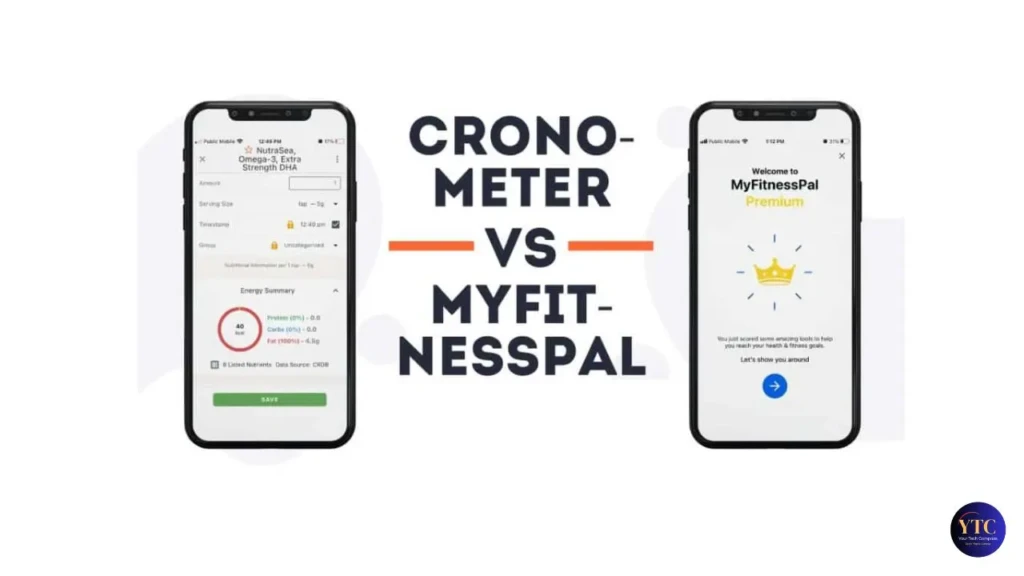
If micronutrient tracking matters to you at all, Cronometer wins this category decisively, and it isn’t a close contest.
Cronometer tracks 84 micronutrients (every essential vitamin, every mineral, all amino acids, and fatty acid breakdown) and displays them clearly against your recommended daily values in a color-coded daily summary. The “Ask the Oracle” feature goes further: if Cronometer identifies you’re consistently low on a specific nutrient (say, magnesium or selenium), it tells you exactly which foods are the best dietary sources so you can address the gap without guessing. Users who’ve switched from MyFitnessPal frequently report discovering deficiencies they didn’t know existed (phosphorus, B12, selenium, and magnesium are the most commonly cited).
MyFitnessPal tracks a small subset of micronutrients, primarily sodium, cholesterol, calcium, iron, and basic vitamins A and C. For the vast majority of micronutrients, MyFitnessPal simply doesn’t collect data on them. If you’re managing a health condition, working with a dietitian, following a specialized diet, or trying to optimize athletic performance through nutrition, MyFitnessPal’s micronutrient coverage is insufficient for those goals.
Calorie and Macro Tracking
For everyday calorie and macro tracking (what most users care about), both apps are functional, but there are important differences between their free tiers.
Cronometer’s free tier lets you set custom macro goals in grams (protein, fat, and carbohydrates, each with its own gram target) and shows real-time progress toward those goals as you log. MyFitnessPal’s free tier locks macro goals to percentage-based targets (e.g., 30% protein, 40% carbs, 30% fat) and requires a Premium subscription to set specific gram targets.
For anyone tracking macros seriously (bodybuilders, athletes, people on a structured diet plan), that free-tier limitation in MyFitnessPal is a real friction point. Cronometer also has a “copy previous day” feature that lets you duplicate any past day’s log with one tap, which meaningfully reduces daily logging time for people with consistent eating patterns.
Barcode Scanning

MyFitnessPal has historically had the edge in barcode scanning speed and recognition rate due to its larger packaged-food database. That advantage still exists for very new or regional products, but the gap has narrowed considerably as Cronometer’s database has grown.
The more important point is free-tier access: Cronometer’s barcode scanner is completely free, with no daily limits. MyFitnessPal restricts free users to 10 scans per day, which sounds like enough until you’re logging a full day of packaged foods at every meal. For heavy packaged-food trackers, Cronometer’s unlimited free scanning is a concrete practical advantage, regardless of differences in database size.
User Interface and Ease of Use
MyFitnessPal is the easier app to pick up on day one. Its interface is clean, streamlined, and built for users who want to log meals quickly without engaging with detailed data. Additionally, the diary view, calorie budget display, and macro summary are immediately intuitive, and meal separation into breakfast, lunch, dinner, and snacks is available on the free tier.
Cronometer has a steeper learning curve; the interface is more data-dense, with nutrient breakdown charts, biometric logs, and detailed daily summaries that can feel overwhelming at first. However, most users who commit to Cronometer for two weeks find that the interface becomes comfortable, and the data visibility is the point; you’re not just counting calories, you’re seeing a complete nutritional picture. On mobile, both apps are well-maintained on iOS and Android. Cronometer does not offer meal separation in the diary on its free tier (that feature requires Gold), which is a genuine free-tier limitation compared to MyFitnessPal.
Integrations and Ecosystem

MyFitnessPal integrates with 50+ apps and devices, such as Apple Health, Google Fit, Garmin, Fitbit, Strava, Withings, MapMyRun, and most major fitness platforms. Therefore, if you’re already using a wearable and want your nutrition and activity data in one place, MyFitnessPal’s broad integrations are a real advantage. Connecting a Pixel Watch or fitness tracker to your nutrition app makes calorie adjustment automatic; MyFitnessPal handles that more broadly than Cronometer currently does.
Cronometer integrates with Apple Health, Fitbit, Oura Ring, Garmin, and a smaller but growing list of platforms. It also connects with lab services like InsideTracker and Genova Diagnostics (Gold tier), which are uniquely valuable for users who get regular blood panels and want to correlate lab results with dietary data. For most users, Cronometer’s integration set covers the essential wearables, but if you use a less common fitness platform, check compatibility before committing.
Free vs. Paid: What Do You Actually Get?
This is where Cronometer’s value proposition is clearest and most lopsided.
Cronometer Free gives you: full micronutrient tracking across 84 nutrients, verified food database access, unlimited barcode scanning, gram-based custom macro goals, unlimited history, no ads, and full daily nutrient reporting. It’s a genuinely complete tracking tool, free to use.
Cronometer Gold ($4.99/month or $29.99/year) adds: meal separation in the diary, fasting tracker, advanced biometric logging (blood glucose, HRV, ketones), custom nutrient charts, food scoring, priority support, and lab service integrations.
MyFitnessPal Free gives you: calorie and macro tracking (percentage-based goals only), access to the full food database, barcode scanning (10/day limit), and a meal diary with separate sections for breakfast/lunch/dinner/snacks. The free tier includes ads.
MyFitnessPal Premium ($19.99/month or $79.99/year) adds: gram-based macro goals, deeper food analysis, guided meal plans, daily calorie goal adjustments, and ad removal.
The value gap is significant. Cronometer’s free tier delivers more functionality than MyFitnessPal’s paid tier for users who care about nutritional depth. MyFitnessPal’s Premium is hard to justify at $79.99/year when Cronometer Gold costs $29.99/year and provides more comprehensive tracking. For more app comparisons and tool reviews, our apps and tools category covers a wide range of software worth exploring.
Cronometer vs MyFitnessPal for Specific Use Cases
- Weight Loss (general): MyFitnessPal is marginally easier to start with; the diary format, calorie budget, and “projected weight in 5 weeks” feature are motivating for beginners. Cronometer works equally well but with a slightly higher initial learning curve. Either app works; pick based on whether you want simplicity (MyFitnessPal) or micronutrient visibility alongside weight tracking (Cronometer).
- Bodybuilding and Muscle Gain: Cronometer’s gram-based macro targets on the free tier, verified protein data, and amino acid breakdown make it a better tool for consistently hitting precise macros.
- Managing Nutritional Deficiencies: Cronometer without question. No other mainstream nutrition app tracks 84 micronutrients with verified data. If your doctor or dietitian has flagged a deficiency in magnesium, B12, iron, or selenium, Cronometer is the only tool that gives you reliable daily data to address it.
- Diabetes and Medical Nutrition Tracking: Cronometer is better. The carbohydrate breakdown (total carbs, fiber, net carbs, sugar alcohols) is more detailed, biometric logging for blood glucose is built in, and the data accuracy is clinically relevant in a way MyFitnessPal’s user-generated entries aren’t.
- Frequent Restaurant or International Food Eating: MyFitnessPal wins. The larger database has better coverage of restaurant chains, regional cuisine, and foods outside the US.
- Casual Healthy Eating: MyFitnessPal for pure simplicity, Cronometer for anyone curious about what they’re actually getting from their food beyond calories.
Pros and Cons
Cronometer
The Pros
- Fully verified food database, significantly fewer errors than MyFitnessPal.
- Tracks 84 micronutrients, including amino acids, fatty acids, and individual vitamins and minerals.
- Free tier includes unlimited barcode scanning, gram-based macro goals, full nutrient reporting, and no ads.
- Does not sell user data, explicit privacy policy protects health information.
- Cronometer Pro tier supports dietitian-client workflows directly in the app.
The Cons
- Meal separation requires a Gold subscription, a real free-tier limitation.
- A smaller database means occasional gaps for restaurant meals and international foods.
- Steeper learning curve, more data-dense interface takes time to get comfortable with.
MyFitnessPal
The Pros
- Largest food database of any nutrition app (14+ million entries cover almost any food).
- Beginner-friendly interface with minimal learning curve.
- Integrates with 50+ fitness apps and devices, the broadest ecosystem in the category.
- Meal separation into multiple meals available on the free tier.
The Cons
- User-generated database creates accuracy problems (duplicate and incorrect entries are common).
- Barcode scanning is limited to 10 scans/day on the free plan; gram-based macro goals require Premium.
- Premium pricing ($79.99/year) is difficult to justify against Cronometer Gold ($29.99/year).
- Has historically monetized user data through third-party partnerships.
Which Should You Choose?
Choose Cronometer if you care about nutritional accuracy beyond calories and macros, you’re managing a health condition, working with a dietitian, following a structured diet (keto, paleo, plant-based), or you want to understand your micronutrient intake. The free tier alone makes it the better value for serious trackers.
Choose MyFitnessPal if you eat out frequently, travel internationally, want the fastest possible logging experience, or need deep integration with a specific fitness platform that Cronometer doesn’t support. It’s also the easier starting point if you’ve never tracked nutrition before and just want a simple calorie counter.
Use Both Strategically: Some experienced trackers use MyFitnessPal for daily habit tracking and run a monthly Cronometer audit to check for micronutrient gaps. It’s not necessary for most users, but it’s a legitimate approach for data-driven health optimization.
FAQs
Yes, consistently. Cronometer’s verified database, sourced from USDA and NCCDB, produces more accurate nutritional data than MyFitnessPal’s user-generated entries, where duplicate and incorrect data are common.
Yes. Cronometer’s free tier includes full micronutrient tracking, unlimited barcode scanning, gram-based macro goals, no ads, and unlimited history, making it one of the most generous free tiers among nutrition apps.
Yes, they don’t conflict. Some users log daily in MyFitnessPal for speed and run periodic audits in Cronometer for micronutrient analysis. Both apps export data if you want to migrate fully from one to the other.
Both work for weight loss. MyFitnessPal’s beginner-friendly interface makes it easier to start. Cronometer gives you more data to understand whether you’re losing weight in a nutritionally balanced way, which matters for long-term health.
Only basic ones, such as primarily sodium, calcium, iron, and vitamins A and C. For comprehensive micronutrient tracking across 84 nutrients, Cronometer is the only mainstream option.
Conclusion
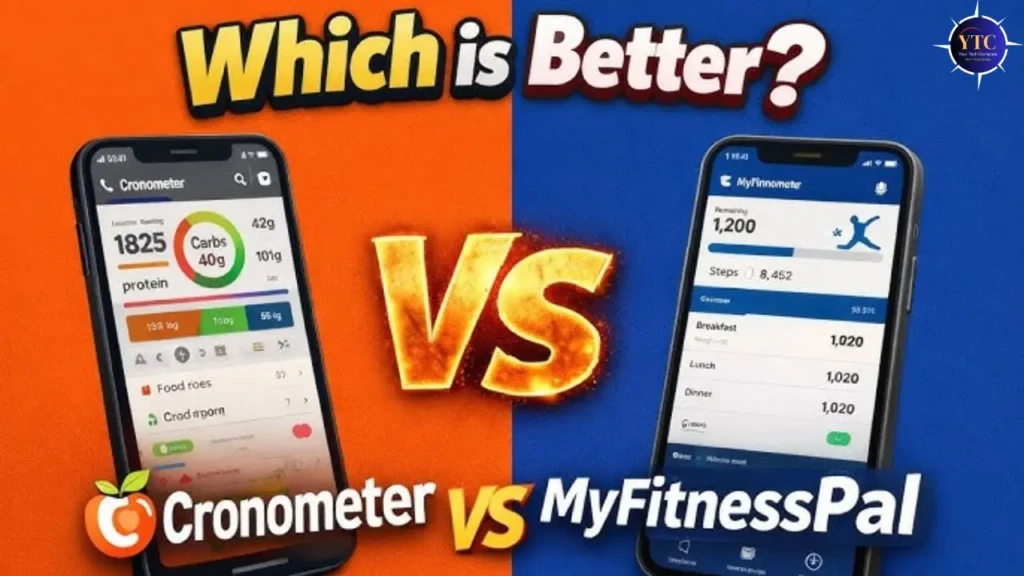
Cronometer is the better app for most people who are serious about nutrition; the verified database, 84 micronutrients, free barcode scanning, and ad-free tier deliver more value than MyFitnessPal’s Premium at a fraction of the cost. If accuracy, health condition management, or working with a healthcare provider is part of your picture, Cronometer isn’t just better; it’s the only realistic choice between the two.
MyFitnessPal still earns its place for specific situations: restaurant-heavy eaters, beginners who want the simplest possible starting point, and users deeply embedded in fitness ecosystems that MyFitnessPal integrates with more broadly. Start with the free tier of whichever app fits your primary goal; both are free to try, and switching is easy.
Found this helpful? Browse more in-depth tech guides, honest reviews, and step-by-step tutorials at YourTechCompass; your go-to resource for making smarter tech decisions.