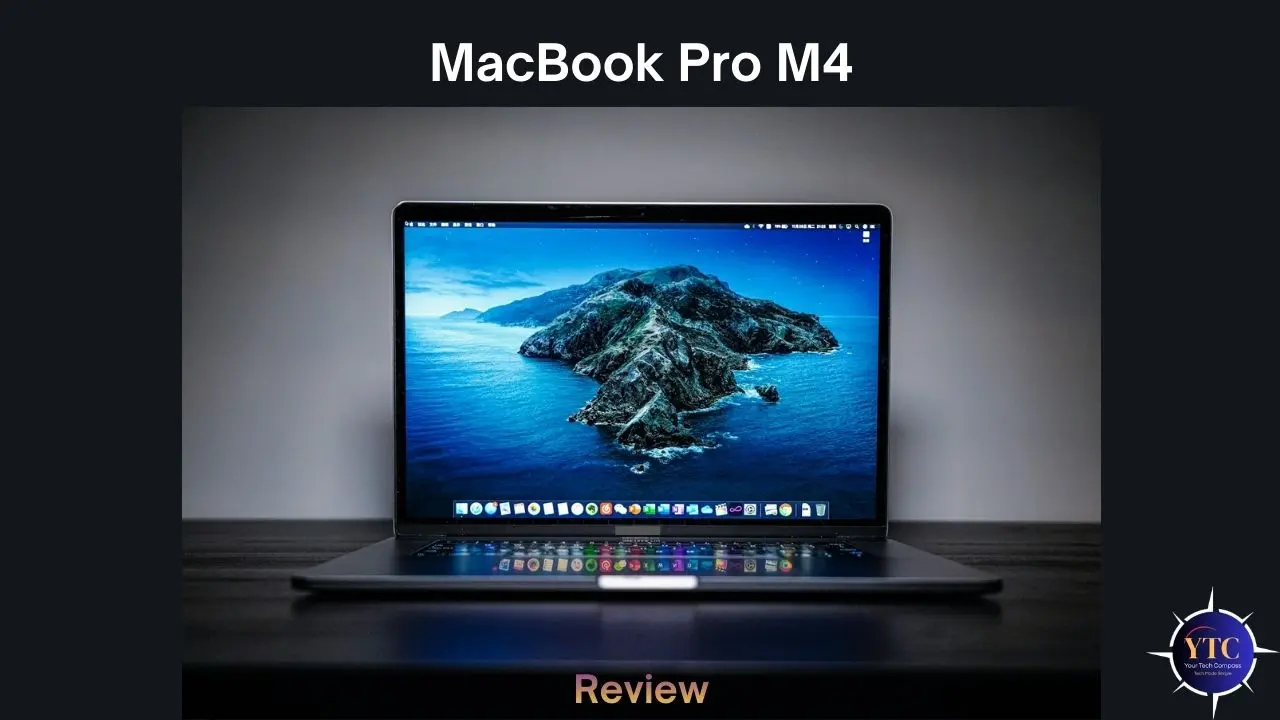
When Apple introduced its first M-series chip in 2020, it didn’t just release a new processor; it redrew the map of what a laptop could be. Almost overnight, the conversation shifted from clock speeds and thermal design power to battery life measured in days, silent operation under heavy load, and performance-per-watt figures that left Intel and AMD scrambling to respond. With the MacBook Pro M4, Apple has taken everything it learned over four generations of Apple Silicon and delivered what is arguably the most well-rounded, capable, and refined pro laptop ever put into mass production at any price point from any manufacturer. The combination of the M4 chip family, a Liquid Retina XDR display that remains the industry benchmark, and up to 24 hours of real-world battery life creates a package that is genuinely difficult to argue against for creative professionals and power users.
But “difficult to argue against” is not the same as “right for everyone,” and that’s exactly what this review is here to help you figure out. I’m going to walk you through every dimension that matters: the chip architecture and what it delivers in real-world creative workflows; display quality; port selection; battery endurance; the software ecosystem; and how the MacBook Pro M4 compares to the best Windows alternatives at similar price points. Whether you’re upgrading from an Intel Mac, evaluating your first Apple laptop, or trying to decide among the base M4, M4 Pro, and M4 Max configurations, this review is written specifically for you.
MacBook Pro M4: Full Specifications
Specification | |||
Chip | Apple M4 | Apple M4 Pro | Apple M4 Max |
CPU Cores | 10-core (4P + 6E) | 12-core (8P+4E) or 14-core (10P+4E) | 14-core (10P+4E) or 16-core (12P+4E) |
GPU Cores | 10-core | 20-core or 24-core | 32-core or 40-core |
Memory Bandwidth | 120GB/s | 273GB/s | 410GB/s or 546GB/s |
Unified Memory | 16GB or 24GB | 24GB, 36GB, or 48GB | 36GB, 48GB, 64GB, 96GB, or 128GB |
Storage | 512GB or 1 TB SSD | 512GB to 4 TB SSD | 512GB to 4 TB SSD |
Resolution | 3024×1964 (254 ppi) | 3024×1964 (254 ppi) | 3024×1964 (254 ppi) |
Refresh Rate | ProMotion 1–120Hz | ProMotion 1–120Hz | ProMotion 1–120Hz |
Camera | 12MP Center Stage | 12MP Center Stage | 12MP Center Stage |
Battery | 72.4Wh — up to 24hrs | 72.4Wh — up to 24hrs | 72.4Wh — up to 24hrs |
Wired Charging | MagSafe 3 (70W adapter included) | MagSafe 3 (96W or 140W) | MagSafe 3 (140W) |
Thunderbolt Ports | 3× Thunderbolt 4 | 3× Thunderbolt 5 | 3× Thunderbolt 5 |
Other Ports | HDMI 2.1, SD card, 3.5mm jack | HDMI 2.1, SD card, 3.5mm jack | HDMI 2.1, SD card, 3.5mm jack |
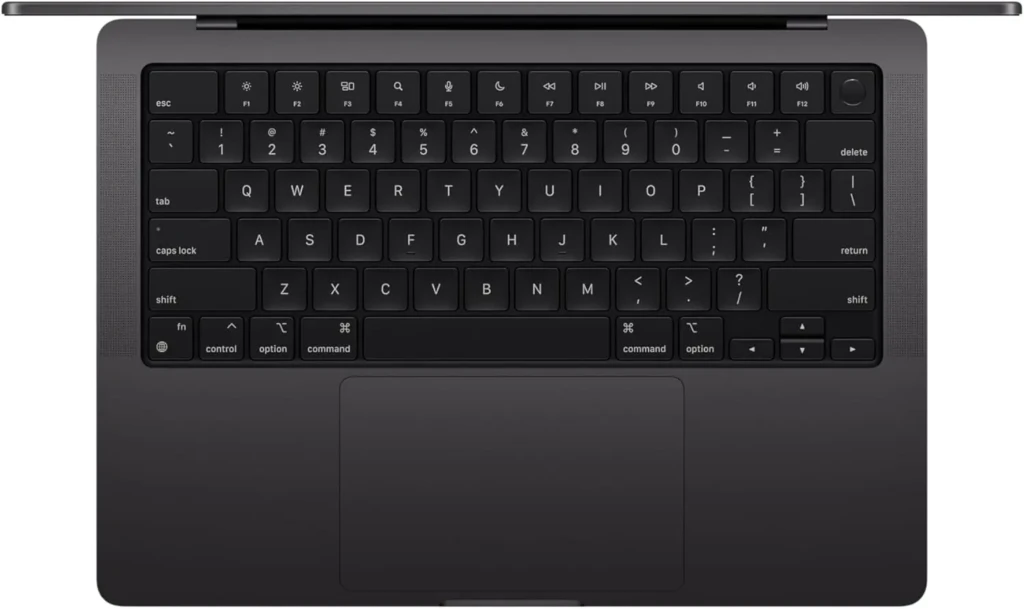
MacBook Pro M4
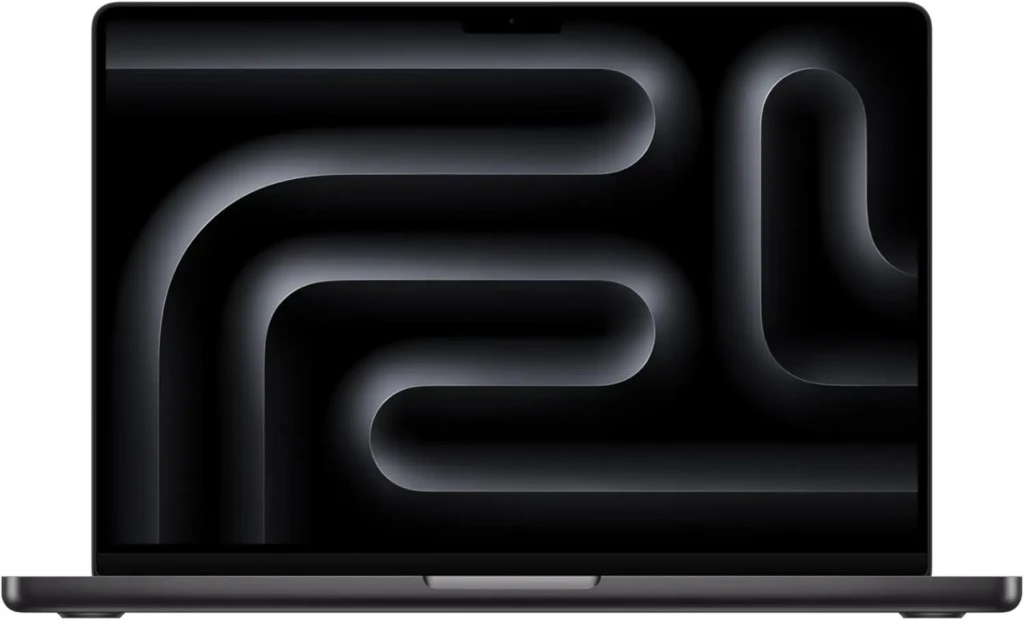
MacBook Pro M4 Pro
MacBook Pro M4 Max
What Is the MacBook Pro M4?
The MacBook Pro M4 is Apple’s professional-grade laptop lineup, available in 14-inch and 16-inch display sizes and powered by one of three chip configurations from Apple’s M4 family: the base M4, the mid-tier M4 Pro, and the top-tier M4 Max. Released in November 2024, it sits above the MacBook Air in Apple’s lineup, offering active cooling (a fan system), a dramatically brighter and more capable display, more port options, and significantly higher performance ceilings that the fanless MacBook Air simply cannot sustain under extended heavy workloads. Understanding which chip tier you need is the first decision you have to make, and it’s the most consequential one for both performance and price.
The concept of Apple Silicon and the Unified Memory Architecture (UMA) it’s built on is worth explaining clearly, because it’s genuinely different from how traditional laptops, including every Windows machine in this review, manage memory and computing. In a conventional laptop, the CPU has its own memory pool, and the discrete GPU has its own separate VRAM.
The M4 fits into a larger Mac ecosystem that includes the Mac mini, iMac, and Mac Pro, all of which run variants of Apple’s M1 family of chips. For laptop buyers, the MacBook Pro M4 outperforms the MacBook Air M4 in sustained performance, display capabilities, and port selection, and understanding these differences helps you make the right choice for your needs.
Design and Build Quality
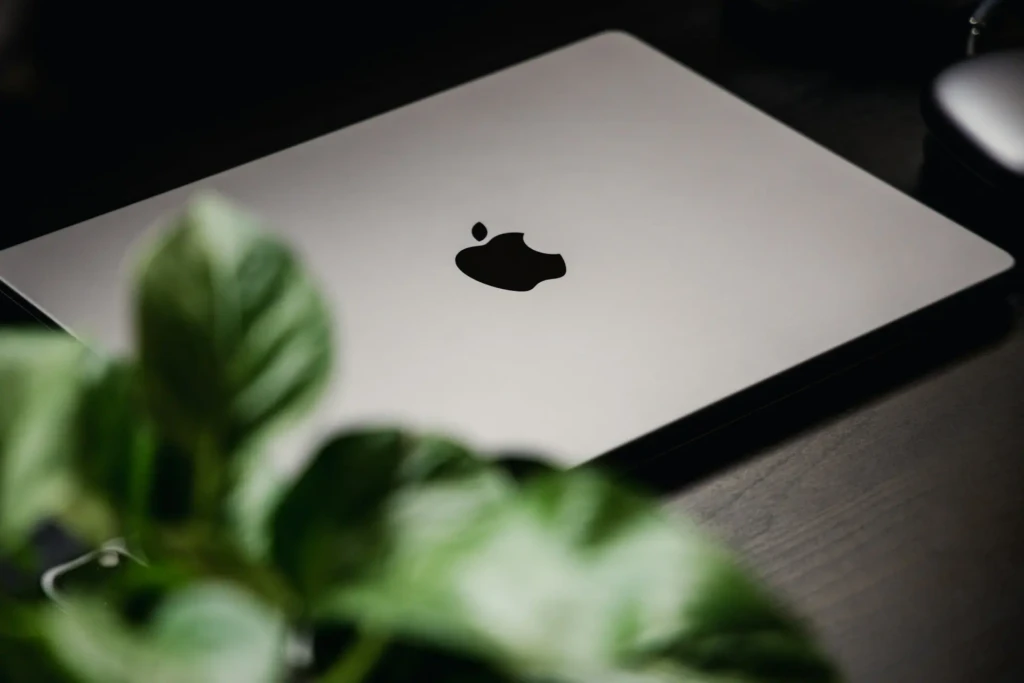
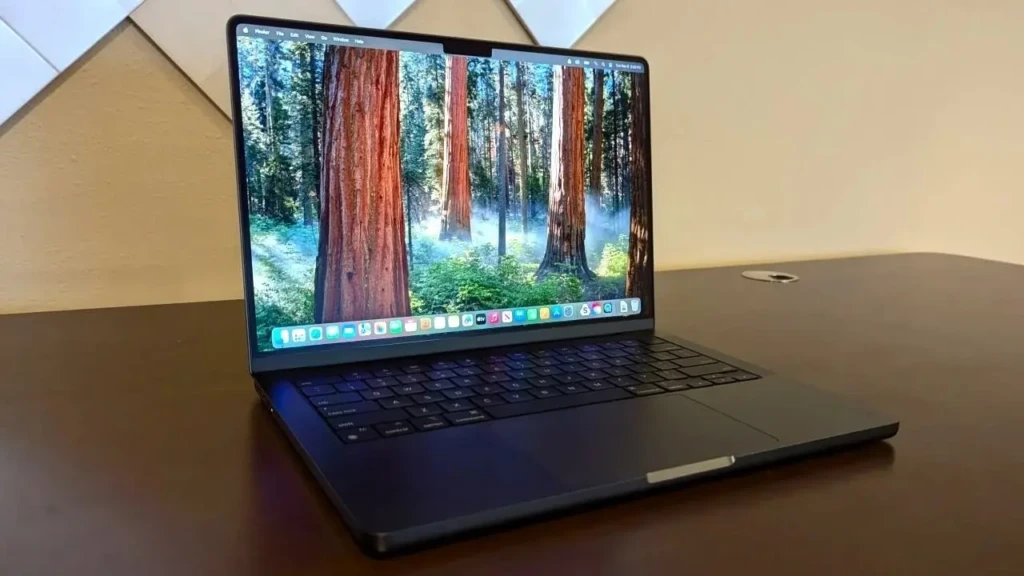
Let me set expectations clearly upfront: if you’re hoping the MacBook Pro M4 looks dramatically different from the MacBook Pro M3, you’ll be disappointed, but probably not surprised. Apple has not changed the MacBook Pro’s physical design since the major 2021 redesign that brought back MagSafe, HDMI, the SD card reader, and the notch.
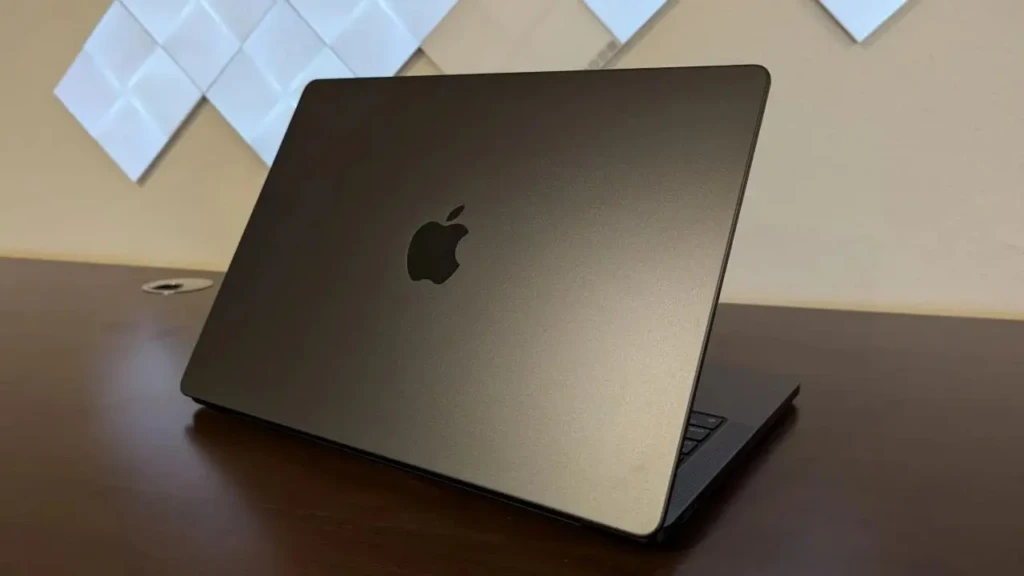
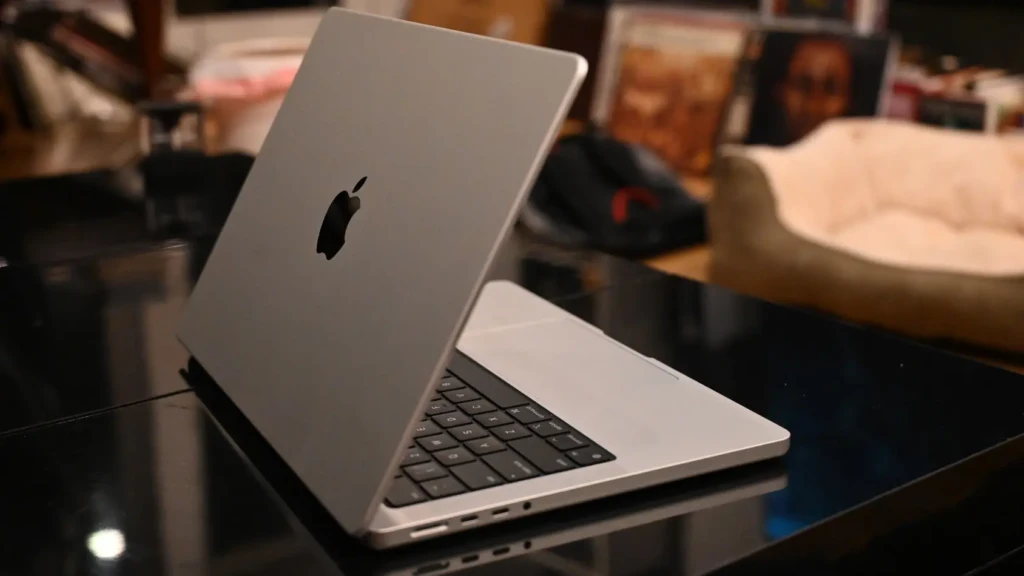
For the fourth consecutive generation, the MacBook Pro looks identical from the outside. What you get is a 100% recycled aluminum unibody enclosure; Apple calls it a custom alloy, available in Space Black (a premium dark anodized finish that resists fingerprints better than previous Space Gray options) and Silver.
The build quality remains, objectively, among the very best in the laptop industry. The chassis is rigid without flex, the hinge is perfectly damped for one-handed opening, and the overall weight (1.55kg (3.4 lbs) for the 14-inch M4 model and 2.14kg (4.7 lbs) for the 16-inch) is genuinely impressive given the hardware packed inside. The Magic Keyboard with Touch ID remains one of the best laptop keyboards available, well-traveled, with automatic backlighting, and a key feel that strikes a confident balance between depth and resistance.
The Force Touch trackpad is enormous and class-leading in precision, gesture support, and haptic feedback. It’s the standard that every Windows trackpad is still measured against, and most still fall short of it. Port selection is one area where the MacBook Pro genuinely shines over its Air sibling: three Thunderbolt ports (4 on M4, 5 on M4 Pro and M4 Max), one HDMI 2.1, an SDXC card slot, a MagSafe 3 charging port, and a 3.5mm headphone jack with high-impedance headphone support round out a comprehensive physical connectivity package.
The Liquid Retina XDR Display
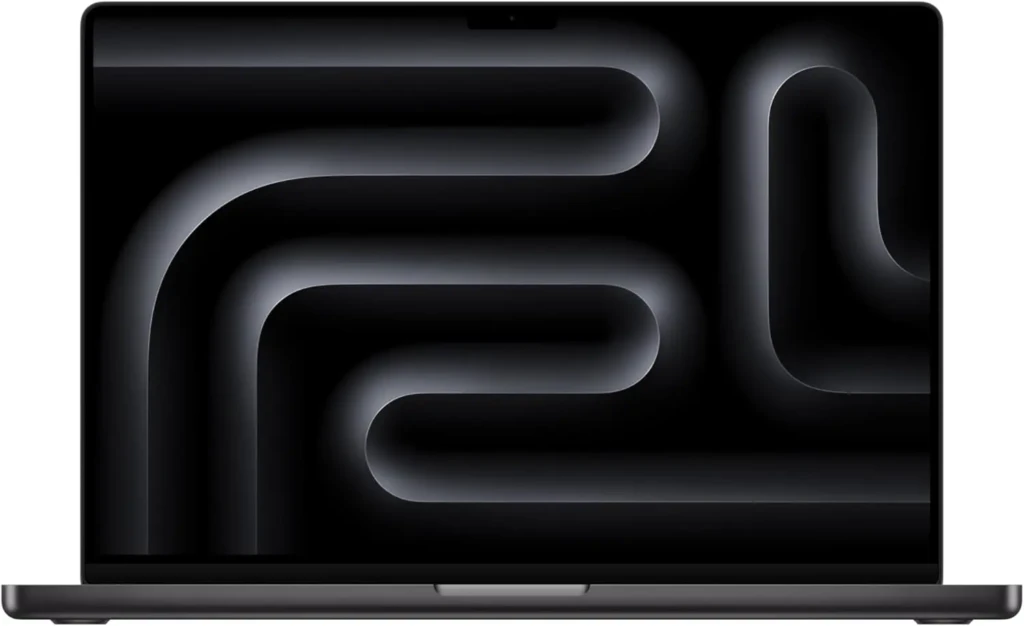
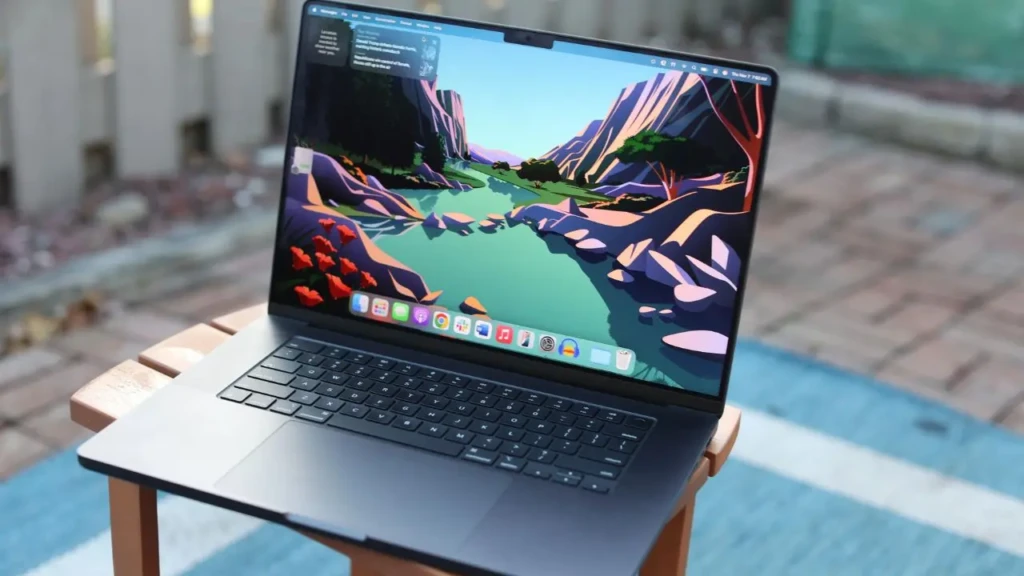
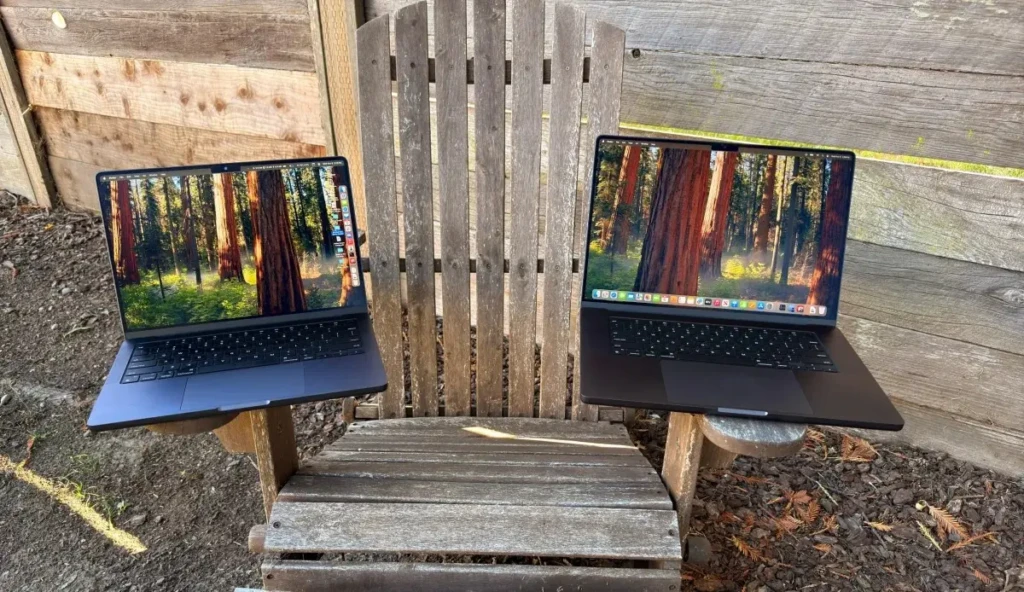
If you’ve never used a MacBook Pro’s display for creative work, it’s genuinely difficult to convey in words how significant the difference in quality is compared to most laptop panels, including many premium Windows alternatives. The Liquid Retina XDR display is a mini-LED panel with Apple’s proprietary local dimming technology that delivers a 1,000,000:1 contrast ratio, meaning the blacks are genuinely dark and the highlights genuinely bright simultaneously in the same frame. That’s the defining characteristic of an XDR (Extreme Dynamic Range) display, and it transforms the experience of working with high-contrast content.
The numbers behind the display are equally impressive. The 14-inch model runs at 3024×1964 resolution (254 ppi), and the 16-inch at 3456×2234 (254 ppi), both at identical pixel density, so text and images are equally sharp regardless of which size you choose. ProMotion adaptive refresh rate adjusts from 1Hz to 120Hz based on what’s on screen, conserving battery during static content like reading and document editing, then jumping to a smooth 120Hz for scrolling, animations, and video scrubbing. Peak brightness reaches 1,600 nits in HDR mode and 1,000 nits in SDR, significantly brighter than the MacBook Air M3‘s 500 nits and competitive with the very best OLED panels on competing Windows ultrabooks.
For creative professionals, the display covers 100% of the P3 wide color gamut, the standard used in professional video production and digital cinema, and is factory-calibrated to a Delta-E of under 1, ensuring colors are accurate enough for professional color grading right out of the box. If you do video editing, photography, graphic design, or UI work, this display is a genuine professional tool, not just a beautiful consumer screen.
Architecture and Performance
In benchmark testing, the base M4 scores approximately 3,781 on Geekbench 6 single-core and 14,858 on multi-core, representing approximately a 28% improvement over the M3 on Geekbench 6 and a 38% improvement in real-world tasks, according to independent testing. In Cinebench 2024, the M4 achieves 176 points in single-core and 972 points in multi-core, representing a 10% and 16% improvement over the M3, respectively.
For practical creative work, those gains translate into a 3D render that took 10 minutes on M3 and was completed in approximately 8.5 minutes on M4, a meaningful time saving that compounds across a full day of production work. Stepping up to the M4 Pro (14-core CPU, 20-core GPU, 273GB/s bandwidth) unlocks the platform’s most significant performance jump: Geekbench 6 multi-core scores of approximately 22,413, nearly 50% faster than the base M4.
The M4 Max (up to 16-core CPU, 40-core GPU, 546 GB/s bandwidth) is in a class of its own for the most demanding workloads. It can run large language models with nearly 200 billion parameters, handle 8K ProRes video editing without proxies, and render complex 3D scenes at speeds previously achievable only on workstation-class hardware. The 16-core Neural Engine across all M4 variants is a significant upgrade over M3, specifically tuned for Apple Intelligence’s on-device AI processing, enabling writing tools, image generation, code suggestions, and summarization that run entirely on your MacBook without sending data to the cloud.
Real-World Performance
Benchmarks tell one story, but real-world creative workflows tell a more complete one, and the MacBook Pro M4 delivers across every major professional use case that its target audience cares about.
Here’s how it performs across the workloads that matter most.
Video Editing (Final Cut Pro, DaVinci Resolve, Premiere Pro)
The M4’s dedicated media engines handle ProRes encoding and decoding in hardware, making Final Cut Pro timelines with multiple 4K streams play back smoothly without rendering, even on the base M4 configuration. On the M4 Pro and M4 Max, 8K ProRes RAW editing without proxies is genuinely practical, a workflow that required dedicated hardware acceleration cards just a few years ago. DaVinci Resolve’s GPU-intensive Fusion compositing and noise reduction tools benefit substantially from the M4 Pro’s 20-core GPU, with render times improving meaningfully over M3 Pro equivalents.
Photo Editing (Lightroom, Capture One)
The base M4 handles large RAW file libraries with snappy responsiveness and AI-powered edits, masking, denoising, and sky replacement, completing significantly faster than on equivalent Intel machines. The unified memory architecture means that, even at 16GB, the M4 handles large catalogs more efficiently than a traditional 16GB laptop because there’s no memory copying between the CPU and GPU. That said, heavy Capture One tethering sessions with large-format and medium-format files will benefit from upgrading to 24 GB of unified memory.
Software Development (Xcode, Docker, Virtualization)
Xcode compilation times on M4 are dramatically faster than on any Intel Mac, and Apple’s Rosetta 2 translation layer allows legacy x86 macOS applications to run at performance levels that often exceed their native Intel equivalents. Docker and Linux virtualization via UTM or Parallels work reliably, though memory allocation for virtual machines puts more pressure on the 16GB base configuration than creative workloads do. Developers running multiple containers simultaneously will benefit significantly from the 24GB or 36GB unified memory options.
But… Is 16 GB enough?
This is the question that generates more debate than almost any other MacBook Pro topic, and here’s my honest answer: for most users doing one primary creative workflow at a time, yes, 16GB of unified memory is functionally adequate thanks to the efficiency of Apple’s UMA.
But if you’re the type who keeps 30 browser tabs, a Slack workspace, a Spotify stream, and a Premiere Pro project open simultaneously while also running a Docker container, upgrade to 24GB. The $200 upgrade is the best value addition to the base M4 configuration, and you cannot upgrade memory after purchase.
Battery Life
Battery life is where the MacBook Pro M4 does something that no previous laptop generation has done as consistently: it makes battery anxiety essentially obsolete for most professional workflows. Apple claims up to 24 hours of battery life on both the 14-inch and 16-inch M4 models, the longest ever claimed for any Mac, and real-world testing broadly validates this claim for light-to-moderate use. Independent testing at 150 nits of brightness during mixed web browsing and light productivity tasks recorded real-world runtimes of 18 to 22 hours, approximately 1.5 to 2 full workdays on a single charge, which is genuinely transformative for travel, commuting, and all-day work in locations without reliable power access.
Under heavier creative workloads, sustained 4K video exports, extended Blender rendering sessions, or prolonged Final Cut Pro timelines, the runtime naturally drops, but even under these demanding conditions, the M4 MacBook Pro consistently outlasts any competing Windows laptop with similar performance capabilities. The comparison isn’t even particularly close: a Dell XPS 15 with an Intel Core Ultra or an NVIDIA discrete GPU typically delivers 5 to 8 hours under comparable creative loads.
The MacBook Pro M4 doubles or triples that figure while matching or exceeding the Windows machine’s performance. MagSafe 3 charging delivers fast charging, reaching 50% in approximately 30 minutes with the 140W adapter (included with M4 Max configurations; M4 base ships with a 70W adapter).
Ports, Connectivity, and Audio
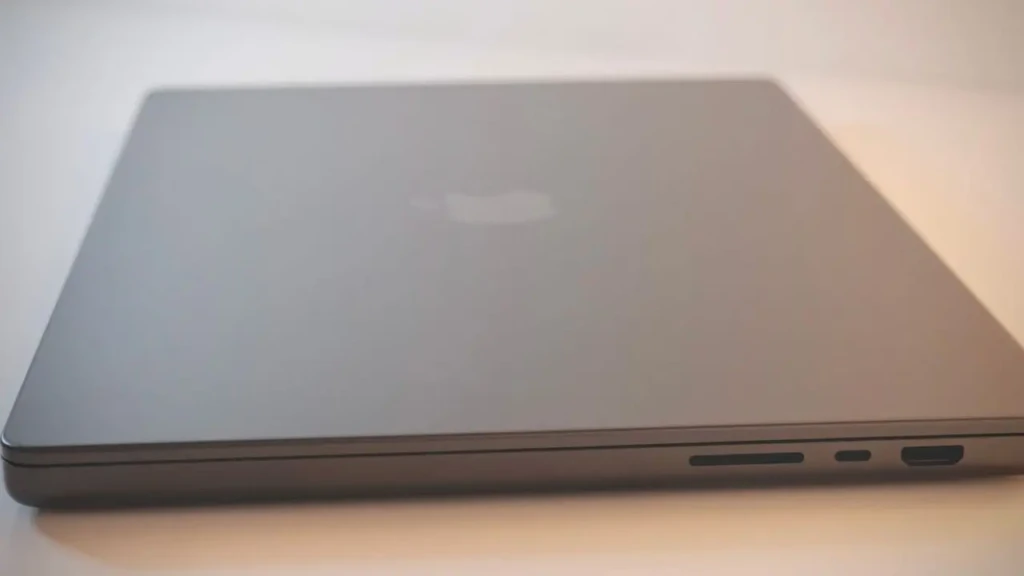
The MacBook Pro M4’s port selection deserves genuine praise because Apple learned from the backlash of the 2016–2019 era, when the MacBook Pro shipped with only USB-C ports, forcing every user to carry a bag of dongles. You get three Thunderbolt 4 ports on the base M4 (upgraded to Thunderbolt 5 on M4 Pro and M4 Max models), an HDMI 2.1 port supporting up to 8K displays or 4K at 144Hz, a full-size SDXC card reader (a genuine lifesaver for photographers and videographers), a 3.5mm headphone jack with support for high-impedance headphones up to 1,000 ohms, and the MagSafe 3 charging port.
The Thunderbolt 5 upgrade on the M4 Pro and M4 Max is particularly significant for professionals who connect high-speed external storage. Thunderbolt 5 delivers up to 120 Gbps bandwidth, dramatically faster than Thunderbolt 4’s 40 Gbps ceiling.
Wireless connectivity runs on Wi-Fi 6E and Bluetooth 5.3, both current-generation standards that deliver excellent real-world throughput. The 12MP Center Stage webcam, upgraded from 1080p in the M3 generation, is a meaningful quality jump for video calls, and the Center Stage feature automatically keeps you centered in the frame even as you move around.
The six-speaker sound system with force-canceling woofers and spatial audio support is the best audio system available in any laptop, period. It’s loud enough to fill a medium-sized room, delivers genuine bass presence, and handles spatial audio mixes so well that the MacBook Pro is a legitimate audio monitoring tool for music producers who aren’t near their studio monitors.
macOS Sequoia and Software Ecosystem
The MacBook Pro M4 ships with macOS Sequoia, and it’s the first MacBook generation to launch with Apple Intelligence, Apple’s on-device AI, available from day one. Apple Intelligence is powered by the M4’s 16-core Neural Engine and processes everything locally on your device, meaning your writing suggestions, image generation, photo editing, and code completion happen without your data leaving your machine (a meaningful privacy advantage over cloud-processed AI alternatives).
Beyond Apple Intelligence, macOS Sequoia’s Continuity ecosystem is one of the most compelling reasons to choose a MacBook if you’re already in the Apple device family. iPhone Mirroring lets you use your iPhone directly on your Mac screen, run iPhone apps, receive notifications, and interact with your phone without picking it up. Universal Control lets you seamlessly move your cursor and drag files between your MacBook and an iPad on the same desk.
AirDrop, Handoff, and Sidecar (using an iPad as a secondary display or drawing tablet) complete an ecosystem of device integration that Windows simply cannot match. On the application compatibility side, virtually every major professional creative application (Final Cut Pro, Logic Pro, Adobe Creative Cloud, DaVinci Resolve, Sketch, Figma, and Xcode) now runs natively on Apple Silicon. The Rosetta 2 translation layer transparently handles the remaining legacy Intel applications.
In terms of long-term software support, Apple typically supports Mac hardware with macOS updates for 7 to 8 years, meaning a MacBook Pro M4 purchased today should receive new macOS versions through approximately 2031 to 2032. That’s a long-term value story that’s worth factoring into the total cost of ownership calculation. And if you ever need to reset your machine for troubleshooting, resale, or security, understanding how to factory reset your MacBook is a useful guide to bookmark.
MacBook Pro M4 vs. Competitors
Here’s an honest, balanced look at how the MacBook Pro M4 compares to the best Windows alternatives at similar or nearby price points:
Feature | ||||
Starting Price | $1,599 | ~$1,599–$2,299 | ~$1,299–$1,799 | ~$1,499–$2,299 |
Processor | Apple M4 (3nm) | Intel Core Ultra 9 / RTX 4060 | Snapdragon X Elite | Intel Core Ultra 7 |
RAM | 16GB–24GB Unified | 16GB–64GB DDR5 | 16GB–64GB LPDDR5x | 16GB–64GB LPDDR5 |
Display | 14.2″ mini-LED, 1,600 nits, 120Hz | 15.6″ OLED or IPS, up to 500 nits | 15″ PixelSense IPS, 600 nits | 14″ IPS/OLED, up to 400–600 nits |
Battery Life | 18–22 hrs (real-world) | 5–8 hrs (under load) | 13–15 hrs (ARM efficiency) | 9–12 hrs (FHD config) |
GPU | Integrated 10-core Apple GPU | NVIDIA RTX 4060 (discrete) | Integrated Adreno X1 | Intel Arc integrated |
Ports | 3× TB4, HDMI, SD, MagSafe, 3.5mm | 2× TB4, HDMI, SD, USB-A | 2× USB-C (TB4), 1× USB-A, HDMI | 2× TB4, 2× USB-A, HDMI, SD |
Weight | 1.55kg (3.4 lbs) | 1.86kg (4.1 lbs) | 1.66kg (3.67 lbs) | 1.12kg (2.48 lbs) |
Dedicated GPU | ❌ No | ✅ Yes (RTX 4060) | ❌ No | ❌ No |
Gaming | ⚠️ Limited | ✅ Strong | ⚠️ Limited | ⚠️ Limited |
Best For | Creative pros, developers, all-day battery | Gaming + creative, Windows users | Windows productivity, battery life | Business travel, Windows ecosystem |
Whether you’re coming from an older Intel MacBook or doing a clean reset on an older machine before switching, our guide to resetting a MacBook Air offers a useful reference for the standard Apple reset and preparation process.
Pros and Cons of the MacBook Pro M4
The Pros
- Industry-leading battery life: 18 to 22+ real-world hours under mixed use at genuine pro-level performance. No Windows competitor approaches this.
- The Liquid Retina XDR display (1,600 nits peak, 1,000,000:1 contrast, P3 wide color, 120Hz ProMotion) remains the benchmark panel for professional creative work.
- M4 Pro and M4 Max multi-core CPU performance outpaces Intel Core Ultra, AMD Ryzen, and Qualcomm Snapdragon competitors, including $4,000+ desktop builds, in Geekbench multi-core tests.
- The 12MP Center Stage webcam is the best integrated laptop webcam available, a major upgrade over the previous 1080p camera.
- Comprehensive port selection: MagSafe, 3 Thunderbolt ports, HDMI 2.1, SD card reader, and 3.5mm jack; no dongle tax required.
- Seven to eight years of macOS software support delivers exceptional long-term total cost of ownership.
- The six-speaker spatial audio system is the best audio in any laptop, bar none.
The Cons
- Memory and storage cannot be upgraded after purchase. You must configure correctly at checkout, which raises the stakes (and the price) of the initial buying decision.
- The base M4 with 16GB unified memory can feel constrained under heavy professional multitasking, making the $200 upgrade to 24GB advisable for most pro users.
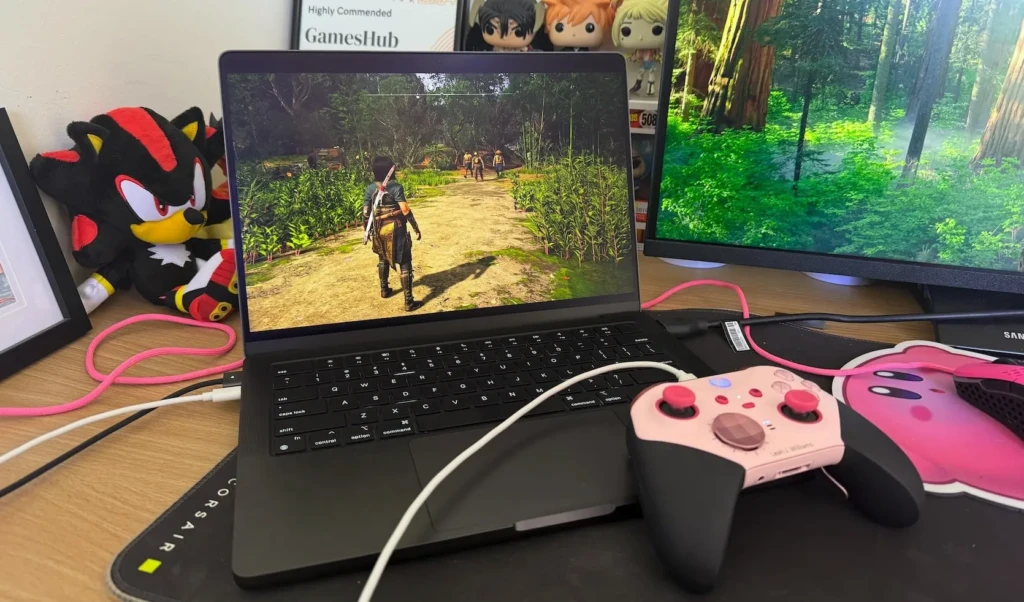
- No dedicated GPU means the MacBook Pro M4 is not a gaming laptop. Windows alternatives with NVIDIA RTX cards deliver significantly better gaming and real-time 3D rendering performance.
- The physical design has been unchanged since 2021. If you’re upgrading from an M1 or M2 MacBook Pro, there is no visual refresh.
- The notch remains a divisive aesthetic element, and macOS does not support full-resolution content extending into the notch area.
Who Should Buy the MacBook Pro M4?
The MacBook Pro M4 is a genuinely exceptional laptop, but understanding exactly who gets the most value from it will help you spend confidently.
1. Creative Professionals
Video editors, photographers, graphic designers, motion graphics artists, and music producers are the MacBook Pro M4’s primary audience. The combination of the Liquid Retina XDR display (essential for accurate color work), the dedicated media engines (critical for ProRes video), and the industry-leading battery life (transformative for location work and travel) creates a package that no Windows laptop replicates at any price.
Choose the M4 as your base if your primary workflow is photography, podcasting, or small-scale 1080p/4K video editing. However, choose the M4 Pro for 4K/6K multi-camera editing, large Lightroom catalogs with AI-heavy workflows, and Logic Pro sessions with dozens of tracks and plugins.
2. Software Developers and Engineers
Software developers and engineers who use Xcode, run Docker containers, or need reliable virtualization will find the MacBook Pro M4 to be the fastest Mac for development. Xcode compilation times on M4 Pro represent a genuine productivity multiplier compared to the Intel generation, and the long battery life means you can code through a full conference day without hunting for a power outlet.
3. Upgraders from Intel Macs
Upgraders from Intel Macs (2019 and earlier) will experience the single most dramatic performance leap of any MacBook purchase in their lifetime. The performance delta between an Intel-era MacBook Pro and an M4 MacBook Pro is not incremental; it’s generational. If you’re still running an Intel MacBook Pro and tolerating its fan noise, heat output, and 4- to 6-hour battery life, the M4 upgrade will feel like a machine in a completely different category.
4. Students in Creative Fields
Students in creative fields such as design, film, music, architecture, and computer science will find that the $1,599 base M4 MacBook Pro delivers a machine that will serve them throughout their program and well into their professional careers. Factor in the education discount, and the value case becomes even more compelling.
Who Should NOT Buy the MacBook Pro M4
If gaming is important to you, look at the Dell XPS 15 or a Windows gaming laptop with a discrete NVIDIA GPU. If you need Windows for enterprise software compatibility or corporate IT policy requirements, a Mac won’t serve your primary need. And if your creative workloads are light (basic photo editing, document writing, and light video consumption), the MacBook Air M4 at around $1,099 delivers nearly identical day-to-day performance in a fanless, lighter chassis for $500 less.
FAQs
For most users, yes, with an important caveat. The Unified Memory Architecture means 16GB on an M4 is functionally more efficient than 16GB on a traditional laptop with separate CPU and GPU memory pools. For photography, video editing at 1080p to 4K, music production, web development, and general productivity, 16GB will serve you well. However, if you routinely run multiple demanding applications simultaneously, such as video editing while running Docker containers, the $200 upgrade to 24GB is strongly recommended and cannot be done after purchase.
Apple claims up to 24 hours, and real-world testing under light-to-moderate use (web browsing, document editing, video calls) consistently records 18-22 hours. For heavier creative workloads, such as sustained video rendering or 3D work, expect 8 to 12 hours.
Yes. The base M4 supports up to two external displays at up to 6K resolution via Thunderbolt, or one 6K Thunderbolt display plus one 4K display via HDMI 2.1. The M4 Pro and M4 Max support up to 3 and 4 external displays, respectively, including 8K at 60Hz or 4K at 240Hz via HDMI 2.1.
For 1080p-to-4K editing in Final Cut Pro or Premiere Pro with smaller file sizes, the base M4 with 24GB of unified memory is the sweet spot: capable, affordable, and more than adequate. In addition, for 4K multi-camera, 6K, or any serious 8K work, particularly in DaVinci Resolve with Fusion, the M4 Pro with 36GB is the right call. For 8K ProRes RAW workflows, cinema-grade color grading pipelines, or large-scale effects compositing without render waits, the M4 Max is the professional standard.
Conclusion
The MacBook Pro M4 is, without qualification, the finest laptop Apple has ever made and a strong argument for the finest laptop available from any manufacturer for creative professional use. The combination of M4 chip performance that outclasses the competition across CPU-intensive creative workloads, a Liquid Retina XDR display that remains the industry standard for color-critical work, 18 to 22 hours of real-world battery life that eliminates charger anxiety entirely, and a software ecosystem built around seamless Apple device integration creates a machine whose total value proposition is genuinely difficult to match. Whether you choose the $1,599 base M4 for accessible pro-level performance, the M4 Pro for serious professional creative workflows, or the M4 Max for workstation-replacing horsepower, every tier delivers exceptional value for its target audience.
That said, the MacBook Pro M4 isn’t for everyone, and I want to be honest with you before you commit. If gaming is important to you, a Windows laptop with a dedicated NVIDIA GPU will serve you better. If you need Windows for enterprise compatibility, the Mac ecosystem isn’t your answer. And if your workloads are light enough that you don’t need sustained fan-cooled performance, the MacBook Air M4 at $500 less is the smarter financial decision. But if you create content, write code, make music, or spend your professional life in creative applications and want the best tool available to do it, the MacBook Pro M4 is the answer. Configure it with at least 24GB of unified memory, and choose the M4 Pro if your budget allows. You’ll have a machine that will serve you exceptionally well for the next 7 or more years.
At Your Tech Compass, we publish practical guides and honest tech reviews to help users make smarter decisions.