Gaming laptops have come a long way from the days when “portable gaming” meant lugging a six-pound slab of overheating plastic that needed a power outlet within arm’s reach at all times. Today’s gaming laptops are thinner, quieter, more thermally efficient, and more versatile than ever before, and Lenovo’s Legion brand has been one of the most consistent forces driving that transformation. Since Legion launched as a dedicated gaming sub-brand in 2016, it has built a reputation that most competitors struggle to match on the one dimension that matters most to the majority of gamers: delivering serious performance at a price that doesn’t require a second mortgage. Whether you’re spending $999 on a Legion 5i or $3,500 on a Legion Pro 7i, you’re getting hardware that consistently overperforms its price point and a brand that has earned its place at the top of nearly every “best gaming laptops” list in the industry.
But the Lenovo Legion lineup is also one of the most complex product families in the gaming laptop market, with multiple series, Intel and AMD variants, standard and Slim chassis options, and configurations ranging from mainstream to workstation-class. If you’ve ever landed on Lenovo’s website and walked away more confused than when you arrived, this guide is written specifically for you. I’m going to walk you through the entire Legion lineup, clearly explain what each series is designed for, and then review the five best Lenovo Legion laptops you can buy right now, with real benchmark data, honest pros and cons, and a clear verdict for each. By the end of this guide, you’ll know exactly which Legion laptop matches your needs, your budget, and your gaming style.
What Are Lenovo Legion Laptops?
Lenovo Legion is Lenovo’s dedicated gaming laptop and accessories sub-brand, a distinct product line with its own design language, thermal engineering philosophy, and target audience, separate from Lenovo’s business-focused ThinkPad and lifestyle-focused Yoga 7i families. Legion launched in 2016 as Lenovo’s answer to the question: “Can a mainstream laptop brand compete seriously with dedicated gaming companies like ASUS ROG, Razer, and MSI?” After nearly a decade of iteration, the answer is clearly yes, and on the value dimension specifically, Legion frequently wins outright.
The core Legion philosophy centers on three commitments that have remained consistent across generations: competitive pricing relative to GPU tier, aggressive thermal design (Legion laptops consistently extract more performance from their GPU TGP than similarly priced competitors), and meaningful upgradeability, specifically, user-accessible RAM slots that let you expand memory after purchase, which is increasingly rare in a market moving toward soldered RAM. The Legion brand also encompasses accessories (Legion gaming mice, headsets, and monitors), the Legion Go handheld gaming PC, and a growing software ecosystem through Lenovo Vantage and Legion Space.
Lenovo Legion Laptop Series: Understanding the Lineup
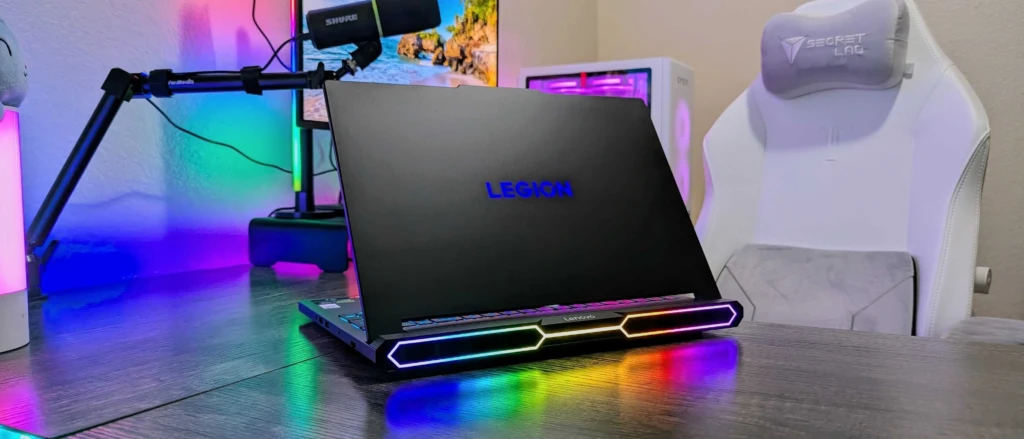
Before you can choose the right model, you need to understand what each Legion series is actually designed for. Here’s a clear map of the full lineup so you know exactly where to look based on your budget and priorities:
Legion 5 Series: The Mainstream Sweet Spot
The Legion 5 is the brand’s volume driver and the model most people picture when they think “Lenovo Legion.” Available with Intel (Legion 5i) or AMD (Legion 5) processors and NVIDIA RTX 40-series GPUs from the RTX 4060 to the RTX 4070, it starts at $999 and goes up to $1,199, targeting everyday gamers who want genuine gaming performance without flagship pricing. The 16-inch form factor, full-size keyboard, and user-upgradeable dual-channel DDR5 RAM make it a practical all-rounder for gaming, productivity, and light creative work.
Legion Pro 5i Series: The Display-First Upgrade
The Legion Pro 5i steps above the standard 5i with a 2560×1600 16:10 display (a higher-resolution, taller panel that transforms both gaming and productivity), along with higher-TGP GPU configurations and stronger sustained performance under load. Starting at approximately $1,300 to $1,400, it targets gamers who won’t compromise on display quality and content creators who need color accuracy alongside gaming capability.
Legion 7i Series: Premium Mid-Range Performance
The Legion 7i is the refined premium tier, featuring Intel Core i9 HX processors, RTX 4070 GPU options, a 2560×1600 240Hz display, enhanced chassis materials, and the full ColdFront cooling system. Starting around $1,699 to $1,999, it’s aimed at power users who want near-desktop gaming performance in a portable format without paying flagship prices.
Legion Pro 7i Series: Near-Flagship Power
The Legion Pro 7i is the most powerful standard Legion configuration, featuring an Intel Core i9-14900HX, an RTX 4080 (with an RTX 4090 upgrade available), and the ColdFront thermal system running at its highest power delivery. At $2,390 to $3,500+, it competes directly with Razer Blade 16, MSI Titan, and Alienware X16, and frequently undercuts all of them on price for equivalent GPU configurations.
Legion Slim Series: Gaming Performance in a Portable Chassis
The Legion Slim 5 and Slim 7 trade some thermal headroom for dramatically reduced weight and thickness, typically under 2.0kg and under 20mm thick. Powered by AMD Ryzen 8000-series CPUs and RTX 40-series GPUs (up to RTX 4070 in the Slim 5), the Slim series targets students, creators, and gamers who want gaming capability without a traditional thick gaming laptop chassis, with OLED display options available in select configurations.
Legion 9i: The No-Compromise Flagship
The Legion 9i is Lenovo’s halo product, featuring a mini-LED display, liquid-metal thermal compound, the highest-power RTX 4090 in the Legion lineup, and a chassis that balances flagship performance with relative portability. Starting around $3,499, it’s for enthusiasts who want the best Legion experience without compromise.
Legion Go: The Handheld
The Legion Go is Lenovo’s entry into the handheld gaming PC category: an AMD-powered portable gaming device with a detachable controller that runs full Windows 11. It’s a different product category from the Legion laptops but shares the brand’s gaming DNA and performance philosophy.
What to Look for in a Lenovo Legion Laptop
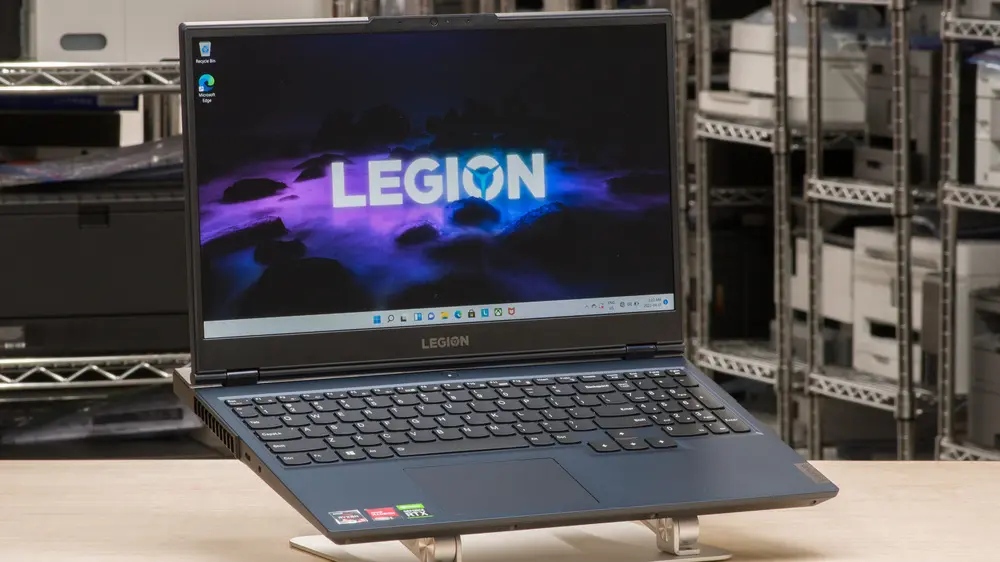
Before diving into the individual reviews, here’s the practical buying framework you need, specific to Legion’s unique strengths and decision points that every buyer should understand upfront.
GPU Tier
The GPU is the single most important decision in any gaming laptop purchase. The RTX 4060 at 140W TGP (as configured in Legion laptops) handles the vast majority of games at 1080p to 1440p with high settings smoothly and is the right choice for most buyers at this price tier.
The RTX 4070 at 140W is the sweet spot for 1440p high-to-ultra gaming and handles demanding AAA titles without compromising settings too much. On the other hand, the RTX 4080 is in the tier for 1440p maximum settings and competent 4K performance, while the RTX 4090 is for enthusiasts who want the absolute ceiling of mobile GPU performance, regardless of cost.
MUX Switch
This is one of Legion’s most important differentiators across the entire lineup. Most gaming laptops route GPU output through the integrated GPU before it reaches the display, resulting in a 10-20% performance loss.
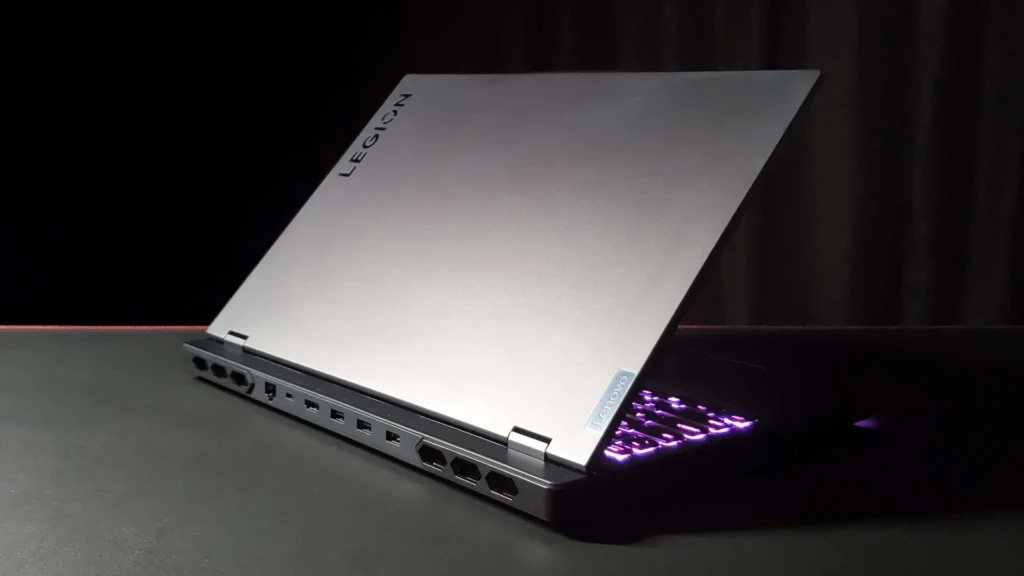
A MUX (Multiplexer) Switch bypasses the iGPU entirely, delivering GPU frames directly to the display and recovering that 10 to 20% performance for free. Lenovo includes a MUX switch across the Legion 5i, Pro 5i, 7i, Pro 7i, and 9i, accessible via Lenovo Vantage, giving it a meaningful competitive advantage over brands that reserve this feature for premium tiers.
RAM Upgradeability
Unlike competing laptops that solder RAM to the motherboard, most Legion models include two user-accessible DDR5 SODIMM slots, allowing you to upgrade from 16GB to 32GB or 64GB after purchase. This is a meaningful long-term value advantage. Start with 16GB and upgrade when prices drop rather than paying the manufacturer’s premium at the time of purchase.
Display Resolution
The 1920×1200 panel in base Legion 5i configurations is the practical gaming sweet spot, wide enough for comfortable productivity and achievable at 165Hz with an RTX 4060 or 4070 without heavy reliance on DLSS. The 2560×1600 panels in Pro 5i, 7i, and Pro 7i models offer a better experience but demand more GPU power to drive at native resolution. Always match your display resolution choice to your GPU tier.
Battery Life Reality
Gaming laptops are not battery champions, and Legion is no exception. Across the lineup, expect 3 to 5 hours of light productivity and 45 minutes to 2 hours of gaming per charge. If long battery life is a genuine priority, the Legion Slim 5 is your best option within the family.
Best Lenovo Legion Laptops: In-Depth Reviews
1. Lenovo Legion 5i Gen 9: Best Overall Value
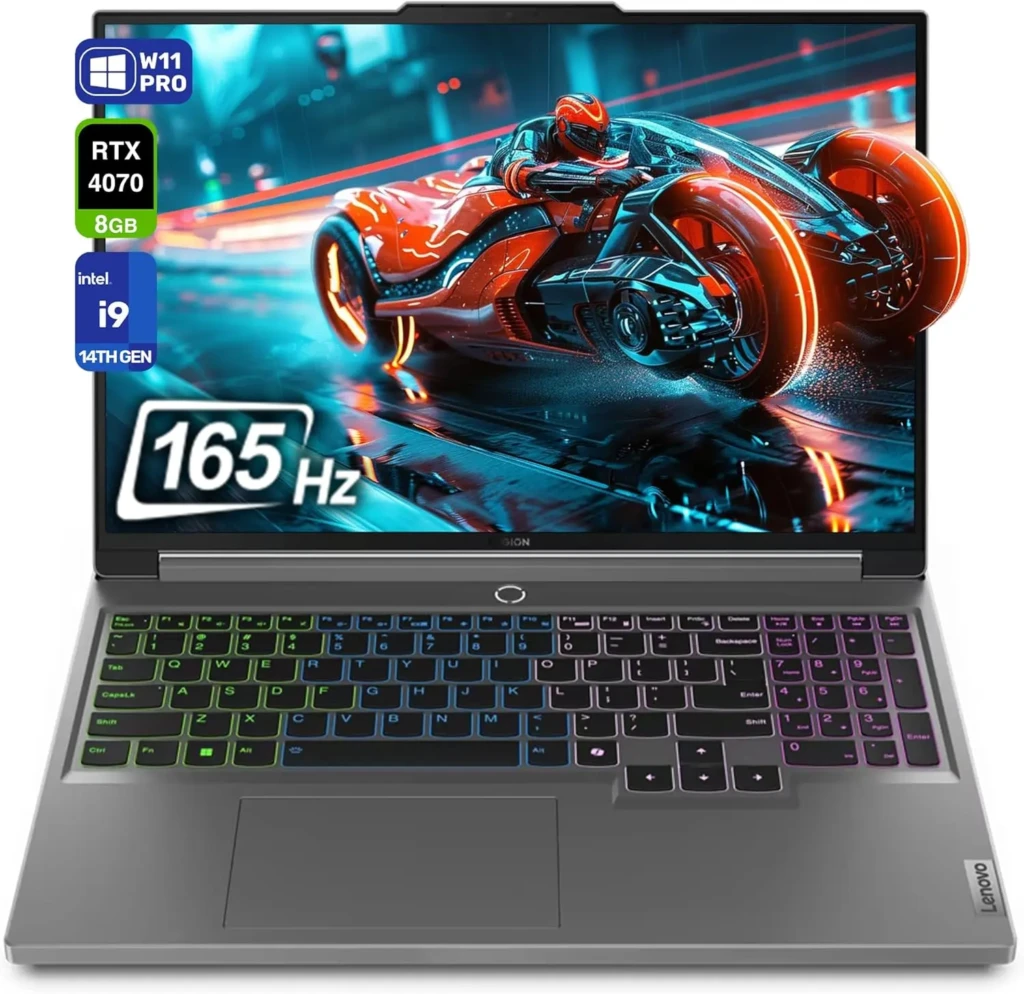
If you’re walking into the gaming laptop market with a budget of $999 to $1,200 and you want the most gaming performance your money can buy, the Lenovo Legion 5i Gen 9 is the answer, and it’s not a particularly close competition. Lenovo pairs the NVIDIA RTX 4060 at a full 140W TGP with an Intel Core i7 or i9 HX-series processor, a 100% sRGB 165Hz display, and a MUX Switch that bypasses the iGPU entirely, recovering 10 to 20% GPU performance for free — a feature that many competitors charge significantly more to include.
Key Specs
- Processor: Intel Core i7-14650HX / i9-14900HX
- GPU: NVIDIA RTX 4060 (140 W) / RTX 4070 (140 W)
- RAM: 16GB or 32GB DDR5 (2× SODIMM, user-upgradeable)
- Storage: 512GB or 1TB PCIe Gen 4 NVMe SSD
- Display: 16-inch 1920×1200, 165Hz IPS, 100% sRGB
- Battery: 80Wh
- Weight: ~2.4 kg (5.3 lbs)
- MUX Switch: Yes
- Wi-Fi: Wi-Fi 6E
Why It Stands Out
- RTX 4060 at its full 140W TGP consistently matches RTX 4070-powered competitors from Alienware and ASUS in real-world gaming benchmarks (extraordinary value for its GPU tier).
- MUX Switch is included as standard, bypassing the iGPU to recover 10-20% of GPU performance that most similarly priced competitors simply leave on the table.
- User-upgradeable dual DDR5 SODIMM slots let you expand RAM after purchase, a future-proofing advantage increasingly rare in mainstream gaming laptops.
- 100% sRGB 165Hz display is sharp, accurate, and smooth (a panel quality that competing brands often reserve for configurations $200 to $300 higher).
Best For: Everyday gamers, first-time gaming laptop buyers, and budget-conscious performance seekers who want the maximum gaming capability their money can buy.
2. Lenovo Legion Pro 5i: Best Display for Gamers
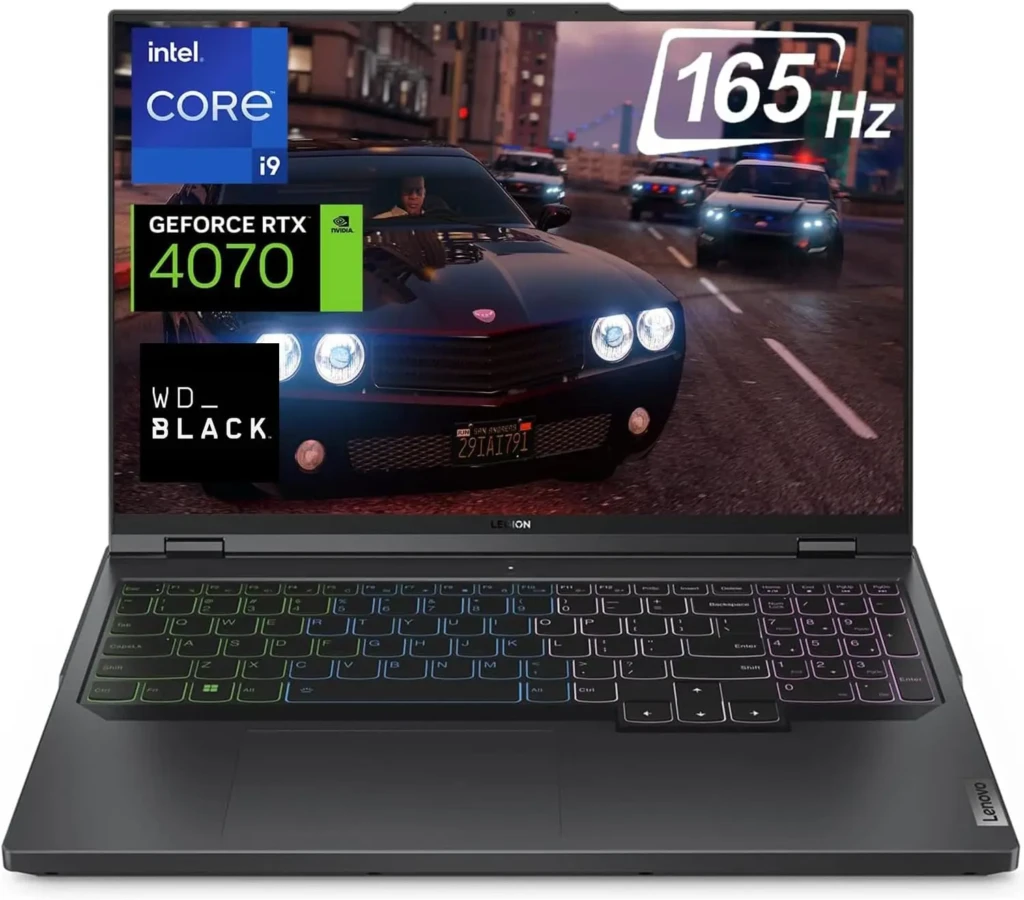
The Lenovo Legion Pro 5i takes everything that makes the standard Legion 5i compelling and adds the one upgrade that changes the laptop’s entire identity: a 2560×1600 16:10 display that transforms the experience for both gaming and everyday creative work. For buyers who won’t compromise on screen quality but don’t want to pay $1,700+ for the Legion 7i, the Pro 5i is the sweet spot.
Beyond gaming, the 2560×1600 16:10 panel makes the Legion Pro 5i a genuinely versatile machine for anyone who works creatively as well. The taller aspect ratio gives you more vertical space for document editing, coding, Lightroom catalogs, and video timelines.
Key Specs
- Processor: Intel Core i7-14650HX / i7-14700HX / i9-14900HX
- GPU: NVIDIA RTX 4060 / RTX 4070
- RAM: 16GB or 32GB DDR5 (user-upgradeable)
- Storage: 512GB or 1TB PCIe Gen 4 NVMe SSD
- Display: 16-inch 2560×1600, 165Hz or 240Hz IPS, 300 or 500 nits
- Battery: 80Wh
- Weight: 2.5kg (5.51 lbs)
- MUX Switch: Yes
- Wi-Fi: Wi-Fi 6E
Why It Stands Out
- A 2560×1600 16:10 display at this price tier is genuinely exceptional, delivering screen quality that competing gaming laptops charge $300 to $400 more for.
- RTX 4060 at 140W, with DLSS Frame Generation, makes 2K native-resolution gaming practical and smooth.
- Taller 16:10 aspect ratio adds meaningful vertical workspace for productivity, creative work, and coding, erasing the traditional divide between a gaming laptop and a creator laptop at this price.
- Above-category-average gaming performance, with the Pro 5i outperforming the Alienware m16 R2’s RTX 4070 in multiple real-world benchmarks.
Best For: Gamers who also work creatively, photographers, designers, video editors, and developers who need a display accurate enough for color work and a GPU powerful enough for serious gaming, all in one machine under $2,000.
3. Lenovo Legion Slim 5: Best for Portability
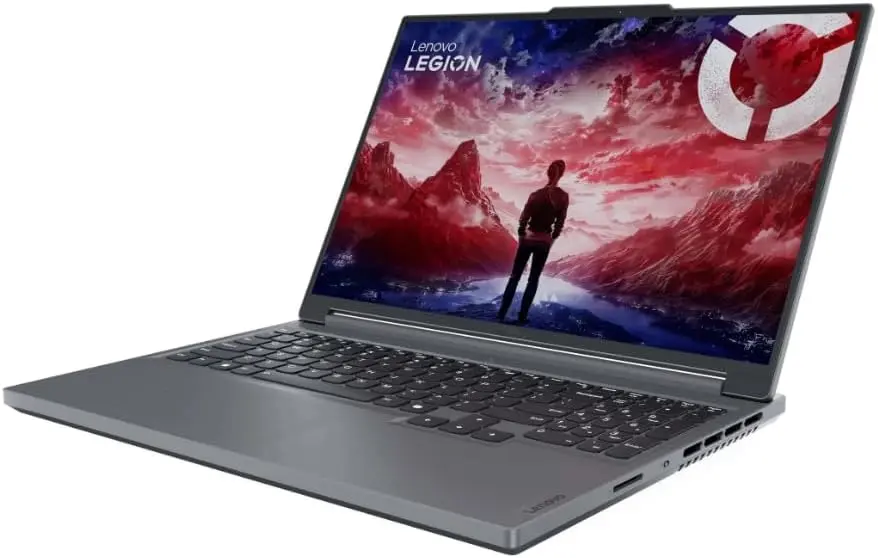
The Lenovo Legion Slim 5 provides real gaming performance in a chassis you’ll actually want to carry every day. At just 2.0kg and under 20mm thick, it’s 400 grams lighter than the standard Legion 5i and dramatically slimmer, a difference that is immediately felt in a backpack, on an airplane tray table, or on a coffee shop desk, where a traditional gaming laptop announces itself before you even open it.
The AMD Ryzen 7 8845HS (Zen 4 architecture) paired with the RTX 4070 at 140W delivers performance that sustains a 2,580MHz GPU clock and a 132W TDP after 30 minutes of continuous gaming. Impressive numbers for a machine this thin.
Key Specs
- Processor: AMD Ryzen 7 8845HS (Zen 4, Hawk Point)
- GPU: NVIDIA RTX 4050 / RTX 4060 / RTX 4070
- RAM: 16GB DDR5-5600 (2× SODIMM, upgradeable to 64GB)
- Storage: 512GB or 1TB PCIe Gen 4 NVMe SSD
- Display: 16-inch 2560×1600 165Hz IPS or 2880×1800 OLED 120Hz
- Battery: 80Wh
- Weight: ~2.0 kg (4.41 lbs)
- MUX Switch: Yes (165Hz IPS models)
- Wi-Fi: Wi-Fi 6E
Why It Stands Out
- 400g lighter and dramatically slimmer than the standard Legion 5i, making it the only model in the Legion lineup that genuinely passes for a non-gaming laptop in daily carry and professional environments.
- The optional OLED display (2880×1800, 120Hz) is one of the best screen options available in a gaming laptop under $1,500.
- AMD Ryzen 7 8845HS (Zen 4) delivers excellent multi-core performance and better battery efficiency during light productivity tasks than any Intel HX-powered Legion alternative.
- User-upgradeable DDR5 SODIMM slots support up to 64GB, providing more headroom for future memory expansion than most gaming laptops at this price tier offer.
Best For: Students, daily commuters, frequent travelers, and gamers who refuse to carry a traditional thick gaming chassis.
4. Lenovo Legion Pro 7i Gen 9: Best Premium Performance
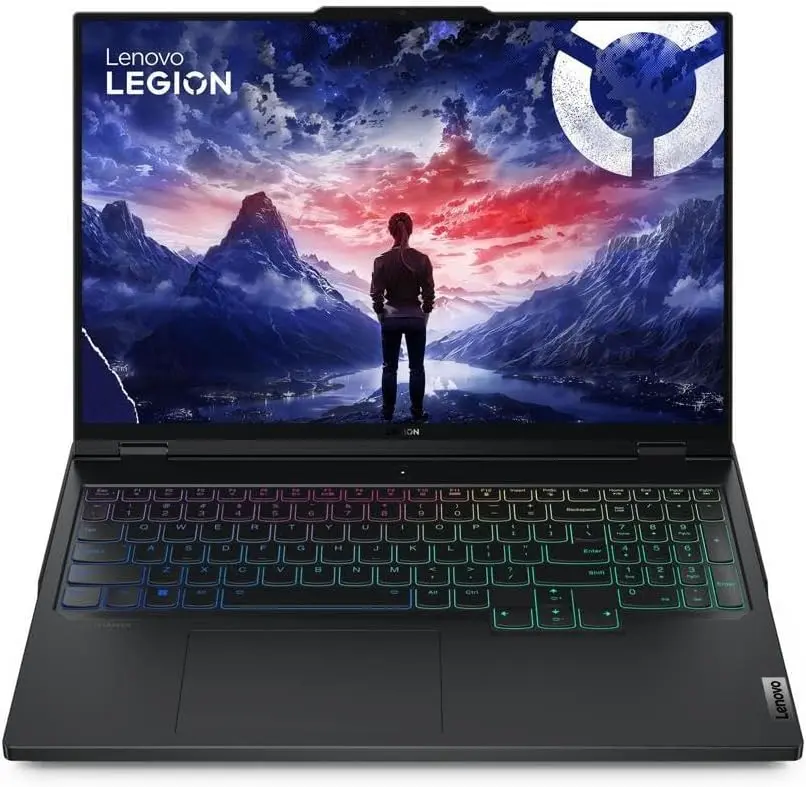
When only the absolute ceiling of mobile GPU performance will do, the Lenovo Legion Pro 7i Gen 9 is the Legion laptop that answers that demand, and it delivers it at a price point that consistently undercuts competing RTX 4080 machines from Razer, Alienware, and MSI. The RTX 4080 at 175W TGP, paired with the Intel Core i9-14900HX, delivers performance that GamesRadar’s comprehensive benchmarking found consistently outperforms the ASUS ROG Strix Scar 16.
The honest trade-off you must accept: battery life under gaming load is approximately 40 minutes unplugged; the Pro 7i is fundamentally a plugged-in workstation, not a portable gaming machine; and you need to go into that purchase with eyes open.
Key Specs
- Processor: Intel Core i9-14900HX
- GPU: NVIDIA RTX 4080 (175W) / RTX 4090
- RAM: 16GB or 32GB DDR5-5600 (user-upgradeable)
- Storage: 1TB PCIe Gen 4 NVMe SSD
- Display: 16-inch 2560×1600, 240Hz IPS, HDR
- Battery: 99.9Wh
- Thunderbolt 4: Yes
- MUX Switch: Yes
- Weight: ~2.8 kg (6.2 lbs)
Why It Stands Out
- RTX 4080 at 175W full TGP consistently outperforms competing RTX 4080 machines.
- Deliberately understated matte-black chassis with minimal RGB makes it one of the few gaming flagships presentable in professional and corporate environments.
- Thunderbolt 4 port enables high-speed external storage, eGPU support, and dual-monitor configurations from a single cable.
- Lenovo’s frequent $300 to $500 promotional discounts off base pricing make it one of the best-value RTX 4080 laptops when timed with a sale event.
Best For: Power enthusiasts, 3D artists, VFX editors, and uncompromising gamers. (For a complete overview of how the Pro 7i fits within the full Legion and Lenovo portfolio, visit our Best Lenovo Laptops guide.)
Lenovo Legion Laptops vs Competitors
Feature | Lenovo Legion | ASUS ROG | Razer Blade | MSI Gaming |
Price Range | $999–$4,500+ | $1,099–$4,999+ | $1,999–$4,999+ | $999–$4,999+ |
Value for GPU Tier | ⭐⭐⭐⭐⭐ Excellent | ⭐⭐⭐⭐ Good | ⭐⭐⭐ Fair | ⭐⭐⭐⭐ Good |
Build Quality | ⭐⭐⭐⭐ Good (Pro: very good) | ⭐⭐⭐⭐ Good | ⭐⭐⭐⭐⭐ Premium | ⭐⭐⭐⭐ Good |
Thermal Performance | ⭐⭐⭐⭐⭐ Excellent | ⭐⭐⭐⭐⭐ Excellent | ⭐⭐⭐⭐ Good | ⭐⭐⭐⭐ Good |
Display Options | IPS + OLED (Slim) + mini-LED (9i) | IPS + OLED + mini-LED | IPS + OLED | IPS + OLED |
RAM Upgradeability | ✅ Yes (most models) | ⚠️ Varies by model | ❌ Soldered | ✅ Yes (most models) |
MUX Switch | ✅ Standard across lineup | ✅ Standard | ✅ Yes | ✅ Yes |
Battery Life (light use) | ⭐⭐⭐ 4–6 hrs | ⭐⭐⭐ 4–7 hrs | ⭐⭐⭐⭐ 5–8 hrs | ⭐⭐ 3–5 hrs |
Gaming Battery | ⭐⭐ 45 min–2 hrs | ⭐⭐ 1–2 hrs | ⭐⭐ 1–3 hrs | ⭐⭐ 45 min–2 hrs |
Office-Friendly Aesthetics | ⭐⭐⭐⭐ Subdued | ⭐⭐⭐ Gaming-forward | ⭐⭐⭐⭐⭐ Premium, understated | ⭐⭐⭐ Gaming-forward |
Software Ecosystem | Lenovo Vantage + Legion Space | Armoury Crate | Razer Synapse | MSI Center |
Best For | Value, upgradeability, thermal performance | Display variety, performance | Premium aesthetics and build | Budget-to-mid-premium range |
Lenovo Legion Software Ecosystem
The Legion software experience centers on two applications: Lenovo Vantage (the system management hub) and Legion Space (the gaming-focused launcher and library). Lenovo Vantage gives you control over the three performance presets — Quiet, Balanced, and Performance; the MUX Switch toggle; fan curve customization in Custom Mode; the AI Engine+ dynamic power allocation system; per-key RGB lighting configuration; and system health monitoring, including battery charge threshold settings that protect long-term battery capacity. The Lenovo AI Engine+ dynamically adjusts CPU and GPU power limits based on the detected workload, allocating more headroom to the GPU during gaming and to the CPU during rendering tasks without manual intervention.
Legion Space is Lenovo’s gaming launcher, a central hub for your game library, performance statistics, streaming integration, and Quick Settings access. Functionally, it’s comparable in scope to ASUS Armoury Crate and MSI Center, and, like those applications, it’s genuinely useful for users who want a unified control point but entirely skippable for those who prefer managing Windows settings directly. The broader Legion accessories ecosystem integrates cleanly with the laptop lineup: Legion gaming mice with up to 19,000 DPI sensors, Legion USB-C gaming headsets, and Legion gaming monitors up to 240Hz QHD are all designed to complement the laptop lineup’s visual and connectivity capabilities when building a full Legion desktop setup.
Pros and Cons of Lenovo Legion Laptops
The Pros
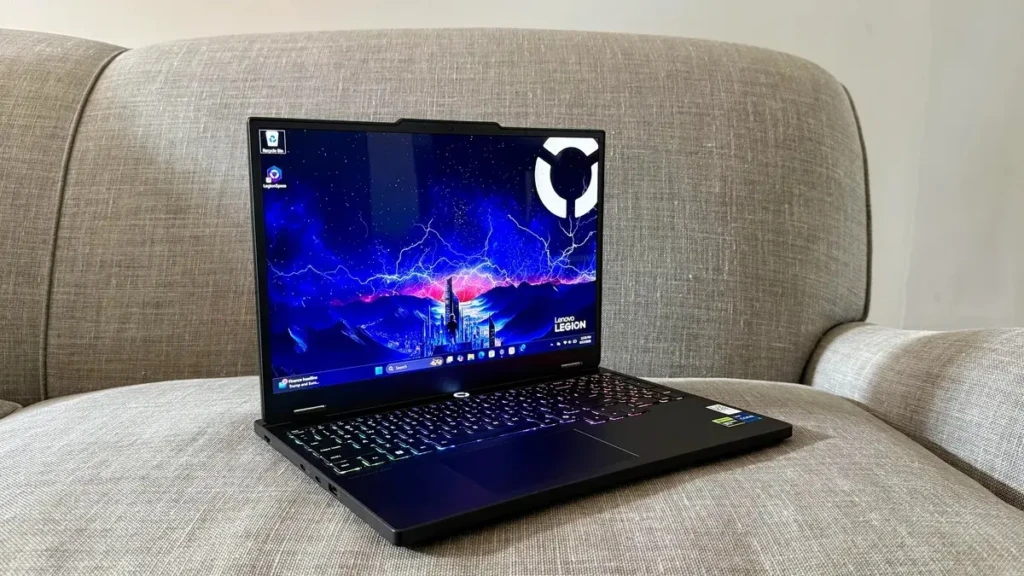
- Industry-leading value for the GPU tier. Legion consistently delivers better gaming performance with its RTX configurations than similarly priced competitors, thanks to full TGP tuning and a standard MUX Switch across the lineup.
- User-upgradeable DDR5 RAM via dual SODIMM slots on most models, a meaningful long-term value advantage in a market increasingly dominated by soldered memory configurations.The
- MUX Switch is standard across the entire Legion lineup, recovering 10-20% GPU performance for free — a feature some brands reserve only for their most premium configurations.
- Display quality is strong across all tiers: 100% sRGB on the Legion 5i, 2K 240Hz 500-nit on the 7i and Pro 7i, OLED options on the Slim series, and mini-LED on the 9i.
- Thermal engineering is genuinely among the best in the gaming laptop industry. TechRadar specifically noted the Legion 5i running “noticeably quieter than similar-specced competition” at equivalent GPU performance levels.
The Cons
- Battery life is poor across the standard Legion lineup. 3 to 5 hours of light productivity and under 2 hours of gaming are the consistent real-world results, and any meaningful use requires a power outlet.
- The thick, heavy chassis of the standard Legion 5i (2.4kg), Pro 5i (2.5kg), 7i (2.5kg), and Pro 7i (2.8kg) is not suited for daily bag commuting. The Slim series is the exception within the family.
- Pre-installed bloatware (McAfee trial, promotional apps) requires a brief cleanup session at first setup; Lenovo Vantage update notifications can be frequent until configured.
- Audio quality is a consistent weak point across the lineup. Legion speakers deliver adequate sound for casual use but are clearly below the standard set by ASUS ROG, Razer Blade, and Apple MacBook Pro competitors at similar price points.
Who Should Buy a Lenovo Legion Laptop?
1. Budget Gamers
Budget gamers seeking the maximum gaming performance their money can buy will find the Legion 5i Gen 9 the most compelling option in the gaming laptop market at this price. The RTX 4060 at 140W, MUX Switch, 100% sRGB display, and user-upgradeable RAM are features that competing brands charge $200 to $400 more to deliver.
2. Display-First Gamers and Creators
Display-first gamers and content creators who work in Lightroom, Premiere, or DaVinci Resolve alongside gaming will get the most value from the Legion Pro 5i. The 2560×1600 panel calibrated for color accuracy makes it a genuinely useful creative tool, not just a gaming monitor.
3. Competitive Gamers
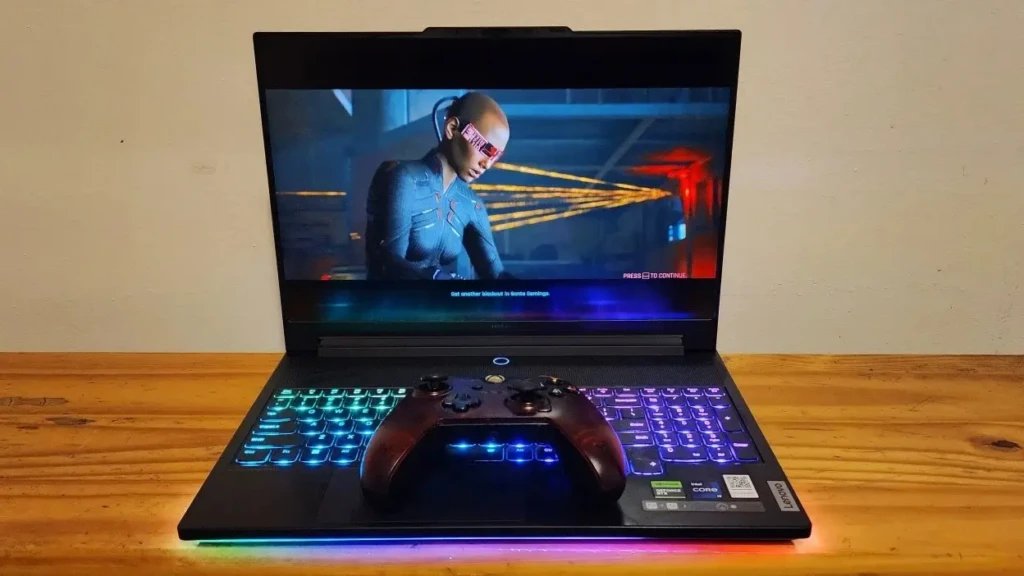
Competitive gamers who need the smoothest possible motion clarity and are willing to pay for a premium display experience will find the Legion 7i Gen 9’s 240Hz, 2560×1600, 500-nit panel the right answer, pairing display excellence with RTX 4070 performance at a price that undercuts most competitors offering equivalent specifications.
4. Power Enthusiasts and Professional Creators
Power enthusiasts and professional content creators who need the absolute ceiling of sustained mobile GPU performance, 3D artists, VFX editors, and gamers who never want to lower their settings, will find that the Legion Pro 7i Gen 9 delivers RTX 4080 and RTX 4090 performance at prices that consistently undercut Razer Blade 16 and Alienware X16 by $500 to $800 at equivalent configurations.
Who Should Look Elsewhere
If long battery life is a genuine daily priority, the MacBook Pro M4 or a Snapdragon X Elite Windows ultrabook is a more honest recommendation for your needs. If you need a professional aesthetic for corporate environments where gaming branding would be inappropriate, our Lenovo ThinkPad guide covers Lenovo’s business-class lineup, which is far better suited for traditional office and enterprise settings.
FAQs
Yes, consistently and at every budget tier. Legion laptops deliver above-average gaming performance through full TGP tuning, MUX Switch implementation, and effective ColdFront thermal management.
The Legion 5 series is the mainstream value tier, with an RTX 4060 or 4070, a 1920×1200 or 2560×1600 display, an 80Wh battery, and prices starting at $999 and going up to $1,400. The Legion 7 series is the premium mid-tier RTX 4070, featuring a 2560×1600 240Hz display with higher brightness (500 nits) and HDR 400 certification, a larger 99.9Wh battery, better chassis materials, and a starting price of $1,699.
Yes, particularly for 4K timeline editing in Premiere Pro and DaVinci Resolve. The dedicated NVIDIA GPU handles GPU-accelerated rendering and real-time effects well, and NVIDIA’s NVENC encoder (hardware video encoding) in RTX 40-series chips is class-leading for export-heavy workflows. For color-critical editing specifically, the Legion Pro 5i’s higher-brightness 500-nit panel with better color coverage is the right configuration choice within the lineup.
Final Thoughts
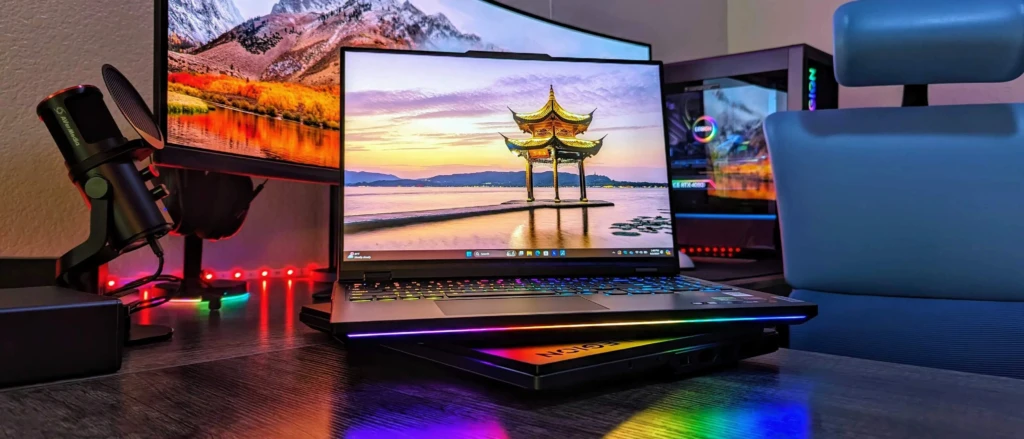
The Lenovo Legion lineup, taken as a whole, is the most consistent answer to the question every gaming laptop buyer is really asking: “How do I get the most gaming performance for my money, with the least compromise?” From Legion 5i, which matches RTX 4070-powered competitors with a 140W RTX 4060, to the Legion Pro 7i Gen 9, which outperforms RTX 4090-equipped Razer Blade 16 models at 1080p in certain benchmarks, Legion’s performance-per-dollar advantage is real, consistent, and independently verified across multiple major review outlets. Add user-upgradeable RAM, a MUX Switch across the lineup, and thermal engineering that consistently runs quieter than similarly priced competition, and you have a brand that genuinely earns its reputation through hardware rather than marketing.
Here’s your direct navigation guide to finish: buy the Legion 5i for maximum value at $999-$1,200. Buy the Legion Pro 5i for the best combined gaming and creative display under $1,500. Buy the Legion Slim 5 if you carry your laptop every day and portability is non-negotiable. And buy the Legion Pro 7i Gen 9 if you need the absolute ceiling of sustained RTX 4080 or 4090 performance at a price that undercuts Razer and Alienware by a meaningful margin. Whichever model you land on, you’re buying a laptop that consistently delivers more than its price tag suggests, and for gamers who do their research, that’s the most valuable thing any brand can offer.
At Your Tech Compass, we publish practical guides and honest tech reviews to help users make smarter decisions.