A new generation of smart eyewear is here: lightweight frames that listen, see, and answer questions all while you wear them. Meta’s push into AI-powered glasses promises hands-free help (translations, quick lookups, contextual prompts) in a form factor that looks like ordinary sunglasses. That promise is exciting, but it also raises practical and privacy concerns for anyone considering investing in the category.
I’ve tested and researched Meta’s AI glasses in real-world scenarios, so this guide explains what they do, how they perform day-to-day, and whether the top models are worth the cost. Read this to determine whether we should expect true hands-free AI convenience or mostly stylish camera glasses with a few smart tricks.
What Are Meta AI Glasses?
Meta AI Glasses are wearable frames that combine cameras, microphones, speakers, and on-device or cloud AI to provide contextual, voice-driven assistance and capture first-person media. They sit between simple audio wearables and full augmented-reality headsets: built for everyday wear, not heavy AR overlays. Meta’s lineup includes Ray-Ban Meta (camera and audio with live AI features), Ray-Ban Display (a monocular in-lens display), and sport-focused Oakley Meta glasses that emphasize performance and hands-free capture.
How Meta AI Glasses Work
Meta AI Glasses blend several subsystems:
- Sensors & Capture: Small cameras and microphones capture the scene and sound.
- On-device Processing: Some basic commands and audio processing happen locally to keep latency low.
- Cloud AI: More complex, context-aware features (live scene descriptions, translations, answer generation) rely on cloud models and a phone or Meta account.
- Companion App: A smartphone app manages settings, permissions, media, and updates, and often displays longer responses or transcripts.
Because heavy AI workloads often run in the cloud, glasses require a reliable connection to deliver the full experience, which affects battery life, latency, and privacy trade-offs.
Key Features Explained
Voice-activated AI and Contextual Assistance
Ask the glasses questions about what’s in front of you, get quick recipe suggestions, or request live translations. These assistants aim to be situationally aware, for example, recognizing objects or reading short text from your view, and then returning concise spoken answers.
Photo & Video Capture (Hands-Free)
Built-in cameras let you capture POV photos and videos without taking out your phone. That makes the glasses useful for creators and for quick documentation. Gen-2 Ray-Ban Meta models improved camera resolution and battery life compared with earlier versions.
In-Lens Display (Ray-Ban Display)
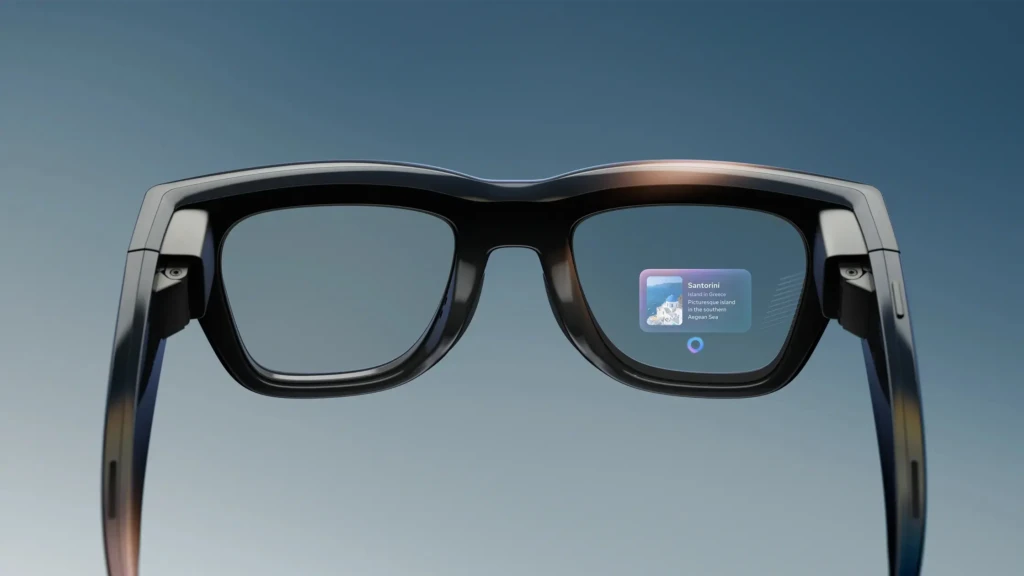
The Meta Ray-Ban Display features a small, full-color monocular display embedded in the lens, enabling private visual feedback, messages, directions, or captions without requiring a phone screen. This is a step toward AR-style usability without a bulky headset.
Live Translation & Accessibility Features
Live speech translation and spoken scene descriptions help with accessibility and travel. These features operate for limited periods on battery-constrained hardware, but they demonstrate how AI can augment vision and hearing in practical ways.
Real-World Use Cases
- Content Creators: quick POV clips, livestreams, and ambient captures without a camera rig.
- Hands-Free Productivity: check messages, set timers, or get on-the-spot facts while your hands are busy.
- Travel & Accessibility: live translation and spoken scene descriptions help orient users in a new environment.
- Sports & Outdoor Activity (Oakley Meta): lightweight capture, activity metadata, and integrations with fitness platforms.
These are practical scenarios where glasses add convenience; they’re less useful for heavy AR workflows that require large visual canvases.
Best Meta AI Glasses
This section reviews the most relevant Meta AI glasses models for buyers, focusing on day-to-day usefulness, build quality, and the real limits of the AI features.
1. Meta Ray-Ban Display Glasses
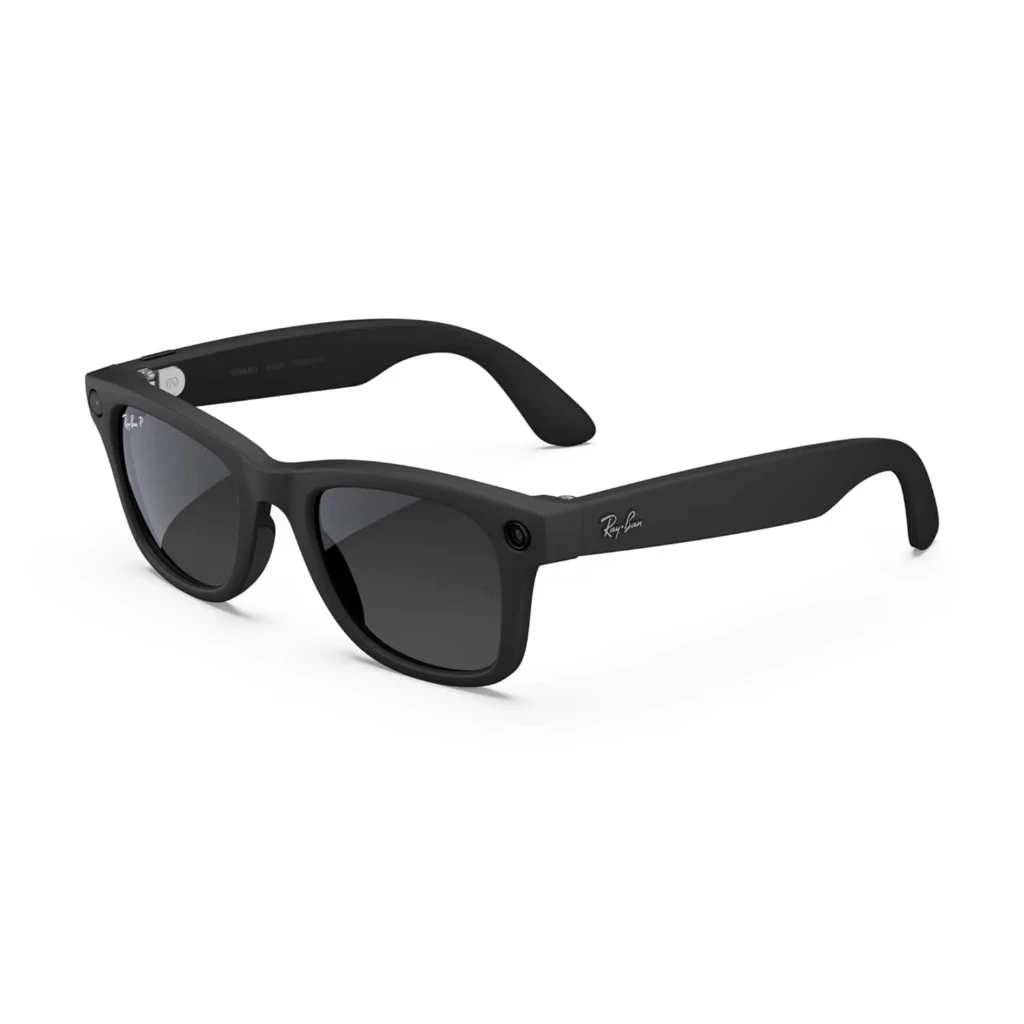
The Meta Ray-Ban Display Glasses introduce a subtle but important evolution by adding a monocular in-lens display. This allows visual feedback, such as messages, navigation prompts, or AI responses, without pulling out a smartphone.
Rather than replacing a phone or delivering full AR visuals, the display is designed for glanceable information. In practice, this makes the glasses more useful in situations where audio alone isn’t sufficient, such as reading short notifications or following turn-by-turn cues discreetly.
Key Specs
- Display: Monocular in-lens micro-display
- Camera: Integrated photo and video capture
- Audio: Open-ear speakers with voice control
- Controls: Touch gestures + optional wrist input
- Battery Life: Shorter with active display usage
- Weight: Slightly heavier than non-display models
Why It Stands Out
- Adds private visual feedback without bulky AR hardware
- Useful for notifications and quick prompts
- More immersive than audio-only smart glasses
Best For: Users who want basic visual interaction and AI feedback without committing to a full AR headset.
2. Oakley Meta AI Glasses
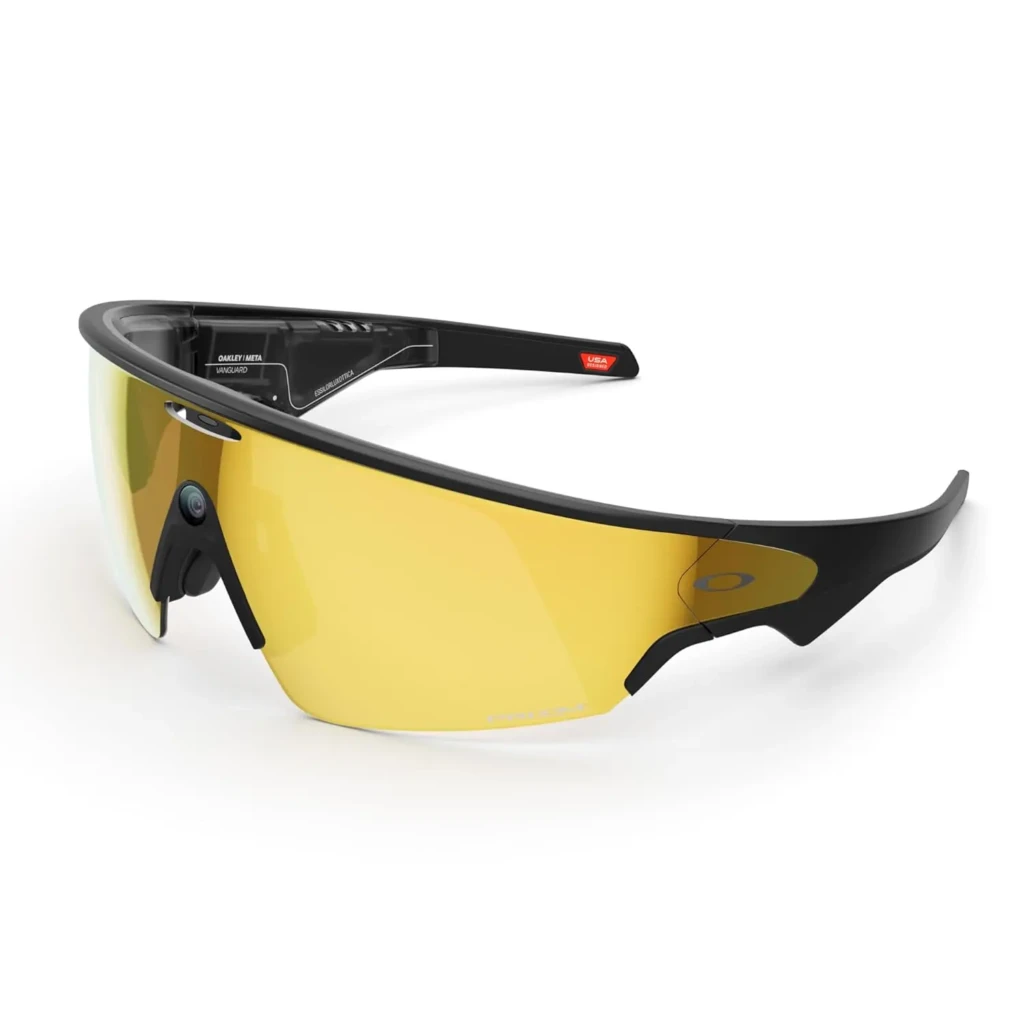
Oakley Meta AI Glasses are engineered for performance and durability. Unlike lifestyle-focused Ray-Ban models, these glasses are designed for athletes and outdoor users who need longer battery life, a secure fit, and hands-free capture during physical activity.
In real-world scenarios, they excel at recording workouts, capturing POV content, and integrating with fitness platforms. While they offer fewer conversational AI features, their strength lies in endurance and reliability rather than novelty.
Key Specs
- Camera: Optimized for outdoor video capture
- Audio: Open-ear speakers suitable for movement
- AI Features: Limited compared to Ray-Ban models
- Battery Life: Extended, up to a full day depending on usage
- Design: Sport-focused, durable Oakley frames
Why It Stands Out
- Long battery life for extended sessions
- Secure, sport-ready fit
- Ideal for outdoor and athletic use
Best For: Athletes, runners, cyclists, and outdoor enthusiasts who want hands-free recording and durability over advanced AI interaction.
Comparison Table: Meta AI Glasses Models
Model | Key Focus | Camera | Display | Battery (typical) | Best For |
Private visual output (AR) | 12 MP / HD | 600×600 monocular | ~4 – 6 hrs (varies) | Creators, travelers | |
Sports & durability | Good outdoor capture | No | Up to 9 hrs (variants) | Athletes, long sessions |
(Caveat: Battery times depend on active AI usage and display time; manufacturers publish typical ranges.)
Comfort, Design, and Wearability

Meta’s approach pairs classic frame aesthetics (Ray-Ban) with discreet tech. Weight and balance are reasonable for short- to half-day wear; prescription lens options are available for many models. Oakley variants prioritize secure fit for active use. Across all models, comfort decreases when continuous AI/recording is enabled due to heat and battery constraints, so practical wearability is use-case dependent.
Battery Life and Performance Reality Check
AI features (always-listening, live translation, scene description) are power hungry. Expect intermittent active time: for example, Meta’s Live AI runs for a limited number of continuous minutes on a single charge in the current firmware, after which the glasses need to rest or recharge. The new Gen-2 hardware has improved battery capacity, but daily heavy AI use will still require charging between uses. Plan for charging cases or midday top-ups if reliant on continuous assistance.
Privacy, Security, and Ethical Concerns
This is the most important practical section for buyers.
- Recording Visibility: Meta uses physical indicators and software cues to indicate when cameras or microphones are active, but questions about detectability persist in public settings.
- Data Handling: Some AI features route data through Meta’s cloud services; understanding what is stored, for how long, and how it’s used is essential before enabling always-on features. Official product pages outline policies, but buyers should read them carefully.
- Legal & Social Context: Laws and norms around recording in public spaces vary by jurisdiction; wearing camera glasses may raise privacy or workplace policy issues. Military and certain government workplaces may restrict or ban them.
In short: Treat the glasses as a recording device and be mindful of consent, signage, and local rules.
Meta AI Glasses Pros and Cons
The Pros
- Hands-free AI help for quick tasks and context.
- Stylish, mainstream frame options reduce stigma.
- Emerging display tech brings private, glanceable visuals.
The Cons
- Limited continuous AI time due to battery constraints.
- Privacy concerns and social friction when recording.
- Not a replacement for thick AR headsets or phone UIs.
Who Should Buy Meta AI Glasses?
Buyers who will get the most value:
- Content creators wanting effortless POV capture.
- Frequent travelers who benefit from live translation and location prompts.
- Athletes wanting hands-free recording and performance tracking (Oakley Meta).
Who Should Avoid Meta AI Glasses?
Skip them if:
- Privacy or workplace restrictions are a concern.
- Expectation is a full AR headset experience (wide FOV overlays).
- The use case requires long continuous AI assistance without recharging.
FAQs About Meta AI Glasses
No. Recording requires explicit commands or modes, and glasses generally show indicators when active. Still, treat them as potential recording devices in public.
Not yet. They complement phones by offloading short interactions and hands-free capture; they don’t replace the phone’s full app ecosystem.
Check local laws and venue policies; some workplaces and public spaces restrict the use of wearable cameras.
Final Verdict: Are Meta AI Glasses Worth It?

Meta AI Glasses are a meaningful first step toward practical, everyday AI assistance worn on the face. For people who value hands-free capture, discreet notifications, or contextual helpers (translation, short answers), the Ray-Ban Meta Gen-2 models strike the best balance between style and capability. Meanwhile, the Ray-Ban Display points toward more visually capable wearables, while Oakley Meta targets athletes who need long battery life and ruggedness.
That said, these devices are early-generation products. Battery limits, privacy trade-offs, and a still-narrow set of truly indispensable AI features mean the technology is best for early adopters and niche users today, not everyone. If the value of hands-free capture or private, glanceable displays aligns with how you live or work, Meta’s AI glasses are worth considering; otherwise, wait for the next wave of hardware improvements and clearer privacy assurances.
You can also check out our guide to the best VR headsets for immersive virtual reality. At Your Tech Compass, we publish practical guides and honest tech reviews to help users make smarter decisions.