Microsoft AI is not a single product, a chatbot, or a feature; it’s an ecosystem woven into the software and cloud infrastructure that hundreds of millions of people already use every day. From AI-powered writing assistance in Word and Excel to enterprise-grade model deployment on Azure, Microsoft has embedded artificial intelligence directly into productivity, security, and development workflows at a scale no other company currently matches. That integration is what makes Microsoft AI genuinely different from standalone AI tools: it doesn’t sit on the side as an optional add-on. It operates at the core of how work actually gets done, within the same applications people have been using for decades, which is precisely why more than 70% of Fortune 500 companies were using Microsoft 365 Copilot in late 2024, and subsequent reports suggest adoption has continued to rise.
What that depth means in practice, and what it requires you to understand before you evaluate it for your organization, is considerably more complex than most overviews acknowledge. Microsoft AI in 2026 spans four overlapping model families (OpenAI, Anthropic’s Claude, Microsoft’s own Phi and MAI models), three distinct Copilot product tiers with recently overhauled pricing, a growing agent ecosystem built on Azure AI Foundry, and a new agentic product called Copilot Cowork that changes how AI-assisted tasks are handled entirely. This guide unpacks all of it: the products, how they connect, what each tier actually costs, where the real enterprise value is, and where the limitations are real enough to plan around.
A note before we begin: every YTC score is earned, never negotiated. If you want to understand exactly how we evaluate apps & tools and how we handle affiliate relationships, our Review Methodology lays it all out.
What Is Microsoft AI?
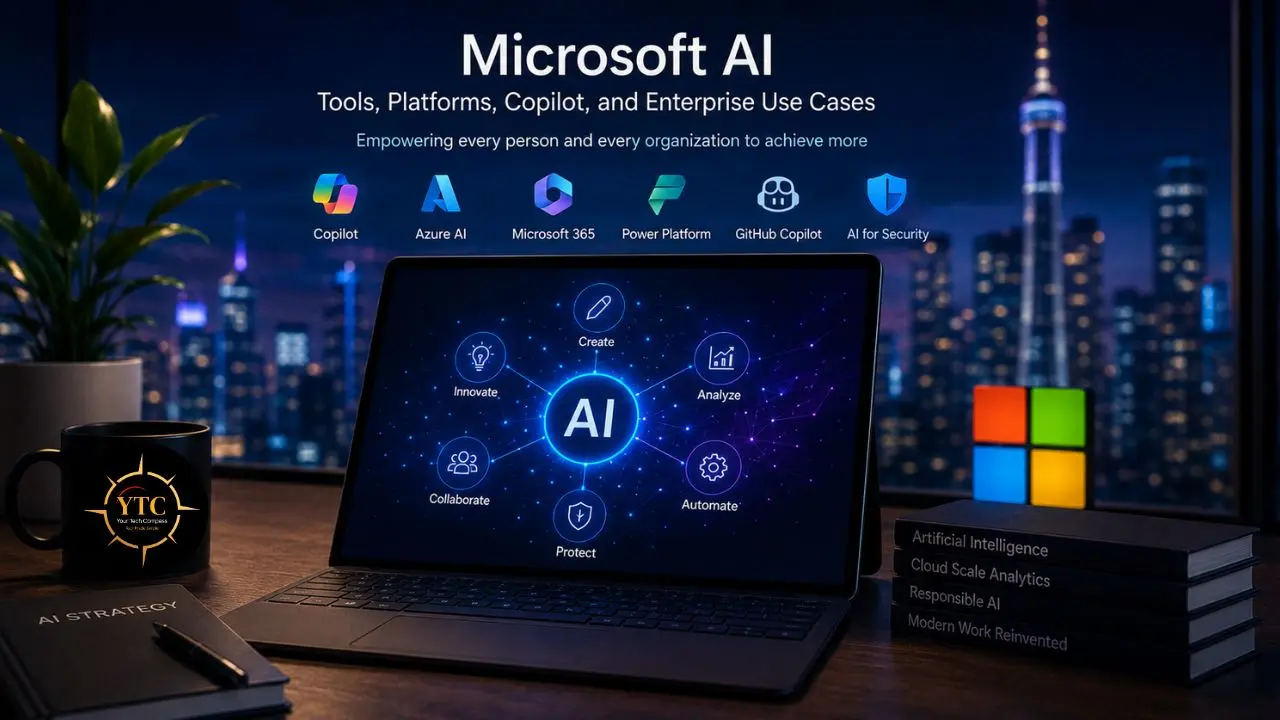
At its most accurate, Microsoft AI refers to the full portfolio of artificial intelligence tools, platforms, models, and services that Microsoft has built, partnered with to access, or integrated into its product stack. It includes AI embedded in productivity apps like Word, Excel, Teams, and Outlook; enterprise cloud infrastructure via Azure AI Services; low-code automation via Power Platform; developer tools, including GitHub Copilot; and an expanding agent ecosystem built on Copilot Studio and Azure AI Foundry.
What distinguishes Microsoft AI from consumer AI tools is the depth of integration. Where a standalone AI chatbot sits outside your workflow and requires you to copy-paste context into it, Microsoft AI is designed to operate inside the workflows, data, and applications you already use, drawing on your organization’s actual emails, documents, calendar events, and Teams conversations to generate outputs that are relevant to your specific work context, not just generic responses to generic prompts. That contextual grounding, delivered through the Microsoft Graph (the master index of everything your organization stores in Microsoft 365), is the foundational capability that separates Microsoft 365 Copilot from any consumer AI alternative.
The Microsoft AI Model Strategy: Four Families Working Together
This is the part of the Microsoft AI story that most coverage misses, and it’s genuinely important for understanding why the platform has evolved the way it has between 2025 and 2026.
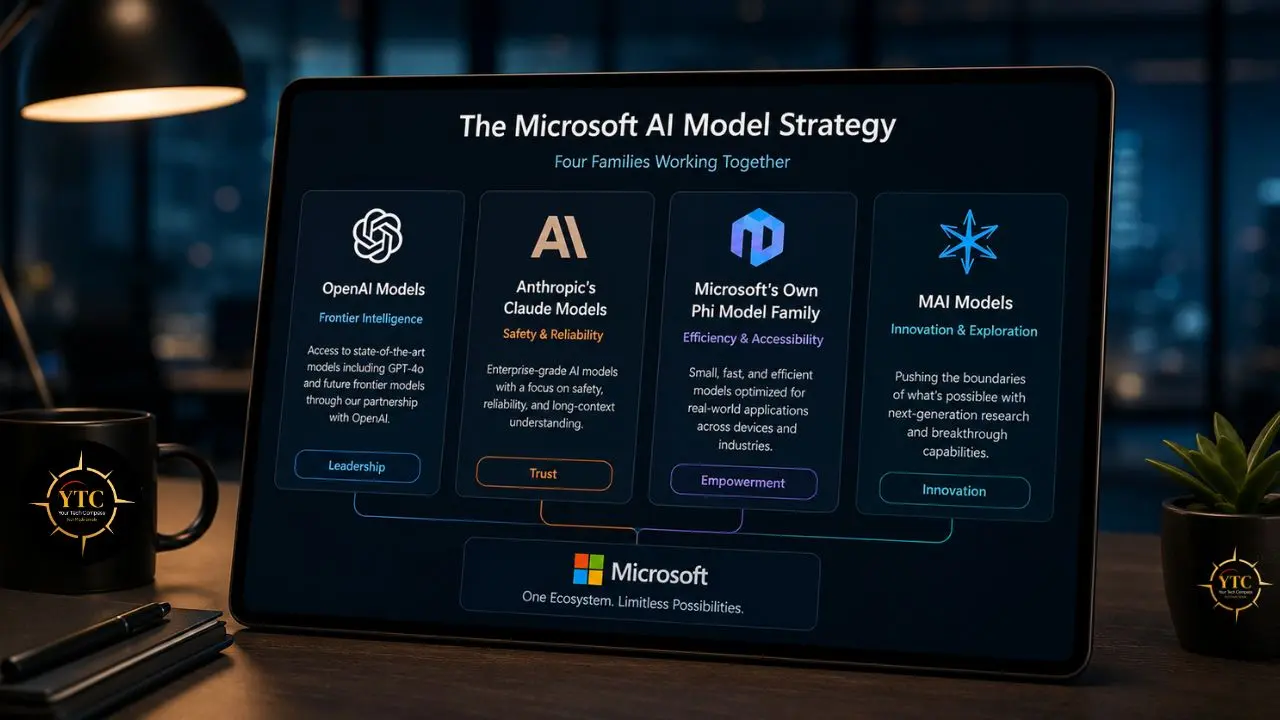
Microsoft does not rely on a single AI model. It now operates a deliberately multi-model strategy with four distinct components:
- OpenAI models (via Microsoft’s majority investment in OpenAI and the Azure OpenAI Service) power the core of Copilot Chat and most of the Microsoft 365 Copilot productivity features, including GPT -5 and its variants. GPT-5 rolled out to Copilot Studio in general availability in November 2025 and is the default orchestration model for most commercial Copilot deployments.
- Anthropic’s Claude Models: Microsoft integrated Anthropic’s Claude Opus 4.6 and Claude Sonnet 4.5 directly into Copilot Studio and Microsoft 365 Copilot. The flagship integration is Copilot Cowork (covered in detail below), built in partnership with Anthropic specifically. Claude models are available in Copilot Studio for organizations building their own agents, providing a genuine choice of reasoning quality, latency, and cost per use case.
- Microsoft’s Own Phi Model Family: Phi-4 is a 14-billion-parameter small language model optimized for complex reasoning and mathematics, released in January 2025. The family has since expanded to include Phi-4-mini, Phi-4-multimodal, Phi-4-reasoning, Phi-4-reasoning-plus, and Phi-4-mini-flash-reasoning. These models are designed specifically for edge and on-device deployment, particularly Copilot+ PCs, and for cost-efficient serving at scale within Microsoft’s cloud infrastructure.
- MAI Models: Microsoft’s in-house models targeting specific capability domains, including voice, image generation, and text. MAI models handle specific tasks within the Copilot stack where specialized performance matters more than broad, general-purpose reasoning.
The practical consequence of this multi-model strategy is significant: organizations building on Copilot Studio can now choose between GPT-5, Claude Opus 4.6, Claude Sonnet 4.5, Mistral Medium 3.5, xAI models, and Microsoft’s own Phi variants, selecting the right balance of reasoning depth, latency, and cost for each specific agent or use case rather than being locked into a single model.
Microsoft AI Platforms and Products
Microsoft Copilot: The Productivity Layer
This is the most visible consumer and enterprise face of Microsoft AI. In 2026, Copilot is no longer a single product at a single price point; it’s a family with meaningfully different capabilities across tiers.
Copilot Chat (Free)
It rolled out to all Microsoft 365 Entra account users between August and October 2025 at no additional cost. It provides web-grounded AI chat powered by large language models, Copilot Notebooks with standard access, and inbox and calendar awareness added in March 2026.
The critical limitation: Copilot Chat searches the open web and processes files you upload, but it cannot access your organization’s data, such as emails, documents, meetings, and Teams chats. That requires the paid tier.
Microsoft 365 Copilot
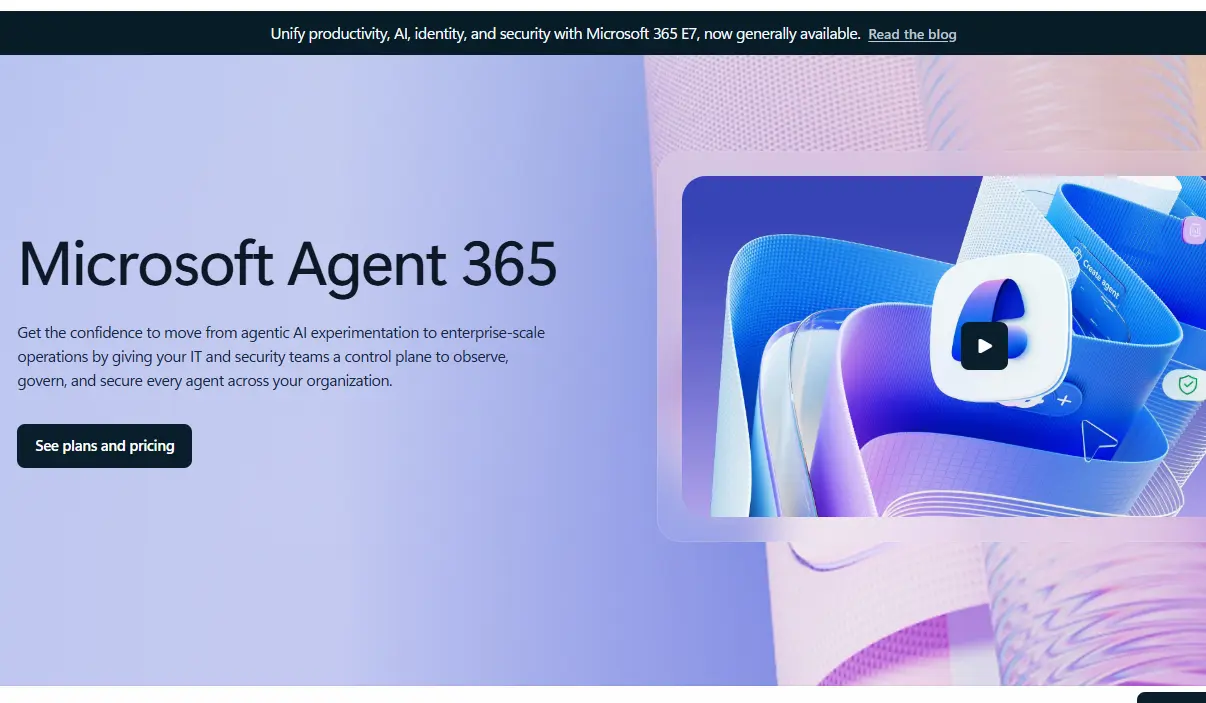
This is the commercial add-on that unlocks grounding on your organization’s data through Microsoft Graph. This is the tier that provides AI assistance genuinely informed by your actual work context: summarizing meetings you attended, drafting emails in your voice based on your email history, answering questions about documents your colleagues created.
It requires an eligible qualifying base plan (Microsoft 365 Business Basic/Standard/Premium, E3/E5, or similar). The standalone Copilot Pro tier was retired in late 2025. Microsoft 365 Premium, at approximately $19.99/month, is the consumer replacement that carries those features forward.
Copilot Studio
This is where organizations build custom AI agents: tools that take actions, call APIs, and run workflows, not just chat. Pricing is consumption-based, with Copilot Credits as the metered currency since September 2025. Employee-facing agent usage is zero-rated for Microsoft 365 Copilot customers within fair-use limits; advanced orchestration draws down credits.
Copilot Cowork
This is the newest and most significant Copilot product, launched in Research Preview in March 2026 as a feature of the standard Microsoft 365 Copilot add-on. Built in partnership with Anthropic, Cowork is an agentic AI tool that takes a task, turns it into an execution plan, and runs that plan in the background across Microsoft 365 applications (SharePoint, OneDrive, Teams) without requiring continuous human intervention.
The distinction from standard Copilot is significant: standard Copilot assists with individual tasks in real time; Cowork executes complex, multi-step workflows asynchronously, functioning more like an autonomous agent than an AI assistant. Microsoft is transitioning Cowork to a consumption-based credit pricing model, aligning it with Copilot Studio’s metered structure.
Real customers are already seeing results. Dow’s freight invoice anomaly detection agent caught a $30,000 billing discrepancy against an expected $5,000.
GitHub Copilot
This is Microsoft’s AI-powered programming assistant for developers, helping generate context-aware code suggestions, debug code, and explain complex functions. It’s covered in depth in our GitHub Copilot explained guide, which covers current pricing, the multi-model backend (GPT-4.1, Claude Sonnet 4.5), and exactly how developers integrate it into their workflow.
Azure AI Services: The Infrastructure Layer
Azure AI Services is the enterprise platform for organizations that build custom AI applications rather than use Microsoft’s off-the-shelf Copilot products. It provides modular, API-accessible AI capabilities across several categories:
Azure OpenAI Service
It provides programmatic access to the same GPT-5.x and o-series reasoning models that power Microsoft’s consumer and commercial products, with enterprise-grade security, data residency controls, and compliance frameworks that consumer OpenAI accounts don’t provide.
Azure AI Foundry
This is the platform for discovering, fine-tuning, deploying, and managing AI models at scale, including not only OpenAI models but the full range of models available through the Azure AI model catalog: Phi, MAI, Meta Llama, Mistral, Anthropic Claude, and more. Foundry is where DeepSeek models (available since early 2025) and other third-party models can be accessed via serverless or provisioned deployment options.
Cognitive Services
It provides pre-built APIs for specific AI capabilities: vision (image recognition, OCR), speech (text-to-speech, speech-to-text, real-time translation), language understanding, and decision optimization. These are the building blocks for organizations that need a specific capability without having to build a full model deployment.
Power Platform AI: The Low-Code Layer
Microsoft’s Power Platform brings AI to non-technical teams through low-code tools that don’t require expertise in model deployment or API integration.
- AI Builder provides pre-built AI components (document processing, prediction models, image classification) that can be added to Power Apps and Power Automate workflows without writing code.
- Copilot in Power Platform extends this with natural language automation: describe what you want a workflow to do, and Copilot builds the flow structure. This is the tier that makes AI genuinely accessible to business analysts, HR teams, and operations staff who need intelligent automation but don’t have machine-learning engineers on their teams.
Microsoft AI Pricing: The Real 2026 Numbers

The pricing structure changed significantly in 2025–2026, and understanding the current tiers is genuinely important for any organization evaluating adoption.
Product / Tier | Price | Key Capability | Best For |
Copilot Chat | Free (M365 Entra users) | Web-grounded chat, file upload, inbox/calendar awareness | Individual users starting out |
Microsoft 365 Copilot | $30/user/month (annual) | Full org-data grounding via Microsoft Graph | Commercial deployments |
Microsoft 365 Copilot + Cowork | Included in M365 Copilot add-on (credits for heavy use) | Agentic background task execution | Complex workflow automation |
Microsoft 365 Premium (Consumer) | ~$19.99/month | Copilot in Office apps, 6TB storage | Individual consumer replacement for the retired Copilot Pro |
Copilot Studio | Consumption-based (Copilot Credits) | Custom agent building and deployment | Developers building org-specific agents |
Azure OpenAI Service | Pay-per-token (varies by model) | Programmatic model access with enterprise controls | Developers building custom AI applications |
Microsoft 365 E3 (July 2026) | Price increased ~$3/user/month | Now includes Defender for Office 365 Plan 1 | Mid-size enterprise security + productivity |
Microsoft 365 E5 (July 2026) | Price increased ~5% | Now includes Security Copilot (400 SCUs/1,000 users) | Enterprise security + AI |
The most important pricing context for enterprise buyers: Microsoft has announced pricing and packaging updates for Microsoft 365, effective July 1, 2026, including plan-specific increases, such as 5.3% for E5, according to Reuters. For large enterprises, the effective impact can be higher once renewal timing and prior EA pricing changes are factored in, but the exact increase depends on the contract structure and license mix.
How Microsoft AI Works: The Technical Architecture
Understanding the mechanics behind Microsoft AI helps clarify both why it works well for large organizations and where its limits are.
Data Integration Through Microsoft Graph
When you ask Microsoft 365 Copilot a question about a project or a colleague, it doesn’t search a generic internet corpus; it queries the Microsoft Graph, which indexes everything your organization has in Microsoft 365: emails, documents, calendar events, Teams messages, and SharePoint files.
Work IQ (the intelligence layer announced for Microsoft 365 Copilot in 2026) extends this with M365 content and metadata, line-of-business data ingested through Copilot connectors, Copilot Memory that learns your style and preferences, and a semantic index that understands the relationships and patterns within your organizational data. The result is AI assistance grounded in your actual work context.
Model Routing Based On Task Complexity
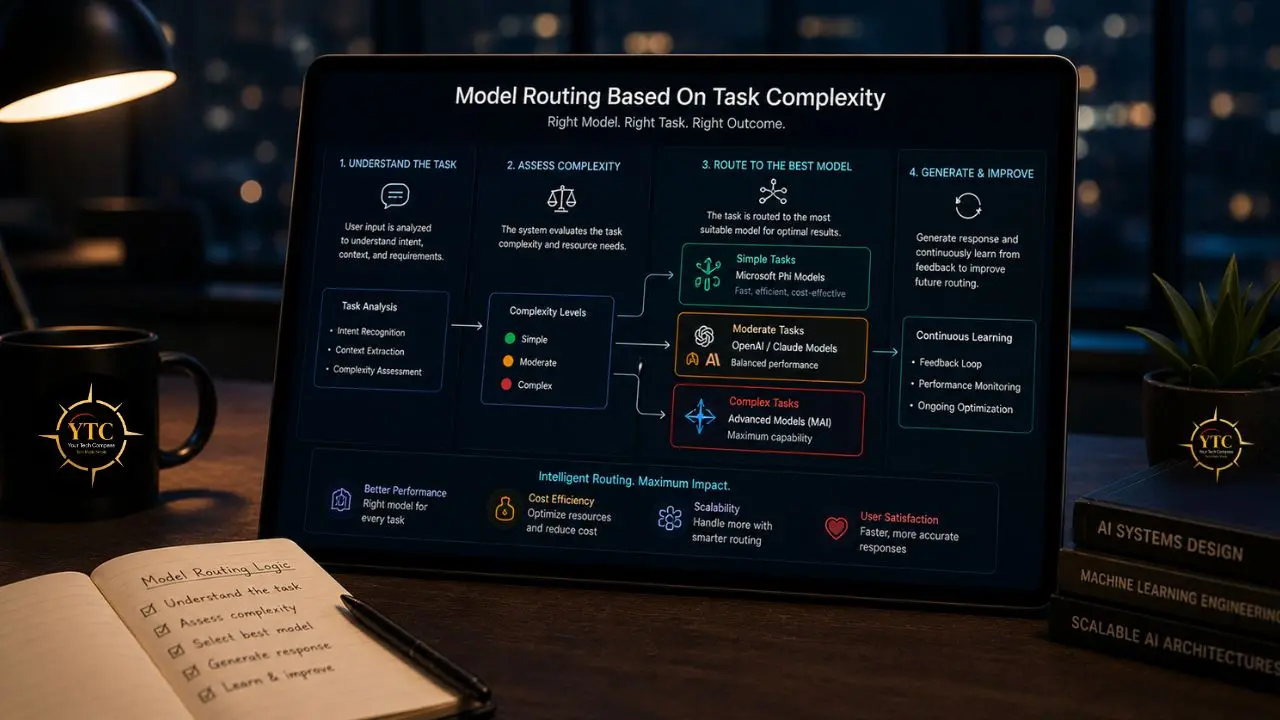
The multi-model architecture described above isn’t just about offering choice; it enables intelligent routing. Simple tasks can be handled by efficient Phi models or lighter GPT variants; complex reasoning tasks escalate to GPT-5 or Claude Opus 4.6; and domain-specific tasks route to specialized MAI models. This routing is largely transparent to end users but has direct implications for cost and quality at enterprise scale.
Hybrid Cloud Deployment
Azure AI supports deploying workloads on-premises, in the cloud, or in hybrid configurations, enabling organizations with data residency requirements or specific compliance obligations to run AI workloads in environments that meet their regulatory needs without giving up cloud scalability.
Enterprise-Grade Security and Compliance
Microsoft 365 Copilot inherits the security model of Microsoft 365: role-based access control, sensitivity labels, data loss prevention policies, and audit logs. Copilot respects existing permissions: a user cannot use Copilot to access documents they don’t already have permission to view. For regulated industries, this inherited compliance framework is a meaningful differentiator from consumer AI tools, which require separate data-handling agreements.
Work IQ: Microsoft’s Personalized AI Intelligence Layer
Work IQ, announced for Microsoft 365 Copilot in 2026, represents the most significant architectural addition to the platform since its initial launch. It’s worth understanding specifically because it changes what “AI assistance grounded in your work” actually means in practice.
Work IQ includes four components: M365 content and metadata; line-of-business data ingested through Copilot connectors; a comprehensive semantic index derived from your Microsoft 365 and business datasets; and Copilot Memory, which builds an ongoing understanding of your work style, communication preferences, and workflow patterns. The practical consequence is a Copilot that delivers genuinely personalized assistance rather than context-aware assistance; the difference between “here’s a relevant document from your SharePoint” and “based on how you’ve written similar reports for this client, here’s a draft that matches your voice and addresses the specific points your manager usually asks about.”
Agent 365 and the Agentic AI Shift
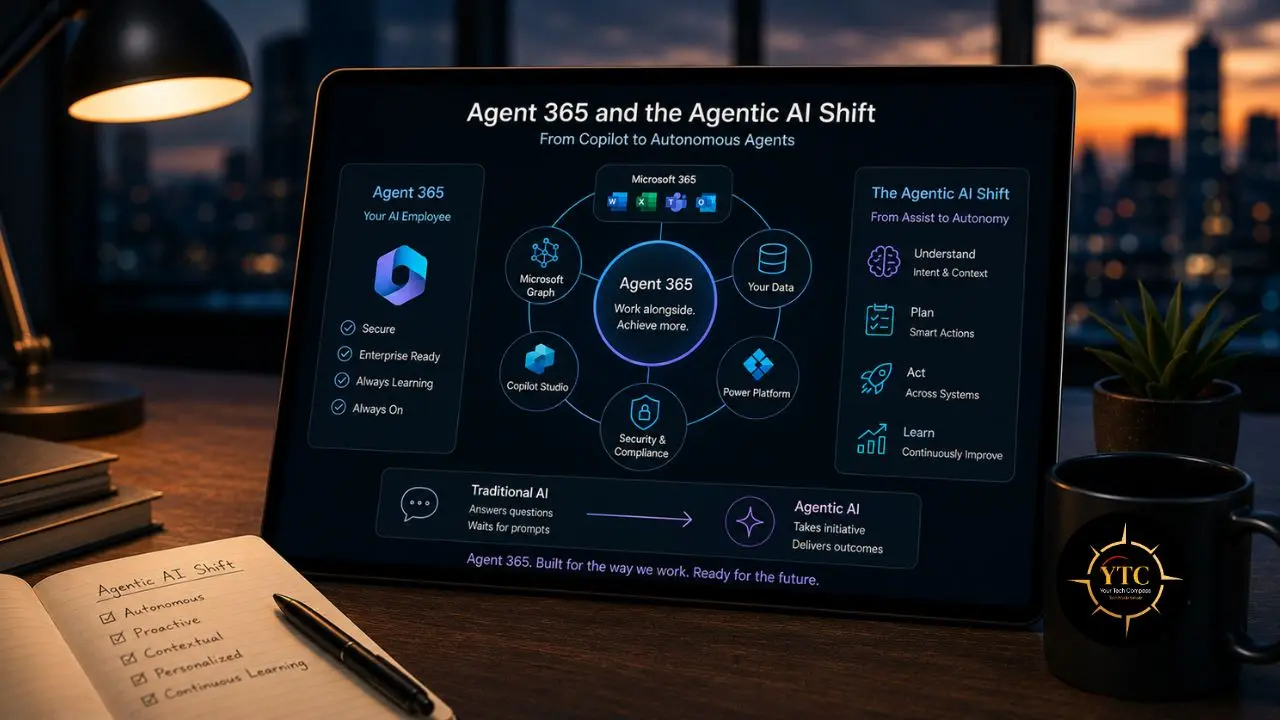
Alongside Copilot Cowork, Microsoft announced Agent 365 in March 2026, a broader framework for AI agents that operate within Microsoft 365 workflows. The practical effect is a shift from Microsoft AI as a tool you interact with to Microsoft AI as a set of agents that act on your behalf.
Already in production: Microsoft says 80% of Fortune 500 companies use active AI agents, signaling how quickly the agent pattern is spreading in enterprise software. Estée Lauder built ConsumerIQ with Copilot Studio, and Microsoft has highlighted customer stories showing AI assistants improving engagement and business outcomes. Microsoft also reports that more than 230,000 organizations have used Copilot Studio to build custom agents.
For developers and enterprise teams building custom agents, Copilot Studio now supports multiple model families: GPT-5, Claude Opus 4.6, Claude Sonnet 4.5, Mistral Medium 3.5, and Microsoft’s own Phi variants, giving teams genuine control over the intelligence, latency, and cost characteristics of each agent they build. Comparing Microsoft’s approach here with pure LLM tooling is directly relevant to decisions about infrastructure and model selection.
Our DeepSeek vs ChatGPT comparison and Claude AI guides cover the underlying models now available within the Azure AI model catalog. For organizations evaluating the broader cloud AI landscape, our AWS AI tools and services guide provides useful comparative context.
Real-World Use Cases of Microsoft AI
Business Productivity and Document Work
The most immediately visible use case remains the core Microsoft 365 suite: Copilot in Word drafts, rewrites, and summarizes documents; Copilot in Excel generates data insights and builds formulas from natural language descriptions; Copilot in Teams summarizes meetings you missed and extracts action items; Copilot in Outlook drafts email responses in your voice and summarizes long email threads. At scale, these individual productivity gains compound into measurable organizational impact. Microsoft itself reports over 1,100 features released across Microsoft 365, Security, Copilot, and SharePoint in the last year.
Agentic Workflow Execution
With Cowork and Agent 365, Microsoft AI moves beyond assistance into autonomous execution. A logistics team can deploy an agent that monitors freight invoices, flags anomalies, and escalates exceptions without human review of every line item.
The Dow example cited above is representative of the problem category this tier is designed for. A sales operations team can build a Copilot Studio agent that automatically generates post-meeting follow-up emails, updates CRM records, and schedules next steps without manual entry. The key distinction from traditional automation is natural language understanding: these agents handle the variability and ambiguity of real business data, not just structured rule-based triggers.
Software Development

GitHub Copilot’s integration with VS Code and Visual Studio provides context-aware code generation, debugging assistance, and code explanations that measurably reduce the time developers spend on repetitive coding tasks. Beyond individual developer productivity, Azure AI Foundry provides the infrastructure for teams building AI-native applications: model deployment, fine-tuning pipelines, evaluation frameworks, and the full model catalog, including third-party models. Our GitHub Copilot explained guide covers the current model backend and pricing in depth.
Security Operations
At Microsoft Ignite 2025, Microsoft announced Security Copilot agents built into Defender, Entra, Intune, and Purview. E5 customers will receive Security Copilot as part of their subscription starting in July 2026, providing AI-powered threat hunting, incident investigation, and policy analysis within the security tools they already use. For IT teams managing hybrid environments, this integration into existing workflows is meaningfully different from standalone security AI tools that require separate context-building and separate investigation environments.
Financial Analysis and Business Intelligence
Azure AI models provide the infrastructure for financial forecasting, large-scale data analysis, and automated reporting. Power BI’s Copilot integration brings natural-language querying to business intelligence. “Show me which product categories drove the margin decline in Q3” becomes a usable query rather than a complex DAX formula requirement.
Microsoft AI vs. Other Enterprise AI Platforms
Dimension | Microsoft AI | IBM AI (watsonx) | AWS AI | Google AI (Workspace) |
Productivity Integration | ✅ Best-in-class (M365 native) | ⚠️ Limited consumer productivity | ⚠️ Limited (not productivity-native) | ✅ Strong (Workspace native) |
Enterprise Data Grounding | ✅ Microsoft Graph | ✅ watsonx.data connectors | ✅ Bedrock Knowledge Bases | ✅ Workspace + Google Drive |
Agent / Agentic AI | ✅ Copilot Studio, Cowork, Agent 365 | ✅ watsonx Orchestrate | ✅ Bedrock Agents | ✅ Gemini for Workspace |
Model Choice | ✅ OpenAI, Anthropic, Phi, MAI, Mistral, DeepSeek | ✅ watsonx.ai model library | ✅ Bedrock multi-model | ⚠️ Primarily Gemini |
Hybrid Cloud / On-Premises | ✅ Azure Arc, hybrid support | ✅ Strong hybrid (legacy enterprise focus) | ⚠️ Primarily cloud | ⚠️ Primarily cloud |
Developer Ecosystem | ✅ Very large (Azure + GitHub) | ✅ Strong enterprise tooling | ✅ Very large (AWS native) | ✅ Large (GCP native) |
Security + Compliance | ✅ Inherits M365 compliance stack | ✅ Strong regulated industry focus | ✅ Strong (AWS compliance) | ✅ Strong |
Price Transparency | ⚠️ Complex licensing (see pricing section) | ⚠️ Complex enterprise agreements | ⚠️ Pay-per-use (can be complex) | ⚠️ Workspace tiers |
Microsoft AI’s clearest advantage is the combination of productivity app integration and enterprise data grounding — Microsoft Graph-based contextual awareness that no other platform replicates for organizations already on Microsoft 365. AWS AI services are covered in our AWS AI tools and services guide for teams comparing cloud AI infrastructure options.
Limitations and Honest Considerations

Complex, Rapidly Changing Licensing
Microsoft AI pricing has changed significantly in 2025–2026, including Microsoft 365 commercial price updates effective July 1, 2026, as well as broader packaging and AI-related licensing changes. Organizations budgeting for Microsoft AI should plan for ongoing price and packaging updates, because the total cost can include Microsoft 365 base plans, Copilot add-ons, Copilot Studio usage, and Azure consumption.
Dependent on the Microsoft 365 Ecosystem
The core value proposition of Microsoft AI (grounded in your organization’s data) requires meaningful adoption of M365. Organizations that don’t use Teams, SharePoint, and Exchange as their primary collaboration stack won’t access the same depth of contextual awareness that makes Microsoft 365 Copilot genuinely useful.
The Cowork and Agentic Tier Is Early-Stage
Copilot Cowork launched in Research Preview in March 2026, with broader availability through the Frontier program following shortly after. The transition to consumption-based pricing adds cost unpredictability to capabilities that are still under active development. Organizations evaluating Cowork for production workflows should approach it as a maturing product, not a finished one.
Data Privacy Requires Careful Configuration
While Microsoft 365 Copilot inherits the permission model of Microsoft 365, this means AI assistance is governed by your existing permissions and data classification structures. Organizations with overly broad file-sharing permissions should review and tighten their access structures before deploying Copilot at scale, or users may surface documents through Copilot that they technically have access to but aren’t expected to see in a given context.
Who Should Use Microsoft AI?
Microsoft AI is the right choice for organizations that already rely significantly on Microsoft 365 for email, documents, and collaboration. The grounding advantage only materializes when there’s meaningful M365 data to draw on. It’s equally well-suited for enterprises that need AI capabilities within their existing compliance and security framework, since Microsoft’s approach of inheriting the existing M365 security model removes a major integration burden that standalone AI tools require organizations to solve separately.
Developers and technical teams building custom AI applications should consider Azure AI Foundry as the infrastructure layer for model deployment and agent orchestration, particularly given the breadth of the model catalog now available on Azure, including models from OpenAI, Anthropic, Phi, Mistral, DeepSeek, and Meta Llama.
Organizations that are genuinely Microsoft-agnostic in their tooling (using Google Workspace primarily or running primarily open-source infrastructure) will find Microsoft AI’s value proposition significantly weaker than for M365-native organizations, since the core contextual grounding advantage simply doesn’t apply without the underlying data infrastructure.
FAQs
Microsoft AI is a full ecosystem that encompasses Azure AI Services, Power Platform AI, GitHub Copilot, the Phi and MAI model families, and all Copilot products. Copilot is a specific product family within that ecosystem. The AI assistant layer is embedded in Microsoft 365 applications. Saying “Microsoft AI” is like saying “Google Cloud”; it covers the full infrastructure, not a single product.
Standard Microsoft 365 Copilot assists with tasks in real time as you work: drafting a document, summarizing a meeting, explaining a spreadsheet. Copilot Cowork, launched in March 2026 in partnership with Anthropic, autonomously executes complex, multi-step workflows in the background, taking a task, building a plan, and completing it across Microsoft 365 apps without requiring your continuous involvement. It’s closer to an AI agent than an AI assistant, and its pricing is transitioning to a consumption-based credit model rather than a flat per-user fee.
Microsoft AI uses a deliberately multi-model strategy: OpenAI GPT-5 and o-series models (via the Azure OpenAI Service and the Microsoft-OpenAI partnership), Anthropic Claude Opus 4.6 and Claude Sonnet 4.5 (in Copilot Cowork and Copilot Studio), Microsoft’s own Phi-4 family models (for edge, on-device, and cost-efficient cloud scenarios), and MAI models for specific domains, including voice and image generation. Organizations building on Copilot Studio can also select Mistral Medium 3.5, xAI models, and other models from the Azure AI model catalog.
Yes, with appropriate expectations. Small businesses can start with free Copilot Chat and Microsoft 365 Personal or Family plans (now including Copilot at $9.99–$12.99/month in consumer tiers) to access AI in Word, Excel, and Outlook without enterprise costs. The fuller organizational data grounding of Microsoft 365 Copilot at $30/user/month becomes more valuable as team size and M365 data volume grow. Power Platform AI Builder also provides low-code AI automation accessible without dedicated AI engineering resources.
Both platforms provide AI grounded in organizational data (Microsoft Graph vs. Google Workspace), similar productivity app integrations, and growing agent capabilities. Microsoft’s advantages are its broader model ecosystem, deeper agent orchestration through Copilot Studio, and the hybrid-cloud flexibility of Azure. Google Workspace’s advantage lies in Gemini’s native multimodal capabilities and the depth of its Google Search integration. For organizations using primarily Microsoft 365, Copilot’s graph-based grounding is more complete; for Google Workspace organizations, Gemini for Workspace is the corresponding native choice.
Conclusion

Microsoft AI is one of the most comprehensive AI ecosystems in enterprise technology today, not because it has the most powerful individual model, but because it combines deep integration with the productivity tools people already use, genuinely extensive contextual grounding on organizational data, and an increasingly capable agent layer that extends AI assistance from real-time help to autonomous workflow execution. The combination of the Microsoft Graph, the Phi and MAI model families, the multi-model flexibility of Copilot Studio, and the new Cowork agentic product creates a platform that addresses a remarkably broad range of AI use cases within a single, security-inheriting infrastructure. Over 80% of Fortune 500 companies are already using it in some form; that adoption isn’t marketing; it reflects a genuine product fit at enterprise scale.
That said, Microsoft AI requires honest engagement with its complexity, its costs, and its pace of evolution. Licensing is genuinely intricate, pricing changed significantly three times in 2025–2026, and the agentic features that represent the platform’s next major capability tier are still maturing in production environments. For organizations already deeply embedded in Microsoft 365, the value proposition is clear, and the data grounding advantage is real. For organizations evaluating AI infrastructure from a blank slate, the right question isn’t whether Microsoft AI is good; it is, but whether your data, your workflows, and your team’s existing tooling create the M365-native conditions that make its specific advantages actually apply to you.
At YourTechCompass.com, we publish honest, detailed tech reviews and guides to help you make smarter decisions about the tools that run your business. Head there for more.