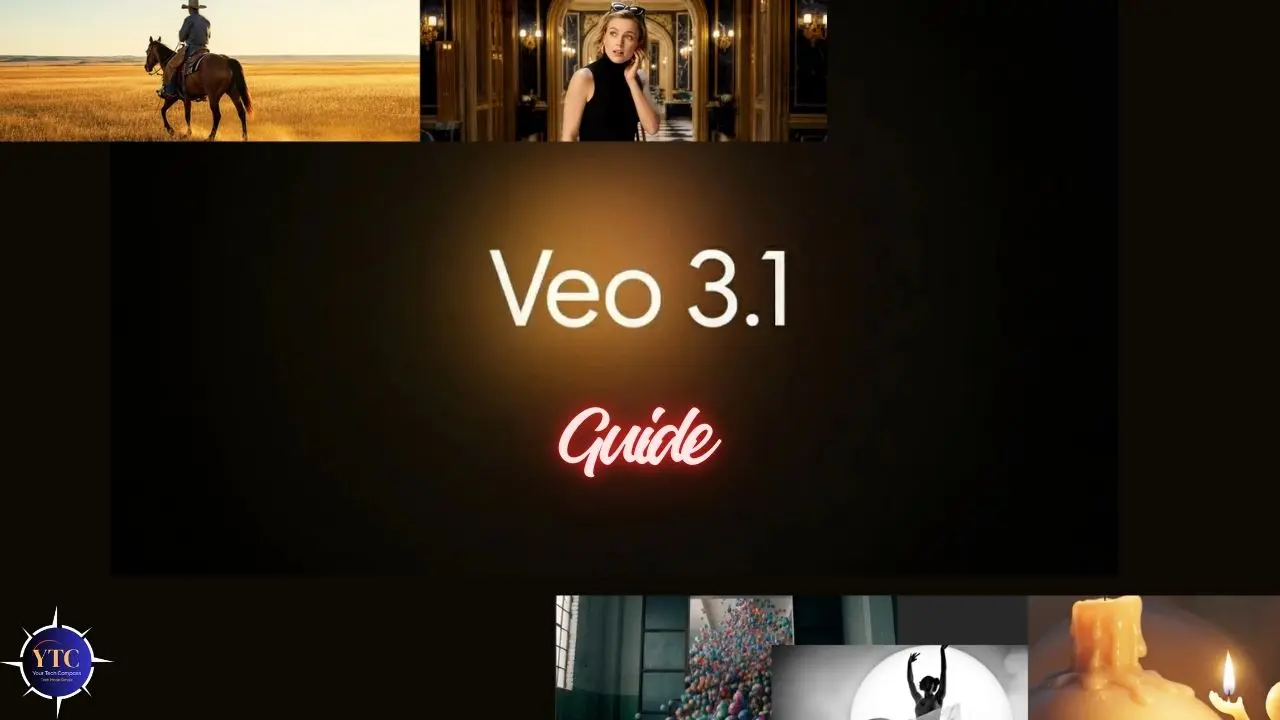
Veo 3.1 is Google DeepMind’s most advanced AI video generation model, released on October 14, 2025, and later updated in January 2026 to support 4K output and native vertical video. It builds on Veo 3’s already strong foundation by delivering longer single-generation clips (up to 60 seconds, up from Veo 3’s 8-second limit), significantly richer audio-video synchronization, improved physical realism, and stronger prompt adherence, as confirmed across independent benchmarks. In Google DeepMind’s MovieGenBench evaluation on 1,003 prompts, Veo 3.1 ranked first in overall preference, prompt adherence, visual quality, and audio synchronization, ahead of OpenAI’s Sora 2 and every other model tested.
If you’re a content creator, filmmaker, marketer, or developer evaluating AI video tools right now, Veo 3.1 is the most capable production-ready option Google has shipped to date. This guide covers everything that matters: what’s new over Veo 3, every key feature, how to access it, current pricing, real-world output quality, an honest look at its limitations, and a direct comparison against Sora 2, Kling AI, and Runway Gen-4. For context on where AI image generation fits alongside video tools, our Midjourney AI review and Imagen AI explained guide cover Google’s image generation stack in detail.
What Is Veo 3.1?
Veo 3.1 is the third major iteration of Google DeepMind’s video generation model, sitting above Veo 3 Fast (the lower-cost, slightly reduced-quality variant) and representing the current ceiling of Google’s AI video capability. It generates video from text prompts, still images, or a combination of both, and does something most competitors still struggle with: it produces synchronized native audio (dialogue, ambient sound, sound effects, and background music) generated alongside the video in one step, with approximately 10ms audio-video latency.
The model sits at the center of Google’s AI creative ecosystem alongside Gemini (the underlying language model) and Google Flow (the dedicated AI filmmaking platform). Veo 3.1 is the engine; Flow is the interface built around it for creators who need camera controls, scene sequencing, and multi-shot narrative tools. The January 2026 update specifically introduced 4K resolution output (3840×2160), making Veo 3.1 the first mainstream AI video model to support true 4K, along with native 9:16 vertical format and improved character consistency across scenes. For a comparison of Veo with a competing video generation approach, our Seedance 2.0 review details ByteDance’s model.
Veo 3.1 vs. Veo 3: What’s Actually New?
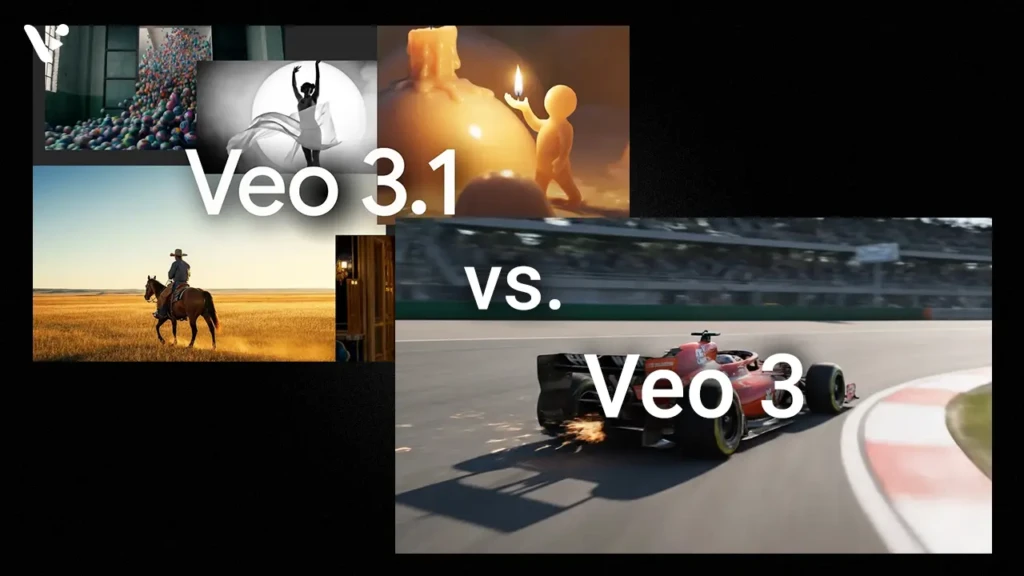
The differences between Veo 3 and Veo 3.1 are meaningful, not incremental rebranding.
Feature | Veo 3 | Veo 3.1 |
Max Clip Length | 8 seconds per generation | Up to 60 seconds per generation |
Resolution | 720p (API); 1080p (updated Sept 2025) | 1080p standard; 4K (Jan 2026 update) |
Aspect Ratio | Landscape only (initial) | Landscape + native 9:16 vertical |
Audio Generation | Yes (basic sync, occasional drift) | Yes (richer, ~10ms A/V sync, multi-character dialogue) |
Lip-Sync Accuracy | Moderate | Significantly improved |
Prompt Adherence | Strong | Best-in-class (MovieGenBench #1) |
Character Consistency | Moderate | Improved, up to 4 reference images |
Editing Tools | Basic | Insert, Remove (in dev), First/Last Frame, Image Blending |
Physical Realism | Strong | Best-in-class (MovieGenBench physics subset #1) |
API Pricing (per second) | $0.75/second (launch); $0.40/second (Sept 2025) | $0.40/second standard; $0.15/second (Fast) |
The most significant practical upgrade is the 60-second clip length. Veo 3 required creators to generate 8-second segments and stitch them together, introducing visible transitions and consistency drift between shots.
Veo 3.1 generates smooth, continuous clips up to 60 seconds in a single pass, which changes the practical filmmaking workflow entirely. The audio improvements are the second major jump: Veo 3’s audio was capable but inconsistent on longer clips; Veo 3.1’s multi-character dialogue with accurate lip-sync is production-ready in a way Veo 3’s wasn’t.
Key Features of Veo 3.1
Text-to-Video Generation
You describe a scene in natural language, and Veo 3.1 generates a video clip matching your description, including composition, lighting, motion, style, and audio. The model understands cinematic language natively: “aerial establishing shot,” “dolly zoom,” “tracking shot following the subject,” “handheld camera style,” and “timelapse” all translate accurately into visual output.
Supported styles range from photorealistic and cinematic to animation, illustration, and abstract. Output resolution is 1080p standard, with 4K available through the January 2026 update on supported access tiers.
Image-to-Video
You provide a still image and a text prompt describing the desired motion, and Veo 3.1 animates it into a video clip. On the VBench I2V benchmark, Veo 3.1 ranked first for both prompt adherence and visual quality in image-to-video generation. This is particularly useful for photographers who want to bring still images to life, graphic designers animating brand assets, and creators working from concept art or reference imagery. In addition, the model maintains the source image’s visual identity while generating natural motion that fits the scene.
Video Extension
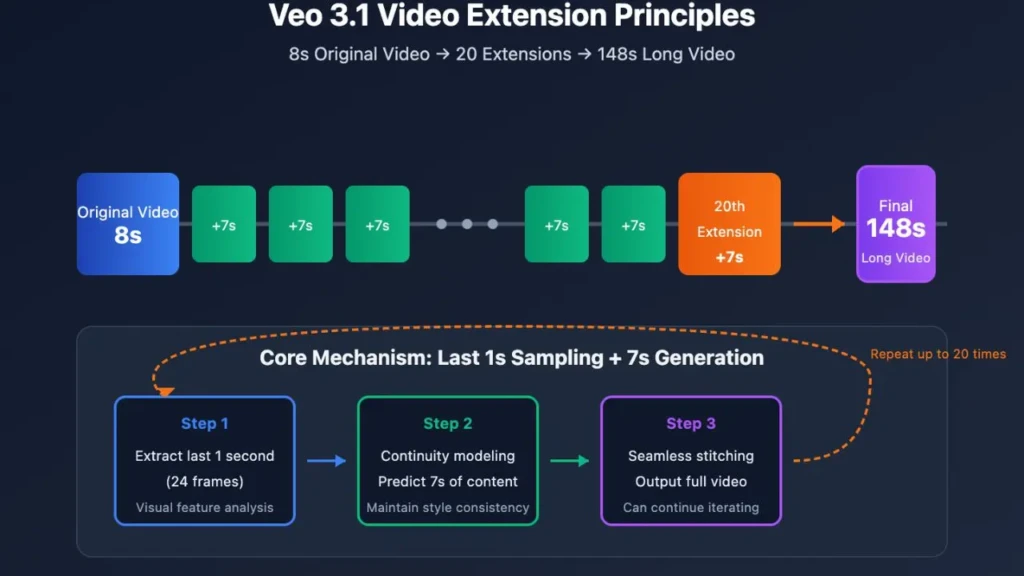
Veo 3.1 supports extending existing video clips, generating additional footage that continues seamlessly from the end of a provided clip. Combined with the First and Last Frame feature (provide a start frame and an end frame; Veo generates the transition), this gives creators precise control over shot continuity across a multi-shot sequence without the drift that plagued stitched Veo 3 clips.
Native Audio Generation
This is Veo 3.1’s most commercially significant differentiator. The model generates contextually appropriate audio alongside video in a single step, withno post-production dubbing required. Audio includes multi-character dialogue with accurate lip-sync, ambient environmental sounds (rain, crowd noise, traffic, nature), sound effects timed to visual actions, and background music.
The January 2026 update improved multi-language audio support, though this remains a developing capability. Compared to competitors like Kling AI and Runway Gen-4, which require separate audio workflows, Veo 3.1’s native audio generation is a genuine workflow advantage.
Cinematic Camera Controls
You direct Veo 3.1 using standard filmmaking terminology in your text prompt. Pan left, push in, rack focus, aerial shot, low-angle close-up, tracking shot; the model interprets these instructions accurately and applies them to the generated clip. This makes Veo 3.1 genuinely useful for pre-visualization and concept reels, where a director wants to test shot compositions before committing to a physical shoot.
Ingredients to Video and Image Blending
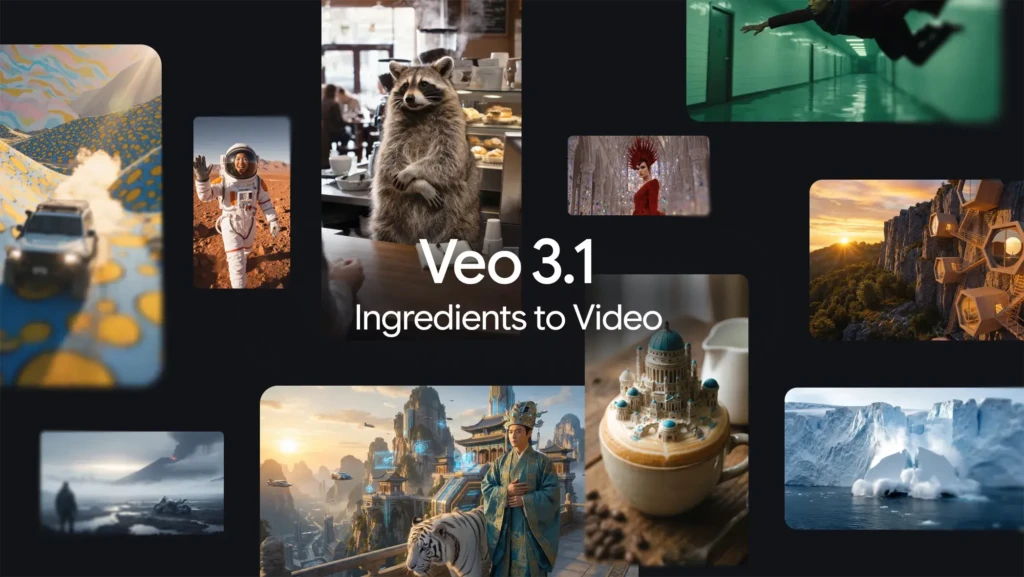
The Ingredients to Video feature lets you upload up to four reference images defining characters, objects, visual style, and scene composition. Veo 3.1 builds a complete video incorporating all reference elements.
Image Blending lets you blend up to three reference images to achieve tighter character and style consistency across generations. These features directly address one of the most persistent challenges in AI video: maintaining consistent character appearance across shots.
How to Access Veo 3.1
1. Google Flow

Google Flow is the primary creative interface for Veo 3.1, a dedicated AI filmmaking platform built around Veo, Imagen, and Gemini. It provides camera controls, scene sequencing, audio tools, and multi-shot narrative capabilities. Flow is the recommended entry point for creators and filmmakers.
2. Gemini App
Veo 3.1 is accessible via the Gemini app on Google AI Pro and Google AI Ultra subscription tiers. Consumer-facing access through Gemini is the most accessible entry point for individual creators who don’t need API integration.
3. Gemini API / Google AI Studio
Developer access for integrating Veo 3.1 into custom applications. Requires a Google Cloud account and an API key.
4. Vertex AI
Enterprise-grade access with higher throughput limits, SLA-backed availability, and direct integration into Google Cloud infrastructure. Vertex AI is aimed at businesses building automated video pipelines or content platforms at scale.
Geographic Availability
Veo 3.1 is available in the United States and a growing number of international markets. Full feature availability varies by region and access tier. Check the Google Flow and Vertex AI documentation for the current regional status.
Veo 3.1 Pricing
Access Tier | Cost | Veo 3.1 Inclusions |
Google AI Pro | $19.99/month | ~10 full Veo 3.1 generations/month or ~90 Veo 3.1 Fast generations |
Google AI Ultra | $249.99/month | ~250 full Veo 3.1 generations/month or ~1,250 Fast generations |
Vertex AI API (standard) | ~$0.40/second of video | Pay-per-use; scales with usage |
Vertex AI API (Fast) | ~$0.15/second of video | Lower cost, slightly reduced quality |
Student (Google Education) | Free for 1 year | Google AI Pro access |
The value calculation depends heavily on the number of videos you generate. For casual creators and small businesses, the Google AI Pro plan at $19.99/month is the most accessible entry point. 10 full-quality generations per month covers light creative use.
For heavy creators and agencies generating dozens of videos weekly, the Vertex AI API pay-per-use model is more cost-efficient at scale. The Ultra plan at $249.99/month is appropriate for production companies or platforms with consistent high-volume generation needs.
Compared to competitors, Veo 3.1’s pricing is competitive: Runway Gen-4 charges $12–$76/month depending on credit tier, and Kling AI’s standard plan starts at $8/month with usage limits. At equivalent output quality, especially factoring in native audio generation, which competitors charge extra for or don’t offer, Veo 3.1’s pricing is reasonable.
Video Quality and Real-World Output
Veo 3.1’s strongest quality dimensions are physical realism, prompt adherence, and audio-video synchronization, all of which ranked first in MovieGenBench evaluations. In practical terms, this means generated videos handle lighting, material textures, gravity, fluid motion, and object interaction more convincingly than most competing models. A wave breaking, a jacket catching wind, or a glass of water being picked up, these physical interactions look correct rather than “AI-generated” in a way that’s immediately recognizable.
The weaknesses are real and worth knowing before you commit to a workflow. Veo 3.1 still struggles with complex multi-person scenes involving crowds or simultaneous interactions among more than 2 or 3 characters; spatial relationships break down, and faces drift.
Detailed hand interactions (picking up small objects, typing, and gesturing with props) remain a consistent weak point across all current AI video models, including Veo 3.1. The 8-second per-generation API cap (despite the 60-second single-clip capability in Flow) means longer sequences still require planning as chained generations when working via API. Additionally, all Veo 3.1 outputs are watermarked with Google’s SynthID technology, invisible to the naked eye but detectable by verification tools, which is a disclosure and licensing consideration for commercial use.
Veo 3.1 vs Competitors
Feature | Veo 3.1 | Sora 2 (OpenAI) | Kling AI | Runway Gen-4 |
Native Audio | ✅ Yes (full A/V sync) | ❌ No | ❌ No | ❌ No |
Max Clip Length | 60 seconds (Flow) / 8s (API) | ~20 seconds | 3–10 minutes | 10–40 seconds |
Max Resolution | 4K (Jan 2026 update) | 1080p | 1080p | 1080p |
Vertical (9:16) Support | ✅ Yes | ✅ Yes | ✅ Yes | ✅ Yes |
Image-to-Video | ✅ Yes | ⚠️ Limited (no realistic humans) | ✅ Yes | ✅ Yes |
API Access | ✅ Yes (Vertex AI, Gemini API) | ❌ Limited/waitlist | ✅ Yes | ✅ Yes |
Free Tier | ❌ No (student program only) | ❌ No | ✅ Limited free tier | ✅ Limited free tier |
Watermarking | ✅ SynthID | ✅ C2PA metadata | ✅ Yes | ✅ Yes |
Starting Price | $19.99/month (AI Pro) | Included in ChatGPT Pro ($20/month) | $8/month | $12/month |
Best For | Realism, audio, Google ecosystem | High-fidelity physics, enterprise | Accessibility, long clips | Creative control, VFX workflows |
Veo 3.1’s clearest competitive advantage is native audio generation; neither Sora 2, Kling AI, nor Runway Gen-4 generates synchronized audio alongside video in a single generation step. That single capability changes the post-production workflow meaningfully for any creator who needs dialogue or sound effects.
Sora 2 remains competitive on high-fidelity physical simulation and is accessible through ChatGPT Pro, but its lack of audio and limited API availability are genuine gaps. Kling AI offers the most accessible entry point with a free tier and longer clip lengths, making it a strong choice for creators on tighter budgets.
Runway Gen-4 is the professional creative tool of choice for VFX artists and narrative filmmakers who need granular creative control. It integrates more deeply into existing post-production workflows than Veo 3.1 currently does.
For a broader look at the AI tools landscape, our AI Unboxed category is worth exploring.
Who Is Veo 3.1 Best For?
1. Content Creators and YouTubers
Content creators and YouTubers who need B-roll, cinematic intros, scene transitions, and social content will find Veo 3.1’s combination of 1080p/4K output, native audio, and vertical format support directly applicable to production workflows. The ability to generate contextually appropriate ambient sound alongside a visual eliminates one of the most time-consuming parts of content production.
2. Filmmakers and Directors
Filmmakers and directors can use Veo 3.1 for pre-visualization, concept reels, and, in Darren Aronofsky’s documented case via the Primordial Soup partnership with Google, exploring how AI-generated footage integrates with live-action production. The cinematic camera-control vocabulary makes it immediately accessible to trained directors without requiring prompt engineering expertise.
3. Marketers and Advertisers
Marketers and advertisers benefit most from the speed advantage, generating product visualization videos, social ads, and campaign content in minutes rather than days. The Ingredients to Video feature is particularly useful for maintaining brand asset consistency across multiple ad variations.
4. Developers and Enterprises
Developers and enterprises accessing Veo 3.1 via Vertex AI can build automated video generation pipelines, content personalization systems, and creator tools. The API pricing model scales predictably, and Google Cloud infrastructure provides the reliability that production systems require.
Who Should Look Elsewhere?
If your budget is under $20/month and you need a free tier to experiment, Kling AI or Runway Gen-4’s free credits are a better starting point. Also, if audio generation isn’t relevant to your workflow and raw clip length matters most, Kling AI’s longer-generation capability at a lower cost is worth evaluating.
Limitations and Honest Drawbacks
Content Policy Restrictions
Content policy restrictions are strict; Veo 3.1 blocks political content, explicit material, violence, and sensitive topics. Prompts in these categories fail silently or produce safe alternatives, which creates friction in creative workflows that push boundaries. Google has also faced real-world criticism: in July 2025, Media Matters reported that Veo 3-generated content, including harmful videos, was being uploaded to TikTok, a reminder that content policy enforcement at the output layer remains an ongoing challenge.
Generation Inconsistency
Generation inconsistency across multiple runs from the same prompt is still a meaningful practical limitation. Veo 3.1 produces noticeably different outputs from identical prompts, which is useful for creative exploration but problematic for production workflows that need reproducible results. The seed parameter in the API helps but doesn’t eliminate variance entirely.
Complex Scene Limitations
Complex scene limitations persist: crowds of more than a few characters, detailed hand-object interactions, fast motion in complex environments, and very long narratives with multiple location changes all lead to inconsistent results. These are category-wide limitations in current AI video generation, not specific to Veo 3.1, but they define the ceiling of what you can rely on in production today.
SynthID Watermarking
SynthID watermarking on all outputs is a disclosure consideration for commercial projects. The watermark is invisible to viewers but detectable by verification tools. Therefore, understand your licensing obligations before deploying Veo 3.1 output in client work or commercial campaigns.
FAQs
There is no standard free tier. Google’s student education program provides one year of free Google AI Pro access, which includes Veo 3.1 generations. Otherwise, access starts at $19.99/month via Google AI Pro or on a pay-per-use basis via the Vertex AI API.
The most significant differences are clip length (60 seconds vs 8 seconds per generation), richer multi-character audio with improved lip-sync, 4K resolution support (January 2026 update), native 9:16 vertical format, improved character consistency via reference image blending, and new editing features including First and Last Frame and Ingredients to Video.
Yes, and it’s Veo 3.1’s most distinctive capability. It generates dialogue, ambient sound, sound effects, and background music synchronized with the video in a single generation step, with approximately 10ms audio-video latency.
1080p HD standard, with 4K (3840×2160) available following the January 2026 update. Both landscape (16:9) and vertical (9:16) aspect ratios are supported.
Availability is expanding internationally but varies by access tier and region. Google Flow and Gemini app access are available in a growing number of markets, while Vertex AI enterprise access has broader geographic coverage. Check the current documentation for your region.
Veo 3.1 is available now with broader access, generates native audio (Sora 2 does not), supports 4K output (Sora 2 caps at 1080p), and includes editing tools. Sora 2 remains competitive on high-fidelity physical simulation and is accessible through ChatGPT Pro. For most creators who need audio-visual output without a waitlist, Veo 3.1 is the more practical choice today.
Conclusion
Veo 3.1 is the most capable AI video generation model available to the general public right now, and the native audio generation capability is what separates it from every serious competitor. If you’re producing content that requires dialogue, ambient sound, or synchronized audio effects, no other mainstream model does this in a single generation step. The jump from Veo 3’s 8-second limit to 60-second continuous clips removes the most significant practical workflow barrier of the previous model, and the 4K update makes it production-ready for commercial-quality output.
The honest limits (content policy restrictions, generation inconsistency, complex scene limitations, and no free tier) are real and worth planning around. But for creators, marketers, and developers who need AI-generated video with integrated audio at production quality, Veo 3.1 is currently the strongest answer available. Start with the Google AI Pro plan at $19.99/month to test it in your actual workflow before scaling up.
For more tech guides and honest reviews, visit YourTechCompass.com.