Home security and convenience have radically changed with the advent of the video doorbell. These devices allow you to see who’s at your door from anywhere, receive motion alerts, communicate with visitors, and capture video footage, all from your smartphone or connected smart home system. As smart home technology becomes more integrated and sophisticated, a video doorbell often serves as one of the first points of interaction between your household and the outside world. Moreover, when you configure your video doorbell with other connected devices, such as lighting, locks, and motion sensors, you can create comprehensive routines that respond intelligently to activity at your doorstep, much like the coordinated setups discussed in our guide to how smart home devices work together.
While the convenience and security offered by video doorbells are significant, it is also easy to make setup and configuration mistakes that erode their usefulness or pose privacy concerns. In this article, you’ll find an in-depth look at how video doorbells work, what features matter most, and how to choose a model that aligns with your security needs and smart home ecosystem.
What Is a Video Doorbell?
A video doorbell is a connected device installed at your front door (or another entry point) that integrates a camera, microphone, speaker, and often motion sensors. Unlike traditional doorbells that only ring when pressed, video doorbells continuously monitor activity and support live video streaming, two-way audio, and motion-triggered alerts. These features make them valuable for both security and convenience.
At a basic level, a video doorbell replaces or augments an existing doorbell button. When someone approaches or rings the bell, you receive a real-time alert on your phone or smart display. Many models also record video clips that can be stored locally or in the cloud, allowing you to review footage later if needed.
How Video Doorbells Work
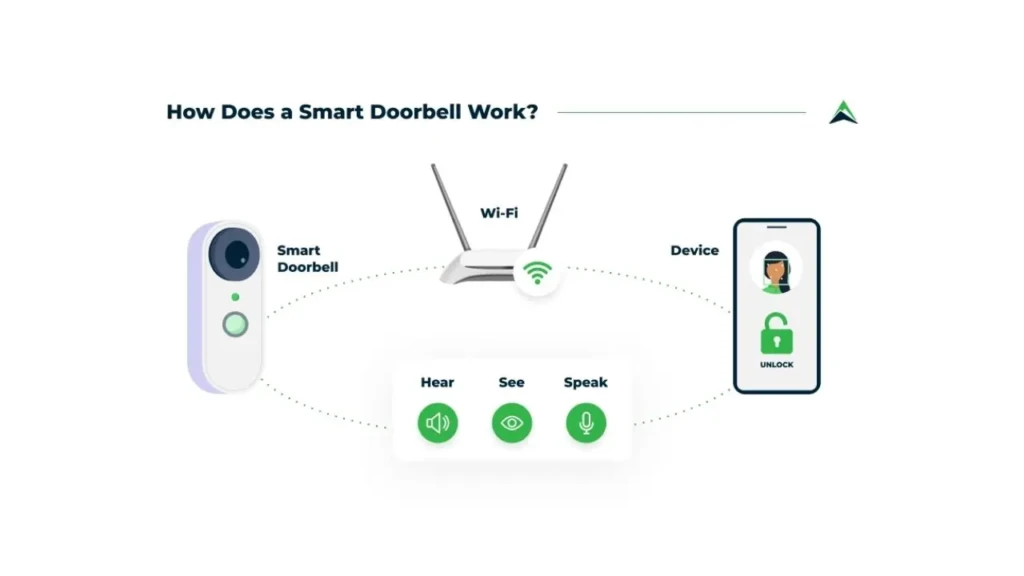
Understanding how video doorbells operate helps you make informed decisions about features, installation, and network requirements.
Wired vs Battery-Powered
Video doorbells generally fall into two installation categories:
- Wired Video Doorbells: These connect to your home’s existing doorbell wiring and draw power from it, eliminating the need to recharge batteries. They are typically more reliable and may support continuous power for features such as advanced motion detection and higher video quality.
- Battery-Powered Video Doorbells: These plug-and-play models run on rechargeable batteries, simplifying installation because no existing doorbell wiring is needed. However, you must monitor battery levels and recharge when necessary, which can affect performance depending on how frequently motion events occur.
Connectivity and Cloud Storage
Most modern video doorbells connect to your home Wi-Fi network, enabling remote communication and cloud storage of video clips. When someone rings the doorbell or triggers motion detection, the device sends an alert to your smartphone via its companion app. Depending on the model, recordings can be stored:
- Locally: On an SD card or connected hub
- In the Cloud: Via a subscription service, providing secure off-site access
Cloud storage plans vary by manufacturer and usually include options for different retention periods or advanced features like person detection and package alerts.
Live View and Two-Way Audio
Video doorbells typically offer live video streaming, so you can see and speak with visitors in real time on your phone or a compatible smart display. Two-way audio enables direct communication, particularly for deliveries, guests, and unexpected visitors.
Motion Detection
Advanced motion detection, often leveraging AI to distinguish between people, animals, and vehicles, allows video doorbells to send alerts only for relevant events. This reduces false alarms and ensures that notifications are meaningful.
In short, a video doorbell continuously monitors activity at your entry points, leverages connectivity and sensors to detect meaningful movements, and provides intuitive alerts and two-way communication through integrated apps.
Types of Video Doorbells
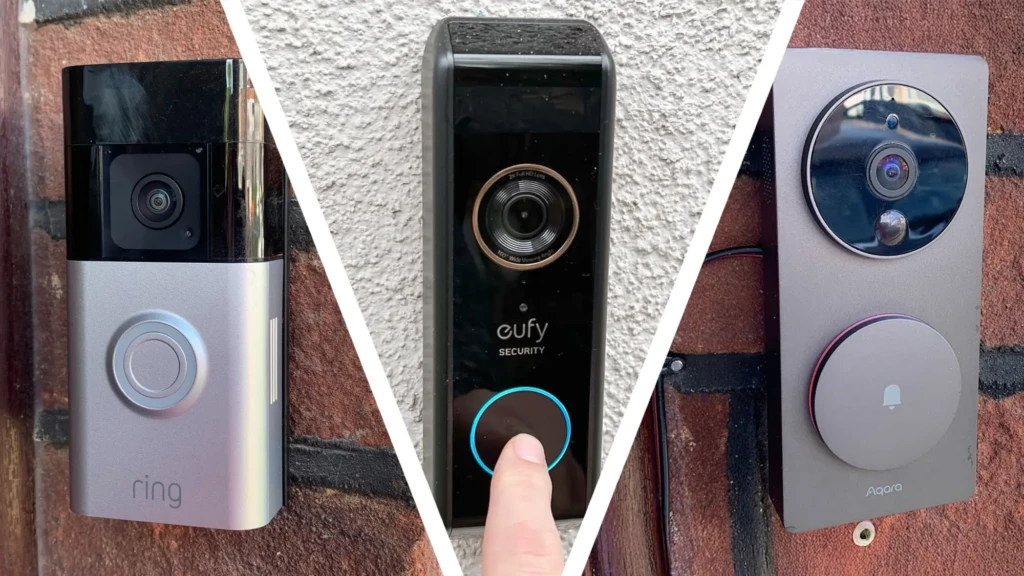
Video doorbells can be categorized based on installation type, power source, and storage options.
Wired Video Doorbells
These connect to existing doorbell wiring and are suitable for homes seeking continuous power and reliability. Because they are always powered, they can support features such as high-resolution video and advanced motion tracking.
Battery-Powered Video Doorbells
These are ideal when existing doorbell wiring is unavailable or difficult to access. Battery-powered units offer flexibility but require occasional charging and may perform poorly during heavy motion.
Smart Doorbells With Local Storage
Some models include built-in memory (such as SD card support), enabling local video recording without ongoing subscription costs. However, local storage can be vulnerable if the device is stolen or damaged.
Subscription-Based Cloud Storage Models
Many video doorbells offer cloud storage as part of a subscription plan, providing secure off-site access to recorded footage. These plans often include advanced analytics, extended storage duration, and event categorization.
Understanding these distinctions helps you choose a video doorbell that matches both your physical setup and privacy preferences.
Key Features to Look for in a Video Doorbell
When evaluating video doorbells, several features significantly influence daily usage and long-term satisfaction. Below are key capabilities to consider.
Video Resolution and Field of View
Higher resolution (1080p Full HD or better) improves image clarity, allowing you to discern faces and objects. A wider field of view (FOV) covers more area around your doorway, reducing blind spots. Many top-tier video doorbells now offer 2K resolution and widened viewing angles exceeding 160 degrees.
Motion Detection and Smart Alerts
Smart motion detection uses sensors and algorithms to identify movement. Advanced systems may employ AI to distinguish between humans, pets, and moving vehicles, sending alerts only when relevant activity occurs. This reduces false positives and ensures your notifications are meaningful.
Night Vision and HDR
Good night vision, often via infrared LEDs, ensures your video doorbell captures clear footage even in low light. High Dynamic Range (HDR) video helps balance lighting when part of the field is bright (such as sunlight), and other parts are dark (such as porch shadows).
Two-Way Audio Quality
Two-way audio lets you speak with visitors directly through the doorbell. Look for models with noise cancellation and clear speaker/microphone quality so communication remains crisp.
App Reliability and Notifications
A companion app is essential for controlling your video doorbell, receiving alerts, and viewing footage. App stability, ease of navigation, and timely notifications are all indicators of a quality product.
Integration With Smart Home Ecosystems
Compatibility with platforms like Amazon Alexa, Google Assistant, and Apple HomeKit expands control options, including voice commands and integration with routines. For example, a video doorbell can trigger smart lights to turn on when motion is detected, enhancing both security and convenience. These kinds of interactions align with the concepts discussed in our overview of how smart home devices work together.
Video Doorbell Compatibility and Setup
Wi-Fi Requirements
Reliable Wi-Fi is a must for most video doorbells, especially those that stream video and upload clips to cloud storage. A stable 2.4 GHz connection is commonly required, as 5 GHz may not reach the front door reliably.
Smartphone App Setup
Most video doorbells use a companion app for setup and management. These apps guide you through connecting the device to Wi-Fi, configuring motion zones, enabling notifications, and managing storage settings.
Smart Home Ecosystem Compatibility
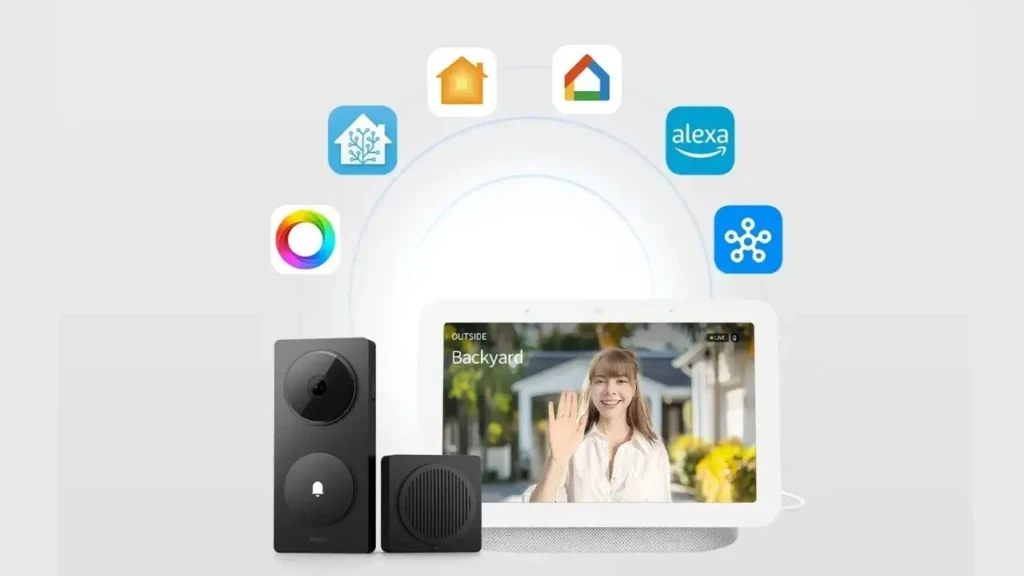
If you use Alexa, Google Assistant, or HomeKit, ensure the video doorbell is compatible with your platform. Compatibility allows for advanced routines, such as turning on porch lights or arming a security system when someone approaches the door, which contribute to the broader automation concept covered in our smart home interoperability article.
Proper setup and ecosystem alignment help you avoid common integration pitfalls, a topic we cover in depth in the Common Smart Home Mistakes guide.
Comparison Table: Popular Video Doorbell Features
Feature | Wired | Battery | Cloud Storage | AI-based Motion | Smart Assistant Integration |
Remote Live View | Yes | Yes | Yes | Yes | Yes |
Two-Way Audio | Yes | Yes | Yes | Yes | Yes |
High-Res Video | 1080p – 2K | 1080p – 2K | Yes | Select models | Yes |
Advanced Motion Alerts | Select models | Select models | Yes | Yes | Yes |
Local Storage Option | Limited | Limited | Optional | Depends on the system | Yes |
Video Doorbell Pros and Cons
The Pros
- Enhanced security and visibility of your entryway
- Real-time and motion-based alerts
- Remote access from anywhere
- Two-way communication with visitors
The Cons
- Usually requires a subscription for full cloud storage
- Wi-Fi reliability affects performance
- Location and installation constraints
Weighing these pros and cons helps you align expectations with your environment and needs.
Video Doorbell vs Smart Security Camera
Feature | Video Doorbell | Smart Security Camera |
Primary Use | Front door monitoring | General surveillance |
Installation | Typically door mounting | Flexible locations |
Visitor Communication | Two-way audio | Some models, none native |
Trigger Alerts | Doorbell + motion | Motion only |
Integration | Often with smart locks/porch lights | Broad home coverage |
Video doorbells excel at visitor interaction and front-door monitoring, while general security cameras are better suited for broader surveillance coverage.
Who Should Use a Video Doorbell?
Video doorbells are ideal for:
- Homeowners looking to enhance security and visibility
- Renters who want wireless, non-invasive solutions
- Families concerned with package theft or unexpected visitors
- Smart home enthusiasts seeking integrated routines
In essence, anyone who values remote monitoring, visitor communication, and proactive alerts will find a video doorbell a worthwhile addition.
Common Video Doorbell Mistakes to Avoid
To make the most of your video doorbell and avoid regret, steer clear of these missteps:
- Ignoring Wi-Fi Placement: Weak coverage at your door reduces reliability.
- Overlooking Privacy Settings: Review default data retention and sharing policies.
- Relying Solely on Motion Sensitivity: Fine-tune detection zones to reduce false alerts.
- Skipping Regular Updates: Firmware and app updates improve performance and fix security flaws.
These mistakes mirror broader smart home misconfigurations that are covered in depth in our Common Smart Home Mistakes guide.
Final Verdict: Is a Video Doorbell Worth It?
Video doorbells have become a cornerstone of modern home security, offering visibility, convenience, and integration with broader smart home systems. When chosen and configured thoughtfully, they provide meaningful peace of mind, real-time interaction with visitors, and proactive alerts that go beyond what a traditional doorbell ever could. With reliable Wi-Fi, a trusted companion app, and appropriate motion settings, a video doorbell serves as both a security tool and a smart home enhancer.
Personal Verdict: After evaluating the practical benefits, connectivity requirements, integration potential, and real-world use cases of video doorbells, I find that for most households, especially those invested in smart home ecosystems, a video doorbell is a highly recommended upgrade. Whether you want the reassurance of remote monitoring, the convenience of two-way communication, or the automation possibilities that work with lighting and security systems, a well-chosen video doorbell delivers both peace of mind and daily utility.
FAQs About Video Doorbells
Yes, most smart doorbells require Wi-Fi for remote access and alerts.
For many homeowners and renters, the combination of convenience and added security makes them worthwhile.
Some models offer limited functionality without a subscription, but cloud storage and advanced alerts often require paid plans.