A gimbal can feel like one of those photography tools you hear about everywhere, yet it remains mysterious until you actually use one. Simply put, it’s a device that stabilizes your camera or smartphone, so your footage looks smooth and intentional, even when you’re moving around. Whether you’re recording a walk-through tour, dynamic action shots, or everyday vlogs, a gimbal helps eliminate the shake that makes videos look amateurish.
In this guide, we’ll explore what a gimbal is from the ground up, how it works, the different types you’ll encounter, and how to choose the right one for your needs. Along the way, I’ll show how this tool fits into the broader world of gear like tripods, and why it matters just as much as other essentials in your kit. By the end, you’ll have a clear view of whether a gimbal belongs in your gear bag and how it can elevate your video storytelling.
What Is a Gimbal?
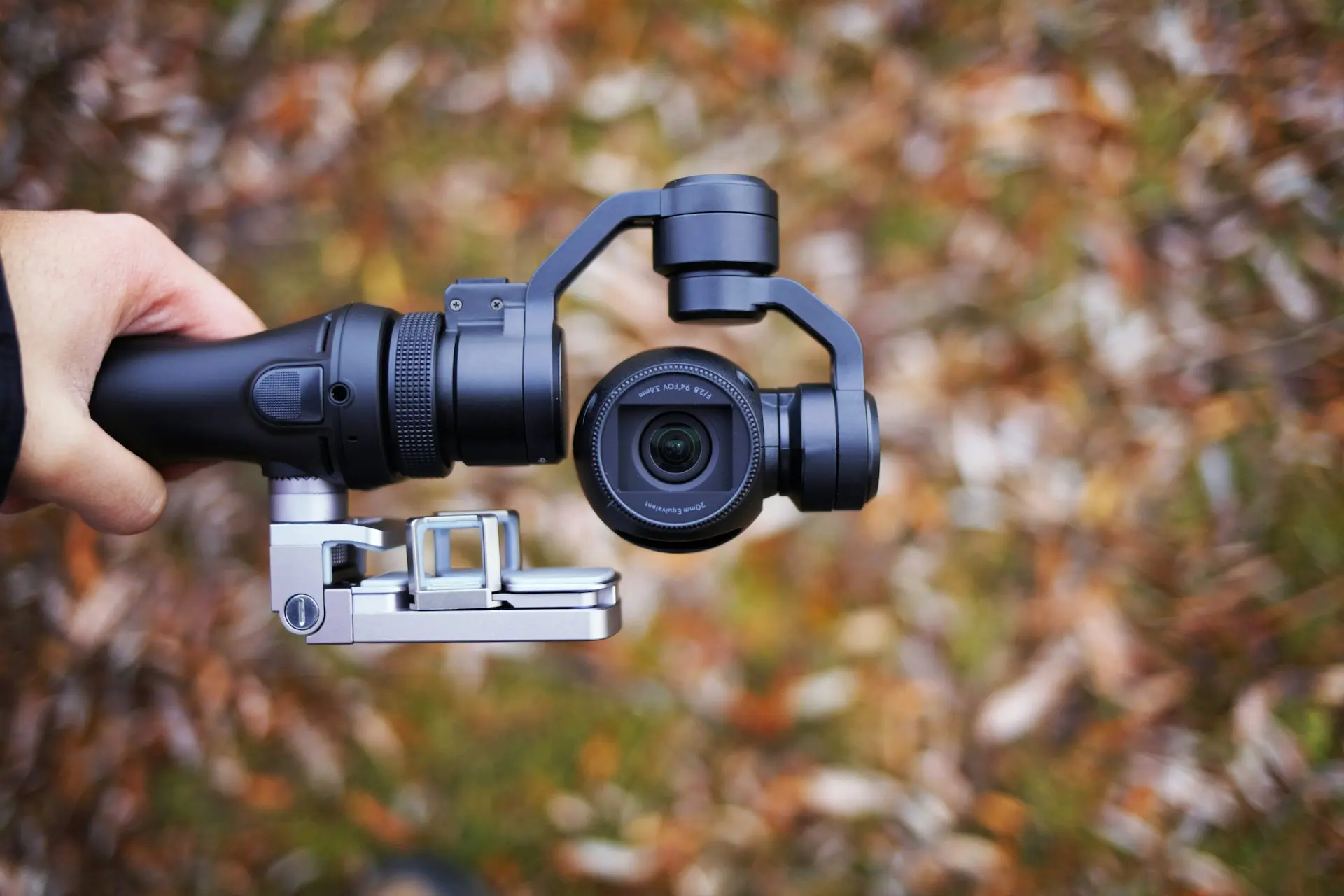
A gimbal is a stabilization device that keeps your camera steady across one or more axes. At its core, it’s designed to counter unwanted movement, so whether you walk, turn, or pivot, your footage stays smooth. This is extremely useful for creators who want a professional-looking video without expensive rigs or complex setups.
Unlike simple handheld shooting, where every step and sway shows up on camera, a gimbal uses sensors and motors to detect motion and neutralize it instantly. You can think of it as a smart counterbalance system that reacts faster than your hand ever could.
Technical as it sounds, the practical benefit is easy to see: video that feels fluid and cinematic, even when you’re filming on the move.
How a Gimbal Works
To understand how a gimbal works, we need to break down a few basic concepts.
Axis Stabilization
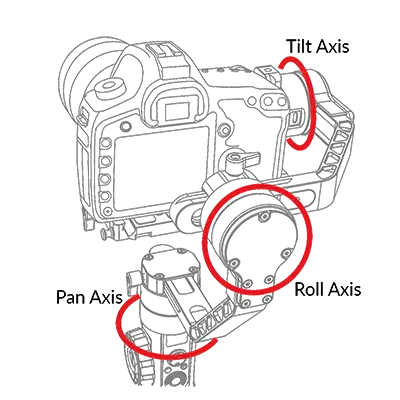
Most modern camera gimbals use three axes:
- Pan (left to right)
- Tilt (up and down)
- Roll (side to side)
By stabilizing movement on each of these axes, a 3-axis gimbal delivers smooth footage no matter which direction you move. There are also 1-axis and 2-axis gimbals that stabilize fewer motions, generally cheaper but less comprehensive.
Motors and Sensors
At the heart of a gimbal are tiny brushless motors and motion sensors. When the sensors detect motion, they send signals to the motors to adjust the camera’s position in real time. This happens hundreds of times per second, so that shake is almost eliminated.
Microprocessor Control
All of this happens through a built-in microprocessor that constantly calculates how to respond to movement. It’s similar in concept to how image stabilization works inside some cameras, but a gimbal does it mechanically and externally for more dramatic results.
By mechanically compensating for these movements rather than digitally, gimbals often produce cleaner, smoother video than in-camera stabilization alone.
Types of Gimbals
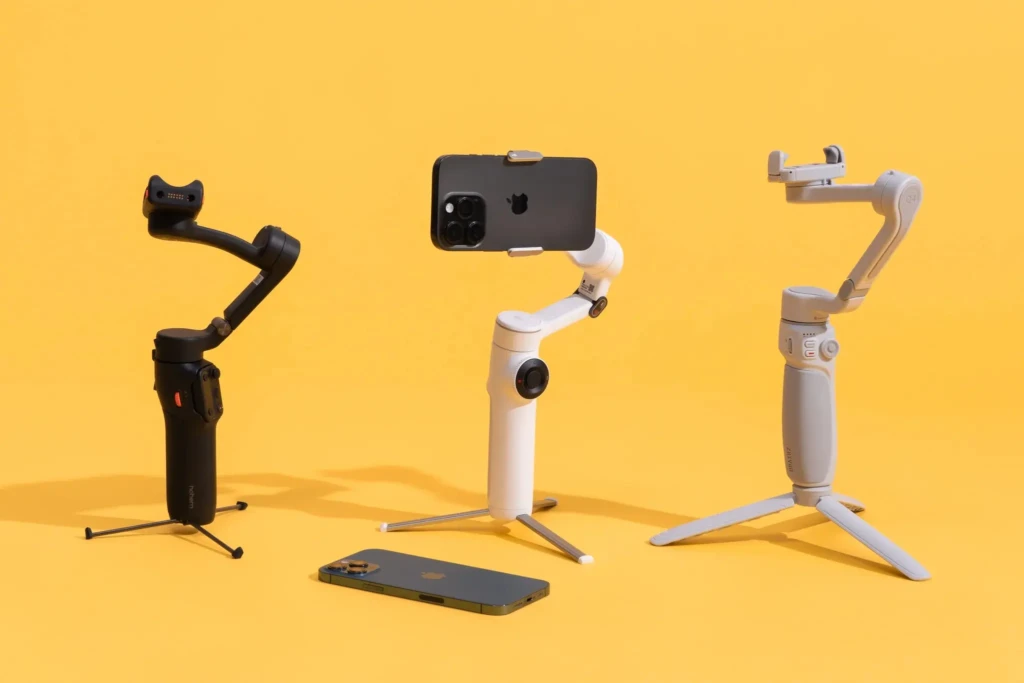
There are a few main categories of gimbals to consider:
Smartphone Gimbals
Smartphone gimbals are designed to hold phones securely while providing stabilization. They’re perfect for vloggers or social creators who use their phones as their primary cameras. Many also include built-in tracking and automated shooting modes.
Camera Gimbals
These are built for DSLRs, mirrorless cameras, and action cameras. They can handle heavier payloads and often offer more precise control. If you’re shooting high-resolution video or using interchangeable lenses, a camera gimbal is usually the right choice.
Handheld vs Wearable
Most gimbals are handheld, but some are wearable or mountable to other equipment. Wearable options are helpful for action sequences or POV shots.
Built-in Gimbals (Drones)
Some drones include integrated gimbals to stabilize the onboard camera. This is how aerial footage stays so smooth, even in windy conditions.
Gimbal vs Other Stabilization Methods
To truly appreciate what a gimbal offers, it helps to compare it with other stabilization tools.
Stabilization Method | Smooth Motion While Moving | Works Without Power | Best Use Case |
Gimbal | Excellent | No | Dynamic motion shots |
Tripod | None | Yes | Static framing |
Electronic Image Stabilization (EIS) | Moderate | Yes | Casual shooting |
Optical Image Stabilization (OIS) | Moderate | Yes | Handheld camera lenses |
Gimbal vs Tripod
A tripod is invaluable for stable, stationary shots, and it’s a must in many kits alongside your gimbal. For instance, when you need a set position or want to capture time-lapses, a good tripod complements your gimbal perfectly. (See our deep dive on tripod recommendations in this 👉 tripod review.)
Gimbal vs EIS and OIS
While Electronic Image Stabilization (EIS) and Optical Image Stabilization (OIS) work inside the camera or phone, they can’t counteract large movements as effectively as a gimbal. So while EIS/OIS helps, a gimbal often produces the smoothest footage, especially when walking or running.
Key Features to Look for in a Gimbal
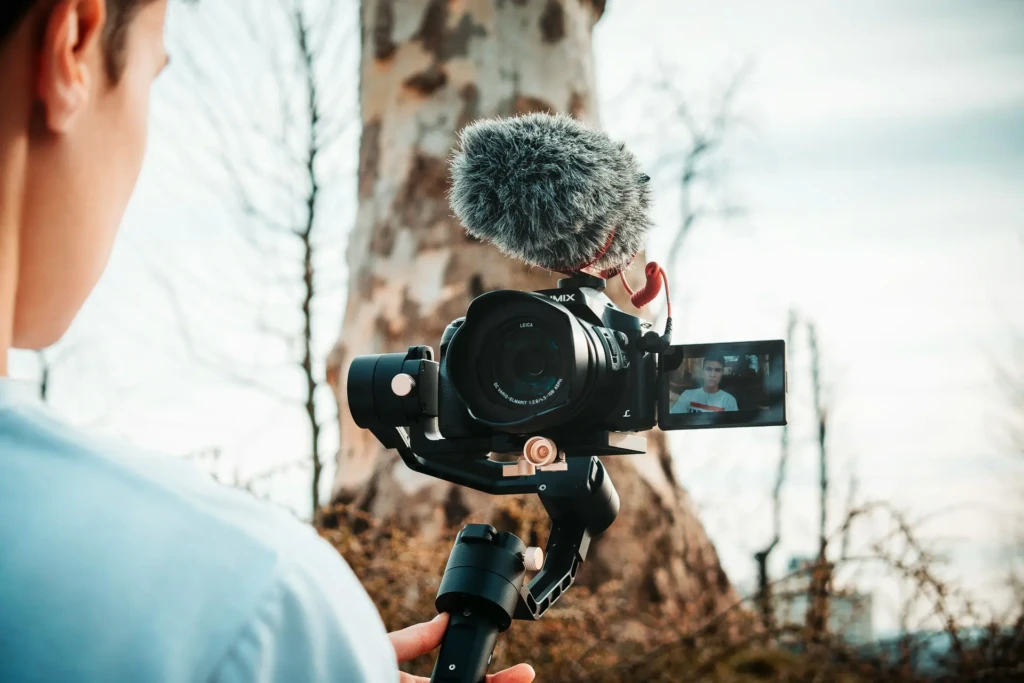
When choosing a gimbal, consider these important features:
- Axis Count: More axes generally means better stabilization. A 3-axis gimbal is the standard for most creative work.
- Payload Capacity: This refers to the gimbal’s weight capacity, which is crucial if you’re using heavier cameras or accessories.
- Battery Life: Longer battery life means more shooting time without breaks.
- Smart Features: Many modern gimbals include app-controlled features like automated object tracking and creative shooting modes.
- Portability: If you travel often or shoot outdoors, a lightweight and compact gimbal may be more practical.
Who Should Use a Gimbal?
Almost any video creator can benefit from a gimbal, but it’s especially useful for:
- Content creators and vloggers who need dynamic shots
- Travel and adventure videographers capturing movement
- Mobile filmmakers using a smartphone or compact camera
- Social media creators aiming for professional-looking clips
Even hobbyists who rarely shoot professionally will appreciate the polished look gimbals bring to their footage.
Pros and Cons of Using a Gimbal
The Pros
- Significantly smoother video than handheld shooting
- Enhanced creative flexibility (movement while shooting)
- Many models offer automated modes like object tracking
The Cons
- Requires learning to balance and operate
- It can be heavier gear to carry
- Often requires power to function (battery-dependent)
How to Choose the Right Gimbal
Here’s a straightforward approach:
- Identify your device type (phone, camera, action cam).
- Match payload capacity to your setup.
- Consider your workflow (on-the-go vs planned shoots).
- Check smart features that support your shooting style.
- Balance budget vs long-term value, especially if you plan to upgrade cameras.
You don’t always need the most expensive gimbal to get great results, but matching the tool to your gear ensures smooth footage from the start.
Final Thoughts
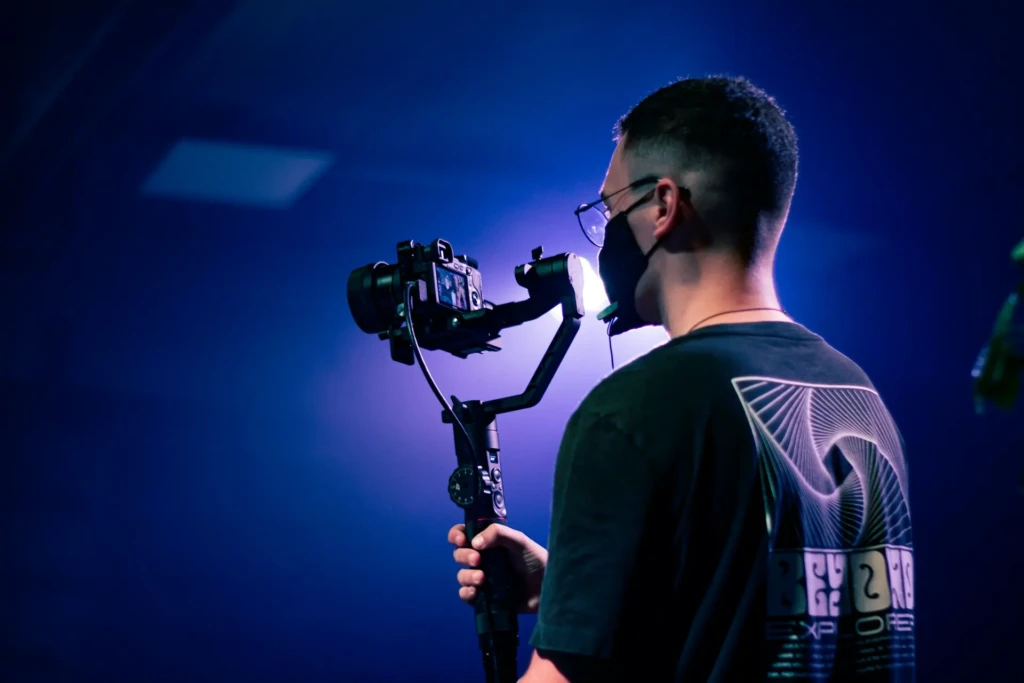
By now, you should have a clear understanding of what a gimbal is, how it works, and how it compares with other stabilization tools, such as tripods and in-camera systems. While tripods are indispensable for static shots and pin-sharp framing, gimbals allow you to bring your storytelling to life with motion and fluidity.
Whether you’re shooting on a smartphone or a full-size camera, investing in the right gimbal can dramatically elevate your video production quality. Think of a gimbal as a bridge between casual handheld shooting and professional cinematography. When your footage feels as smooth as the stories you’re trying to tell, that’s when a piece of tech truly becomes a creative partner.
For complementary gear, like high-quality audio, pair your stabilized shots with great sound. Our guide on Sony wireless earbuds can help you capture clear audio without the hassle of cables. I hope this article gives you clarity and confidence to choose the right gimbal for your creative journey.
Your Tech Compass publishes detailed tech guides, reviews, and comparisons to help users choose the right devices and tools.