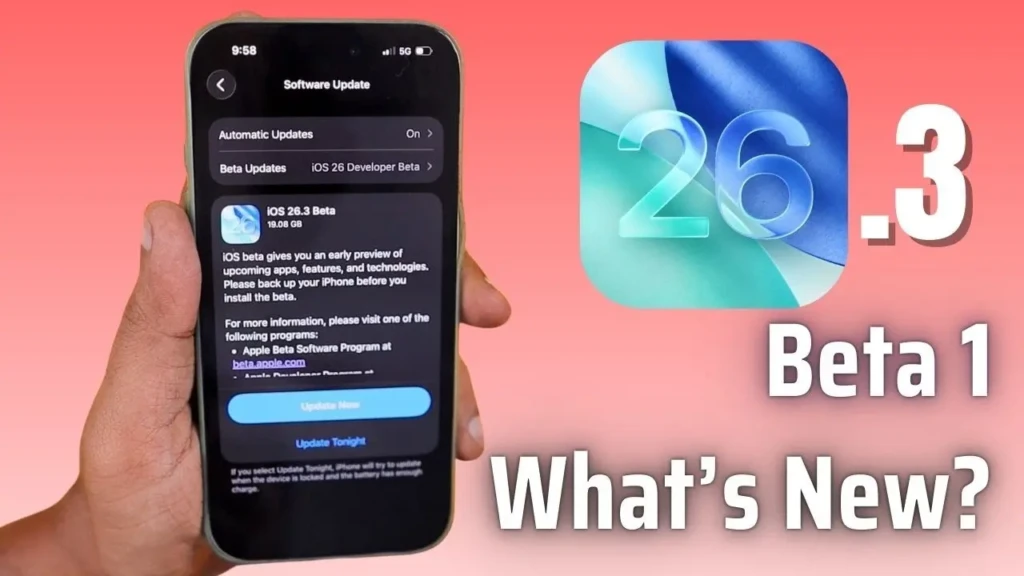
Apple has quietly rolled out the iOS 26.3 beta update, available to developers and public beta testers alike as the company refreshes its mobile software ahead of a full release expected in early 2026. While this latest beta doesn’t radically transform the iPhone experience, it introduces several noteworthy improvements that show Apple’s continued focus on utility, personalization, and cross-platform cooperation.
I’ve spent time digging into the details so you can understand what’s new, what’s helpful, and what might affect your daily iPhone use. I think these changes, especially around data transfer and notification flexibility, signal Apple’s willingness to refine its ecosystem in small but impactful ways.
Quick Overview of iOS 26.3 Beta
The iOS 26.3 beta continues Apple’s typical approach to mid-cycle updates: smaller and targeted rather than sweeping. This strategy follows the feature-rich release of iOS 26.2 and gradually builds toward a more significant update expected later. At the same time, it brings features that make everyday tasks a little smoother and opens the door for future enhancements.
iOS 26.3 Beta Features Explained
Below are the key changes and additions discovered so far in the iOS 26.3 beta releases:
New “Transfer to Android” Tool
One of the most talked-about features is a new cross-platform transfer tool designed to simplify switching from an iPhone to an Android device. Previously, moving your data across ecosystems involved cables, multiple steps, and some manual setup. With iOS 26.3’s beta:
- You can start the transfer wirelessly by placing your iPhone near an Android device.
- Data types such as photos, messages, contacts, and apps can be selected for migration.
- The tool uses Wi-Fi and Bluetooth, so no additional app is required.
This is a significant step toward opening iOS to users who have historically found the switch complicated, especially as Android manufacturers continue to improve their onboarding experiences.
Notification Forwarding to Third-Party Wearables
Another practical addition is Notification Forwarding. This setting lets you send alerts from your iPhone to a non-Apple wearable device, such as a smartwatch that doesn’t run watchOS. Before this update, notifications stayed primarily within Apple’s ecosystem unless forwarded through specific apps.
With Notification Forwarding:
- Alerts for messages, reminders, and apps can be sent to a selected third-party accessory.
- Only one device can receive forwarded notifications at a time (e.g., if enabled for a wearable, Apple Watch alerts pause).
- This provides flexibility for users who mix and match hardware across ecosystems.
Expanded Weather Wallpaper Options
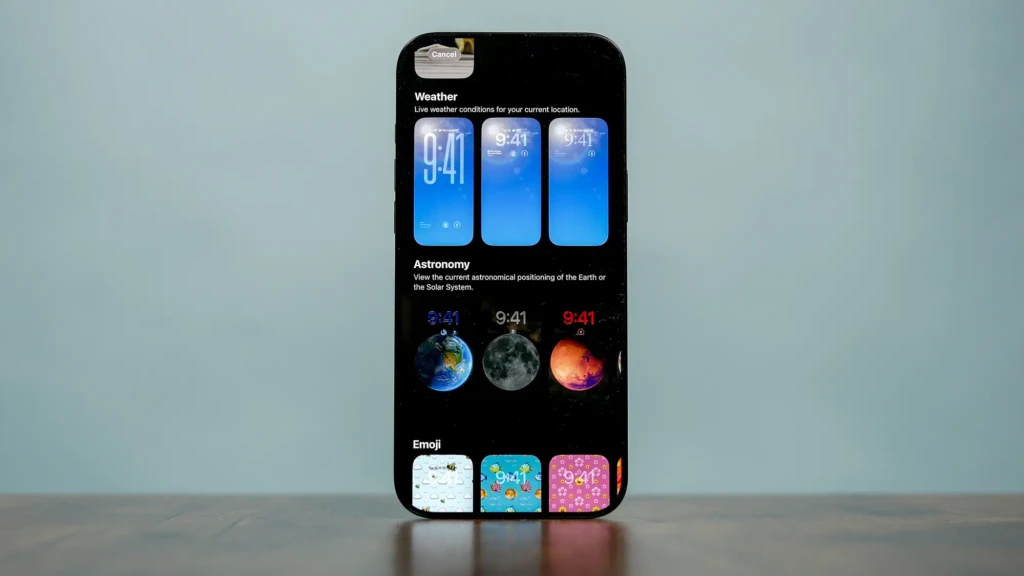
iOS 26.3 also introduces updates to the Wallpaper gallery, particularly with weather-focused options:
- A dedicated Weather wallpaper section (split from Weather & Astronomy).
- New live weather wallpapers that reflect real-time conditions.
- Preset fonts and widget layouts tailored to each wallpaper theme.
This change may seem small, but for users who enjoy a personalized lock screen or dynamic live visuals, it adds a fresh layer of customization.
How These Features Compare to iOS 26.2
To put things in perspective, here’s a quick comparison of what iOS 26.3 beta adds compared to the major features Apple introduced in the recent iOS 26.2 update:
Category | iOS 26.2 | iOS 26.3 Beta |
Lock Screen Customization | Liquid Glass opacity and design tweaks | Weather wallpaper section enhancements |
Media Improvements | Offline lyrics and playlist tools | — |
Cross-Platform Tools | — | Transfer to Android tool |
Notification Management | Standard iOS alerts | Notification forwarding to third-party wearables |
Minor Visual Updates | UI polish across apps | Additional wallpaper presets |
This shows that while iOS 26.2 focused on broad usability and media features, iOS 26.3 tightens and expands cross-platform compatibility and notification flexibility.
What This Means for iPhone Users
These incremental updates highlight two trends in Apple’s software evolution:
- Greater Interoperability: The new data transfer tool suggests that Apple recognizes users often move between ecosystems and is gently lowering the barriers to that shift.
- Personalization and Flexibility: With more wallpapers and third-party notification routing, iOS continues to adapt to diverse user preferences.
If you’re upgrading from older versions like iOS 26.0 or 26.1, these changes will feel like fine-tuning based on real-world usage patterns. For example, iPhone owners currently exploring UI tweaks or device setup might appreciate a smoother process than in first-onboarding experiences like those described in our How to Restart iPhone piece.
Similarly, if you’re looking at flagship hardware guides while considering software, check out our iPhone 14 review guide or iPhone 17 review guide for deeper context on hardware and software synergy.
When Will iOS 26.3 Be Available to Everyone?
As of now, iOS 26.3 is in beta testing for developers and public beta participants. A stable public release is expected in early 2026, likely after the holiday season and possibly aligned with refinements based on tester feedback. Apple typically moves from developer beta to public beta before an official rollout, giving users a chance to preview features and report issues.
Early Public Reaction and Considerations
Feedback from early testers suggests that while the update isn’t huge, the Android transfer feature is generating significant interest, particularly among users juggling multiple devices or considering platform changes. Conversely, features like wallpaper tweaks are seen as pleasant but not essential.
Apple’s ongoing updates demonstrate a consistent refinement cycle that balances new capabilities with polish and stability, and iOS 26.3 fits that pattern well.
Final Thoughts: Should You Try the iOS 26.3 Beta?
For most everyday iPhone users, waiting for the official release is a safe bet. Betas can have bugs, incomplete features, or performance quirks, especially in early builds. However, if you’re curious about the new transfer tool or want to test next-generation navigation features ahead of time, installing the public beta on a secondary device could be worthwhile.
Overall, iOS 26.3 doesn’t revolutionize the iPhone experience, but it makes practical improvements that feel useful and forward-looking, especially in terms of cross-platform flexibility. I see this update as a thoughtful step toward broader compatibility and personalization without compromising iOS’s reliability.