At some point, every serious note-taker faces the same crossroads: you’ve outgrown basic apps like Apple Notes or Google Keep, and you’re ready for something more powerful. That’s exactly when Notion and Obsidian enter the conversation, and that’s also when the confusion begins, because these two apps look similar on the surface but think about productivity in completely opposite ways.
I’ve spent considerable time using both apps across real work, writing, research, project planning, and personal knowledge management. And in this comparison, I’ll tell you exactly what each one does well, what frustrates it, and, most importantly, which type of person each app is genuinely built for. By the end, you won’t need to guess anymore.
Notion vs Obsidian: The Core Difference
Before diving into individual features, you need to understand the fundamental philosophy behind each app, because everything else flows from this single distinction.
Notion is a connected workspace; it’s designed to be your all-in-one hub for notes, databases, project management, wikis, and team collaboration. Everything lives in the cloud, syncs across all your devices automatically, and can be shared with others in seconds. It’s built for people who want structure, visibility, and the ability to collaborate with others inside the same tool.
Obsidian is a personal knowledge base; it’s designed for deep, private, individual thinking. Everything is stored as plain-text Markdown files directly on your device, which means you own your data completely, it works without an internet connection, and it never disappears if a company shuts down or changes its pricing. It’s built for people who want to build a long-term, interconnected system of their own ideas and thoughts.
Interface and Ease of Use

Open Notion for the first time, and it feels immediately welcoming. The interface is clean, modern, and familiar; it looks like a well-designed web app, and its drag-and-drop block system means you can build pages that look exactly how you want without any technical knowledge. Templates are available for almost every use case imaginable, from personal journals to project trackers to content calendars, so you can get productive within minutes of signing up.
Open Obsidian for the first time, and the experience is noticeably different. The interface is minimal and text-forward; there are no built-in templates waiting for you, no colorful blocks to drag around, and no hand-holding through the setup process. Instead, what you get is a blank canvas and a toolbar, which can feel sparse if you’re used to more guided tools. However, once you invest an hour or two learning how it works, that same simplicity becomes its greatest strength; nothing gets in the way of your thinking.
The honest truth is that Notion has a much gentler learning curve, while Obsidian rewards patience with a far more personalized and powerful system in the long run. If you want to be productive immediately, Notion wins on first impression. If you’re willing to invest setup time for a tool that molds to your exact thinking style, Obsidian pays off significantly over time.
Note-Taking and Organization
This is where the two apps diverge most dramatically, and understanding this difference is the key to making the right choice.
How Notion Organizes Notes: Notion uses a hierarchical page structure, where pages contain sub-pages, which contain more sub-pages, creating a tree of nested content. Within each page, you build using blocks such as text blocks, image blocks, table blocks, toggle blocks, and more. This structure works brilliantly for organized people who think in categories and projects. Additionally, Notion’s database feature is genuinely powerful; you can create tables, boards, calendars, and galleries that display the same underlying data in different views, which no other note-taking app matches.
How Obsidian Organizes Notes: Obsidian uses a flat-file structure with backlinks. Rather than nesting notes inside folders, you write notes and connect them to each other using [[double bracket links]]. Over time, these connections form a graph, a visual map of how your ideas relate to each other. This approach, inspired by how the human brain actually works, is called a “second brain” methodology, and it’s particularly powerful for research, writing, and building long-term knowledge rather than managing short-term projects.
In practice, Notion is better for managing external work, including deadlines, projects, team tasks, and structured databases. Obsidian, on the other hand, is better for developing internal knowledge, such as ideas, research, writing projects, and connected thinking that compounds over months and years.
Performance and Speed
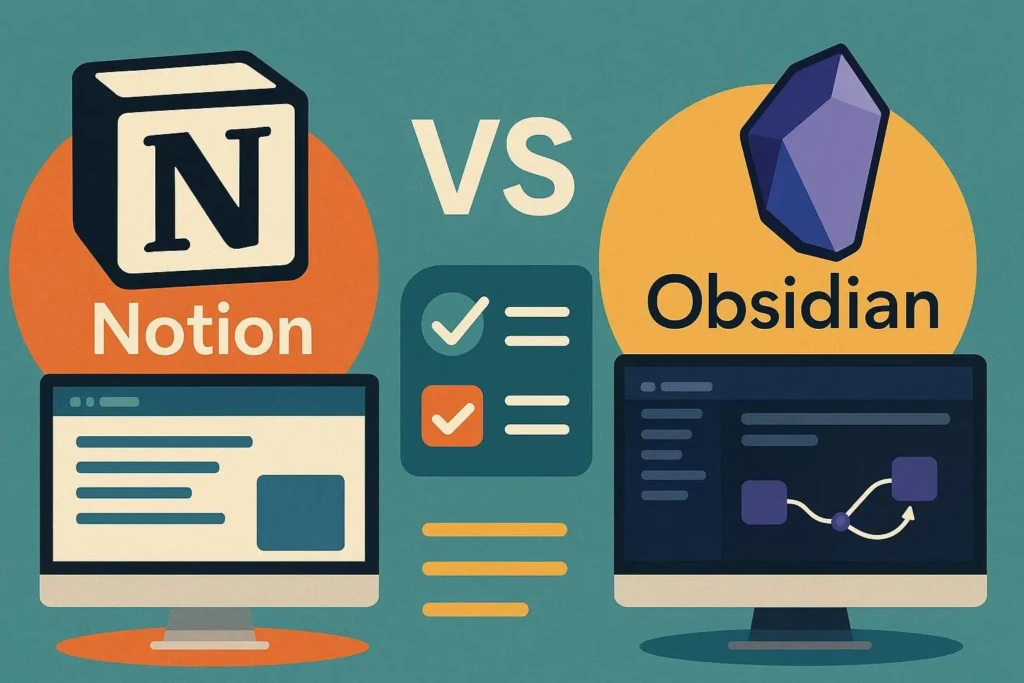
Performance is a practical concern that many comparison articles gloss over, but it matters enormously when you’re trying to get work done quickly.
Obsidian is exceptionally fast. Because everything is stored locally on your device as plain-text files, there’s no loading time. Notes open instantly, searches return results in milliseconds, and the app works identically whether you have an internet connection or not. Even with thousands of notes, Obsidian remains snappy and responsive.
Notion, by contrast, is cloud-dependent. On a fast internet connection, it performs well, but on slow connections or with large databases, you’ll notice loading delays. Switching between pages in a large Notion workspace can sometimes feel sluggish, and the mobile app in particular has historically been criticized for being slower than expected. That said, Notion has improved its performance significantly over the past two years, and for most users on reliable internet, it performs adequately.
If speed and reliability are non-negotiable for you, particularly if you work in locations with unreliable internet, Obsidian’s local-first approach is a clear practical advantage.
Collaboration and Teamwork
If you ever need to share notes or work with others in the same tool, this section will largely determine your choice.
Notion was built for collaboration from the ground up. You can invite teammates, assign tasks, leave comments on specific blocks, set different permission levels (view, comment, or edit), and share pages publicly with a link, all for free. Real-time collaboration works smoothly, multiple people can edit the same page simultaneously, and changes sync instantly. For this reason, Notion is widely used by startups, remote teams, and creative agencies as a shared workspace and internal wiki.
Obsidian, on the other hand, was built for individual use. It has no built-in real-time collaboration; your notes are on your device, and sharing them requires either the paid Obsidian Publish feature (which publishes notes as a website) or manually sharing the underlying Markdown files. Some users work around this by storing their Obsidian vault in a shared folder like Dropbox or iCloud, but this is a workaround, not a built-in feature, and it can cause sync conflicts if two people edit the same file simultaneously.
The verdict is clear: if you collaborate regularly, Notion is the right tool. Obsidian is not designed for shared workspaces, and using it in that context creates unnecessary friction.
Customization and Plugins
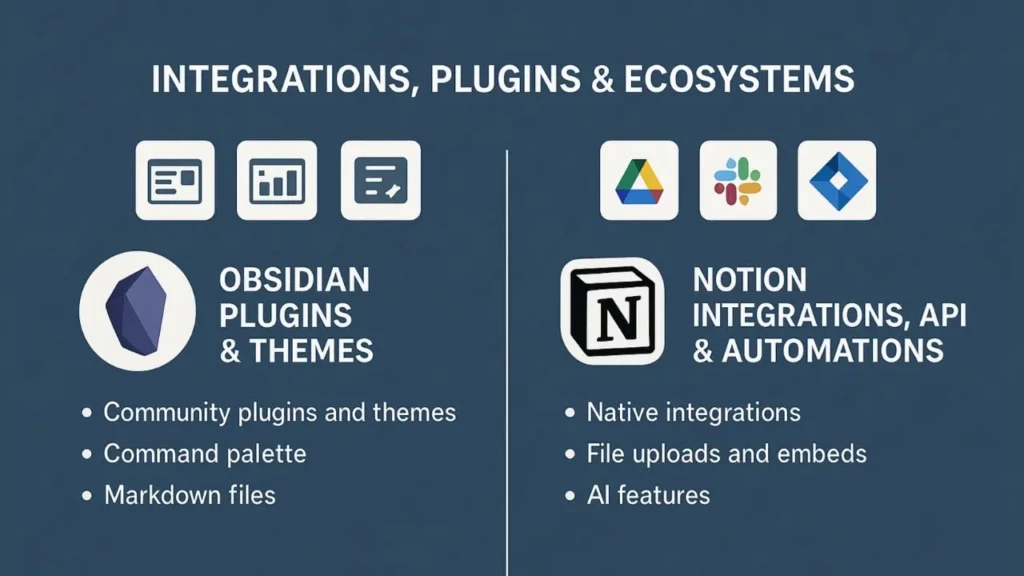
Both apps are highly customizable, but in very different ways and to very different degrees.
Notion’s customization happens through its visual block system, templates, and integrations. You can connect Notion to hundreds of other apps, such as Google Calendar, Slack, GitHub, Zapier, and more, through its native integrations and the broader Notion API. Templates, both official and community-made, let you set up sophisticated systems quickly without having to build from scratch. However, Notion’s customization has limits; you’re working within the boundaries of its interface, and you can’t fundamentally change how the app behaves.
Obsidian’s customization is borderline limitless. Its community plugin library contains over 1,000 plugins that can transform the app into virtually anything, including a daily journal, a task manager, a research database, a word-count-tracking writing tool, a spaced-repetition flashcard system, or a project planner with Kanban boards. Beyond plugins, you can write custom CSS to change exactly how the app looks, and power users can even build their own plugins using JavaScript. This level of flexibility is unmatched by any other note-taking app available today.
That said, Obsidian’s customization requires more technical comfort than Notion’s. If you’re not willing to explore settings and experiment with plugins, you’ll use far less than Obsidian’s full potential. Notion delivers a polished, capable experience without requiring any configuration.
AI Features
AI has become a genuine differentiator between productivity apps in 2026, and both Notion and Obsidian have entered this space, though with very different approaches.
Notion AI is built directly into the app and available as an add-on for $10 per month. It can write content for you, summarize long pages, translate text, extract action items from meeting notes, answer questions about your own Notion workspace, and generate structured content from simple prompts. For teams using Notion as a central knowledge base, the ability to ask questions and get answers from your own documents is genuinely powerful.
Obsidian doesn’t have built-in AI, but its plugin ecosystem has filled that gap. Community plugins like Smart Connections and various OpenAI-powered tools bring AI assistance directly into Obsidian, allowing you to chat with your notes, find semantically related ideas, and generate content without leaving the app. These plugins require some setup and sometimes an OpenAI API key, but they’re free beyond the API costs and give you more control over how AI interacts with your data.
If you want AI that works out of the box without any setup, Notion AI is the more accessible option. If you want AI that integrates deeply with your personal knowledge base and keeps your data on your own device, Obsidian’s plugin-based approach is more powerful and more private.
Offline Access and Privacy
This is a category where Obsidian wins decisively, and for many users, it’s the single most important factor in their decision.
Obsidian stores everything as plain Markdown files on your own device. This means your notes are fully accessible offline, forever. They don’t depend on a company staying in business, a server staying online, or a pricing model staying affordable. You could open your Obsidian notes in any text editor if Obsidian itself ceased to exist tomorrow; your data is yours in the most complete sense possible.
Notion stores everything in its cloud. Without an internet connection, recently opened pages are cached and accessible, but you cannot create new content or access pages you haven’t recently visited. More importantly, your data lives on Notion’s servers, and while Notion has a solid privacy policy and industry-standard encryption, you are ultimately dependent on their platform. This is a meaningful distinction for users who handle sensitive personal information, research data, or simply want complete long-term ownership of their notes.
Device Compatibility
Device | Notion | Obsidian |
Mac | ✅ Native app | ✅ Native app |
Windows | ✅ Native app | ✅ Native app |
iPhone / iPad | ✅ Full app | ✅ Full app |
Android | ✅ Full app | ✅ Full app |
Linux | ✅ Web app | ✅ Native app |
Browser (any) | ✅ Full access | ❌ Not available |
Offline Access | Limited | ✅ Full |
Both apps work across all major platforms. Notion has a slight advantage in browser access; you can open Notion from any computer without installing anything, which is useful if you’re using a school or work computer temporarily. Obsidian requires installation on each device you want to use it on.
Pricing: What Do You Actually Pay?
Plan | Notion | Obsidian |
Free Tier | ✅ Generous for individuals | ✅ Fully functional |
Paid Personal | $10/month (Plus) | Free. No paid personal plan needed |
Notion AI Add-on | $10/month | N/A (use community plugins) |
Team Plan | $15/user/month | N/A |
Sync Across Devices | Free (built-in) | $5/month (Obsidian Sync) or free via iCloud/Dropbox |
Publish to Web | Paid plan required | $8/month (Obsidian Publish) |
For individual users, Obsidian is effectively free forever for local use; you only pay if you want their official sync service ($5/month) or web publishing ($8/month). Many users sync for free by storing their vault in iCloud, Dropbox, or Google Drive instead.
Notion’s free plan is generous for personal use, but teams quickly need the Plus or Business plan. Notion AI costs an additional $10/month on top of any plan, which adds up. For an individual user who doesn’t need AI, Notion free covers most needs well.
Notion vs Obsidian: Full Comparison Table
Feature | Notion | Obsidian |
Learning Curve | Low | Medium-High |
Performance | Cloud-dependent | Blazing fast |
Organization | Hierarchical pages + databases | Backlinks + graph view |
Collaboration | ✅ Excellent | ❌ Not designed for it |
Offline Access | Limited | ✅ Full |
Data Ownership | Notion’s cloud | Your device |
AI Features | ✅ Built-in (paid add-on) | ✅ Via plugins |
Customization | Moderate | Extensive |
Free Tier | ✅ Generous | ✅ Fully functional |
Best for | Teams, planners, project managers | Researchers, writers, deep thinkers |
Affiliate Program | ✅ Yes | ❌ No |
Which One Should You Choose?
Here is my honest recommendation based on different types of users.
Choose Notion if:
- You work with a team or need to share notes and projects with others.
- You want an all-in-one workspace that replaces multiple tools.
- You think in projects, deadlines, and structured databases.
- You want AI assistance built in without any configuration.
- You prefer a polished, guided experience over maximum flexibility.
Choose Obsidian if:
- You work independently and prioritize privacy and data ownership.
- You’re a researcher, writer, or student building long-term knowledge.
- You want a tool that mirrors how your brain actually connects ideas.
- You’re comfortable customizing your setup to fit your exact workflow.
- You want a free, fast tool that works perfectly offline.
My Honest Take: Most people new to advanced note-taking should start with Notion; it’s more forgiving, more immediately useful, and offers a free tier that covers most personal needs. Obsidian rewards the investment you put into it, but that investment is real. If, after a few months with Notion, you find yourself wanting more depth and personal control over your data, that’s your signal to explore Obsidian. Many serious knowledge workers end up using both: Notion for shared, structured work and Obsidian for private, deep thinking.
FAQs
Neither is objectively better; they serve different purposes. Obsidian is better for private, individual, long-term knowledge building. Notion is better for structured work, team collaboration, and project management. The right choice depends entirely on how you work.
Yes, Obsidian’s core app is completely free for personal use with no feature limitations. You only pay if you want Obsidian Sync ($5/month) or Obsidian Publish ($8/month), both of which have free alternatives through cloud storage services.
Partially. Recently opened Notion pages are cached and accessible offline, but you can’t create new content or access uncached pages without an internet connection. For full offline functionality, Obsidian is the better choice.
Yes. Notion offers an affiliate program that lets you earn a commission by referring new paid subscribers. If you’re building a productivity-focused website or audience, it’s worth joining.
Yes. Notion allows you to export your content as Markdown files, which Obsidian can import directly. The migration isn’t perfect; databases and complex structures don’t always translate cleanly, but plain notes and pages transfer well.
It depends on what kind of studying you do. For organized course notes, assignments, and group projects, Notion’s structure and collaboration features work well. For research-heavy subjects where you need to connect ideas across many sources, Obsidian’s backlink system is more powerful. If you’re deciding between simpler options first, our comparison of Apple Notes vs Google Keep for students covers the best free beginner-friendly options.
Final Thoughts
Choosing between Notion and Obsidian isn’t really about which app has more features; it’s about understanding how you think and what kind of work you’re trying to support. Notion gives you a beautiful, collaborative workspace that gets out of your way so you can focus on projects and people. Obsidian gives you a private, powerful thinking environment that grows more valuable the longer you use it and the more connections you build inside it.
Try both before committing. Notion’s free tier and Obsidian’s free core app mean there’s no financial risk in exploring each one for a week. And when you’re ready to explore more tools that can sharpen your productivity, browse our Apps & Tools section for honest, in-depth comparisons of the apps that actually make a difference in daily work.
Found this helpful? Browse more in-depth tech guides, honest reviews, and step-by-step tutorials at YourTechCompass; your go-to resource for making smarter tech decisions.