Strava and Nike Run Club are the two most popular running apps in the world, and if you’ve been trying to decide between them, you’ve probably noticed that most comparisons just tell you they’re “both great” without actually helping you choose. That’s not useful when you’re about to commit to one and build your running habit around it.
I’ve used both apps extensively, and the truth is they’re built for completely different types of runners. Once you understand what each one is actually designed to do, the choice becomes obvious. In this comparison, I’ll break down tracking, coaching, community, pricing, device compatibility, and the one question every runner eventually asks: Is Strava’s subscription actually worth paying for?
Strava vs Nike Run Club: The Core Difference
Before diving into feature-by-feature details, it helps to understand the fundamental philosophy behind each app. This is because they are genuinely trying to solve different problems.
Strava is built around data and community. It’s designed for runners who want to track every metric, analyse their progress over time, compete with others on segments, and connect with a global network of athletes. The more serious you are about running performance, the more Strava rewards you.
Nike Run Club, on the other hand, is built around motivation and accessibility. It’s designed to get you out the door, keep you moving, and make running feel encouraging rather than intimidating, whether you’re a complete beginner or someone who runs a few times a week for fitness. Neither approach is wrong; they just serve different runners.
Tracking and Performance Metrics
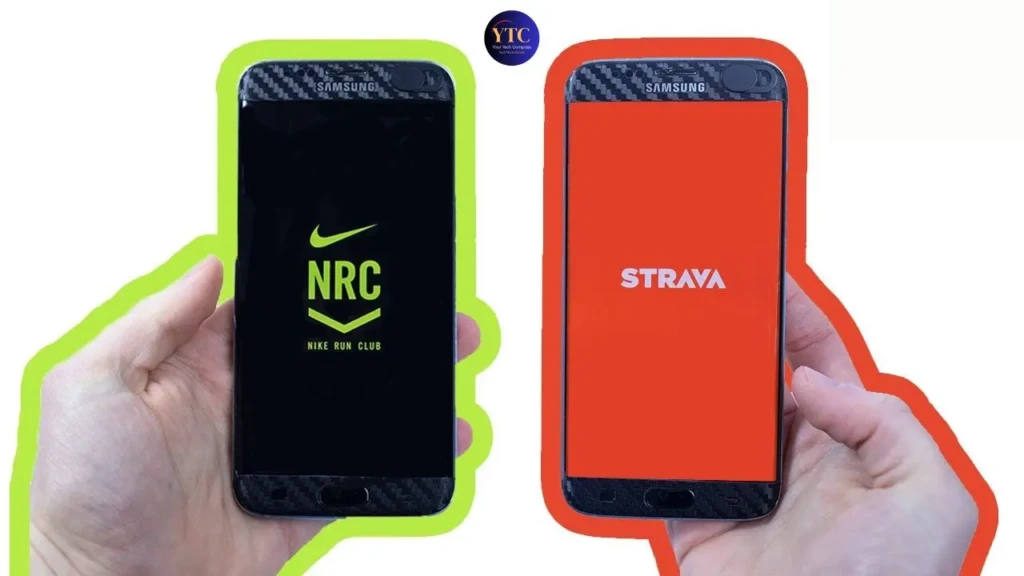
This is where the two apps diverge most significantly, and it’s the most important factor for serious runners to consider.
Strava gives you tracking details that most running apps can’t match. Every run is logged with GPS route mapping, pace per kilometre or mile, elevation gain, cadence, heart rate zones, split comparisons, and relative effort scores. Over time, Strava builds a detailed history of your running performance that lets you spot trends, identify weaknesses, and track improvement in a meaningful way. If you’re training for a race or following a structured programme, this depth of data is genuinely valuable.
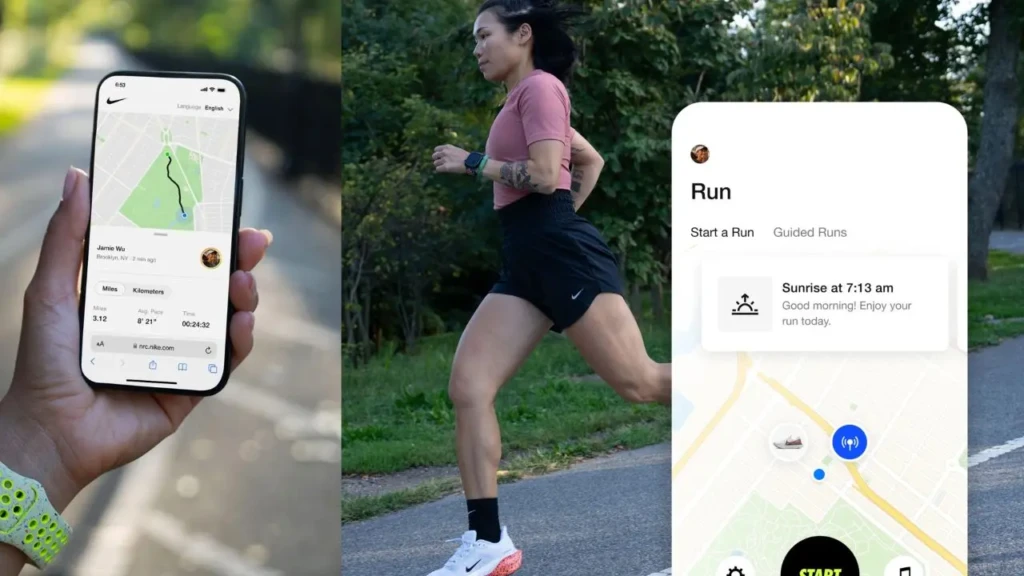
Nike Run Club, on the other hand, tracks the essentials accurately: distance, pace, time, calories, and heart rate, but deliberately keeps the data presentation clean and simple. You get a clear summary of each run without being overwhelmed by numbers and graphs. For most casual runners, this is exactly what they need; for performance-focused runners, it eventually becomes limiting.
Coaching and Training Plans
This is Nike Run Club’s strongest area, and where it pulls decisively ahead of Strava for newer runners.
NRC offers structured guided runs led by real coaches and professional athletes, with audio coaching that plays through your headphones mid-run. You’ll hear encouragement, pacing reminders, breathing cues, and motivational commentary timed to specific moments in your run, not just a generic playlist. The app also includes complete training plans for different goals: 5K, 10K, half-marathon, and full marathon, all free.
Strava offers training plans and guided workouts, but they’re locked behind a paid subscription. The free version of Strava is essentially a tracking and social tool with no meaningful coaching component.
If coaching and structure are important to you, especially if you’re newer to running, Nike Run Club is the better choice by a considerable margin, and the fact that it’s completely free makes it even harder to argue against.
Community and Social Features

Strava has built something genuinely unique in the fitness app world: a global social network specifically for athletes. You can follow friends and other runners, join clubs based on your city or running style, post workout photos, receive “kudos” (the Strava equivalent of a like), and compete on segments, fixed GPS routes where Strava tracks everyone’s times and displays leaderboards. The segment feature, in particular, is addictive for competitive runners; knowing that a stretch of road you run regularly has a leaderboard changes how you approach it entirely.
Nike Run Club’s social features are more limited but more personal. You can connect with friends, share runs, and participate in challenges, but the emphasis is on your own progress and motivation rather than community competition. The coached audio runs occasionally feature professional athletes sharing their own experiences, which creates a sense of connection without the competitive pressure that Strava’s leaderboards can generate. If social motivation and competition drive your running, Strava’s community is one of the best in fitness. If you prefer to run for yourself and want encouragement rather than competition, NRC’s approach is far less stressful.
Apple Watch and Device Compatibility
Both apps work well on Apple Watch, but they feel quite different on the wrist.
Nike Run Club is deeply integrated into Apple’s ecosystem. It runs natively on Apple Watch, syncs with Apple Health and Activity Rings, connects seamlessly with Apple Music for in-run playlists, and supports live audio coaching directly through AirPods without needing your iPhone nearby. For Apple Watch users who want everything to work together without friction, NRC is as close to a native Apple running experience as a third-party app gets.
Strava’s Apple Watch app is fully functional; you can start, pause, and finish runs directly from your wrist and see key stats in real time, but the real depth of Strava lives in the iPhone app. Strava also extends beyond Apple entirely, with native apps for Garmin, Fitbit, and Wear OS watches. If you’re on Android or use a non-Apple fitness tracker, Strava is the natural choice since Nike Run Club’s experience degrades significantly outside the Apple ecosystem.
Third-Party App Integration
Strava’s integration capabilities are one of its biggest practical advantages, particularly for runners who cross-train or use multiple devices.
Strava integrates with an enormous range of third-party platforms, including Garmin Connect, Fitbit, Peloton, Zwift, MyFitnessPal, Wahoo, and dozens more. All your fitness data flows into Strava automatically, regardless of which device captured it, making it a genuine central hub for athletes who cycle, swim, lift, and run.
Nike Run Club is primarily designed to live within the Apple ecosystem. It integrates well with Apple Health and Apple Fitness+, but its third-party connectivity beyond Apple is limited. If you’re exclusively an iPhone and Apple Watch user, this is rarely a problem, but if you ever want to switch devices or add a non-Apple tracker to your setup, Strava will serve you far better in the long term.
For more on how productivity and fitness apps integrate across platforms, our Notion vs Obsidian comparison explores similar trade-offs between depth and ecosystem lock-in.
Pricing: Free vs Freemium
This is straightforward, and it’s a significant factor in the decision.
Nike Run Club is completely free. Every feature (guided runs, coaching plans, community challenges, Apple Watch integration, training programmes) is available to every user at no cost. There is no premium tier, no paywall, and no subscription required. Strava operates on a freemium model. The free version gives you GPS tracking, basic stats, route mapping, and social features, including segments and kudos.
Strava’s paid subscription (currently around $11.99/month or $79.99/year) unlocks advanced analytics, personalised training plans, heart rate analysis, custom route creation, and full leaderboard access on segments. For casual runners, Strava’s free tier is genuinely useful on its own. For performance-focused runners who want the full data picture, the subscription cost is reasonable, but it’s worth trying the free version first to determine whether the premium features are actually worth it for your specific goals.
Strava vs Nike Run Club: Quick Comparison Table
Feature | Strava | Nike Run Club |
Tracking Depth | Advanced (cadence, elevation, heart rate zones, splits) | Essential (distance, pace, time, calories) |
Coaching | Paid subscription only | Fully free, audio-guided |
Training Plans | Paid subscription only | Fully free, structured plans |
Community | Global athlete network, segment leaderboards, clubs | Friend challenges, milestone badges |
Apple Watch | Fully functional, data syncs to iPhone app | Native integration, Activity Rings, Apple Music |
Android/Garmin Support | Excellent | Limited |
Third-Party Integrations | Garmin, Fitbit, Peloton, Zwift, and more | Primarily, the Apple ecosystem |
Pricing | Free + $11.99/month or $79.99/year premium | 100% free |
Best For | Performance-focused and data-driven runners | Beginners, casual runners, Apple ecosystem users |
Which App Should You Choose?

Choose Strava if you’re training for a specific race, you want to analyse your performance in detail over time, you enjoy social motivation and competing on segment leaderboards, or you use non-Apple devices like Garmin or Android. The premium subscription is worth it if you’re serious about performance; the free tier is enough if you mainly want tracking and the social layer.
Choose Nike Run Club if you’re new to running or returning after a break, you want structured coaching and guided runs without paying for them, you’re fully invested in the Apple ecosystem and want seamless integration, or you simply want a clean, encouraging running experience without the data overload. The fact that it’s completely free removes any risk; you can try it today with nothing to lose.
Use both if you’re a high-volume runner who wants Nike’s coaching for easy runs and recovery, but Strava’s analytics and community for performance tracking. Many serious runners use NRC for daily training and upload data to Strava for analysis and social features; the two apps aren’t mutually exclusive.
FAQs
Not directly. However, you can sync both apps to Apple Health, which acts as a bridge; recorded in NRC will appear in Apple Health, and Strava can pull activity data from Apple Health as well. It’s not a perfect sync, but it works well enough for most users who want data from both platforms in one place.
Yes, Nike Run Club has an Android app, but its integration is significantly weaker than on iOS. Features like seamless Apple Music connectivity and deep Apple Watch integration are not available on Android. If you’re on Android and want a feature-rich experience, Strava is the stronger choice.
Nike Run Club, without question. The guided runs, structured beginner training plans, and audio coaching make starting a running habit far less intimidating than staring at a wall of performance data. The completely free pricing also means there’s no commitment required to get started. Once you’ve built a consistent running habit and want to start tracking performance more seriously, you can always add Strava later.
Strava, and it’s not close. Strava’s route-planning tools, including heatmaps showing where other athletes run locally, elevation previews, and route suggestions based on your fitness level, are premium features but genuinely excellent. Nike Run Club has no meaningful route planning capability at all.
Final Thoughts
After using both apps regularly, my honest take is this: Nike Run Club is the better starting point for most runners. It’s free, it coaches you properly, and it removes every possible barrier between you and your first run. For anyone building a running habit from scratch, that matters enormously.
Strava becomes a better long-term tool the more seriously you take running. The data depth, segment competition, and global community create a genuinely motivating environment for performance-focused athletes, and if you’re training for a race or tracking improvement over months and years, there’s no better app for it. If you’re already using productivity tools like Notion or Obsidian to organise your goals and training notes, pairing them with Strava’s detailed stats creates a surprisingly powerful personal performance system. And if you run into any technical hiccups with either app on your phone, our guide on fixing apps that keep crashing on Android covers the most common fixes quickly.
At YourTechCompass, every guide is written to give you accurate, practical information; no sponsored fluff, no vague advice. Explore more and find the answers you’re actually looking for.