The Zelle app is a fast way to move money directly between bank accounts, and because transfers are often instant, it can feel like magic until something goes wrong. This guide explains how Zelle works, what fees and limits to expect, and how to use it safely so you don’t accidentally lose money to scams.
You will get step-by-step setup help, a clear rundown of transfer limits and bank differences, a practical security checklist, and a comparison with other popular P2P apps so you can choose the right tool for your needs. Where helpful, the article links to more in-depth guides on related apps and productivity tools on the site.
A note before we begin: every YTC score is earned, never negotiated. If you want to understand exactly how we evaluate apps & tools and how we handle affiliate relationships, our Review Methodology lays it all out.
What Is The Zelle App?
Zelle is a bank-backed peer-to-peer payment network that moves money directly from one U.S. bank account to another using the recipient’s email or mobile number. Many major banks offer Zelle inside their mobile apps, and there is (or was) a standalone Zelle app for customers of banks not integrated with the network. Because money moves directly between accounts, there is no intermediary balance to withdraw; transfers are often immediate.
How The Zelle App Works
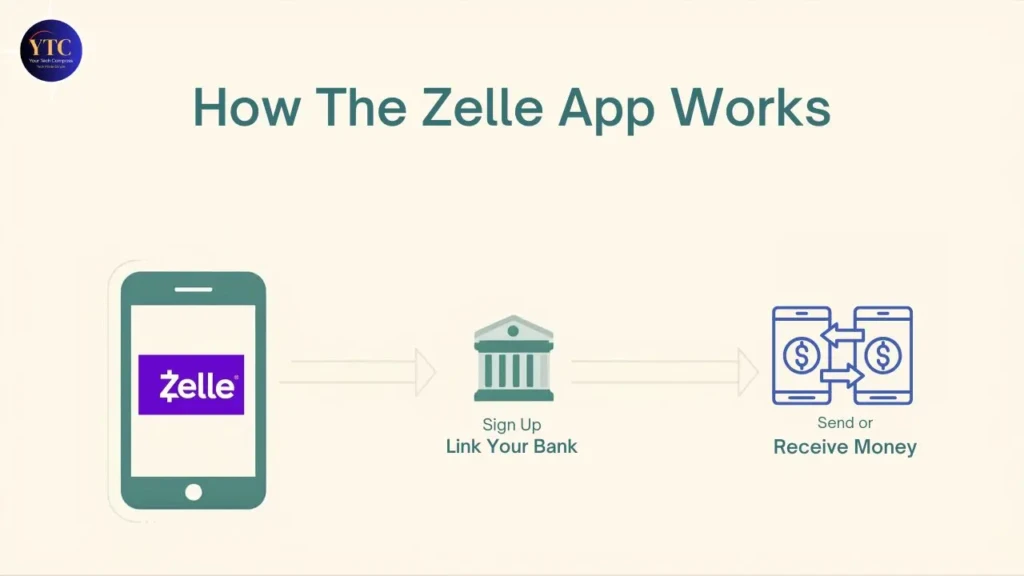
- Enroll using your U.S. mobile number or email, then link an eligible bank account.
- Choose a contact (phone or email), enter an amount, and send.
- If the recipient is already enrolled with Zelle, funds typically arrive within minutes. If not, they’ll receive an invitation to enroll and accept payment.
- Transactions are usually irreversible, so double-check recipient details before sending.
How To Set Up The Zelle App
- If your bank supports Zelle inside its app, open your bank’s mobile app and look for Zelle under payments or transfers.
- If your bank doesn’t support in-app Zelle, download the standalone app and follow the enrollment flow (you’ll need a U.S. bank account and a phone number or email).
- Verify your phone number or email and confirm a linked checking account.
- Test by sending a small amount to a trusted contact, or by doing a dry run using the app’s test resources, if available.
Fees and Transfer Limits
- Fees: Zelle does not charge consumers for sending or receiving money; however, individual banks may impose limits or special fees in certain cases. Always confirm with your bank.
- Transfer Limits: Limits vary widely by financial institution. Some banks set daily caps (ranging from several hundred to several thousand dollars) and weekly or monthly ceilings. If you use the standalone Zelle app, default limits are typically lower than those for bank-integrated payments. Check your bank’s published limits before relying on Zelle for large transfers.
Security and Fraud Risks
Zelle benefits from bank-level security and encryption, but the speed of transfers also creates vulnerability: once money is sent and received, recovery can be difficult if the payment was authorized. Therefore:
- Use Zelle only with people you know and trust.
- Avoid marketplace purchases or paying strangers.
- Enable multi-factor authentication on your bank account.
- If you suspect fraud, contact your bank immediately; speed matters.
Regulators and lawmakers have scrutinized Zelle and its partner banks regarding customer protections; that scrutiny has led to new controls and policies aimed at reducing scams. Stay aware of evolving protections from your bank and Zelle.
Zelle App Vs Other P2P Apps
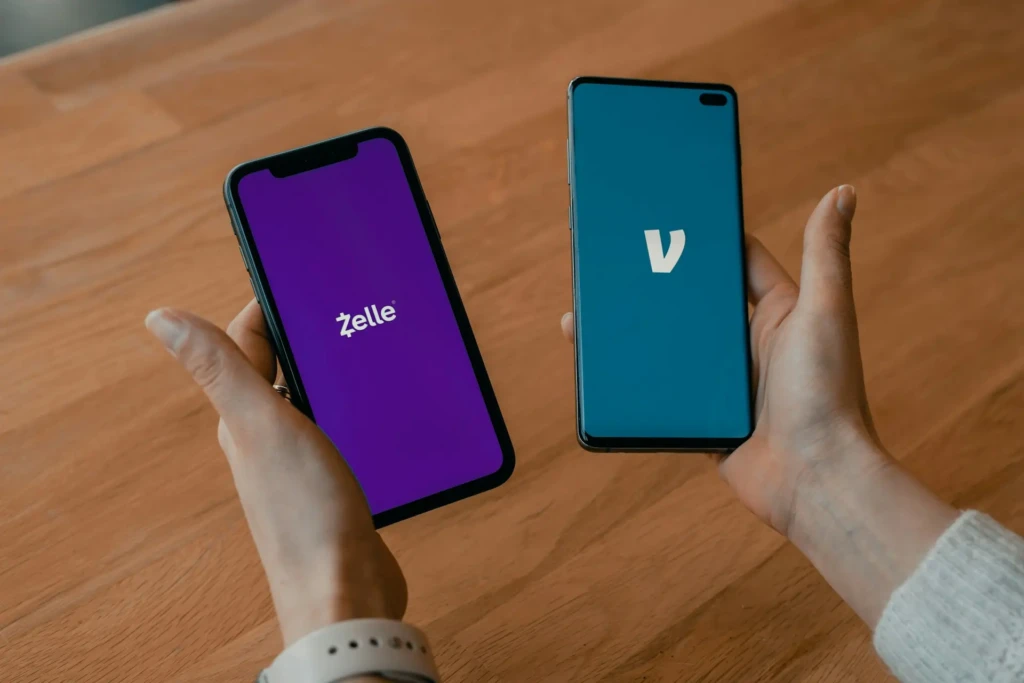
Below is a concise comparison to help you decide which app fits the use case.
Feature | Zelle | Venmo | Cash App |
Typical Use | Bank-to-bank for trusted contacts. | Social payments, with social feed and split bills. | Peer payments, plus Cash Card & Bitcoin options. |
Speed | Often instant between banks. | Instant for Venmo balance / standard bank transfer delays. | Instant (fee for instant transfer) or standard ACH. |
Fees | Usually, none from Zelle; bank policies vary. | 3% for credit card sends; fees for instant transfers. | Fees for some instant transfers and other services. |
Buyer Protection | Minimal; intended for trusted transfers. | Limited; better for social use than purchases. | Limited; not a replacement for buyer protection. |
Best For | Sending money to people you know quickly. | Social splitting and small payments among friends. | Versatile personal finance with extra features. |
For a deeper comparison focused on Cash App features, see our detailed Cash App guide.
Common Mistakes To Avoid
- Sending to the wrong phone number or email address? Double-check recipients.
- Using Zelle for purchases from unknown sellers (Zelle offers no buyer protection).
- Assuming transfers can be reversed (many Zelle transfers cannot be reversed).
- Neglecting to check your bank’s specific limits and policies.
Practical Safety Checklist (Use This Before Sending)
- Confirm the recipient’s phone or email directly (not via social media links).
- Send a small test amount if it’s the first time.
- Keep transaction records (screenshots and confirmations).
- Contact your bank immediately if anything looks suspicious.
Frequently Asked Questions
Is Zelle free to use?
Zelle does not charge consumers a fee to send or receive money, but check your bank for any bank-specific fees.
Can I cancel a Zelle payment?
If the recipient is already enrolled, cancellations are rarely possible. If the recipient is not yet enrolled, you may be able to cancel before they claim the payment. Contact your bank immediately for help.
How long do Zelle transfers take?
When both the sender and the recipient are enrolled with participating banks, transfers are usually instantaneous. For non-bank-integrated flows, enrollment steps can delay receipt.
Does Zelle work internationally?
No. Zelle is U.S.-only and requires a U.S. bank account and a U.S. phone number or email address. For international transfers, consider other services.
Final Thoughts
The Zelle app is built for speed and simplicity. When you use it as intended (sending money to people you know and trust), it can move funds between bank accounts within minutes, often without fees. However, that same speed requires caution. Once a payment is authorized and delivered, reversing it can be difficult.
Before you rely on Zelle, take the time to understand your bank’s limits, verify recipient details, and avoid sending money to strangers. If your goal is quick, direct transfers between trusted contacts, the Zelle app works well. If you need buyer protection or marketplace safety, consider alternative payment options.
At Your Tech Compass, we publish practical guides and honest tech reviews to help users make smarter decisions.