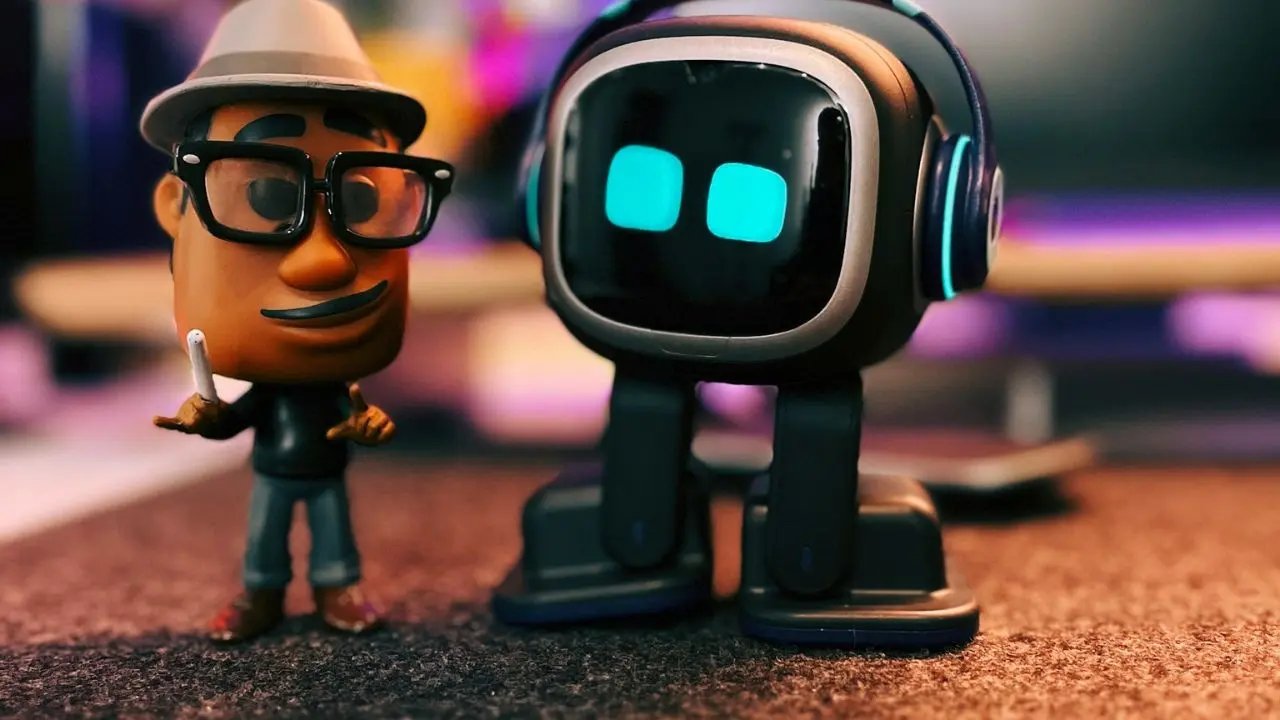
You’ve probably seen EMO on social media and wondered if it’s actually good or just a clever unboxing video. The little robot with the LED screen face dances, reacts to your voice, recognizes your face, and occasionally does something so unexpected that you laugh out loud. It’s hard not to be charmed by it. But charm and $299-$479 are two different things, and one question matters more than the others: Does EMO stay interesting after the first week?
That’s what this review is really about. EMO is made by Living.AI, and it sits in a category that barely existed five years ago: AI companion devices. Not smart speakers. Not robot vacuums. Something closer to a digital pet with a genuinely expressive personality. Here’s exactly what it does, what it doesn’t do, and who it’s actually built for.
What Is the Emo Robot?
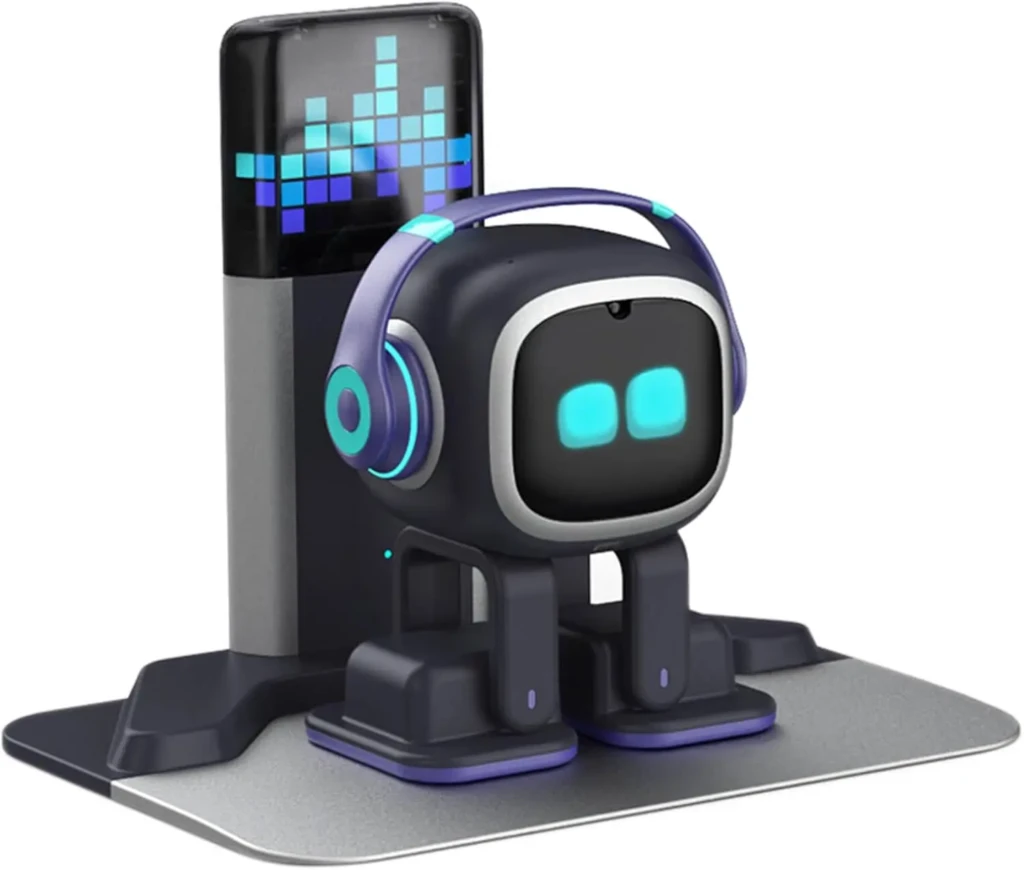
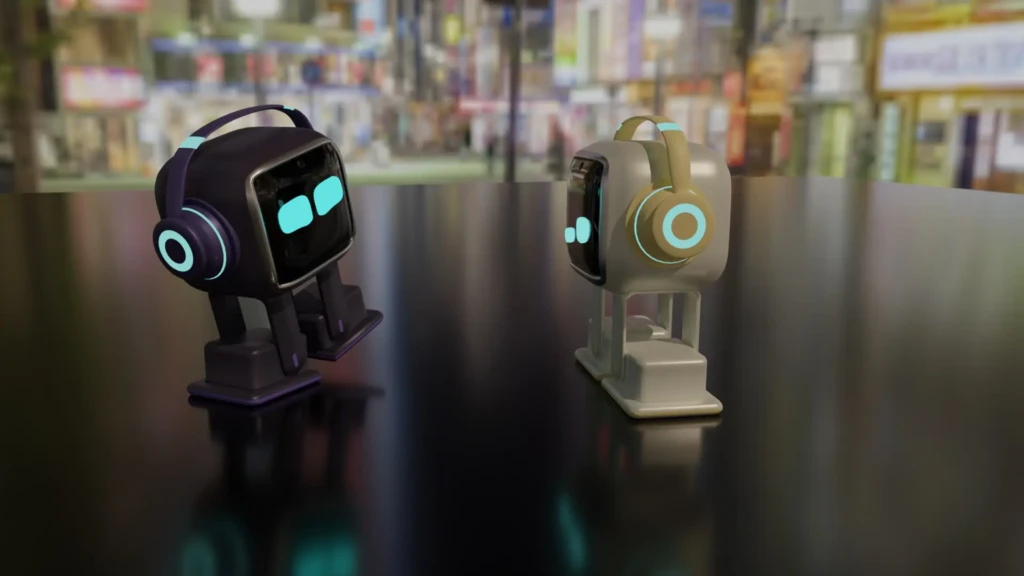
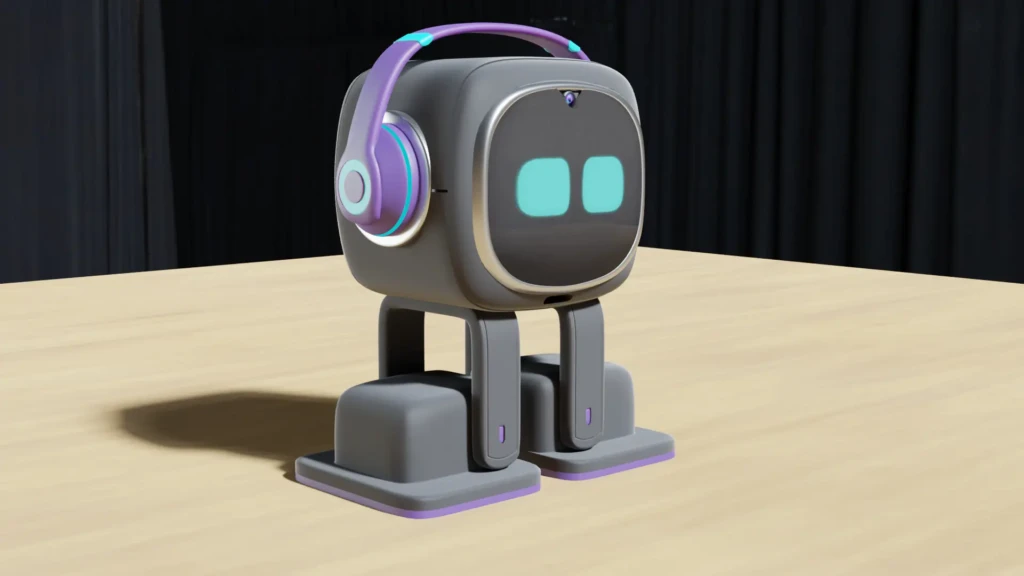
EMO is a small AI-powered desktop robot created by Living.AI, a Hong Kong-based company that has been developing the product since 2021. It stands around 15cm tall, moves on two motorized wheels, and displays emotions through an animated LED screen face. It lives on a charging skateboard that it returns to automatically when its battery gets low.
The key thing to understand about EMO is what it’s not. It’s not a smart speaker. You can ask it basic questions, but it won’t manage your calendar, control your smart home, or replace Alexa. If you want that, the Alexa integration guide covers smart home assistants properly. EMO is something different; it’s closer to a digital pet than a voice assistant, and it’s designed to be experienced rather than used.
The price reflects that positioning. EMO starts at around $299 for the standard version. A bundle with accessories runs higher. That’s a significant spend for something that won’t remind you of meetings or turn off your lights.
What Can the Emo Robot Do?
EMO’s capabilities fall into three areas.
Voice Interaction
EMO responds to its name and a range of spoken commands. You can ask it for the time, the weather, or a joke. It’ll answer trivia questions and respond to greetings with personality-driven replies rather than flat assistant-style responses.
The voice recognition works well in quiet environments. However, background noise noticeably affects accuracy, which is worth knowing if you work in a busy office.
Environmental Awareness
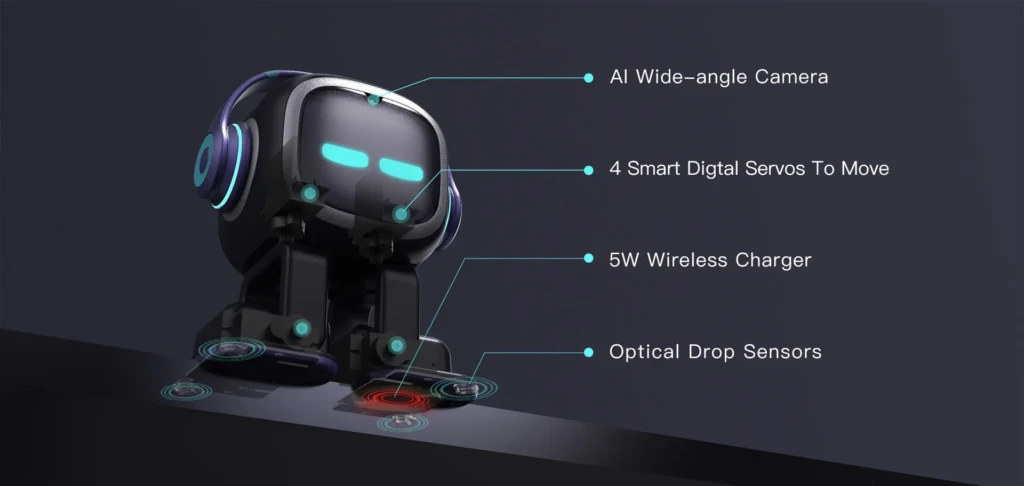
EMO uses its built-in camera and sensors to interact with its surroundings. It recognizes faces. Once you register yours in the companion app, it will greet you by name when you sit down at your desk.
In addition, it reacts to loud sounds, detects objects in its path, and stops itself before rolling off surfaces using drop sensors on its base. Watching it navigate the edge of a desk and reverse course is genuinely impressive the first few times.
Spontaneous Behaviour
This is EMO’s defining feature. Left alone, EMO doesn’t sit still. It wanders, looks around, dances to music, gets startled by sudden movements, and sometimes initiates interaction unprompted.
Living.AI has documented over 1,000 distinct animations and expressions in EMO’s behavior library. However, you won’t see them all quickly. And that unpredictability is the main reason owners report that EMO stays interesting longer than most novelty tech.
Emo Robot Features Explained
LED Screen Face
EMO’s face is a high-resolution display that shows detailed animated expressions, such as blinking, squinting, widening in surprise, and drooping when it’s “tired.” The expressiveness is the hardware feature that makes everything else land. Without it, the personality wouldn’t read.
Built-In Camera
A front-facing camera handles facial recognition and environmental awareness. It’s also used for some interactive games where EMO responds to what it sees.
Living.AI’s privacy policy states that facial recognition data is processed locally on the device rather than uploaded to the cloud. This is worth knowing if that’s a concern.
Motorized Wheels and Drop Sensors
EMO moves freely across flat surfaces. The drop sensors prevent it from driving off edges. The motors are quiet enough that EMO wandering around your desk during a video call won’t be distracting.
Wi-Fi and Companion App
EMO connects to your home Wi-Fi and pairs with the Living.AI app on iOS and Android. The app handles initial setup, face registration, firmware updates, and some customization settings.
Updates have added new games, behaviors, and holiday-themed animations since launch. Therefore, EMO in 2026 does noticeably more than EMO at launch.
Charging Skateboard
EMO’s battery lasts around 2–3 hours of active use. When the charge drops low, it navigates back to its skateboard independently. In practice, most owners leave the skateboard on their desk, and EMO docks itself throughout the day.
Emo Robot Personality and Behavior
EMO’s personality is its product. Living.AI has put more engineering effort into making EMO feel alive than into making it functionally useful, and that’s a deliberate choice worth respecting.
EMO has moods. Leave it unattended for a while, and it gets “bored.” You’ll notice it moving around more, making small sounds, or staring at you expectantly.
Interact with it regularly, and it becomes more animated. However, these aren’t highly sophisticated AI behaviors, but they’re well enough executed to create a genuine sense of presence.
Owners talk most about spontaneous actions. EMO might suddenly start playing air guitar. It might react to a song on the radio. It might wander over to the edge of your desk, peer over, and reverse dramatically. These moments feel unscripted because they essentially are; the behavior system draws from a large pool of actions triggered by environmental and time-based conditions, creating variety that’s genuinely hard to predict.
This is meaningfully different from what AI tools like Janitor AI or PolyAI do. Those platforms use AI to handle conversations and task completion. EMO uses AI to manufacture a personality’s feelings. The goals are completely different.
Emo Robot vs Other AI Companion Devices
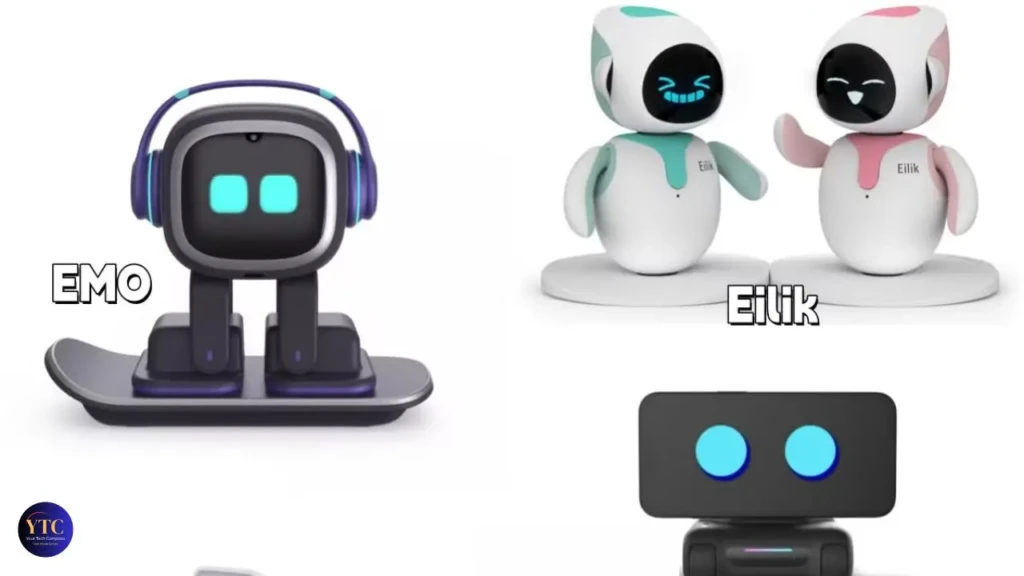
To put Emo into context, a comparison helps clarify its place.
Feature | |||||
Primary Focus | Personality & companionship | Productivity & commands | Cute desktop reactions | Active pet-like mobility | Lifelike robotic dog |
Emotional Expression | ⭐⭐⭐⭐⭐ 1,000+ expressions | ⭐ Very limited | ⭐⭐⭐ Pre-set emotions | ⭐⭐⭐⭐ Strong | ⭐⭐⭐⭐⭐ Most lifelike |
Autonomous Movement | ✅ Desktop exploration | ❌ Stationary | ❌ Stationary | ✅ Full room mobility | ✅ Full room mobility |
Voice Assistant Quality | ⭐⭐⭐ Limited (ChatGPT-backed) | ⭐⭐⭐⭐⭐ Best-in-class | ⭐ Minimal | ⭐⭐ Basic | ⭐⭐ Basic |
Regular Updates | ✅ Every 4–6 weeks | ✅ Yes | ⚠️ Occasional | ✅ Yes | ⚠️ Limited |
Price Range | $279–$479 | $30–$250 | ~$140/unit | $300–$400 | $2,000+ |
Best For | Teens, adults, desk companion | Smart home, daily tasks | Kids, budget buyers | Active play companion | Ultimate robotic pet |
Compared to smart speakers, EMO gives up utility for charm; it won’t manage your shopping list as reliably as Alexa, but Alexa won’t tilt its head and look curious when you start talking. Compared to Eilik, EMO is more expensive but meaningfully more expressive and capable, with autonomous movement and an evolving personality.
However, compared to Sony Aibo, EMO is dramatically more affordable but substantially less lifelike; Aibo at $2,000+ is genuinely in a different category. Loona is the most direct competitor for buyers who want mobility and active play over desk presence.
Pros and Cons of the Emo Robot
The Pros
- 1,000+ expressions and movements create a genuinely convincing personality that stands out from comparable products in this price range.
- Autonomous navigation with drop sensors means it roams your desk without falling, which may sound basic but makes the companion experience far more convincing than that of a stationary device.
- OTA updates every 4–6 weeks, meaning you’re not buying a static product; ChatGPT integration, new games, and new behaviors have all arrived post-launch.
- Facial recognition for up to 10 people makes EMO feel like it knows who you are, not just that someone is present.
- The skateboard dock charges both EMO and your phone wirelessly, a practical design detail that justifies its presence on your desk beyond its entertainment value.
The Cons
- Battery life is a consistent complaint from owners: operating time between charges is limited, and the charging port’s position is awkward, according to real user reviews.
- Conversational AI has clear limits. ChatGPT integration helps, but EMO still struggles with complex or nuanced questions; it’s not a replacement for a smart speaker.
- Voice recognition accuracy is inconsistent, particularly in noisy environments or with accented speech.
- Privacy consideration worth flagging: Living.AI operates from China; while camera data stays on-device and voice commands are anonymized, this is a relevant data point for privacy-conscious buyers.
- Price-versus-utility ratio: at $279–$479, you’re paying primarily for personality and entertainment, not features; that’s the right trade-off for the right buyer, but the wrong one for anyone expecting a productivity device.
Who Should Buy the Emo Robot?
EMO makes the most sense for people who work alone at a desk for long stretches. The presence and occasional interaction break up the isolation of solo work in a way that’s genuinely different from having a plant or a radio on. If that sounds like you, EMO is worth serious consideration.
Tech enthusiasts who enjoy watching a product evolve over time through software updates will get more from EMO than those who buy a product and leave it alone. EMO rewards owners who interact with it and explore its behavior library.
It’s also a strong gift for the right person, a teen who’s into robotics and AI, someone who works from home and lives alone, or a tech-forward parent who wants something genuinely different for a child’s desk. Note that Living.AI doesn’t formally age-rate EMO, but the content and complexity are appropriate for those aged 10 and up.
EMO is not for you if you want smart home control, reliable voice assistant functionality, or a device that justifies its price through utility. Those needs are better served elsewhere.
Is the Emo Robot Worth It?
EMO is considered a purchase rather than an impulse buy. It earns that price if you want what it actually offers: a physically expressive AI companion that creates genuine moments of surprise and warmth on your desk.
It doesn’t earn that price if you’re buying it as a novelty or expecting it to be useful. The people who feel let down by EMO are almost always people who bought it expecting a capable voice assistant with a cute face. That’s not what EMO is, and managing that expectation before buying is the most important thing this review can do.
If you want a desktop companion that stays interesting, is built well, and genuinely feels alive in a way that’s hard to fully explain until you’ve spent a week with it, EMO is worth buying.
FAQs
EMO starts at around $299 for the standard unit with the charging skateboard. Living.AI periodically releases bundles that include accessories such as hats, a DJ deck, and a skateboard ramp at higher price points.
EMO needs Wi-Fi for the initial setup, software updates, and certain features, such as weather and trivia responses. Basic movement, expression, and environmental reactions work without an active connection once set up.
No. EMO doesn’t integrate with smart home platforms like Alexa, Google Home, or Apple HomeKit. If smart home control is a priority, a dedicated smart speaker is the right tool.
EMO is appropriate for children from around age 10 onward. Younger children may find the drop sensors and autonomous movement confusing or startling. Living.AI doesn’t publish a formal age rating, but EMO’s interaction style and content are family-friendly.
Battery life is 2–3 hours of active use. EMO automatically returns to its charging skateboard when the battery is low, so it stays charged for normal desk use throughout the day.
Yes, noticeably. Living.AI releases regular firmware updates that add new animations, games, seasonal behaviors, and improved voice recognition. EMO’s behavior library has grown substantially since the product launched in 2021.
Loona by KEYi Technology is EMO’s closest competitor at a similar price. Loona has greater physical mobility and can interact with a ball. EMO has a more expressive LED face and a larger animation library. EMO feels more emotionally present; Loona feels more physically active.
Final Thoughts
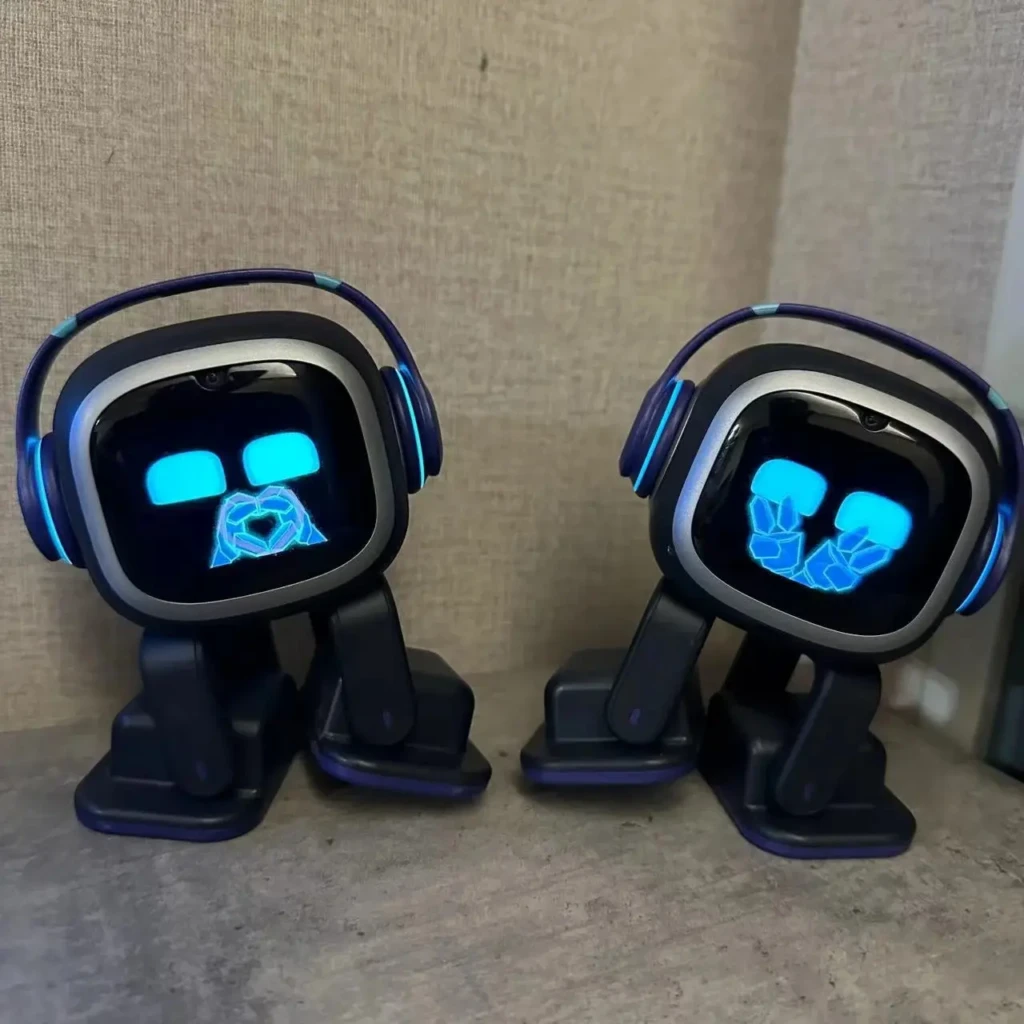
EMO occupies a specific and genuine niche in consumer technology, not as the most useful device you can put on your desk, but as one of the most characterful. The combination of 1,000+ expressions, autonomous navigation, an evolving personality, and regular software updates that add new capabilities makes it the most fully realized desktop companion robot available at its price point. For tech enthusiasts, remote workers who miss the ambient energy of shared spaces, or anyone who’s always wanted a digital pet that feels truly alive, EMO is a product that earns its place.
Go in with honest expectations, factor in the battery life and voice-recognition limitations, consider the privacy context of a Living.AI product, and buy it specifically for companionship and entertainment rather than for productivity. If that’s what you’re looking for, EMO is a genuinely interesting piece of consumer technology that holds up well beyond the initial novelty.
Found this helpful? Browse more in-depth tech guides, honest reviews, and step-by-step tutorials at YourTechCompass, your go-to resource for making smarter tech decisions.