If you create videos, courses, presentations, or marketing content, you already know how time-consuming voiceovers can be. Writing a script is one thing, but recording clean audio, fixing mistakes, and maintaining consistent tone across projects is another challenge entirely. This is where AI voice tools like Murf AI come in. Murf AI positions itself as a professional text-to-speech and voiceover platform designed to help you turn written scripts into natural-sounding audio quickly, without needing a studio or a voice actor.
From testing and analyzing AI tools used by creators and businesses, I’ve seen Murf AI stand out not just for its voice quality, but for how well it fits into real workflows. I’ll walk you through exactly what Murf AI does, how it works step by step, where it performs best, where it falls short, and how to decide whether it’s the right tool for your projects. The goal is to help you make a confident, informed decision, not just list features.
What Is Murf AI?
Murf AI is an online text-to-speech and voice generation platform that converts scripts into realistic voiceovers using artificial intelligence. Instead of relying on basic robotic speech, Murf focuses on producing voices that sound natural, clear, and suitable for professional use cases like YouTube videos, e-learning modules, ads, and corporate presentations.
What separates Murf AI from simple text-to-speech tools is its emphasis on control and production quality. You are not limited to pasting text and exporting audio. Instead, you can fine-tune pronunciation, adjust pacing, add pauses, apply emphasis, and even combine multiple voices within a single project. For teams and businesses, Murf also offers collaboration features and licensing that support commercial use at scale.
How Murf AI Works
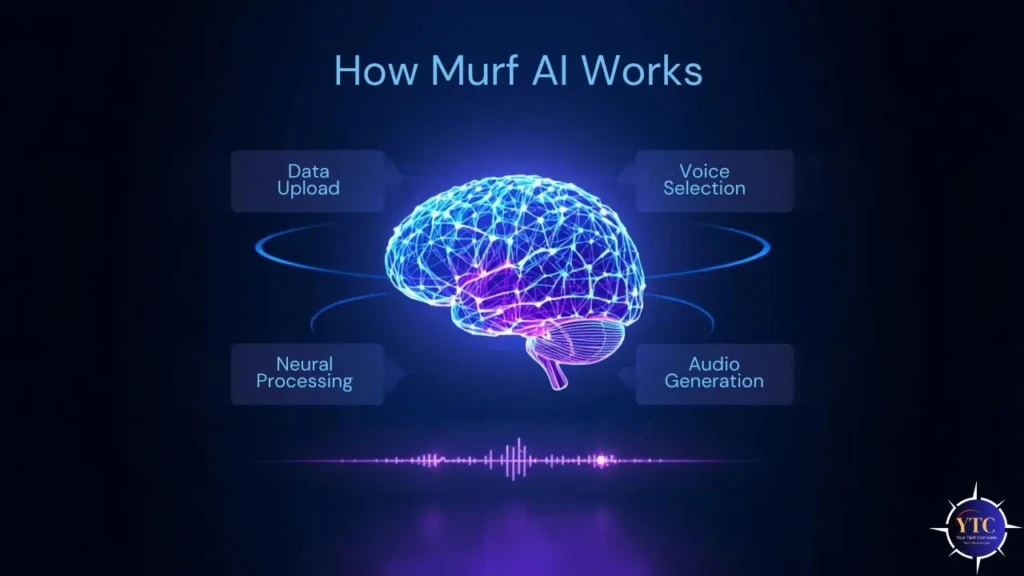
Understanding Murf AI becomes much easier once you see the workflow from start to finish. Here’s how you would typically use it.
Step One: Create a Project and Add Your Script
You begin by creating a new project in the Murf editor. You can type your script directly or paste it from another document. Each line or sentence is treated as an editable block, which gives you granular control over how the voice delivers the content.
Step Two: Choose a Voice and Language
Next, you select a voice from Murf’s library. Voices are organized by language, accent, and tone. You can preview each voice before applying it, which helps you match the narration style to your content, whether you want something conversational, authoritative, or neutral.
Step Three: Adjust Delivery and Pronunciation
This is where Murf becomes especially useful. You can slow down or speed up speech, insert pauses, emphasize specific words, and correct pronunciations. If you use brand names, technical terms, or acronyms, Murf allows you to define custom pronunciations so they remain consistent across projects.
Step Four: Add Music or Multiple Voices
If your project needs background music or multiple speakers, Murf supports both. You can layer music under narration and adjust volume levels so the voice remains clear. For explainer videos or dialogue-style content, assigning different voices to different sections is straightforward.
Step Five: Export and Use Your Audio
Once you’re satisfied, export the audio in a common format, such as MP3 or WAV. These files can then be dropped directly into your video editor, learning platform, or presentation software.
Key Features That Matter in Real Use
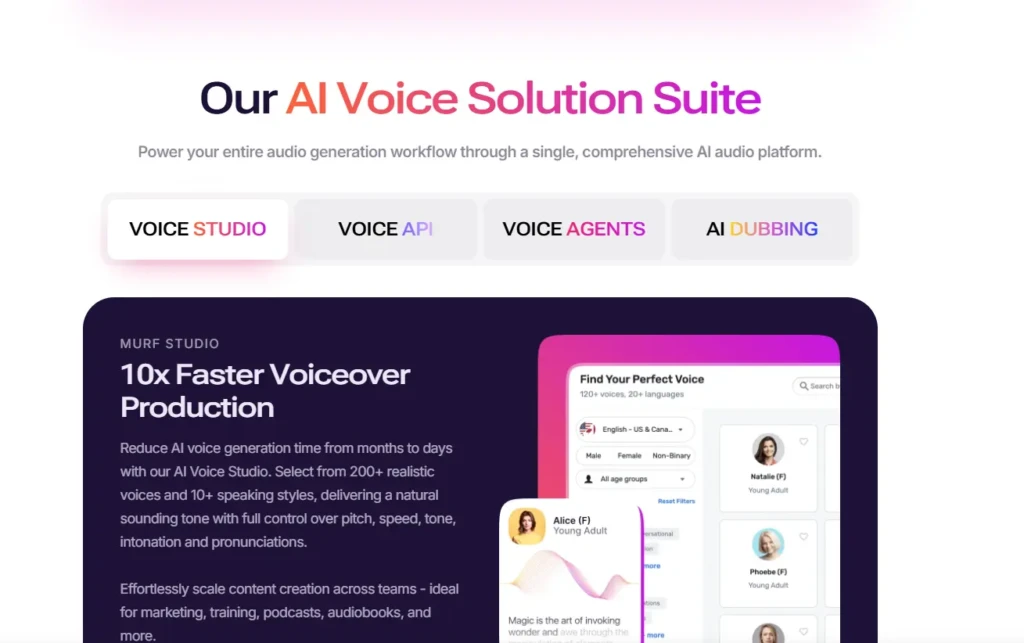
Murf AI offers many features, but a few stand out when you actually use the platform.
- Extensive Voice Library: Murf provides a wide range of voices across multiple languages and accents, making it useful for both local and global audiences.
- Voice Customization Controls: Controls for pitch, speed, pauses, and emphasis let you shape how the voice sounds rather than settling for a flat delivery.
- Voice Cloning Options: Advanced plans support voice cloning, which is useful if you want a consistent brand voice across all your content, especially for large teams.
- Team Collaboration: Business users can work in shared workspaces, making Murf well-suited for organizations that produce content collaboratively.
Voice Quality and Realism
Voice quality is the most important factor when evaluating Murf AI. In most scripted scenarios, Murf’s voices sound natural and clear, especially when you take the time to edit pacing and emphasis. For explainer videos, tutorials, product demos, and training materials, the voices are more than sufficient, and often indistinguishable from human narration to casual listeners.
That said, AI voices still have limits. Emotional storytelling, dramatic pauses, and highly expressive narration can feel slightly flat compared to a professional voice actor. If your project relies heavily on emotional delivery, a human voice may still be the better choice. However, for informational and instructional content, Murf AI performs very well.
Common Use Cases for Murf AI
Murf AI is best suited for practical, repeatable content workflows.
- YouTube and Video Content: Creators use Murf to generate consistent voice-overs without having to record repeatedly.
- E-Learning and Online Courses: Training modules benefit from consistent pronunciation and tone across lessons.
- Marketing and Advertising: Quick-turnaround voiceovers for ads and promos save time and budget.
- Corporate Presentations and Demos: Internal and external presentations become more polished with professional narration.
These use cases mirror how AI tools are increasingly used to optimize workflows, similar to operational automation discussed on YourTechCompass.
Murf AI Pricing and What You Actually Pay For
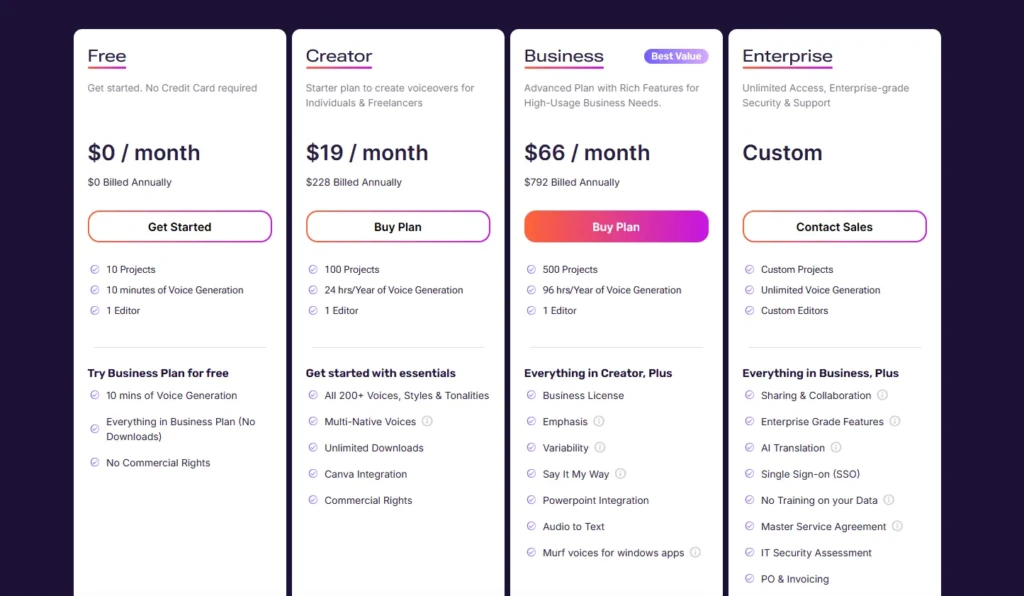
Murf AI uses a tiered pricing model, with a free plan for testing and paid plans for production use. Higher tiers unlock longer generation limits, commercial licensing, collaboration features, and voice cloning. Full plan details are available on the official Murf AI pricing page.
When deciding on a plan, focus on how often you produce voice content and whether you need team features. Solo creators often start small, while businesses typically benefit from the higher tiers.
Murf AI vs Other AI Voice Generators
Feature | Murf AI | Typical Alternatives |
Voice Realism | High for scripted narration | Varies by platform |
Editing Controls | Strong pronunciation and pacing tools | Often limited |
Team Collaboration | Yes (business plans) | Not always available |
Voice Cloning | Supported on advanced plans | Inconsistent support |
Best For | Professional voiceover workflows | Casual or experimental use |
This comparison highlights Murf’s focus: polished, production-ready voiceovers rather than novelty output.
Strengths and Limitations at a Glance
Strengths
- Professional-sounding voices
- Strong editing and control features
- Suitable for commercial use
- Scales well for teams and businesses
Limitations
- Emotional range is still limited
- Advanced features can be expensive
- Best results require script editing
Practical Tips to Get Better Results
Write scripts the way people actually speak. Short sentences, natural pauses, and clear structure dramatically improve output. Always preview multiple voices before committing, and use custom pronunciation for names and technical terms. Treat Murf as a production tool, not a one-click solution.
Conclusion

Murf AI is designed for people who need reliable, professional voiceovers without the friction of traditional recording. It simplifies production, improves consistency, and allows you to scale voice content across multiple projects and platforms. If your work involves regular narration, videos, courses, ads, or presentations, Murf AI can save significant time while maintaining quality.
From my perspective, Murf AI works best when you treat it as a production assistant rather than a shortcut. When you invest time in writing good scripts and adjusting delivery, the results are impressive. For creators and teams focused on efficiency, consistency, and control, Murf AI is a strong option worth serious consideration.
Frequently Asked Questions
You can try Murf for free, but exporting and commercial use require a paid plan.
For many informational and marketing projects, yes. For emotional storytelling, human voices still perform better.
Yes, paid plans include commercial usage rights.