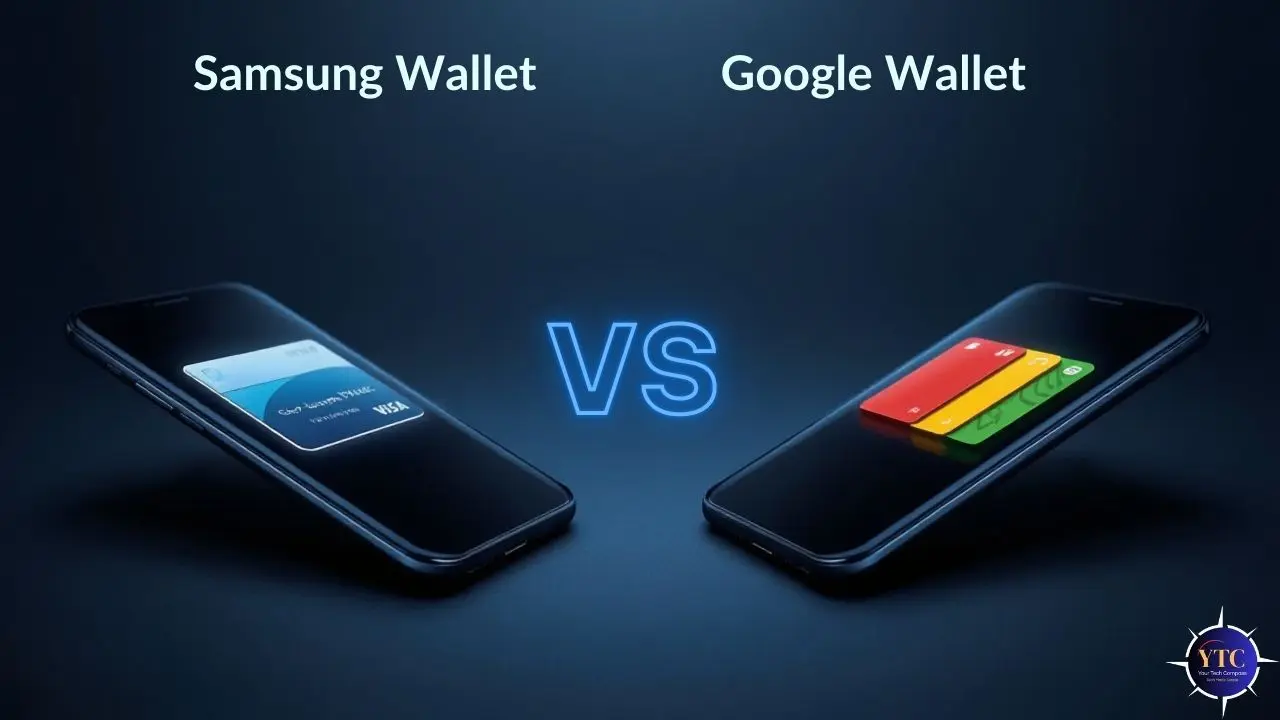
Both Samsung Wallet and Google Wallet do the same fundamental job; they let you tap your phone to pay, store your cards digitally, carry boarding passes, hold loyalty memberships, and manage digital keys, all without reaching into your pocket for a physical wallet. On the surface, they look nearly identical. Dig a little deeper, though, and the differences in device compatibility, ecosystem integration, security architecture, and exclusive features become significant enough to affect your daily experience in ways that matter.
The honest answer to which one you should use comes down almost entirely to two things: what phone you have, and how deeply invested you are in either Google’s or Samsung’s ecosystem. If you have any Android phone other than a Samsung Galaxy, the decision has already been made for you: Google Wallet is your only option. If you have a Galaxy, you can run both simultaneously, and understanding what each one does better is worth your time before you pick a default. This guide gives you exactly the clarity you need.
What Is Samsung Wallet?
Samsung Wallet launched in 2022 as a merger of two existing Samsung products: Samsung Pay (contactless payments, launched 2015) and Samsung Pass (biometric credential manager), folded into a single unified app. It’s available exclusively on Samsung Galaxy devices running Android 12 or higher, specifically the Galaxy S, A, Z Fold, Z Flip, and Note series, as well as Galaxy Watch 6 and above for wearable payments. Think of it as Samsung’s answer to Apple Wallet; a tightly integrated, hardware-backed digital hub built specifically for the Galaxy ecosystem.
What you can store in Samsung Wallet goes well beyond payment cards. You can carry credit and debit cards, loyalty memberships, boarding passes, movie and event tickets, student IDs, driver’s licenses (in supported regions), hotel room keys, digital car keys (for select BMW, Genesis, Hyundai, and compatible vehicles via UWB or NFC), and home door keys via the Digital Home Key feature launched in early 2026. All of that content is secured by Samsung Knox, Samsung’s hardware-level security platform with an EAL5+ certified embedded Secure Element chip, the same security rating as an electronic passport.
As of 2025, Samsung Wallet is available in 29 countries, significantly fewer than Google Wallet’s reach. That geographic limitation is the most practical constraint for international users, and it’s worth knowing upfront before you invest in building out your Samsung Wallet setup.
What Is Google Wallet?
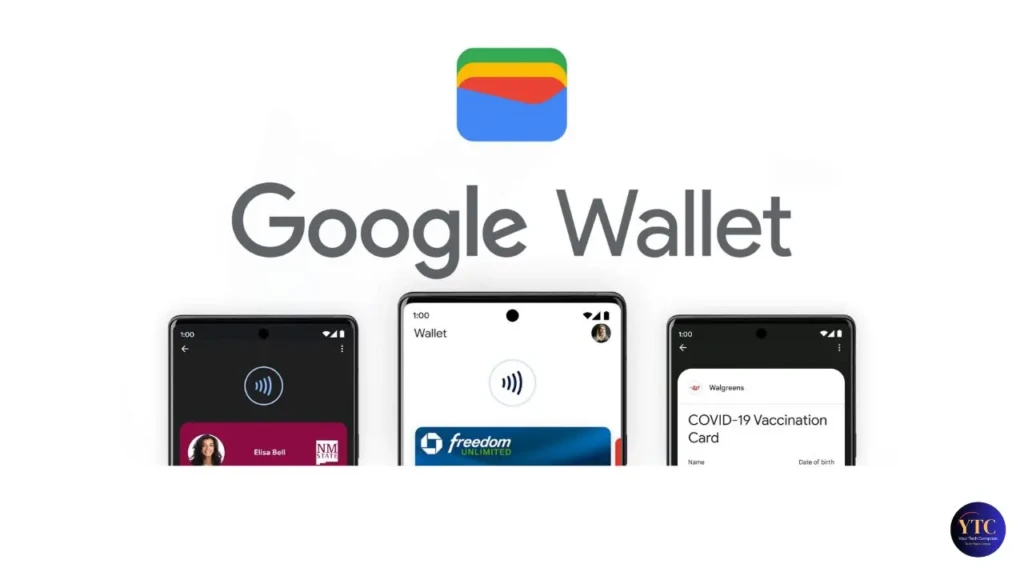
Google Wallet has a longer and more winding history than Samsung’s offering. It launched in 2011, was rebranded as Android Pay, then as Google Pay, and was renamed Google Wallet in 2022. Today, it’s available on all Android devices running Android 9.0 or higher with NFC support, not just Google Pixel phones, but every Android device from every manufacturer globally.
Beyond Android phones, Google Wallet also works on Wear OS smartwatches from any compatible manufacturer, not just Samsung hardware.
What you can store in Google Wallet mirrors Samsung Wallet closely: payment cards, loyalty cards, boarding passes, hotel room keys, event tickets, transit passes, vaccination records, and digital IDs. What makes Google Wallet distinctly useful on a practical level is its Gmail integration; boarding passes, hotel reservations, event tickets, and loyalty cards imported directly from your Gmail inbox appear in Google Wallet automatically, without you having to manually scan or add them. That one feature eliminates a meaningful amount of friction in everyday wallet management.
Google Wallet is available in over 90 countries (more than three times Samsung Wallet’s geographic reach) and accepts Visa, Mastercard, American Express, and Discover cards from participating banks globally. For international travelers and users in markets where Samsung Wallet hasn’t expanded, that reach is a decisive practical advantage.
Samsung Wallet vs Google Wallet: Feature-by-Feature Comparison
Feature | Samsung Wallet | Google Wallet |
Device Compatibility | Samsung Galaxy only | All Android 9.0+ devices |
Payment Technology | NFC (MST discontinued 2025) | NFC only |
Countries Supported | 29 countries | |
Smartwatch Support | Wear OS (version 2.0 and above) | |
Gmail Auto-Import | ❌ No | ✅ Yes (automatic) |
Digital ID (Driver’s License) | ✅ Select regions | ✅ 9 US states + expanding |
Digital Car Keys | ✅ BMW, Genesis, Hyundai + more | ✅ Select manufacturers |
Digital Home Keys | ✅ Yes (March 2026 launch) | ⚠️ Limited |
P2P Money Transfer | ✅ Tap to Transfer (US, 2025) | ❌ No native P2P |
Password Manager Built-in | ✅ Samsung Pass | ⚠️ Google Password Manager (separate) |
Family / Kids Mode | ⚠️ Limited | ✅ Family Link (March 2025) |
Nearby Passes Feature | ❌ No | ✅ Yes (I/O 2025) |
Security Architecture | Samsung Knox (EAL5+ eSE chip) | Device encryption + Titan chip (Pixel) |
Cryptocurrency Display | ✅ Crypto price/balance widgets | ❌ No |
iOS Support | ❌ No | ⚠️ Partial (loyalty + P2P only) |
The table makes the competitive landscape immediately clear.
Google Wallet wins on reach, automation, and flexibility. On the other hand, Samsung Wallet wins on ecosystem depth, hardware security, and features exclusive to Galaxy users. However, neither is objectively better; the right answer depends entirely on your phone and your daily habits.
Payments Deep Dive: How Each Wallet Handles Tap-to-Pay
When you pay with either wallet, the process is essentially identical in speed and security. You wake your phone, hold it near the NFC terminal, authenticate with your fingerprint or face unlock, and the payment completes, typically in under a second.
Neither wallet transmits your actual card number to the merchant. This is because both wallets use tokenization, replacing your card details with a device-specific virtual account number that a fraudulent actor can’t reuse even if intercepted.
One difference worth noting: Samsung Wallet previously had an advantage on older Galaxy models with MST (Magnetic Secure Transmission), which could simulate a card swipe at terminals without NFC. This is useful in regions where contactless payment adoption is still catching up.
As of 2025, Samsung officially discontinued MST support across its lineup in favor of universal NFC. That levels the playing field, but if you own an older Galaxy model and live in an area with outdated card terminals, it’s a change worth factoring in.
For online and in-app payments, both wallets work as checkout options at participating merchants. You’ll see “Pay with Google Pay” or “Pay with Samsung Pay” buttons at checkout. On the other hand, Google Pay has broader acceptance across web-based merchants globally, while Samsung Pay is more commonly integrated into Samsung’s own retail and app ecosystem.
If you regularly transfer money to friends and family, Samsung Wallet’s Tap to Transfer feature (launched May 2025) is a meaningful differentiator. It lets you send money directly to anyone’s debit card via NFC, even if they don’t have Samsung Wallet, using Visa or Mastercard debit cards stored in your wallet.
Google Wallet currently lacks a native P2P transfer feature. For that kind of peer-to-peer functionality on Google’s ecosystem, tools like Cash App or Zelle remain the more feature-complete options.
Security Comparison: Knox vs Google’s Approach
Both wallets are genuinely secure, and for the vast majority of everyday payments, you shouldn’t lose sleep over their security. That said, the security architectures are meaningfully different, and understanding them helps you make a more informed choice if security is a priority for you.
Samsung Knox is Samsung’s hardware-level security platform, and it’s the strongest privacy and security argument for Samsung Wallet specifically. Knox uses an Embedded Secure Element (eSE) chip rated EAL5+, the same evaluation assurance level as an electronic passport, to store your fingerprint data, payment tokens, and digital credentials in a completely isolated “Secure OS” environment that no standard app or malware can access. On top of that, Knox monitors your device in real time for rooting attempts and tampering, and automatically disables Samsung Wallet if tampering is detected. Additionally, Knox has never been breached since its 2013 launch, according to Samsung’s security documentation.
Google Wallet relies on your Android device’s built-in encryption and the Google account security layer. For instance, on Pixel devices, a Titan security chip provides hardware-backed credential isolation similar to Knox. On non-Pixel Android devices, security quality varies by manufacturer, which is the primary reason third-party security audits in 2025 consistently rated Samsung Wallet ahead of Google Wallet on hardware security.
Both wallets protect your data with tokenization, biometric authentication, and remote wipe capability. However, if you’re specifically prioritizing the strongest possible hardware-backed security, Samsung Wallet on a Galaxy device is the stronger choice.
Samsung Wallet Exclusive Features
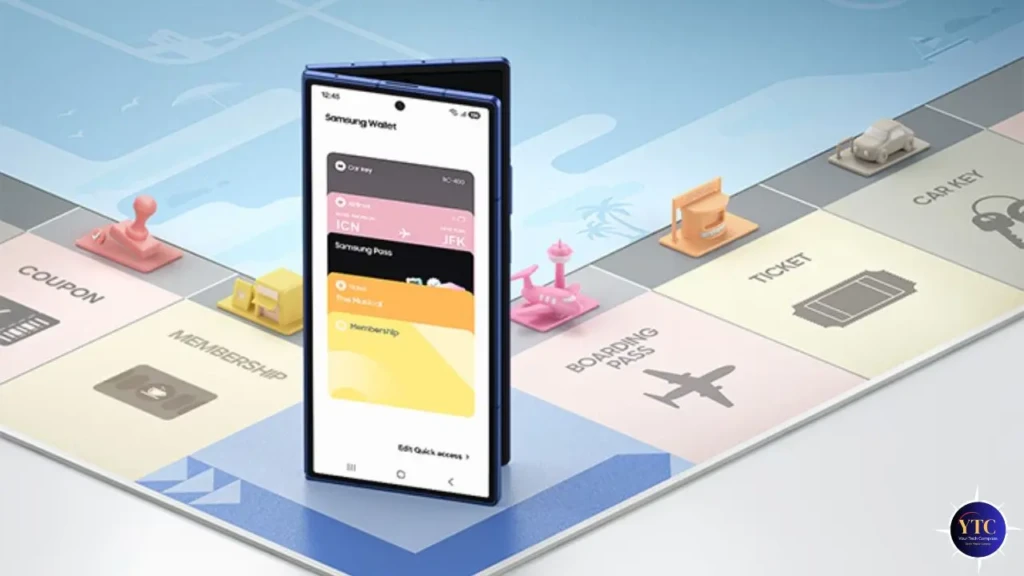
If you’re a Galaxy owner weighing whether to use Samsung Wallet as your primary, rather than defaulting to Google Wallet, these features tip the balance specifically toward Samsung.
Samsung Pass is the most underrated differentiator. It’s a biometric password manager built directly into Samsung Wallet, storing app logins, website passwords, payment autofill, and 2FA codes in the same Knox-secured environment as your payment cards. You access everything with your fingerprint or PIN, and it works across Samsung’s browser and app ecosystem without installing a separate password manager app.
Tap to Transfer (launched May 2025) is Samsung’s peer-to-peer payment feature, genuinely unique among major digital wallets. You tap your Galaxy to another person’s debit card or smartphone to send money directly to their bank account, no additional app required, and the recipient doesn’t need a digital wallet of any kind as long as their physical debit card has tap-to-pay capability.
Additionally, Samsung Rewards earns you points on Samsung Pay transactions at participating merchants, redeemable for discounts on Samsung products and gift cards. The Digital Home Key (March 2026) adds smart lock integration via the Aliro protocol, letting you unlock compatible smart door locks with your Galaxy without opening an app.
Google Wallet Exclusive Features
On the other side, Google Wallet has capabilities that Samsung Wallet genuinely can’t match, and several of them affect your daily workflow more than they might initially sound.
Gmail auto-import is the feature most Google Wallet users rely on most heavily without realizing it. When you book a flight, reserve a hotel, buy an event ticket, or receive a loyalty card confirmation by email, Google Wallet reads that email and automatically adds the pass to your wallet, no manual scanning, no partner app required, no “Add to Wallet” button to hunt for. That level of automation is something Samsung Wallet simply doesn’t offer, requiring manual addition through partner apps or QR codes for most pass types.
Nearby Passes, previewed at Google I/O 2025 and rolling out through 2026, takes this a step further by surfacing the relevant card or pass automatically when you’re physically near a location. Your transit card appears when you approach a subway turnstile; your gym membership pulls up as you walk toward the front desk; your coffee shop loyalty card shows when you step into the café.
Beyond that, Google Maps integration displays your transit card balance directly in navigation, so you can see if you need to top up your card while you’re still en route, rather than discovering it at the turnstile. And Family Link mode (March 2025) lets parents set up supervised Google Wallet accounts for children, enabling kids to tap to pay at stores and use passes like event tickets and library cards with parental controls in place, a feature Samsung Wallet has no equivalent for.
Which Phones Support Each Wallet?
This is the most practical section for you if you’re trying to make a quick decision. Samsung Wallet runs exclusively on Samsung Galaxy devices (the S series, A series, Z Fold, Z Flip, and Note series) running Android 12 or higher. Therefore, if you own a Galaxy S21 or newer, you’re fully covered.
Older models may have limited feature support, particularly for digital car keys (which require Android 12+) and Galaxy Watch integration. If you switch to a non-Samsung Android phone, your Samsung Wallet data, such as your stored keys, cards, and passes, won’t transfer.
Google Wallet, on the other hand, runs on any Android device with NFC capability running Android 9.0 or higher, which covers virtually every mainstream Android phone sold in the past five years, regardless of manufacturer. That includes Samsung Galaxy, Google Pixel, OnePlus, Motorola, Nokia, Xiaomi, Sony, and every other Android brand.
It also works on Wear OS smartwatches from any compatible manufacturer. If you ever switch phone brands, your Google Wallet data follows your Google account; no re-enrollment required.
For a broader look at how payment and productivity apps compare across categories, our apps and tools guide covers the full landscape in detail, much like our Trello vs ClickUp comparison breaks down competing productivity tools by specific use case rather than just feature lists.
Which One Should You Use?
- If you have a non-Samsung Android phone, this decision is already made. Google Wallet is your only option, and it’s a strong one. Set it up, add your cards, and take advantage of Gmail auto-import and Nearby Passes as they roll out.
- If you have a Samsung Galaxy and prioritize security, make Samsung Wallet your primary payment app. The Knox hardware security architecture, EAL5+ eSE chip, and on-device credential isolation represent the strongest security foundation available in a consumer digital wallet at any price point.
- If you travel internationally, Google Wallet’s 90+ country coverage versus Samsung Wallet’s 29 countries is a decisive practical difference. Even if you have a Galaxy, Google Wallet is more reliable as your travel payment method in markets outside Samsung’s supported list.
- If you want the most automated, frictionless pass management, Google Wallet wins clearly. Gmail auto-import and Nearby Passes eliminate the manual friction that Samsung Wallet still requires for boarding passes, tickets, and loyalty cards.
- If you’re deeply invested in the Samsung Galaxy ecosystem, Samsung Wallet’s integration with Galaxy Watch, Bixby, SmartThings, Samsung Pass, and Tap to Transfer creates a tighter, more cohesive daily experience than Google Wallet offers in that ecosystem.
- If you want to send money to friends without a separate app, Samsung Wallet’s Tap to Transfer is unique. For Google Wallet users, dedicated P2P tools remain the better choice for that specific use case.
FAQs
Yes, and it’s a practical setup many Galaxy owners use. You can have both apps installed simultaneously, set different defaults for different use cases, and benefit from Samsung’s security and ecosystem depth alongside Google’s automation and portability.
Both are secure for everyday use and use tokenization to protect your card data. Samsung Wallet has a hardware security edge thanks to Knox’s EAL5+ certified eSE chip, which third-party security audits consistently rate ahead of Google Wallet for hardware-backed credential protection. For most users, both are more than adequate.
No. Samsung Wallet is exclusively available on Samsung Galaxy devices. It requires Samsung-specific firmware and Knox security hardware that other manufacturers’ devices do not include.
Both use standard NFC tap-to-pay technology, meaning store-level acceptance is identical; any terminal that accepts contactless payments works with both. The difference is geographic: Google Wallet is supported in 90+ countries, while Samsung Wallet is supported in 29.
Yes, Google Wallet works on all Samsung Galaxy devices running Android 9.0 or higher with NFC. Samsung Galaxy owners can use either or both wallets.
Google Wallet supports over 90 countries. Samsung Wallet supports 29 countries. For international use, Google Wallet has a significantly broader reach.
Conclusion
The clearest recommendation, based on everything covered here: if you have a Samsung Galaxy and aren’t doing anything with it right now, install both. Use Samsung Wallet as your primary tap-to-pay app; the Knox security, Samsung Pass biometric manager, and Tap to Transfer P2P feature are genuinely worth having as your default. Keep Google Wallet active in parallel for the Gmail auto-import automation, Google Maps transit integration, and the assurance that your wallet data travels with your Google account if you ever change devices.
If you have any other Android phone, Google Wallet is simply your wallet, and it’s genuinely capable. The Gmail integration, 90+ country coverage, Wear OS support, Family Link mode, and the expanding Nearby Passes feature make it the most frictionless digital wallet available across the Android ecosystem. For more detailed comparisons of payment tools, apps, and digital services across every category, our apps and tools section is the right place to keep exploring.
Found this helpful? Browse more in-depth tech guides, honest reviews, and step-by-step tutorials at YourTechCompass; your go-to resource for making smarter tech decisions.