In today’s fast-paced software development world, efficiency is everything. Developers are constantly seeking tools that can help them write, debug, and search code more efficiently.
Blackbox AI is one such tool, a coding assistant that leverages artificial intelligence to make your workflow smarter, faster, and more streamlined. With features like natural language code queries, multi-language support, and deep editor integrations, it promises to be a game-changer for developers.
In this review, I’ll explore what Blackbox AI offers, how it compares to competitors, and who will benefit the most from it. I’ll also demonstrate how it complements other AI tools, such as Poly AI and Janitor AI, as well as the broader AI-driven tech landscape.
What Is Blackbox AI?
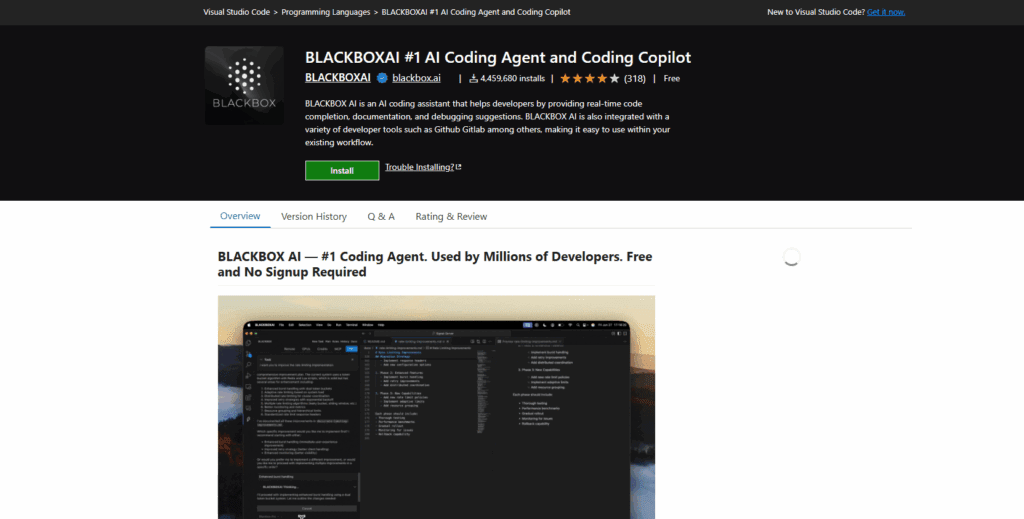
Blackbox AI is an AI-powered coding assistant designed to help developers generate, search, and optimize code across multiple languages. It integrates with popular editors, such as VS Code, and provides browser extensions that support repository-aware code assistance. According to Real Python, Blackbox AI offers code completions, chat functionalities, and repository-aware guidance, making it an ideal assistant for modern developers.
Key highlights:
- Supports 20+ programming languages, including Python, JavaScript, TypeScript, Go, and Ruby.
- Converts natural language queries into functional code snippets.
- Provides code search, completion suggestions, debugging hints, and version tracking.
- Integrates seamlessly into editors, desktop, and web interfaces.
If you’re a developer juggling multiple languages or working on large codebases, Blackbox AI is designed to be the assistant you wish you always had.
How Blackbox AI Works

Blackbox AI’s workflow is straightforward:
- Install and connect the tool to your preferred editor or browser.
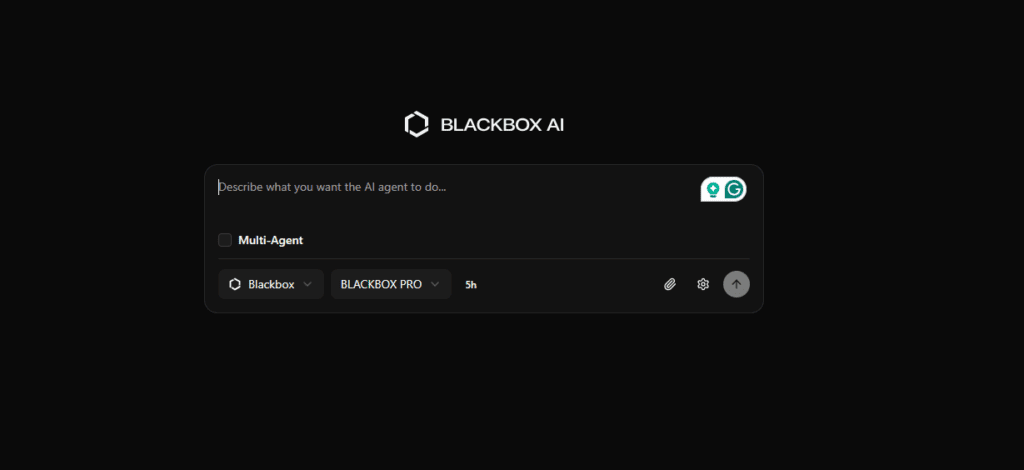
- Enter a natural language query, such as “Generate a Python function that reads a CSV and outputs JSON filtered by date.”
- Receive AI-powered suggestions, including code snippets, full functions, or improvement recommendations.
- Engage in code chat, asking follow-up questions like “What is the time complexity?” or “Convert this to Go.”
- Search repositories or examples, leveraging Blackbox’s code search engine.
- Review and integrate the suggestions, ensuring accuracy and alignment with your project.
Analytics Vidhya notes that Blackbox AI combines code generation, code chat, and image-to-text analysis, making it versatile for multiple coding tasks. Its workflow mirrors that of other AI tools, such as Poly AI and Janitor AI, which streamline productivity in non-coding contexts.
Key Features of Blackbox AI
- AI Code Autocomplete: Real-time suggestions across dozens of programming languages.
- Natural Language to Code: Describe tasks in plain English and receive functional code.
- Code Search Engine: Quickly find relevant code snippets and patterns.
- Code Chat: Ask questions about code logic or optimization.
- Multi-Language Support: Python, JavaScript, Go, Ruby, Java, TypeScript, and more.
- IDE/Browser Integration: Seamlessly works with your existing workflow.
- Version Tracking & Code History: Restore and track changes for safety and accountability.
These features allow developers to focus on high-level logic while reducing repetitive coding tasks. As Real Python emphasizes, Blackbox AI provides repository-aware help directly in your IDE.
Blackbox AI vs Competitors
Tool | Best For | Strengths | Considerations |
Blackbox AI | Multi-language coding & snippet search | Multi-language support, code chat, repository-aware | Newer tool; requires code review |
GitHub Copilot | GitHub-centric workflows | Deep GitHub integration, AI code suggestions | Costs more; limited outside GitHub context |
ChatGPT (Code) | Experimentation & prototyping | Flexible; handles natural language and code | Less specialized for code; may need refinement |
If you need a tool that supports a broad set of languages and workflow patterns, Blackbox AI stands out. GitHub Copilot is stronger if your work is heavily GitHub-centric, while ChatGPT is better suited for experimentation and prototyping.
Pricing and Plans

Blackbox AI offers a free tier and paid subscriptions that unlock more languages, minutes, team collaboration features, and integrations. Pricing details are available on the official Blackbox AI site.
Interested in trying it? Check it out here: Get Blackbox AI (affiliate link).
Who Should Use Blackbox AI?
- Individual developers juggling multiple programming languages.
- Teams and startups needing rapid prototyping and pattern reuse.
- Students and early-career coders who want to learn from AI-generated examples.
- Code reviewers seeking quick navigation across repositories.
If you mainly work in design or light scripting, Blackbox AI may not be essential, but for most coding-heavy roles, it’s a game-changer.
Pros and Cons
Pros:
- Broad language and framework support.
- Natural language interface reduces friction.
- Accelerates code discovery and snippet generation.
- Integrates seamlessly into existing workflows.
Cons:
- Not a replacement for careful design or architecture.
- Limited offline functionality.
- Requires reviewing AI-generated code for accuracy.
- Learning curve for first-time AI-coding users.
Is Blackbox AI Safe?
Blackbox AI is safe for most development scenarios, provided best practices are followed:
- AI sees code in your IDE, so avoid uploading proprietary credentials without permission.
- Review suggestions before deployment.
- Follow your organization’s security guidelines.
Research indicates that AI coding assistants may have vulnerabilities, such as cross-origin context issues, so caution is advised. That said, Blackbox AI is built with developers in mind, emphasizing privacy and secure integration.
Conclusion
Blackbox AI is a versatile coding assistant that combines natural language queries, multi-language support, code search, and chat functionality. For developers, teams, and startups that want to speed up coding tasks and maximize the value of every line of code, it delivers substantial value.
I believe Blackbox AI is one of the most practical tools for developers looking to improve productivity while maintaining quality. After using it myself, I can confidently recommend it to anyone serious about coding efficiency.