As software development becomes more complex and expectations for rapid delivery grow, tools that can augment human coding have moved from novelty to necessity. GitHub Copilot is one such tool: an AI-powered coding assistant that suggests lines of code, functions, and even entire modules based on context from the code you’re writing. Rather than replacing developers, Copilot aims to make coding more productive by reducing repetitive work and helping users explore solutions they might not have thought of on their own.
In this article, I’ll break down what GitHub Copilot is, how it works under the hood, its features, real-world applications, and some of the risks and considerations every developer should understand. By the end, you’ll have a clear, practical understanding of GitHub Copilot and how it can enhance your development workflow.
What Is GitHub Copilot?
At its core, GitHub Copilot is an AI-assisted pair programmer designed to help you write code faster and with fewer errors. Built through a collaboration between GitHub and OpenAI, Copilot leverages large language models trained on vast collections of publicly available code, including open-source repositories and documentation, to predict and suggest code as you type.
Unlike traditional autocompletion that offers simple next-word suggestions, Copilot understands surrounding context, comments, variable names, and function signatures, allowing it to propose complete solutions. For developers who have used basic IDE suggestions before, Copilot feels like a leap forward: a system that can interpret intent rather than just syntax.
How GitHub Copilot Works
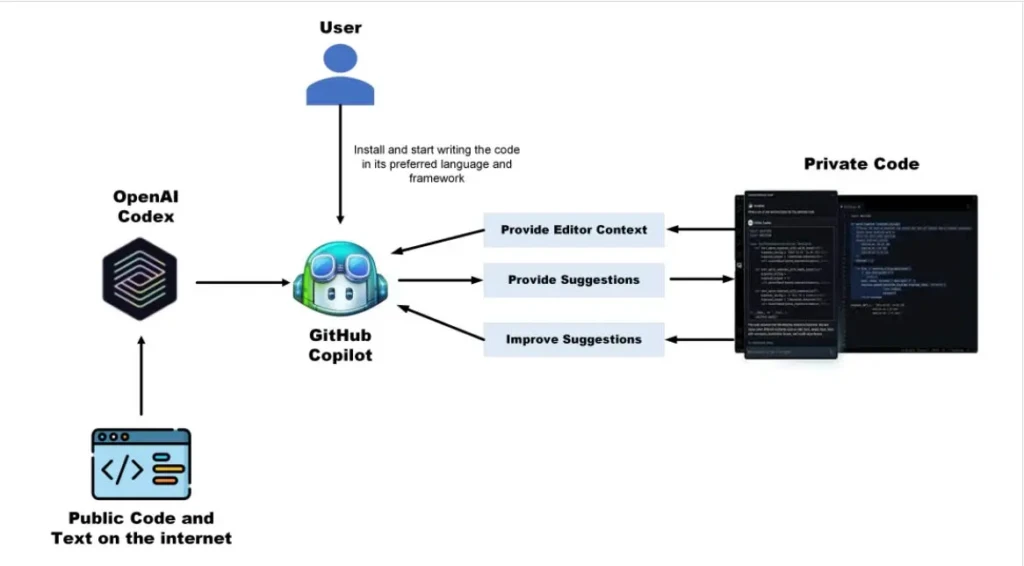
GitHub Copilot is powered by sophisticated AI models similar in spirit to natural language models discussed in our Claude AI overview, but fine-tuned specifically for coding. These models process the context of your current file and, based on patterns in the training data, generate suggestions that aim to complete your thoughts.
Here’s a simplified breakdown:
- Context Ingestion: Copilot scans your open file and other relevant files in the project to understand patterns.
- Prediction Generation: The AI generates one or more possible code completions or suggestions.
- IDE Integration: Suggestions appear inline or via prompts within your editor, typically Visual Studio Code or compatible environments.
In research terms, Copilot works using “next token prediction” configured for code tokens rather than prose, similar in principle to how AI models anticipate words but optimized for languages like Python, JavaScript, and others. The training and inference mechanisms are analogous to how modern AI research blends linguistic and structural prediction, although the specific details of the training data are proprietary.
Key Features of GitHub Copilot
GitHub Copilot brings a suite of features that go beyond traditional IDE assistance:
Code Autocompletion and Suggestions
Beyond simple keyword matches, Copilot predicts and offers entire lines or blocks that fit with your current logic. This is especially useful for boilerplate or repetitive code structures.
Function and Snippet Generation
If you write a descriptive comment like // calculate the average of numbers, Copilot can interpret that and produce a function that performs the calculation, saving manual effort.
Comment-to-Code Capability
Copilot’s ability to translate human language comments into actual code sets it apart. This bridges the gap between intent and implementation.
Multi-Language Support
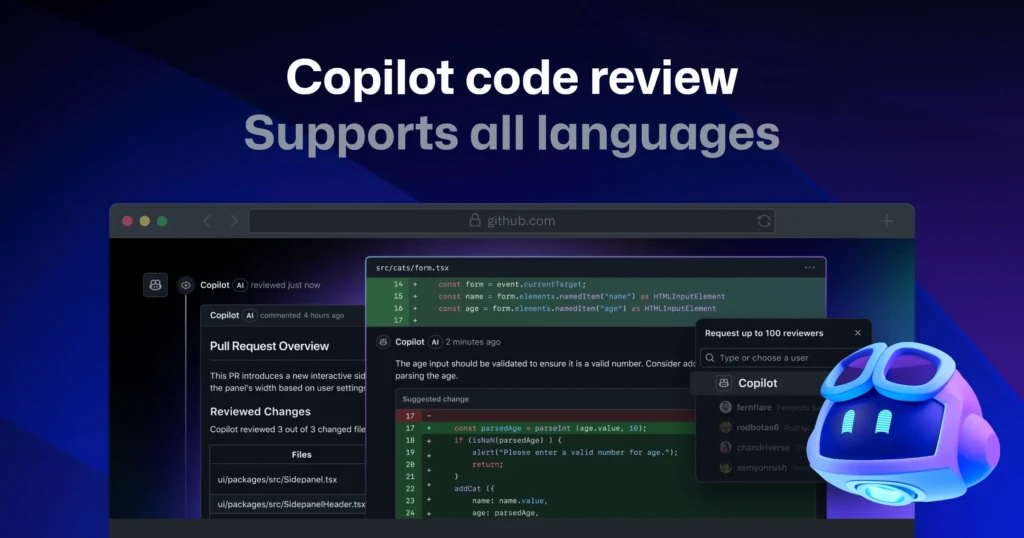
Copilot supports a wide range of languages, including Python, JavaScript, TypeScript, Go, Ruby, and more. This versatility makes it practical for polyglot developers.
IDE Integration
Copilot integrates tightly with popular development environments, giving suggestions directly inside the editor rather than requiring you to switch contexts.
These features together help make Copilot feel like a responsive partner, reducing friction in everyday coding tasks.
What GitHub Copilot Is Best Used For
Copilot shines in workflows where:
- Boilerplate code needs to be generated quickly
- Developers want to prototype features faster
- You’re learning new libraries or frameworks and need code examples
- Repetitive patterns, loops, API calls, and getters/setters are common
It’s also useful in educational contexts where developers want guided examples, though it’s important to treat suggestions as starting points, not gospel.
That said, Copilot is less suited for cases where precise business logic or security-critical development is required without human review. For such cases, human judgment remains essential.
GitHub Copilot for Beginners

For developers just starting, Copilot can feel like having a tutor at your shoulder. When uncertain how to structure a particular function or which library calls are needed, Copilot often provides suggestions that accelerate learning and reduce frustration. However, it’s crucial for beginners to understand the suggestions Copilot offers rather than accept them blindly. This ensures that the code you write adheres to best practices and doesn’t introduce subtle bugs.
GitHub Copilot for Professional Developers
Experienced developers often use Copilot as a productivity multiplier. In complex codebases, Copilot suggestions can help with contextually relevant patterns, such as generating tests, formatting configurations, or laying down initial module scaffolding. In team settings, Copilot can help maintain consistency across code patterns and reduce the cognitive load of repetitive tasks.
However, professionals should be aware of Copilot’s limitations: AI-generated code may not always comply with the latest security standards or performance best practices, and it requires thorough review before being merged into production systems.
GitHub Copilot vs Other AI Coding Tools
To understand GitHub Copilot’s position in the AI ecosystem, consider how it compares:
Feature | GitHub Copilot | Traditional Autocomplete | Dedicated AI Research Models |
Context-aware code suggestions | Yes | Limited | Generally no |
Multi-language support | High | Moderate | Dependent |
Deep prompt understanding | High | Low | Varies |
IDE integration | Strong | Standard | Tool-dependent |
Best for beginners | Good | Limited | Not targeted |
Best for professionals | Excellent | Limited | Mixed |
Compared with generic autocomplete, Copilot delivers exponentially richer suggestions. Compared with broader AI research models, Copilot’s focus on code makes it far more practical for development workflows.
At the same time, other AI assistants, like Sora AI and Claude AI, excel at creative or broad natural language tasks, showing the diversity of AI tooling across domains.
GitHub Copilot Pricing and Plans

GitHub Copilot operates on a subscription model, offering:
- A free tier with basic usage caps (often tied to education or community accounts)
- Personal subscriptions for individual developers
- Team or enterprise plans with collaboration and management features
Pricing varies by region and plan, but GitHub provides clear breakdowns on its official subscription pages. Paid access generally unlocks higher usage limits and priority AI resources.
Accuracy, Security, and Code Quality Concerns
While Copilot is powerful, it isn’t perfect. Generated code may contain:
- Incorrect assumptions about logic or data structure
- Security vulnerabilities, if not validated
- Performance issues that are not apparent at first glance
Thus, Copilot is best thought of as an assistant rather than an authority. Human review remains essential, especially for critical systems.
Legal, Ethical, and Copyright Considerations
Copilot’s training on vast public codebases brings potential legal and ethical questions:
- Copyright Concerns: Whether suggestions indirectly reproduce licensed code
- Training Data Transparency: Developers and companies weigh the implications of AI trained on open-source repositories
- Responsible Usage: Ensuring AI-generated code doesn’t inadvertently violate licenses
Evolving legal and community norms will shape how tools like Copilot can be used in commercial and open-source contexts.
Is GitHub Copilot Worth Using?
GitHub Copilot is a valuable addition for most developers when used thoughtfully. It accelerates productivity, supports onboarding to new languages or frameworks, and reduces drudgery in repetitive tasks.
For beginners and professionals alike, Copilot is a practical tool, but one that requires critical oversight. Its strengths lie in real-world application, while its challenges remind us that human insight and review are still indispensable.
Final Thoughts
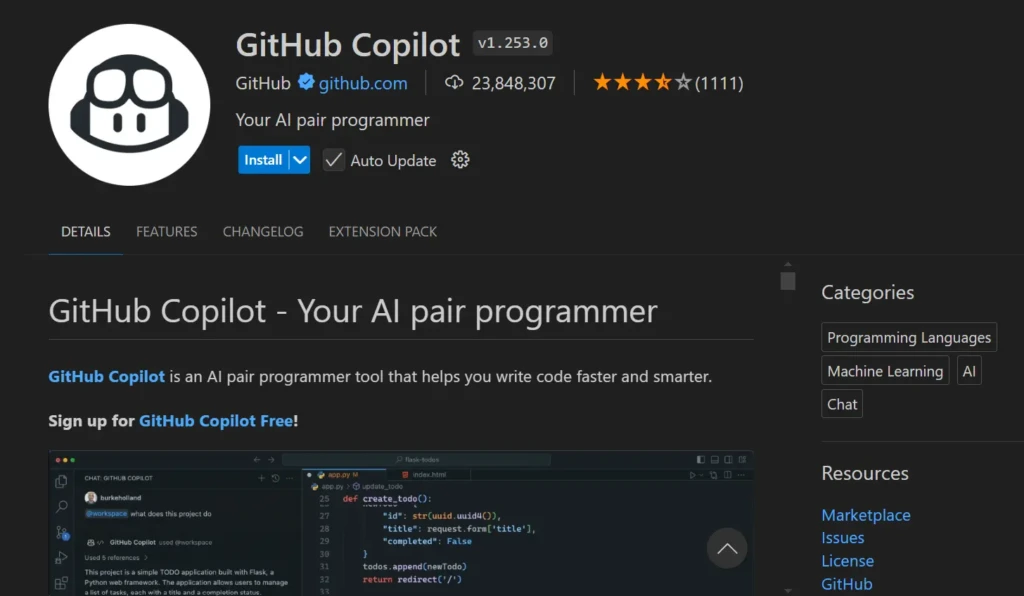
GitHub Copilot has reshaped how developers think about coding assistance, moving beyond simple autocompletion toward context-aware, deep suggestions that can accelerate development workflows. When used thoughtfully and backed by code review, it can free developers from repetitive tasks and support more creative problem-solving.
While it’s not a replacement for human expertise, Copilot represents a meaningful step in how AI complements technical work. In the broader landscape of AI innovation, Copilot stands as one of the most practical tools in a developer’s toolkit, and I hope this guide helps you leverage it with confidence.
FAQs
GitHub Copilot offers tiers, including free access for certain user groups, with paid subscriptions unlocking broader usage.
No. Copilot augments developers by providing suggestions, but human insight is needed for correctness and design quality.
Copilot can help generate significant portions of code, but complete applications still benefit from architectural planning and human oversight.
At Your Tech Compass, we publish detailed tech guides, reviews, and comparisons to help users choose the right devices and tools.