Long-form audio and video content are ubiquitous, found in various formats, including podcasts, webinars, Zoom calls, YouTube uploads, and team meetings. The challenge isn’t just creating the content, but also repurposing it into various formats, including blog posts, newsletters, social media snippets, transcripts, and more.
Enter Castmagic: an AI-powered platform that promises to turn one recording into dozens of publish-ready assets.
I’ll walk you through how Castmagic works, its standout features compared with alternatives, and whether it’s worth your time and money. I’ll also share my view on whether Castmagic delivers real value and who should use it. I’ve used it hands-on and here’s what I found.
What Is Castmagic?
Castmagic is a modern content-repurposing platform built for creators, coaches, marketers, podcasters and internal teams. According to its own site, it supports uploads from MP3s, videos, RSS feeds and more, then uses AI to transcribe, timestamp, extract quotes, generate blog drafts, social posts, newsletters and other assets.
Key uses include:
- Turning podcast episodes into blog posts, show notes and social content
- Converting meetings and interviews into action items, transcripts and follow-ups
- Multi-brand workspaces for agencies or teams
In effect, one piece of long-form content becomes a multi-asset content engine.
How Castmagic Works

Here’s a step-by-step of the typical workflow:
- Upload your recording, audio or video, or a link from YouTube/Zoom/RSS feed.
- The AI transcribes the content (speaker separation, timestamps, clean transcript).
- You select presets or templates (podcast, meeting, coaching, marketing).
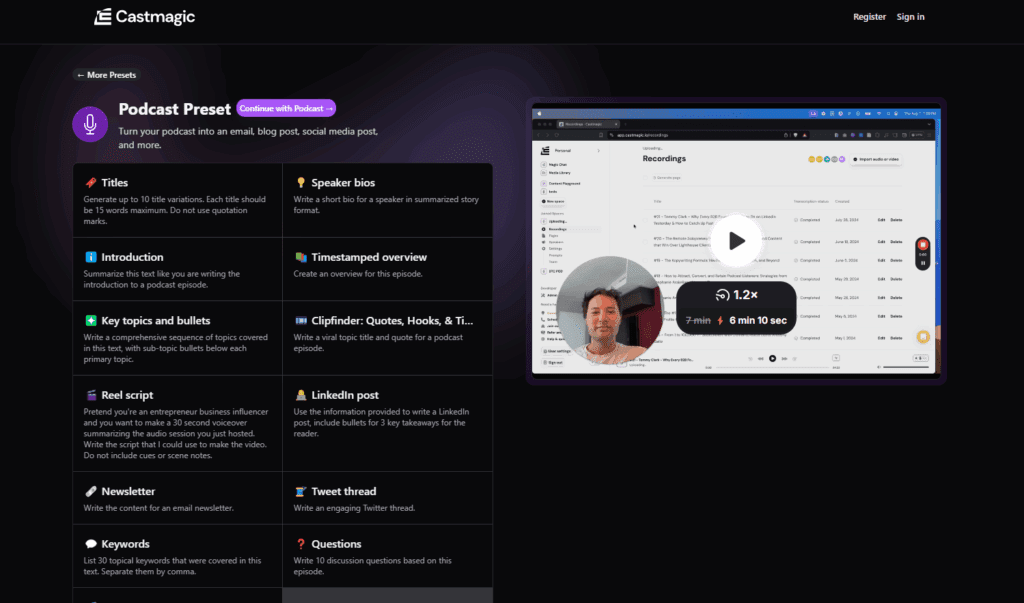
- Castmagic generates content outputs: long-form articles, social post ideas, quote cards, email newsletters, show notes, and presentation outlines.
- Export or publish the assets or continue editing them.
It’s designed to integrate seamlessly into the content production workflow, rather than functioning as a standalone editor. It complements tools you might already use for note-taking, productivity or asset creation.
Key Features of Castmagic
Here are the standout features that make Castmagic appealing:
- Automatic transcription, with speaker identification and timestamps.
- Content asset generation from one recording: blogs, email sequences, social posts, and quote lists.
- Multi-language support (60+ languages) for transcription and outputs.
- Magic Chat / AI conversation: You can ask the AI questions about your recording and get tailored responses.
- Workspace and brand-voice support: Good for teams or multi-client setups.
- Integration with your content stack: It’s designed to work alongside your productivity or note-taking tools rather than replace them.
Castmagic vs Alternatives
Here’s a comparison table between Castmagic and two popular alternatives (for example: Descript and Otter.ai) so you can see how they stack up:
Tool | Core Focus | Strengths | Considerations |
Castmagic | Audio/video → multi-asset output | Broad asset types, team/workspace features, 60+ languages | Higher cost for heavy users; minimal editing UI |
Descript | Video/audio editing + transcripts | Strong editing UI, screen-recording, collaboration, and built-in editing workflows | Less asset-generation breadth compared to Castmagic |
Otter.ai | Transcription & meeting notes | Fast, reliable transcription, good for meetings | Less robust content-asset generation, fewer export types |
Given your workflow, if the goal is to repurpose one recording into multiple formats, Castmagic stands out. If you’re editing obsessively or making heavy video cuts, an editing-first tool may be a better option.
Pricing and Plans
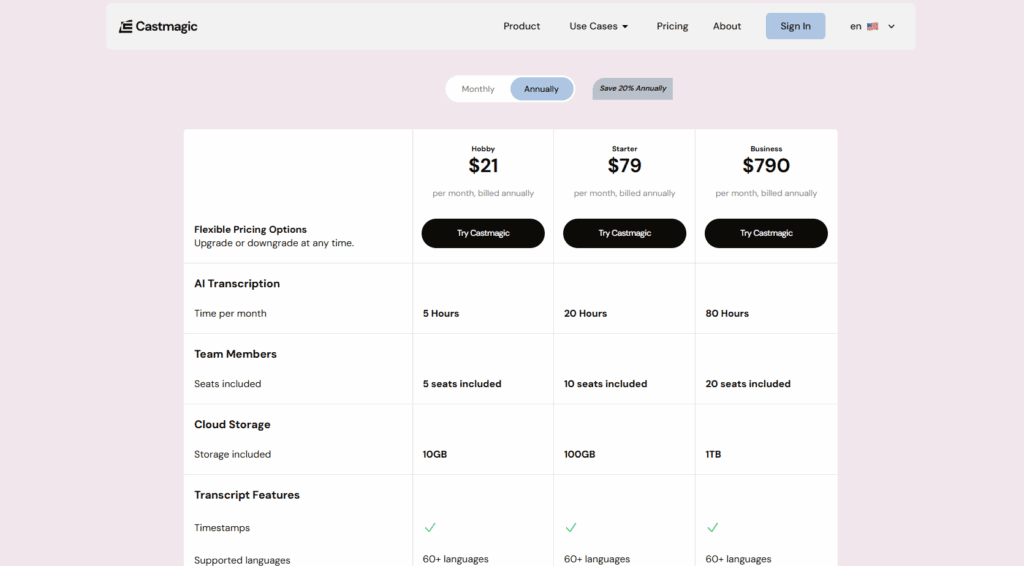
According to the pricing page, Castmagic uses usage-based pricing, depending on the number of minutes of content you process.
Typical plan features:
- Hobby plan for light usage
- Starter plan for moderate creators
- Rising Star or enterprise for heavy or team use
You can check current pricing and features via this link (affiliate), try Castmagic
Who Should Use Castmagic?
Here are ideal user scenarios:
- Podcasters or YouTubers who want to maximize reach and repurpose episodes.
- Coaches or consultants who record sessions and need show notes, client worksheets or follow-ups.
- Marketing teams repurpose interviews, meetings, or long-form content into newsletters, social media posts, and blog articles.
- Content agencies managing multiple brands or clients need workflow automation.
If you’re creating minimal content or uploading only occasionally, the cost may not yet justify it.
Pros and Cons
Pros:
- Huge time-saver for content repurposing
- Broad export options and templates
- Multi-language support
- Built with team/workspace features
Cons:
- Cost can rise fast with heavy usage
- Quality still requires review (AI ≠ perfect)
- Needs good source audio/video for best results
- Less emphasis on fine-grained editing compared to full video editors
Is Castmagic Worth It?
In short: yes, if you produce long-form content and want to amplify it without manually creating every asset. The automation significantly reduces post-production overhead, allowing you to focus on creation and strategy rather than formatting and output.
If your content workflow is light or you’re focused on heavy video editing, then you might want to evaluate alternatives and weigh the cost against the benefits.
For those already using productivity systems (such as comparing note-taking tools, like the Notion vs Obsidian debate) and who value repurposing workflows, Castmagic fits nicely as a master tool for asset generation.
Conclusion
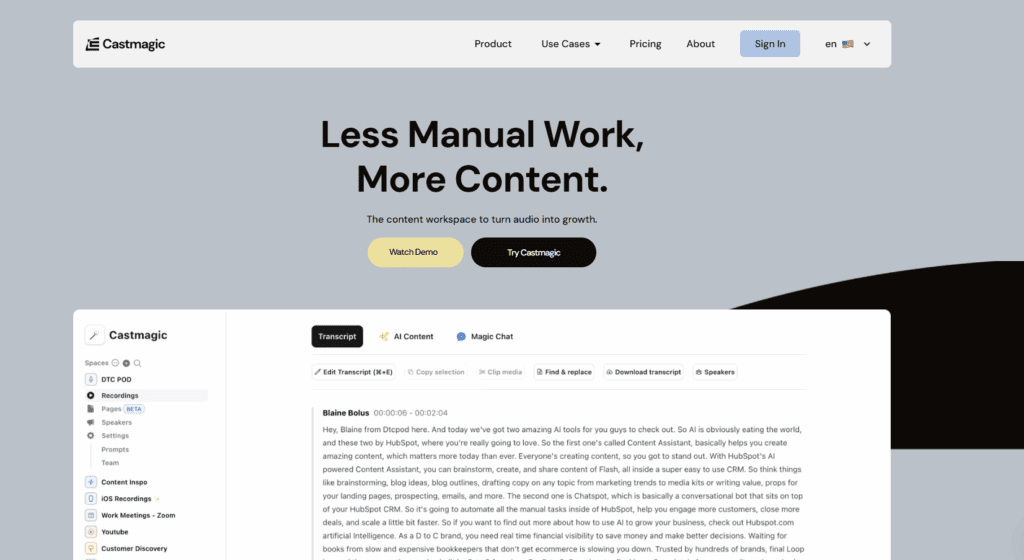
Castmagic streamlines the transition from raw recording to publication across multiple formats, enabling you to maximize the value of your content while reducing the time spent on repetitive tasks. If you’re serious about content creation and repurposing, it’s a smart addition to your toolkit.
I believe Castmagic offers genuine value for creators and teams seeking to scale their content output efficiently. After testing it myself, I feel confident recommending it to anyone with consistent, long-form recording workflows.