When your iPhone starts getting uncomfortably hot, it’s more than just a minor nuisance; it can signal issues that affect performance, battery life, or even the long-term health of the device. Overheating is a common issue faced by many iPhone users, particularly when using demanding apps, charging under improper conditions, or running background processes.
In this guide, I’ll explain why iPhones overheat, how to prevent it, and provide practical steps to cool them down safely. You’ll also learn when it’s time to seek professional help, and what long-term habits can protect your iPhone from heat damage.
Common Causes of iPhone Overheating
Several factors can trigger your iPhone to overheat. Understanding them helps you take the right preventative steps:
- Intensive App Usage: High-performance games, video editing apps, or AR applications can push your iPhone’s CPU and GPU to their limits, generating excessive heat.
- High Ambient Temperatures: Using your phone under direct sunlight or in a hot car can quickly raise its internal temperature.
- Charging While Using: If you’re charging your phone while streaming or running heavy apps, you’re adding extra heat from both the battery and the charger.
- Background Processes: Many apps run in the background, syncing data, updating content, or refreshing, putting a continuous load on your processor.
- Battery or Software Issues: A failing battery or buggy software can also lead to inefficient power use and overheating.
Signs Your iPhone Is Overheating

You don’t always need a thermal sensor to know your iPhone is overheating. Here are common warning signs:
- The phone feels hot when you hold it
- Unexpected shutdowns or the device disables features like the camera or Flash temporarily
- Noticeable lag, slowdowns, or stuttering
- Rapid battery drain or visible swelling
If you spot these, it’s time to act promptly before long-term damage sets in.
How to Prevent iPhone Overheating
Good habits go a long way in preventing your iPhone from overheating. Here’s what you can do to keep it running cool and safe:
- Avoid Direct Heat Exposure: Try not to leave your iPhone in direct sunlight, especially during the summer or in a hot car.
- Close Unused Apps: Double-press the Home button or swipe up (depending on your model) to close resource-intensive apps. Also, disable background app refresh in Settings > General.
- Remove Your Case When Charging: A tight or thick case can trap heat; taking it off during charge cycles can help.
- Use Certified Charging Gear: Always use Apple‑approved or MFi-certified chargers and cables. Sub-par chargers can create excess heat.
- Update iOS Regularly: Apple often includes performance and thermal optimizations in software updates.
Steps to Cool Down an Overheating iPhone
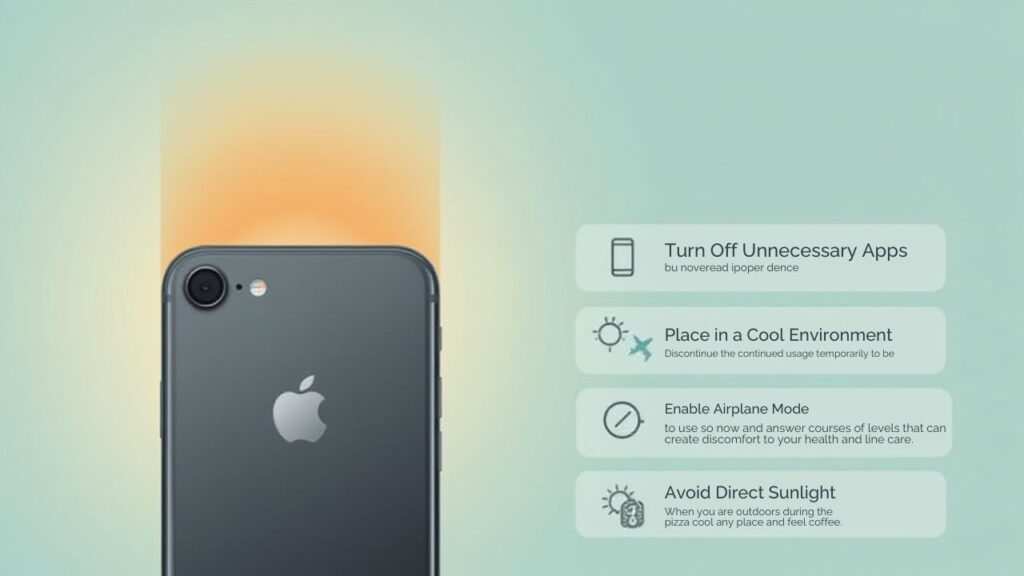
If your iPhone’s already hot, here are practical steps to cool it safely:
- Power Off Temporarily: Shut down the device to stop all operations and let it cool.
- Remove the Case: Remove any protective case to allow heat to dissipate more freely.
- Move to a Cooler Spot: Place the phone in a shaded, ventilated area, never in a freezer or under cold water.
- Reduce Load: Lower the screen brightness, disable unnecessary features like Bluetooth or GPS, and refrain from using demanding apps.
- Limit Resource-Heavy Apps: Pause or close intensive apps, such as games, the camera, or AR, until your phone has cooled.
Software Fixes and Settings
Beyond physical steps, you can also use software tweaks to manage heat better:
- Install Updates: Make sure you’re running the latest iOS version. Apple regularly improves energy and thermal efficiency.
- Reset Settings: In some cases, corrupted settings may cause processes or bugs that overuse the CPU. Go to Settings > General > Reset > Reset All Settings.
- Monitor Battery Health: Go to Settings > Battery > Battery Health & Charging, and check for signs of battery degradation. If health is severely reduced, the battery may be the cause of the heat issue.
When to Seek Professional Help
It’s time to consult a technician or Apple Support if:
- Your iPhone continues to overheat frequently, despite taking all preventive steps.
- There’s visible swelling in the battery or case; this could be a safety hazard.
- Performance issues persist even after cooling and software adjustments have been made.
- You notice abnormal behavior, such as sudden reboots, erratic battery drain, or an inability to charge properly.
Professional help ensures that you can safely identify and resolve potential hardware issues.
Long-Term Tips for iPhone Care
Here are some habits you can build to protect your iPhone from overheating in the long run:
- Avoid Overnight High-Load Charging: Try not to run gaming or heavy apps while plugged in overnight.
- Regularly Monitor Battery Health: Utilize the built-in tools to track your battery’s age and replace it as needed.
- Use Trusted Apps Only: Stick to apps from reputable developers to reduce the risk of bugs or rogue background activity.
- Clear Cookies and Cache: Removing stored data can reduce background activity; here’s how to clear cookies on iPhone.
- Reset When Needed: If your phone’s overheating behavior doesn’t improve, consider a factory reset to eliminate potential software corruption.
- Optimize Performance: If the phone feels slow or lags, check out this guide on how to fix app crashes on iPhone or speed up iPhone performance. Smoother performance can also mean less heat.
Comparison Table: Overheating vs Normal Usage
Scenario | CPU Load & Power Use | Heat Risk | Recommended Action |
Intensive Gaming / AR | Very High | High | Use for shorter sessions, remove case, take breaks |
Charging + Using | High | Medium to High | Charge with the screen off, use a certified charger |
Background Sync / Refresh | Medium | Medium | Disable background app refresh when not needed |
Normal Light Use | Low | Low | No special action needed |
Extreme Heat (e.g., Sun) | Variable | High | Move to shade, power off temporarily |
Conclusion
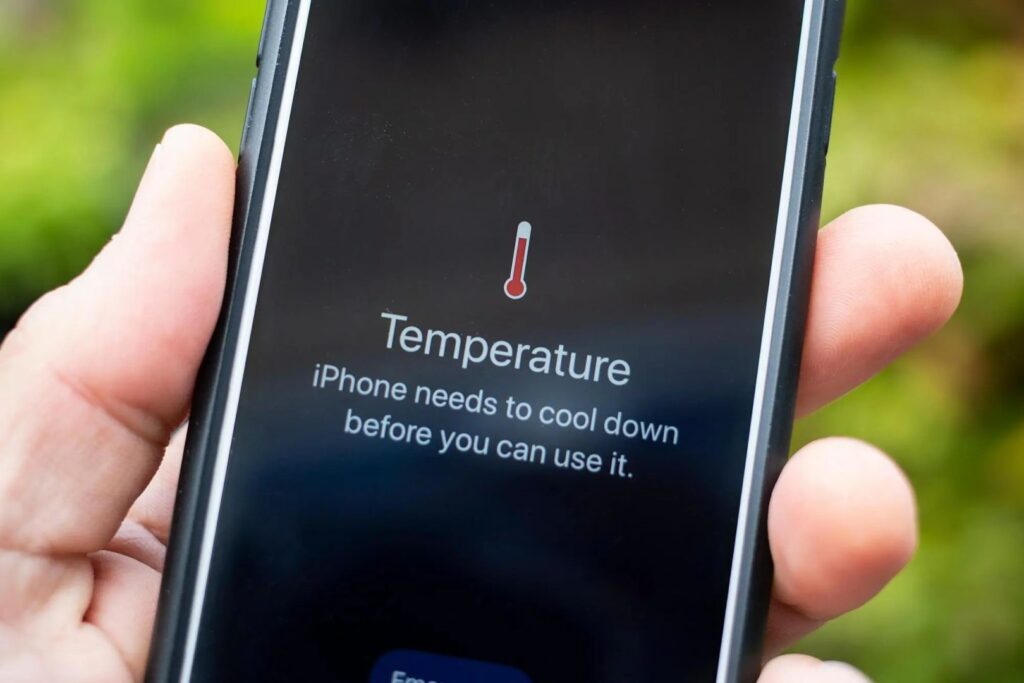
iPhone overheating is a common but preventable issue. By recognizing the causes, adopting smart habits, and taking immediate action when your device heats up, you can protect your iPhone’s performance and longevity. From closing unused apps to managing charging habits and keeping the software up to date, the steps I’ve outlined will help you keep your device cool and efficient.
If you’ve tried everything and your iPhone still overheats, or if you notice signs like battery swelling or abnormal shutdowns, it’s worth seeking professional support. I’ve learned through experience that proactive maintenance and smart usage make all the difference in preserving both performance and safety.