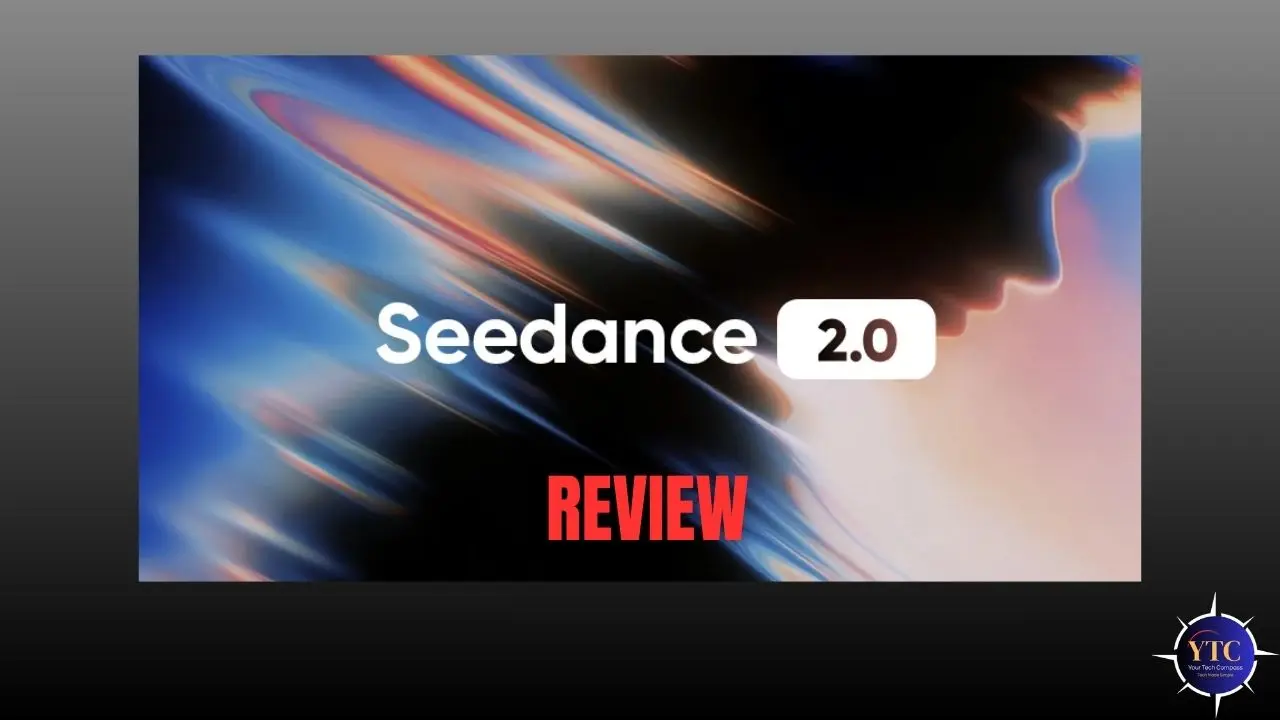
If you’ve been keeping an eye on the AI video generation space, there’s a good chance the name Seedance 2.0 has crossed your feed recently, and for very good reason. Officially unveiled by ByteDance on February 12, 2026, Seedance 2.0 became the most talked-about AI tool on the internet in less than 72 hours, drawing comparisons to the DeepSeek moment that rattled Wall Street earlier in 2025. Elon Musk summed up the buzz in just three words: “It’s happening fast.”
So what exactly makes Seedance 2.0 such a big deal? In this review, I’ll walk you through everything, from its standout features and step-by-step usage to how it stacks up against competitors like Sora 2, Kling 3.0, and Veo 3.1. Whether you’re a content creator, marketer, filmmaker, or developer, this guide helps you decide whether Seedance 2.0 deserves a spot in your creative toolkit.
What Is Seedance 2.0?
Seedance 2.0 is ByteDance’s latest and most powerful AI video generation model, built to create cinematic, professional-quality video content from text prompts, images, audio, and video references, all at once. Think of it as moving from “type and pray” to actually directing your AI video with precision.
The model is primarily accessible through ByteDance’s creative platforms, Dreamina (known as Jimeng in China) and Doubao, and is designed for creators who want full control over motion, lighting, character consistency, and audio-visual synchronization. Unlike most AI video tools that accept only a text prompt or a single image, Seedance 2.0 accepts up to 12 input files simultaneously, including up to 9 images, 3 video clips, and 3 audio files.
It’s built for content creators, marketers, advertising agencies, short-film producers, social media managers, and developers who want to build video-powered applications at scale. ByteDance, the same company behind TikTok and CapCut, brings its world-class infrastructure to power the model’s speed, reliability, and output quality.
What’s New in Seedance 2.0?
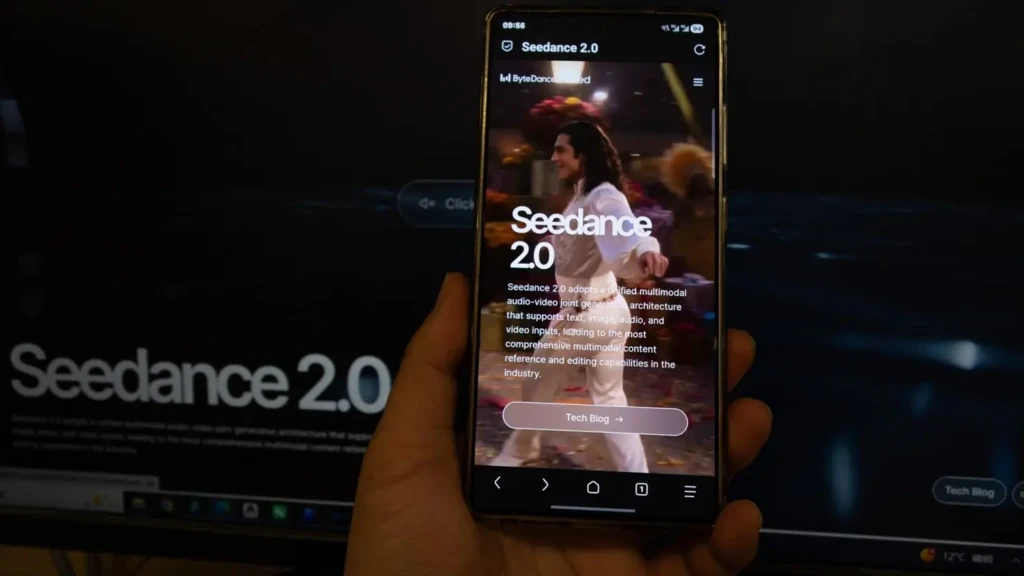
Compared to Seedance 1.0 (and the interim Seedance 1.5 Pro), Seedance 2.0 is a significant leap forward on almost every front. The most notable upgrade is the introduction of a true multimodal input system, which lets you combine text, images, videos, and audio in a single generation workflow, something no other major AI video model could do at launch.
Beyond multimodal input, generation speed is up to 30% faster than Seedance 1.0, and output resolution now reaches 1080p (with 2K available in select modes), compared to the lower-resolution ceilings of its predecessor. Character consistency, one of the biggest pain points in AI video, has also been dramatically improved, with faces, clothing, and even small text remaining stable across all frames.
Additionally, Seedance 2.0 introduces native audio-video joint generation, meaning sound effects, ambient audio, and even multi-language lip-synced dialogue are generated simultaneously with the visuals, not stitched in afterward as a separate pass.
Key Features of Seedance 2.0
1. Multimodal Reference System
This is the crown jewel of Seedance 2.0. You can upload up to 9 images, 3 video clips, and 3 audio files and combine them all in a single generation using the @ reference syntax. Want the camera movement from one video, the character design from a photo, and the rhythm from an audio track? Just reference all three and describe what you want in natural language; the model handles the rest.
This feature fundamentally changes how AI video creation works, shifting from guessing games to genuine creative direction. No other major model at launch offers this level of simultaneous multimodal input.
2. Native Audio-Video Joint Generation
Unlike most AI video tools that treat audio as an afterthought, Seedance 2.0 generates sound and visuals together in real time. Footsteps land exactly when feet hit the ground. Dialogue is automatically lip-synced across multiple languages. Music beat sync lets you upload a track and have the visuals match its rhythm frame by frame. This makes Seedance 2.0 especially powerful for music videos, dance content, and cinematic storytelling.
3. Character Consistency Engine
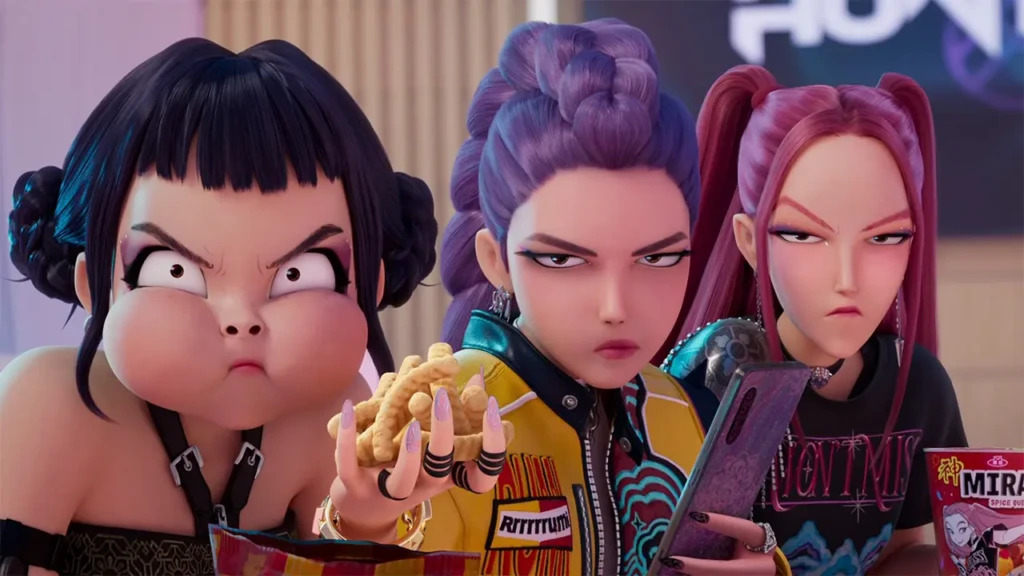
One of the most frustrating issues with earlier AI video generators was identity drift; characters would look noticeably different from one scene to the next. Seedance 2.0 solves this problem with an advanced consistency engine that maintains exact character appearance, clothing, skin tone, and facial features across the entire video. This makes it genuinely viable for narrative content, branded videos, and serialized social media productions.
4. Multi-Shot Storytelling
Seedance 2.0 plans shot transitions autonomously, keeping characters, lighting, and visual style consistent across multiple camera angles and perspectives. This is a capability that previous-generation tools couldn’t reliably deliver. You can produce complex multi-scene sequences, think conversations, action sequences, or narrative arcs, without manually stitching clips together.
5. Physics-Accurate Motion
Independent testing from Artificial Analysis confirms that Seedance 2.0 matches or exceeds Sora on motion realism. Objects obey gravity. Fabrics drape naturally. Liquids splash with accurate physics. Figure skaters land jumps without clipping through the ice. This level of physical accuracy has historically been a weakness for AI video; Seedance 2.0 narrows that gap significantly.
6. Video Extension and Editing
You can seamlessly extend existing clips without jarring cuts or quality degradation. The model understands the story context and extends the video in a way that maintains logical narrative progression. You can also make targeted edits, replacing a character in one scene, adjusting transitions, or modifying lighting, without regenerating the entire video.
7. Resolution and Aspect Ratio Flexibility
Seedance 2.0 supports output resolutions from 480p up to 1080p (with 2K in select modes), and delivers up to 60 frames per second. It supports multiple aspect ratios, including 16:9, 9:16, 4:3, 3:4, 21:9, and 1:1, making it ready for any platform, from YouTube to Instagram Reels to cinematic widescreen, without extra cropping.
How to Use Seedance 2.0: A Step-by-Step Guide
Getting started with Seedance 2.0 is more straightforward than you might expect. Here’s how to go from zero to your first AI-generated video:
Step 1: Access the Platform
Navigate to ByteDance’s Dreamina platform (also accessible via Jimeng at jimeng.jianying.com) or use a third-party platform like ImagineArt, WaveSpeed, or Atlas Cloud that offers Seedance 2.0 API access. Sign up for an account and choose your plan. A free tier with daily credits is available.
Step 2: Choose Your Generation Mode
Select either text-to-video or image-to-video mode depending on your creative starting point. If you have reference materials, photos, video clips, or audio tracks, this is where you upload them. You can assign them roles using the @ reference syntax (e.g., @Image1 as character, reference @Video1 for camera movement).
Step 3: Write Your Prompt
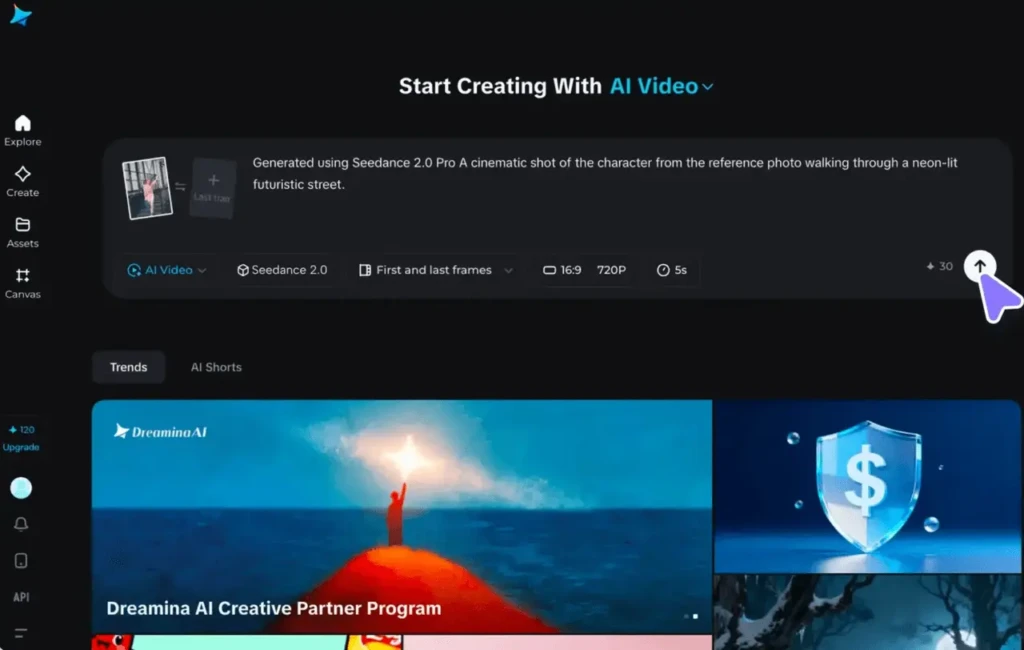
Be specific and descriptive. Longer prompts work better for speech and complex scene generation. You can describe the scene, camera movement, mood, lighting, and character actions all in natural language. Use the built-in “Prompt Enhance” button (available on some platforms) to automatically improve your prompt before generating.
Step 4: Set Parameters
Choose your preferred aspect ratio (16:9, 9:16, 1:1, etc.), resolution (720p or 1080p), and video duration (4-15 seconds). If you’re working on mobile, note that the app caps duration at 10 seconds.
Step 5: Generate and Refine
Hit generate. Seedance 2.0 renders your clip in seconds (a 15-second 720p clip typically takes under four minutes). Review the output and, if adjustments are needed, upload the results and make targeted changes rather than starting from scratch.
Step 6: Export and Share
Download your video in HD format, watermark-free (on paid plans). Commercial use is included with Seedance Pro. Your video is ready for immediate sharing on social media, embedding in campaigns, or use in production pipelines.
Seedance 2.0 Performance: Speed, Quality, and Reliability
When it comes to raw performance, Seedance 2.0 is genuinely impressive across the board. Speed is one of its biggest advantages; generation runs approximately 30% faster than Seedance 1.0, powered by ByteDance’s proprietary RayFlow architecture and Volcengine computing infrastructure.
Output quality is where Seedance 2.0 really shines. Native 1080p resolution delivers crisp, detailed footage with accurate lighting, depth, and micro-movements, giving each frame a cinematic feel. Perhaps most significantly, Seedance 2.0 reportedly achieves a 90%+ usability rate, meaning 9 out of every 10 generations produce footage that’s actually usable without needing extensive regeneration. Industry averages for previous AI video models were below 20%, meaning you had to pay for five generations just to get one good clip.
In terms of reliability, Seedance 2.0 has a few known limitations worth noting. The maximum clip length is capped at 15 seconds per generation (10 seconds on mobile), which is shorter than Kling’s two-minute ceiling.
Hands and fine typography also remain weak spots, but this is a challenge across the entire AI video space, not unique to Seedance. For short-form content, product demos, social media clips, and advertising work, these limitations are unlikely to be deal-breakers.
Seedance 2.0 Pricing and Plans
Seedance 2.0 is available through several platforms with different pricing structures. Here’s what you need to know:
- Jimeng / Dreamina (Chinese Market: Best Full Experience): The official home of Seedance 2.0. Paid membership starts at approximately 69 RMB (~$9.60 USD) per month, with a 1 RMB (~$0.14) trial option for new users that unlocks approximately 260 daily login credits. This is the most affordable entry point for full access.
- Dreamina International: Credit-based plans ranging from a free tier (225 daily tokens shared across all tools) to $84/month for heavy production use. The free tier is enough to test the model, but a single Seedance 2.0 generation can consume a significant portion of your daily allowance.
- Third-Party Platforms (ImagineArt, WaveSpeed, Atlas Cloud): These platforms offer API access to Seedance 2.0 alongside other models, with pricing varying by provider. Some offer free trial credits, and commercial use rights are included with paid plans.
For context, here’s how Seedance 2.0’s pricing compares to the competition:
Platform | Entry Price | Full 1080p Access | Notes |
Seedance 2.0 (Dreamina Intl.) | Free tier available | ~$9.60–$84/month | Most affordable; some regional restrictions |
Sora 2 (OpenAI) | $20/month (ChatGPT Plus) | $200/month (ChatGPT Pro) | 720p on Plus, 1080p on Pro |
$6.99/month | Varies by plan | Best for longer clips (up to 3 min) | |
Google AI Ultra | $250/month | Broadcast-ready output |
Clearly, Seedance 2.0 punches well above its weight at its price point, especially compared to Sora 2’s $200/month requirement for full-resolution access.
Seedance 2.0 vs. Competitors
The AI video space in early 2026 is the most competitive it has ever been. Let’s break down how Seedance 2.0 stacks up against its three main rivals.
Seedance 2.0 vs Sora 2
Sora 2 (OpenAI) remains the benchmark for physical realism. If you need glass-shattering or complex liquid dynamics with absolute perfection, Sora 2 still has a slight edge. However, Seedance 2.0 wins on multimodal input (the only model supporting audio reference input at launch), generation speed, pricing, and accessibility. For creators with specific reference materials to work from, Seedance 2.0 is the better choice.
Seedance 2.0 vs Kling 3.0
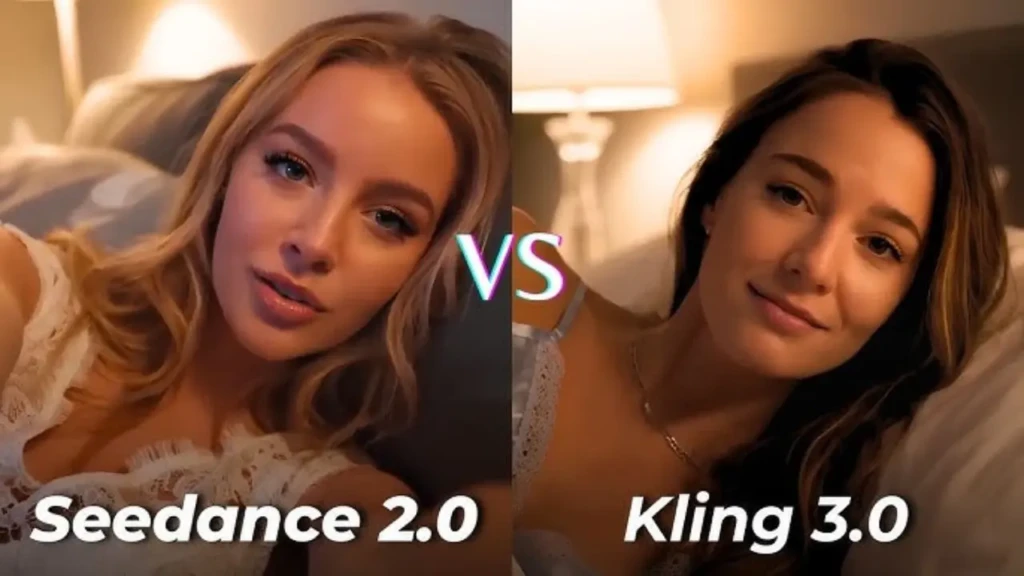
Kling 3.0 (Kuaishou) is the clear winner if you need longer video clips, up to 3 minutes versus Seedance’s 15-second cap, and native 4K/60fps output. Kling is also slightly cheaper at entry ($6.99/month). However, if creative control and multimodal referencing are your priority, Seedance 2.0 is in a league of its own. Many production teams actually use both, Seedance for template-based work and Kling for rapid prototyping.
Seedance 2.0 vs Veo 3.1
Google’s Veo 3.1 delivers the most broadcast-ready, cinema-standard output, with professional color science and the highest frame-rate fidelity. But at $250/month (Google AI Ultra), it’s the most expensive option by a significant margin. Seedance 2.0 offers comparable cinematic quality for a fraction of the cost, making it the more practical choice for independent creators and small studios.
Pros and Cons of Seedance 2.0
Understanding both sides of the equation will help you make an informed decision. Here’s an honest breakdown:
The Pros
- Industry-leading multimodal input system (text + images + video + audio simultaneously)
- Native audio-video joint generation with automatic lip sync
- ~90% usability success rate, drastically reducing wasted credits
- 30% faster generation speeds than Seedance 1.0
- Aggressive pricing compared to Western competitors like Sora 2 and Veo 3.1
- Strong character consistency across multi-shot sequences
The Cons
- Maximum clip length capped at 15 seconds (10 seconds on mobile)
- Primarily available through Chinese platforms, with some regional access friction for Western users
- Hands and fine typography remain weaker, as with all current AI video models
- ByteDance’s data infrastructure may raise privacy considerations for some enterprise users
Who Should Use Seedance 2.0?
Seedance 2.0 is not a one-size-fits-all tool, but it is remarkably close. Here’s who will get the most out of it:
Social Media Creators and Influencers
If you produce content for TikTok, Instagram Reels, or YouTube Shorts, Seedance 2.0’s music beat sync, short-form video optimization, and character consistency make it a natural fit. You can reference trending video templates and recreate them with your own style in minutes.
Advertising and Marketing Teams
The ability to reference your best-performing ad templates and swap in new products, with the camera style, transitions, and audio handled automatically, is a massive workflow accelerator. Campaign turnaround times that once took days can now be measured in minutes.
Independent Filmmakers and Storytellers
Multi-shot storytelling, physics-accurate motion, and cinematic 1080p quality make Seedance 2.0 a genuinely viable pre-visualization and production tool for indie filmmakers who previously couldn’t afford the equipment or crew to capture complex sequences.
Developers and API Users
Seedance 2.0’s API access (available through third-party platforms) makes it ideal for building video-powered applications, automated content pipelines, or multi-model comparison workflows. If you’re interested in how AI is transforming developer tools, you might also want to explore how Microsoft is leveraging AI for creative and enterprise applications within a broader ecosystem.
E-Commerce Brands
Product demo videos, lifestyle content, and promotional clips, all generated at scale and at a fraction of traditional production costs, are where Seedance 2.0 can genuinely transform a brand’s content operation.
How Seedance 2.0 Fits Into the Broader AI Landscape
It’s worth zooming out for a moment to appreciate where Seedance 2.0 sits in the bigger picture of AI development. ByteDance’s entry into world-class AI video generation is part of a broader acceleration happening across the global AI industry, where Chinese and Western firms are competing directly at the frontier for the first time.
If you’ve been following enterprise AI, you’ve probably noticed that major players like IBM are pushing the boundaries of AI infrastructure and enterprise deployment in parallel. Meanwhile, specialized AI companies like C3.ai are redefining how AI models are applied to industry-specific problems.
Seedance 2.0 represents ByteDance’s contribution to this wave, but focused squarely on the creative economy. And if you’re curious about how conversational AI models like Claude are evolving alongside multimodal tools, you’ll see that the entire AI ecosystem is moving toward more intuitive, reference-based, and multimodal interaction patterns, exactly what Seedance 2.0 embodies in the video space.
FAQs
Yes, there’s a free tier available on Dreamina International that gives you 225 daily tokens shared across all tools. This is enough to test the model, though a single Seedance 2.0 generation can consume a significant chunk of your daily allowance. Paid plans start at approximately $9.60/month for full access.
The biggest differentiator is its multimodal reference system, which allows it to combine text, images, video clips, and audio files in a single generation. No other major AI video model supports all four input types simultaneously at launch. Add to that native audio-video joint generation, character consistency, and ~90% usability rates, and you have a tool that genuinely stands apart.
Seedance 2.0 is entirely browser-based; no software installation is required. You just need a modern web browser and a Dreamina or compatible third-party platform account. For API usage, you’ll need standard developer credentials and a compatible SDK.
Yes, commercial use rights are included with paid Seedance Pro plans. If you’re on the free tier, check the terms of service for the specific platform you’re using, as commercial licensing terms may vary between Dreamina and third-party API providers.
Somewhat. Dreamina International is available in many regions, but accessing it still involves some friction, particularly around payment methods and regional restrictions. Third-party platforms like ImagineArt, WaveSpeed, and Atlas Cloud significantly reduce this friction by offering Seedance 2.0 API access through Western-friendly interfaces.
Seedance 2.0 generates clips between 4 and 15 seconds on the web and up to 10 seconds on mobile. For longer content, you can use the video extension feature to extend clips while maintaining visual and narrative continuity.
Conclusion
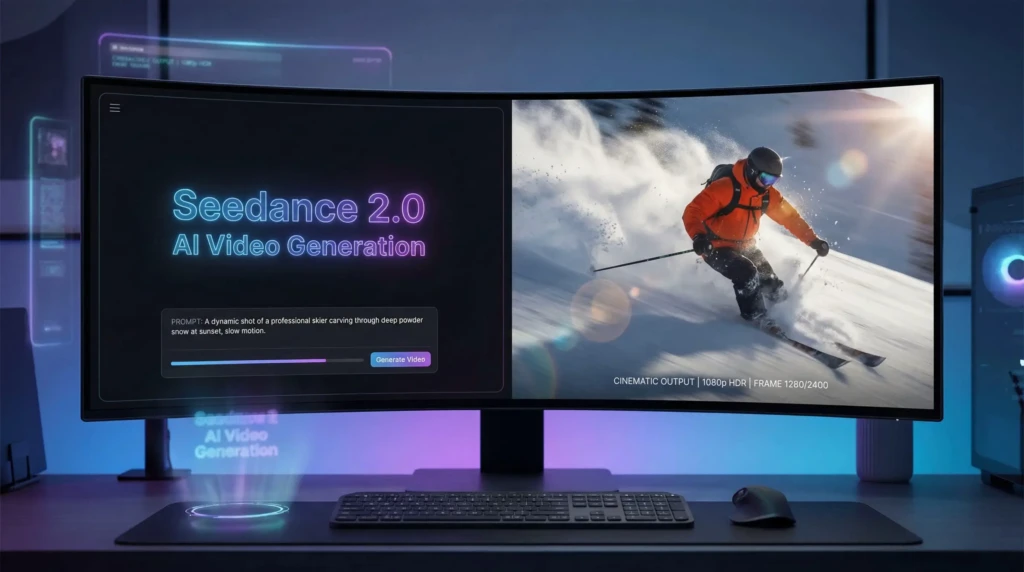
Seedance 2.0 is not just another AI video generator; it’s a genuine paradigm shift in how creators interact with video AI. The move from “type a prompt and hope for the best” to “show the AI exactly what you want through multimodal references” is the most significant workflow improvement the space has seen since AI video generation began. Between its native audio-video joint generation, 90%+ usability rate, strong character consistency, and aggressive pricing compared to competitors like Sora 2 and Veo 3.1, Seedance 2.0 has earned its place as the tool of the moment for short-form, cinematic, and branded video content.
My recommendation? If you produce social media content, run ad campaigns, build video applications, or simply want to experiment with state-of-the-art AI video, Seedance 2.0 is worth your time. Start with the free tier on Dreamina International, test a few generations with your own reference materials, and see the difference for yourself. The AI video race is moving faster than almost anyone predicted, and Seedance 2.0 just raised the bar for everyone.