If you use an Android phone, the Google Play Store is where everything begins. It’s where you find the apps you rely on for work, communication, entertainment, and daily organization. The problem is that with millions of apps available, finding the right ones isn’t always easy. High download counts, flashy screenshots, and strong ratings can be misleading, and it’s frustrating to install an app only to realize it’s bloated, unreliable, or pushing aggressive ads.
This guide is here to help you make better choices. Instead of guessing or relying on surface-level signals, you’ll learn how to identify the best Google Play Store apps based on real-world usefulness, safety, update reliability, and long-term value. By the end, you’ll know exactly what to look for before you tap “Install,” and how to build an app setup that actually supports how you use your phone every day.
What “Best” Really Means on the Google Play Store
When most people think of the “best” apps, they picture top charts or apps with millions of downloads. In reality, the best Google Play Store apps are usually the ones you barely notice because they simply work. They load quickly, do exactly what they promise, respect your privacy, and continue to improve over time.
A high-quality app typically focuses on one core problem and solves it well. It doesn’t ask for unnecessary permissions, doesn’t overwhelm you with features you’ll never use, and doesn’t rely on dark patterns to keep you engaged. Over time, these are the apps that stay installed while others quietly get deleted.
How the Google Play Store Recommends Apps
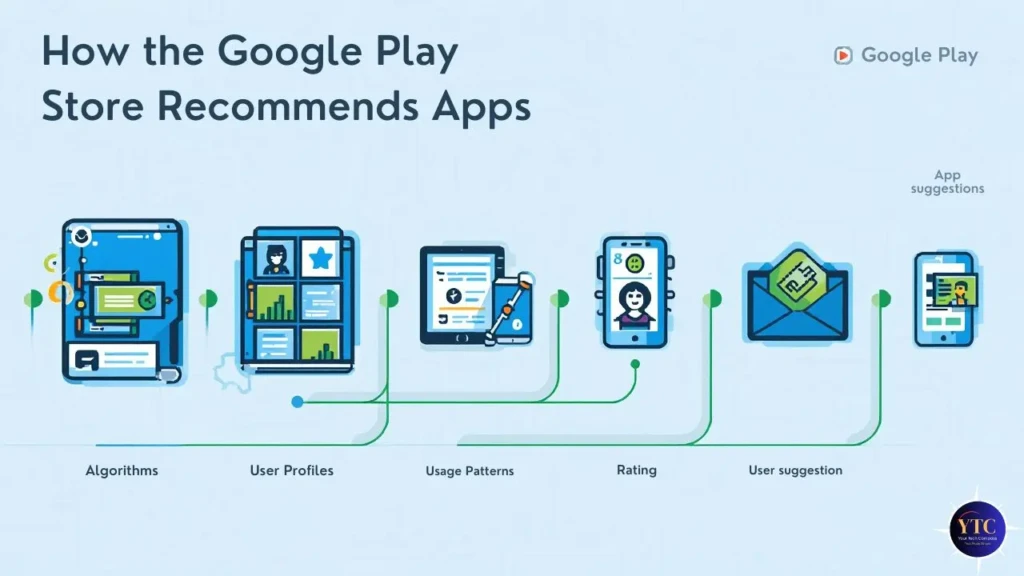
The Play Store uses a mix of automated systems and editorial decisions to surface apps. Downloads, engagement, crash rates, update history, and policy compliance all play a role. Personalization matters too, which is why two people searching for the same app type may see very different results.
It’s also important to understand that not everything you see is organic. Some placements are promotional, and while those apps aren’t necessarily bad, visibility alone should never be treated as a quality guarantee. Google does explain its safety and ranking systems publicly, but those systems are designed to filter risk, not to decide what’s best for you.
Common Mistakes That Lead to Bad App Choices
Many app disappointments come from the same avoidable habits:
- Trusting star ratings without reading recent reviews
- Ignoring permissions during installation
- Installing multiple apps that all do the same thing
- Keeping apps that haven’t been updated in months or years
These mistakes slowly clutter your phone, drain your battery, and increase your privacy risk. Once you start paying attention to these patterns, spotting low-quality apps becomes much easier.
How to Identify the Best Google Play Store Apps Before Installing
Before installing any app, take a minute to run through a simple evaluation:
- Look at the Developer: Established developers, recognizable brands, or companies with multiple well-maintained apps are generally safer bets.
- Check the Update History: Regular updates signal that the app is actively maintained. Long gaps often mean security risks or abandoned development.
- Read Recent Reviews, Not Just Ratings: Focus on detailed reviews from the last few months. Patterns matter more than individual complaints.
- Review Permissions Carefully: If a flashlight app wants access to your contacts or microphone, that’s a red flag.
Following this process consistently will dramatically improve the quality of apps you install from the Google Play Store.
Choosing the Best Google Play Store Apps by Use Case
Instead of thinking in terms of categories, it’s often more helpful to think about how you actually use your phone.
- Staying Organized and Productive: Apps that sync seamlessly across devices make a huge difference. Tools that integrate well with cloud storage and document management become even more powerful when paired with services explained in our Google Drive guide.
- Capturing Ideas and Reminders: Lightweight note-taking apps that are always available are invaluable. If you rely on quick notes and lists, this 👉 Google Keep explainer shows why it remains one of the most practical options.
- Staying Connected on the Move: Some apps perform better than others on mobile data, especially when traveling or working remotely. Pairing efficient apps with flexible connectivity options, like those discussed in this guide to the best Google Fi plans, can noticeably improve reliability.
How the Google Play Store Protects You and Where You Still Need to Be Careful
Google uses automated scanning, policy enforcement, and Play Protect to detect harmful behavior. These systems remove millions of risky apps each year and provide an important baseline of safety.
That said, no system is perfect. Some harmful apps are only removed after user reports or security research. This is why your own judgment still matters. Reviewing permissions, uninstalling unused apps, and avoiding developers with poor track records all reduce risk.
Google Play Store vs Third-Party App Stores
Sideloading apps or using unofficial app stores increases your exposure to malware and data misuse. While there are rare exceptions for advanced users, most people are far better off sticking with the Google Play Store, where apps are subject to consistent policies and security scanning.
Consumer security organizations continue to recommend official app stores as the safest option for everyday users.
Why You Should Regularly Revisit Your Installed Apps
Even good apps can change. New owners, aggressive monetization, or feature creep can slowly turn a once-great app into something you no longer enjoy using. Every few months, it’s worth reviewing what’s installed on your phone.
If an app drains battery, pushes frequent upsells, or no longer fits your needs, removing it improves performance and reduces unnecessary risk. A smaller, well-chosen app library almost always leads to a better Android experience.
Final Thoughts
Finding the best Google Play Store apps isn’t about downloading more; it’s about choosing better. When you slow down, evaluate apps thoughtfully, and focus on long-term usefulness instead of hype, your phone becomes more reliable, secure, and genuinely helpful.
Over time, this approach saves you frustration, protects your data, and ensures that every app you keep installed earns its place. That mindset has consistently given me the best results, and it’s the same approach I recommend if you want your Android experience to feel intentional rather than cluttered.
FAQs About the Google Play Store
No. Charts reflect popularity, not suitability or quality.
Yes. Always look for patterns in recent reviews rather than isolated opinions.
The most important thing you can do is check for the “Play Protect” badge. Additionally, I recommend reading recent reviews and checking the “Data Safety” section in the listing. If an app asks for suspicious permissions, like a simple calculator wanting access to your contacts, it’s a pragmatic rule to avoid it.
Google has updated its policies to remove “minimum functionality” apps. This includes text-only apps, single-wallpaper apps, and those that don’t provide a stable or engaging user experience. This cleanup brightens the marketplace by making it easier to find high-quality, interactive tools.
Not necessarily. While paid apps often provide a cleaner experience without ads, many of the best Google Play Store apps are free and supported by transparent, non-intrusive monetization. I believe that value is determined by utility, not just the price tag.
You should perform regular “digital maintenance” by going to your phone’s settings and reviewing which apps have access to your location, camera, and microphone. Much like regular water changes for an aquarium, this keeps your device’s “environment” healthy and secure.
According to recent 2026 trends, “Tools” and “Productivity” apps continue to lead global downloads. However, specialized sectors like AI-integrated assistants and “Health and Fitness” are seeing massive growth. If you are looking for a centerpiece for your daily routine, exploring these categories is a great addition to your digital experience.
At Your Tech Compass, we publish detailed tech guides, reviews, and comparisons to help users choose the right devices and tools.