Artificial intelligence assistants have rapidly shifted from novelty to necessity, and among the newer wave of models, Claude AI stands out for its blend of power, safety, and conversation quality. Unlike early assistants that felt scripted or limited, Claude AI aims to interpret complex prompts, handle long context, and assist with tasks ranging from writing and summarization to research and collaboration. As the AI landscape grows more crowded, with tools like Perplexity AI, Character AI, and Gemini AI offering complementary capabilities, understanding where Claude fits can help you choose the right assistant for your needs.
In this article, you’ll get a clear, practical breakdown of what Claude AI is, how it works, where it shines, and how it compares to other leading AI assistants. We’ll explore its key features, real-world use cases, limitations, and even pricing considerations. By the end, you’ll see not just what Claude AI does, but how and why it might fit into your workflow or daily tasks.
What Is Claude AI?
Claude AI is an advanced language model and conversational assistant developed by Anthropic, a research company focused on safety and alignment in AI systems. At its core, Claude is built to do what many AI assistants aspire to: understand natural language deeply, generate coherent responses, and support users in a wide range of activities without sacrificing clarity or safety.
Unlike assistants that are primarily chat-focused or tied to specific services, Claude’s design philosophy blends capability with caution, aiming to reduce hallucinations, misinterpretations, and unsafe outputs. This approach appeals to users who need reliability and context awareness, whether for writing, research, or complex problem-solving.
In the broader AI ecosystem, Claude AI aligns with tools like Perplexity AI (which excels in research and sourcing), Character AI (focused on persona-driven interaction), and Gemini AI (emphasizing multimodal and expansive reasoning). Each tool brings different strengths to the table, and Claude positions itself as a versatile, safety-oriented generalist.
How Claude AI Works
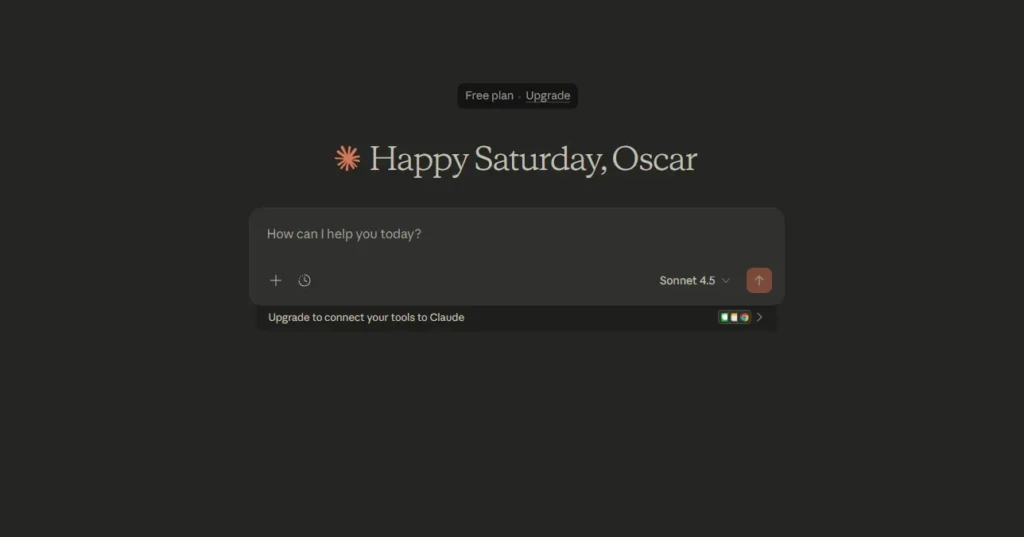
Claude AI operates on a large language model architecture that processes and generates text based on patterns learned from extensive datasets. Instead of relying on fixed rules or templates, it uses neural networks to interpret your input, reason about context, and produce responses that are both coherent and contextually relevant.
More specifically, Claude’s internal mechanisms focus on:
- Natural Language Comprehension: Breaking down complex queries into meaningfully structured pieces.
- Context Retention: Maintaining longer conversation threads or document context without losing coherence over time.
- Safety and Alignment: Filtering outputs to avoid unsafe, biased, or inappropriate content.
- Task Generalization: Supporting everything from storytelling and editing to code generation and analytical tasks.
This technical foundation distinguishes Claude from simpler rule-based bots and makes it more comparable to advanced AI assistants used for broad knowledge work.
Key Features of Claude AI
Claude AI combines several capabilities that make it appealing to a wide audience:
Natural Language Understanding
Claude handles multi-layered prompts with clarity, parsing nuance and producing responses that feel intuitive. This makes it useful not just for casual queries but also for deep exploration or complex requests.
Strong Long-Context Handling
One of Claude’s key strengths is working with long passages, summarizing, rewriting, analyzing, or extracting insights from extended text. This is especially valuable for research tasks, writing support, and multi-stage projects.
Writing, Summarization, and Analysis
Claude can draft emails, revise copy, condense chapter-length text, pull key points from documents, and even analyze tone or structure. Its flexibility makes it useful for students, writers, and professionals alike.
Safety-Focused Design
Anthropic has engineered Claude with safety guardrails designed to minimize harmful outputs. While no AI is perfect, Claude’s safety orientation helps reduce risk in sensitive or ambiguous tasks.
Each of these features contributes to Claude’s versatility, making it more than just a conversational agent.
What Claude AI Is Best Used For
Claude AI shines in scenarios that benefit from thoughtful interpretation, structured output, and context retention:
Writing and Editing
Whether you’re drafting an essay, polishing professional communication, or generating creative content, Claude’s writing tools assist without losing your voice or intent.
Research and Document Summarization
Claude can help parse white papers, extract key points, and help synthesize insights. For fact-specific extraction with source references, tools like Perplexity AI may still complement Claude, but for narrative and synthesis work, Claude is particularly effective.
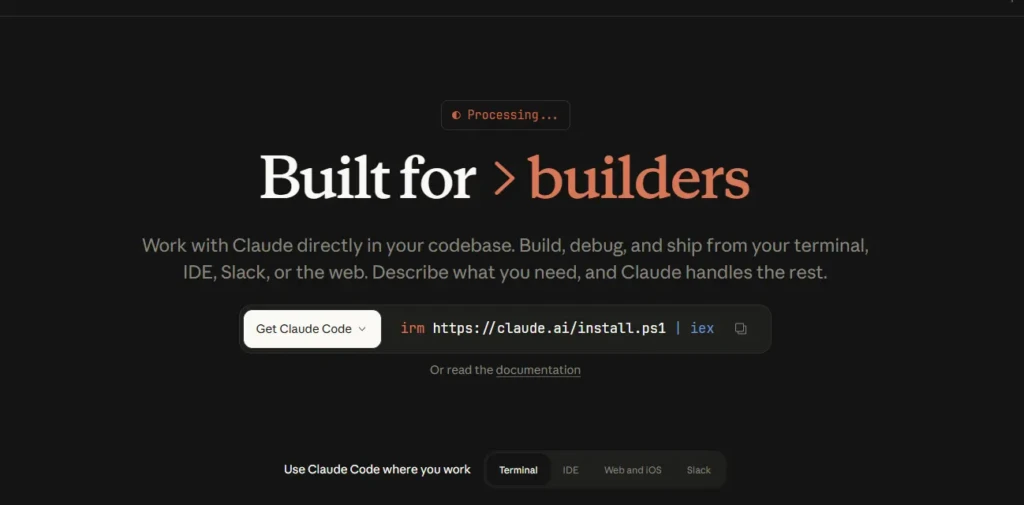
Coding and Technical Assistance
While not a dedicated code assistant, Claude provides context-aware code explanations, generation, and debugging help, especially when you need it embedded in broader text analysis or documentation.
Business and Productivity Tasks
From summarizing meeting notes to generating structured action lists to drafting business content, Claude fits into digital workstreams without specialized setup.
These real-world use cases highlight Claude’s flexibility across knowledge, writing, and collaborative tasks.
Claude AI for Everyday Users
For personal or everyday use, Claude AI can feel like a smarter, more flexible version of basic chat or search tools. You can:
- Ask for explanations of complex concepts
- Get help organizing personal documents or plans
- Write or edit casual communication
- Generate brainstorming ideas
This accessibility makes Claude appealing not only to technical users but to anyone who wants a reliable assistant that “gets context” without extensive prompting syntax.
Claude AI for Work and Teams
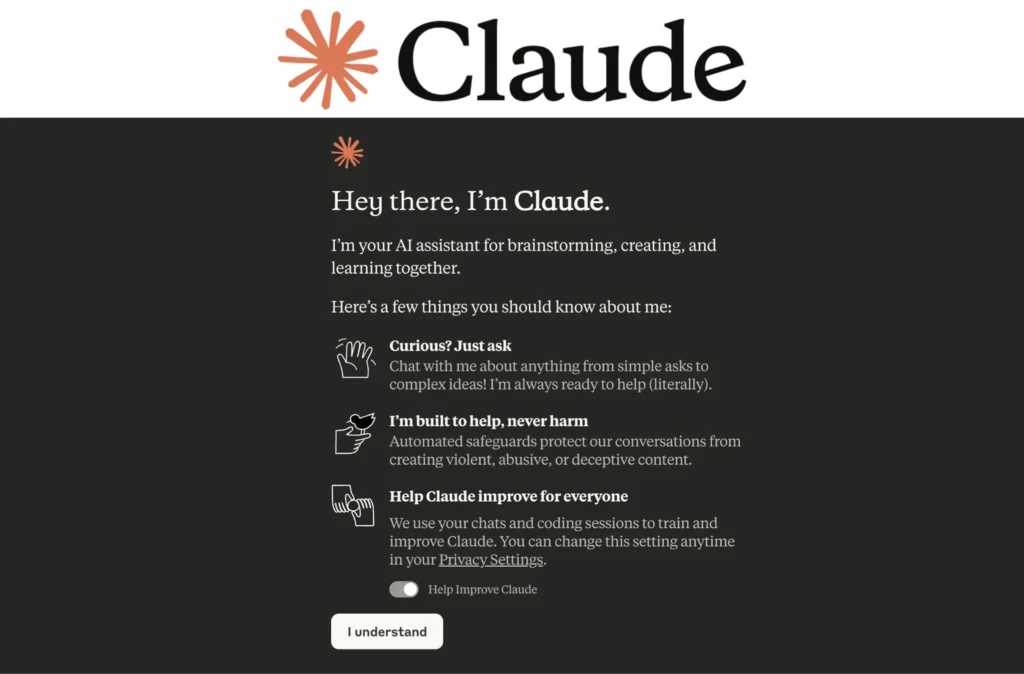
In professional contexts, Claude’s strengths are most noticeable in tasks that require clarity, structure, and nuance. Teams can use Claude to:
- Draft and refine documentation
- Generate reports or summaries from raw data
- Support collaborative writing workflows
- Provide structured decision support
However, limitations still apply: Claude is not a substitute for domain-specific systems in regulated environments, and where precision or verified sourcing is critical, supplementary tools may be needed.
Claude AI vs Other AI Assistants
To understand Claude’s position in the field, it helps to compare it with other well-known assistants:
Feature / Capability | Claude Ai | Perplexity AI | Character AI | Gemini AI |
Natural Language Generation | Excellent | Good | Good | Excellent |
Research & Citation | Strong | Exceptional | Moderate | Strong |
Persona-Driven Interaction | Moderate | Low | Excellent | Good |
Long-Context Handling | Excellent | Good | Moderate | Excellent |
Safety / Guardrails | High | Moderate | Variable | Moderate |
Creative Output | High | Moderate | High | High |
Perplexity AI excels at researching with citations and aggregating sources from the web. Character AI focuses on personality and character-driven interaction. Gemini AI (Google) pushes the boundary on multimodal reasoning and broad general knowledge. Claude distinguishes itself through a balanced mix of safety, context handling, and task flexibility.
Each of these tools has strengths, and many users find value in switching context based on the task at hand.
Claude AI Pricing and Access
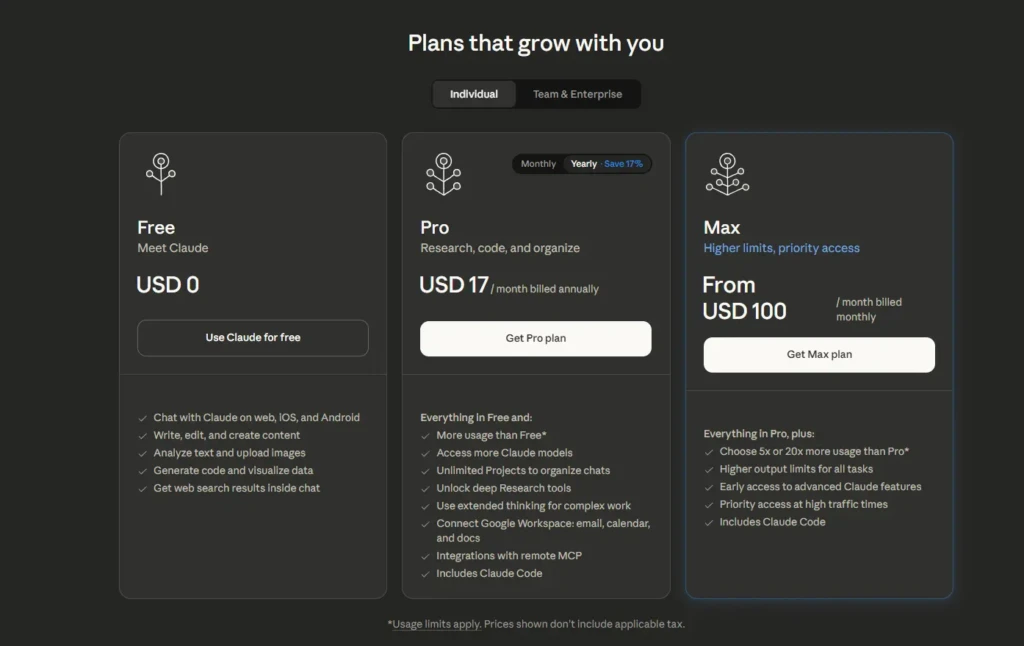
Claude AI typically offers both a free tier and paid plans, as do many AI platforms. The free tier allows users to interact with the model and explore basic features, while paid tiers offer expanded context windows, higher throughput, and priority access during peak usage.
As pricing and plans evolve, the best approach is to consult Claude’s official platform for up-to-date details. Most users find that starting with the free tier provides enough capability to assess whether upgrading is worthwhile.
Claude AI Limitations and Trade-Offs
No AI is perfect, and Claude comes with sensible limitations:
Accuracy and Hallucination
While Claude emphasizes safety, like all language models, it can still generate plausible but incorrect information. Cross-checking with trusted sources remains best practice.
Integration and Tools
Claude may not yet integrate natively into every workflow or platform as well as some competitors do. For highly specialized tasks, a complementary tool could be more efficient.
Enterprise Features
For large organizations needing audit trails, compliance controls, or fine-grained admin governance, purpose-built enterprise offerings may be more appropriate.
Understanding these limits helps set realistic expectations and adopt Claude where it excels.
Claude AI Privacy and Safety
Data privacy and safety are central to Claude’s design philosophy. The model includes guardrails to reduce the spread of harmful content and prevent inappropriate responses. While privacy guarantees vary by product tier and deployment (cloud vs on-premise), Claude generally adheres to best practices for data handling and user control.
As with any AI, reviewing specific terms of service and data policies is essential before using Claude for sensitive or proprietary information.
Is Claude AI Worth Using?
Claude AI is a strong choice for users looking for:
- A versatile assistant that handles context and long text well
- A safer, alignment-oriented alternative to aggressive generation models
- A tool that bridges writing, research, and creative tasks
If your needs revolve around structured text generation, complex drafting, or contextual reasoning, Claude delivers excellent value. For highly specialized research, citation-driven tasks, or persona-focused engagement, a mix of tools, including Perplexity AI, Character AI, or Gemini AI, may complement Claude effectively.
Final Thoughts

Claude AI represents a thoughtful blend of capability, reliability, and safety in the rapidly evolving world of artificial intelligence assistants. Its strength lies in a deep understanding of natural language, the ability to handle long context, and support for a wide range of tasks, from writing and research to collaboration and productivity.
While no single tool is perfect for every use case, Claude earns its place among leading models by offering a balance of power and restraint that makes it useful across personal and professional workflows. When supplemented with other specialized tools like Perplexity AI, Character AI, or Gemini AI, it becomes part of a toolkit that can adapt to almost any task you throw at it, and I hope this guide helps you choose the right approach for your own needs.
FAQs
Yes, Claude AI typically offers a free access tier with basic features. Paid tiers unlock expanded context limits and priority usage.
Claude emphasizes safety, long-context handling, and coherent generation, while other tools may focus on research depth (Perplexity), personality interaction (Character AI), or multimodal reasoning (Gemini AI).
Yes. Handling extended context and long passages is one of Claude’s strengths, making it useful for document analysis and summarization.
Claude incorporates safety guardrails, but it’s recommended that you review its data policies before using it for sensitive or proprietary work.