
Domain registrars have a well-documented playbook for extracting money from customers. First-year pricing is set artificially low, sometimes as low as $0.99, to win the registration. Then renewal prices jump significantly, often doubling or tripling in year two, with no notification more prominent than a billing email. WHOIS privacy protection, which costs registrars essentially nothing, gets packaged as a paid add-on. DNSSEC activation requires a manual support process or an upgrade. And throughout the experience, you’re navigating checkout flows designed with pre-checked upsells and dark patterns built to increase order value. Cloudflare Registrar is built around the explicit rejection of that model, and this review explains exactly what that means in practice, including the real numbers, the genuine limitations, and who it’s actually worth switching to.
In this detailed Cloudflare Registrar review, I’ll walk you through how it works, what makes it different, and whether it truly lives up to its “no-nonsense” reputation. You’ll also see how it compares to popular alternatives and whether it works well for beginners, small businesses, and large-scale site owners.
A note before we begin: every YTC score is earned, never negotiated. If you want to understand exactly how we evaluate apps & tools and how we handle affiliate relationships, our Review Methodology lays it all out.
What Is Cloudflare Registrar?
Cloudflare Registrar is the domain registration service offered by Cloudflare, Inc., the publicly traded infrastructure company founded in 2009 and known globally for its CDN, DNS, DDoS protection, and web security infrastructure. The registrar launched in 2018 with a single core promise: domains at wholesale cost, no markup, ever. Cloudflare is ICANN-accredited (IANA ID: 1910) and has maintained that pricing model without exception since launch.
The business logic behind this is worth understanding because it’s genuinely unusual. Every other registrar treats domain registration as a profit center; they buy domains from registries at wholesale cost and sell them to you at a marked-up retail price. Cloudflare passes through the exact wholesale registry fee plus the mandatory $0.18 ICANN fee, making zero profit on domain registrations themselves. Domains are an acquisition channel for Cloudflare’s paid services (Workers, R2, Zero Trust, and others), not a standalone revenue line. That business model alignment is what makes the pricing promise credible over the long term.
Key Specs
- Launched: 2018
- ICANN Accreditation: Yes (IANA ID: 1910)
- TLDs Supported: 390+, including .com, .net, .org, .io, .ai, .app, .dev, and country-code TLDs
- Pricing model: At-cost (registry wholesale price + $0.18 ICANN fee, no markup)
- Registration = Renewal: Same price, always
- WHOIS Privacy: Free on every domain (where permitted by registry)
- DNSSEC: Free, one-click activation
- Domain Lock: Enabled by default on all domains
- 2FA: Required on your Cloudflare account
- Nameserver requirement: Must use Cloudflare DNS (no external nameservers)
- New domain registration: Yes (not transfer-only as of current availability)
- Trustpilot score: 1.4/5 from 1,200+ reviews (reflects Cloudflare as a whole, not registrar specifically)
Cloudflare Registrar Pricing: The Actual Numbers
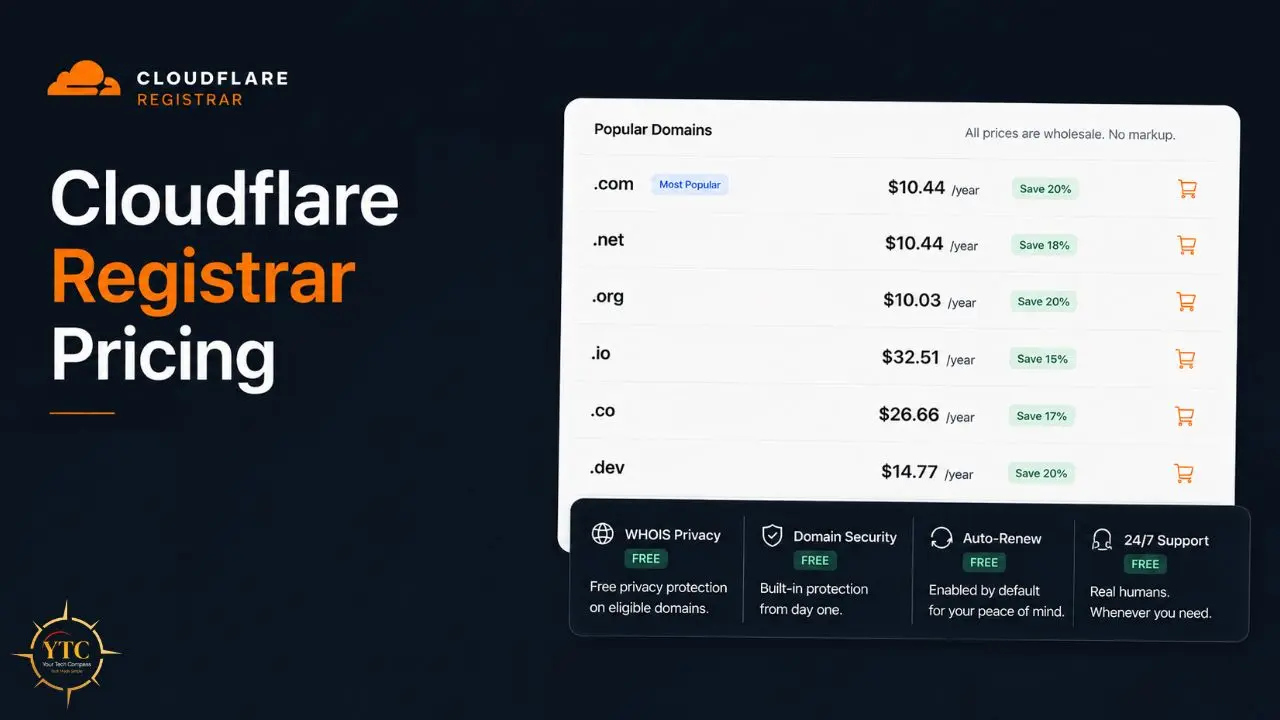
The true first-year and renewal cost for a standard .com domain is $10.44, which includes the $10.26 wholesale registry fee and the mandatory $0.18 ICANN fee. Cloudflare does not charge any markup or add any renewal premiums.
Your renewal price is identical to your registration price, not a promotional rate that expires, not a price that adjusts upward at year two. The .com example serves as the benchmark because Verisign (the .com registry) sets the price, which Cloudflare passes through unchanged.
💳 Cloudflare Registrar Pricing vs Major Competitors
TLD | Cloudflare (At-Cost) | Namecheap (1st Year / Renewal) | GoDaddy (1st Year / Renewal) | Porkbun (1st Year / Renewal) |
.com | $10.44 / $10.44 | $5.98 / $16.98 | $0.99 / $21.99 | $9.73 / $9.73 |
.net | $10.44 / $10.44 | $5.98 / $16.98 | $0.99 / $21.99 | $9.73 / $9.73 |
.org | ~$10.03 / ~$10.03 | $9.98 / $12.98 | $4.99 / $19.99 | ~$10.03 / ~$10.03 |
.io | ~$32.54 / ~$32.54 | ~$34.98 / ~$34.98 | ~$59.99 / ~$59.99 | ~$25.98 / ~$25.98 |
WHOIS Privacy | Free | Free (most TLDs) | $9.99/year | Free |
DNSSEC | Free, one-click | Available, manual | Paid add-on | Free |
Pricing verified as of Q1 2026. Domain pricing fluctuates; always verify current prices before purchasing.
The table tells the real story. GoDaddy’s .com at $0.99 for year one becomes $21.99 at renewal, a 2,121% price increase. Namecheap’s $5.98 promotional first year becomes $16.98 at renewal; a 184% jump.
However, Cloudflare’s $10.44 is the same at registration and at every renewal, indefinitely. Therefore, for anyone planning to own a domain for more than one year, including everyone managing a real website, Cloudflare’s pricing structure is mathematically superior to the promotional pricing of every major competitor.
One Important Caveat
Since Cloudflare charges at cost, when registries raise prices (as Verisign does for .com), your renewal cost increases as well. The at-cost commitment means both the savings and any price increases from the registry are passed through unchanged. That’s honest pricing, not a guarantee of frozen costs forever.
Key Features Explained
At-Cost Pricing With No Markup: Ever

The core feature is the pricing model itself, and it’s worth being specific about what “at-cost” means structurally. Every other ICANN-accredited registrar pays the same wholesale price to registries.
The difference is what they charge you on top of that. Cloudflare’s position, as a company that makes its money from security, performance, and developer services rather than domain reselling, allows it to offer domains as an acquisition tool rather than a profit center.
This isn’t a loss-leader promotional offer that expires. It’s the permanent business model.
The practical implication is that you can immediately evaluate the true 5-year cost of a domain at Cloudflare: multiply the first-year price by 5. At a competitor with 4× promotional-to-renewal price inflation, you can’t know the true long-term cost without carefully reading the fine print.
Free DNSSEC and What DNSSEC Actually Is
DNSSEC (Domain Name System Security Extensions) is a security protocol that adds cryptographic signatures to your DNS records. Here’s why it matters: without DNSSEC, an attacker who intercepts DNS queries between your browser and a DNS resolver can return a fraudulent IP address, redirecting your users to a phishing site that looks identical to yours, a technique called DNS cache poisoning or DNS spoofing.
DNSSEC prevents this by allowing your browser to verify that the DNS record it receives has been cryptographically signed by the domain’s authoritative nameserver. If the signature doesn’t match, the request fails rather than proceeding to a fraudulent destination.
At most registrars, DNSSEC requires manual setup, advanced DNS knowledge, or a paid add-on. Cloudflare activates it in one click from the dashboard; no technical configuration is required.
Free WHOIS Privacy on Every Domain
When you register a domain, ICANN historically required registrars to publish your contact information (name, address, email, and phone number) in the publicly queryable WHOIS database. This has made domain registrants targets for spam, phishing, and unwanted contact. Most registrars charge $10–$15 per year for WHOIS privacy protection (also called domain privacy or WHOIS redaction) that masks your information.
Cloudflare provides WHOIS privacy for free with every domain registration, complying with ICANN guidelines for privacy redaction where the registry permits. This is included at no additional cost in the base domain price; there’s no add-on to decline during checkout because there’s no add-on screen at all.
Domain Lock Enabled by Default
Domain lock (also called registrar lock or transfer lock) prevents unauthorized domain transfers away from Cloudflare Registrar. A locked domain cannot be transferred to another registrar without the lock being explicitly removed by the account holder, which requires authentication on your Cloudflare account. This protection is enabled by default on every domain, so you don’t need to enable it.
Combined with Cloudflare’s mandatory two-factor authentication (2FA) for all accounts, domain lock creates a meaningful barrier against domain hijacking, one of the most damaging attacks a website owner can experience, as a hijacked domain gives an attacker control over every service connected to it.
Registry Lock for High-Value Domains
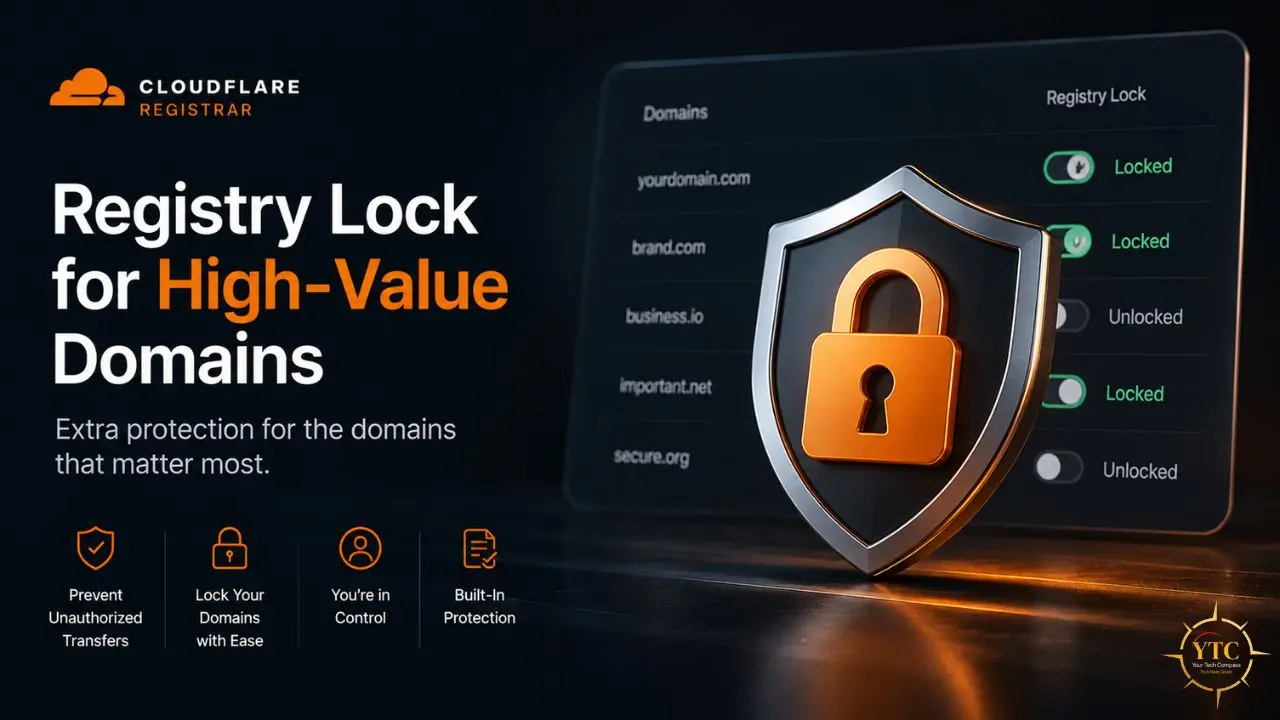
Beyond the standard registrar lock, Cloudflare also offers Registry Lock for qualifying domains, a more stringent protection that requires changes to be verified directly with the registry, not just the registrar. Registry Lock is appropriate for businesses for whom domain loss would cause significant commercial damage, such as financial institutions, SaaS platforms, and media organizations. This level of protection is uncommon among standard registrars and typically reserved for enterprise clients.
Seamless Cloudflare Ecosystem Integration
If you’re already using Cloudflare for DNS, CDN, or security, adding Cloudflare Registrar means your domain registration, DNS management, DDoS protection, SSL certificates, and performance optimization all live in the same dashboard under the same account. There’s no context-switching between your registrar and your DNS provider, no separate authentication, and no configuration steps to connect them; they’re already connected.
For developers deploying on Cloudflare Workers, Pages, or R2, having the domain registered with Cloudflare means that setting up a custom domain involves selecting the domain from a dropdown rather than copying DNS records between providers. That integration has genuine workflow value for teams who already operate within the Cloudflare stack.
The Nameserver Requirement: The Constraint You Need to Understand Before Signing Up
This is the most significant limitation of Cloudflare Registrar, and it deserves more than a single bullet point.
Cloudflare Registrar only works if your domain uses Cloudflare’s nameservers. You cannot point your domain to Route53, DigitalOcean DNS, or any other external DNS provider.
What this means in practice: your DNS records, the A records, CNAME records, MX records, TXT records, and everything else that tells the internet where to find your website, email, and services, must be managed inside Cloudflare’s DNS dashboard. You cannot use AWS Route 53, Cloudflare DNS while registered elsewhere, Google Cloud DNS, or any other external DNS provider.
For most developers and businesses already using Cloudflare’s DNS (which is free and among the fastest globally), this isn’t a constraint at all; it’s the reason they’re considering Cloudflare Registrar in the first place. But for:
- Domain investors who need custom nameservers for aftermarket platforms like Afternic or Sedo.
- Enterprises with existing DNS infrastructure that aren’t migrating.
- Developers who use AWS Route 53 or another cloud provider’s DNS for operational reasons.
- Multi-registrar portfolio managers who want consistent nameserver control across different registrars.
…this requirement renders Cloudflare Registrar functionally incompatible with their setup, despite the pricing advantage.
Before transferring any domain to Cloudflare Registrar, verify that every service currently connected to that domain can be replicated in Cloudflare’s DNS. Most services can support A, CNAME, MX, TXT, and SRV records. But if you have DNS-level integrations with specific cloud providers that require their nameservers, the transfer needs careful planning.
Ease of Use: Who Will Find It Easy, and Who Won’t

Cloudflare’s dashboard is built for developers and technically comfortable users. The navigation assumes familiarity with DNS concepts.
If you know what an A record and an MX record are and why they matter, Cloudflare’s DNS interface is fast and clean. In addition, if you’re setting up a domain for the first time and aren’t sure which records you need, Cloudflare’s interface offers less hand-holding than beginner-oriented registrars.
The registration and transfer process is standard: unlock your domain with your current registrar, obtain the EPP authorization code, enter it into Cloudflare’s transfer flow, pay the at-cost transfer fee (which ICANN requires to equal one year’s renewal fee), and wait 5–7 days for the transfer to complete. DNS records should be replicated in Cloudflare before initiating the transfer to avoid any interruption to connected services.
What Cloudflare’s dashboard does not include: bundled email hosting, a website builder, pre-built landing page templates, or any of the “one-click” extras that beginner-oriented registrars use to justify their higher prices. If your workflow is to manage the domain and DNS records and let your hosting handle everything else, Cloudflare’s minimalism is an advantage. If you’re expecting a one-stop shop, it isn’t one.
Performance and Security Benefits Beyond the Registrar
Because Cloudflare Registrar connects to the broader Cloudflare ecosystem, domains registered here benefit from:
Cloudflare’s Global Anycast DNS Network
Cloudflare operates one of the world’s largest DNS networks, with 1.1.1.1 being the most widely used third-party DNS resolver globally. DNS queries for your domain resolve from the nearest Cloudflare data center, typically within single-digit milliseconds. That speed directly affects how quickly browsers can begin loading your site after a user enters your domain.
Automatic SSL/TLS
Cloudflare issues and renews SSL certificates automatically for domains using its DNS; no separate certificate purchase, no renewal management, no Certbot configuration required.
DDoS Protection at the DNS Layer
Cloudflare’s network absorbs distributed denial-of-service attacks before they reach your origin server. This protection operates at the infrastructure level and doesn’t require separate configuration for domains registered and managed through Cloudflare.
Unified Security Monitoring
The Cloudflare dashboard provides visibility into DNS query patterns, blocked threats, and traffic analytics across your domain, giving you signals about attack attempts and anomalous traffic that most registrar dashboards don’t surface.
How to Transfer Your Domain to Cloudflare Registrar
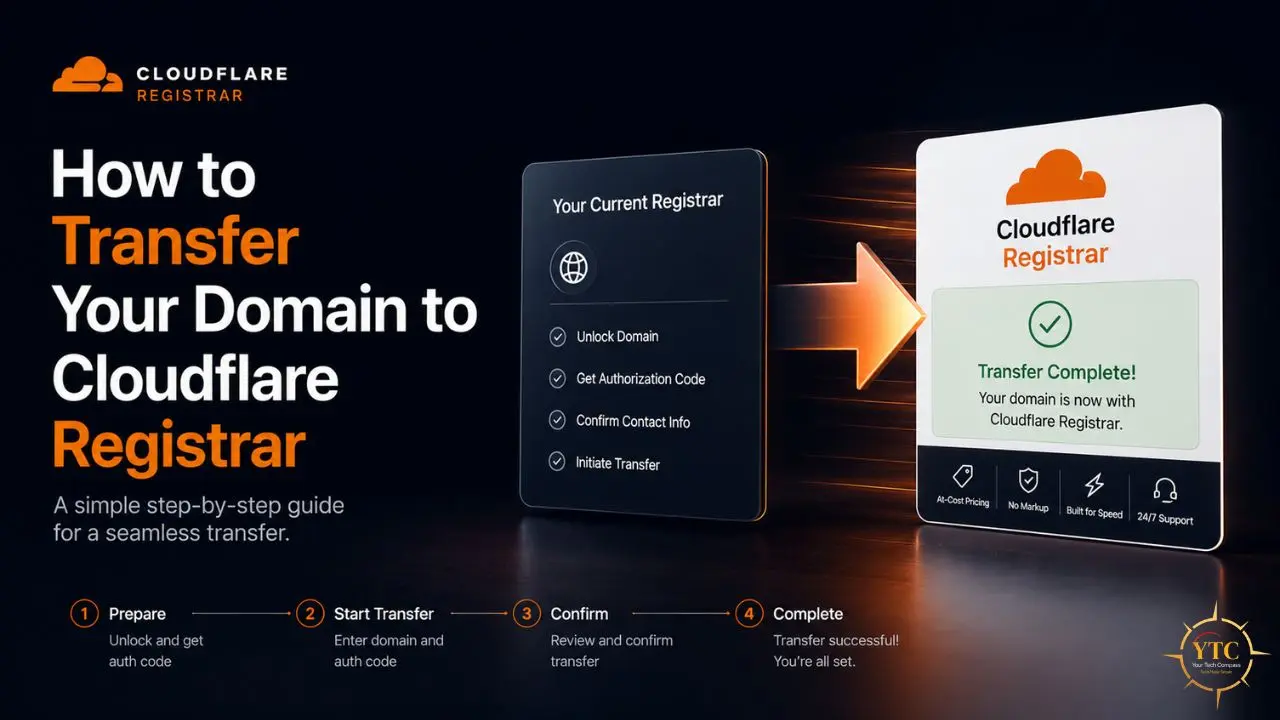
This section deserves actual step-by-step detail rather than five bullet points.
Before You Begin
Domains must have been registered for at least 60 days before they can be transferred (ICANN policy). Additionally, the domain must have been transferred to its current registrar at least 60 days ago. Plan your transfer timeline around these requirements.
Step 1: Replicate Your DNS Records in Cloudflare DNS First
Go to dash.cloudflare.com, add your domain to Cloudflare as a DNS-only zone, and manually copy all existing DNS records from your current registrar into Cloudflare’s DNS management. Include A records, CNAME, MX, TXT (particularly SPF, DKIM, and DMARC for email), and any SRV records. Test that they’re correct before initiating the transfer. Once the transfer completes, Cloudflare’s nameservers become authoritative, and any missing records will cause service interruptions.
Step 2: Disable WHOIS Privacy at Your Current Registrar
Many registrars hide the domain’s contact email behind privacy protection, which blocks transfer confirmation emails. Temporarily disable WHOIS privacy to expose the registrant email address; you’ll need to receive a transfer confirmation there.
Step 3: Unlock the Domain at Your Current Registrar
Every registrar has a domain lock setting. Find it in your domain management panel and set the domain to “Unlocked” or “Transfer enabled.” This setting is usually labeled “Domain Lock,” “Transfer Lock,” or “Registrar Lock.”
Step 4: Obtain the EPP Authorization Code
Also called an auth code or transfer key, this is a string provided by your current registrar that authorizes the transfer. Most registrars provide it on demand through the domain management panel; some email it on request. Copy it exactly; it’s case-sensitive.
Step 5: Initiate the Transfer in Cloudflare Registrar
Go to dash.cloudflare.com, then → Domain Registration → Transfer. Enter your domain name, then enter the EPP code when prompted. Cloudflare will display the transfer price (one year’s wholesale renewal cost) and process payment.
Step 6: Approve the Transfer
You’ll receive a confirmation email at the registrant’s address. Some registrars also send a notification when a transfer is requested. Approve the transfer via the emailed link. Transfers typically complete within 5–7 days; most complete faster.
Step 7: Enable DNSSEC and Verify Your Configuration
After the transfer completes, go to the domain’s DNS settings in Cloudflare, enable DNSSEC with one click, and verify that all your services are resolving correctly. Check email, website, and any subdomains you use.
Alternatives Worth Considering
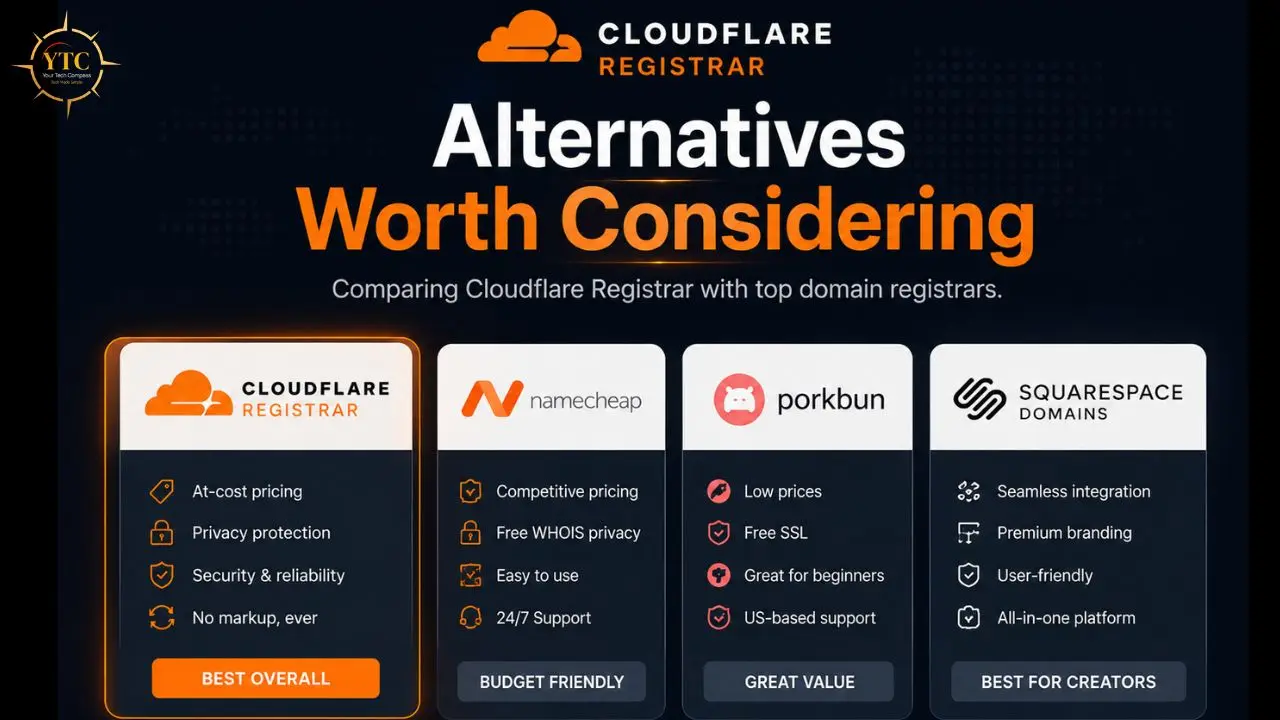
Cloudflare Registrar is the right choice for a specific user profile. For others, these alternatives serve better:
Porkbun
This is the closest competitor to Cloudflare in terms of pricing, with some TLDs priced below Cloudflare’s at-cost rate (including .io), no nameserver restrictions, free WHOIS privacy, and a more flexible feature set that supports external nameservers. For users who want low prices without the Cloudflare nameserver lock-in requirement, Porkbun is the strongest alternative. The trade-off is that Porkbun has a smaller infrastructure footprint than Cloudflare and less ecosystem integration.
Namecheap
This is the best all-around registrar for users who want a balance of reasonable pricing, broad TLD support, flexible nameserver options, and bundled services, including free email forwarding, domain-based email (WhoisGuard included), and a beginner-friendly dashboard. First-year promotional pricing is lower than Cloudflare’s for many TLDs, but renewal pricing is higher. Run the 3-year total cost calculation before making the comparison.
Google Domains (Now Known as Squarespace Domains)
Google sold its domain business to Squarespace in 2023. The product continues under Squarespace’s management with comparable at-cost pricing on .com and integration with Google Workspace. Worth considering for users heavily invested in Google’s ecosystem who want a Google-adjacent registrar with no nameserver restrictions.
Pros and Cons Summary
✅ Why Cloudflare Registrar Earns Its Recommendation
- True at-cost pricing (registration equals renewal, always, with zero hidden markup).
- Free WHOIS privacy and one-click DNSSEC on every domain are included in the base price.
- Domain lock is enabled by default; registry lock is available for high-value domains.
- Clean checkout with no pre-checked add-ons or dark patterns.
- Seamless integration with Cloudflare DNS, CDN, Workers, Pages, and the full Cloudflare ecosystem.
- No surprise renewal inflation (you know the exact cost of ownership for any number of years from day one).
❌ Where It Falls Short
- Nameserver lock-in: You must use Cloudflare DNS; no external nameservers are permitted while using Cloudflare Registrar.
- Not suitable for domain investors: Aftermarket integration with Afternic, Sedo, and similar platforms requires custom nameservers that Cloudflare Registrar doesn’t support.
- Limited TLDs: 390+ supported TLDs are solid but not exhaustive. Some country-code TLDs and niche extensions aren’t available.
- No bundled services: No email hosting, no website builder, no hosting bundle. You need separate services for everything except DNS.
- Registry price pass-through cuts both ways: When Verisign raises .com registry prices, Cloudflare passes that increase through to unchanged prices.
- Trustpilot score of 1.4/5 (reflecting Cloudflare overall, primarily enterprise customers). Individual customer support complaints are documented across multiple review platforms.
Who Should Use Cloudflare Registrar
Cloudflare Registrar is the right choice if you:
- Already use Cloudflare DNS, CDN, or security products and want a unified dashboard.
- Manage multiple domains and want to eliminate price inflation on renewals across your portfolio.
- Value domain security. DNSSEC, domain lock, and registry lock together form a strong anti-hijacking posture.
- Are a developer or technically comfortable user who manages DNS records yourself.
- Are registering a domain for a long-term project where the predictable total cost of ownership matters.
Who Shouldn’t Use Cloudflare Registrar

Cloudflare Registrar is not the right fit if you:
- Need external nameserver flexibility for aftermarket sales, specific cloud DNS providers, or multi-registrar portfolio management.
- Want bundled services, such as email, hosting, or a website builder, alongside your domain.
- Are a complete beginner expecting a guided, all-in-one experience with hand-holding during DNS setup.
- Need a TLD that Cloudflare doesn’t currently support. Check Cloudflare’s TLD policies page before transferring.
- Are investing in domain portfolios for resale; the nameserver requirement makes aftermarket integration impractical.
Cloudflare Registrar vs. Cloudflare DNS: An Important Distinction
These are two separate products that are easy to conflate.
Cloudflare DNS is the free DNS hosting service at cloudflare.com. You can use Cloudflare DNS to manage your domain’s records, adding it as an authoritative nameserver, without transferring the domain registration to Cloudflare. Millions of domains use Cloudflare DNS while remaining registered with Namecheap, GoDaddy, or another registrar. This is free, available to anyone, and has no nameserver restrictions.
Cloudflare Registrar is the domain registration service. When your domain is registered with Cloudflare Registrar, Cloudflare handles domain ownership, renewal, WHOIS data, transfer management, and DNS. The nameserver restriction applies only to domains where Cloudflare is the registrar, not to domains that use Cloudflare DNS while registered elsewhere.
This distinction matters because you can get Cloudflare’s DNS performance and DNSSEC benefits without transferring your registration. The specific benefits of Cloudflare Registrar are its pricing structure, domain security features (lock, WHOIS privacy), and consolidated management interface.
FAQs
You can transfer your domain from Cloudflare Registrar to any other ICANN-accredited registrar at any time, subject to the standard 60-day lock after registration or transfer. ICANN requires that a transfer cost one year’s renewal fee (which at Cloudflare is the at-cost wholesale price). There’s no transfer-out penalty or administrative barrier beyond the standard unlock-and-EPP-code process.
No. Cloudflare Registrar provides only domain registration and DNS management. It does not include email hosting, mailboxes, or a webmail interface. For email, you’ll need a separate service: Google Workspace, Microsoft 365, Zoho Mail, Proton Mail for Business, or a hosting provider that includes email. You can configure MX records in Cloudflare DNS to point to any email provider.
Your renewal price at Cloudflare equals the at-cost registry price as of the renewal date. Cloudflare adds no markup at renewal. If the registry (such as Verisign for .com) raises its wholesale price, Cloudflare passes that increase through, but adds nothing on top. Your renewal price will never exceed the registry’s published wholesale price.
For a .com domain over three years: Namecheap’s first-year promotional price of ~$5.98 plus two renewals at ~$16.98 each totals approximately $39.94. Cloudflare’s three-year total at $10.44 per year is $31.32, saving approximately $8.62 over the same period. The savings widen the longer you hold the domain, because Cloudflare’s renewal price stays stable while Namecheap’s remains at the higher renewal rate.
Conclusion

Cloudflare Registrar delivers on its core promise with mathematical precision: true at-cost pricing, a .com is $10.44 per year at registration and $10.44 per year at renewal, with zero markup, along with WHOIS privacy and DNSSEC included for free on every domain, with a completely clean checkout and no dark patterns. For any user who manages a domain for more than one year, i.e., anyone running a real website, that pricing structure yields genuine long-term savings compared to every major competitor’s renewal pricing.
The constraint is real and worth taking seriously: Cloudflare’s nameserver lock-in means this registrar is appropriate only for users who are willing to use Cloudflare DNS as their authoritative nameserver. For the substantial portion of the internet that already does, and for anyone happy to adopt it, Cloudflare Registrar is the most transparent, security-complete domain registration service available at any price. For domain investors, enterprises with established DNS infrastructure, or anyone who needs the flexibility of external nameservers, the alternatives covered above offer comparable pricing without that restriction.
Every tool review, tech comparison, and practical guide worth bookmarking lives at YourTechCompass.com, where we give you verified information to make smarter decisions about the technology powering your work.