Writing tools can make or break your workflow, whether you’re drafting blog posts, polishing business emails, writing academic papers, or editing long manuscripts. Two of the most widely discussed platforms in this space are Grammarly and ProWritingAid, each with its own philosophy and strengths. While both aim to improve your writing quality, they cater to different users depending on goals, depth of editing needed, and workflow preferences.
This article compares Grammarly and ProWritingAid across features, performance, pricing, integrations, and overall value. You’ll get clear side-by-side insights so you can pick the best tool for your writing style and daily routine, and that’s exactly what I set out to evaluate here.
Grammarly vs ProWritingAid: Key Features at a Glance
Below is a snapshot of their core offerings to set the foundation for a deeper comparison:
Feature | Grammarly | ProWritingAid |
Grammar & Spell Check | Excellent real-time | Strong + detailed reports |
Style & Clarity | Simple, fast suggestions | Deep stylistic insights |
Report Types | Basic readability & tone | 25+ detailed writing reports |
AI Tools | Built-in generative AI (GrammarlyGO) | Rephrase & edit assistance |
Plagiarism Checker | Included in Premium | Available with add-ons or a higher tier |
Integrations | Extensive (Docs, Word, browsers) | Good + desktop apps & novel tools |
Best For | Short-form, everyday writing | Long-form and creative projects |
Free Plan | Generous basic checks | Free with limits |
Ease of Use | Very intuitive | More complex but powerful |
This comparison highlights their core difference: Grammarly shines in everyday, fast-paced environments, while ProWritingAid digs deeper into the mechanics and craft of writing.
What Grammarly Excels At
Grammarly is one of the most widely used writing assistants worldwide, a platform that complements everyday writing tasks with real-time corrections and helpful suggestions.
Strengths
- Fast, Real-Time Corrections: Grammar, spelling, punctuation, and conciseness improvements appear instantly as you type.
- Tone Detection: Helpful cues on tone (e.g., confident, friendly) make it ideal for business and professional correspondence.
- GrammarlyGO: Built-in AI provides rewrites, generative content support, and alternative phrasing suggestions.
- Extensive Integrations: Works across browsers, Microsoft Word, Google Docs, emails, and many web editors.
Limitations
- Surface-Level Editing: While excellent at catching grammar and sentence-level issues, it offers less depth in long manuscripts, particularly in narrative pacing, dialogue, and structure.
- Shallow Style Insights: Suggestions are often aimed at clarity rather than artistic craft or deep stylistic refinement.
Best Suited For: Professionals, students, content creators, and anyone who drafts short- to medium-length writing regularly.
What ProWritingAid Excels At
ProWritingAid takes a different approach: it aims not just to correct but to coach writing at a granular and structural level.
Strengths
- Detailed Writing Reports: Over 25 reports covering readability, pacing, sentence structure, repetition, transitions, and more.
- Deep Stylistic Feedback: Beneficial for authors, fiction writers, and long-form projects.
- Customization: Genre-specific tools help tailor edits for creative, academic, business, or technical writing.
- Cost Flexibility: Premium options often come at a lower annual price or even lifetime licenses.
Limitations
- Learning Curve: The wealth of reports and settings can overwhelm new users.
- Plagiarism Check Can Incur Extra Cost: Unlike Grammarly’s built-in feature, ProWritingAid may require additional purchases or higher tiers.
Best Suited For: Novelists, long-form authors, academics, editors, and writers invested in improving craft and structure.
Accuracy, Style, and Writing Insights
When comparing Grammarly vs ProWritingAid for accuracy, both tools reliably identify grammar and spelling issues. However, they handle writing improvement differently:
- Grammarly focuses on clean, polished sentence structure and tone, with simple explanations and rewrite suggestions that anyone can apply quickly.
- ProWritingAid delivers deeper stylistic understanding with comprehensive reports that identify patterns, pacing problems, and stylistic redundancies, especially valuable for long or complex documents.
In practical terms, this means Grammarly helps you fix your writing quickly, while ProWritingAid helps you understand and improve your writing habits over time.
User Experience and Interface
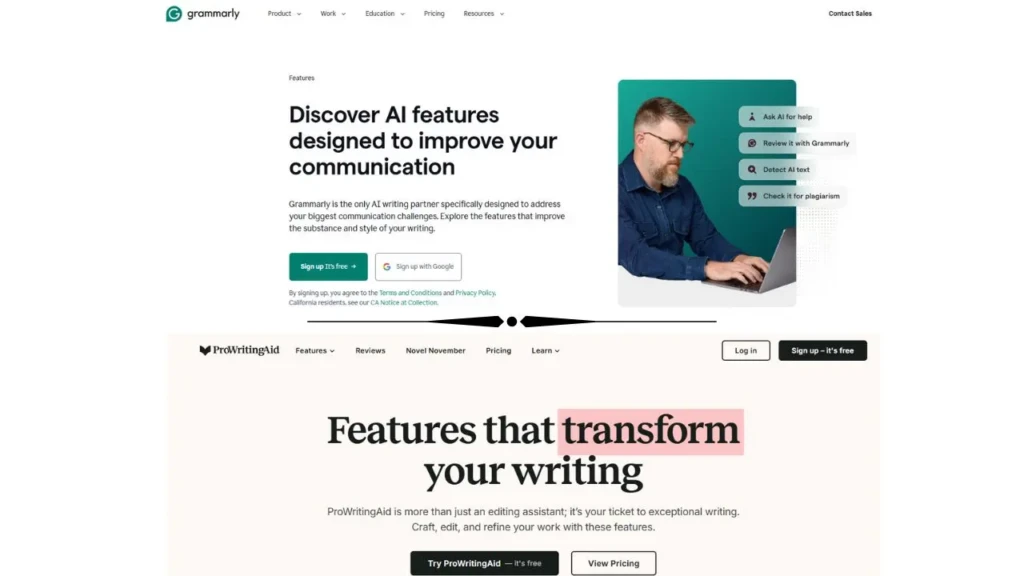
Grammarly is designed for immediacy: an intuitive interface that works across platforms and requires virtually no learning curve. It’s streamlined for users who want suggestions as they type, without having to dig for options.
In contrast, ProWritingAid offers a more feature-rich interface with toolbars, detailed reports, and multiple views of your document. While this can be incredibly insightful, it may feel dense at first, especially for users who only want quick corrections.
Integrations and Workflow
Both tools support browser extensions and web editors, but:
- Grammarly offers broader integration with email clients, conferencing apps, and team environments.
- ProWritingAid integrates deeply with desktop writing tools (including Scrivener and offline editors), which is attractive for authors and academic writers who build large documents.
Pricing and Value
Pricing varies by plan and features, but general patterns emerge:
Plan Type | Grammarly | ProWritingAid |
Free Tier | Yes (robust basics) | Yes (limited checks) |
Premium Annual | Moderate | Slightly lower |
Lifetime Option | No | Yes |
Plagiarism Checker | Included | Extra cost |
Overall, ProWritingAid often offers more editing features per dollar, especially for long-form writers; Grammarly offers convenience and a broader range of integrations that justify its subscription for many users.
Which Tool is Right for You?
Your choice between Grammarly and ProWritingAid largely comes down to how you write:
- Choose Grammarly if you write emails, web content, reports, or any short-to-medium text where clarity and speed matter.
- Choose ProWritingAid if you’re working on novels, research papers, long blogs, or want deep insight into structure and craft.
This mirrors patterns seen in other tool comparisons, such as Mint vs Rocket Money or Otter AI vs Notta, where surface-level convenience and deep analytical power serve different user goals.
Final Thoughts
Both Grammarly and ProWritingAid are powerful writing assistants, but they occupy slightly different niches. Grammarly delivers fast, intuitive corrections with broad integration across apps and platforms, making it ideal for everyday professional writers. ProWritingAid, meanwhile, offers unmatched depth for writers serious about refining style, pacing, and structure in longer works.
Put simply, Grammarly helps you write well now, while ProWritingAid enables you to write better over time. Ultimately, the best choice depends on your writing priorities.