Gemini AI is quickly becoming one of the most talked-about AI tools in the tech world. From content creation to problem-solving, this advanced model is designed to assist users in ways that feel intuitive and human-like. Unlike traditional AI models that focus solely on text, Gemini AI integrates multiple types of data, including images, audio, and documents, to provide richer and more accurate outputs.
Its versatility means it can be applied in education, business, creative projects, and everyday productivity tasks. In this article, I will guide you through everything you need to know about Gemini AI, including its features, practical applications, and how it compares to other leading AI models.
What Is Gemini AI?
Gemini AI is Google’s latest multimodal AI model, designed to understand and generate content across various formats. Unlike single-purpose AI systems, Gemini can interpret text, images, and audio, allowing it to produce responses that are more contextually aware and accurate.
One of the reasons Gemini AI is gaining so much attention is that it integrates seamlessly with Google’s ecosystem, making it easier for professionals and casual users alike to leverage AI in their daily workflows. Compared to earlier models, Gemini AI is faster, more versatile, and capable of understanding complex prompts in a way that feels natural. I find this combination of speed, accuracy, and versatility what makes it stand out.
How Gemini AI Works Behind the Scenes
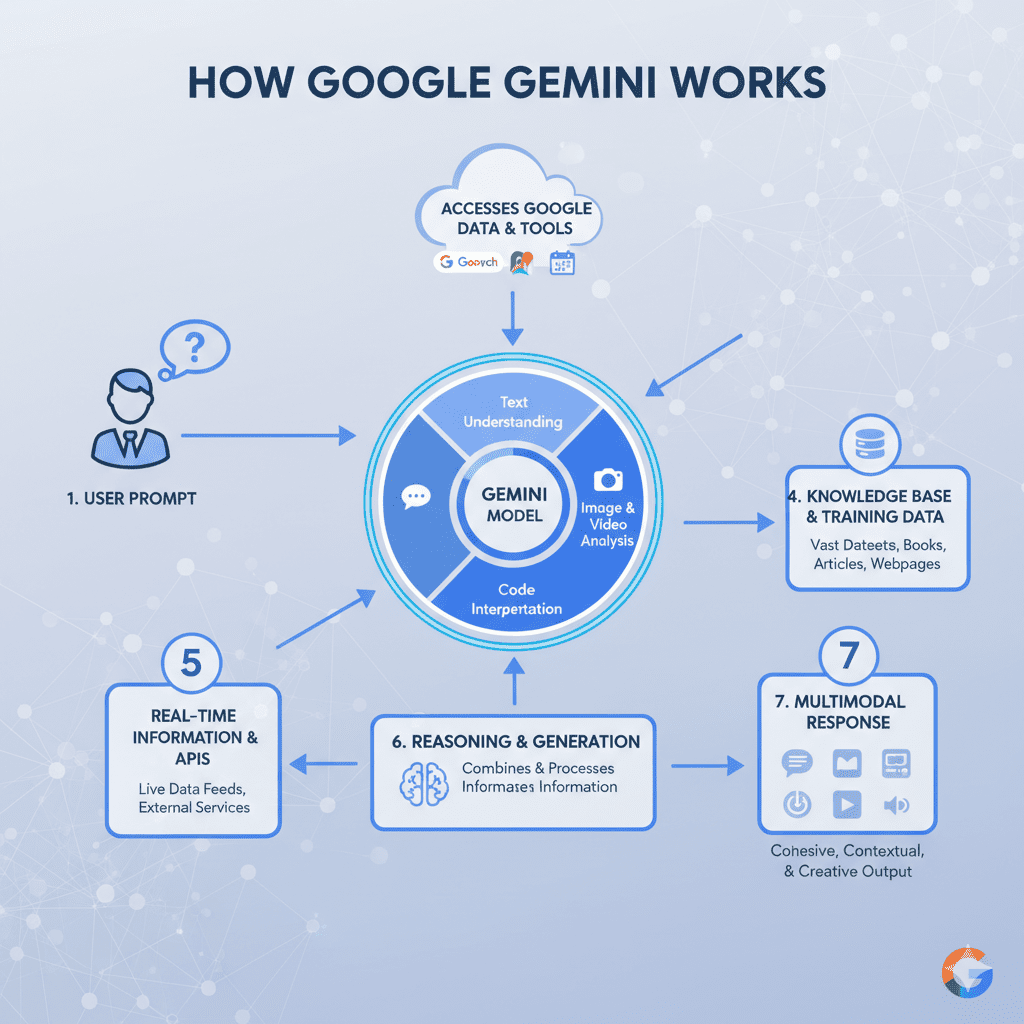
At its core, Gemini AI operates as a large language model (LLM), similar to OpenAI’s ChatGPT or Anthropic’s Claude, but with multimodal capabilities. This means it can process text alongside images, audio, and structured data. By analyzing multiple forms of input simultaneously, Gemini AI provides more nuanced and context-aware outputs.
In practice, this means that if you upload an image of a chart and ask for a summary, Gemini can interpret both the visual data and any accompanying text to generate an accurate explanation. This multimodal processing makes it not only versatile but also a tool that bridges gaps between traditional AI and human-level understanding.
Key Features of Gemini AI
Gemini AI comes packed with features that make it a standout in today’s AI landscape:
- Natural Language Understanding: Gemini can comprehend complex prompts, follow context, and produce human-like responses.
- Real-Time Problem Solving: From coding errors to business workflows, it can generate practical solutions quickly and efficiently.
- Image and Document Interpretation: Upload diagrams, documents, or photos to receive accurate insights and summaries.
- Coding and Debugging Assistance: It can help developers write, test, and troubleshoot code efficiently.
- Productivity Support: Gemini AI can draft emails, summarize research, and create structured reports.
These features make Gemini AI not just a conversational tool but a productivity powerhouse.
Practical Uses of Gemini AI in Everyday Life

Gemini AI’s applications are surprisingly broad, whether for personal or professional tasks. For instance:
- Writing and Content Creation: Whether it’s blog posts, marketing copy, or social media content, Gemini can generate polished drafts quickly. This makes it similar in function to tools like Blackbox AI, but with multimodal capabilities.
- Research and Summarization: Gemini can scan multiple documents or sources and provide concise summaries.
- Study Aid and Learning: Students can ask Gemini for explanations, summaries, or even quizzes on specific topics.
- Business Workflows: Create reports, plan projects, or analyze data without switching between multiple tools.
- Creative Tasks: From story generation to design prompts, Gemini can assist in almost any creative endeavor.
By integrating AI into these day-to-day tasks, you can save time while maintaining quality.
How Gemini AI Helps Professionals
Different professional fields benefit from Gemini AI in unique ways:
- Marketers: Generate campaign ideas, write compelling ad copy, and refine messaging for optimal impact.
- Writers and Content Creators: Streamline content creation and editing workflows.
- Developers: Get coding assistance, debugging help, and even algorithm suggestions.
- Students and Educators: Summarize textbooks, create study guides, and provide explanations.
- Entrepreneurs: Automate repetitive tasks, analyze data, and brainstorm business strategies.
For anyone in these roles, Gemini AI can act as a versatile assistant that amplifies productivity.
Gemini AI vs Other Large Language Models
Before diving into the comparison, it’s helpful to see the differences side by side. Here’s a breakdown of Gemini AI compared to ChatGPT and Claude:
Feature | Gemini AI | ChatGPT | Claude |
Multimodal (text, image, audio) | ✅ | ❌ | ❌ |
Real-Time Problem Solving | ✅ | ✅ | ✅ |
Coding Assistance | ✅ | ✅ | Limited |
Integration with Productivity Tools | Strong | Moderate | Moderate |
Context Retention | High | Medium | Medium |
Best For | Professionals, students, creators | General use | Research |
From this table, it’s clear that Gemini AI excels in multimodal tasks and productivity integrations, while ChatGPT remains a versatile text-focused AI, and Claude prioritizes safe research-oriented interactions. For a broader perspective on AI alternatives, you can also check out Poly AI.
Pros and Cons of Using Gemini AI

Pros
- Multimodal capabilities for richer outputs
- High accuracy and contextual understanding
- Useful across a wide range of professional and personal tasks
- Fast response times
Cons
- Can require a learning curve for complex prompts
- Some advanced features may be behind subscription tiers
- Reliance on the Google ecosystem for optimal functionality
Overall, the benefits outweigh the limitations for most users.
How to Get Started With Gemini AI
Getting started is simple. You can access Gemini AI through Google’s official platform here. It works in web browsers and on mobile devices.
For optimal results, take the time to craft clear and detailed prompts. Start small, experiment, and gradually explore advanced capabilities, such as coding assistance or document analysis. This approach ensures you get the most out of Gemini AI.
Safety, Privacy, and Data Handling
Google has implemented robust measures to protect user data when using Gemini AI. However, it’s important to understand that any information shared with AI tools may be processed for model improvement.
Avoid sharing sensitive or personally identifiable information unless absolutely necessary. For more information on AI safety, refer to Google’s AI Principles.
Final Thoughts: Is Gemini AI Worth Using?
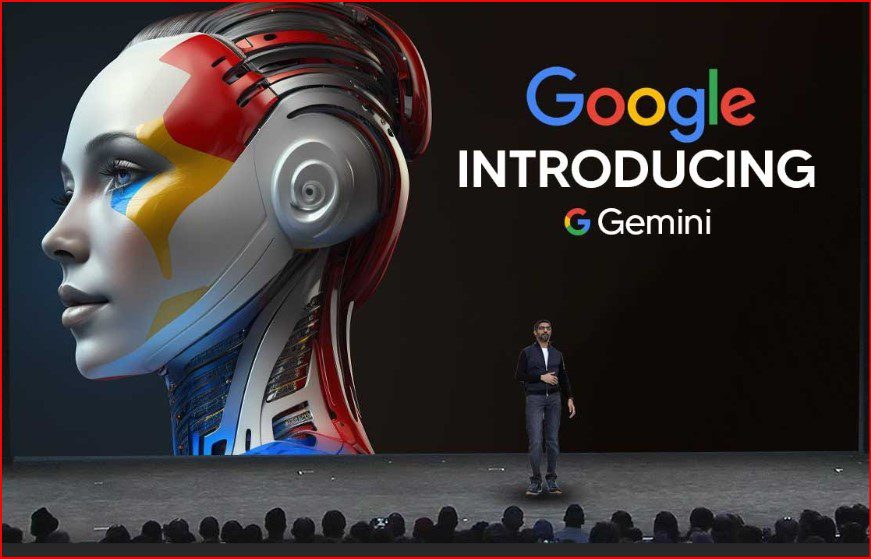
Gemini AI is more than just a chatbot; it’s a versatile AI assistant that enhances productivity, creativity, and learning. Its multimodal capabilities, integration with tools, and real-time problem-solving make it a standout choice compared to other AI models.
Whether you are a professional, student, or content creator, Gemini AI offers practical value that can save time and improve output quality. I believe that anyone looking to leverage AI in meaningful ways should explore Gemini AI and experiment with its features firsthand.