Learning JavaScript has become one of the most common paths into software development and modern web programming. Whether you want to build interactive websites, power server-side applications, or even explore mobile and desktop apps, JavaScript plays a central role. However, for many beginners, the journey from “Hello World” to building real projects can feel overwhelming without a clear roadmap.
In this guide, I’ll break down the learning process into practical steps, explain foundational concepts, and show how you can build confidence and skill incrementally with real-world practice, not just theory. By the end of this guide, you should have a solid foundation in JavaScript basics, a clear path for ongoing practice, and confidence in applying your skills to real projects. I’ll help you see not just what to learn, but how to learn it effectively.
What Is JavaScript and Why Should You Learn It?
JavaScript is a high-level programming language that enables dynamic and interactive behavior on web pages. Originally introduced for client-side scripting in browsers, JavaScript now runs on servers, desktops, and even mobile devices thanks to environments like Node.js. It works alongside HTML and CSS to create modern web applications that let users interact with content, submit forms, see live updates, and more.
The language’s ubiquity means that nearly every employer looking for web developers expects JavaScript knowledge. Moreover, because it spans frontend, backend, and full-stack development, mastering JavaScript opens doors to diverse career paths, from UI/UX engineering to server development and beyond.
What You Need Before You Start Learning JavaScript

Before diving into syntax and projects, ensure you have the right setup:
- A Computer and a Modern Browser: JavaScript runs natively in all browsers, so you only need Chrome, Firefox, Safari, or Edge to start experimenting.
- A Code Editor: Tools like Visual Studio Code (VS Code) are standard because they provide syntax highlighting, extensions, and debugging support.
- Basic HTML & CSS Knowledge: You don’t need to be an expert, but understanding structure (HTML) and styling (CSS) will help you immediately see how JavaScript changes the user experience.
- A Growth Mindset: Learning to code involves mistakes. Expect to debug often and treat challenges as learning opportunities.
For authoritative guidance on browser JavaScript environments and APIs, the Mozilla Developer Network (MDN) is a go-to resource.
How JavaScript Works (Simple Explanation)
Understanding how JavaScript works helps demystify many core behaviors:
- JavaScript Engine: When you open a webpage, the browser uses a JavaScript engine (like Chrome’s V8) to interpret and execute scripts.
- Client-Side vs Server-Side: In the browser, JavaScript manipulates the Document Object Model (DOM) to update content without reloading the page. On the server (via Node.js), it handles requests, databases, and backend logic.
- Event Loop: JavaScript’s event loop enables asynchronous behavior, meaning certain tasks (like fetching data) can run without freezing the interface.
This foundational grasp of execution contexts will make learning asynchronous programming (callbacks, promises, async/await) much more intuitive.
Step-by-Step Roadmap: How to Learn JavaScript Properly
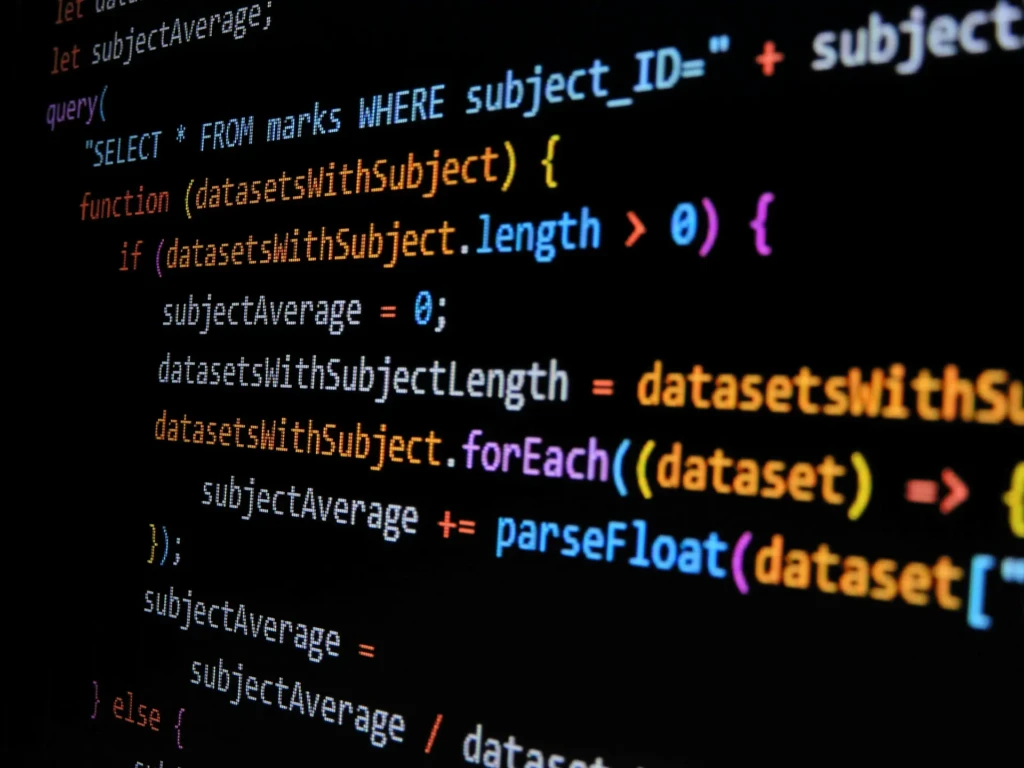
Step 1: Learn the Basics
Begin with core constructs:
- Variables and Data Types: Understand let, const, strings, numbers, booleans, and null/undefined.
- Operators: Arithmetic, comparison, and logical operators.
- Conditions and Loops: if/else, switch, for, while.
- Functions: Declaration, expression, parameter handling, and arrow functions.
- Arrays and Objects: Collections and key/value storage.
Start small; each concept becomes a building block for more complex logic.
Step 2: Learn How JavaScript Interacts With Web Pages
The DOM (Document Object Model) is a programming interface for a webpage that JavaScript can manipulate.
- Selecting Elements: Using document.querySelector() or getElementById().
- Events: Listening for user actions like click or input.
- Updating Content: Changing text, classes, and styles dynamically.
This step makes JavaScript feel real because you can experiment and immediately see changes in the browser.
Step 3: Learn Modern JavaScript Concepts
Modern JavaScript (ES6 and later) introduces powerful features:
- Arrow Functions: Shorter function syntax with lexical this.
- Destructuring: Clean extraction of values from objects and arrays.
- Modules: Breaking code into reusable files.
- Promises & Async/Await: Structured asynchronous code.
These features are widely used in professional environments and are essential for working with frameworks.
Step 4: Practice With Small Projects

Theory only takes you so far. Build practical projects such as:
- A to-do list with add/remove functionality.
- A calculator that handles basic arithmetic.
- A quiz app with questions and score tracking.
These simple projects reinforce patterns you’ll use in larger applications.
Step 5: Learn a Framework or Library
Once comfortable with core JavaScript, you can explore:
- React: The most popular library for building user interfaces.
- Vue or Svelte: Frameworks that emphasize simplicity and reactivity.
- Next.js or Nuxt.js: Server-rendered frameworks built on React and Vue, respectively.
Before frameworks, prioritize fundamentals. Strong JavaScript fluency makes learning frameworks much easier.
Best Ways to Practice JavaScript Effectively
Practicing consistently accelerates mastery:
- Code Every Day: Even short sessions keep concepts fresh.
- Build Projects: Real projects force you to solve real problems.
- Read Other People’s Code: GitHub is a treasure trove of real implementations.
- Use Debuggers: Learning to debug with tools like the Chrome DevTools improves understanding.
Also consider collaboration platforms such as CodePen, JSFiddle, or GitHub for sharing and receiving feedback.
Common Mistakes Beginners Make (and How to Avoid Them)
As you learn, avoid these traps:
- Tutorial Hell: Watching videos without building projects.
- Skipping Fundamentals: Jumping straight to frameworks without mastering basics.
- Trying to Learn Everything at Once: Focus on one concept, then expand on it.
- Copying Without Understanding: Write code actively, not passively.
Mistakes are natural; the key is to extract lessons from them.
How Long Does It Take to Learn JavaScript?
There is no fixed timeline, but here’s a realistic view:
- Basics: 4–8 weeks with regular practice.
- Intermediate Skills: 3–6 months.
- Advanced & Frameworks: 6–12+ months.
The better question isn’t how long, it’s how consistently you practice and apply what you learn.
What You Can Build With JavaScript
Once you have a grip on the language, you can build:
- Interactive websites that respond to user input.
- Web apps with complex logic and data handling.
- Mobile apps (via React Native).
- Desktop apps (via Electron).
- Games with libraries like Phaser.
- Server backends with Node.js.
The versatility of JavaScript makes it one of the most valuable languages for modern developers.
Career Paths You Can Take With JavaScript
JavaScript proficiency can lead to roles such as:
- Frontend Developer: Focus on user interfaces and interaction.
- Backend Developer: Using Node.js for server logic.
- Full-Stack Developer: Combining both frontend and backend.
- Freelancer or Consultant: Building custom solutions for clients.
- Product or Startup Founder: Build your own MVP or prototype.
Each path emphasizes different JavaScript strengths, from UI logic to asynchronous workflows and database integration.
Comparison Table: Learning Paths for JavaScript
Path | Time | Cost | Structure | Outcome |
Self-Taught | Variable | Low | Flexible | Real portfolio, discipline needed |
Bootcamp | 3 – 6 months | High | Structured | Job-ready support |
College/Course | Months – Years | Moderate – High | Academic | Deep CS knowledge |
Part-time Online | Months | Moderate | Skill targeted | Specific job outcomes |
Each path has trade-offs; choose based on lifestyle, budget, and career urgency.
Who This Learning Path Is Best For
This guide works well for:
- Students who want to enter web development.
- Career switchers seeking tech roles.
- Entrepreneurs and founders building prototypes.
- Hobbyists passionate about programming.
Your context shapes how you apply the roadmap above.
Conclusion
Learning JavaScript is one of the most accessible and practical ways to enter software development, web design, or interactive computing. By following a structured roadmap, from fundamentals to projects to frameworks, you can transform theoretical knowledge into skills that employers and clients value. The key is consistency, project-based practice, and a clear progression from basics to more advanced concepts.
JavaScript’s versatility across frontend, backend, and even mobile and desktop environments makes it a language worth investing in, no matter your ultimate goal. Whether you want to build rich web interfaces, power server logic, or explore full-stack development, a well-paced learning strategy will get you there. I encourage you to keep building, experimenting, and applying what you learn so that your JavaScript skills grow not just in theory, but in real-world impact.
FAQs
Not if you take it step by step; fundamentals come before complexity.
You can, but combining them makes web development more intuitive.
Yes, especially alongside frameworks like React or Node.js for the backend.
Both are valuable; JavaScript is ideal for web development. Python is broader in data and scripting.
Basic logic is enough; advanced math is only needed for specialized domains.
At Your Tech Compass, we publish detailed tech guides, reviews, and comparisons to help users choose the right devices and tools.