If you use a Mac for work, study, or creative projects, you’ve probably noticed something: the right apps can dramatically improve how quickly and comfortably you get things done. macOS already offers a clean and intuitive interface. Still, its real power shines when you pair it with tools that streamline your daily workflow, organize your digital life, and automate routine tasks.
That’s precisely why productivity apps are so valuable. They help you stay focused, reduce friction, and give you quicker access to the things you use most. Below, you’ll find a carefully curated list of the best productivity apps for Mac today. Let’s begin with one of the most versatile organization apps available.
Unclutter: A Three-in-One Workspace Organizer That Lives at the Top of Your Screen
Key Features
- A hidden drop-down panel that appears with a simple gesture
- Built-in file storage drawer for temporary or frequently accessed items
- Fast, lightweight note-taking tool for thoughts, snippets, and reminders
- Powerful clipboard history manager with search
- Clean UI that blends perfectly with macOS
- Eliminates desktop clutter and keeps essentials within reach
Why This App Stands Out
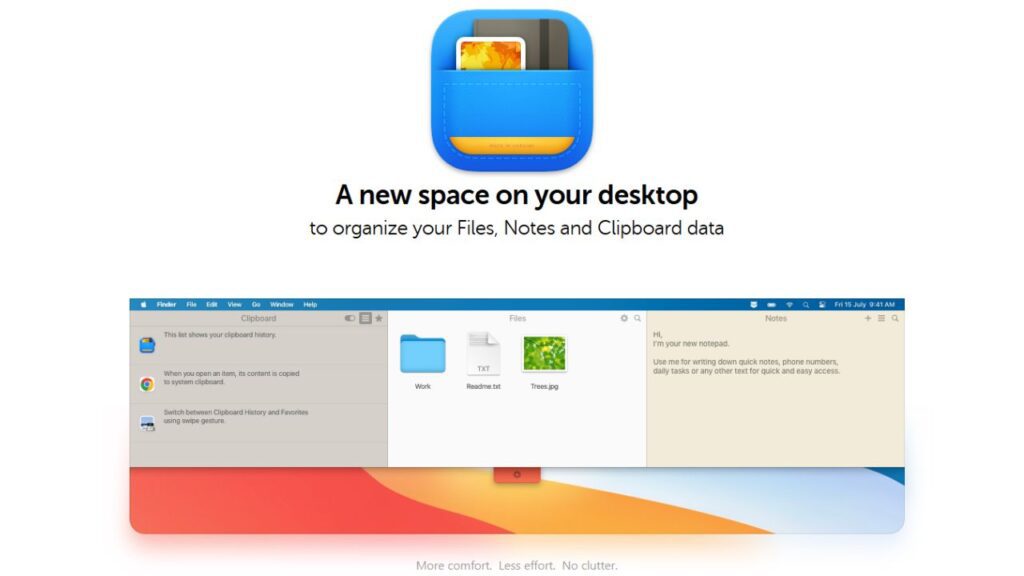
Unclutter is one of those tools that becomes indispensable after a single day of use. Instead of scattering files across your desktop, searching for something you copied hours ago, or opening separate apps for quick notes, Unclutter puts everything in one neatly organized panel.
By simply moving your cursor to the top edge of your screen and scrolling down, you instantly reveal a drawer containing:
- Your most recent clipboard entries
- Quick notes
- Drag-and-drop file storage
The beauty of it is simplicity. It adds a new, smart layer of functionality to macOS without getting in your way. Whether you’re switching between projects, researching content online, managing digital assets, or jotting down ideas as they come, Unclutter creates a smoother, more streamlined environment.
For anyone trying to reduce friction and work faster, this is easily one of the most effective Mac productivity apps on the market.
More Top Mac Productivity Apps to Boost Your Workflow
Now that we’ve highlighted Unclutter, let’s move into other high-impact tools that pair well with it. Together, these apps can reshape the way you manage your digital tasks, files, writing, time, and overall focus.
1. CleanShot X: The Ultimate Screenshot & Screen Recording Tool
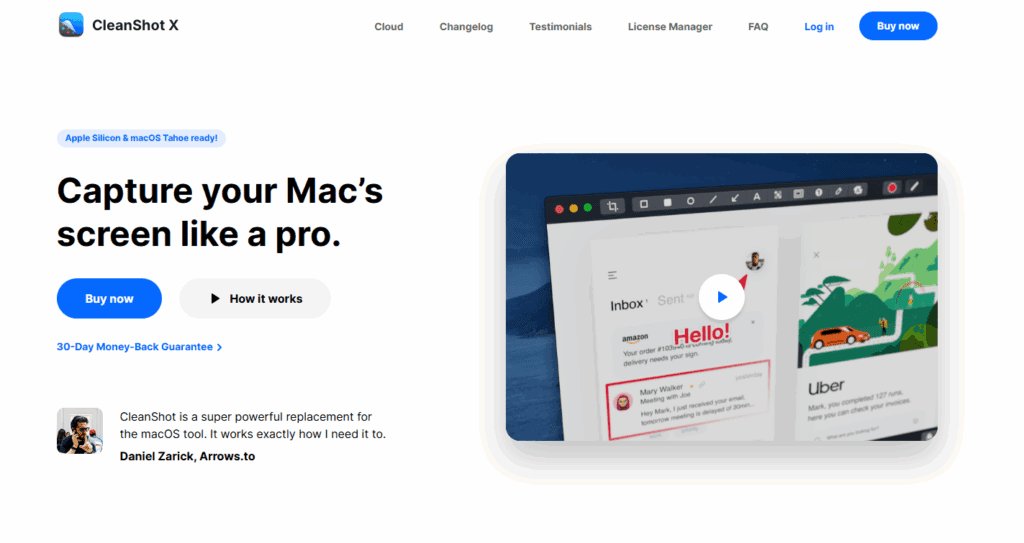
CleanShot X offers a significantly better screenshot and screen recording experience than macOS’s default tools. It offers:
- Annotated screenshots
- Scrolling captures
- GIF creation
- Cloud sharing
- Screen recording with camera overlay
If you create tutorials, user guides, or product reviews, CleanShot X can save hours of editing time.
2. Alfred: Faster Search, Automation & Workflows

Think of Alfred as Spotlight on steroids. With custom workflows, hotkeys, text expansion, and automation, it dramatically reduces the time spent switching apps or digging through menus.
Perfect for power users who want everything accessible in a keystroke.
3. Magnet: Simple Window Snapping & Layout Control
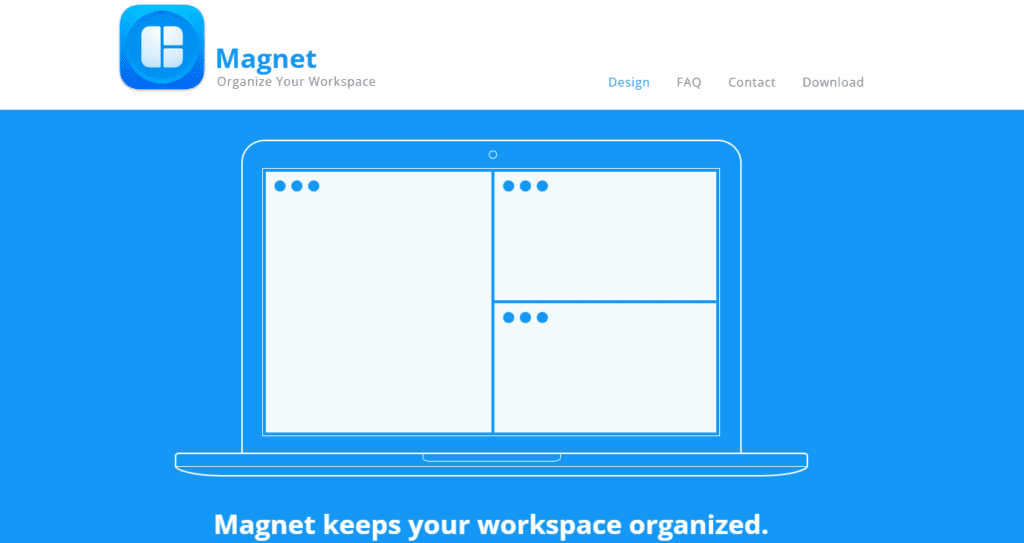
Window management on macOS is limited. Magnet fixes this by letting you:
- Snap windows to halves, thirds, and corners
- Create clean multitasking layouts.
- Quickly reorganize your workspace.
It’s ideal for users with large monitors or multitasking-heavy workflows.
4. Notion: All-in-One Workspace for Notes, Tasks & Documentation
Notion has become a go-to productivity platform because it adapts to your needs. Whether you want:
- A content calendar
- A personal wiki
- Project boards
- Databases
- Journal pages
Notion gives you the flexibility to build anything.
5. DaisyDisk: Visual Disk Management for a Cleaner System

DaisyDisk uses interactive visuals to help you spot large files and folders instantly. With drag-and-drop cleanup and fast scanning, Mac maintenance becomes effortless.
Pairing DaisyDisk with Unclutter results in a cleaner, more intentional digital environment.
6. Things 3: Beautiful, Minimal Task & Project Management
Things 3 is a favorite among professionals because it creates structure without overwhelming you. You get:
- Elegant task lists
- Project views
- Daily planning
- Calendar integration
It’s a fantastic tool for anyone who wants clarity and control in their day.
7. Spark Mail: Smart, Clean Email Management

Spark focuses on speed and organization, with features like:
- Smart Inbox
- Snooze
- Scheduling
- Email collaboration
It helps reduce email overload and supports better communication workflows.
8. Bartender: A Cleaner, More Organized Menu Bar

If your menu bar is overloaded with icons, Bartender declutters everything by grouping items into a clean secondary panel.
You get a simpler, more focused Mac experience, especially when multitasking.
Why These Apps Work Well Together
What makes this collection effective is balance. Each app enhances a different part of your workflow:
- Unclutter organizes your workspace
- CleanShot X improves content creation.
- Alfred accelerates navigation.
- Magnet structures your screen.
- Notion centralizes your ideas.
- DaisyDisk keeps your system clean.
- Things 3 organizes your tasks.
- Spark streamlines emails.
- Bartender declutters your menu bar.
Together, they make macOS feel smoother, faster, and far more capable, especially if you spend hours on your Mac every day.
Final Thoughts
Macs are known for their elegance and simplicity, but productivity ultimately comes from the tools you build your workflow around. Whether you’re tracking ideas, managing files, capturing your screen, or juggling multiple projects, the apps listed above offer practical ways to streamline your daily routine.
And if you’re looking for a single tool that instantly upgrades your organization and focus, Unclutter is an easy recommendation. Its ability to combine clipboard history, file storage, and note-taking into one quick-access space makes it a powerful addition to any workflow.
If you love in-depth troubleshooting guides, you can check out articles such as How To Get Rid of Snapchat AI, How to Clear RAM on iPhone, How to Recover Deleted Photos on Android, and How to Protect Your Privacy Online.