There is a specific frustration that millions of people share: having a clear idea for a web application and no practical path to building it. Hiring a developer costs thousands of dollars and weeks of back-and-forth. Learning to code takes months before you can ship anything useful. No-code platforms limit what you can actually build. Bolt AI (bolt.new) solves this problem more directly than anything that came before it. Built by StackBlitz and powered by Claude, Bolt lets you describe an application in plain English and receive a complete, working, deployable full-stack web application (real code, real file structure, real dependencies, running in a live preview) all inside a single browser tab, with no installation, no local development environment, and no requirement to write a single line of code yourself.
What makes Bolt worth understanding before you try it is both what it does exceptionally well and where it runs into real-world limitations that its marketing doesn’t always surface clearly. The token-based pricing model, context-window degradation in larger projects, and the gap between a fast prototype and a production-ready application are all things you should understand before you start building. This review covers exactly what Bolt AI is, how it works from first prompt to deployed application, what it costs across every plan tier, how it compares to Cursor, v0, GitHub Copilot, and Replit, and the honest verdict on who belongs on this platform and who doesn’t.
A note before we begin: every YTC score is earned, never negotiated. If you want to understand exactly how we evaluate apps & tools and how we handle affiliate relationships, our Review Methodology lays it all out.
What Is Bolt AI?
Bolt AI (bolt.new) is a browser-based, AI-powered full-stack development environment built by StackBlitz, the company behind WebContainers, a technology that allows a complete Node.js development environment to run entirely inside your browser using WebAssembly. That WebContainers foundation is what makes Bolt fundamentally different from AI tools that generate code as text: Bolt doesn’t just write code; it runs it. Right in your browser tab. In real time.
The platform launched publicly on October 4, 2024, announced with a single tweet, no press release, no campaign, and grew through viral social media demos that showed non-developers shipping production applications within minutes of opening the site. StackBlitz raised $105.5 million in a Series B funding round in January 2025, led by Emergence Capital and GV (formerly Google Ventures), at a valuation of approximately $700 million. The company now has over 5 million registered users, and Bolt.new receives over 9 million monthly visits with an average session time of 22 minutes, a number that reflects how actively users are building rather than passively browsing.
Bolt is powered by Claude (Anthropic’s AI model family) as its primary underlying language model, making it one of the most widely used real-world consumer deployments of Claude. The 2026 version added support for Claude Opus 4.6 alongside the standard Claude Sonnet, giving users the option to choose between faster, lighter generation and deeper reasoning for complex applications.
Bolt also supports Supabase for database and authentication, integrates with Figma for design-to-code workflows, connects to GitHub for version control, and deploys directly to Netlify. Additionally, bolt.diy (the official open-source version maintained under StackBlitz Labs) enables self-hosted deployment, supports over 19 LLM providers, has accumulated over 19,000 GitHub stars, and gives technically experienced users full flexibility over their AI model and infrastructure choices.
How Does Bolt AI Work?
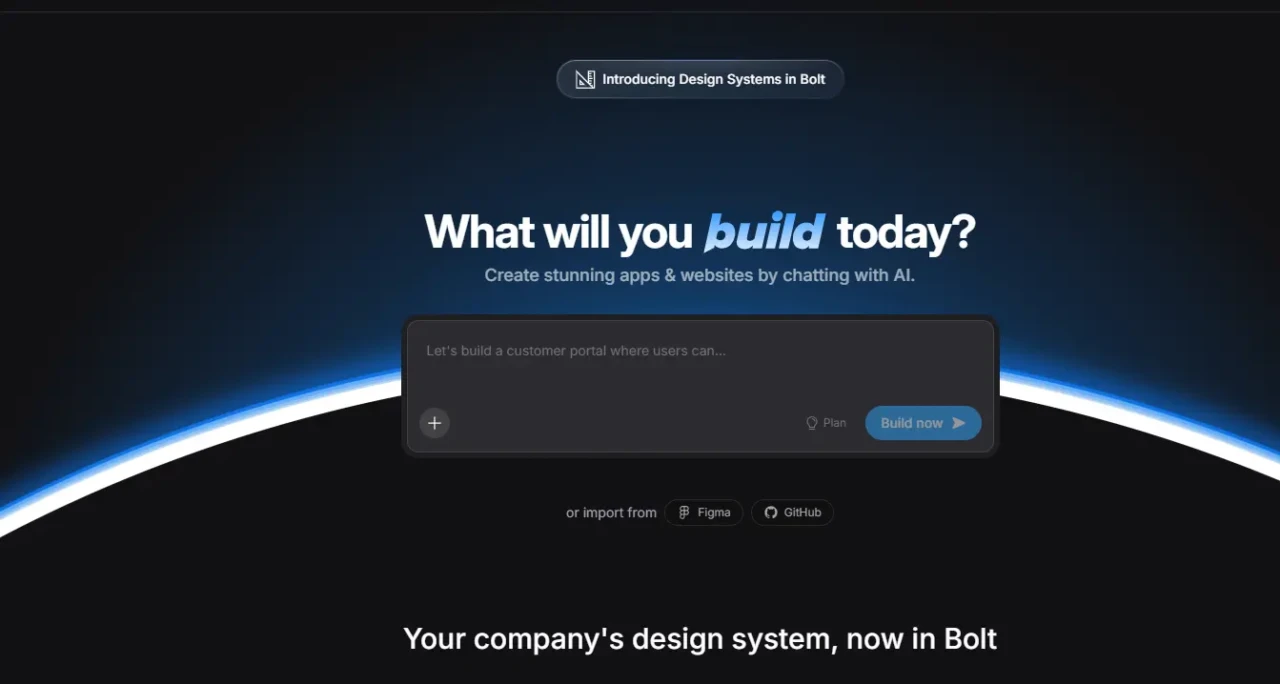
The workflow from first prompt to live-deployed application is faster than most people expect, and understanding each step helps you use the platform more effectively from day one.
Starting Your Project
Navigate to bolt.new in any modern browser. You don’t need to download anything, configure a development environment, or create an account to try it, though an account is required to save projects and access higher usage limits.
The interface presents a clean input field for prompts. Describe the application you want to build. Specificity matters here: “Build a project management tool with Kanban boards, user authentication via email, and a dashboard showing project completion percentages” yields a far more accurate first-generation than “build a project management app.”
Bolt’s AI interprets your description, selects an appropriate technology stack (typically React, Vite, TypeScript, and Tailwind CSS for frontend-heavy applications; Node.js and Express for backend needs; Supabase for database and authentication), generates the complete file structure, installs all npm dependencies, and boots a live preview, all within approximately 30–60 seconds.
The Three-Panel Interface
The workspace splits into three areas: the file explorer on the left shows your complete project structure. Every file, every folder, every configuration the AI generated; the code editor in the center shows the actual code, which you can read and manually edit at any time; the live preview on the right shows the running application updating in real time as changes occur. This split view is what makes Bolt accessible to non-developers.
You can watch the application respond to changes without needing to understand the code that produced them. At the same time, developers who want to inspect or modify the generated code have full access.
Iterating Through Conversation
After the initial generation, you continue building through natural language prompts in the chat interface. “Add a dark mode toggle,” “fix the bug where form submission doesn’t validate email addresses,” “add a data export button that downloads the table as CSV,” “change the navigation to a sidebar layout.”
Bolt modifies the relevant files in response, and the preview updates immediately. In addition, direct code editing is supported: you can change any file in the editor, and the changes are reflected instantly in the preview.
The platform’s autonomous error detection monitors the running application for runtime errors, type errors, and dependency conflicts, diagnoses the cause, and applies corrective changes without requiring you to understand what went wrong. This capability is the feature that most directly reduces the frustration of non-developer users who couldn’t otherwise interpret a stack trace.
The Figma-to-Code Workflow
A 2025 addition lets you paste a link to a Figma frame directly into Bolt’s chat interface. Within seconds, Bolt converts the design into a working application while preserving layout, spacing, and styling decisions, powered by Anima integration.
Every user receives 3 free Figma conversions per month; additional conversions consume tokens (50,000 to 200,000 tokens, depending on design complexity). This workflow is particularly valuable for designers and product managers who want to convert their mockups into functional applications without handing them off to a development team.
Deployment
Bolt integrates directly with Netlify for one-click deployment, taking a generated application from a local environment to a live URL in minutes, with no hosting configuration required. Bolt V2 (released October 2025) added Bolt Cloud (built-in databases, authentication, file storage, edge functions, analytics, and hosting), significantly reducing the need for external services that earlier versions required users to configure separately. Projects can also be exported as a complete zip file for continued local development, or pushed directly to a GitHub repository for version control and team collaboration.
Bolt AI Key Features
Full-Stack Application Generation from Natural Language
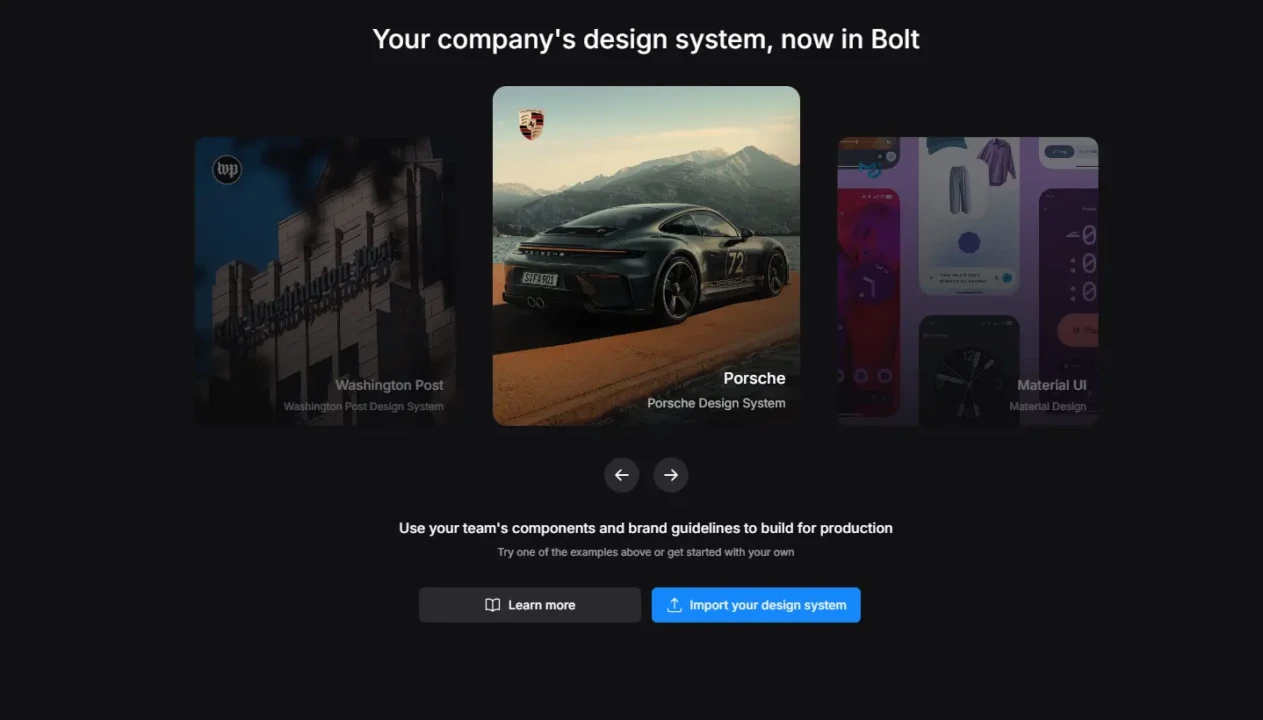
The headline capability is exactly what it claims to be. Bolt generates complete, working applications (not code snippets, not templates with placeholder content, not mockups in a visual editor) from a conversational description.
The generated code is real, production-readable code that a developer can inspect, modify, and build on. For simple applications (landing pages, dashboards, CRUD tools, portfolio sites), the output is often usable on the first generation without significant modification. However, for anything with complex business logic or unusual UX patterns, expect several rounds of conversational refinement, but the starting point is a working application rather than a blank file.
WebContainers: A Real Runtime, Not Just Text Completion
This is the technical differentiator that sets Bolt apart from AI code-generation tools that produce code as output, which you then copy elsewhere. WebContainers run a complete Node.js environment (including npm, a development server, API routes, and terminal access) entirely client-side in your browser tab using WebAssembly.
You can npm install packages, start dev servers, hit API endpoints, and see changes in real time, all without touching your local machine. Consequently, for non-developers, this eliminates the single most intimidating barrier to starting web development: setting up a local environment. And, for developers, it eliminates the “works on my machine” problem entirely.
Bolt V2 and Bolt Cloud
Released in October 2025, Bolt V2 marked the shift from what the platform’s own materials call “vibe coding” to enterprise-grade production capability. The key V2 upgrades include autonomous debugging that reduces error loops by 98% compared to earlier versions, Bolt Cloud with built-in databases (no external Supabase account required for basic use), authentication, file storage, edge functions, analytics, and hosting.
January 2026 benchmarks show a 40% improvement in build performance over the 2024 launch version. Since July 2025, unused tokens roll over for one additional month, addressing one of the earliest and most consistent user complaints about expiring credits.
Figma Import and AI Image Editing
The Figma integration allows designers to drop a frame link directly into Bolt’s chat and receive a functional application that preserves their design decisions, addressing one of the most common handoff points between design and development teams. As of early 2026, Bolt also supports generating and editing AI images directly in the chat interface, with transparent-background support and WebP format conversion, allowing users to create custom graphics for their applications without leaving the platform.
GitHub Integration and Code Portability
Projects connect to GitHub repositories for version control and collaboration with external developers, and can continue in a local IDE when needed. This portability is important for teams that start a project in Bolt and want to hand it off to a development team for production hardening. The import feature allows existing projects to be brought into Bolt via a GitHub URL or a zip file, enabling the continuation of pre-existing codebases rather than starting from scratch.
MCP Server Support
In early 2026, Bolt added support for Model Context Protocol (MCP) servers, allowing it to connect to external tools such as Notion, Linear, GitHub, and others. This extensibility enables power users to build applications that incorporate context from their existing tools into the generation process, a meaningful advancement for teams with specific integration requirements.
Bolt AI Pricing
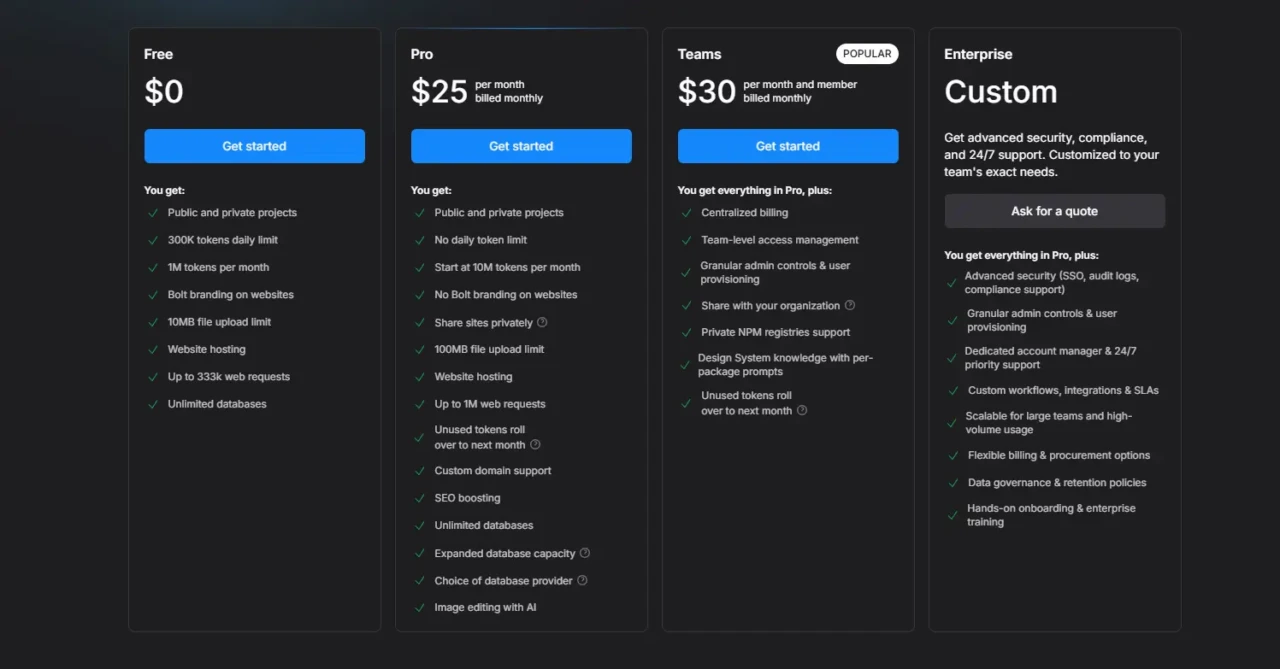
Bolt uses a token-based pricing model where AI generation consumes tokens. Understanding the token economy before choosing a plan prevents the most common billing surprise: running out of tokens mid-project.
Plan | Monthly Cost | Tokens Included | Best For |
Free | $0 | 1M/month (300K daily cap) | Evaluation & small projects |
Pro | ~$25/month | 10M tokens | Indie hackers: 1-2 MVPs/month |
Teams | ~$30/month | 10M tokens (Unused tokens roll over to next month) | Active builders; multiple projects |
The Honest Token Context: Complex applications consume tokens significantly faster than simple ones. Bolt syncs your entire codebase with every AI interaction, which means larger projects with more files consume more tokens per prompt than smaller projects do.
Bolt AI vs Competitors
Feature | Bolt AI | Cursor | v0 (Vercel) | GitHub Copilot | |
Full App Generation | ✅ Complete stack | ❌ File-level assist | ⚠️ UI components only | ❌ Code completion | ⚠️ Partial |
No Local Setup | ✅ 100% browser | ❌ Requires local IDE | ✅ Browser-based | ❌ IDE required | ✅ Browser-based |
Live Preview | ✅ Real-time | ❌ No | ✅ Component preview | ❌ No | ✅ Yes |
Non-Developer Accessible | ✅ Yes | ❌ Requires coding knowledge | ⚠️ Partial | ❌ No | ⚠️ Partial |
One-Click Deployment | ✅ Netlify / Bolt Cloud | ❌ No | ⚠️ Vercel only | ❌ No | ✅ Yes |
Full Codebase Access | ✅ Yes | ✅ Yes | ⚠️ Component only | ✅ Yes | ✅ Yes |
Price Range | Free–$200/month | $20–$40/month | Free–$20/month | $10–$19/month | Free–$25/month |
Best For | Prompt-to-app; MVPs | Developer daily coding | UI component generation | Code completion in an IDE | Learning + collaboration |
Bolt AI vs Cursor
Cursor is an AI-powered code editor built on VS Code that assists developers who are already writing code, providing intelligent autocomplete, codebase-aware suggestions, and chat-based code generation within existing files. It requires a local development environment, assumes you can write and understand code, and is designed to accelerate developer productivity rather than replace developer knowledge.
For developers, Cursor often serves as a stronger daily coding companion. However, for non-developers or rapid from-scratch prototyping, Bolt is the more appropriate platform. In addition, the two tools address genuinely different phases and user profiles.
Our Cursor AI review covers Cursor’s full feature set in detail.
Bolt AI vs v0 (Vercel)
v0 generates high-quality React UI components and interfaces from text descriptions, with particular strength in design-system-compliant Shadcn/UI output. It generates frontend components rather than complete full-stack applications and is designed to be used within an existing development workflow.
Specifically for frontend UI generation, v0 produces more design-polished components than Bolt’s equivalent output. However, for complete full-stack application generation, including backend logic, authentication, and database configuration, Bolt covers significantly more of the stack.
Our review of Vercel’s v0 covers its full set of capabilities in depth.
Bolt AI vs GitHub Copilot
GitHub Copilot is a code completion tool integrated into IDEs that provides line-by-line and block-level code suggestions as developers type. It assumes existing developer knowledge, an existing project structure, and a local development environment. It does not generate complete applications or provide a live preview.
Our GitHub Copilot explained guide covers how Copilot fits into a developer’s existing workflow. The comparison isn’t really Bolt vs Copilot for most users; they serve different use cases at different experience levels and are more complementary than competitive.
Who Is Bolt AI Best For?
Non-Developers with a Specific App in Mind
Non-developers with a specific application in mind are Bolt’s clearest core audience: entrepreneurs, product managers, domain experts, and designers who have a clear vision for a web application but lack coding skills or a development budget. Bolt provides a credible, practical path to shipping real software.
The live preview makes the development process visible and manageable even without reading code. Additionally, the Netlify and Bolt Cloud deployment integrations complete the loop from idea to live URL without requiring any hosting knowledge.
Developers Building MVPs

Developers building MVPs and prototypes rapidly find significant time value in Bolt’s ability to scaffold a complete application architecture in minutes. The time saved on boilerplate, dependency setup, and initial structure (which can represent hours of work on a traditional project) allows developers to focus immediately on the unique logic their application requires. Many developers use a mixed approach: Bolt for initial generation and major feature scaffolding, then a traditional IDE for detailed refinement and production hardening.
Founders and Solo Builders
Founders and solo builders who validate ideas before investing in full development find Bolt’s speed from prompt to working prototype transformative for early-stage decision-making. Showing a working prototype rather than a mockup to early users or investors is a qualitatively different validation exercise, and Bolt makes that distinction achievable in hours, not weeks.
For a broader look at the AI tools transforming how software is built, our AI Unboxed section covers the full landscape of platforms worth knowing about.
Who Should Look Elsewhere?
- Developers building complex, performance-critical production applications with intricate architecture requirements.
- Users who specifically want to learn programming (Replit and structured learning platforms are better environments for that goal).
- Teams with enterprise DevOps requirements from the start (Bolt is a prototyping and early-build tool, not a complete DevOps solution).
For a complete overview of how Claude (the AI model powering Bolt) works at the model level, our Claude AI-explained guide details the underlying technology.
Bolt AI Honest Strengths
The speed from prompt to working application is the category-defining capability. A functional full-stack web application with real routing, authentication, database configuration, and deployment in under a minute is a step change that no tool on the market has consistently matched before Bolt. The January 2026 performance improvements (40% faster build times) and the Bolt V2 autonomous debugging (98% reduction in error loops) have further enhanced the already strong 2024 launch experience.
The WebContainers foundation is genuinely different from competitive tools that generate code as text. Running a real Node.js environment client-side means Bolt executes what it writes; the live preview is a running application, not a static rendering.
Additionally, the open-source bolt.diy option with 19,000+ GitHub stars gives technically experienced users a self-hosted, multi-model alternative that removes vendor lock-in entirely. The $105.5 million Series B funding signals that the infrastructure investment behind Bolt is substantial and the platform’s continued development is well-resourced.
Bolt AI Honest Limitations

Token Consumption Is Unpredictable on Complex Projects
Because Bolt syncs your entire codebase with every AI interaction, larger projects with more files consume tokens faster than smaller ones. Running out of tokens mid-project is genuinely disruptive, and the free plan’s 1M monthly tokens with a 300K daily cap provides only 10–20 meaningful interactions for medium-sized projects, barely enough to evaluate the platform seriously before hitting a paywall.
Context Degradation on Large Projects
As a project grows in size and complexity, Bolt’s ability to maintain full awareness of the entire codebase can degrade. Later prompts may produce changes that contradict earlier-established patterns or miss interactions among different components, a limitation that becomes more pronounced as the file count and code volume increase beyond what a single context window can comfortably hold.
Destructive Bug-Fixing Behavior
Multiple independent reviews note that Bolt sometimes fixes errors by rewriting entire files rather than making targeted changes, which can inadvertently break unrelated working code. Consequently, keeping the scope of error-fix prompts as narrow and specific as possible reduces this risk.
AI-Only Customer Support
As of early 2026, Bolt’s customer support operates entirely through AI-assisted channels with no human escalation path. For a paid product at $25+ per month, this is a notable gap, particularly for billing disputes or complex technical issues that AI responses can’t adequately resolve.
Not A Production Engineering Replacement
Applications generated by Bolt are excellent starting points and often sufficient for early-stage prototypes and MVPs. They are not a substitute for production-grade engineering decisions around security hardening, performance optimization, scalability architecture, and comprehensive testing infrastructure. Applications intended for significant scale require developer review and hardening beyond what Bolt can generate autonomously.
FAQs
Yes. Bolt.new offers a free tier with 1 million tokens per month and a daily cap of 300,000 tokens. That’s sufficient for small experiments and evaluating the platform’s workflow, but it’s limited for building medium- to large-scale applications. Paid plans start at approximately $25/month for 10 million tokens and scale up to $200/month for 120 million tokens. Verify the current pricing on bolt.new, as it has changed multiple times since launch.
No. Bolt is specifically designed to be accessible to users with no coding knowledge. You describe what you want in plain English, see the result in the live preview, and iterate through the conversation. The code is generated and managed by the AI. That said, users who can read code gain additional flexibility; they can make targeted manual edits rather than describing every change through prompts, which is more efficient for fine-grained adjustments.
Bolt primarily generates applications using modern JavaScript and TypeScript frameworks: React, Vite, Next.js, Astro, Vue, and Svelte for the frontend; Node.js and Express for backend logic; and Supabase or Firebase for databases and authentication. The AI selects the appropriate stack based on your application description. You can also specify a preference in your prompt if you have one.
Yes. Bolt integrates with Netlify for one-click deployment to a live URL. Bolt V2 added Bolt Cloud with built-in hosting, removing the Netlify dependency for basic deployment. Projects can also be exported for deployment through any hosting provider. For production applications at scale, developer review of the generated code for security and performance is recommended before deployment.
Conclusion
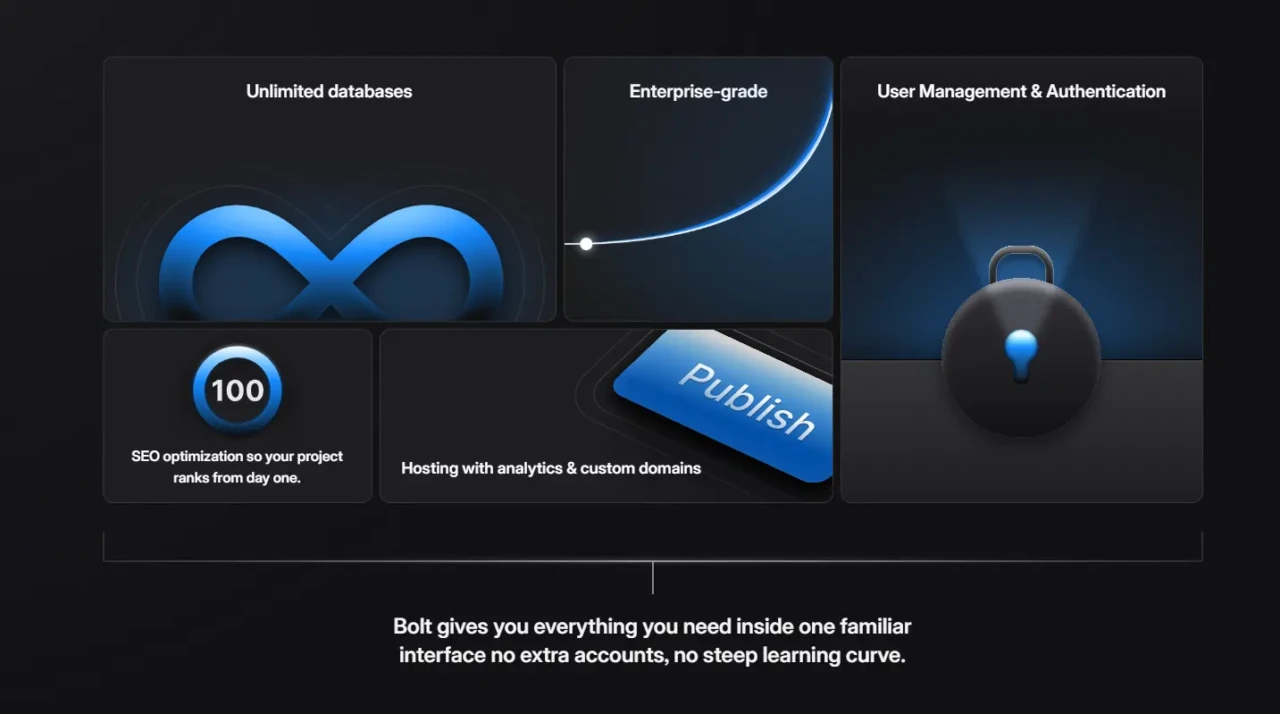
Bolt AI is the most accessible full-stack application builder available in 2026, and by a meaningful margin, for users who want to go from description to deployed application without writing code or configuring a development environment. The WebContainers foundation, Claude-powered generation, Bolt V2’s autonomous debugging, and the Netlify and Bolt Cloud deployment integrations create an end-to-end workflow that genuinely delivers on the promise of democratizing web application development. The growth numbers ($40M ARR in five months, 5 million users, 1 million deployed websites) reflect a product that solves a real problem at scale, not a demo that works only in controlled conditions.
The limitations are real and worth planning around rather than discovering mid-project. Token consumption in complex applications can outpace the limits of a given plan tier. The free tier is genuinely insufficient for serious evaluation, and applications intended for production use require developer review beyond what Bolt can provide. But for the users Bolt is actually designed for (non-developers who want to ship a real web application, founders who want to validate an idea before investing in full development, and developers who want to skip scaffold work and start with something working), Bolt AI earns its position as the first tool you should reach for.
Whether you’re building your first app or your fiftieth, the right tool makes all the difference, and finding it starts at YourTechCompass.com, where every review is built to cut through the noise and point you toward what actually works.