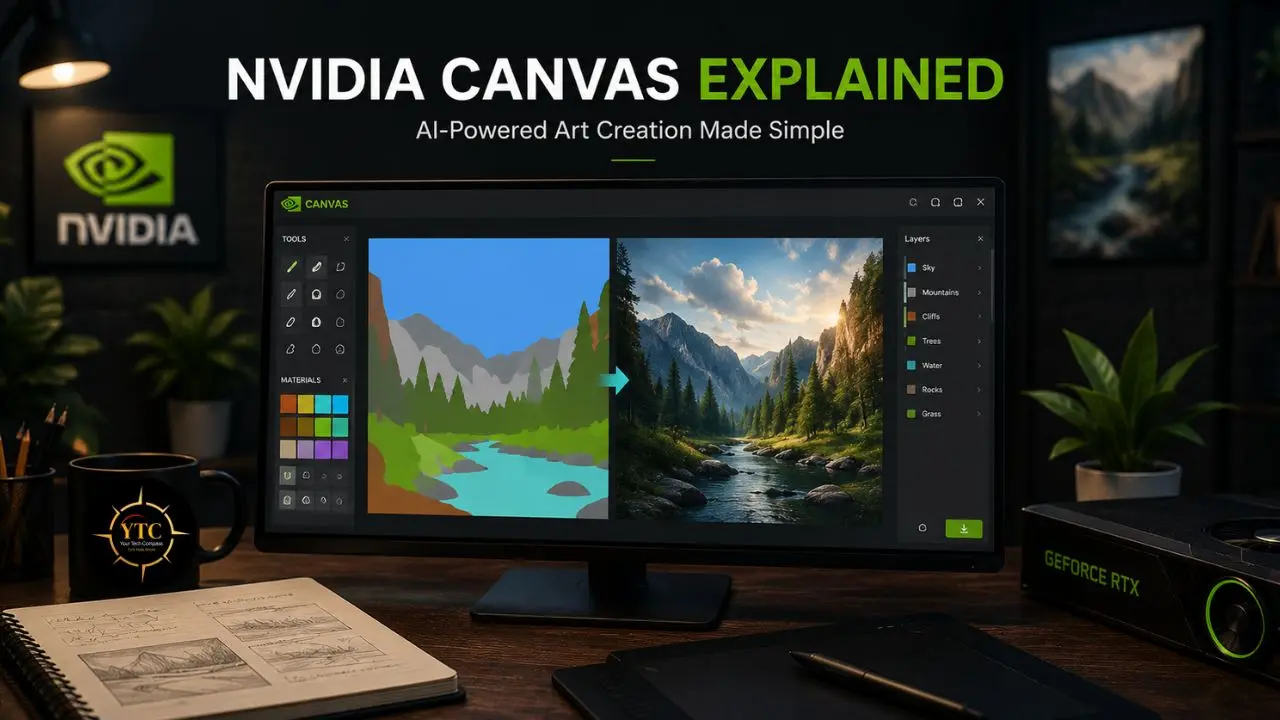
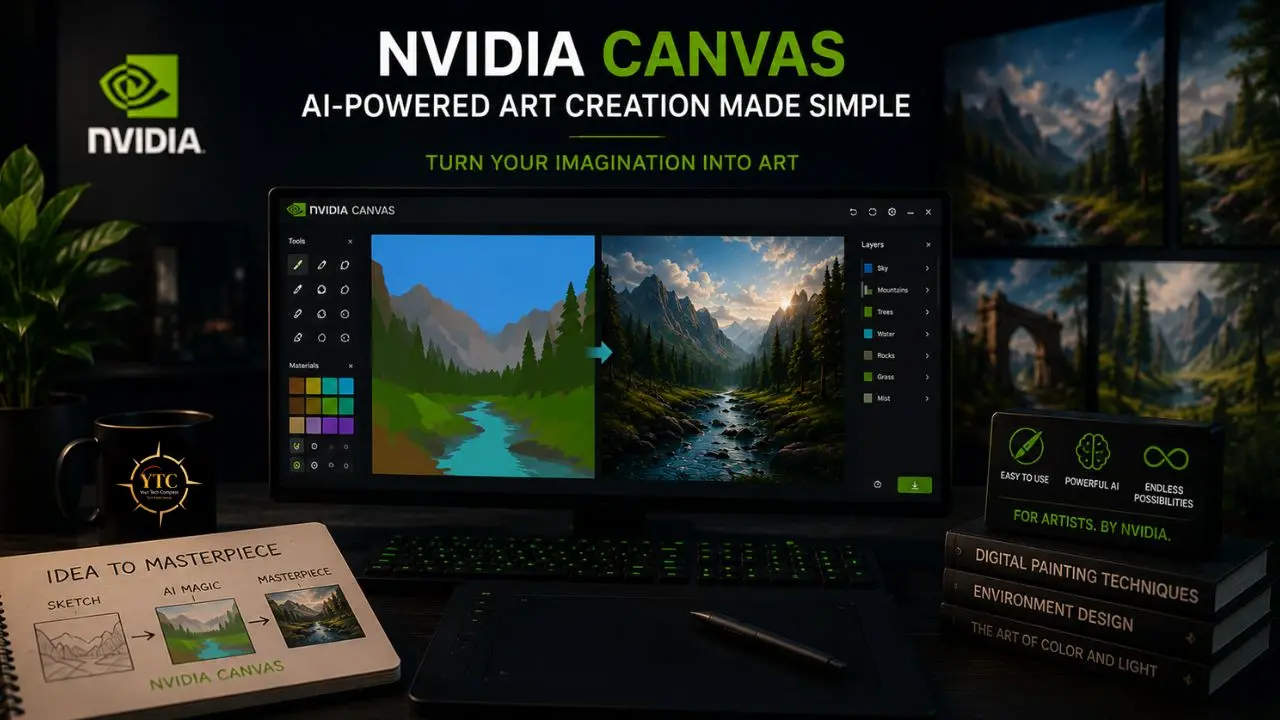
I want to start with the specific problem NVIDIA Canvas was built to solve, because understanding the problem makes everything about the product make sense. Concept artists, game environment designers, and visual directors all face the same friction at the beginning of a project: translating a vague mental image into something a collaborator can actually react to. That translation traditionally required either considerable painting skill, weeks or months of practice to execute a convincing mountain range or coastal cliff, or a lengthy back-and-forth with a more technically skilled artist. Canvas removes that barrier almost entirely. You paint rough shapes using material categories like “grass,” “mountain,” and “water,” and the AI generates a photorealistic interpretation in real time, updating the image continuously as you paint. The rough idea becomes a visual reference in minutes rather than hours.
What makes this more than a gimmick is the underlying architecture and the specific workflow integration it enables. NVIDIA Canvas is part of the broader NVIDIA Studio creative suite, runs on the GauGAN2 generative adversarial network, leverages RTX Tensor Cores, and exports directly to the Adobe Photoshop PSD format. That last point matters enormously: Canvas isn’t trying to be your entire creative workflow. It’s trying to be the fastest possible on-ramp from idea to refinable visual (the blank-canvas problem solved), after which professional tools take over. If you’re a concept artist, game developer, digital content creator, or visual educator who has ever stared at an empty document unsure how to begin, this guide explains exactly what Canvas does, how it works technically, where it genuinely excels, and where its limitations require you to reach for something else.
A note before we begin: every YTC score is earned, never negotiated. If you want to understand exactly how we evaluate apps & tools and how we handle affiliate relationships, our Review Methodology lays it all out.
What Is NVIDIA Canvas?
NVIDIA Canvas is a free AI painting application developed by NVIDIA Research as part of the NVIDIA Studio suite, a collection of software tools, drivers, and certified hardware configurations designed specifically for creative professionals. At its core, Canvas converts simple brushstrokes representing material categories into photorealistic landscape images in real time, powered by the GauGAN2 generative adversarial network running on NVIDIA RTX GPUs with Tensor Cores.
The name GauGAN is a deliberate combination of two references: the French Post-Impressionist painter Paul Gauguin and GAN (generative adversarial network), the deep learning architecture at the heart of the system. GauGAN debuted at NVIDIA GTC in 2019 and quickly became popular in art education, museum installations, and concept art pipelines before NVIDIA formalized it as Canvas, a downloadable desktop application with professional workflow integration. The current version, powered by GauGAN2, delivers 4x higher resolution than the original model with dramatically fewer visual artifacts and a substantially expanded material palette.
What separates Canvas from text-to-image tools like Midjourney or Stable Diffusion is the spatial control it gives you. Instead of describing what you want in words and hoping the model interprets your composition correctly, you literally paint the location and proportion of each element. In addition, you decide whether the mountain fills the left third of the frame or dominates the center, whether the water starts at the horizon or fills the foreground.
The AI handles the photorealistic texture and lighting of each element; you handle the composition. That spatial specificity is Canvas’s core differentiator, and it’s why the tool resonates particularly with concept artists who need to communicate compositional intent to clients and collaborators, not just aesthetic mood.
How NVIDIA Canvas Works: The Technical Architecture
Understanding how Canvas actually works is worth the few minutes it takes, because it explains both why the tool feels genuinely different from other AI art tools and what its specific limitations are.
Generative Adversarial Networks: The Engine Behind Canvas
At the heart of NVIDIA Canvas is a Generative Adversarial Network (GAN), specifically the GauGAN2 architecture. GANs operate via a training dynamic between two neural networks: a generator that creates images and a discriminator that evaluates whether those images are indistinguishable from real photographs.
During training, these two networks push each other toward increasingly realistic output. The generator gets better at fooling the discriminator, and the discriminator gets better at detecting fakes, in a competitive loop that produces increasingly photorealistic results.
GauGAN2 was specifically trained on a massive dataset of real landscape photographs, which is why Canvas’s output skews strongly toward naturalistic environments. The model has deeply internalized what realistic grass, water, clouds, mountains, and rocks look like through an enormous volume of real-world photographic examples. When you paint a shape labeled “mountain” on the left panel, GauGAN2 doesn’t pull from a library of mountain images; it generates a new mountain texture from scratch, informed by everything it learned during training, and places it exactly where you painted it.
Segmentation Maps: How Your Brush Strokes Become Images
The specific mechanism connecting your brush strokes to the generated image is called semantic segmentation mapping. When you paint, you’re creating a segmentation map, a high-level spatial blueprint that assigns labels (grass, sky, water, snow) to specific regions of the canvas. This map tells GauGAN2 which type of material should appear where, without specifying texture, lighting, or fine detail; that’s the model’s job to infer and generate.
What makes this compelling is that the segmentation map approach precisely preserves your compositional intent. Unlike text prompts, where the AI decides where elements are placed, your segmentation map is the definitive authority on spatial layout.
The AI generates texture and photorealism within those spatial constraints, not around them. This is why an artist who has never painted digitally can create a compositionally coherent landscape reference image in minutes. The compositional decisions are entirely yours, and the technical execution of photorealism is the AI’s domain.
RTX Tensor Cores: Why GPU Matters More Than RAM
NVIDIA Canvas requires an RTX GPU specifically because GauGAN2 inference runs on Tensor Cores, specialized matrix-multiplication hardware introduced in the Turing architecture and available in all RTX series cards from RTX 2000 onward. Standard GPU shader cores can technically run the computations, but not at the speed required for real-time, interactive generation (the defining characteristic of Canvas’s workflow advantage).
With RTX 40-series hardware specifically, the performance advantage compounds significantly. Users on RTX 40-series GPUs see up to 8.3x faster render times in professional creative workflows compared to CPU rendering, and Canvas’s real-time generation is similarly accelerated.
The Difference in Practice
On an RTX 4090, changes to the segmentation map produce a fully updated, photorealistic image in a fraction of a second. On CPU alone, that same calculation would take several seconds at minimum, long enough to disrupt the creative flow that makes Canvas genuinely useful as an ideation tool.
Key Features of NVIDIA Canvas
20+ Material Palette Across Multiple Categories
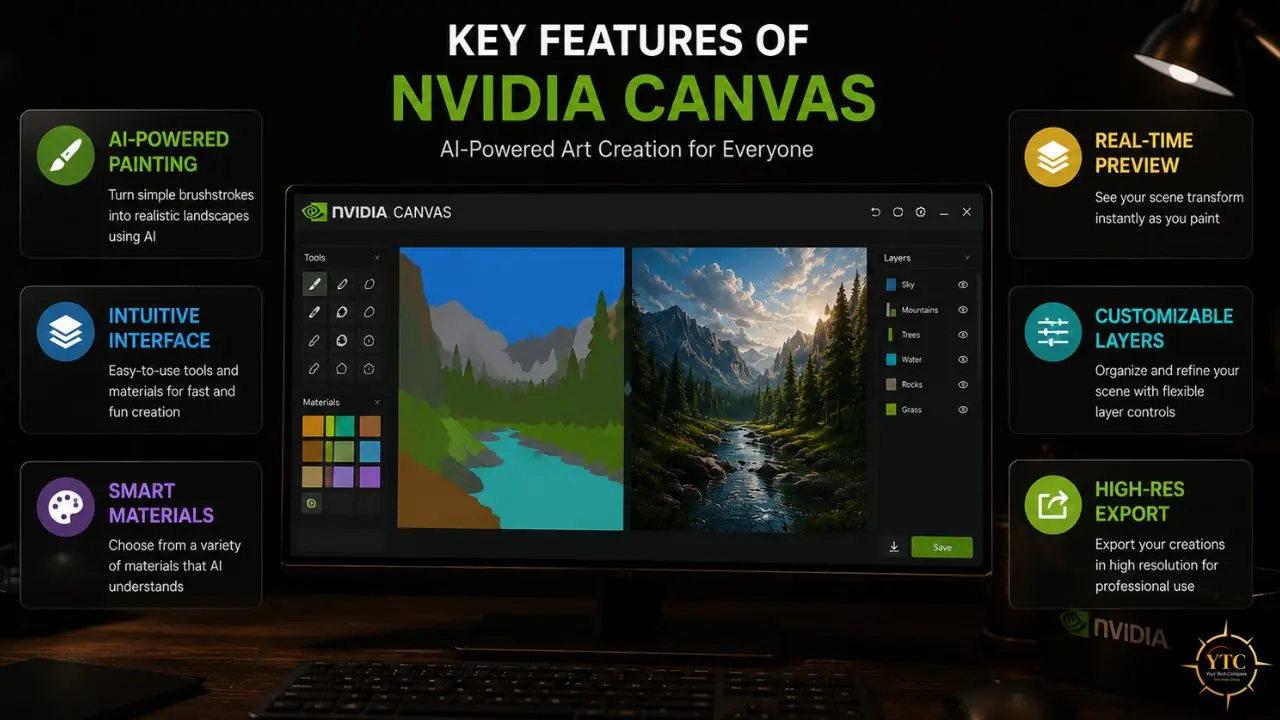
Canvas’s painting palette currently includes over 20 distinct material types spanning several environmental categories:
- Sky and Atmosphere: Cloud, fog
- Terrain: Grass, sand, gravel, dirt, mud, snow, ice, stone, rock
- Water: Water, water reflection
- Vegetation: Tree, plant, bush, flowers, straw
- Structures: Building, wall, field
These materials form the visual vocabulary you work with, and the range is deliberately tuned toward landscape and environment generation. You’re not going to paint a human face or a product shot with these categories. That constraint is intentional, and it reflects GauGAN2’s training domain. Working within it yields genuinely impressive results; pushing beyond it produces inconsistent output.
Nine Style Presets for Visual Mood Control
Beyond material selection, Canvas offers nine style presets that control the overall visual character of the generated output, distinguishing between a painting that reads as naturalistic photography, painterly impressionism, or golden-hour cinematic lighting. These presets apply to the entire scene rather than to individual materials, shifting the output’s tonal quality, color palette, and atmospheric treatment while preserving the spatial structure of your segmentation map.
This is a practical workflow tool, not a cosmetic feature. A concept artist can generate the same compositional arrangement in five different visual styles in seconds, sending the client options that might have previously required hours of separate paintings or AI generation sessions with extensive prompting to maintain compositional consistency across them.
Custom Reference Image Upload
Canvas allows you to upload your own reference images, which the AI uses to inform the style and character of the generated output. This extends Canvas’s creative range beyond its nine built-in style presets, letting you match a specific photographic reference, align with the visual language of an existing project, or replicate a specific lighting condition you’ve captured on location.
For professional concept artists working within an established visual direction (matching the look of a film already in production or aligning with a game’s established art style), this reference upload capability is what makes Canvas genuinely useful in production contexts rather than purely in early ideation stages.
Layered Workflow
Canvas supports a multi-layer painting structure, allowing you to separate and independently control different elements of your composition. You might place the sky materials on one layer, terrain on another, and foreground vegetation on a third, enabling independent adjustments to each without repainting the full scene from scratch when you want to experiment with a different cloud formation or alter the foreground without touching the background.
PSD Export for Professional Workflow Integration
Every Canvas output can be exported as an Adobe Photoshop PSD file, preserving layer structure and enabling direct continuation of the work in Photoshop, Affinity Photo, GIMP, or any other PSD-compatible application. This is the integration point that makes Canvas genuinely useful within professional creative pipelines rather than as a standalone toy. The AI handles rapid landscape generation, and your professional tools handle everything else: adding characters, adjusting specific details, applying final post-production treatment, or combining the Canvas output with photographed or traditionally rendered elements.
System Requirements and Hardware Specifications
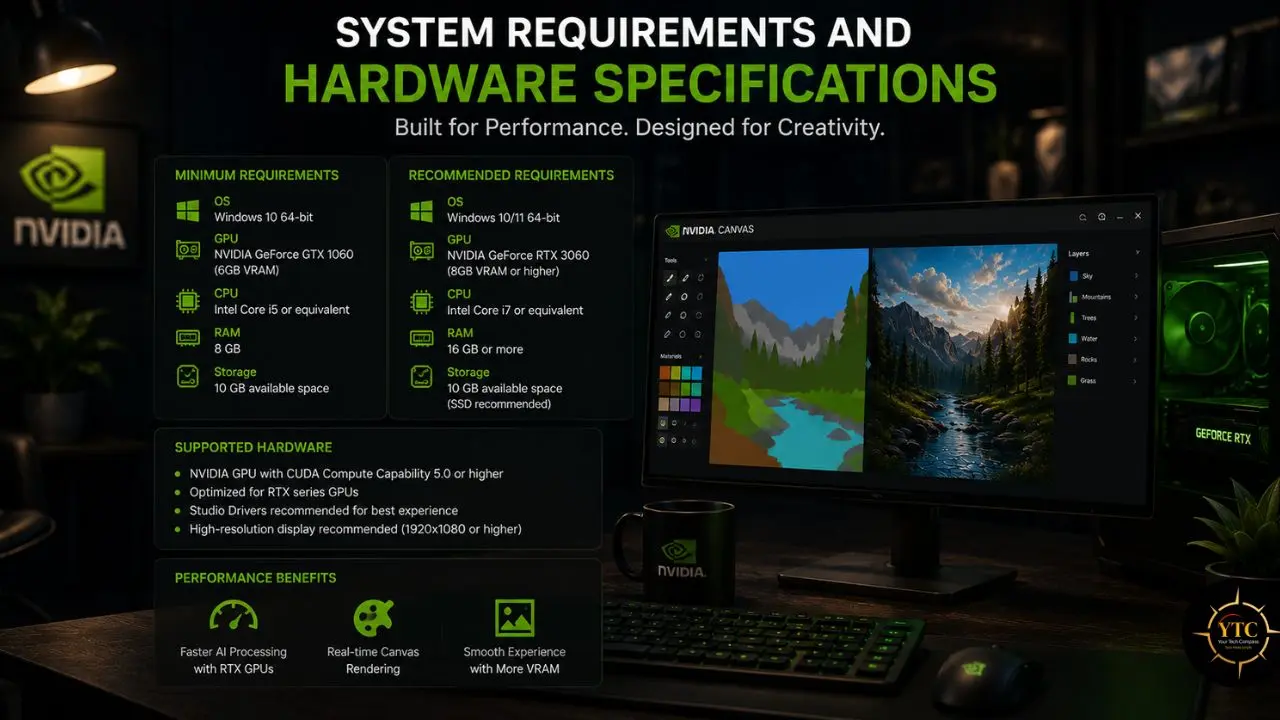
Canvas’s hardware requirements are more specific than those of most creative software, and understanding them up front prevents frustrating discoveries after installation.
GPU Requirements
The minimum GPU requirement is any NVIDIA GeForce RTX or NVIDIA RTX series graphics card. The RTX 2060 is the effective floor for usable real-time performance. Supported cards include the full RTX 20-series, 30-series, and 40-series desktop and laptop GPUs, as well as NVIDIA RTX professional cards (A-series, formerly Quadro RTX).
RTX 40-series cards, in particular, deliver a noticeably better Canvas experience: generation speed is faster, enabling even more fluid interactive painting, and the higher VRAM on cards like the RTX 4080 and 4090 supports larger canvas sizes and more complex material arrangements without performance degradation.
System Requirements at a Glance
Requirement | Minimum | Recommended |
GPU | NVIDIA RTX 2060 or later | RTX 4070 or later |
GPU Memory | 4GB VRAM | 8GB+ VRAM |
RAM | 8GB | 16GB+ |
Operating System | Windows 10 (64-bit) | Windows 11 |
Storage | SSD recommended | NVMe SSD |
Driver Version | 522.06 or later | Latest NVIDIA Studio Driver |
Internet | Required for download only | — |
The RTX Requirement: No Workarounds
Canvas requires RTX hardware, full stop. There is no CPU-only mode, no cloud processing fallback, and no compatibility with AMD or Intel GPUs. This isn’t NVIDIA being artificially restrictive.
GauGAN2 inference at interactive frame rates requires Tensor Core acceleration, which is unavailable on non-RTX hardware. If you’re evaluating Canvas for a team, GPU hardware is the first variable to confirm before any software discussion begins.
Use Cases: Where NVIDIA Canvas Actually Delivers
Concept Art and Environment Design
This is Canvas’s primary and strongest use case. Concept artists working on games, films, and animated content use Canvas to rapidly prototype compositional ideas for environments: testing whether a particular mountain formation, water body placement, or atmospheric condition achieves the emotional tone a scene needs. The speed of iteration is the core value: what might take an hour to rough out in Photoshop with traditional techniques takes minutes in Canvas, with sufficient photorealistic quality to communicate intent to a director or art lead.
Game Level Blocking and Atmosphere Testing
Game environment designers use Canvas to test the visual language of outdoor levels before committing to production assets. A rough segmentation map of a canyon level, with specific material placements for rock faces, valley floors, and sky conditions, generates a visual reference convincing enough to evaluate lighting direction, tonal range, and spatial scale — design decisions that affect the entire production but are fastest to make at the ideation stage.
Background Generation for Digital Art
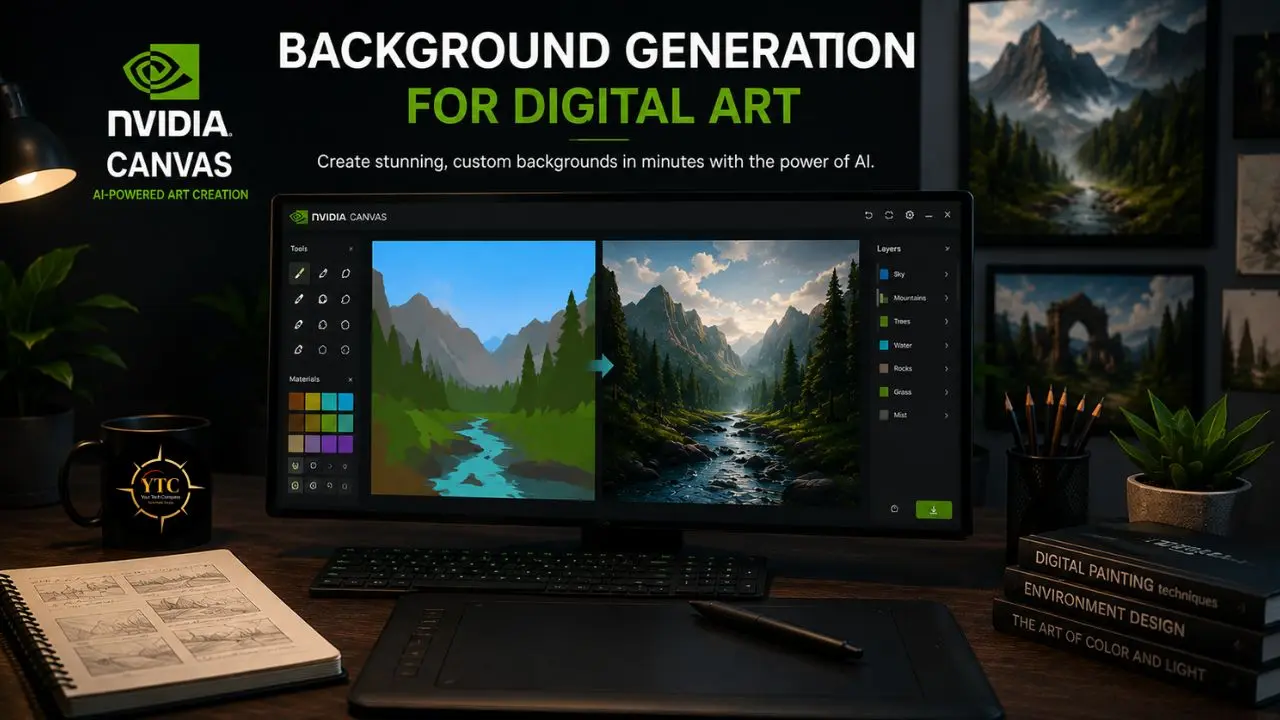
Digital illustrators use Canvas-generated backgrounds as starting layers, which they then paint over, refine, and integrate with character and foreground elements created with traditional painting tools. The Canvas output provides a photorealistic atmospheric foundation (sky, horizon, environmental context) that frees the illustrator to focus their technique on the foreground elements where their specific artistic voice matters most.
Visual Education
For art educators and students learning composition, value structure, and environmental design, Canvas provides a feedback loop that traditional education can’t match: you make a compositional decision, immediately see a photorealistic interpretation, and adjust. The gap between compositional intention and photorealistic result collapses from hours or days to seconds. Students can explore dozens of compositional variations in a single session, a volume of experimental iteration that genuinely accelerates learning.
NVIDIA Canvas vs. Alternatives
Feature | NVIDIA Canvas | Midjourney | Adobe Firefly | Stable Diffusion |
Spatial Control | ✅ Precise (segmentation map) | ❌ Text prompt only | ⚠️ Limited (Generative Fill) | ⚠️ With ControlNet plugin |
Real-Time Generation | ✅ Interactive, instant | ❌ Minutes per image | ❌ Minutes per image | ❌ Seconds–minutes |
Style Control | ✅ 9 presets + reference upload | ✅ Strong (–style flags) | ⚠️ Moderate | ✅ Strong (LoRA models) |
Hardware Requirement | NVIDIA RTX GPU required | Cloud (browser) | Cloud (browser) | GPU recommended (flexible) |
Cost | Free | $10–$60/month | Included with Adobe CC | Free (open source) |
Export to PSD | ✅ Native | ❌ Manual import | ✅ Native (Creative Cloud) | ❌ Manual import |
Character / Object Generation | ❌ Landscape only | ✅ Broad | ✅ Broad | ✅ Broad |
Offline Operation | ✅ Fully offline | ❌ Cloud only | ❌ Cloud only | ✅ Fully offline |
Canvas wins decisively on spatial control and real-time interactivity. No other tool in this comparison lets you paint a composition and see a photorealistic interpretation update as you move your brush.
Midjourney and Adobe Firefly produce higher-quality output on a per-image basis for character and object generation, but neither gives you the compositional precision of Canvas’s segmentation map approach. Stable Diffusion with ControlNet is the closest functional equivalent, but it requires significantly more technical setup and doesn’t match Canvas’s immediacy.
The right framing: Canvas, Midjourney, and Stable Diffusion aren’t competitors; they serve different moments in the workflow, and many professionals use all three.
Limitations: What NVIDIA Canvas Cannot Do
Hard GPU Lock
Canvas works only on NVIDIA RTX hardware. No exceptions, no workarounds, no cloud fallback. For teams with mixed hardware, this is a real organizational constraint.
Landscape-Only Domain
Canvas is trained and optimized for outdoor environments, such as terrain, sky, water, vegetation, and natural materials. It cannot generate believable character art, urban interiors, product visualizations, or abstract compositions. Pushing the tool outside its trained domain produces inconsistent, artifact-heavy results rather than the photorealistic landscape output it’s designed for.
1K Resolution Ceiling
Even with GauGAN2’s 4x resolution improvement over the original GauGAN, Canvas outputs at up to 1K-pixel resolution are sufficient for concept reference work but insufficient as a final deliverable for print, high-resolution digital publication, or film production. Canvas is a starting point in a professional pipeline, not an endpoint.
Beta Software Reality
Canvas remains a beta application. The pace of feature development is slower than that of commercial AI image generation tools, and there’s no guarantee of specific feature additions by any given timeline. Organizations building Canvas into a production pipeline should treat it as a current-generation tool with useful near-term stability rather than a roadmap-driven product.
No Text-to-Landscape Prompting Within Canvas
GauGAN2, the research demo, includes text-to-image functionality. You type “lake in front of snowy mountain,” and it generates the scene.
This text functionality is not currently available in the Canvas desktop application, which remains segmentation-map-only. This is the most commonly requested feature in user communities, and its absence is a genuine limitation for users whose compositional instinct is stronger in language than in spatial painting.
Pricing and Availability
NVIDIA Canvas is completely free to download and use for anyone with a compatible NVIDIA RTX GPU. There is no subscription tier, no usage limit, no premium feature gate, and no watermark on exported images. It is part of the NVIDIA Studio suite and is available on NVIDIA’s official website.
The only cost is the hardware itself, an NVIDIA RTX GPU. On RTX 4060 and above, Canvas offers excellent interactivity; on RTX 40-series cards, it’s genuinely fluid, making rapid iteration feel natural rather than slightly halting.
Who Should Use NVIDIA Canvas
It’s the right tool for you if you work in concept art, environment design, or visual direction and need to rapidly prototype landscape compositions for client review, directorial approval, or personal creative exploration. It’s equally right for digital illustrators who want a photorealistic background starting point they can refine rather than build from scratch. It’s right for art students and educators who want a fast feedback loop between compositional decisions and a photorealistic result. And it’s right for game developers who want to test the visual atmosphere of an outdoor level before committing production resources.
Who Shouldn’t Use NVIDIA Canvas
It’s the wrong tool for you if your workflow centers on character design, urban environments, interior spaces, or abstract visual work. Canvas’s training domain is outdoor landscapes, and pushing outside that domain produces noticeably degraded results. It’s also the wrong tool if you don’t have RTX hardware, need output resolution above 1K for final deliverables, or prefer text-to-image prompting as your creative interface rather than spatial painting.
FAQs
Yes, completely free. There are no subscription tiers, usage limits, feature gates, or watermarks. The only cost is the NVIDIA RTX GPU hardware required to run it, which Canvas uses for Tensor Core-accelerated AI inference.
Any NVIDIA RTX series GPU, from the RTX 2060 upward. RTX 40-series cards deliver the best real-time interactive performance. AMD GPUs, Intel Arc, and non-RTX NVIDIA cards are not supported.
Yes. Canvas runs fully offline once installed. An internet connection is only required for the initial download and any optional software updates.
Canvas exports to PSD (Adobe Photoshop format), preserving layer structure for further refinement. You can also export as standard image formats for direct use. The PSD export is the most professionally useful option since it enables seamless continuation of work in Photoshop, Affinity Photo, or similar applications.
Not within the Canvas desktop application. The segmentation map approach requires you to paint spatial layouts using material categories. There’s no text input field. GauGAN2’s research demo includes text-to-image functionality, but it hasn’t been integrated into Canvas as of 2026.
Yes, as a rapid ideation and compositional prototyping tool, not as a final deliverable generator. Canvas’s 1K resolution ceiling means professional outputs must originate in Canvas and be refined in a full digital art suite. Used this way (as the fastest possible bridge from compositional idea to refinable visual reference), Canvas delivers genuine value in professional concept art pipelines, particularly for landscape and environment work.
Conclusion
NVIDIA Canvas occupies a specific and genuinely useful niche in the AI creative tool landscape, one that’s easy to miss if you’re evaluating it against text-to-image generators like Midjourney or Adobe Firefly. The comparison isn’t quite right because Canvas solves a different problem: not “generate me an image from a description” but “let me design a composition and see it photorealistic in real time.” That spatial specificity, combined with real-time interactive generation and seamless Photoshop export, makes Canvas a legitimately useful tool for concept artists, environment designers, and visual educators who need rapid feedback on compositional decisions, not just atmospheric mood generation.
The limitations are real and worth keeping in mind: the RTX hardware requirement, the landscape-only training domain, the 1K resolution ceiling, and the beta software status all constrain where Canvas fits in a professional workflow. It’s a starting point and ideation accelerator, not a replacement for the full digital art pipeline. Within those constraints, Canvas consistently delivers on its promise as a tool that eliminates the blank-canvas problem and puts a compositional reference in front of collaborators in minutes rather than hours. It reflects broader trends in AI creative tooling, where specialized tools built around specific workflow moments often outperform general-purpose alternatives within their domain. For a deeper look at how AI tools are changing creative workflows, our ChatGPT 4 guide, Scale AI overview, and Vertex AI guide each cover different dimensions of the AI creative and analytical ecosystem in which Canvas sits.
There’s an expanding landscape of AI creative tools worth understanding before you decide which ones belong in your workflow. Visit YourTechCompass.com for more honest, detailed AI tool guides and comparisons.