Botpress occupies a position in the chatbot market that most competing platforms can’t claim: it’s simultaneously capable enough for developers building production-grade AI agents and accessible enough for non-technical business owners building their first customer support bot through a visual interface. Most chatbot tools force you to choose a lane: either get a simple drag-and-drop builder with limited customization, or you get a developer framework that requires significant engineering investment. Botpress gives you both in a single platform, which is why it has attracted nearly a million free users, 3,000 paying customers, and over 750,000 active bots processing more than a billion messages. It raised a $25M Series B in June 2025, led by FRAMEWORK Ventures and with participation from HubSpot, Deloitte, and Inovia, signaling strong institutional confidence in its direction.
That said, “capable” and “right for you specifically” are different questions, and this review answers both. Botpress is genuinely excellent for developers, technical teams, and agencies who need production-grade conversational AI with full control over behavior, integrations, and data handling. For complete non-technical beginners who want a chatbot up and running in 30 minutes with zero configuration, the learning curve is real, and the platform’s pricing structure adds a layer of complexity that simpler alternatives don’t. This review tells you everything you need to know before you decide.
A note before we begin: every YTC score is earned, never negotiated. If you want to understand exactly how we evaluate apps & tools and how we handle affiliate relationships, our Review Methodology lays it all out.
What Is Botpress?
Botpress was founded in 2016–2017 by Sylvain Perron and Justin Watson in Quebec City, Canada, initially as an open-source conversational AI framework designed to give developers complete control over chatbot behavior without being locked into a vendor’s proprietary architecture. That developer-first philosophy has shaped everything about how Botpress works, from its visual flow builder to its TypeScript SDK and RAG-based knowledge system.
Today, Botpress operates primarily as a cloud-hosted SaaS platform (Botpress Cloud), with an open-source V12 version still available for self-hosted deployment via Docker, though all active development and new features are released on the cloud product. In addition, Botpress is an AI-native platform, not a rule-based chatbot builder that added AI as an afterthought.
Every bot runs on large language models (GPT-4o and other providers are supported), uses Retrieval-Augmented Generation (RAG) for knowledge-base-powered responses, and handles natural language understanding at the core rather than relying on rigid keyword matching. The platform is valued at approximately $120 million, serves businesses ranging from solo founders to Fortune 500 enterprises, and has doubled its revenue every quarter since its founding.
How Does Botpress Work?
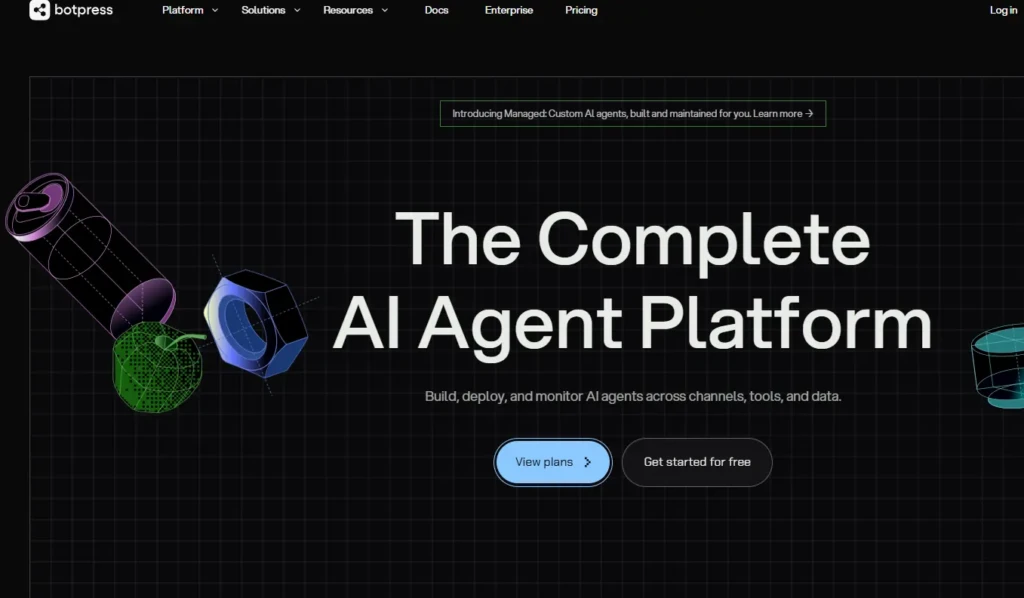
The workflow starts at botpress.com, where the free tier gives you immediate access without a credit card. Here’s exactly how building and deploying a bot works from start to finish.
Step 1: Create Your Bot
Sign up, create a new workspace, and either choose a starting template (customer support, lead generation, FAQ, or blank canvas) or start from scratch. Templates give you a functional starting point in minutes.
Step 2: Build Your Conversation Flow
The visual Agent Studio is the core building environment, a drag-and-drop canvas where you connect nodes to form branching conversation paths. Nodes represent individual steps: sending a message, capturing user input, applying a condition, executing a JavaScript code block, or triggering an AI task. Additionally, non-technical users build flows by connecting nodes; developers drop in code-execution nodes for custom logic anywhere in the flow.
Step 3: Configure Your Knowledge Base
Upload PDFs, Word documents, text files, or connect live website URLs. Botpress indexes the content using vector search and RAG, so when a user asks a question, the bot retrieves relevant chunks from your documents and generates an accurate, contextual answer. Therefore, the quality of your bot’s responses is directly proportional to the quality of the content you upload.
Step 4: Configure the AI Agent Behavior
Choose your underlying LLM (GPT-4o, Claude, or others), set the system prompt that defines the bot’s name, personality, scope, and tone, and define fallback behaviors for questions outside the knowledge base. This is where you control exactly how the AI layer behaves, rather than being constrained by fixed conversation flows.
Step 5: Test In the Built-In Emulator
The Event Debugger shows you every decision the bot makes during a test session. Conversation nodes light up as the bot moves through them, making it significantly easier to trace unexpected behavior than in platforms with limited debugging tools.
Step 6: Deploy to Your Chosen Channel
Embed on a website, connect to WhatsApp, publish to Facebook Messenger, push to Telegram, Slack, Microsoft Teams, or Instagram. One bot configuration deploys across all channels simultaneously.
Step 7: Monitor Through Analytics
Track conversation volume, resolution rate, handoff frequency, fallback rate, and the most common user inputs, all from the analytics dashboard.
Botpress Key Features
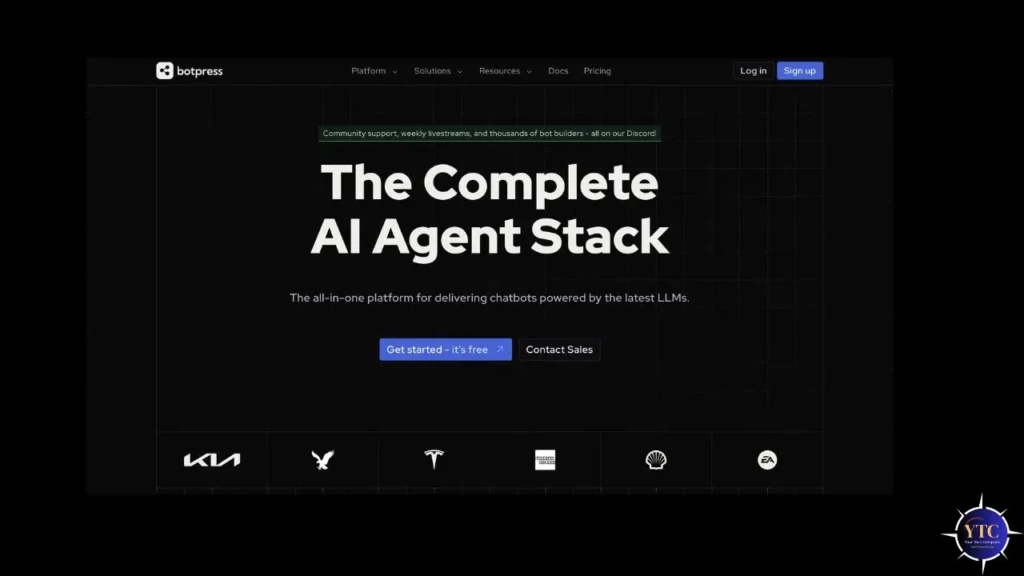
Visual Flow Builder (Agent Studio)
The drag-and-drop canvas is where most users spend most of their time in Botpress. Nodes connect to form branching dialogue paths, standard message nodes for simple responses, capture nodes for collecting user input (name, email, order number), condition nodes for if-then branching based on stored variables, and execute code nodes for dropping JavaScript directly into the flow anywhere you need custom logic.
The visual builder handles simple FAQ bots for non-technical users, while the code execution layer handles more complex tasks for developers. Importantly, Botpress also uses AI assistance inside the flow builder. You can describe a logic condition in plain English, and Botpress automatically generates the correct syntax, reducing the technical barrier for intermediate users.
AI Agents and LLM Integration
Botpress natively integrates GPT-4o, Claude, and other leading models, and, critically, it supports a hybrid model strategy in which different parts of the same bot can use different LLMs depending on the task. Moreover, the Autonomous Engine (powered by Botpress’s custom LLMz inference layer) blends generative AI with structured logic, meaning the bot doesn’t just generate freeform responses; it executes structured workflows guided by AI reasoning.
The system prompt defines the AI agent’s personality, response style, scope limitations, and escalation triggers. Additionally, Botpress supports multiple AI agents per bot: a Knowledge Agent for FAQ responses, a Translator Agent for automatic multilingual support, and custom agents for specialized tasks.
Knowledge Base
The knowledge base is where Botpress’s RAG implementation delivers its most practical value. Upload your support documentation, product FAQs, pricing guides, policy documents, or any text content, and connect live website URLs for real-time indexing.
Botpress chunks the content, generates vector embeddings, and retrieves relevant information at query time to generate accurate, grounded responses. Consequently, the bot answers questions based on your actual documentation rather than generating plausible-sounding but potentially incorrect information. Multiple knowledge bases per bot let you organize content by topic, product line, or audience.
Tables (Built-in Database)

Tables are Botpress’s structured data layer, a built-in database within the platform. You create columns (name, email, order status, subscription tier), write to them from conversation flows (capturing lead data, recording user preferences), and read from them to personalize responses.
For most standard use cases (such as lead capture, basic CRM functionality, and user preference storage), Tables eliminate the need to connect to an external database, significantly reducing the integration complexity that slows down bot development.
Integrations and Botpress Hub
Botpress connects natively with Zendesk, Salesforce, HubSpot, Intercom, Freshdesk, Slack, WhatsApp, Messenger, Telegram, Twilio, and dozens more through the Botpress Hub, a marketplace of pre-built integrations, actions, and workflow components. Beyond native integrations, connectivity with Zapier and Make (formerly Integromat) extends the integration surface to thousands of additional apps.
For custom integrations, Botpress’s REST API and webhook support cover any use case the Hub doesn’t address natively. Consequently, the breadth of integration is one of the most consistently praised aspects of Botpress across G2 and product reviews; users describe it as genuinely flexible rather than merely theoretical.
Human Handoff (HITL)
Define escalation triggers, such as when a user requests a human, when sentiment analysis indicates frustration, when the issue remains unresolved after a set number of turns, and when Botpress routes the conversation to a human agent via a unified inbox or a connected live chat platform (Zendesk, Intercom, Freshdesk). The HITL (Human-in-the-Loop) flow pauses the bot, notifies the human agent, allows the human to respond, and then returns control to the bot when the human marks the conversation as resolved, all within a single, continuous conversation thread visible to the user.
Analytics Dashboard
Conversation volume, session duration, fallback rate, goal completion rate, and the most common user inputs are all tracked in the analytics dashboard. Beyond standard metrics, the Event Debugger captures every decision the bot makes at the node level, which is genuinely more useful for diagnosing bot behavior than the high-level dashboards most competing platforms provide. Advanced analytics (sentiment analysis, detailed agent performance reports) are available on higher pricing tiers.
Developer Tools
The full TypeScript SDK, REST API, webhook middleware, hooks for injecting custom logic, and Git integration for version-controlled bot configurations make Botpress the most developer-friendly chatbot platform below the enterprise tier. Teams that treat bot configuration as code (with version history, branching, peer review, and CI/CD pipelines) can apply the same engineering practices to Botpress bots that they apply to any production software project.
To understand how Botpress fits alongside other AI development tools, our AI Unboxed section covers the broader landscape of AI platforms and developer tools worth evaluating.
Botpress Pricing
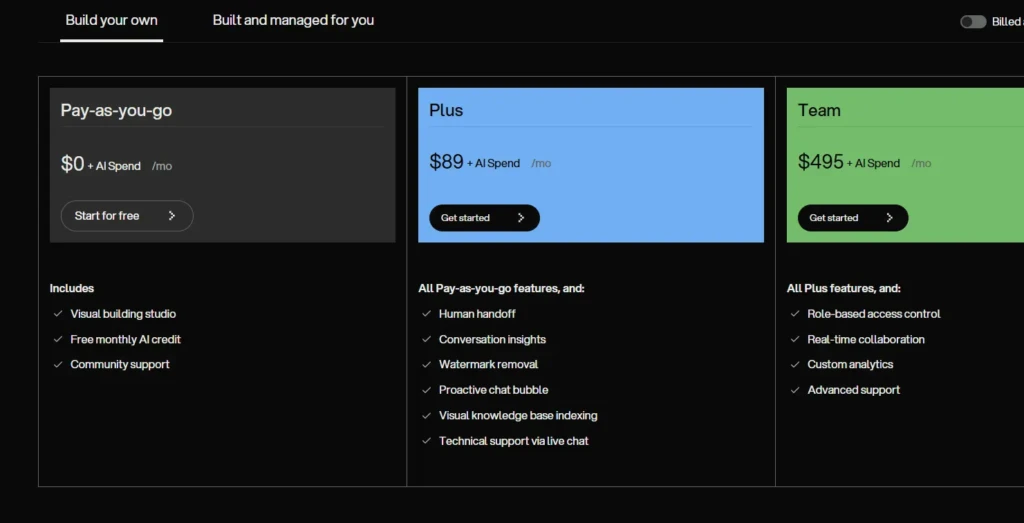
Botpress uses a subscription-plus-AI-Spend model. Therefore, your monthly plan determines which platform features you can access, and AI Spend is a separate, variable usage fee for LLM token consumption, passed through at the provider’s cost.
Plan | Monthly Cost | Messages/Month | Bots | AI Spend |
Free | $0 | 500 | 1 | $5 credit included |
Plus | ~$89/month | Higher limits | Multiple | Billed at usage |
Team | ~$495/month | Higher limits | Unlimited | Billed at usage |
Enterprise | Custom (~$2,000+/month) | Custom | Unlimited | Custom |
The honest assessment of the pricing model: the free tier is genuinely useful for evaluating the platform; 500 messages per month and one bot give you enough to build and test a real bot before committing financially. Beyond evaluation, you’ll hit the message limit quickly in any production scenario.
The Plus plan at ~$89/month is where most small- to mid-size-business users land for production use. However, the AI Spend component is where cost predictability becomes difficult.
Every LLM call consumes tokens, and a complex bot with long conversations and frequent AI responses can consume AI Spend at a rate that surprises users who haven’t modeled their expected conversation volume carefully. Botpress allows you to set an AI Spend limit to cap unexpected costs, which is a recommended first step before any production deployment.
For Comparison: Tidio starts at $19/month with simpler pricing, Intercom starts at approximately $39/month for basic features but scales steeply, and Dialogflow charges per request without a visual builder. Clearly, Botpress’s pricing is more complex, but it delivers more capabilities at the Plus tier than any of those alternatives.
Botpress vs Competitors
Feature | Botpress | Tidio | Dialogflow | Voiceflow | ManyChat | Intercom |
No-Code Builder | ✅ Visual + code | ✅ Simple | ❌ Dev-only | ✅ Design-first | ✅ Simple | ⚠️ Limited |
AI / LLM Integration | ✅ Multi-model | ⚠️ Lyro AI only | ✅ Google NLP | ✅ Multi-model | ⚠️ Basic | ⚠️ Fin AI only |
Developer SDK | ✅ Full TypeScript | ❌ No | ✅ Full | ✅ API | ❌ No | ⚠️ Limited |
Knowledge Base | ✅ RAG-powered | ⚠️ Website only | ⚠️ Limited | ✅ Yes | ❌ No | ⚠️ Limited |
Free Tier | ✅ 500 msgs/1 bot | ✅ Limited | ✅ Pay-per-request | ✅ Sandbox | ✅ Limited | ❌ No |
Channel Support | ✅ 10+ channels | ⚠️ 5 channels | ✅ Many | ✅ Many | ⚠️ Social only | ⚠️ Web/email |
Price Range | $0–$495+/mo | $19–$299/mo | Pay-per-use | $0–custom | $0–$299/mo | $39–custom |
Best For | Dev teams; agencies | SMB e-commerce | Google Cloud teams | Conversation designers | Social marketing | Full CX suite |
Botpress vs Tidio
Tidio is the simpler, faster path to a live chatbot for e-commerce and SMBs. Its drag-and-drop builder requires no technical knowledge, and its AI assistant (Lyro) trains directly from your website. Consequently, Tidio wins on time-to-live and simplicity.
Botpress wins on depth, multi-LLM flexibility, developer control, and the ability to build genuinely complex conversational logic that Tidio’s simpler builder can’t accommodate. Therefore, if you need a chatbot live this afternoon, Tidio is the right tool. However, if you need a chatbot that handles complex multi-step workflows, integrates with your CRM, and escalates intelligently to human agents, then Botpress is a better fit.
Botpress vs Dialogflow
Google’s Dialogflow is an enterprise NLP platform primarily targeting developers and ML engineers. It has no visual flow builder comparable to Botpress’s Agent Studio, and setting it up requires significantly more technical investment.
Additionally, Dialogflow integrates more natively with Google Cloud infrastructure. However, Botpress is more accessible for teams without dedicated ML engineers and provides production-grade output without requiring GCP expertise.
Botpress vs Voiceflow
Voiceflow focuses on conversation design with strong collaboration features. It’s the better choice for design-led teams building voice and chat experiences where the design workflow matters as much as the technical implementation.
However, Botpress has stronger developer tools, a more open integration layer, and a more flexible LLM architecture. Therefore, choose Voiceflow for conversation design teams and Botpress for engineering teams building production bots.
Botpress vs ManyChat
ManyChat is a marketing automation tool focused almost entirely on Messenger, Instagram, and WhatsApp for lead generation and broadcast messaging, not a general-purpose chatbot builder. Beyond that narrow focus, ManyChat has limited AI capability. Therefore, Botpress is the right choice for any use case beyond social media marketing automation.
Botpress Genuine Strengths

The combination of a visual no-code builder and a full developer SDK in a single platform is Botpress’s most meaningful differentiator. Most competing tools force a choice: either simplicity at the expense of flexibility or flexibility at the expense of accessibility. Botpress consistently earns praise on G2 for delivering on both fronts: non-technical team members build and manage flows through the visual builder, while developers extend and customize the same bot through the TypeScript SDK, without the two workflows conflicting.
The RAG-powered knowledge base genuinely works. Upload your documentation and ask questions; the accuracy of responses to knowledge-base-grounded questions is among the strongest in the chatbot category, which matters because most real-world customer support scenarios involve retrieving information from existing documentation rather than generating freeform answers. Additionally, the free tier is meaningfully generous for evaluation: 500 messages and one bot give you enough to build and test a real bot, understand the platform’s capabilities and limitations, and make an informed decision before spending anything.
The pace of development is also worth noting.
Botpress updates frequently, and integrations like Make.com and Twilio were introduced in direct response to community requests, while the active Discord community provides real-time support that the documentation sometimes doesn’t yet cover. Consequently, for agencies and developers who want to stay ahead of what’s possible with conversational AI, this responsiveness to community feedback is a genuine advantage.
Botpress Honest Limitations
Steep Learning Curve
The learning curve for non-developers is real and worth naming plainly. Simple FAQ bots using text messages and basic branching are accessible to anyone who can use the visual builder. Beyond that, adding conditions, variables, JavaScript execution nodes, custom integrations, and multi-flow architectures requires comfort with programming concepts.
This is why agencies charge a premium for Botpress projects: they’re doing custom development, not just dragging and dropping boxes. Therefore, if you don’t have technical resources available and need a sophisticated bot, budget for developer time in addition to the platform cost.
AI Spend Unpredictability
This is the pricing concern that appears most consistently in user reviews. Every LLM call consumes tokens, and the variable nature of token consumption means monthly bills can exceed estimates, especially on bots with long conversations, frequent AI responses, or high message volumes. Therefore, setting an AI Spend cap before production deployment is recommended, but it adds a layer of financial management that flat-rate platforms don’t require.
The Open-Source V12 Version Receives No New Updates
The open-source V12 version receives no new features, as all development occurs on Botpress Cloud. Consequently, teams that need a fully self-hosted, open-source chatbot platform with active development will find that Botpress’s current architecture doesn’t meet that need. However, Enterprise self-hosting is available, but on custom pricing terms.
Debugging Complex Flows Is Non-Trivial
The Event Debugger helps significantly, but tracing unexpected behavior across multi-node flows with custom JavaScript, multiple knowledge bases, and condition-based branching requires patience and experience from the developer. This is less a criticism of Botpress specifically than an honest acknowledgment of the complexity ceiling any powerful platform has.
Who Is Botpress Best For?

Developers Building Production Chatbots
Developers building production chatbots get the clearest ROI from Botpress. This is because the TypeScript SDK, code execution nodes, Git integration, REST API, and multi-LLM support make it the most developer-friendly AI chatbot platform below the enterprise tier, comparable in philosophy to how Cursor and GitHub Copilot serve developers who want AI assistance without sacrificing code control, and how Replit serves developers who want a flexible browser-based development environment.
For AI agent builders who work across platforms, our OpenClaw guide covers another agentic AI tool worth understanding alongside Botpress.
Agencies Building Chatbots for Clients
Agencies building chatbots for clients benefit from Botpress’s multi-workspace management, white-labeling options, and the ability to deploy one bot configuration across multiple channels. The platform’s depth means agencies can build genuinely differentiated client products rather than the same templated chatbot that every no-code tool produces.
SMBs With More Than One Technical Team Member
SMBs with at least one technical team member can run sophisticated customer support automation, lead generation workflows, and FAQ bots, and the free tier includes a thorough evaluation before any financial commitment.
Who Should Look Elsewhere?
Complete non-technical beginners who want a chatbot live without configuration (Tidio or ManyChat serve that need better); teams that need Intercom’s full customer communication suite, where chatbot is one feature among many; teams working exclusively in Google Cloud who want deep GCP integration (Dialogflow is the native choice there).
Getting Started With Botpress
Go to botpress.com and create a free account; no credit card required. Start with the customer support or FAQ template rather than a blank canvas; templates provide a working conversation structure you can modify rather than building the node architecture from scratch.
Configure your knowledge base before building flows. This is the most impactful single action you can take for bot quality. Then upload your most important documentation, FAQ content, and product information first, and build flows that reference it.
Set your AI agent’s system prompt next (define the bot’s name, personality, scope, and what it should decline to answer) before adding any conversation nodes. Lastly, test thoroughly in the emulator, deploy to your website widget first (the fastest channel to go live on), and monitor the analytics dashboard for the first two weeks before expanding to WhatsApp, Messenger, or other channels.
FAQs
Yes. Botpress offers a free tier with 500 messages per month, one bot, and $5 in monthly AI Spend credit. It’s genuinely useful for evaluation but limited for production use. Paid plans start at approximately $89/month (Plus) for production deployments.
Botpress V12 is open source and can be self-hosted with Docker. Botpress Cloud ( where all new features land) is a commercial SaaS product. The open-source version remains available but receives no new feature development.
Botpress supports multiple LLM providers, including GPT-4o and Claude, through its model-agnostic architecture. You choose which model powers each part of your bot, and LLM costs are billed separately at the provider’s cost as part of the AI Spend component.
Yes. WhatsApp is one of Botpress’s native channel integrations. One bot configuration deploys to WhatsApp alongside your website widget, as well as to Messenger, Telegram, Slack, Microsoft Teams, and other channels, without requiring separate bot builds per channel.
For simple FAQ bots and basic customer support flows, yes, the visual builder is accessible. For anything involving complex conditions, JavaScript execution, custom integrations, or multi-flow architectures, developer involvement is effectively required. Non-technical users should either pair with a developer or evaluate simpler alternatives for complex use cases.
Conclusion

Botpress is the most powerful AI chatbot platform for developers, technical teams, and agencies who need production-grade conversational AI infrastructure without building from scratch. The combination of a visual flow builder, a full TypeScript SDK, a RAG-powered knowledge base, multi-LLM support, and native multi-channel deployment on a single platform is genuinely difficult to match at any comparable price point. The $25M Series B, active development pace, and growing enterprise customer base all indicate a platform that’s scaling rather than stagnating, and for teams who need what Botpress specifically delivers, that trajectory matters.
The limitations are equally specific and worth stating clearly again. The learning curve for non-developers is real, the AI Spend pricing model requires careful management, and the platform’s depth is a disadvantage for users who want simplicity rather than capability. Tidio and ManyChat serve the simple use case better. But for any team willing to invest the time to learn the platform, and particularly for developers who want full control over how their AI agents behave, Botpress earns its reputation as the developer’s chatbot platform of choice.
For more tech guides and honest reviews, visit YourTechCompass.