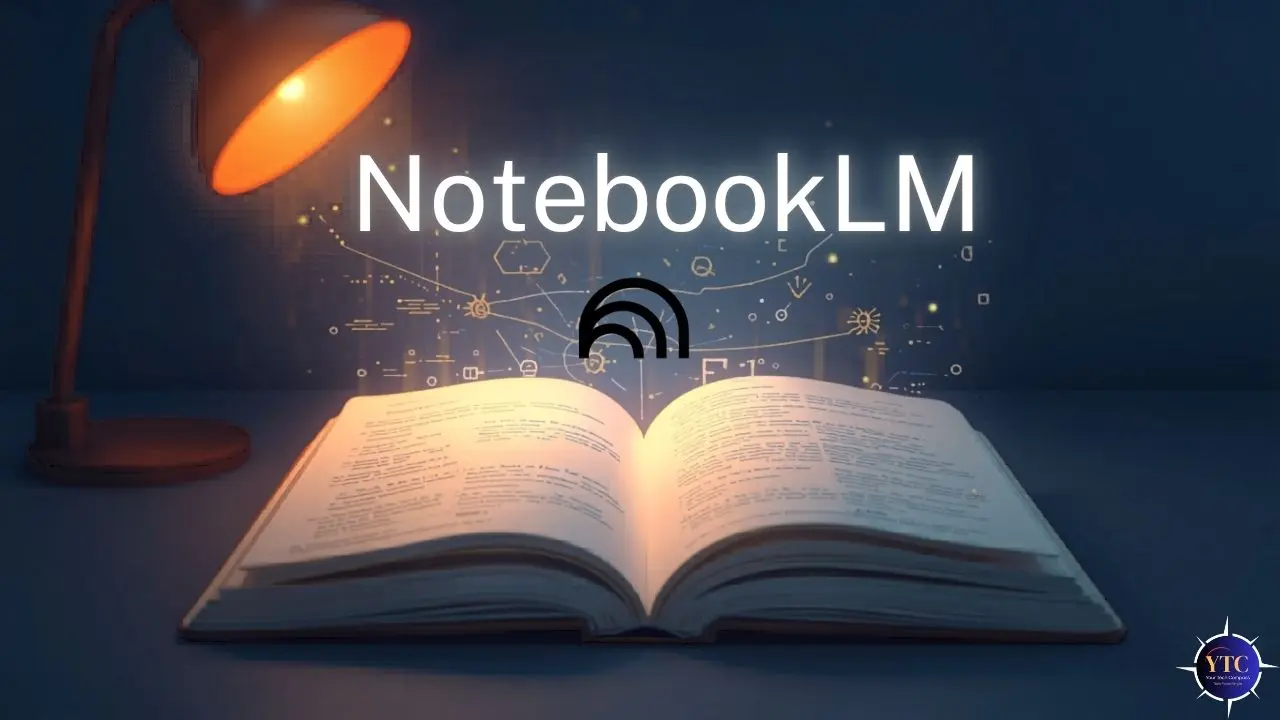
Most AI chatbots have a fundamental problem that most users accept without question: they answer based on general training data, meaning they can (and regularly do) generate responses that sound accurate but aren’t traceable to any specific source. NotebookLM solves that problem at the architectural level. It’s Google’s AI-powered research tool that reads only the sources you provide, answers exclusively from that content, and attaches an inline citation to every response so you can verify exactly where the answer came from. You upload your PDFs, Google Docs, websites, YouTube videos, audio files, or any text, and NotebookLM becomes a research assistant that lives entirely inside your document set. The moment you step outside your uploaded sources, the AI tells you rather than inventing something plausible.
What makes NotebookLM worth understanding right now is how dramatically it has evolved since its original launch as Project Tailwind in 2023. As of March 2026, it runs on Gemini 3 and produces not just grounded chat responses but Audio Overviews, Video Overviews, Cinematic Video Overviews, Mind Maps, Infographics, Slide Decks with PPTX export, Flashcards, Quizzes, Data Tables, and Deep Research reports, all derived from your uploaded content. That scope makes it far more than a document chat tool. This guide covers exactly what NotebookLM does, how to use it, how it compares to ChatGPT and Perplexity, what it costs, and who gets the most value from it.
A note before we begin: every YTC score is earned, never negotiated. If you want to understand exactly how we evaluate apps & tools and how we handle affiliate relationships, our Review Methodology lays it all out.
What Is NotebookLM?
NotebookLM was built by Google Labs, which is Google’s experimental division that develops and ships AI products before they move into Google’s core consumer lineup. The team behind it includes popular science author Steven Johnson and product manager Raiza Martin, both of whom have shaped NotebookLM’s philosophy around what a research tool should actually do: help you think more clearly with the information you already have, rather than generating new information from general knowledge. That philosophy is what makes NotebookLM structurally different from tools like ChatGPT or Claude; it isn’t trying to be a general-purpose AI assistant.
The tool is available for free and requires only a Google account to access (no credit card, no sign-up form beyond your existing Google login). It runs on the Gemini 3 series as of March 2026, which brings meaningfully better reasoning and multimodal understanding than the earlier Gemini 2.5 Flash that previously powered it.
Additionally, NotebookLM launched as a native mobile app for both Android and iOS in 2025, bringing the full feature set, including Audio Overviews and Studio outputs, to your phone and not just the browser. Google has released six major feature updates to the platform since October 2025 alone, signaling both how seriously it is investing in it and how quickly the product continues to improve.
How Does NotebookLM Work?
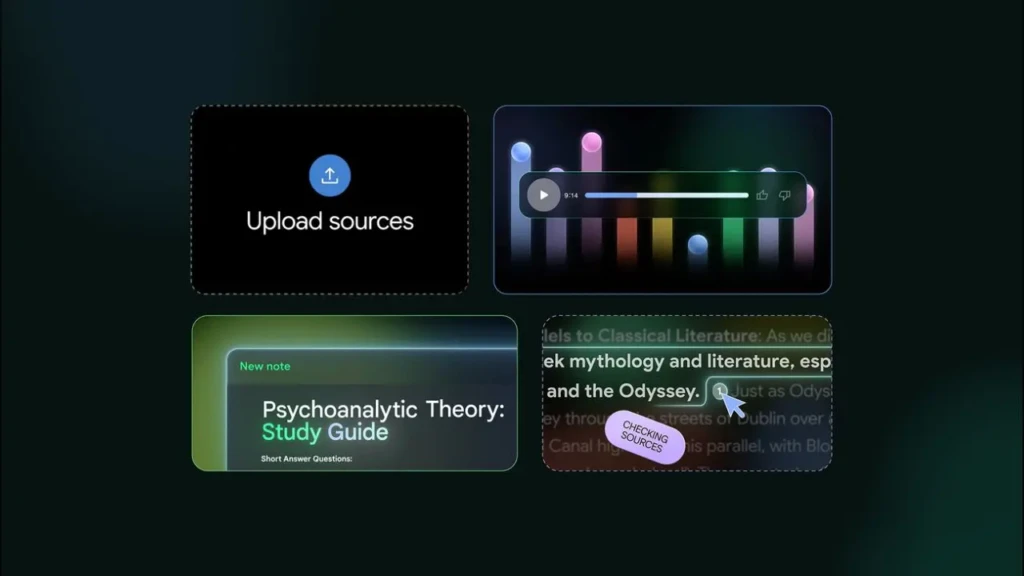
Understanding how NotebookLM works in practice helps you get results from it immediately rather than spending time figuring out the right approach. The workflow follows a logical sequence: sources first, then questions, then outputs, with each step building on the one before.
Here’s exactly what happens from sign-in to finished research output:
Step 1: Create a Notebook
Go to notebooklm.google.com, sign in with your Google account, and create a new notebook. Think of a notebook as a self-contained research workspace. Everything you upload and every conversation you have lives inside it, isolated from other notebooks, so different projects don’t bleed into each other.
Step 2: Upload Your Sources
NotebookLM accepts PDFs, Google Docs, Google Slides, Google Sheets, Microsoft Word documents, web URLs, YouTube video links, audio files, and pasted text. The free tier supports up to 50 sources per notebook and a total of 100 notebooks. Additionally, you can mix types freely; a YouTube lecture, three PDFs, and a Word document can all sit in the same notebook, and the AI draws from all of them simultaneously when you ask a question.
Step 3: Let NotebookLM Index Each Source
Processing takes a few seconds to a minute per source, depending on the source’s length. NotebookLM indexes every source individually, which is why it can cite a specific passage from a specific document rather than combining all your uploads into a single undifferentiated block of text. That individual indexing is what makes citations precise rather than vague.
Step 4: Use the Chat Panel to Ask Questions
Type any question about your sources, and NotebookLM responds with an answer drawn exclusively from your uploaded content. Consequently, every response includes inline citation markers that you can click to jump directly to the relevant passage in the relevant source. Additionally, if your question falls outside what your sources cover, NotebookLM makes that clear rather than reaching beyond your documents to fill the gap.
Step 5: Use the Studio for Structured Outputs
The Studio panel is where NotebookLM goes beyond Q&A. From your sources, you can generate an Audio Overview, Video Overview, Mind Map, Briefing Document, Study Guide, FAQ, Timeline, Table of Contents, Flashcards, Quiz, Infographic, Slide Deck with PPTX export, and Data Table (all grounded in your uploaded content and ready to use immediately).
Step 6: Save Your Work In the Notes Panel
The Notes panel lets you pin AI responses you want to keep, write your own annotations, and build a layered workspace where your thinking sits alongside the AI’s analysis. This is what elevates NotebookLM from a one-shot Q&A tool into an ongoing research environment that accumulates value the more you use it.
Step 7: Share Your Notebook
You can share a notebook via a link (the same way you’d share a Google Doc), invite collaborators to work with you inside it, or export specific outputs like Slide Decks and Infographics for use in presentations or reports.
NotebookLM Key Features
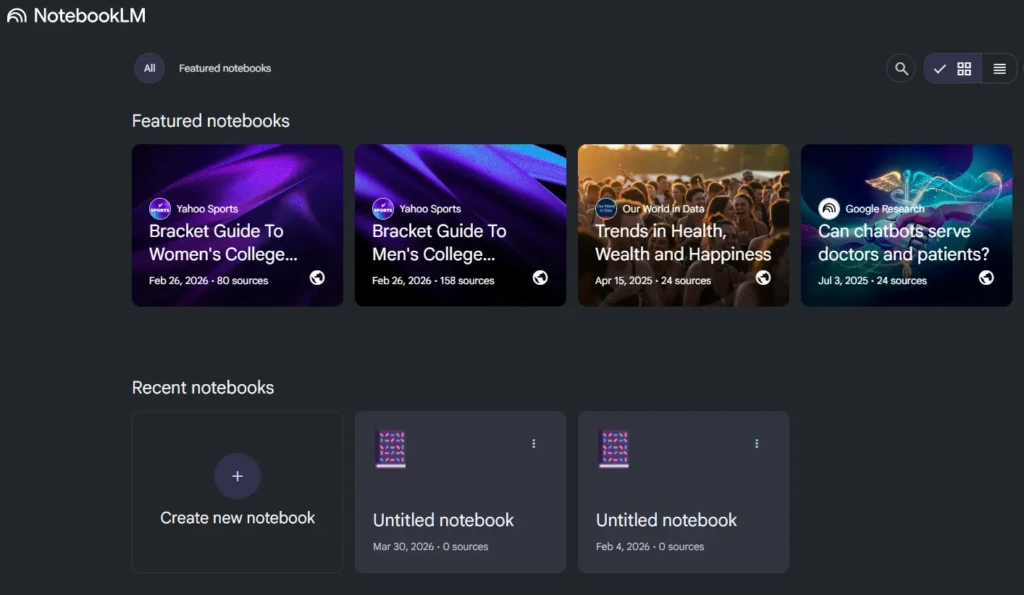
Grounded AI Chat with Inline Citations
This is the feature that defines NotebookLM and separates it from every general-purpose AI chatbot in a way that actually matters for research. When you ask NotebookLM a question, it searches only your uploaded sources for the answer, generates a response based on what those sources actually say, and attaches an inline citation marker to every claim in the response.
You click that citation marker, and you’re taken directly to the exact passage in the exact source document that the AI drew from — not a general reference to a document, but the specific sentence or paragraph. In practice, that means verifying the AI’s answer takes seconds instead of minutes.
With ChatGPT or Claude, if the AI makes a claim, you have to search your documents to confirm its accuracy. However, with NotebookLM, you click once, and you’re already there.
That speed difference compounds significantly over the course of a long research session. Additionally, because the AI is structurally constrained to your sources, it cannot fabricate information that doesn’t exist in your documents. When it doesn’t know, it says so, which is fundamentally more trustworthy than generating a confident-sounding answer based on general training data.
Audio Overview
The Audio Overview is the feature that took NotebookLM from a niche research tool to a broadly discussed AI product. When you click Generate Audio Overview, NotebookLM creates a 5- to 20-minute conversational podcast between two AI hosts who discuss, debate, and synthesize the key themes and insights from your uploaded sources. Therefore, the hosts don’t just read summaries back to you; they engage with the content, reference each other’s points, ask follow-up questions, and handle nuance in a way that sounds like a genuinely prepared conversation rather than automated narration.
Before generating, you can give the AI hosts specific instructions. Tell them to focus on a particular theme, adopt a more technical tone, or emphasize certain sections over others.
The free tier allows 3 Audio Overviews per day, which is enough for most individual research sessions. Additionally, Audio Overviews are now available in more than 80 languages, so the feature isn’t limited to English-speaking users. And the practical value is broad: students use it for revision while commuting, researchers use it to quickly absorb new documents, and content creators use it to understand what a podcast conversation on their topic might naturally cover.
Video Overview and Cinematic Video Overview
Video Overviews extend the Audio Overview concept into the visual domain. Rather than just two AI hosts talking about your sources, a Video Overview combines AI narration with relevant images, diagrams, and structured visual slides derived directly from your uploaded content.
The result is something closer to an explainer video than a narrated slide deck. Your documents become a dynamic visual summary you can watch rather than read.
In March 2026, Google introduced Cinematic Video Overviews, which go considerably further. Cinematic Video Overviews generate fluid, animated, narrative-led videos from your sources using three AI models working together: Gemini 3 acts as the creative director, determining the narrative structure; Nano Banana Pro handles visual generation; and Veo 3 produces the final video output.
The result is significantly more immersive than a standard Video Overview and closer to a professionally produced video than to a presentation recording. However, Cinematic Video Overviews are currently exclusive to Google AI Ultra subscribers at $249.99/month. Standard Video Overviews remain available on all plans, including the free tier.
Studio Structured Outputs
The Studio panel is where NotebookLM’s value for practical workflows becomes clearest. From your uploaded sources, you generate ready-to-use, structured outputs with a single click, and each one is grounded in your documents with citations rather than in general AI knowledge.
The available outputs include: a Study Guide that extracts key concepts and builds Q&A pairs for revision, an FAQ that surfaces the most important questions your sources answer, a Timeline that pulls chronological events from your documents and organizes them sequentially, a Briefing Document that summarizes all your sources into a concise executive overview, a Mind Map that visualizes the relationships between concepts across your documents, Flashcards for spaced repetition study, a Quiz for self-testing, an Infographic that presents key data visually, a Slide Deck with PPTX export added in February 2026, and a Data Table added in December 2025 that synthesizes structured data from across your documents.
The practical implication is that you move from a set of raw research documents directly to a usable deliverable (a presentation, a study pack, a briefing) without switching to another tool.
Deep Research
Deep Research, added in November 2025, changes NotebookLM from a tool that analyzes sources you provide to one that can find sources for you. You give it a research topic; it creates a research plan, autonomously searches hundreds of web sources, evaluates relevance and quality, and compiles a comprehensive citation-backed report on the topic. That report then becomes a source inside your notebook, which means you can follow up by asking questions about it, comparing it against your other uploaded documents, or generating a Briefing Document that synthesizes both the Deep Research report and your existing sources.
The value of this addition is that it eliminates the front-end sourcing work that was previously entirely manual. Previously, you’d spend an hour finding relevant articles and PDFs before you even opened NotebookLM. Now, Deep Research handles that sourcing step autonomously, and you begin your analytical work with a curated, cited document set already waiting for you.
Source Type Breadth
NotebookLM’s flexibility in source types is one of its most practical features. You can upload PDFs, Google Docs, Google Slides, Google Sheets, Microsoft Word documents, web URLs, YouTube video links, audio files, and pasted text, and you can mix all of them freely within a single notebook. That means a research notebook might contain a YouTube lecture, two academic PDFs, a Google Sheets dataset, and a Word document, and the AI draws from all four simultaneously when you ask a cross-source question.
The YouTube transcript integration deserves specific mention because it’s less obvious than the document types. When you add a YouTube video link, NotebookLM pulls the full video transcript and indexes it like any other document.
That means you can ask questions about a two-hour lecture video without watching it; you simply add the link and query the transcript through the chat interface. For students with long recorded lectures and researchers who encounter important conference talks or interviews in video format, this capability saves significant time.
Notes Panel
The Notes panel is the third column in NotebookLM’s interface alongside Sources and Chat, and it’s what makes the tool function as an ongoing research environment rather than a series of disconnected question-and-answer sessions. You pin AI responses you want to save for later, write your own annotations and observations alongside the AI’s analysis, and build a persistent layer of your own thinking that accumulates across your sessions with the notebook.
Over time, a well-maintained Notes panel becomes a structured research document in its own right, a combination of sourced AI analysis and your own interpretation that would have taken hours of manual summarization to produce. This is particularly useful for long research projects where you return to the same notebook repeatedly over days or weeks.
NotebookLM Pricing
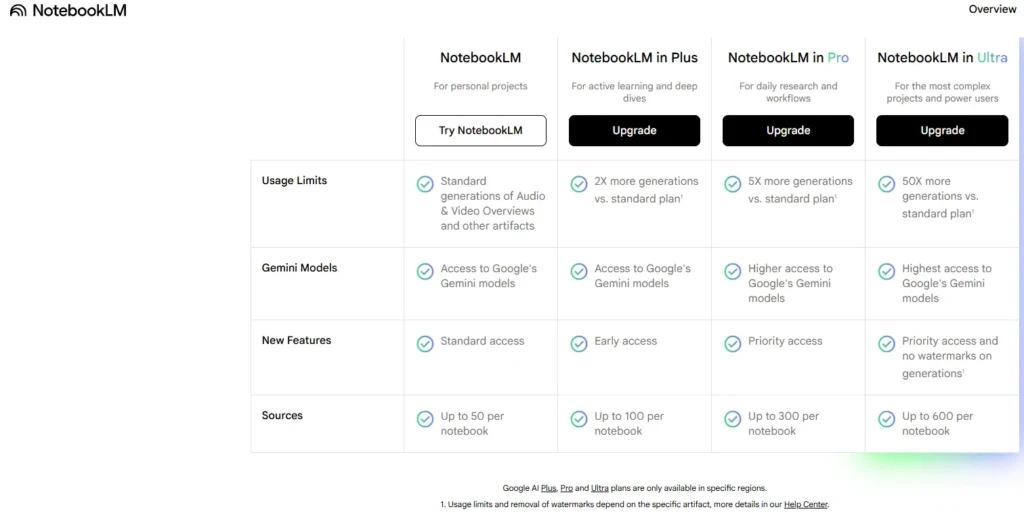
Plan | Cost | Notebooks | Sources Per Notebook | Audio Overviews/Day | Key Inclusions |
Free | $0 | 100 | 50 | 3 | Full Studio, Deep Research, Gemini 3 |
NotebookLM Plus | Included with Google One AI Premium | 5× more | 300 | 5× more | Team sharing, longer overviews, priority features |
Google One AI Premium | $19.99/month | Plus included | 300 | Higher limits | NotebookLM Plus + Gemini Advanced + 2TB storage |
Google AI Ultra | $249.99/month | Highest limits | Highest limits | Unlimited | Cinematic Video Overviews + all premium features |
The free tier is among the most generous for any AI product available right now. One hundred notebooks with 50 sources each means you can maintain separate research workspaces for dozens of ongoing projects simultaneously, all without paying anything.
The 50 chat queries and 3 Audio Overviews per day are enough for serious individual research in most cases. What’s particularly notable is that the free tier includes Deep Research, the full Studio output range, and Gemini 3 (features that would be paywalled on most competing platforms).
NotebookLM Plus is included with Google One AI Premium at $19.99/month, which also bundles Gemini Advanced and 2TB of Google Drive storage. For individual users, the Plus upgrade makes sense when you regularly hit the 50-source limit per notebook, need team collaboration on shared notebooks, or want longer, more customizable Audio Overviews. However, for teams and organizations, Google Workspace plans include NotebookLM at various tiers with enterprise-grade security controls.
For context on how this pricing compares to alternatives: ChatGPT Plus costs $20/month, Perplexity Pro costs $20/month, and Claude Pro costs $20/month, and NotebookLM’s free tier outperforms all three specifically for source-grounded document research.
NotebookLM vs Competitors
Feature | NotebookLM | ChatGPT | Perplexity | Claude |
Source Grounding | ✅ Your docs only | ⚠️ General + web | ⚠️ Live web | ⚠️ General + uploads |
Inline Citations | ✅ Every response | ❌ No | ✅ Web sources | ❌ No |
Audio Output | ✅ Podcast-style | ❌ No | ❌ No | ❌ No |
Video Output | ✅ Yes | ❌ No | ❌ No | ❌ No |
Generous Free Tier | ✅ Yes | ⚠️ Limited | ⚠️ Limited | ⚠️ Limited |
Real-Time Web | ✅ Via Deep Research | ✅ Browsing | ✅ Primary feature | ⚠️ Limited |
Source Types Supported | ✅ 8+ types | ⚠️ Files + web | ⚠️ Web primary | ⚠️ Files + text |
Best Use Case | Source-grounded research | General AI tasks | Real-time web research | Long-doc analysis; writing |
Paid Tier Price | $19.99/mo (AI Premium) | $20/mo (Plus) | $20/mo (Pro) | $20/mo (Pro) |
NotebookLM vs ChatGPT
The key difference isn’t quality; it’s architecture!
ChatGPT answers based on its general training data and web browsing, so it can answer almost any question. Still, it cannot guarantee that its answer reflects what your specific documents actually say. On the other hand, NotebookLM can only answer based on what you upload, so it can’t help with general knowledge tasks, coding, or creative writing. However, for any question where the answer must come from a defined set of documents, it’s significantly more trustworthy.
The two tools serve different primary purposes, and understanding that distinction saves you from using the wrong one for the wrong task.
NotebookLM vs Perplexity
Perplexity is built to search the live web and answer with cited sources. It’s the right tool when you need current events, recent publications, or real-time information that doesn’t exist in a document set you already own.
NotebookLM is the right tool when you have a defined set of documents and need to extract deep insights from them, rather than finding new sources. However, with the addition of Deep Research, NotebookLM can now handle some of the sourcing that Perplexity does. Still, Perplexity remains the stronger option for time-sensitive, web-first research tasks.
NotebookLM vs Claude
Claude handles very long documents within its context window and excels at producing polished written output, such as summaries, drafts, analytical essays, and structured arguments, based on what you provide. What Claude lacks is NotebookLM’s multi-source citation infrastructure, Audio Overview capability, and the Studio’s full range of structured output formats.
The most effective research workflow for many users combines both NotebookLM to organize, synthesize, and cite sources and Claude to draft the finished written output that emerges from that research.
NotebookLM Honest Strengths
Citation System
The citation system delivers more practical value than it might sound on paper. When you’re working through a long research session with 10 or 15 sources, the ability to click a single citation marker and land on the exact relevant passage (rather than opening each document, searching for the relevant section, and confirming the AI’s claim manually) saves meaningful time that compounds across every research task you use the tool for. That traceability is also what makes NotebookLM appropriate for professional contexts where you’d never submit an AI response without being able to verify it independently.
Audio Overview Quality
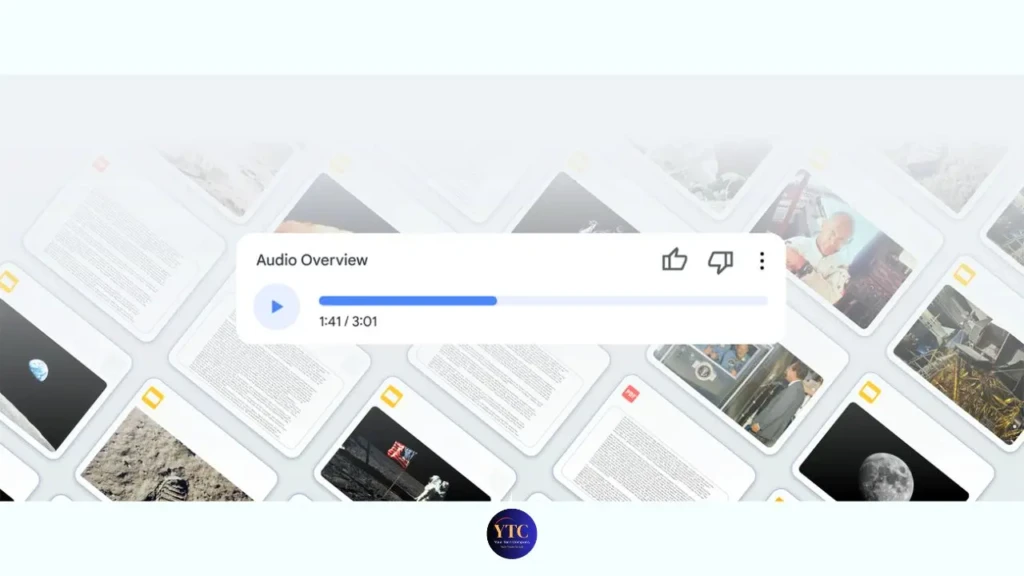
The Audio Overview quality is the feature that most surprises people when they try it for the first time. The two AI hosts produce a conversational flow that sounds genuinely thought through rather than mechanically assembled. This is because they build on each other’s points, introduce relevant examples, and handle complex ideas with the kind of back-and-forth that makes the content genuinely listenable.
Spotify used NotebookLM’s Audio Overview technology to generate personalized podcast-style recaps for its 2024 Wrapped campaign, signaling production quality that goes well beyond typical AI text-to-speech output.
Free-Tier Generosity
The free-tier generosity is a real competitive advantage that’s easy to underestimate until you compare it directly with alternatives. One hundred notebooks with 50 sources each, full Studio access, Deep Research, and Gemini 3 at zero cost outperform what most AI research tools charge $20 per month to deliver. Additionally, Google’s privacy policy explicitly states that your uploaded content is not used to train AI models, which is especially important if you’re uploading confidential documents, client materials, or proprietary research.
NotebookLM Honest Limitations
The Source-Only Constraint Cuts Both Ways
The same grounding that prevents hallucination also means NotebookLM cannot help you when your documents don’t contain the answer. Therefore, if you ask for something your sources don’t cover, the tool tells you, which is the correct behavior. Still, it means you occasionally need to switch to another tool mid-research session to fill a knowledge gap that NotebookLM won’t address beyond its document set.
Most research workflows involve at least some general knowledge questions, and NotebookLM simply isn’t the right tool for those.
Source Processing Quality Varies With Document Formatting
Heavily formatted PDFs, scanned documents with imperfect OCR, and files with complex tables or embedded images can produce extraction errors during indexing. When that happens, the AI’s answers about that source become less reliable.
This is because the quality of NotebookLM’s responses is directly tied to how cleanly the source content was indexed. Consequently, if you’re working with documents that have complex layouts, it’s worth checking the processed source text to confirm the content came through correctly before relying on the AI’s responses about it.
NotebookLM Is a Research Tool, Not a Writing Tool
It synthesizes, summarizes, cites, and structures your sources into useful outputs, but it does not draft polished long-form prose, creative content, or code. Therefore, if your workflow ends with a written deliverable, you’ll use NotebookLM to build your research foundation, then move to Claude or ChatGPT to write the final output.
That’s not a criticism; it’s an accurate description of the division of labor, but it means NotebookLM works best as part of a workflow rather than as a standalone end-to-end tool.
Cinematic Video Overviews Require Google AI Ultra at $249.99/Month
For the vast majority of individual users and small teams, that price point puts NotebookLM’s most visually ambitious output format entirely out of reach.
Standard Video Overviews remain available on all plans. They are genuinely useful, but the gap between what the Ultra tier delivers and what free and Plus users can access is significant enough to be worth knowing before you form expectations based on Cinematic Video Overview examples you see online.
Who Is NotebookLM Best For?
Students and Academic Researchers

Students and academic researchers are the audience NotebookLM serves most comprehensively. The Study Guide, Flashcard, Quiz, and Audio Overview outputs cover every step of the core revision and exam preparation workflow.
The source-grounded Q&A prevents the fabricated citations that have caused serious academic integrity problems for students using general AI chatbots. This is because NotebookLM will not invent a source or a passage that doesn’t exist in your uploaded documents. Therefore, uploading your lecture slides, textbook chapters, and reading list PDFs at the start of a semester and using the notebook as your primary study tool gives you a research assistant that knows exactly what your course covers and nothing beyond it.
Journalists, Fact-Checkers, and Knowledge Workers
Journalists, fact-checkers, and knowledge workers benefit most directly from the citation layer.
In professional contexts where knowing exactly which source supports a specific claim is a non-negotiable requirement (not a nice-to-have), NotebookLM’s inline citations provide that traceability in a way that uncited chatbots structurally cannot. Additionally, uploading interview transcripts, background research documents, and competitor reports, and asking cross-source synthesis questions, compresses research timelines that would otherwise require hours of manual reading and note-taking.
Content Creators and Educators
Content creators and educators find the Audio Overview and Slide Deck outputs particularly useful for production. For instance, a creator researching a new topic can upload their source materials and receive a structured podcast-style conversation about the content, which serves as both a research review and a model for discussing the topic compellingly. Additionally, an educator can upload course materials and generate a structured Slide Deck, Study Guide, and Quiz for students without having to build each output manually.
Who Should Look Elsewhere?
Users whose primary need is real-time web information (Perplexity handles that better by design); users who primarily need writing assistance, complex reasoning, or polished long-form output (Claude is the stronger tool for those tasks); and users whose source documents are primarily handwritten, heavily image-based, or scanned with poor OCR quality, since extraction errors will limit the AI’s accuracy on those materials.
To provide context for the broader landscape of AI tools worth understanding alongside NotebookLM, our AI Unboxed section covers the full range of platforms shaping research and productivity in 2026. Also, for teams evaluating AI-powered chatbots and automation tools alongside research capabilities, our Botpress review covers the chatbot-building side of the AI tool landscape in depth.
FAQs
Yes. It’s entirely free; all you need is a Google account. The free tier includes 100 notebooks, 50 sources per notebook, 50 chat queries per day, 3 Audio Overviews per day, full Studio access, and Deep Research. NotebookLM Plus is included with Google One AI Premium for $19.99/month and offers higher limits or team collaboration features.
PDFs, Google Docs, Google Slides, Google Sheets, Microsoft Word documents, web URLs, YouTube video links (indexed via transcript), audio files, and pasted text. You can freely mix any combination of these within a single notebook and ask questions that draw from all sources simultaneously.
Yes. It’s one of the most practically useful AI tools available, specifically for students. Study Guides, Flashcards, Quizzes, and Audio Overviews directly address exam preparation. The source grounding prevents fabricated citations, which matters in academic contexts where citation accuracy is a professional and integrity requirement.
Audio Overview generates a 5- to 20-minute conversational podcast between two AI hosts who discuss and synthesize the key themes from your uploaded sources. You can customize the focus and tone before generating. The feature is available in 80+ languages, and the free tier allows 3 per day.
For most individual users, the free tier covers everything they need. However, NotebookLM Plus makes sense if you consistently need more than 50 sources per notebook, need to share and collaborate on notebooks with a team, or want longer and more customizable Audio Overviews. At $19.99/month, bundled with Google One AI Premium (which also includes Gemini Advanced and 2TB of Google Drive storage), the value extends well beyond NotebookLM alone.
Final Thoughts
NotebookLM is the strongest AI research tool available to anyone working with a defined set of documents and needing grounded, cited answers rather than general AI responses. The citation system provides a level of verifiability that general chatbots cannot provide structurally. The Audio Overview is a genuinely unique feature with no direct equivalent at any price point from any competitor. The free tier (100 notebooks, 50 sources each, Deep Research, the full Studio range, and Gemini 3) delivers more specific value for source-grounded research than the paid tiers of most competing AI tools. For students, researchers, journalists, and knowledge workers, those three things together make NotebookLM worth building into your regular workflow.
The limitations are equally worth naming clearly before you commit: NotebookLM is a research and synthesis tool, not a writing tool, and it works within your sources rather than beyond them. Pairing it with Claude for drafting and Perplexity for real-time web sourcing covers the gaps it leaves, and that three-tool combination handles the complete research-to-output workflow more completely than any single AI tool currently can.
Ready to explore more? Visit YourTechCompass for hands-on reviews, buying guides, and how-to articles that cut through the noise and give you exactly what you need.