OpenClaw is an open-source, self-hosted autonomous AI agent that runs on your own hardware and connects to the messaging apps you already use, such as WhatsApp, Telegram, Slack, Discord, iMessage, and 20 more, turning them into a single interface for an AI that doesn’t just answer questions but actually executes tasks on your behalf. Created by Austrian developer Peter Steinberger and first released as Clawdbot in November 2025, it surpassed 250,000 GitHub stars in 60 days, faster than React, faster than any repository in GitHub’s history. Sam Altman called Steinberger “a genius with a lot of amazing ideas about the future of very smart agents” and hired him at OpenAI weeks after launch, while OpenClaw continued as a foundation-backed open-source project.
What makes OpenClaw genuinely different from every chatbot you’ve used is the scope of what it can actually do. It runs shell commands, reads and writes files, controls your browser, sends emails, manages your calendar, scrapes websites, buys tickets, makes phone reservations, and writes its own new skills in code when it encounters a task no existing capability covers, all triggered by a WhatsApp message you send from wherever you are. That power comes with an equally serious caveat: OpenClaw has also triggered the first major AI agent security crisis of 2026, with 512 documented vulnerabilities, a critical remote code execution CVE, over 53,000 exposed instances correlated with prior breach activity, and 824 malicious skills found on its public marketplace. This guide gives you both sides of that picture, clearly and completely.
A note before we begin: every YTC score is earned, never negotiated. If you want to understand exactly how we evaluate apps & tools and how we handle affiliate relationships, our Review Methodology lays it all out.
What Is OpenClaw?
OpenClaw is a personal AI agent runtime, a local control plane that connects large language models to your real software, files, messaging accounts, and system tools, and then acts on your behalf when you send it a message. Steinberger built it on the philosophy that “AI should actually do things” rather than sit in a browser tab waiting to be asked questions. Consequently, the product is not the interface; it’s the assistant that follows you everywhere, responds on the channels you already have open, and operates continuously in the background.
The name underwent two changes before settling on OpenClaw. Anthropic objected to the original name Clawdbot for its obvious similarity to their Claude brand, prompting a rename to Moltbot on January 27, 2026, and then another three days later to OpenClaw, because, as Steinberger put it, “Moltbot never quite rolled off the tongue.” The MIT License allows you to run, modify, and extend it at no cost and with no subscription fee. All your data, memory, and agent history stay on your own hardware.
OpenClaw works with Claude, GPT-4o, DeepSeek, Gemini, and local models via Ollama or LM Studio. You bring your own API key and choose a model for each task. Steinberger’s departure to OpenAI did not close the project; development continues under a foundation structure with active maintainers and a high-velocity community contributing skills, channels, and platform integrations.
How OpenClaw Works
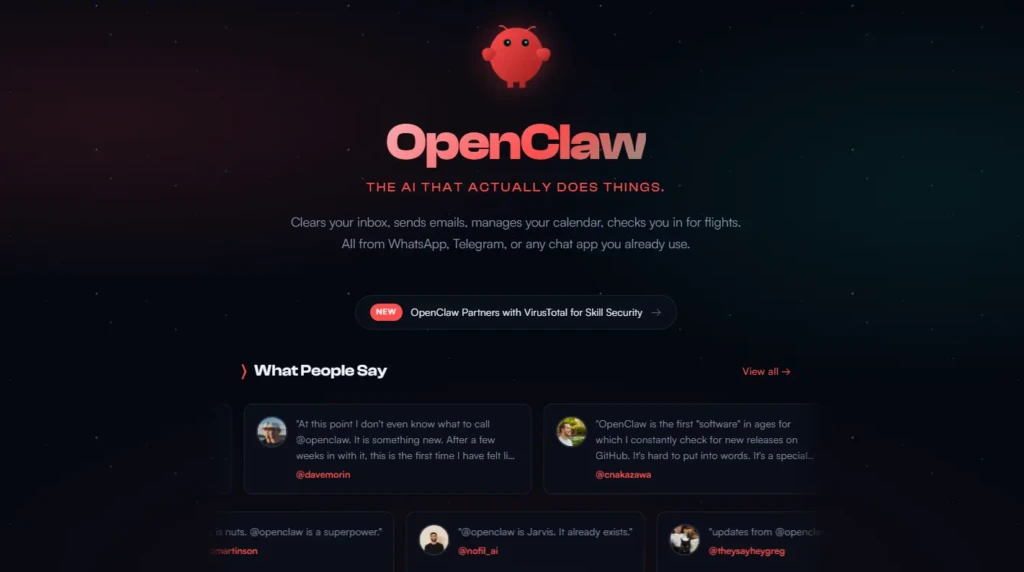
The Gateway is the heart of OpenClaw, a local background daemon (systemd on Linux, LaunchAgent on macOS) that acts as the central hub through which all channels, tools, events, and memory flow. It runs continuously on your machine on port 18789. You never interact with the Gateway directly; instead, you message your agent via WhatsApp, Telegram, or any connected platform, and the Gateway routes that message to the appropriate model and toolchain.
The Heartbeat is what separates OpenClaw from a passive chatbot and gives it the JARVIS-like quality most users describe. Every 30 minutes by default, OpenClaw wakes itself up, reads a checklist from a HEARTBEAT.md file in your workspace, decides whether any item requires action, and either messages you or silently confirms nothing is needed. That proactive behavior means it monitors things for you without requiring a prompt, checking whether a flight price has dropped, whether a GitHub PR needs review, or whether a scheduled task is overdue.
Skills are Markdown files (SKILL.md) that are injected into the system prompt to provide the agent with context, constraints, and step-by-step guidance for specific task types. Skills can be bundled with the software, installed from the ClawHub marketplace, or written custom for your workflow.
The Memory system stores persistent context in local Markdown and YAML files, including conversation history, user preferences, learned patterns, and relationship context, all of which accumulate over time to help the agent improve its understanding of how you work.
OpenClaw Key Features
20+ Messaging Platform Support
OpenClaw operates across WhatsApp, Telegram, Slack, Discord, Signal, iMessage via BlueBubbles, Microsoft Teams, Google Chat, IRC, Matrix, LINE, Mattermost, Nextcloud Talk, Twitch, Zalo, Nostr, and more. You interact through the platform you’re already in; there is no separate app to open. Consequently, the assistant follows you across every device and every context without friction.
Browser Control
OpenClaw controls Chrome and Chromium via the Chrome DevTools Protocol. It navigates websites, fills forms, clicks buttons, extracts data, and completes web workflows autonomously. This is what enables it to buy event tickets, make restaurant reservations, fill job applications, and complete any browser-based task you describe in natural language. Beyond simple navigation, it handles JavaScript-rendered pages that basic scrapers can’t reach.
File and Shell Access
OpenClaw reads and writes files directly on your machine and runs shell commands as a first-class capability. For developers, this means it can clone repositories, run test suites, commit code, and manage file systems from a WhatsApp message. That direct system access is also the primary source of its security risk; an attacker who compromises a misconfigured instance gains everything the agent can touch.
Proactive Heartbeat
The Heartbeat is OpenClaw’s most distinctive behavioral feature. Every 30 minutes, it checks your HEARTBEAT.md task list and takes action without being asked. You configure what it monitors (price alerts, calendar deadlines, email follow-ups, system health checks), your stock positions, and whether it updates you or acts silently, based on your preferences. No other mainstream AI assistant offers this proactive, always-on monitoring capability without a paid SaaS subscription.
Long-Term Memory
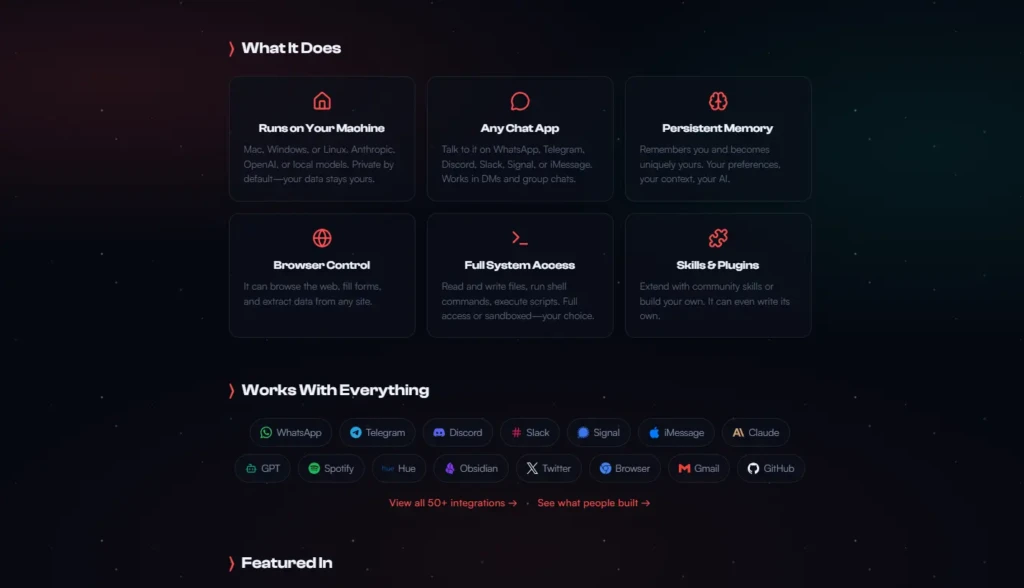
Unlike hosted chatbots that reset context at the end of each session, OpenClaw accumulates persistent memory as local files. Over weeks and months of use, it builds a detailed model of your preferences, workflows, contacts, and communication patterns.
That growing context improves the quality of every subsequent interaction. In addition, it learns that you prefer concise Slack summaries to detailed ones, that Tuesday mornings are your deep-work time, and that certain contacts always need follow-up within 48 hours.
Self-Writing Skills
When OpenClaw encounters a task that no existing skill covers, it writes new skill code autonomously to handle it. That self-extending capability (the ability to expand its own toolset) is what Steinberger calls “vibe coding” in agent development. For technical users willing to review auto-generated code, it represents a genuinely adaptive agent that grows with your workflow rather than stopping at predefined boundaries.
For a broader understanding of how vibe coding underlies this kind of AI development, our Replit guide covers the zero-setup development environment that makes this approach accessible.
AWS Managed OpenClaw
In recognition that self-hosted deployment was too dangerous for most teams to configure securely, AWS launched Managed OpenClaw on Lightsail, a one-click blueprint pre-configured with Amazon Bedrock (defaulting to Claude Sonnet 4.6) and automated IAM role creation. For organizations that want OpenClaw’s capabilities without managing the infrastructure security themselves, this managed deployment path is the appropriate starting point.
How to Install OpenClaw
Requirements before you start:
- Node.js 24 (recommended) or Node 22.16+ at minimum
- macOS, Linux, or Windows via WSL2
- An API key from Claude, OpenAI, DeepSeek, or Gemini, or a local model via Ollama
Installation steps:
- Run npm install -g openclaw@latest or pnpm add -g openclaw@latest.
- Run openclaw onboard –install-daemon. This installs the Gateway daemon and walks through initial configuration.
- Connect your AI model via the models config block using your API key.
- Pair a messaging channel, such as WhatsApp, Telegram, or Discord, via the configuration wizard.
- Run openclaw doctor to check for risky or misconfigured permissions before you deploy anything.
- Set API spending limits at the provider level before the Heartbeat starts firing; a misconfigured Heartbeat can consume hundreds of dollars in API credits overnight if you don’t cap it.
NOTE before you proceed: Microsoft’s official security guidance, published on February 19, 2026, explicitly states that OpenClaw “should be treated as untrusted code execution with persistent credentials” and is “not appropriate to run on a standard personal or enterprise workstation.” Therefore, run it in an isolated VM or dedicated VPS, never on your primary machine with access to sensitive accounts.
What You Can Actually Build and Do
Developer and DevOps Workflows
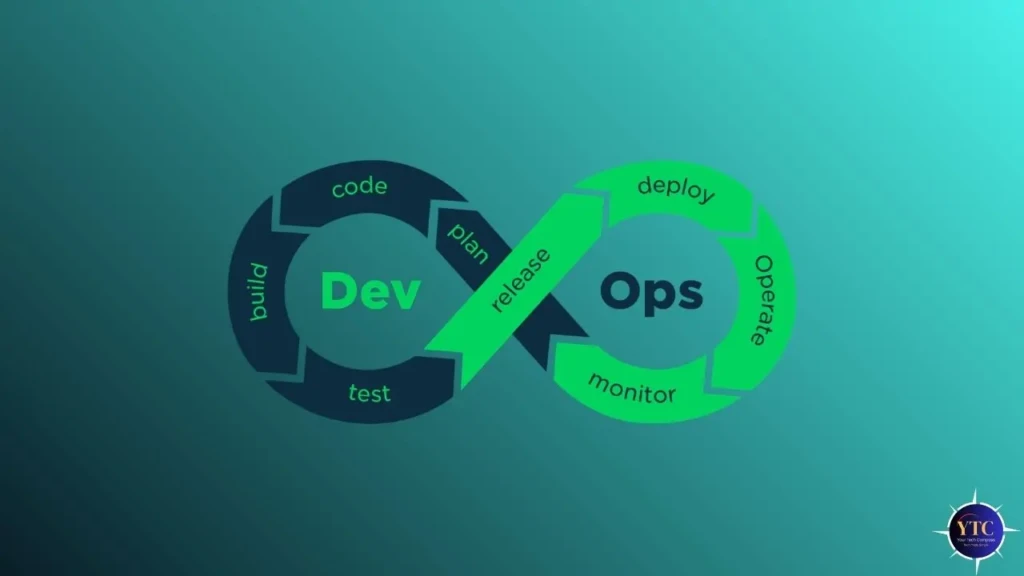
Developer and DevOps workflows represent the most consistently documented productive use case. Developers use OpenClaw to manage GitHub integrations, trigger automated test runs via cron, receive PR review requests on WhatsApp, run debugging sessions remotely, and manage Cursor and Claude Code sessions from their phones. For developers already using tools like Claude AI and Grok, OpenClaw provides an always-on agent layer that extends those models into real-world system actions.
Personal Productivity Automation
Personal productivity automation is the use case that drove most viral adoption. Community members have documented OpenClaw making restaurant reservations by phone, purchasing event tickets before they sell out, managing Apple Reminders and Notion via WhatsApp, running inbox-zero workflows on a schedule, and booking travel end-to-end without human involvement. The key difference from using a chatbot is that these tasks are completed even when you’re not at your computer; the agent acts, reports back, and remembers the outcome.
To compare how OpenClaw’s autonomous action capability stacks up against hosted alternatives like ChatGPT, our Ask AI tool guide clearly frames the landscape.
Content and Research Pipelines
Content and research pipelines work well for operators and founders who want to automate recurring research tasks. You configure a Heartbeat item to monitor competitor pricing, summarize new publications in a research area, compile weekly industry news into a formatted Notion document, or track social sentiment across platforms. Additionally, community members have integrated Sora AI‘s video-generation capability as a skill, connecting OpenClaw’s agent layer directly to AI media-generation workflows within a messaging thread.
OpenClaw vs. Competitors
Feature | OpenClaw | ChatGPT / Claude | Zapier / Make | Manus | Replit Agent |
Local / Self-Hosted | ✅ Yes | ❌ Cloud only | ❌ Cloud only | ❌ Cloud only | ❌ Cloud only |
Free / Open-Source | ✅ MIT License | ❌ Subscription | ❌ Subscription | ❌ Subscription | ⚠️ Free tier |
Messaging Platform UI | ✅ 20+ platforms | ❌ Web/app only | ❌ No | ❌ Web only | ❌ Web only |
Persistent Memory | ✅ Local files | ⚠️ Session / limited | ❌ No | ⚠️ Limited | ❌ No |
Proactive Heartbeat | ✅ Yes | ❌ No | ⚠️ Via triggers | ❌ No | ❌ No |
Browser Control | ✅ Full CDP | ⚠️ Limited | ⚠️ Via integrations | ✅ Yes | ⚠️ Limited |
File / Shell Access | ✅ Direct system | ❌ No | ❌ No | ⚠️ Sandboxed | ⚠️ Sandboxed |
Setup Complexity | ❌ High (CLI + config) | ✅ Zero | ✅ Low | ✅ Zero | ✅ Zero |
Security Risk Level | ⚠️ High if misconfigured | ✅ Low | ✅ Low | ✅ Managed | ✅ Managed |
OpenClaw’s advantages over hosted chatbots like ChatGPT and Claude are real: no subscription fee, persistent memory that doesn’t reset, a proactive heartbeat, and direct system access that cloud tools can’t replicate.
Against automation platforms like Zapier and Make, OpenClaw handles ambiguous, context-dependent, multi-step real-world requests that rule-based workflows can’t process (tasks that require judgment, not just triggers). However, against Manus (the closest comparable hosted AI agent), OpenClaw wins on data sovereignty and cost; Manus wins on ease of setup and security posture for non-technical users.
OpenClaw Security: What You Must Know Before Installing
This section is not optional reading. OpenClaw triggered the first major AI-agent security crisis of 2026, and the documented list of incidents is serious enough to warrant direct, detailed coverage.
CVE-2026-25243
CVE-2026-25253, the first critical vulnerability, was disclosed on January 26, 2026, with a CVSS score of 8.8, enabling one-click remote code execution. The attack required only that a victim visit a malicious webpage; the browser’s JavaScript silently extracted the user’s OpenClaw authentication token and sent it to the attacker’s server, establishing a WebSocket connection that disabled sandboxing and removed confirmation gates for dangerous commands.
A patch was released in version 2026.1.29 on January 30, but independent researchers verified that 93.4% of exposed instances had authentication-bypass vulnerabilities before the patch. Additionally, five more critical CVEs were identified, including remote command execution, command injection, SSRF, Discord privilege escalation, and webhook path traversal, bringing the total documented vulnerability count to 512 across the platform.
The ClawHub Skills Marketplace
The ClawHub skills marketplace became a major attack vector within weeks of launch. Bitdefender found 824 malicious skills on ClawHub (20% of the entire registry), most of which install the AMOS infostealer. Attackers used professional documentation and innocuous names like “solana-wallet-tracker” to disguise credential-harvesting tools.
Typosquatting was also documented; handles like “aslaep123” mimic “asleep123” to trick users into trusting malicious skills. Beyond ClawHub, attackers distributed fake OpenClaw installation scripts via ClickFix social engineering, packaging a stealer named “AuthTool” that exfiltrated macOS Keychain data, browser passwords, crypto wallet seed phrases, and cloud service credentials.
The Exposure Scale
The exposure scale makes these vulnerabilities more than theoretical. According to ZoomEye mapping data, as of March 4, 2026, there are 63,026 identifiable OpenClaw instances worldwide, and the GitHub Advisory Database has recorded 245 related vulnerabilities.
In late January 2026, researcher Jamieson O’Reilly gained access to Anthropic API keys, Telegram bot tokens, and Slack accounts, along with months of complete chat histories from publicly accessible, unauthenticated instances. The Moltbook database incident exposed 1.5 million agent API tokens and 35,000 email addresses.
For organizations, the risk extends beyond personal machines. Bitdefender confirmed that employees were deploying OpenClaw on corporate devices via single-line installation commands, without any security review or SOC visibility.
Safe Deployment Practices
Treat these as mandatory, not optional:
- Run only in an isolated VM, a dedicated VPS, or a Docker container; never on your primary machine.
- Use non-privileged service account credentials with only the minimum required permissions.
- Block external access to port 18789 via firewall; it must never be exposed to the internet.
- Set API spending limits with your model provider before enabling the Heartbeat.
- Gate all irreversible actions, such as payments, deletions, and external sends, behind human approval.
- Install only skills from verified, audited sources; run OpenClaw’s VirusTotal integration before installing any community skill.
- Run OpenClaw Doctor after every update and maintain credential-rotation procedures.
- Keep your OpenClaw installation up to date, as new security patches are released frequently.
Who Is OpenClaw Best For?

Developers and DevOps Engineers
Developers and DevOps engineers who want a self-hosted agent runtime to connect AI to their existing toolchain get the greatest value from OpenClaw. The GitHub integrations, shell access, cron triggers, and webhook support map directly onto workflows developers already run. In addition, OpenClaw adds an intelligent natural-language layer on top of the infrastructure it already manages.
Technical Founders and Operators
Technical founders and operators who need a lightweight autonomous assistant for communications, file management, and tooling without a SaaS subscription will find the combination of persistent memory, Heartbeat monitoring, and multi-platform messaging genuinely useful. The zero-subscription cost is a real advantage when self-hosted infrastructure is already part of your stack.
Who Should NOT Use OpenClaw
It’s very important that we clearly state who should not use OpenClaw yet.
The creator himself posted: “Most non-techies should not install this.” Therefore, if you can’t audit a command-line installation, review community-sourced code for malicious content, configure a firewall, or set up an isolated VM environment, OpenClaw’s current security profile poses more risk than value.
In addition, non-technical users, anyone handling sensitive business data without sandboxing, and organizations without dedicated security review should use managed alternatives, such as AWS Managed OpenClaw on Lightsail, or a hosted agent platform like Manus or Make, until the self-hosted deployment experience matures further.
FAQs
Yes. OpenClaw is completely free and open-source under the MIT License. You bring your own API key for the underlying model (Claude, GPT-4o, DeepSeek, Gemini, or a local model). The only costs are your API usage and the hardware or cloud instance you run it on.
With proper security configuration, yes, but the default out-of-the-box experience carries significant risk. Run it in an isolated environment (never on your primary machine). Block port 18789 from internet exposure, audit every skill before installing, and keep it updated. Microsoft explicitly states OpenClaw is “not appropriate to run on a standard personal or enterprise workstation” without full isolation.
OpenClaw supports Claude (all versions), GPT-4o and GPT-4.1, DeepSeek, Gemini, and any local model running via Ollama or LM Studio. You configure your preferred model per workspace and can route different channels to different models simultaneously.
Yes, via WSL2 (Windows Subsystem for Linux). Native Windows installation is available, but OpenClaw’s documentation recommends WSL2 for full feature compatibility. macOS and Linux are the most stable deployment environments.
The Heartbeat is OpenClaw’s proactive monitoring system. By default, it wakes up every 30 minutes, reads your HEARTBEAT.md task checklist, determines whether any items need action, and either acts on them or messages you. It’s what gives OpenClaw its “always-on assistant” behavior rather than requiring you to initiate every interaction.
Austrian developer Peter Steinberger created OpenClaw and released it as Clawdbot in November 2025. After trademark disputes with Anthropic, it was renamed Moltbot, then OpenClaw. Steinberger joined OpenAI in early 2026 after Sam Altman hired him directly; OpenClaw continues as a foundation-backed open-source project under active community development.
Conclusion
OpenClaw represents a genuinely new category of personal AI: an always-on, locally hosted autonomous agent that acts across your entire digital life rather than waiting in a chat window to be asked questions. The Heartbeat monitoring, persistent memory, support for 20+ messaging platforms, browser control, shell access, and self-writing skills capabilities make it the most capable open-source personal agent runtime available right now. For technically capable users willing to invest in a proper setup and security configuration, it delivers experiences that no hosted AI tool (not ChatGPT, Claude, or Gemini) currently replicates.
The security requirements are not a footnote; they are a prerequisite. Run it isolated, on dedicated hardware or a VPS, behind a properly configured firewall, with API spending limits set, and with skills installed only from audited sources. Approach it as a powerful tool that requires careful handling, not as a consumer app you install and forget. For the broader AI tools landscape, from the models that power OpenClaw’s intelligence to hosted alternatives for non-technical users, our AI Unboxed section covers everything worth knowing.
For more tech guides and honest reviews, visit YourTechCompass.