Gumloop is a no-code AI automation platform that lets you build complex, multi-step workflows by visually connecting nodes on a drag-and-drop canvas with AI processing built natively into the workflow, not bolted on as an afterthought. Founded in mid-2023 by Max Brodeur-Urbas and Sam Arora out of Vancouver, Canada, and backed by Y Combinator, First Round Capital, and most recently Benchmark (which led a $50 million Series B in March 2026 that brought total funding to $70 million), Gumloop has grown from a bedroom project into the automation platform of choice at companies like Shopify, Ramp, Gusto, Samsara, Instacart, and Opendoor. Its Google Trends search interest surged by more than 1,400% over the past year, a signal of genuine adoption rather than just hype.
What separates Gumloop from Zapier and Make isn’t just the visual interface; it’s the philosophy underneath it. Traditional automation tools are built around app-to-app triggers: if this happens in one app, do that in another. Gumloop is built specifically for AI-powered workflows, meaning LLM calls, web scraping, document processing, and intelligent decision-making are first-class citizens in the builder, not workarounds. If your automation needs to think, not just move data, Gumloop is the tool built for that kind of work.
What Is Gumloop?
Gumloop is a visual, node-based automation platform where you build workflows by dragging modular components onto a canvas and connecting them into pipelines that execute automatically. Each “node” represents one step in a workflow: a trigger, an AI call, a web scrape, a data transformation, a push to an external app, and you link nodes together with edges that define the flow of data from one step to the next. The result is an automation that runs end-to-end without any code, from the moment a trigger fires to the moment the output lands in your Google Sheet, Slack channel, CRM, or wherever you need it.
The core distinction worth understanding clearly is that Gumloop was built from the ground up for AI-centric tasks. Unlike Zapier, which started as a simple app-connector and later added AI features, every layer of Gumloop’s architecture assumes that workflows will involve language models making decisions, parsing documents, classifying data, or generating content. That foundational difference is why organizations that give their employees access to Gumloop alongside competing tools tend to use Gumloop daily while the competing tools sit unused, a pattern confirmed during Benchmark’s due diligence before the Series B.
Gumloop is available as a web app (no installation required) and is used by marketers, operations teams, sales professionals, developers, and agency owners who need to automate tasks that involve AI processing at scale.
How Gumloop Works

When you open Gumloop, you’re presented with a blank canvas, your workflow building space. You drag nodes from the left-hand node library onto the canvas, configure each node’s inputs and parameters, and connect them with directed edges that define how data flows from one step to the next.
Every workflow has three structural layers: trigger nodes (this is what starts the flow, such as a manual trigger, scheduled timer, webhook, form submission, or API call), processing nodes (this is what happens to the data: AI calls, scraping, data transformation, loops, conditional branching), and output nodes (which is where the result goes: Google Sheets, Slack, Gmail, a CRM, a database, or an HTTP request).
What makes the execution model worth understanding is how data passes between nodes. The output of each node becomes available to every downstream node as a variable. Therefore, if your first node scrapes a webpage and your second node is a Claude call, you can feed the scraped content directly into the prompt template without any manual wiring.
Gumloop also supports looping (running a node or a sequence of nodes over a list of items in parallel or in series), which is what powers batch workflows like “process all 500 rows in this spreadsheet through this AI pipeline.” In addition, the subflow system lets you build reusable pipeline components you can nest inside larger workflows, keeping complex automations modular and maintainable.
Testing is built directly into the canvas. Therefore, you can run any individual node in isolation to verify its output before running the full flow, and execution logs give you step-level visibility into exactly what each node returned during a live run.
Gumloop Key Features
Visual Flow Builder
The drag-and-drop canvas is Gumloop’s most immediately accessible feature. You can open it, start connecting nodes, and have a working automation running within minutes without reading any documentation.
The node library currently includes over 115 pre-built blocks covering AI models, data sources, integrations, logic operators, and utility functions. What makes it more approachable than code-based alternatives like n8n is that you’re always working at the level of what you want to happen, not how to implement it. Additionally, the nodes abstract away the API calls, error handling, and data type management that would otherwise require engineering work.
Native AI Integration
Gumloop gives you built-in access to GPT-4.1, Claude Sonnet 4.5, Claude Opus 4.6, Gemini 2.5 Pro, and Perplexity as native nodes. Therefore, you don’t need to manage your own API keys on standard plans, and you can switch between models per node within the same workflow. That model-agnostic flexibility is one of Gumloop’s most commercially significant features: enterprises with existing OpenAI, Anthropic, and Google credits can route different workflow steps to different models based on which performs best for that specific task.
Each AI node call consumes 20 to 60 credits, depending on model and context length, which is the primary variable to watch when estimating workflow costs at scale.
Web Scraping Nodes
Gumloop has built-in web scraping capability; you don’t need a third-party tool for most scraping tasks. You pass a URL to the scraping node, configure what you want extracted, and the output is structured data ready to feed into the next node.
A dedicated Chrome extension extends this further by letting you upload data from an open browser tab directly into a running workflow. In addition, dynamic JavaScript-rendered pages are supported, which covers most modern websites that basic HTML scrapers struggle with.
Document Processing
You can upload and process PDFs, Word documents, spreadsheets, and images directly inside Gumloop workflows. The document processing nodes extract text, tables, and structured data from uploaded files and feed that content directly into downstream AI nodes, enabling workflows like “upload 50 contracts → extract key terms → structure into a spreadsheet → flag anomalies with AI.” That kind of document intelligence pipeline previously required custom engineering work; in Gumloop, it’s a canvas connection.
Integrations and Skills
Gumloop offers a library of several hundred pre-packaged connectors, including native integrations with Google Sheets, Gmail, Slack, Notion, Airtable, HubSpot, Salesforce, Apollo, LinkedIn, YouTube, Reddit, and Zendesk. Beyond the standard integration library, the Skills system lets you create custom plug-ins that extend any agent’s capabilities, enabling you to add new tools to the workflow builder that aren’t in the standard library. For workflows that need to reach an app Gumloop doesn’t natively support, webhook and HTTP request nodes cover the gap without requiring third-party middleware.
Human-in-the-Loop
Human-in-the-Loop nodes pause a workflow at a specified step and wait for a human to review, approve, or modify the output before continuing. For content review, approval processes, or any automation where you want AI to do the heavy lifting while retaining human sign-off before anything is published or sent, this feature makes Gumloop appropriate for business-critical processes. It’s one of the features most frequently cited in enterprise evaluations as the difference between a tool teams can deploy with confidence and one they can’t.
Gumstack
Alongside Gumloop’s core automation platform, the company ships Gumstack, a companion security and governance tool that monitors and audits all AI agent activity across your organization, not just within Gumloop.
Gumstack logs tool calls from Claude Code, ChatGPT, Cursor, internal custom agents, and Gumloop workflows in a single, auditable view, allowing security teams to define which data each agent can access and ensuring compliance with internal data governance policies. For enterprise buyers, Gumstack is the feature that makes organization-wide AI agent deployment viable rather than chaotic.
Gumloop Use Cases: What You Can Actually Build
Content and Marketing Automation
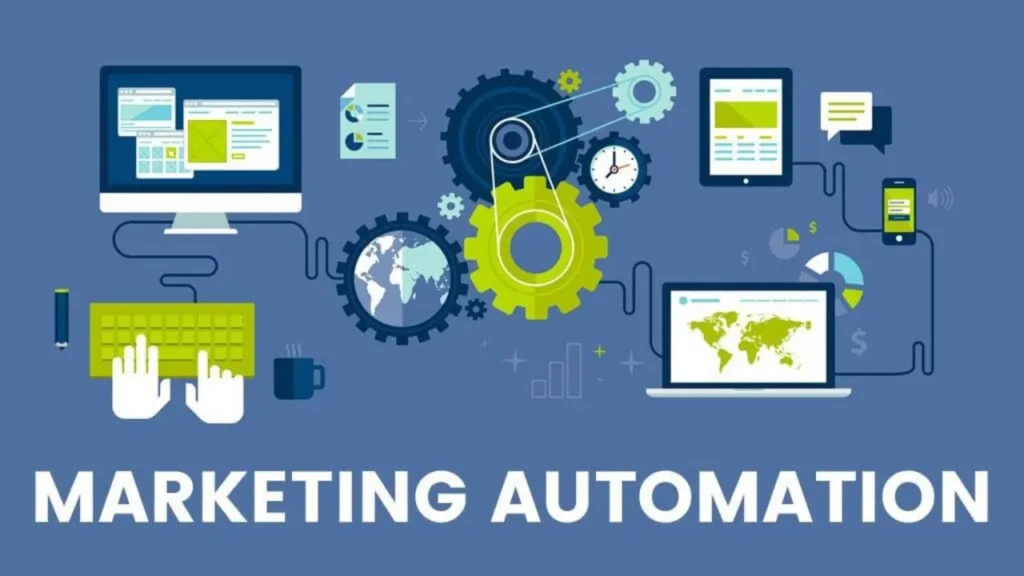
Content and marketing automation are where most teams first experience Gumloop’s practical value. A typical workflow: scrape 20 competitor blog posts → summarize each with Claude → extract the key topics → generate a content brief → push to Notion, all running automatically on a Monday morning schedule before your team starts work. Beyond content creation, you can monitor Reddit and LinkedIn for brand mentions, analyze sentiment with an AI node, filter by urgency, and push a curated digest to Slack, replacing manual social listening with a fully automated intelligence feed.
Lead Generation and Sales Enrichment
Lead generation and sales enrichment is where Gumloop’s combination of scraping, AI, and CRM integration delivers the most obvious ROI. Connect to Apollo or LinkedIn Sales Navigator, pull a list of target accounts, run each through an AI enrichment node that researches the company and identifies buying signals, score the lead with a conditional node, write a personalized outreach email for each qualified lead, and push the results to HubSpot, all without anyone touching a spreadsheet. Sales teams at Gumloop customers like Ramp and Opendoor use this workflow class to compress hours of manual prospecting into an automated overnight pipeline.
Research and Document Processing
Research and document processing at scale is where Gumloop’s batch processing capability is most valuable. Upload a folder of 100 PDFs (contracts, research papers, financial filings) configure an extraction pipeline that pulls specific data points from each document, structures the output into a consistent format, and writes the results to a spreadsheet or database. What previously required a developer to write and maintain a custom parsing script becomes a visual workflow that any operations analyst can build and modify.
Operations and Internal Tooling
Operations and internal tooling covers a broad range of daily tasks Gumloop handles well: processing inbound email attachments and routing extracted data to the correct team, automating weekly reporting by pulling from multiple data sources and generating a formatted summary, parsing webhook events from external systems and writing clean structured data to a database, and categorizing support tickets by priority using AI before routing them to the appropriate queue.
Gumloop Pricing and Plans
Plan | Price | Credits/Month | Seats | Best For |
Free | $0 | 2,000 | 1 | Platform evaluation and basic testing |
Solo | $37/month | 10,000 | 1 | Individual power users and freelancers |
Team | $244/month | 60,000 | Up to 10 | Cross-functional teams and shared workflows |
Enterprise | Custom | Custom | Custom | Large orgs, SSO, private infra, and audit logs |
The most important thing to understand about Gumloop’s pricing is the credit system, and it’s worth being direct about this because it’s where new users most commonly get surprised. Simple data operations consume very few credits; AI node calls, particularly with Claude Opus or GPT-4.1, consume 20 to 60 credits per call.
A workflow that runs 100 items through a two-step AI pipeline could consume 4,000 to 12,000 credits in a single batch run, which means the Solo plan at 10,000 credits/month covers light daily use but quickly exhausts credits with large batch jobs. The free tier at 2,000 credits is genuinely only useful for evaluation, enough to build and test workflows, but not enough to sustain production automation running daily.
On the Solo plan and above, you unlock API key integration, allowing you to use your own OpenAI, Anthropic, or Google credits instead of consuming Gumloop’s built-in model credits. However, for high-volume users with existing model API credits, this substantially changes the cost equation and makes the $37/month base price cover far more throughput than the raw credit number suggests.
The Team plan at $244/month unlocks collaborative workspaces, Slack support, and 15 list steps, the tier where cross-functional team use becomes practical.
Gumloop vs Competitors

Feature | Gumloop | Zapier | Make | n8n | Relevance AI |
AI-Native Design | ✅ Core architecture | ⚠️ Added on | ⚠️ Added on | ⚠️ Partial | ✅ Yes |
Visual Builder | ✅ Node canvas | ✅ List-based | ✅ Node canvas | ✅ Node canvas | ⚠️ Agent-focused |
Free Tier | ✅ 2,000 credits | ✅ 100 tasks/month | ✅ 1,000 ops/month | ✅ Self-hosted free | ✅ Limited |
Self-Hosting | ❌ No | ❌ No | ❌ No | ✅ Yes | ❌ No |
Web Scraping Built-in | ✅ Native nodes | ❌ Requires add-on | ❌ Requires integration | ⚠️ Via HTTP | ❌ No |
Document Processing | ✅ Native | ❌ Via third-party | ❌ Via third-party | ⚠️ Limited | ✅ Yes |
Human-in-the-Loop | ✅ Yes | ❌ No | ⚠️ Limited | ⚠️ Limited | ✅ Yes |
Security Governance | ✅ Gumstack | ❌ No | ❌ No | ⚠️ Basic | ❌ No |
Starting Price | $37/month | $19.99/month | $10.59/month | Free (self-hosted) | $19/month |
Gumloop vs Zapier
Zapier is faster to set up for simple app-to-app triggers and has a far larger integration library (6,000+ apps). If your automation is “when a form is submitted, add a spreadsheet row and send an email,” Zapier is the more practical choice. Where Gumloop pulls ahead is any workflow involving AI processing, document analysis, or web scraping, tasks that Zapier handles poorly or requires expensive third-party add-ons to manage at all.
Gumloop vs Make
Make is the closest visual-builder competitor on interface design, both use a node-and-edge canvas, and Make has better pricing for simple workflows. Gumloop wins on AI depth, web scraping capability, document processing, and the Gumstack governance tooling that Make has no equivalent for.
Gumloop vs n8n
n8n is the right choice if you need a self-hosted deployment for data residency or compliance, or if you have a developer comfortable with maintaining infrastructure. Gumloop wins for non-technical teams who need a cloud platform that works immediately.
Gumloop vs Relevance AI
Both are AI-native, but the architectures differ: Relevance AI is more agent-focused for conversational workflows, while Gumloop is pipeline-focused for batch data processing at scale.
Gumloop Limitations and Honest Drawbacks

The Credit System is Hard to Forecast
The credit system is genuinely hard to forecast before you build and run a workflow in production. You can estimate based on the 20 to 60 credits per AI call guideline, but the actual credit consumption of a complex workflow running 200 items through three AI nodes isn’t obvious until you run it.
Gumloop doesn’t currently offer built-in cost forecasting tools. Therefore, the practical advice is to run any new workflow on a small sample first, measure credit consumption per item, and multiply that by the number of items to estimate your monthly cost before scheduling it at full scale.
Fewer Integrations Than Zapier
This is a real limitation if your automation stack relies on niche SaaS tools. Gumloop’s several hundred connectors cover the most common business apps comprehensively, but specialized industry software and legacy systems may not have native nodes. In addition, the HTTP request and webhook nodes cover many of those gaps, but require more technical configuration than a native integration.
The Learning Curve
The learning curve is consistently the most mentioned friction point in user reviews, and it’s worth taking seriously. Gumloop is more intuitive than writing code, but meaningfully less intuitive than Zapier for users who have never worked with node-based logic.
Understanding how data flows between nodes, how to reference upstream variables in downstream prompts, and how to structure conditional logic requires deliberate learning time that Zapier’s simpler trigger-action model doesn’t. Therefore, budget a few hours of exploration before confidently building production-ready workflows.
Who Is Gumloop Best For?
Marketers and Content Teams
Marketers and content teams running AI-powered research, generation, and distribution pipelines at scale (not one-off AI interactions, but systematic workflows that run on a schedule and output structured results) will find Gumloop fits their needs better than any alternative currently available.
Agencies
Agencies building automation products for clients are the clearest use case for Enterprise white-labeling. You build the workflow once on Gumloop’s infrastructure, white-label it under your brand, and deliver it to clients as a proprietary product without building or maintaining any backend infrastructure.
Operations and RevOps Teams

Operations and RevOps teams automating data processing, lead enrichment, reporting, and cross-system synchronization, particularly those involving AI-enriched data flowing across a CRM, spreadsheet, and communication tool, get the most consistent ROI from Gumloop’s combination of AI nodes, integration connectors, and batch processing capability.
Who Should Look Elsewhere?
You should look elsewhere if you need simple trigger-action automation between popular apps. This is because Zapier is faster to set up and cheaper at low volumes.
Also, if you need full self-hosted control with data residency guarantees, n8n is the stronger choice. In addition, if the $37/month Solo plan is a hard budget constraint, the free tier’s 2,000 credits won’t sustain real production use.
FAQs
Yes, Gumloop has a free tier with 2,000 credits per month and 2 concurrent flow runs. It’s sufficient for testing and evaluation, but not for production automation at any meaningful scale. Paid plans start at $37/month (Solo) for 10,000 credits.
Gumloop is used to build AI-powered automation workflows, such as lead enrichment, content research and generation, document processing, competitor monitoring, report automation, data classification, and any multi-step business process involving language-model decision-making alongside app integrations.
Zapier is faster to set up for simple app-to-app triggers and has a much larger integration library. Gumloop is purpose-built for AI-intensive workflows involving LLM calls, web scraping, document processing, and batch data handling, tasks that Zapier handles poorly without expensive third-party additions.
No, Gumloop is a no-code platform. You build workflows by dragging and connecting nodes on a visual canvas without writing any code. That said, getting the most out of complex workflows benefits from analytical thinking around prompt engineering and conditional logic, even without writing code.
Yes, Solo and higher plans support bringing your own API keys for OpenAI, Anthropic, or Google model providers. This lets you use your existing model credits rather than consuming Gumloop’s built-in credits, significantly reducing costs for high-volume workflows.
A credit is Gumloop’s unit of workflow execution consumption. Simple operations consume very few credits; AI model calls consume 20 to 60 credits per call, depending on the model and context length. Your monthly credit allocation resets with each billing cycle.
Conclusion

Gumloop is the most capable no-code AI automation platform available right now for teams whose workflows need to think, not just move data. The $50 million Series B led by Benchmark, the 1,400% surge in search interest, and the enterprise adoption at Shopify, Ramp, and Gusto are signals of a product that has found genuine product-market fit, not just among early adopters, but at organizations with serious automation requirements. Therefore, if your work involves repetitive tasks that require AI judgment, such as scraping and summarizing, enriching and scoring, extracting and classifying, Gumloop is purpose-built for exactly that.
Start with the free tier, pick one workflow you currently do manually that involves three or more steps with some AI or data processing in the middle, and build it on the canvas. That single workflow will tell you more about whether Gumloop fits your needs than any review article. And, if you’re exploring the broader landscape of AI tools that power Gumloop’s nodes and connect to its workflows, our Claude AI guide, Cursor AI review, how Gemini AI works, and Perplexity AI guide cover the tools Gumloop users most commonly reach for alongside it.
Found this helpful? Browse more in-depth tech guides, honest reviews, and step-by-step tutorials at YourTechCompass; your go-to resource for making smarter tech decisions.