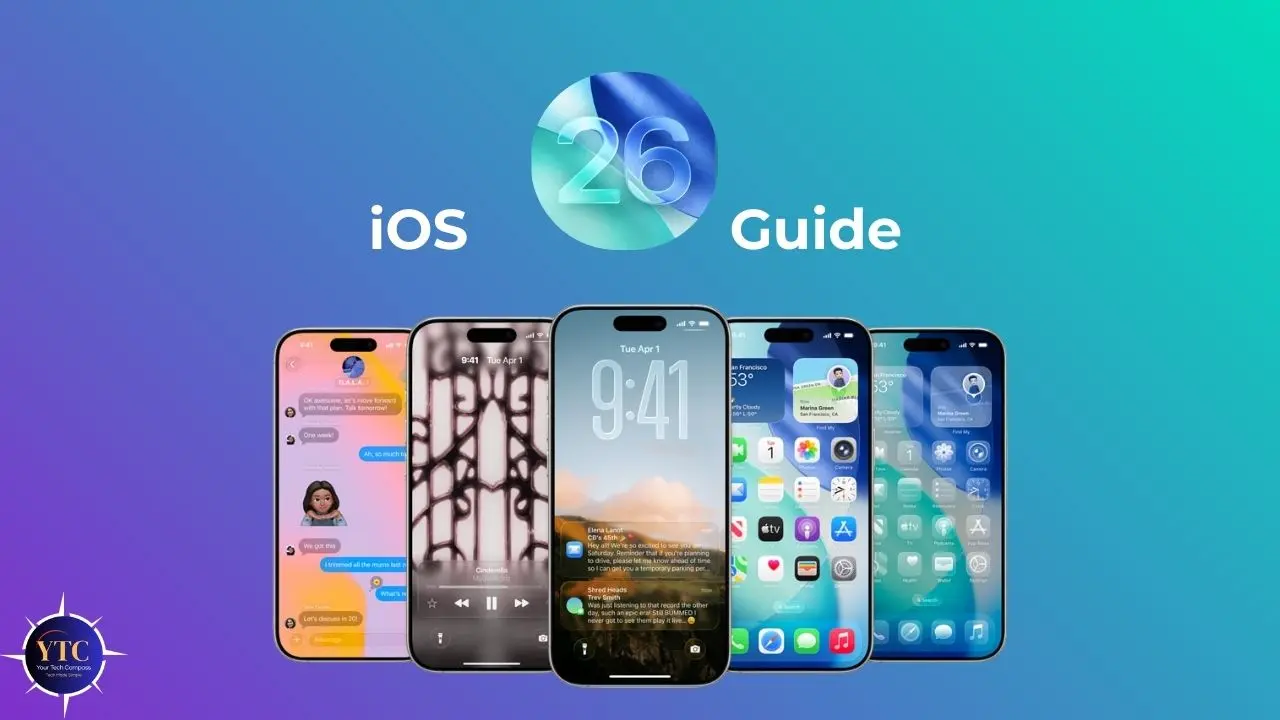
If you follow Apple news at all, you have probably noticed that iOS 26 looks and feels very different from anything Apple has shipped in over a decade. Announced at WWDC on June 9, 2025, and officially released on September 15, 2025, iOS 26 is the successor to iOS 18, and the version number jump is intentional. Apple aligned all its operating systems to a year-based numbering convention, so iOS 26 simply represents the 2025–2026 release cycle. But what is truly exciting is not the number; it is what is inside. The headline change is Liquid Glass, a sweeping visual redesign that Apple calls the most significant interface overhaul since iOS 7 back in 2013, touching everything from icons and menus to the Lock Screen and Control Center.
Beyond the striking new look, iOS 26 brings on-device Live Translation, expanded Apple Intelligence AI features, a brand-new Games app, smarter Maps and Wallet tools, and a long list of meaningful improvements to the apps you use every day. In this guide, you will find everything you need: features, compatibility, installation steps, performance expectations, common fixes, and a clear upgrade recommendation. And if you want to go even deeper into what is new with Apple’s software, be sure to check out our dedicated iOS 26 Beta Features Guide for all the latest additions coming in future updates.
What Is iOS 26?
iOS 26 is the nineteenth major release of Apple’s iOS, the operating system that runs on every iPhone. As mentioned, Apple skipped from iOS 18 directly to iOS 26 to bring its entire software lineup (iOS, iPadOS, macOS, watchOS, and visionOS) under the same year-aligned version number. It officially launched on September 15, 2025, and is available as a free update for all compatible iPhones.
Apple built iOS 26 around three core pillars: design, intelligence, and connection. The Liquid Glass design language, influenced by visionOS, replaces iOS’s flat aesthetic with translucent, refractive elements that respond to motion and content.
Apple Intelligence receives meaningful new capabilities, most notably Live Translation. And core communication apps (Phone, Messages, and FaceTime) receive focused updates to help you stay connected on your terms.
The result is an iPhone experience that feels noticeably fresh without sacrificing familiarity. If you want to see how far iOS has come, our iOS 16 overview is a great reference for understanding its progression.
Key Features of iOS 26
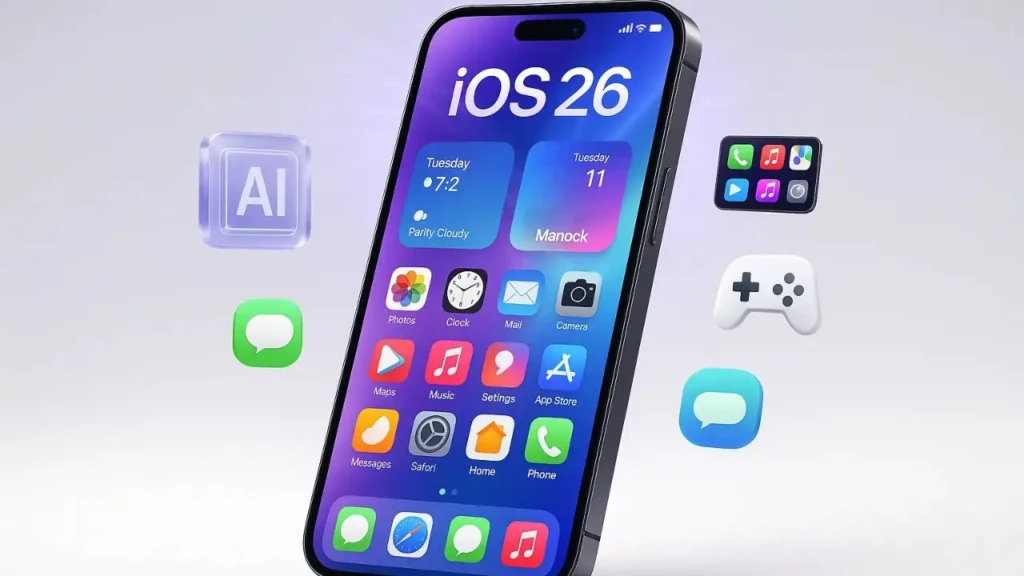
iOS 26 is packed with updates across almost every corner of the iPhone experience. Here is your quick-reference table, followed by detailed breakdowns of the most impactful features.
Feature | What It Does | Who Benefits |
Liquid Glass Design | Full visual overhaul (translucent, glass-like UI across every screen) | Everyone |
Live Translation | Real-time translation of calls and messages on-device | International users, travelers |
Apple Intelligence | Expanded on-device AI, including smarter Siri and Visual Intelligence | iPhone 15 Pro and later |
Dynamic Lock Screen Clock | Clock height adjusts based on the subjects detected in your wallpaper | All users |
Adaptive Power | New energy-saving mode for heavy usage periods | All users |
Games App | All-in-one gaming hub for App Store and Apple Arcade titles | Gamers |
Wallet Digital Passport | Add a US passport to Wallet for TSA checkpoints | US travelers |
Genmoji Merge | Merge two existing emojis together to create a new one | All iMessage users |
Improved Call Screening | Phone app filters and screens unwanted calls intelligently | All users |
Maps Commute Alerts | Maps learns your daily routes and warns you of delays proactively | Daily commuters |
Visual Intelligence (Screenshots) | Circle an area in a screenshot to search or ask ChatGPT about it | Research-focused users |
Spatial Scenes | Gives standard 2D photos a subtle 3D depth effect | iPhone 14 and later (A14+) |
Liquid Glass: The Biggest Visual Redesign in Over a Decade
The moment you install iOS 26, the first thing you will notice is Liquid Glass. Every interface element (icons, menus, navigation bars, the Control Center, and the Lock Screen) now uses translucent, glass-like materials that refract light and reflect your wallpaper’s colors. It is not just a cosmetic coat of paint; the entire system has been restructured around this design language.
Navigation bars collapse as you scroll, menus pop out in floating cards, and a new “Clear” theme on the Home Screen lets you use fully glass-effect icons. The Lock Screen clock is now dynamic, adjusting its height based on the number of subjects detected in your wallpaper photo. If you love personalizing your iPhone, iOS 26 gives you more expressive control than any previous version.
Live Translation: Speak Any Language in Real Time
One of the most practically useful additions in iOS 26 is Live Translation. Whether you are on a phone call, in a FaceTime video session, or reading a message thread, iOS 26 can automatically translate voice and text conversations in real time, with all processing done on your device to protect your privacy.
You do not need a third-party app, a subscription, or an internet connection for on-device languages. For travelers, remote workers, and anyone who communicates across language barriers, this feature alone makes iOS 26 worth the update.
Apple Intelligence: More Capable, More Integrated
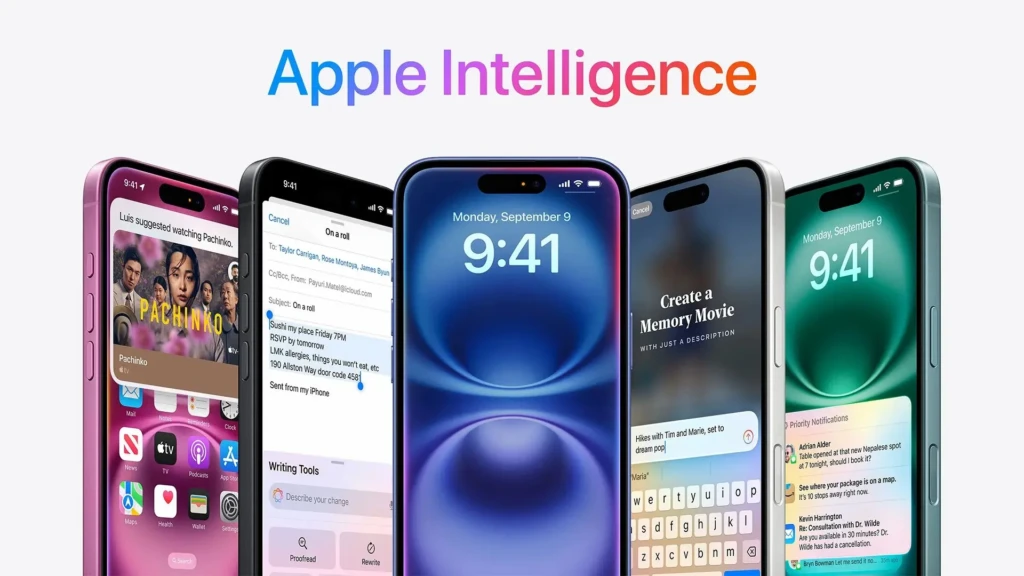
iOS 26 expands Apple Intelligence in several meaningful ways. Visual Intelligence, previously limited to Camera Control on iPhone 16, now works when you take a screenshot, allowing you to circle any area of your screen to search the web or ask ChatGPT a question about it.
Genmoji enables users to merge two existing emojis. Siri can now trigger actions in Shortcuts using Apple Intelligence models, and third-party apps can integrate Apple Intelligence capabilities with as few as three lines of code. This means that reminders can now proactively suggest tasks based on your emails and calendar. However, these Apple Intelligence features require an iPhone 15 Pro or later.
New Games App, Wallet, and Maps
Beyond the headline features, iOS 26 also introduces several targeted app improvements worth noting. The new Games app brings all your App Store and Apple Arcade titles into one organized hub, with real-time friend challenges and Game Center integration.
Wallet now supports adding your U.S. passport as a digital ID for TSA checkpoints and uses Apple Intelligence to automatically track package deliveries via email. Maps learns your regular commute routes and proactively alerts you to significant delays before you leave. A new Visited Places feature lets you revisit and share the locations you have visited.
Compatible iPhones and System Requirements
iOS 26 requires the Apple A13 Bionic chip or newer, meaning the iPhone 11 is the oldest supported model. This removes the iPhone XS, XS Max, and XR from the supported list, all of which are limited to iOS 18.
Here is the full breakdown by model and feature access level:
iPhone Model | Chip | iOS 26 Support Level |
iPhone 11 / 11 Pro / 11 Pro Max | A13 Bionic | Core iOS 26 + Liquid Glass (no Apple Intelligence) |
iPhone SE (2nd gen) | A13 Bionic | Core iOS 26 features, no Face ID features |
iPhone 12 / 12 mini / 12 Pro / 12 Pro Max | A14 Bionic | Core iOS 26 + Spatial Scenes on Lock Screen |
iPhone 13 / 13 mini / 13 Pro / 13 Pro Max | A15 Bionic | Full iOS 26 (no Apple Intelligence) |
iPhone SE (3rd gen) | A15 Bionic | Full iOS 26 (no Face ID features) |
iPhone 14 / 14 Plus | A15 Bionic | Full iOS 26 (no Apple Intelligence) |
iPhone 14 Pro / 14 Pro Max | A16 Bionic | Full iOS 26 + specular highlights (no Apple Intelligence) |
iPhone 15 / 15 Plus | A16 Bionic | Full iOS 26 (no Apple Intelligence) |
iPhone 15 Pro / 15 Pro Max | A17 Pro | Full iOS 26 + Full Apple Intelligence |
iPhone 16 / 16 Plus / 16 Pro / 16 Pro Max | A18 / A18 Pro | Full iOS 26 + Full Apple Intelligence |
iPhone 17 / Air / 17 Pro / 17 Pro Max | A19 / A19 Pro | Full iOS 26 + All features (best experience) |
NOT SUPPORTED: iPhone XS, XS Max, XR | A12 Bionic | Remains on iOS 18 (no iOS 26 access) |
If you want to get the most out of iOS 26, especially Apple Intelligence, you will need an iPhone 15 Pro or newer. Everything from the iPhone 11 through iPhone 14 Plus gets the full Liquid Glass design and core features, but does not support Apple Intelligence.
If your device is not on the list, our iPhone 17 Review covers Apple’s newest hardware and is a great starting point if you are considering an upgrade.
How to Download and Install iOS 26
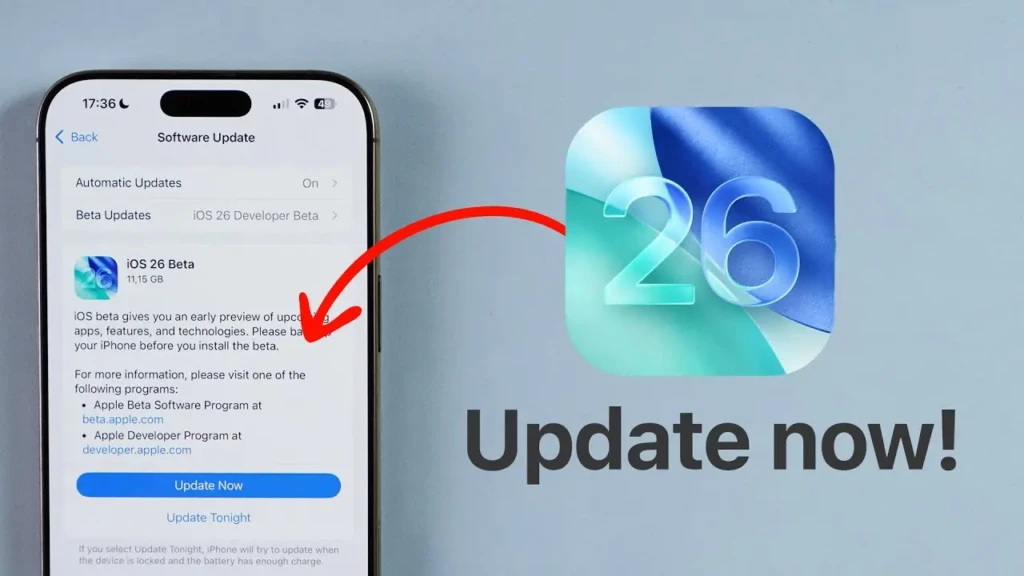
Installing iOS 26 takes only a few minutes to prepare and about 30–45 minutes to complete. Follow these steps for a smooth experience.
- Back up your iPhone first. Use iCloud (Settings > [Your Name] > iCloud > iCloud Backup > Back Up Now) or connect to a Mac and back up via Finder. This is non-negotiable.
- Charge your iPhone to at least 50%, or keep it plugged in throughout the update.
- Connect to a stable Wi-Fi network. iOS updates are large (typically 3–6GB) and should not be downloaded over cellular data.
- Go to Settings > General > Software Update, tap iOS 26, and select Download and Install.
- Once downloaded, tap Install and your iPhone will restart. Leave it undisturbed; it will reboot once or twice before the setup screen appears.
- After installation, spend a few minutes in Settings to explore the new System Settings layout and customize your Liquid Glass Lock Screen.
iOS 26 Performance: What to Expect
Performance on iOS 26 varies noticeably depending on your hardware. On the iPhone 15 Pro, 16, 16 Pro, and the entire iPhone 17 lineup, the experience is exceptional. The Liquid Glass animations are fluid at 120Hz, Apple Intelligence responses are fast, and battery life is comparable to iOS 18 after the initial post-update settling period.
On iPhone 11 through iPhone 14, the core iOS 26 experience is smooth and functional, but the Liquid Glass effects may feel slightly less fluid on models with chips below the A16. Apple confirmed that specular highlights on icons and the Dock require an A16 chip or newer.
As for battery life, expect 24–48 hours of higher drain immediately after updating while Spotlight re-indexes, Photos processes new formats, and apps update in the background. This is completely normal and temporary.
One important note: Apple has already acknowledged and patched two specific early bugs: Wi-Fi and Bluetooth disconnection issues on iPhone 17 models and cellular connection failures affecting a small number of users after updating. If you are on iOS 26.0, updating to the latest point release resolves both. You can confirm the current version details directly on Apple’s official iOS 26 support page.
Common iOS 26 Problems and How to Fix Them
Despite a solid launch, a handful of issues have surfaced for some users. Here are the most common problems and exactly how to address them.
1. Liquid Glass Elements Feel Overwhelming
If the translucency is too intense for your taste, go to Settings > Accessibility > Display & Text Size and toggle on Reduce Transparency. This significantly reduces glass effects and improves readability for users sensitive to visual complexity.
2. Battery Draining Faster Than Usual
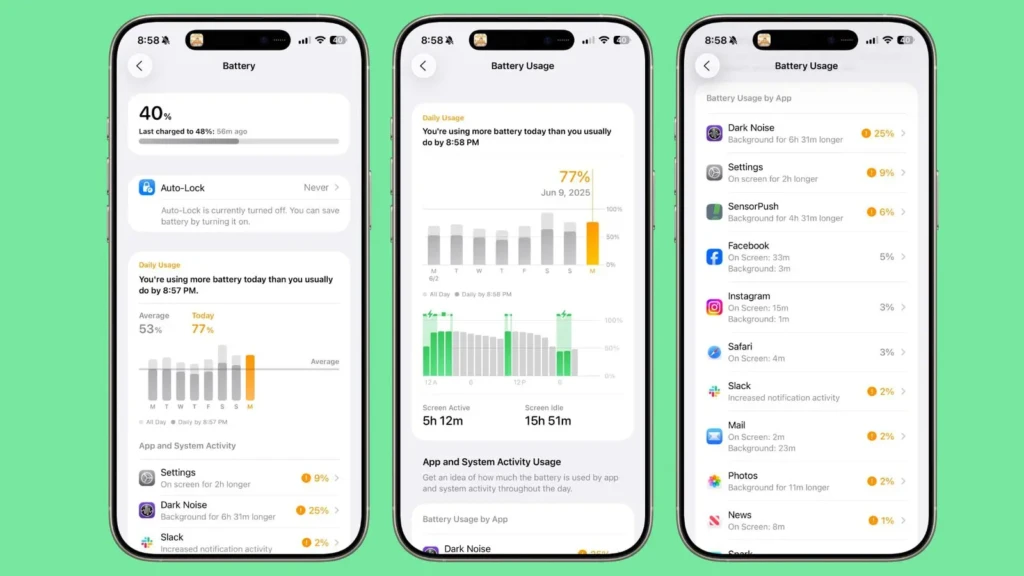
Give your iPhone 48 hours after updating. If the drain persists, go to Settings > Battery to identify the culprit app, and disable Background App Refresh for non-essential apps under Settings > General > Background App Refresh.
3. Wi-Fi or Cellular Dropping on iPhone 17
Apple patched this in iOS 26.0.1. Go to Settings > General > Software Update and make sure you are on the latest available version. If issues persist, reset network settings by going to Settings > General > Transfer or Reset iPhone > Reset > Reset Network Settings.
4. App Icons Appear Blank After Tinting
This is a known bug in early iOS 26 builds. Update to the latest iOS 26 point release via Settings > General > Software Update; Apple has confirmed it resolves the blank icon issue.
5. Live Translation Not Working in Calls
Make sure Live Translation is enabled in Settings > Phone > Live Translation, and that both your device language and the target language are downloaded. Also, confirm that your iPhone is an iPhone 11 or later; this feature requires the A13 chip or later.
Should You Update to iOS 26?
Here is the straightforward answer, laid out in a simple table so you can make your decision quickly.
Update to iOS 26 if you… | Wait if you… |
Have an iPhone 11 or newer | Have an iPhone XS, XR, or older |
Want the Liquid Glass redesign | Haven’t backed up your iPhone yet |
Travel and need Live Translation | Rely on an app not yet updated for iOS 26 |
Want Apple Intelligence (iPhone 15 Pro+) | Are mid-project or on a critical deadline |
Love personalizing your iPhone | Have an older supported iPhone with limited RAM |
Want smarter Maps and commute alerts | Prefer waiting for a stable point update |
In short, if you have an iPhone 11 or newer and want a genuinely fresh iPhone experience, iOS 26 is worth the upgrade. The Liquid Glass redesign is the most dramatic visual change in years; Live Translation is immediately practical; and the Apple Intelligence additions are the most capable yet for iPhone 15 Pro and newer models.
If you are on a very early supported model like an iPhone 11 or 12, the core update is still solid, just temper your expectations around Apple Intelligence and the most performance-intensive glass animations.
Conclusion
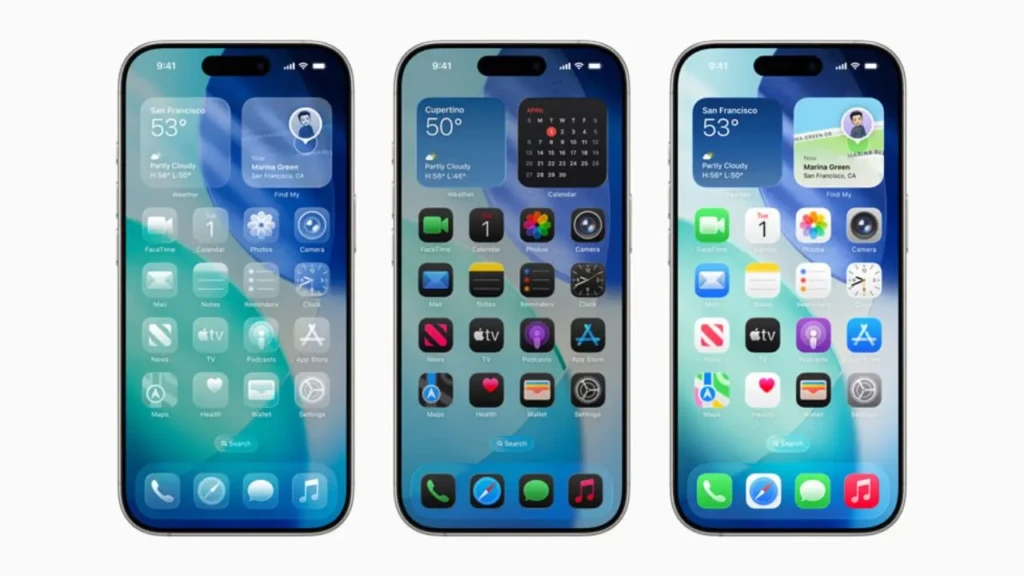
iOS 26 is not a minor update. It is a genuine turning point for the iPhone, the kind of release that makes the device feel meaningfully new, not just incrementally better. From the sweeping Liquid Glass redesign that touches every part of the interface, to the practical power of real-time Live Translation, to the expanded Apple Intelligence tools, smarter Maps, and the long-overdue Games app, iOS 26 delivers real value for a wide range of iPhone users. And because it is completely free, there is very little reason to hold back if your device supports it.
As always, back up your iPhone before updating, give the system 48 hours to settle, and take your time to explore everything new at your own pace. To stay ahead of what Apple is building next, our iOS 26 Beta Features Guide covers all the latest additions landing in upcoming point releases. If you are considering pairing iOS 26 with brand-new hardware, our iPhone 17 Review will show you what the full iOS 26 experience looks like on Apple’s newest iPhone. Your iPhone has never looked better, and now you know exactly what to expect.