Not long ago, AI-generated video meant blurry faces, melting hands, and physics that looked like a fever dream. You’ve seen the clips (the ones that went viral for all the wrong reasons). Fast forward to today, and the story has completely changed. Runway AI sits at the center of that transformation. It’s a platform that’s been quietly, and then very loudly, pushing the frontier of what AI can do with moving images. Its tools have been used in Oscar-winning films, deployed in Hollywood pre-production pipelines, and showcased at sold-out screenings inside Lincoln Center. This isn’t a hobbyist toy. It’s a professional creative platform worth your full attention.
That said, this review isn’t here to sell you anything. Runway AI is genuinely impressive, but it also comes with a credit system that can quietly drain your budget if you’re not paying attention, limitations that its own research team openly acknowledges, and a learning curve that trips up newcomers more than the marketing suggests. Consequently, this breakdown covers everything: the models, the tools, the honest pricing math, and a direct comparison with Kling, Pika, and Luma, so you can walk away knowing exactly whether Runway AI is the right platform for how you actually work.
A note before we begin: every YTC score is earned, never negotiated. If you want to understand exactly how we evaluate apps & tools and how we handle affiliate relationships, our Review Methodology lays it all out.
What Is Runway AI?
Runway AI (also known as RunwayML) is an American generative AI company headquartered in New York City, founded in 2018 by Cristóbal Valenzuela, Alejandro Matamala, and Anastasis Germanidis, three creatives who met at NYU’s Tisch School of the Arts. That origin matters because it shaped everything about how Runway approaches video AI: from the perspective of artists and filmmakers first, not engineers optimizing benchmarks.
The company has grown significantly since those early days. In April 2025, Runway raised $308 million in a funding round led by General Atlantic, valuing it at over $3 billion. Backers include Google, NVIDIA, and Salesforce, names that signal serious infrastructure and long-term conviction.
The platform has been used in productions like Everything Everywhere All at Once and The Late Show with Stephen Colbert. Moreover, Runway has formalized partnerships with Lionsgate Entertainment (a custom model trained on over 20,000 film and TV titles), AMC Networks, IMAX, the Tribeca Film Festival, and NVIDIA itself. The Annual AI Film Festival Runway has grown from 300 submissions in 2023 to over 6,000 in 2025, with the finale screening held at Lincoln Center’s Alice Tully Hall. This is a platform that the creative industry is taking seriously, and for good reason.
Runway AI’s Core Generation Models
Runway has iterated through several model generations since its founding, each one meaningfully better than the last. Today, you have access to a layered family of models, each suited to different workflows and output requirements.
Here’s what each one actually means for your work.
Gen-4.5: The Current Flagship
Gen-4.5 is Runway’s most advanced video model, announced December 1, 2025, and it’s the one you’ll want to use for serious output. As of its release, it holds the number-one position on the Artificial Analysis Text-to-Video Leaderboard with an Elo score of 1,247, the highest of any model tested, and has surpassed both Google’s Veo 3 and OpenAI’s Sora 2 in blind human evaluations.
What makes Gen-4.5 different isn’t just benchmark performance. It’s the physical accuracy. Objects in Gen-4.5 move with realistic weight and inertia. In addition, liquids flow with correct dynamics.
Furthermore, surface details, such as hair strands, fabric weave, and material specularity, remain coherent across frames even as the camera moves. That consistency is what separates usable cinematic footage from AI-generated clips that break the illusion the moment something moves.
Additionally, Gen-4.5 significantly improved emotional continuity in characters. A character’s expression now persists correctly during camera moves, and the model can interpret compact directives such as “anxious smile, glancing away” with far greater precision than in earlier versions.
That said, Runway’s own research team is honest about the model’s current limitations. Three persist: causal reasoning errors (effects sometimes precede causes, a door may open before the handle is pressed), object permanence issues (objects occasionally disappear when briefly hidden from view), and success bias (where physically improbable actions, like a poorly aimed kick still scoring a goal, occur too often). These are not dealbreakers for most production use cases, but they’re worth knowing before you build workflows around outputs that need to be logically bulletproof.
Gen-4 and Gen-4 Turbo
Gen-4 launched in March 2025 and remains available across plans. It costs 12 credits per second of generated video, meaning a 10-second clip costs exactly 120 credits. Gen-4 Turbo, by contrast, costs 5 credits per second and generates a 5-second clip in roughly 30 seconds, approximately five times faster than standard Gen-4.
Therefore, Turbo is your best friend for rapid iteration, testing prompt variations, and volume work where speed matters more than maximum fidelity. When you need to impress a client or maintain character consistency across an entire campaign, Gen-4 Standard is the right call. Furthermore, all Gen-4 outputs can be upscaled to 4K resolution at an additional cost of 2 credits per second of video.
GWM-1: The World Model That Changes Everything
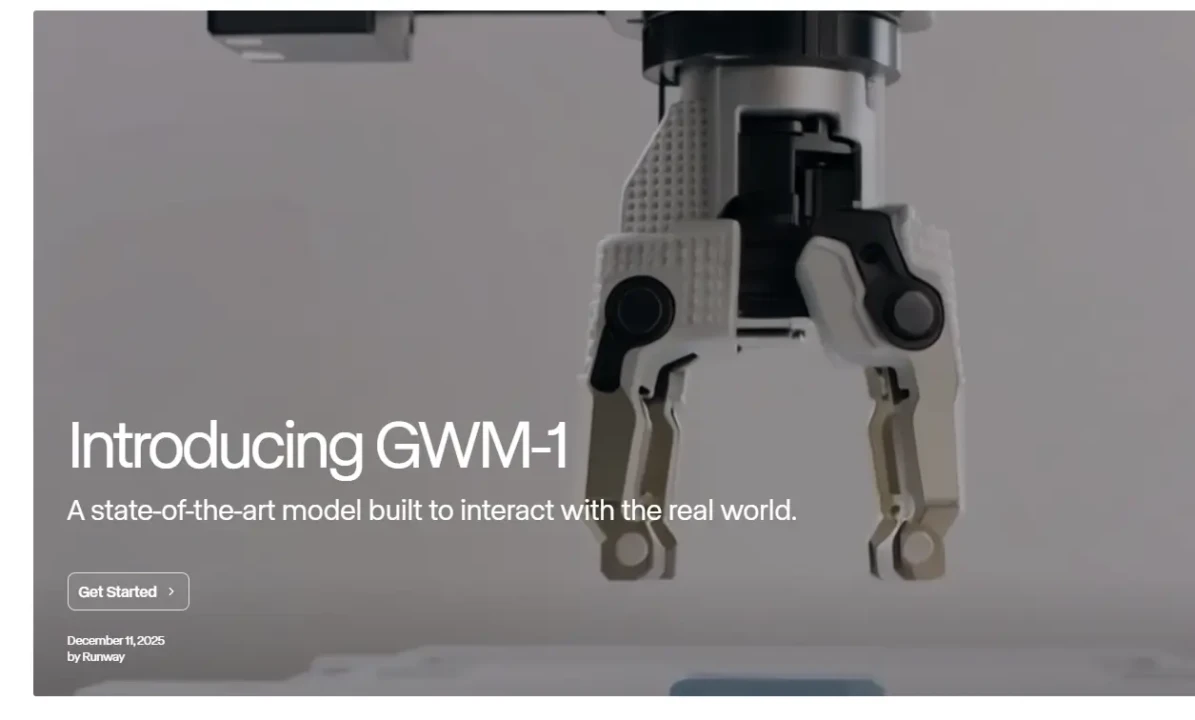
Launched on December 11, 2025, GWM-1 is Runway’s General World Model, representing a fundamentally different kind of AI. Rather than generating a fixed video clip, GWM-1 builds an internal representation of an environment and simulates it in real time, frame by frame.
You can navigate through it. This is because the world stays spatially consistent as you move and turn; what was behind you is still there.
GWM-1 ships in three variants. GWM Worlds creates infinitely explorable environments: you define a scene via a prompt or an image, and the model generates an immersive space with geometry, lighting, and physics in real time at 24 fps and 720p.
GWM Avatars generate conversational video characters from a single portrait image, complete with realistic facial expressions, natural gestures, and lip-synced speech, requiring zero fine-tuning. Additionally, GWM Robotics produces synthetic training data for robotic policy development and enables safer simulation-based testing without ever touching physical hardware.
These three variants currently exist as separate models, but Runway has stated plans to unify them into a single system. The honest caveat here is that these are impressive demonstrations that are still maturing into sustained production tools, but the direction is unmistakable. Runway is building toward something well beyond clip generation.
Runway AI’s Creative Tool Suite
Beyond the generation models themselves, Runway offers a genuinely comprehensive set of creative tools. Understanding which tools exist and what they actually cost in credits matters enormously for planning your workflow.
Text-to-Video
This is the core feature: type a prompt, get a cinematic clip. The quality of your output here is directly tied to the specificity of your prompt. Vague inputs produce vague outputs. Described camera angles, lighting conditions, subject movement, and mood dramatically improve results.
Image-to-Video
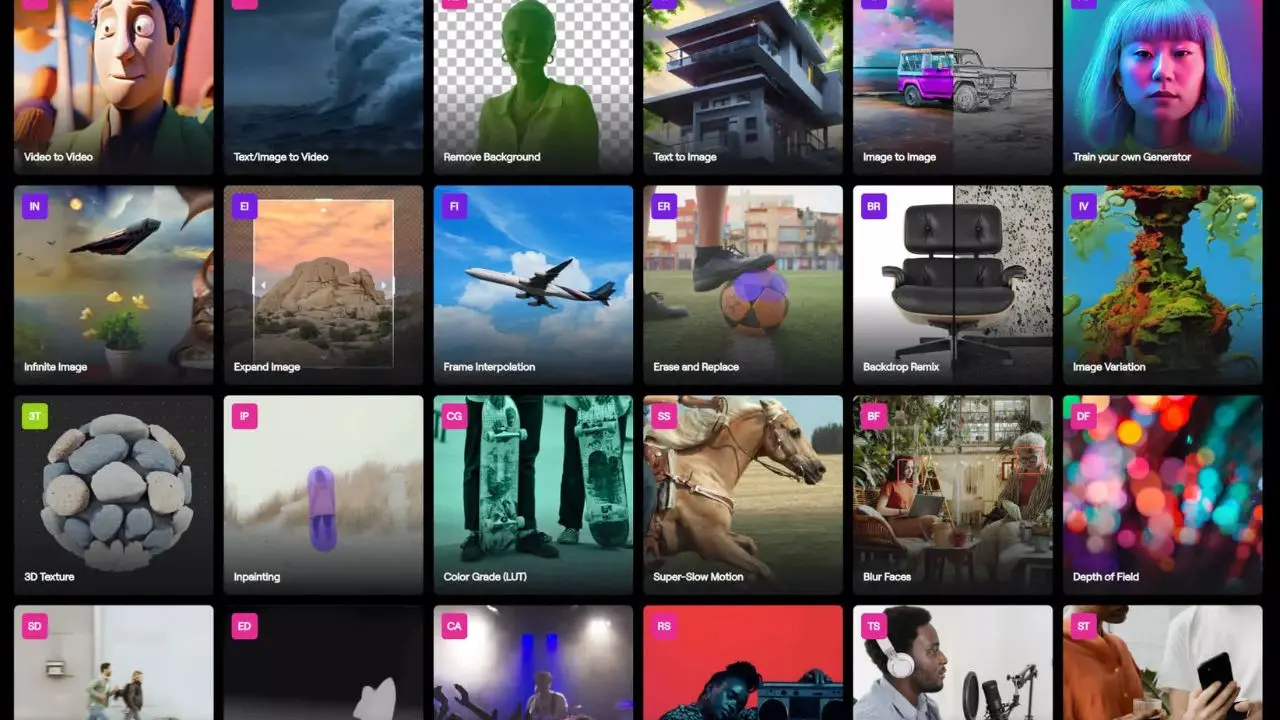
This is where many professional creators spend most of their time. You upload a still image (a character, a product, a landscape), and the model animates it into a moving clip. According to practitioners who’ve extensively tested the platform, image-to-video outputs tend to outperform pure text-to-video in terms of character consistency and scene control.
Video-to-Video
This feature lets you transform existing footage into a new style or environment, making it particularly useful for turning rough shoots into polished, stylized content without reshooting.
Motion Brush
Motion Brush is one of Runway’s most cited advantages over competitors. You paint directly over parts of a frame to tell the model exactly which elements should move and which should stay still. The precision this gives you, particularly for product shots and controlled scene compositions, is unmatched among the platforms reviewed here.
Lip Sync
This lets you type what a character should say and animate their mouth accordingly. Combined with GWM Avatars, this opens a direct path to building custom-voiced digital characters for presentations, training, customer service, and entertainment.
Background Removal and Replacement
It works through a simple text prompt. You can also change the time of day or lighting in any existing video with a single instruction, genuinely useful for marketing teams repurposing footage across campaigns.
4K Upscaling
4K upscaling enhances any video to a higher resolution with one click at 2 credits per second. This is worth adding to your workflow budget from the start.
Custom Workflows
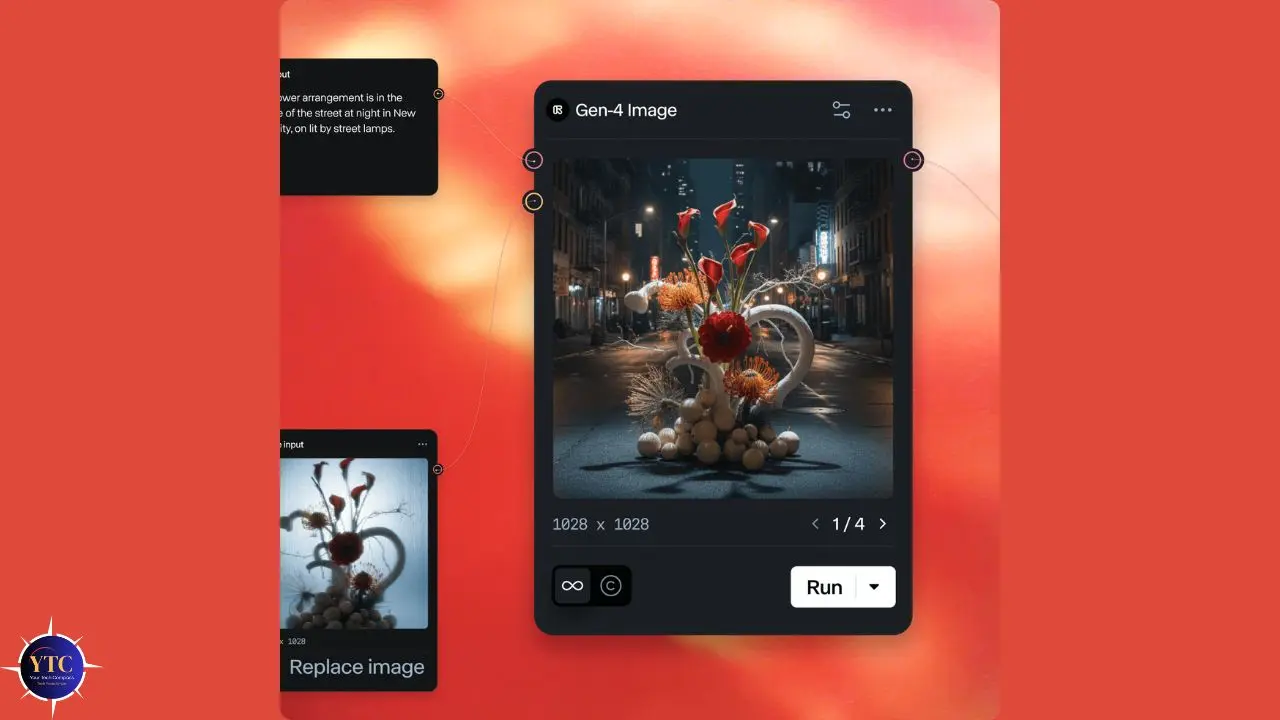
This lets you build node-based pipelines that chain multiple models, modalities, and processing steps together, moving beyond single-clip generation into structured production automation.
Beyond the generation suite, Runway also offers text-to-image and text-to-speech tools. These are functional, but not the platform’s strongest area. Dedicated image generators and standalone TTS tools generally outperform them in isolation. They’re most useful as part of an integrated Runway workflow, not as standalone replacements for specialized tools.
If you’re looking at how Runway’s video outputs fit into a broader editing pipeline, our best AI video editors guide covers complementary tools to pair with Runway’s outputs.
Runway AI Pricing: The Credit System Explained Honestly
This is the section most reviews gloss over. The credit system is where Runway’s real cost lives, and if you go in without understanding it, you will burn through your budget faster than you expect.
Here’s the math you actually need.
How Credits Work
Every generative action in Runway consumes credits. The rate depends on the model you use and the number of seconds of video you generate. Here’s the breakdown:
- Gen-4.5: 25 credits per second
- Gen-4 Standard: 12 credits per second
- Gen-4 Turbo: 5 credits per second
- 4K Upscaling: 2 additional credits per second of video
- Image Generation: Approximately 5 credits per image
Now apply that math to a realistic workflow. You generate a 10-second Gen-4 clip (120 credits). It’s not quite right, so you adjust the prompt and generate again (another 120 credits). The third version works.
You extend it to 20 seconds (another 120 credits). Then you upscale to 4K (40 more credits). That single 20-second clip just cost you 400 credits. On the Standard plan, which includes 625 credits per month, you’ve used most of your monthly allocation on a single deliverable.
Critically, failed generations still consume the full credit amount. There are no previews, partial charges, or rollovers of monthly credits when your billing date resets.
💳 Runway AI Plans at a Glance
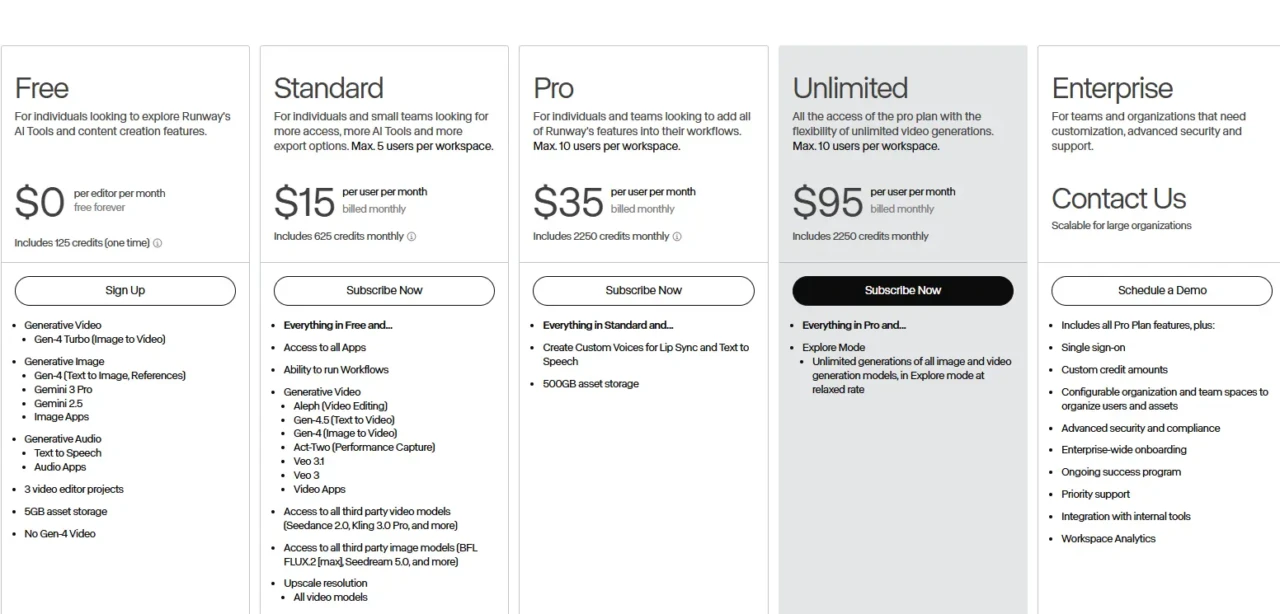
Plan | Monthly Cost | Credits/Month | Gen-4 Video Output | Best For | Verdict |
Free | $0 | 125 (one-time only) | ~10 seconds | Testing the interface | Demo only |
Standard | $15/user | 625 | ~52 seconds of Gen-4 | Casual/weekly creators | ⚠️ Thin for serious use |
Pro | $35/user | 2,250 | ~187 seconds of Gen-4 | Working creatives, agencies | Best balance |
Unlimited | $95/user | 2,250 + slow queue | 187s fast + relaxed extras | High-volume teams | ⚠️ “Unlimited” has a catch |
Enterprise | Custom | Custom | Custom | Large production orgs | Full commercial ownership |
The “Unlimited” plan deserves a specific flag. The unlimited generations it advertises run in a lower-priority “relaxed mode” queue, meaning that if you have production deadlines, you may wait significantly longer than on the Pro plan’s fast queue. You still receive 2,250 priority credits per month, but the headline selling point comes with that asterisk.
On the Enterprise plan, customer prompts and data are not used to train Runway’s models; you retain full commercial ownership of outputs; and the platform is SOC 2 compliant and supports SSO. For marketing agencies and production studios, those terms matter.
Annual billing saves approximately 20% compared to monthly pricing. Additional credits can be purchased by Standard, Pro, and Unlimited subscribers via the API in increments of at least 1,000 credits at $0.01 per credit.
⚔️ Runway AI vs. The Competition
Runway doesn’t operate in a vacuum. You have real choices in AI video generation right now, and each platform has a meaningfully different strength. Here’s an honest, side-by-side comparison.
Runway AI vs. Kling vs. Pika vs. Luma
Feature | Runway AI (Gen-4.5) | Kling 3.0 | Pika 2.5 | Luma Ray3 |
Leaderboard Ranking | #1 (1,247 Elo) | Strong | Moderate | Strong |
Max Resolution | 4K (upscaled) | 4K native | 1080p | 1080p |
Max Clip Length | ~10 seconds | Up to 2 minutes | Short clips | ~10 seconds |
Physics Realism | Best in class | Very good | Good | Good |
Camera Controls | Most precise (Motion Brush) | Good | Limited | Good |
Native Audio | ✅ Yes (Gen-4.5 update) | ✅ Yes | Partial | ❌ No |
Free Tier | 125 one-time credits | 66 credits/day | 80/month (480p + watermark) | Limited free |
Starting Paid Price | $12/month | ~$10/month | $8/month | Varies |
Best For | Pro production, film, ads | Long-form, narrative content | Effects, social content | Cinematic color |
Where Runway Wins
Camera precision through Motion Brush is genuinely unmatched here. Physics fidelity at the Gen-4.5 level leads the field on independent benchmarks. The enterprise security posture and commercial ownership terms are the strongest of the group. And since the December 2025 Gen-4.5 update added native audio, Runway has closed the gap with Kling in that area as well.
Where Runway Loses
Clip length is still the biggest gap. Kling generates videos up to two minutes long in a single pipeline; Runway’s standard clip remains around 10 seconds, which means significant manual stitching for anything with narrative depth. Kling’s free tier also renews daily (66 credits/day), while Runway’s 125 one-time free credits don’t refresh. For budget-sensitive creators iterating through many ideas, that difference is real.
Who Should Pick Kling
If you need longer-form video, narrative content, or a generous ongoing free tier, Kling 3.0 is the stronger choice. Its storyboard tool and native audio pipeline also make multi-shot production meaningfully more efficient.
For a deeper look at where Kling fits into the broader AI video landscape, our Higgsfield AI review offers another perspective on how specialized video AI tools stack up.
Pika Is Best For
Beginners, social media creators, and anyone looking to quickly build effective content. Pika 2.5’s Pikaframes feature, where you define the start and end frame of a clip and the AI generates the transition, gives you a level of structural control that pure text prompting can’t replicate. It’s the most accessible entry point in this group.
Luma Is Ideal For
If cinematic color grading and smooth, natural camera motion are your priority, Luma Ray3 consistently delivers stunning image-to-video results. It’s a fantastic complement to Runway in a pipeline where you need different aesthetic options for different shots.
For a full breakdown of how Google’s competitive offering stacks up, our Veo 3.1 review covers that model in depth, particularly relevant for creators weighing native audio generation as a deciding factor.
Real-World Use Cases for Runway AI

The best way to understand Runway AI’s actual value is to look at what organizations are building with it and what individual creators are getting out of it in day-to-day work.
Film Pre-Production and Pre-Visualization
This is the clearest enterprise use case. Lionsgate now uses a custom Runway model (trained on its proprietary catalog of over 20,000 films and TV titles) to pre-visualize scenes and generate B-roll before principal photography begins. AMC Networks uses Runway to generate marketing images and pre-visualize shows. For studios, this compresses weeks of storyboarding and concept work into hours.
Marketing and Advertising
This is where individual creators and agencies are seeing the most immediate ROI. Runway lets you transform product shots without reshooting, generate campaign footage from text in hours, and build visual variations for A/B testing at a fraction of the cost of traditional production. One agency-level tester reported saving thousands of dollars per month by hiring in-house testers rather than freelance video editors and motion graphics designers to do the same work.
Architecture and Design
Architecture and design are increasingly used. KPF Architecture uses Runway to animate renderings and present projects to clients in-house, turning static architectural visuals into moving, explorable presentations without an external production team.
Education
Education has also emerged as a genuine application. UCLA’s Department of Film, Television and Digital Media now incorporates Runway into its curriculum, signaling that the next generation of filmmakers is learning these tools as professional instruments rather than novelties.
Independent Filmmaking
This is perhaps the most culturally visible use case. Runway’s AI Film Festival 2025 received over 6,000 submissions, with winning films screened at Lincoln Center’s Alice Tully Hall and at IMAX theaters across 10 US cities. That’s a clear signal that AI-generated video is entering serious artistic discourse, not just serving as a tech demo.
If you want to explore what the broader AI creative tool ecosystem looks like beyond video generation, AI Unboxed covers new tools and releases across the creative AI space as they happen.
Who Should Use Runway AI
Runway is not the right tool for everyone, and being clear about that will save you time and money.
Professional Filmmakers, Video Editors, or Cinematographers
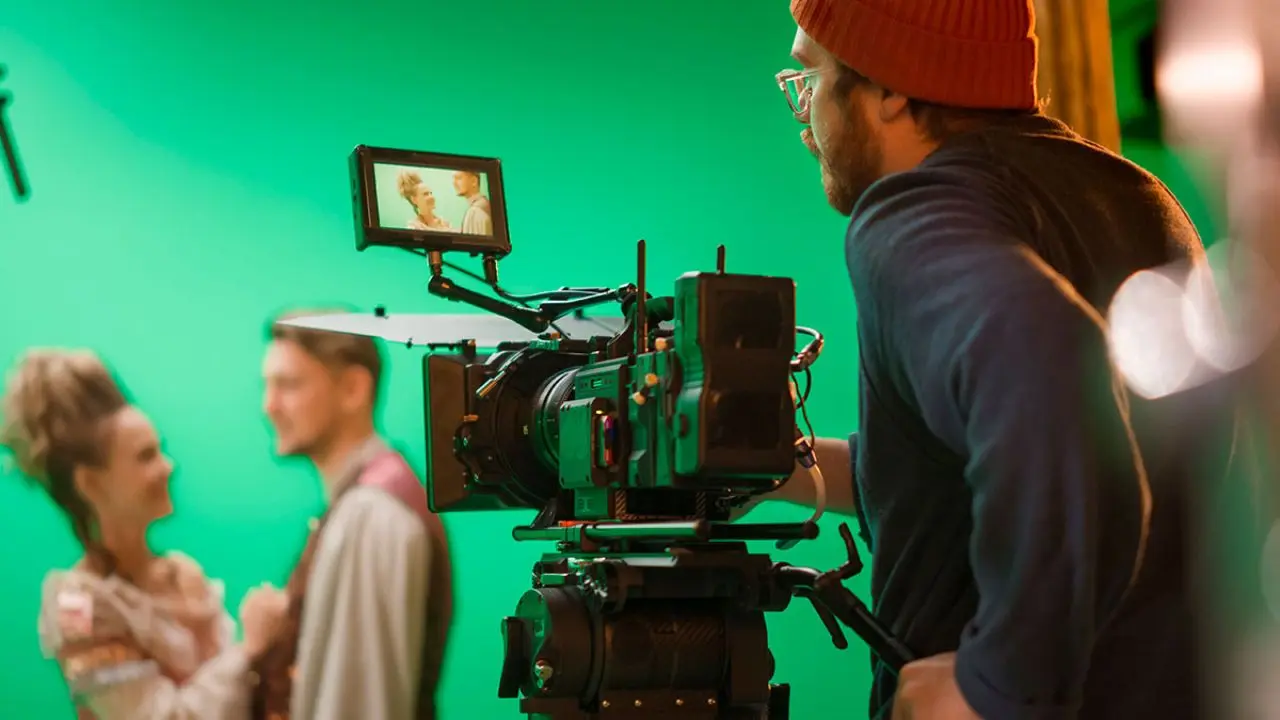
Runway AI is genuinely the best choice for professional filmmakers, video editors, and cinematographers who need precise, production-grade camera controls. It’s also the right platform for marketing teams and agencies producing visual content at scale, for enterprises that need SOC 2 security compliance and full commercial ownership of outputs, and for any creator who wants the current benchmark leader in cinematic AI video and is willing to learn the platform’s workflow to get it.
Casual Users
Runway AI is not the right fit for casual users who want to generate a few clips per month at a low cost. The credit math simply doesn’t favor low-volume experimenters; you’ll run out fast and get frustrated.
Additionally, if you need long-form video generation in a single clip (Kling handles this far better), or if native audio in a simple, unified pipeline is your priority, Kling 3.0 remains ahead in those areas despite Runway’s recent audio update, which has closed the gap. And if you’re a complete beginner looking for the fastest possible onramp with a zero-learning-curve, Pika is friendlier.
Who Shouldn’t Use Runway AI
One honest limitation worth restating, based on real user feedback: Runway’s prompt adherence, while significantly improved in Gen-4.5, remains inconsistent enough that iteration is often necessary. Additionally, failed generations consume credits at the same rate as successful ones. Therefore, if you’re on a tight budget and can’t afford to iterate, that friction is real, and it’s the most common complaint you’ll find from users across review platforms.
FAQs
The Free plan gives you 125 one-time credits that never refresh. That’s enough for a small handful of short 720p test clips with a watermark. It’s a demo, not a production tool. Cloud plans start at $12/month with annual billing.
Credits are consumed per second of generated video. Gen-4 costs 12 credits/second, Gen-4 Turbo costs 5 credits/second, and Gen-4.5 costs 25 credits/second. A 10-second Gen-4 clip costs 120 credits. Monthly credits reset on your billing date and do not roll over. Critically, failed generations still consume full credits.
On paid plans, you own the commercial rights to the outputs you generate. On Enterprise plans, Runway explicitly states that customer prompts and data are not used to train models. Always verify the specific terms of your plan tier before committing to commercial work.
Runway leads in physics fidelity, camera control precision, and benchmark leaderboard rankings. Kling leads on clip length (up to 2 minutes vs. Runway’s ~10 seconds), native audio in a single pipeline, and value at lower price points. They serve genuinely different primary use cases.
Runway’s current flagship video generation model was announced on December 1, 2025. It holds the number-one position on the Artificial Analysis Text-to-Video Leaderboard with 1,247 Elo points, higher than any model tested at the time, including models from Google and OpenAI.
Runway’s General World Model was launched on December 11, 2025. Built on the Gen-4.5 architecture, it generates interactive, physics-aware environments frame by frame in real time. It comes in three variants: GWM Worlds (explorable environments), GWM Avatars (conversational digital characters with lip sync and expressions), and GWM Robotics (synthetic training data for robotic systems). It runs at 24 fps and 720p resolution and can be controlled interactively via camera movements, commands, and audio.
Conclusion
Runway AI is the closest thing the creative industry currently has to a professional-grade environment for AI filmmaking. The Gen-4.5 model’s position at the top of independent benchmarks isn’t marketing; it’s the result of years of focused investment in the physics, temporal consistency, and camera control that actually matter to professional video production. The GWM-1 world model takes that foundation even further: interactive, real-time simulation environments that go well beyond clip generation. Furthermore, the enterprise partnerships with Lionsgate, NVIDIA, IMAX, and AMC Networks are the kind of institutional validation that signals where the professional creative industry is heading. Runway isn’t just participating in that future; it’s actively shaping it.
That said, Runway demands honesty about its costs and constraints. The credit system rewards planning and punishes impulsive iteration. The 10-second clip limit requires stitching work for anything with narrative length. And the learning curve is real; this is a cockpit, not a single button. If you go in with a clear workflow, a realistic credit budget, and the willingness to invest in learning the controls, Runway AI delivers results that are genuinely hard to match elsewhere. The question isn’t whether it’s powerful; it is. The question is whether your workflow is ready to use that power efficiently.
Wondering which AI video tools are actually worth your time and budget? Every major release, honest review, and practical comparison lives at YourTechCompass.com, your straight-talking guide to the creative AI tools that are actually changing the way work gets made.