
Most AI tools make you do the heavy lifting. You still prompt, copy, paste, reformat, download, and then prompt again. For all the noise about AI productivity, the reality for most people is that chat-based AI is still just a very fast answering machine, and answering machines don’t do the work. You still have to. That’s exactly the gap Claude Cowork was built to close. Rather than responding to your questions, it takes your goal into account. It works through it: reading your files, synthesizing your documents, filling your spreadsheets, and delivering a finished output directly to your folder, while you do something else entirely.
That said, this review will give you the full picture, not just the highlights reel. Claude Cowork is genuinely impressive. It became generally available on April 9, 2026, across macOS and Windows for all paid Claude subscribers, signaling that Anthropic is betting on it as a core product rather than a side experiment. But it also came with security questions that are still being actively worked through, a credit system that burns through credit faster than regular chat, and a learning curve that the marketing underplays. Consequently, by the end of this article, you’ll know exactly what Claude Cowork does, who it’s actually built for, and whether it’s worth your time and money right now.
A note before we begin: every YTC score is earned, never negotiated. If you want to understand exactly how we evaluate apps & tools and how we handle affiliate relationships, our Review Methodology lays it all out.
What Is Claude Cowork?
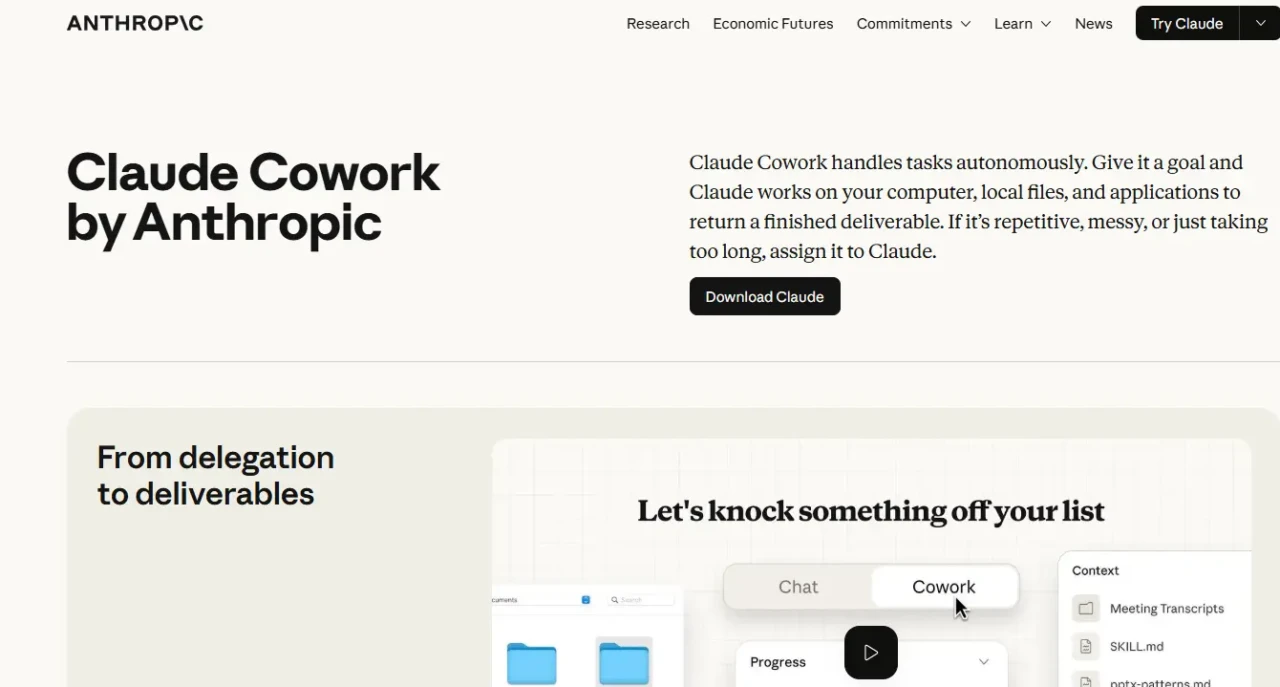
Claude Cowork is Anthropic’s agentic AI assistant for knowledge work, built into the Claude Desktop app alongside Chat and Code, accessible through a single tab. Rather than chatting, you delegate. You give it a goal, point it at a folder, and it executes the work autonomously: reading files, creating outputs, running multiple steps, and looping you in only when it matters.
The origin story is actually one of the more interesting parts of this platform. When Anthropic released Claude Code, a terminal-based coding agent for developers, something unexpected happened. Non-technical teams at Anthropic, including Marketing and Data, started bypassing Claude’s chat interface and using Claude Code themselves.
Not for code, but for everything else: mining data, building internal tools, synthesizing documents. They needed something that could handle complex, multi-step work from start to finish, not just answer one question at a time. Claude Cowork is the direct result of that observation: the same agentic capability as Claude Code, wrapped in an interface that doesn’t require a terminal or any coding knowledge whatsoever. In fact, Anthropic built Cowork using Claude Code itself in approximately two weeks.
The platform is designed specifically for knowledge workers who spend their days in documents, data, and files: researchers, analysts, operations teams, legal professionals, finance teams, and content teams. Consequently, if you find yourself doing work that is time-consuming but not technically complex (assembling reports from scattered sources, organizing file libraries, extracting key data from dense documents), Cowork is built for exactly that. And, if you want to understand more about the broader Claude ecosystem and how these tools fit together, our Claude AI explained guide covers the full picture.
How Claude Cowork Works
The Setup
Getting started is straightforward, but there are a few requirements worth understanding upfront. You need the Claude Desktop app (available for macOS and Windows), a paid Claude subscription (Pro, Max, Team, or Enterprise), and an active internet connection for the duration of your session. Once you open the app, you’ll see three tabs at the top: Chat, Cowork, and Code. Click Cowork, and you’re in.
The first thing you do is select a folder. This is critical. You explicitly choose which folders on your computer Claude can access; it cannot read or write to anything outside those you’ve granted access to.
Claude runs its code in an isolated virtual machine (VM) on your computer, creating a strong security boundary between Cowork’s operations and the rest of your system. Beyond that basic setup, you can add connectors, attach specific files, or include a project context before you start. Then you describe your goal in plain language. Claude analyzes it, creates a plan, and gets to work.
One Important Note: The Claude Desktop app must remain open while Claude is working. If you close it, your session ends. For longer tasks, plan accordingly.
How Tasks Are Executed
Claude Cowork doesn’t just respond; it plans. After you describe your goal, it breaks the work into subtasks, determines the fastest path, and executes them sequentially or in parallel as appropriate.
Throughout the process, a real-time progress log shows you exactly what Claude is doing at each step. You can watch it work, walk away entirely, or step in to redirect it mid-task if the approach isn’t what you had in mind.
What comes back isn’t a chat message; it’s a finished file. A formatted spreadsheet, a structured memo, a briefing document, a synthesized report. The output lands directly in your folder, ready for your review.
That shift (from generating text in a chat window to producing an actual deliverable in your file system) is what makes Cowork feel meaningfully different from regular Claude. Furthermore, for complex tasks, Cowork can coordinate multiple sub-agents working in parallel, dramatically reducing the time required for multi-part work.
Connectors and Integrations
Connectors are what make Cowork reach beyond your local files. You can plug Claude into Slack, Gmail, Notion, Google Drive, Google Calendar, Asana, Box, Canva, GitHub, DocuSign, Zoom, and more. Additionally, Claude in Chrome is included as a built-in connector. Claude can navigate websites, click through pages, and fill out forms in your browser from within the Desktop app, without you having to switch windows.
When there’s no direct connector for a specific tool or app, Cowork can fall back to controlling your desktop like a human would, using your screen to navigate and interact with any application. Anthropic launched this capability in March 2026, initially as a research preview for Pro and Max users, and later made it generally available.
Beyond individual connectors, Cowork also supports plugins: installable packages that bundle skills, connectors, and sub-agents for specific roles or teams, available via the official Anthropic marketplace. As of the general availability launch, 11 role-specific plugins are available out of the box, covering Sales, Marketing, HR, Finance, Legal, and Operations workflows.
Scheduling and Standing Instructions
One of Cowork’s more underappreciated features is scheduling. You can set up recurring tasks using the /schedule command. Claude runs them automatically on your defined cadence without any input from you. Additionally, weekly report summaries, recurring file organization, and regular data synthesis can all be automated on a schedule.
Beyond that, you can set global instructions that apply to every Cowork session: your preferred output tone, formatting preferences, or background context about your role. These sit in Settings > Cowork > Global instructions and persist across sessions. For mobile users on Pro and Max plans, you can also assign tasks to Cowork from your iPhone or Android device, letting Claude execute them on your desktop while you’re away.
What Claude Cowork Can Actually Do
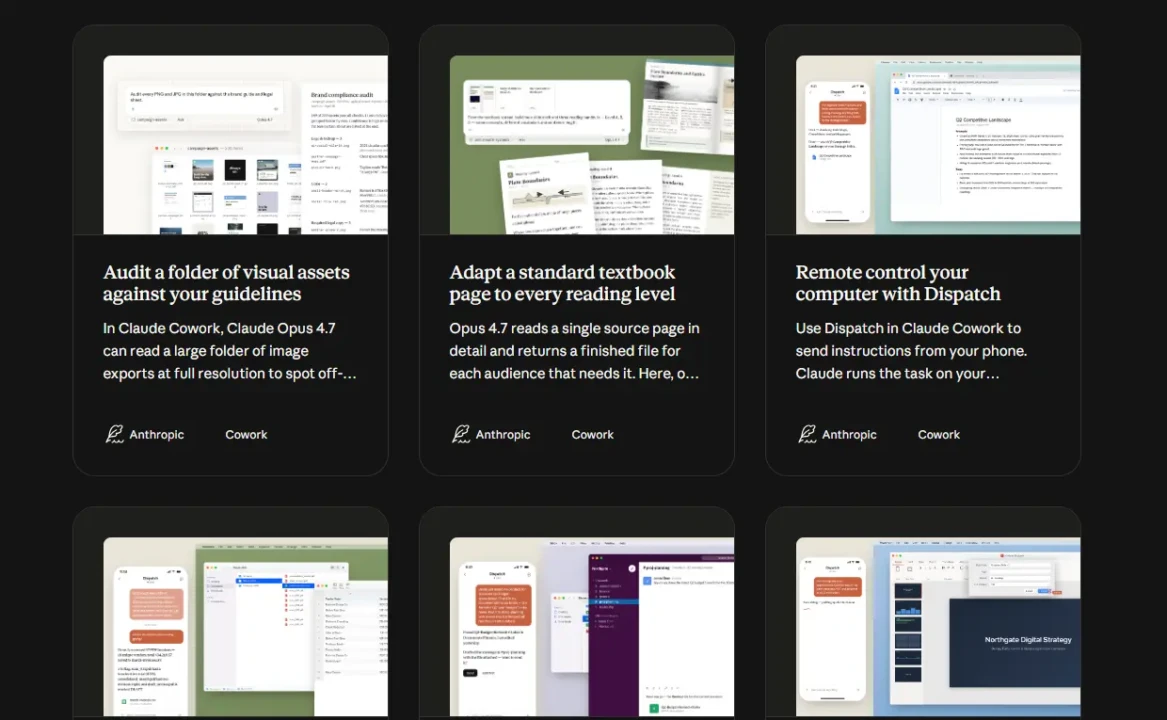
This is the section that matters most. Here’s what Cowork handles in practice, with honest context on each.
File Management and Organization
Point Claude at a folder of drafts, downloads, screenshots, receipts, or attachments and describe what you want. Sort by date. Rename by project. Remove duplicates. Surface the files that match a specific topic.
Cowork plans the approach, confirms before deleting anything (deletion requires your explicit approval), and executes. For people whose file systems have accumulated faster than they can keep up with, this is immediately useful.
That said, user reports indicate that Cowork can occasionally skip or mishandle very large files, particularly images larger than 10MB. Always verify the outputs for large batches before archiving or deleting the source files.
Document Generation and Report Writing
Give Cowork a set of source files, including meeting transcripts, data exports, PDFs, and research notes, and describe the report you need. It handles the assembly and synthesis, producing a structured first draft that’s ready for your refinement.
The hardest part of writing most reports isn’t the writing itself. It’s the assembly: pulling from a dozen scattered sources, finding the relevant pieces, and structuring them coherently.
Cowork removes that step entirely. Consequently, what’s left for you is the judgment work: editing, refining, and deciding what the final version says.
Podcast host Lenny Rachitsky used Claude to analyze 320 podcast transcripts in roughly 15 minutes, extracting the 10 most important themes and 10 counterintuitive truths for product builders. That’s a clear illustration of what Cowork does at scale for content-heavy work.
Research Synthesis and Document Review
Share a question and a set of source documents (contracts, research papers, vendor proposals, policy documents), and Cowork reads through all of them, identifies the relevant sections, and returns a structured summary ready for your review. For legal teams reviewing contracts, finance teams extracting figures from dense reports, or operations teams synthesizing vendor documentation, this is where Cowork’s value is most immediately measurable. Moreover, Anthropic’s internal findings are telling: tedious tasks (such as scanning all customer feedback or reviewing raw data exports) that were previously skipped are now being completed because the barrier is low enough. Better inputs produce better decisions.
Spreadsheet and Data Work
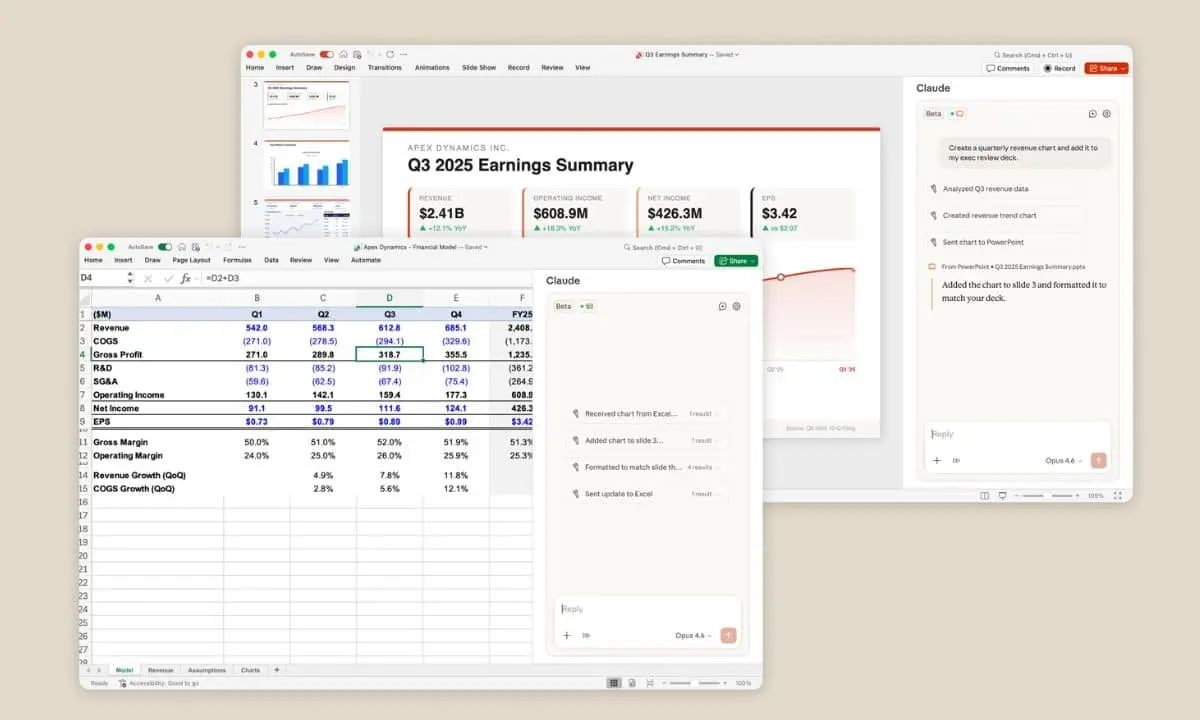
Cowork can take unstructured sources, such as receipt photos, raw data exports, and poorly formatted files, and turn them into clean, organized spreadsheets. You describe the output structure you want, and it builds it.
One well-documented example from early users involved turning a folder of receipt screenshots into a complete expense spreadsheet: Claude extracted the relevant data from each image, organized it by category and date, and formatted the final file for review. The result was a task that would normally take 45 minutes, completed in under five minutes.
Browser-Based Tasks
Via Claude in Chrome, Cowork can perform web research, navigate web applications, fill out forms, and pull information from websites, all without you having to switch windows. Claude picks the fastest path: if there’s a direct connector for a tool, it uses it; if not, it falls back to Chrome or computer use. This is particularly useful for research-intensive tasks where Claude needs to cross-reference information across multiple web sources.
Developer Simon Willison’s early benchmark illustrates the scale: he asked Cowork to identify unpublished draft posts on his website, and it autonomously executed 44 individual web searches, cross-referencing them against published content to surface gaps. That kind of multi-step browser work would have taken a human researcher significantly longer.
Claude Cowork Pricing: What You Actually Need to Know
The pricing structure for Cowork is straightforward on the surface, but there’s an underlying usage dynamic you need to understand before you commit.
💳 Claude Cowork Plans at a Glance

Plan | Monthly Cost | Cowork Access | Usage Level | Best For | Verdict |
Free | $0 | ❌ No | — | Chat only | 🔍 Not available |
Pro | $20/month ($17 annually) | ✅ Yes | Base quota | Individuals, light-to-moderate use | ✅ Good starting point |
Max 5× | $100/month | ✅ Yes | 5× Pro quota | Power users, frequent Cowork sessions | ✅ Best for heavy use |
Max 20× | $200/month | ✅ Yes | 20× Pro quota | Daily document-heavy operations | ⚠️ Only if volume demands it |
Team / Enterprise | Custom | ✅ Yes + admin controls | Custom | Organizations needing governance | ✅ Required for RBAC + compliance |
The Usage Math You Need to Understand
Cowork tasks consume substantially more tokens than regular chat. A single complex Cowork session (reading dozens of files, synthesizing outputs, and making multiple tool calls) can burn through the equivalent of several regular conversations of usage quota.
Your quota resets every 5 hours, not daily. This is the most important thing to know about Claude Cowork’s economics. Therefore, if a task runs longer than your 5-hour reset window, it will be interrupted mid-way. Plan long tasks in chunks accordingly.
The Honest Assessment Based on Testing
The Pro plan at $20/month covers approximately 80% of typical knowledge-work use cases. The Max 5× plan at $100/month is only meaningfully justified if you’re running heavy, daily Cowork sessions on large document volumes.
A simple ROI calculation: If Cowork saves you 5 hours per month and your time is worth $40 per hour, that’s $200 in recovered time for a $20 investment. That math holds up well for Pro. Max requires a heavier use pattern to justify the cost jump.
Enterprise Controls Worth Knowing
When Claude Cowork reached general availability on April 9, 2026, Anthropic added six enterprise-specific features: role-based access controls (RBAC), group spend limits, usage analytics, expanded OpenTelemetry support, a Zoom MCP connector, and per-tool connector controls. Consequently, for Team and Enterprise plan admins, RBAC lets you define exactly which Claude capabilities each user group can access, organizing users via SCIM integration with your identity provider.
Additionally, group spend limits let you cap team-level usage to control AI costs at scale. OpenTelemetry support exports Cowork activity logs in a standard format to SIEM tools such as Splunk, Datadog, or Elastic, allowing security teams to audit Claude’s actions within existing infrastructure. These aren’t cosmetic additions; they’re the features that make organizational deployment viable.
Claude Cowork vs Regular Claude Chat: When to Use Which
Understanding where each mode fits saves you time and frustration. Here’s the honest breakdown:
Cowork vs. Chat: Which Mode to Use
Factor | Claude Chat | Claude Cowork |
File Access | Upload manually; download outputs | ✅ Reads, writes, and creates files directly in your folder |
Task Structure | One prompt, one response | ✅ Multi-step autonomous execution |
Human Involvement | Each step requires your prompt | ✅ Describe the outcome and walk away |
Output Format | Text response in chat window | ✅ Finished deliverable saved to your file system |
Quota Consumption | Standard | Higher (complex tasks burn significantly more) |
Best For | Quick answers, writing, and research questions | File work, reports, data synthesis, recurring tasks |
Use Chat when you need a quick answer, a single piece of writing, an answer to a research question, or a back-and-forth conversation. However, use Cowork when the task involves multiple steps, requires access to local files, needs a finished deliverable, or when you genuinely want to delegate rather than direct. Notably, Cowork is resource-intensive; using it for simple tasks that Chat handles fine is a quick way to unnecessarily exhaust your quota.
The Security Reality: What You Need to Know Before You Connect Any Folder
This section is the one most reviews skip, and it’s the most important one if you’re handling anything sensitive. Be aware of all of this before you grant Cowork access to your files.
Claude Cowork is vulnerable to prompt injection attacks. This isn’t theoretical; security firm PromptArmor demonstrated a working exploit within 48 hours of Cowork’s launch. The attack works like this: a malicious actor embeds hidden instructions in a document using tactics such as 1-point white-on-white text (invisible to you, visible to Claude). When Cowork processes that file, the hidden instructions execute, in the demonstrated case, triggering a curl command to upload your files to an attacker’s Anthropic account, using Anthropic’s own API (which is whitelisted as trusted) as the outbound channel.
Anthropic has since shipped updates to the Cowork VM that partially address this issue, and the specific CVEs (CVE-2025-59536 and CVE-2026-21852) were fixed in version 2.0.65 and later. However, as Anthropic states in its documentation, “Agent safety is still an active area of development in the industry.” The core architectural challenge (prompt injection) has no complete solution yet. Beyond that, Cowork activity is not captured in Audit Logs, Compliance API, or Data Exports. Conversation history is stored locally on your device. Anthropic explicitly states: “Do not use Cowork for regulated workloads.”
The practical guidance in Anthropic’s own safety documentation is clear: avoid connecting Cowork to folders that contain sensitive financial documents, PII, or confidential business information. Limit Claude in Chrome to trusted sites. Monitor for unexpected behavior: Claude accessing files or websites you didn’t mention, or task scope expanding beyond what you asked for. For scheduled tasks in particular, start with low-risk, low-consequence work before automating anything more sensitive.
Developer and security researcher Simon Willison, who praised Cowork as his favorite way to use Claude for project-level workflows, put it plainly: “I do not think it is fair to tell regular non-programmer users to watch out for ‘suspicious actions that may indicate prompt injection.'” That tension between the tool’s capabilities and the security responsibility it places on users is the honest trade-off you need to understand before you go all-in.
Who Should Use Claude Cowork And Who Shouldn’t

Claude Cowork is genuinely the right tool if you:
- Are a researcher, analyst, ops professional, legal, or finance team member who works across large volumes of documents daily.
- Spend significant time on tasks that are time-consuming but not strategically complex (assembly, synthesis, formatting, and organizing).
- Are already using Claude regularly through chat and want to move from Q&A to actual task delegation.
- Work in an organization that needs enterprise governance tools: RBAC, spend controls, OpenTelemetry monitoring, and group-level access management.
Claude Cowork is not the right fit if you:
- Mainly need chat assistance, writing help, or research questions. The Pro plan’s chat capabilities cover this well without burning Cowork quota.
- Are handling regulated workloads. Anthropic explicitly advises against this due to the absence of Audit Log support and Compliance API coverage.
- Expect zero-error, one-and-done results every session; Cowork is powerful but not infallible. Some tasks require back-and-forth to get right. Verify critical outputs before acting on them.
- Work primarily in Microsoft 365. Cowork’s connector ecosystem is Google Workspace-first. Outlook, OneDrive, and Teams are not natively integrated (though Microsoft is integrating Claude Cowork technology as Copilot Cowork in M365’s Wave 3 rollout, which will change this picture for enterprise users).
For a deeper look at the full Claude model lineup powering Cowork’s reasoning, including the most capable model currently available, our article on Claude Opus 4.6 is worth reading. And if you’re a developer who wants to push further into what Claude’s agentic architecture can do with code, our guide on using Claude AI for coding covers the Claude Code side of the same desktop environment in practical detail.
Furthermore, for the latest in Claude’s expanding capabilities and product announcements, AI Unboxed tracks every significant release as it happens. And if you’re curious about what Anthropic is building further out on the frontier, including more advanced AI systems, our Claude Mythos explained article covers what’s coming next.
FAQs
No. Cowork requires a paid Claude subscription. It’s available on Pro ($20/month), Max ($100 or $200/month), Team, and Enterprise plans. The Free plan gives you chat access only. There’s no standalone Cowork subscription; access is included with your existing paid plan at no additional cost.
In Chat, Claude responds to your prompts but can’t access your local files directly. You upload what you need and download what it produces. In Cowork, Claude has permission to read, write, and create files in folders you specify. It autonomously executes multi-step tasks and delivers the final output to your file system without you having to manage every step.
Yes. As of its April 9, 2026, general availability launch, Cowork runs on both macOS and Windows through the Claude Desktop app. It was initially macOS-only during its research preview phase.
Cowork runs in an isolated virtual machine on your computer. You explicitly choose which folders it can access; it cannot touch anything outside what you’ve granted access to. Conversation history is stored locally on your device, not on Anthropic’s servers. Cowork activity is not captured in Audit Logs, Compliance API, or Data Exports. Do not use Cowork for regulated workloads.
Before taking significant actions, Cowork shows you its plan and asks for your approval. You can redirect or refine mid-task at any point. Deletion of files always requires explicit permission. You’ll see a prompt and must select “Allow.” Anthropic explicitly states that Claude can make mistakes and recommends verifying critical outputs. For high-stakes work, human review of finished deliverables is essential before acting on them.
Conclusion
Claude Cowork represents a genuine shift in how AI fits into the workday. The move from prompt-and-respond to goal-and-deliver changes what delegation to AI actually means, not just getting a faster answer, but getting a finished deliverable while you focus on something else. For the right user profile, the productivity gain is immediate and measurable. Researchers synthesizing large document sets, operations teams assembling reports from scattered sources, analysts extracting data from dense files — these are the people who will feel the difference most directly. Furthermore, the April 2026 general availability launch, with its enterprise-grade RBAC, OpenTelemetry support, spend controls, and Zoom integration, signals that Anthropic is treating Cowork as a serious organizational tool rather than a demo.
That said, going in with clear eyes matters. The prompt-injection risk is real, documented, and actively being addressed, but not yet fully resolved. Regulated workloads don’t belong here yet. The quota burns faster than regular chat, and tasks occasionally need correction before they land right. If you work with documents and data, want to genuinely delegate repetitive work rather than just describe it, and clearly understand the security considerations, Claude Cowork is worth serious evaluation right now. If you’re not sure yet, start with a Pro subscription, point it at a low-sensitivity folder, and let it prove itself on something concrete before expanding its access.
Every major AI tool, honest review, and practical breakdown of what’s actually worth your time lives at YourTechCompass.com, your straight-talking guide to the tools that are genuinely changing how knowledge work gets done.