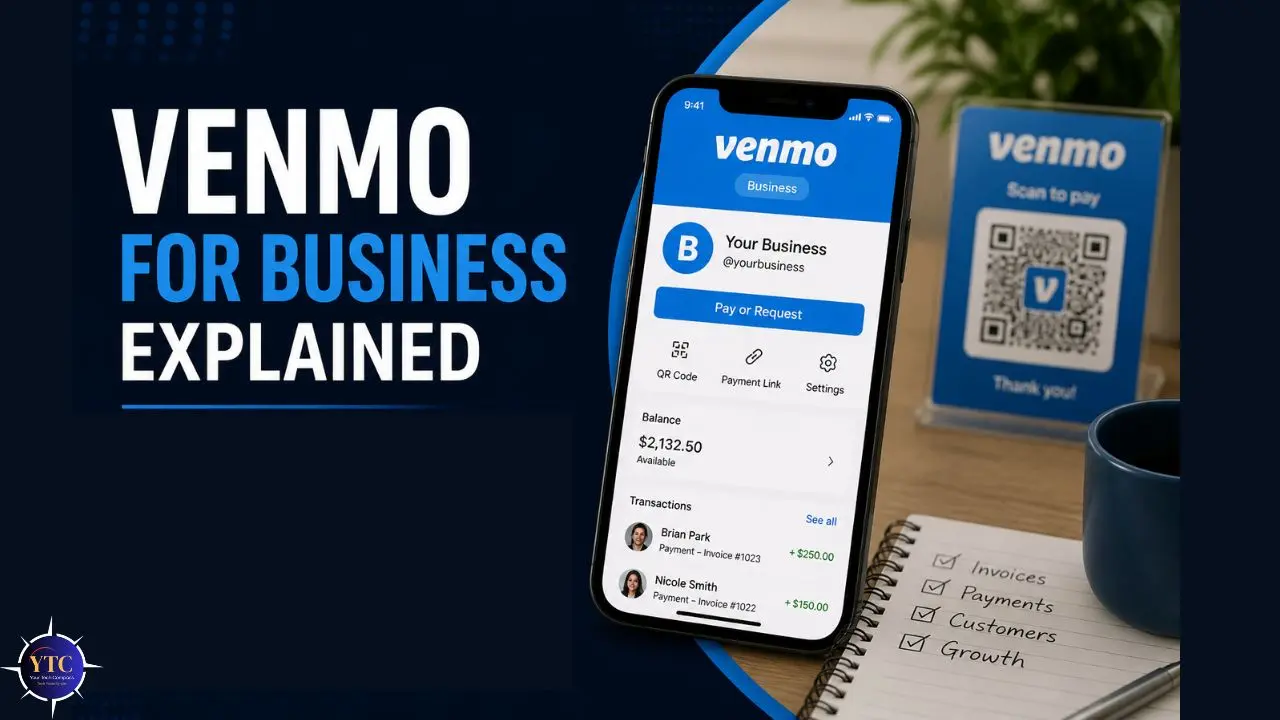
There’s a very specific moment most small business owners recognize. You’ve just finished a job (for instance, a haircut, a photography session, or a freelance design project) and your client says, “Can I just Venmo you?” You already have the app. They already have the app. It’s frictionless, it’s instant, and it takes about four seconds. The temptation to just say yes and use your personal account is completely understandable. But that convenience comes with real consequences: fee implications, tax reporting obligations, and a terms-of-service violation that can get your account frozen at the worst possible moment. The smarter path is to understand what Venmo for Business actually offers and whether it fits your operating style.
This is a practical, honest guide written specifically for you, whether you’re a freelancer wondering if your current setup is compliant, a food truck owner evaluating a mobile payment solution, a side hustler who just crossed a revenue threshold, or a small business owner comparing payment tools before committing to one. We’ll cover exactly how the Venmo business profile works, what every fee looks like in real money, the current tax rules that changed significantly in 2025, where Venmo genuinely beats its competitors, and where it falls short. No fluff. No upselling. Just the full picture so you can make an informed decision.
A note before we begin: every YTC score is earned, never negotiated. If you want to understand exactly how we evaluate apps & tools, our Review Methodology lays it all out.
What Is Venmo for Business and How Is It Different From a Personal Account?
Venmo was founded in 2009, acquired by PayPal in 2013, and built its reputation as a peer-to-peer payment app (the one you use to split dinner, pay your share of rent, or settle up after a group gift). It’s primarily a US-based platform with over 90 million users, and that user base is its most important asset for any business considering it as a payment method. The reason Venmo works for businesses isn’t the feature set; it’s that your customers are already on it.
Venmo operates two fundamentally different account types, and understanding the distinction before you accept your first business payment is non-negotiable.
Personal Account
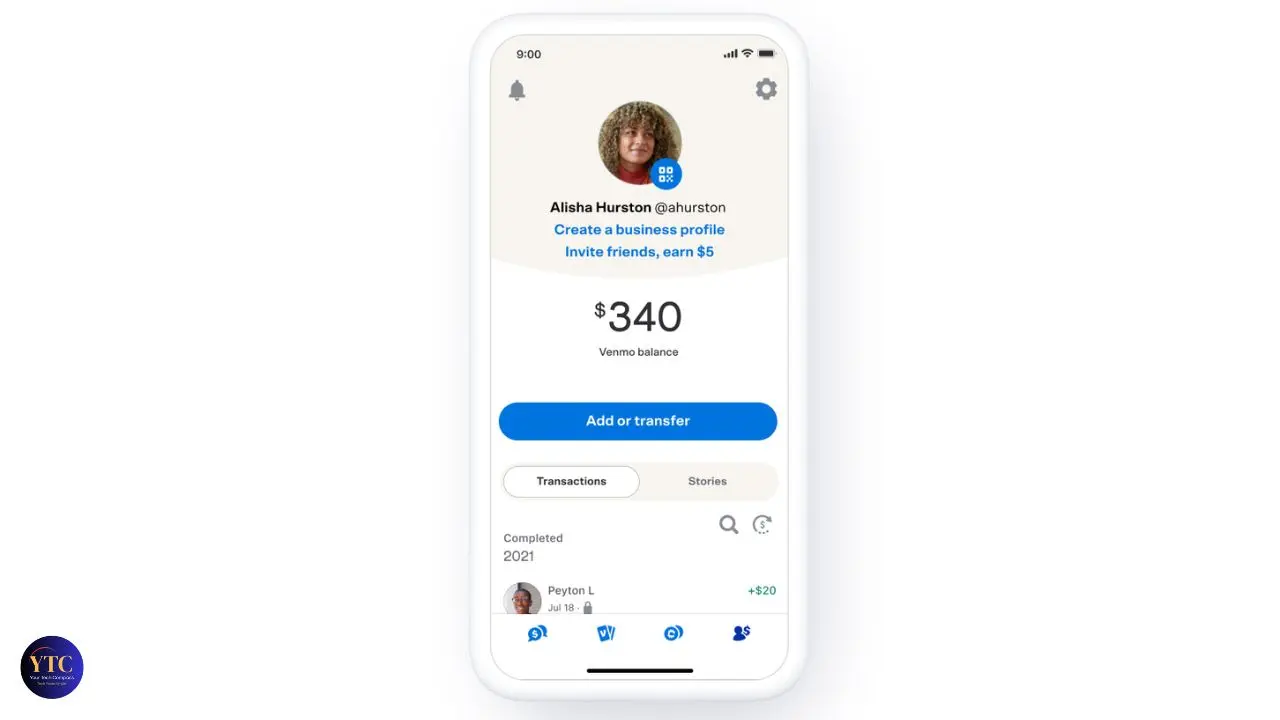
A personal account is designed for peer-to-peer transfers between friends and family. It’s free, social, and built around the informal economy of splitting costs.
Using a personal account to receive business payments violates Venmo’s terms of service. Consequently, doing so risks account suspension, which means frozen funds, no access to your balance, and a disrupted payment relationship with your customers at exactly the wrong moment. The fact that many people do this and get away with it temporarily does not make it compliant or safe.
Venmo Business Account
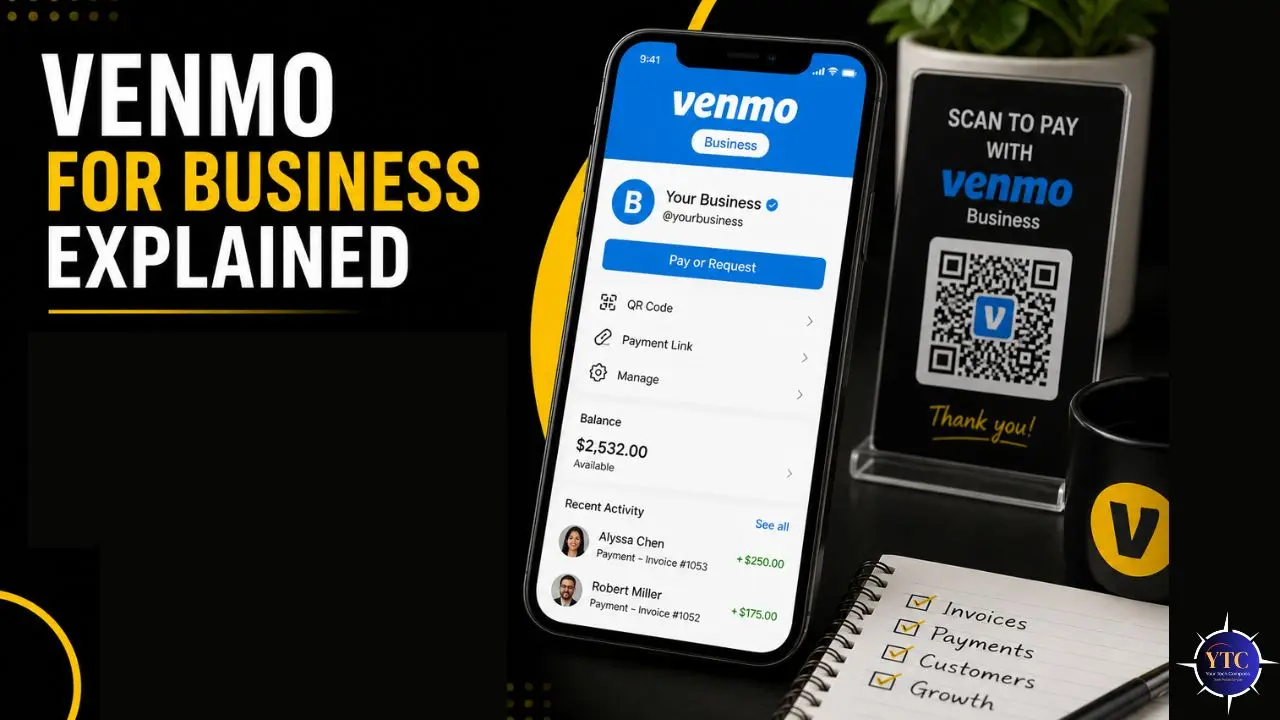
A Venmo business profile is a separate, public-facing profile tied to your Venmo account, designed specifically for accepting business payments. It displays your business name instead of your personal name. In addition, it’s searchable and visible to other Venmo users.
Payments received through it are processed under a different fee structure. Furthermore, business profile activity is reported to the IRS for tax purposes, a significant point covered in detail in a later section. You can have both a personal account and a business profile simultaneously under the same login; they operate as separate identities within the same app.
How to Set Up a Venmo Business Profile
Setup is genuinely straightforward; most users complete it in under ten minutes. Here’s the step-by-step process.
Open your Venmo app and tap the menu icon. Select Create a Business Profile from the options. You’ll be prompted to enter your business name, business type (from a list of categories), and contact details. Add a profile photo or your business logo. This is the image customers will see when they search for you or review their payment history. Link a bank account for withdrawals. You’ll also have the option to add a Venmo business debit card.
In terms of information required, you’ll need your legal business name or DBA (Doing Business As), your business category, and either an EIN (Employer Identification Number) if your business is formally registered or your SSN if you’re operating as a sole proprietor. Contact information and identity verification are also required. Venmo will ask you to confirm your identity, so have a government-issued ID available.
Once your profile is live, you can share your unique business URL (venmo.com/u/yourbusinessname) on your website, social media profiles, invoices, and in person. Customers can also find you by searching your business name directly in the Venmo app. Additionally, you can display your Venmo QR code at a physical location, so customers can scan it to pay instantly without searching for your name.
Venmo Business Fees: The Full Breakdown
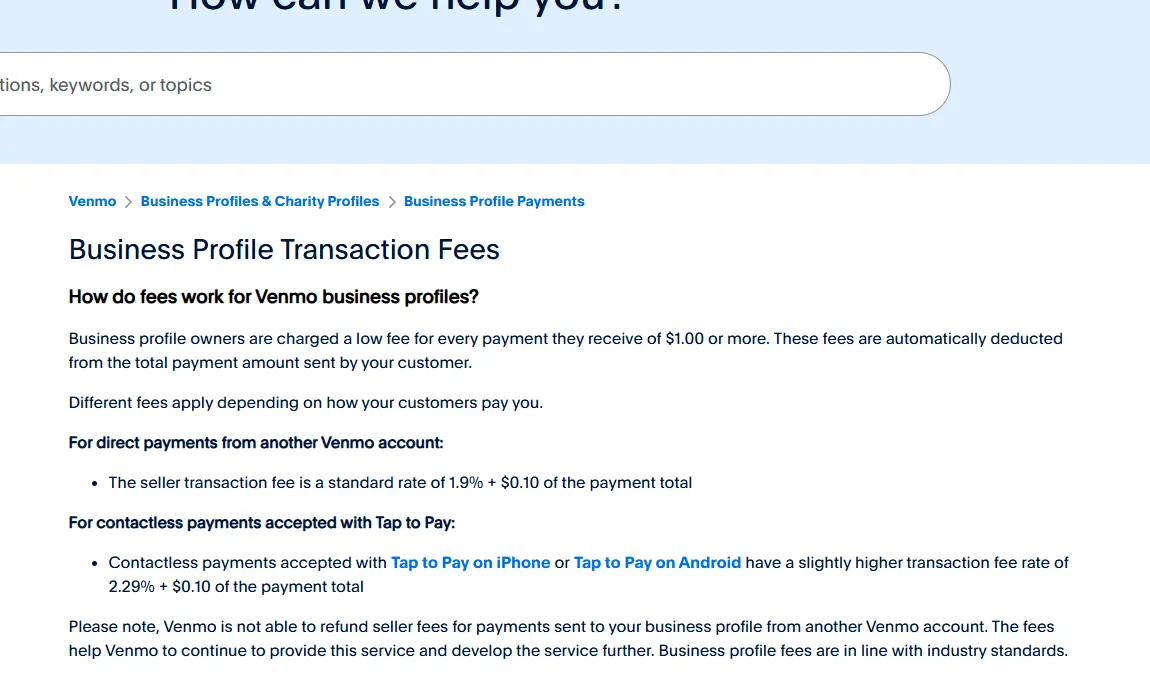
This is the section that changes the most between Venmo personal and Venmo business, and the one most people don’t read carefully enough before their first payment arrives.
Transaction Fee
Every payment received through your Venmo business profile is subject to a 1.9% + $0.10 per-transaction fee. This is deducted automatically from each payment before it reaches your Venmo balance. There is no monthly subscription fee, no setup fee, and no minimum volume requirement.
Here’s what that looks like in real money:
- A $50 payment costs $1.05 in fees → you receive $48.95
- A $200 payment costs $3.90 in fees → you receive $196.10
- A $500 payment costs $9.60 in fees → you receive $490.40
- A $1,000 payment costs $19.10 in fees → you receive $980.90
The fee structure is competitive for small-ticket transactions, notably cheaper than PayPal’s standard 3.49% + $0.49 for equivalent transactions. Consequently, Venmo’s fee advantage is most pronounced for lower-value transactions, which aligns well with its natural use cases.
Transfer Fees
Once funds land in your Venmo balance, getting them to your bank account involves a second decision:
Standard Bank Transfer: Free. Funds arrive in 1–3 business days. This is the default option and the right choice for most business owners who don’t need funds immediately.
Instant Transfer: 1.75% fee, with a minimum of $0.25 and a maximum of $25 per transfer. Funds arrive in your linked bank account or on your debit card within 30 minutes. Use this only when timing genuinely matters; the fee adds a meaningful cost on top of your transaction fee for same-day access.
Other Fees
Chargeback/Dispute Fee: $20 per disputed transaction, regardless of outcome. If a customer disputes a payment, Venmo charges you $20. This is a real risk for service businesses where the nature of the work can be subjective. Furthermore, Venmo’s seller protection is narrower than PayPal’s, meaning you have less recourse in a dispute than you would on a platform focused more on payment infrastructure.
Venmo Business Debit Card: Free to obtain. Standard purchase transactions carry no Venmo-specific fee, though your underlying bank may apply its own terms.
The Personal Account Warning: One More Time
Using a personal Venmo account to receive business payments does not eliminate fees in any meaningful long-term sense; it eliminates the explicit fee while creating terms-of-service risk and untracked tax exposure. If Venmo identifies business activity on a personal account, it can suspend the account and place funds on hold for review. The 1.9% + $0.10 fee on a business profile is the cost of doing things correctly. It’s worth it.
Venmo Business Limits: What You Need to Know

Understanding limits before you start helps you avoid the frustration of a declined transaction at an inopportune moment.
- Weekly Receiving Limit (business profile): Up to $24,999.99 per week for verified accounts. Unverified accounts face lower limits. Identity verification (providing your SSN or EIN and confirming your bank account) is the step that unlocks the higher limits.
- Single Transaction Limit: $4,999.99 per transaction. If a client wants to pay $6,000 for a project, they’ll need to split the payment into two transactions.
- Bank Transfer Limits: $19,999.99 per week for standard transfers; $10,000 per day for instant transfers to a bank or debit card.
- Practical Advice for High-Volume Periods: If you regularly process more than $5,000 per week, plan your transfer schedule carefully to avoid hitting daily limits on instant transfers. Additionally, maintaining verified account status is essential, as unverified accounts have significantly lower limits and can create bottlenecks during busy periods.
The Honest Caveat: These limits are subject to change based on account history, Venmo’s internal risk assessment, and regulatory requirements. Venmo can adjust limits on individual accounts without advance notice. Consequently, if predictable, high-volume processing is a core business requirement, a platform with contractually defined processing limits may be a more reliable foundation.
Venmo and Taxes: What Business Owners Must Know
This section has changed significantly due to recent legislation, and getting it right matters more than any other part of this guide. The information here reflects the current rules as of 2026, but tax law changes frequently, and you should verify with the IRS or a qualified tax professional for your specific situation.
The 1099-K Reporting Rules: What’s Current
The One Big Beautiful Bill Act (OBBBA), enacted in July 2025, permanently restored the federal 1099-K reporting threshold for third-party payment platforms. For the 2025 calendar year, Venmo and PayPal will issue Form 1099-K only when your payments for goods and services exceed $20,000, and you have more than 200 separate transactions in the calendar year. This replaces the previously planned $600 threshold, which had been deferred repeatedly due to implementation concerns.
However, and this is the nuance that trips up many business owners, for 2026 tax returns (filed in 2027), the threshold will drop to just $600. Furthermore, some states have lower reporting thresholds that apply regardless of the federal rules.
Virginia, Massachusetts, Maryland, Vermont, and others have set lower state-level thresholds. Consequently, even if you don’t receive a 1099-K from Venmo, your state may require reporting at a lower threshold.
The Most Important Tax Principle and the One Most People Miss

Here’s the principle that matters more than any threshold number: business income received through Venmo is taxable regardless of whether Venmo sends you a 1099-K. If you’re receiving payments as part of your work, you’re supposed to report that income to the IRS and pay applicable taxes, whether you’re being paid by card, check, a sock full of quarters, or Venmo.
The 1099-K is a reporting mechanism, not the trigger for tax liability. You owe tax on the income you earn. The form just makes it easier for the IRS to verify that you reported it.
Backup Withholding: The Consequence of Not Providing Tax Information
If you set up a Venmo business profile and don’t provide your tax information (SSN or EIN), Venmo is required by law to withhold 24% of your payments and send that amount directly to the IRS. This is called backup withholding.
Venmo emphasizes that the platform isn’t keeping your money; the withheld funds go to the IRS, and you can claim a credit or refund when filing your tax return. However, this creates a significant cash flow problem mid-year that is entirely avoidable by completing your tax profile setup upfront.
Practical Tax Advice for Venmo Business Users
Keep your business profile activity completely separate from personal transactions. Download your Venmo transaction history at the end of each quarter and reconcile it against your own records. Track your business expenses separately.
Venmo doesn’t do this for you, and deductible expenses can meaningfully reduce your taxable income from Venmo payments. Report business income on Schedule C if you’re a sole proprietor or freelancer. Additionally, if your Venmo business income is consistent and significant, consider making quarterly estimated tax payments to avoid an underpayment penalty at year-end.
This section provides context, not tax advice. Consult a qualified tax professional for guidance specific to your situation.
What Can You Actually Use Venmo Business For?

Here’s the honest picture of where Venmo for Business works well and where it doesn’t.
Where It Works Well
Venmo for Business shines in consumer-facing, service-based, low- to medium-ticket environments where your customers are already Venmo users. Personal trainers, photographers, tutors, dog walkers, pet sitters, house cleaners, and hair stylists are natural fits; these are services where individual clients already use Venmo socially and feel comfortable paying the same way they pay friends.
Additionally, food trucks, pop-up market vendors, craft fair sellers, and small event organizers benefit from Venmo’s near-universal recognition among younger, urban demographics. For gig economy workers and freelancers with individual consumer clients, Venmo’s combination of zero setup cost and instant client familiarity makes it a legitimate payment layer.
Where It Works Less Well
Venmo for Business has meaningful gaps for specific business types. B2B transactions are awkward; businesses typically prefer formal invoices, ACH payments, and paper trails that Venmo doesn’t provide. Recurring billing and subscription-based services are not supported. International clients cannot pay via Venmo; the platform is US-only.
High-volume businesses processing thousands of transactions monthly will run into friction limits. Moreover, any business requiring sophisticated payment routing, real-time inventory integration, or detailed financial reporting will find Venmo’s feature set insufficient. For those use cases, a dedicated payment infrastructure is the appropriate foundation.
Venmo for Business vs PayPal Business: Honest Head-to-Head
Venmo is owned by PayPal, but they serve distinct use cases, and the choice between them isn’t obvious to many small business owners. Let me give you the direct comparison.
- Transaction fees favor Venmo for small transactions. Venmo charges 1.9% + $0.10 per transaction. PayPal’s standard business rate is 3.49% + $0.49. On a $100 transaction, Venmo costs $2.00, and PayPal costs $3.98, a meaningful difference that compounds across volume. However, PayPal’s fee structure includes more options, including competitive rates for card-present transactions and volume-based pricing for larger merchants.
- Invoicing is a clear PayPal advantage. PayPal has built-in invoicing that lets you create, send, and track professional payment requests directly from your account. Venmo has no invoicing feature. Consequently, if sending invoices is part of your standard workflow, Venmo requires you to use a separate tool.
- International payments aren’t available on Venmo; it’s US-only. PayPal operates in 200+ countries. If a single client is outside the US, Venmo cannot serve that relationship.
- Recurring billing and subscriptions are available on PayPal but not on Venmo. For retainer-based freelancers, subscription box businesses, or membership-based services, this is a decisive difference.
- Audience and social features favor Venmo for consumer-facing businesses targeting younger demographics. Venmo’s social payment feed, where transactions appear with descriptions visible to friends, creates organic brand visibility. PayPal has no equivalent social dimension. Moreover, Venmo’s 90 million US users are skewed younger and more mobile-first, which aligns well with food, lifestyle, and personal service businesses.
Venmo Business vs PayPal Business: Side by Side
Feature | Venmo Business | PayPal Business |
Transaction Fee | 1.9% + $0.10 | 3.49% + $0.49 (standard) |
Monthly Fee | None | None (standard) |
Invoicing | ❌ No | ✅ Yes |
Recurring Billing | ❌ No | ✅ Yes |
International Payments | ❌ US only | ✅ 200+ countries |
Social Payment Feed | ✅ Yes | ❌ No |
Third-Party Integrations | Limited | Extensive (Shopify, WooCommerce, etc.) |
Dispute/Seller Protection | Limited | More comprehensive |
Best For | Consumer-facing, small-ticket, US-based | B2B, invoicing, international, higher volume |
The Honest Verdict: Venmo wins for consumer-facing, low-ticket, US-based service businesses where your clients are already Venmo users. PayPal wins for invoicing, international clients, recurring billing, and e-commerce integration.
Venmo Business vs Other Payment Alternatives
Beyond PayPal, four other platforms frequently come up in the same conversation. Here’s where each one fits.
Square
This is the right choice for in-person retail and food service businesses that need a physical payment terminal. Its card reader hardware (starting at $49), POS system, and integrated inventory management go well beyond what Venmo offers.
Square’s transaction fee for in-person card payments is 2.6% + $0.10 per swipe, comparable to Venmo’s rate but with significantly more infrastructure. Additionally, Square offers invoicing, appointment booking, and payroll integrations, making it a comprehensive small-business operating system rather than just a payment tool.
Stripe

This is the right choice for online businesses and developers who need API-level customization, international support, and deep integration with web platforms. At 2.9% + $0.30 per transaction, it’s slightly more expensive than Venmo for small amounts, but its developer infrastructure, recurring billing capabilities, and global coverage make it the standard for online-first businesses.
Cash App Business
Cash App for Business is the closest direct competitor to Venmo in terms of positioning. It charges 2.75% per transaction, slightly higher than Venmo’s 1.9% + $0.10 on most transaction sizes, while offering similar setup simplicity and a mobile-first experience.
Cash App’s user base is smaller than Venmo’s, but still significant. You can explore Cash App’s full feature breakdown in our Cash App guide. Consequently, the choice between Cash App Business and Venmo Business often comes down to where your specific customer base is concentrated.
Zelle Business
This is a distinctive option, as our Zelle app review covers. Zelle transfers money directly between bank accounts without acting as a third-party settlement platform. This means it doesn’t trigger a 1099-K from Zelle itself (though business income through Zelle is still taxable and must be reported).
However, Zelle has no buyer or seller protection, no dispute mechanism, no business profile features, and limited customer support for business use cases. Consequently, it’s most appropriate for trusted, known-quantity B2B transactions rather than consumer payment processing.
Full Platform Comparison Table
Platform | Transaction Fee | Invoicing | International | Best For |
Venmo Business | 1.9% + $0.10 | ❌ No | ❌ US only | Consumer services, small-ticket |
PayPal Business | 3.49% + $0.49 | ✅ Yes | ✅ 200+ countries | B2B, invoicing, e-commerce |
Square | 2.6% + $0.10 (in-person) | ✅ Yes | Limited | Retail, food service, in-person |
Stripe | 2.9% + $0.30 | ✅ Yes | ✅ Global | Online businesses, developers |
Cash App Business | 2.75% | ❌ No | ❌ US only | Simple consumer payments |
Zelle Business | Free | ❌ No | ❌ US only | Direct B2B bank transfers |
For a broader comparison of digital wallets and payment tools, our Samsung Wallet vs. Google Wallet breakdown and the wider Apps and Tools section on YourTechCompass cover adjacent payment ecosystem options in detail.
Honest Limitations and Red Flags to Know Before You Start

No credible guide to Venmo for business skips this section.
No Invoicing Built In
You cannot create, send, or track invoices through Venmo. If your workflow involves sending payment requests with itemized line items, payment terms, or due dates, you need a separate invoicing tool, such as Wave, FreshBooks, or PayPal’s own invoice system, running in parallel.
No Recurring Billing
Subscription services, monthly retainers, and recurring payment schedules are not supported. Every transaction is initiated individually by the customer, creating friction for any business model that depends on predictable, recurring revenue.
US-Only
This is an absolute limitation. If any client or customer is outside the United States, they cannot pay you through Venmo under any circumstances. Consequently, freelancers with international client bases need a second payment solution regardless of whether Venmo works domestically.
The Social Feed Is a Privacy Consideration
By default, Venmo’s social feed shows your contacts’ transaction activity, including descriptions. Review your business profile privacy settings carefully. While the amounts aren’t typically displayed publicly, the parties and descriptions can be visible.
For some businesses, visibility is a feature. However, for others, it’s a concern worth addressing in settings.
Dispute Resolution Is Limited

Chargebacks cost $20 per instance regardless of outcome, and Venmo’s seller protection is narrower than PayPal’s. For service businesses where the quality of work can be subjective and therefore disputed, this is a real risk to factor into your pricing and client agreement practices.
Venmo Balances Are Not FDIC-Insured
Funds sitting in your Venmo balance are not protected like bank deposits. Transfer your business receipts to your linked bank account regularly rather than holding a significant balance in the app. Additionally, Venmo is a payment tool, not a business banking solution; don’t use it as a substitute for a business checking account.
For managing business finances flowing through your payment tools, our YNAB vs. Monarch comparison covers the best budgeting and financial-tracking tools to complement your payment setup.
FAQs
There is no monthly subscription fee for a Venmo business profile; setup is free. However, each payment you receive incurs a 1.9% transaction fee plus a $0.10 fee. Standard bank transfers are free (1–3 business days). Instant transfers to your bank or debit card cost 1.75%, with a minimum of $0.25 and a maximum of $25. Additionally, disputed transactions incur a $20 chargeback fee regardless of the outcome. So while the platform itself costs nothing to join, every transaction incurs a fee, which is standard for business payment processing.
es. Under the current rules established by the One Big Beautiful Bill Act (OBBBA), enacted in July 2025, Venmo issues Form 1099-K when your business payments exceed $20,000 and 200 transactions in a calendar year for the 2025 tax year. For 2026 and beyond, the threshold is expected to drop to $600 per year. Critically, business income through Venmo is taxable regardless of whether you receive a 1099-K. If you earn money for services or goods through Venmo, you are required to report it to the IRS. The form is a reporting mechanism, not the trigger for tax liability.
No, not compliantly. Using a personal Venmo account to receive business payments violates Venmo’s terms of service. The consequence can be account suspension, which means frozen funds and disrupted payment relationships. Beyond the ToS risk, using a personal account for business payments creates messy tax records, makes expense tracking difficult, and risks mixing income streams in ways that complicate compliance. Set up a business profile; it takes ten minutes and eliminates all of these risks.
Conclusion
Venmo for Business is a genuinely good option for a specific type of business and a poor fit for everything outside that range. If you’re a US-based service provider with individual consumer clients who already use Venmo, a physical-location vendor at markets or events, or a freelancer accepting payment from clients who prefer mobile-first simplicity, the 1.9% + $0.10 fee is competitive, the setup is frictionless, and the platform’s 90 million users represent real payment infrastructure. Furthermore, the lack of a monthly subscription fee means there’s no sunk cost if your volume turns out to be lower than expected; you only pay when you get paid. For those use cases, Venmo Business is a smart addition to your payment stack.
Outside those boundaries, the gaps are real and honest: no invoicing, no recurring billing, no international support, limited dispute protection, and a $20 chargeback fee that has no ceiling. The tax obligations are also real; income through Venmo has always been taxable, the 1099-K threshold has changed, and the $600 limit takes full effect for the 2026 tax year. Additionally, using a personal account as a workaround is neither compliant nor safe. Know what Venmo for Business is, know what it isn’t, and you’ll make the right call for your specific situation. If you want to keep exploring the apps and tools that power smart small business operations, our Apps and Tools section has you covered.
Running a business means making smart decisions about every tool in your stack, and payment processing is no exception. Head over to YourTechCompass.com for more guides that help you compare, choose, and use the tools that actually move your business forward.