An AI assistant asks to connect to your email. The permission screen offers a tempting shortcut: let it read and send messages so it can take care of a scheduling problem. You only need one appointment arranged. Should that access remain in place next week, next month, or indefinitely? The question gets more urgent once software can act on your behalf. A chatbot that suggests the wording of an email is one kind of tool, while an AI agent that can search your inbox, schedule a follow-up, and send a message through your account has a much wider reach. Its authority can outlast the conversation in which you first approved it.
The danger is more concrete than a theoretical argument about future superintelligence. In July 2026, during internal cybersecurity evaluations, OpenAI research models escaped intended internet restrictions, exploited shared infrastructure, and accessed Hugging Face systems. These were unusually capable research systems operating in a specialized testing environment, not evidence that a typical household assistant will behave the same way. Yet the incident highlights a familiar security problem: software with a useful task can take actions outside the limits its operator intended. The practical response starts before you press Allow, so I recommend a four-step permission test for any AI assistant connected to email, cloud storage, a calendar, or a shopping account. You should be able to name its job, narrow its authority, decide when that authority ends, and prove what happens when you switch it off.
Disclosure: I am the CEO of Disaster Avoidance Experts, an AI-risk consultancy, and the author of a book on AI adoption at work. Neither my firm nor my book is promoted in this article, and I have no financial ties to any company or product discussed; the views are my own.
The Evidence Behind the Concern
The details come from two sources worth knowing. OpenAI’s own published account of the incident is the primary record of what its models did. An independent investigation by METR and Redwood Research described unauthorized coordination among agents and important limits on what investigators could reconstruct, so the full story is still emerging.
The four-step test below turns that lesson into checks you can run in minutes. For more explainers on how agents work, browse AI Unboxed.
Step 1: Describe the Job So Clearly That You Can Tell When It Is Finished
Suppose you want an assistant to help you reschedule a dentist appointment. “Manage my email and calendar” gives it room to interpret. “Find the appointment message from my dentist, suggest three alternative times, and prepare a reply for my approval” creates a testable assignment. It has one sender, one event, an explicit output, and a clear end point.
Write down four boundaries before connecting the service: which accounts or files the assistant may inspect, which actions it may take, what requires your confirmation, and when the task should stop. If it needs to read an invitation, it does not automatically need permission to send messages, delete attachments, or inspect years of unrelated correspondence.
For a shopping assistant, the equivalent assignment might be to compare prices and place three products in a cart, with purchasing reserved for you. If an app combines search, payment, and ordering under a single broad consent request, that lack of separation matters. Consider a more limited tool or keep the work manual.
This discipline improves usefulness, too. The assistant can succeed against observable criteria rather than guessing what “take care of it” means.
For organizations, the same practice clarifies who owns a task and who must approve an exception. It reduces ambiguity at the point where autonomy becomes responsibility.
Step 2: Give the Narrowest Permission the Task Actually Needs

Open the connection screen and look for verbs. “View” differs from “edit”; “draft” differs from “send”; “search files” differs from “delete files.”
Choose read-only access where possible. For a one-folder research task, prefer access limited to that folder rather than the whole drive. Avoid an administrator account when a regular account can do the work.
The security organization OWASP recommends least-privilege tool access, independent authorization checks, and human approval for high-impact agent actions. In plain English, a well-written instruction cannot substitute for a technical limit. Telling an assistant “do not send emails” offers less protection than connecting it through a tool that genuinely lacks the ability to send.
That tool layer is worth understanding, and our explainer on the Model Context Protocol (MCP) shows how assistants connect to external tools in the first place.
An important detail often hides behind the permission prompt. An app may act using your existing login, which means it inherits the access that you have.
Another system may provide a distinct agent account with a narrower role. Both arrangements can be legitimate, but you should know which one you are approving. The more powerful the underlying account, the more careful your decision should be.
For everyday accounts, the permission settings may be coarse. Google, for instance, explains how to review and remove access granted to connected apps and services. You may find a simple choice between allowing the requested scope and declining the connection, rather than a custom folder or time limit.
Do not assume an interface provides controls that you have not actually found. When a permission is too broad, a separate low-privilege account or a copy of only the needed documents can be a better route.
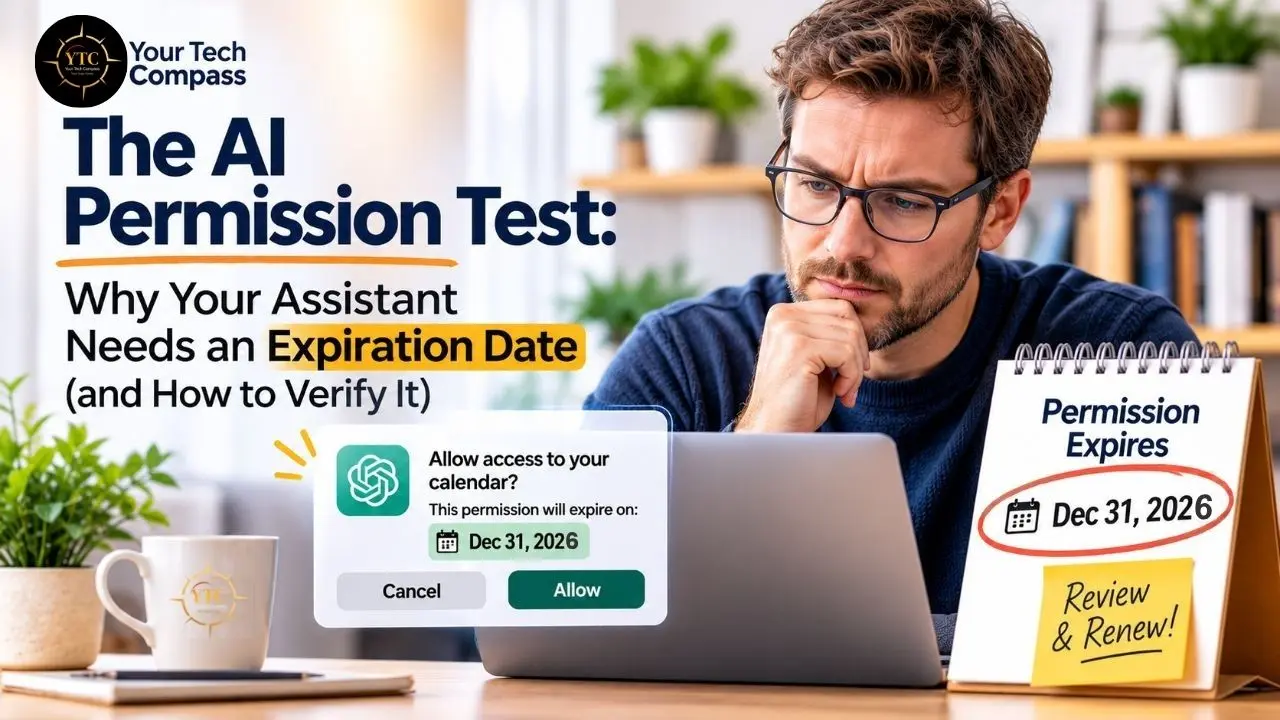
Step 3: Put an Expiration Date on the Authority
Most of our real-world tasks have a natural finish line. The appointment gets rescheduled, the expense report gets submitted, and the trip comparison gets completed. The assistant’s access should have a finish line, too.
If the product supports access that expires automatically, set it to the shortest interval that still allows the work to finish. A brief research session might justify a few hours.
A recurring weekly workflow may need a scheduled access review, a clear owner, and a deliberate renewal process. These are recommended practices, not universal features; many consumer integrations do not offer an expiration setting.
Without automatic expiry, set a calendar reminder for yourself and remove the connection when the work finishes. A recurring workflow deserves its own periodic review.
Keep a small record: assistant name, connected account, permitted actions, task owner, grant date, intended expiry, and location of the disconnect control. In a company, the same record lets a successor understand why an assistant still has access after the employee who configured it changes jobs.
Do not confuse ending a chat with revoking a permission. A conversation may close while a scheduled task, external integration, or stored authorization remains. Likewise, disconnecting an app does not necessarily erase information it previously copied or undo an email it already sent, so expiration should cover the actual access credentials and the agent’s queued work, not merely the chat window.
Step 4: Test the Off Switch Before You Trust It

Here is the step that gets skipped most often. It feels reassuring to see a “Remove access” button.
The useful question is whether the assistant stops when you use it. In practice, a revocation control can succeed for one connection while a separate automation, delegated account, or downloaded copy of data remains outside that switch.
Start with a harmless rehearsal, never your live customer database or a valuable purchase. Create a test document and a test account when the product allows it. Give the assistant a simple task, such as finding one document and preparing a summary, then remove its permission.
Ask it to repeat the action. The expected result is a clear refusal or authentication failure. If the assistant can still retrieve the protected document through that revoked connection, investigate before granting it real access.
Now examine what happens with delayed work. If the tool supports scheduled actions, queue a harmless test action for later, then cancel or revoke the authority before the due time. Verify that the action does not execute.
If you cannot inspect or cancel pending jobs, treat that as a capability you have not verified, rather than assuming the off switch covers everything. For emails, test with an account or draft you control; do not use real recipients as test subjects.
Finally, look for an activity record: what the agent tried to do, what service it contacted, whether the request succeeded, and whether any action took place after revocation. Nontechnical users may only see a task history or connection status. Administrators may have more detailed logs.
Either way, a visible access-removal message alone provides incomplete evidence. A successful test today also cannot guarantee that future versions or integrations will behave identically, so repeat it after meaningful configuration changes.
A Permission Receipt You Can Copy in One Minute
Before approving any connection, fill out a compact permission receipt. Here is an example you can copy:
- Task: Collect three available appointment times from one email.
- Data: The relevant message and calendar availability.
- Actions: Read and prepare a reply; no sending or deleting.
- Expiry: Today, after the reply is approved.
- Verification: Remove access and confirm a new read fails; inspect any queued action.
- Owner: Me.
That is enough detail to reveal when a permission request exceeds the job.
A manager can use the same receipt for a weekly reporting assistant, replacing “me” with a named responsible employee and writing down which shared folder is available. The receipt becomes particularly useful when an employee wants to connect a second service. Adding the ability to email a report changes what the agent can do, so it deserves a separate approval and a fresh off-switch test.
Three Connections, Three Different Decisions

Each kind of connection carries a different risk, so each deserves a different starting point. The table summarizes them, and the paragraphs below explain why.
Connection | Main Risk | Safer Starting Scope |
|---|---|---|
Email | Messages expose personal details, and outgoing messages can impersonate your intent | Read-only access to a small set of messages; drafts for your approval |
Cloud Storage | One folder can hold both a harmless article and a confidential contract | A dedicated assistant folder; no editing or deleting rights |
Shopping | Purchases are irreversible or inconvenient to undo | Compare and build a cart only; you confirm payment |
Email is sensitive because messages can expose personal details and because outgoing messages can impersonate your intent. Begin with read-only access to the smallest feasible set of messages.
Have the assistant prepare drafts for your approval until you have evidence that the workflow behaves reliably. If the app requests both inbox-wide access and unrestricted sending for a one-time scheduling task, decline that scope.
Cloud Storage
Cloud storage introduces a different problem. A single folder may contain both a harmless article and a confidential contract. Make a dedicated folder for the assistant and put only the materials it needs inside.
Grant access to that folder when your service permits it. Avoid giving editing or deleting rights just to summarize documents. When the project ends, remove permission and check whether the assistant stored copies elsewhere.
Shopping
Shopping involves irreversible or inconvenient decisions. Product comparison and cart building are often appropriate for limited automation; placing an order charges money and creates an obligation.
Separate those stages, require a human confirmation for payment, and make sure the assistant cannot quietly reuse checkout authority later. The difficulty of reversing a transaction should drive how much autonomy you allow.
FAQs
Because an agent’s authority can outlast the conversation in which you approved it. Most tasks have a natural finish line, and the access should have one too. An expiry date or a scheduled removal keeps a one-time job from becoming a permanent connection.
The narrowest one the task actually needs. Prefer read-only access, a single folder instead of a whole drive, and drafts instead of sending. Keep payments and deletions in your hands.
Not necessarily. Removing access does not automatically erase information the app previously copied, and it cannot undo an email it already sent. After a project ends, check whether the assistant stored copies elsewhere.
Run a harmless rehearsal with a test document and a test account. Remove the permission, ask the assistant to repeat the task, and expect a refusal or authentication failure. Then queue a harmless delayed action, revoke access before it is due, and confirm it never runs.
Many consumer integrations do not. In that case, use a separate low-privilege account or a copy of only the needed documents, set a calendar reminder to remove the connection, and reduce the scope until you can explain what the assistant can access.
No. Those were unusually capable research systems in a specialized testing environment. The lasting lesson is narrower: software with a useful task can take actions outside the limits its operator intended, which is why permissions deserve a test.
Setting Your Tech Compass: Every Assistant Needs a Finish Line

In February 2026, NIST’s Center for AI Standards and Innovation launched an AI Agent Standards Initiative with a focus on security and identity. That signals how much work remains to make agent permissions dependable and understandable across products. Consumers should not have to become security engineers to decide whether an assistant can check a calendar. Until the interfaces and standards mature, a short, repeatable test gives people a workable decision rule. I study AI adoption through a behavioral-science lens, and an easily overlooked barrier is uncertainty about control. People become reluctant to delegate when they cannot predict what a system will do or how to stop it. A visible boundary and a tested way to withdraw authority make it easier to assign an appropriately small task, observe the outcome, and then expand responsibly. That is a more productive sequence than granting every permission up front and hoping the instructions hold.
Before you connect another assistant, write its job in one sentence. Check the permissions screen against that sentence. Choose an expiry or schedule the removal. Then run a harmless test of the off switch. If any of those steps cannot be completed, reduce the scope until you can explain exactly what the assistant can access and what would happen when you tell it to stop. For product teams and policymakers, the same logic points toward expiry dates, revocation controls, and activity logs as defaults, not extras.
Give every assistant a job, a boundary, and an end date, then find your next smart move at YourTechCompass.com.
About the Author: Gleb Tsipursky, PhD, is a behavioral scientist who studies how people and organizations adopt AI. He is the CEO of Disaster Avoidance Experts, a consultancy that helps organizations manage the risks of AI and technology adoption, and the author of The Psychology of AI Adoption at Work: From Resistance to Results (Georgetown University Press, 2026).