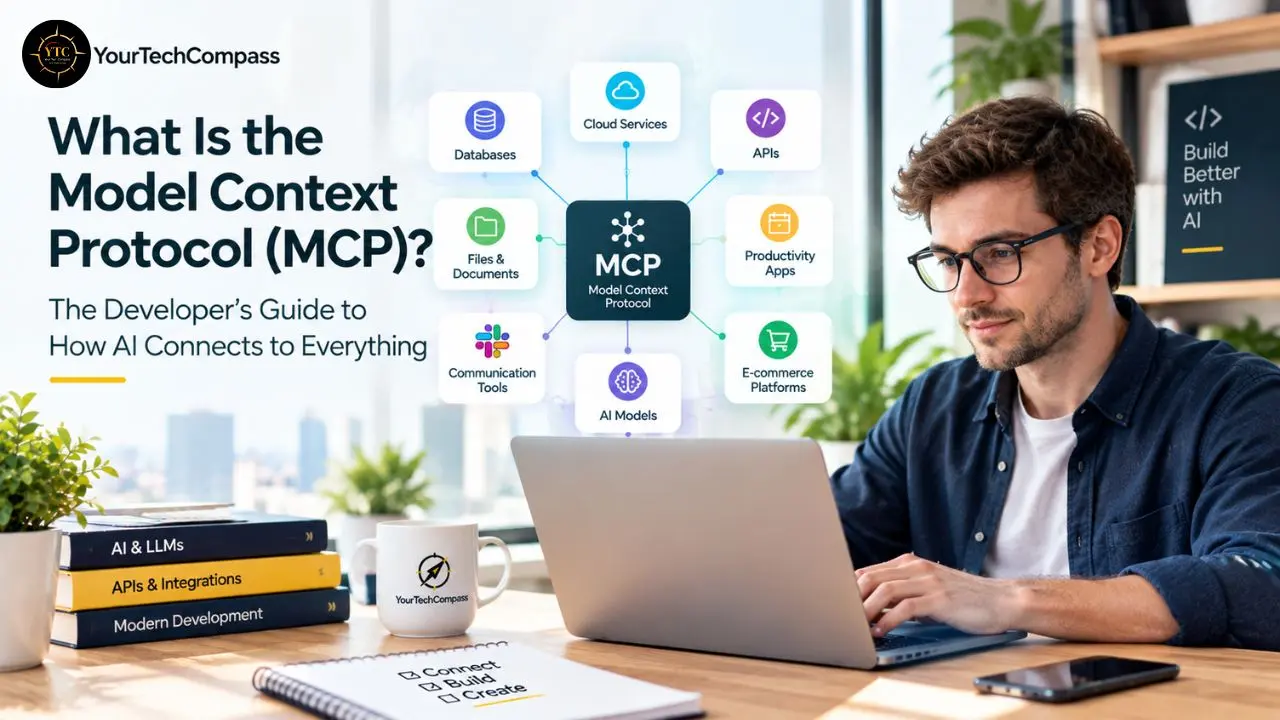
I want to start with the problem before the solution, because the problem is what makes the solution genuinely interesting. Every time you want an AI model to interact with a new tool (read from a database, search the web, call an API, access a file system, check a Jira board), you’ve traditionally needed to write custom integration code. Custom code for every AI model and every external tool creates what engineers call a many-to-many integration problem: ten AI tools and twenty external services means potentially 200 separate integration projects, each maintained individually as APIs change and model capabilities evolve. That integration tax is the single biggest practical constraint on building genuinely useful AI agents. It’s the difference between an AI assistant that can help you think and an AI assistant that can actually do work in the systems where your work lives.
Model Context Protocol (MCP) is an open standard originated by Anthropic in November 2024 and now governed by the Linux Foundation–hosted Agentic AI Foundation. It gives AI applications a universal, JSON-RPC 2.0–based interface for connecting large language models to external tools, databases, and services. Rather than custom integration code per connection, MCP defines a standard way for any AI host to discover, communicate with, and use any tool or service that implements the protocol. OpenAI, Google, Microsoft, and others adopted MCP because maintaining proprietary integration ecosystems is expensive and creates fragmentation that hurts everyone (developers, vendors, and end users alike). If you’ve heard MCP mentioned in conversations about Claude, agentic AI, or Cursor and haven’t had a clear explanation of what it actually is and why it matters, this guide covers all of it: what MCP is, how the architecture works, how it differs from a standard API, what you can actually do with it, and what it means for developers and organizations building AI into their workflows.
The Problem MCP Solves: Why It Had to Exist
Understanding why MCP exists is more useful than simply knowing what it is, since the protocol’s design follows directly from the problem’s structure.
The N×M Integration Problem
Without a standard like MCP, AI tool integration is a many-to-many problem. Each AI model needs custom integration code for each external tool or data source it wants to interact with; code that handles authentication, data format translation, error management, and maintenance as APIs change on both ends.
Imagine a concrete example to make this real. You’re building an AI coding assistant, and you want it to: read files from a local filesystem, query a GitHub repository, check a Jira board, search Confluence documentation, and run terminal commands.
Without MCP, you’re looking at five separate integration projects. With MCP, five community-maintained MCP servers already exist for each of these services, and your AI connects to all five through exactly the same protocol, the same discovery mechanism, the same communication format, the same error handling pattern.
Now multiply that to the scale of a real enterprise environment: dozens of internal data sources, SaaS platforms, APIs, and databases that an AI agent might need to access, and the value of a standard becomes immediately clear. Custom integration for each doesn’t scale. A standard does.
Why Previous Approaches Were Insufficient
Several approaches preceded MCP, each solving part of the problem without solving it all.
- Plugins: (the ChatGPT Plugins model) required custom development for each plugin and model, with no portability across AI systems. A plugin built for one model didn’t work with another.
- Function Calling/Tool Use: The ability of models to call defined functions was model-specific and didn’t standardize how connections were established and maintained. You still wrote integration code; you just wrote it in the function-definition format for whichever specific model you were using.
- RAG (Retrieval-Augmented Generation): Addresses the knowledge retrieval problem but not the tool-use problem. A model that can retrieve information still requires separate integration code to take action or dynamically access real-time data sources.
- LangChain and Similar Frameworks: Helped developers build integrations but were framework-specific and developer-dependent; useful scaffolding, not a standard that tool providers could implement once and expose universally.
What an Open Standard Changes
When a protocol is open and standardized, tool providers can implement it once and make it immediately available to any AI system that speaks the protocol. GitHub, Slack, Notion, and Google Drive don’t need to build separate integrations for Claude, GPT, Gemini, and every other model; they implement MCP once, and they’re accessible to all of them.
Developers building AI applications can focus on what the AI does rather than how it connects to the things it needs. And the AI ecosystem becomes composable rather than siloed; a property that becomes more valuable with every new AI model and every new tool that joins the ecosystem.
What MCP Actually Is: The Clear Definition
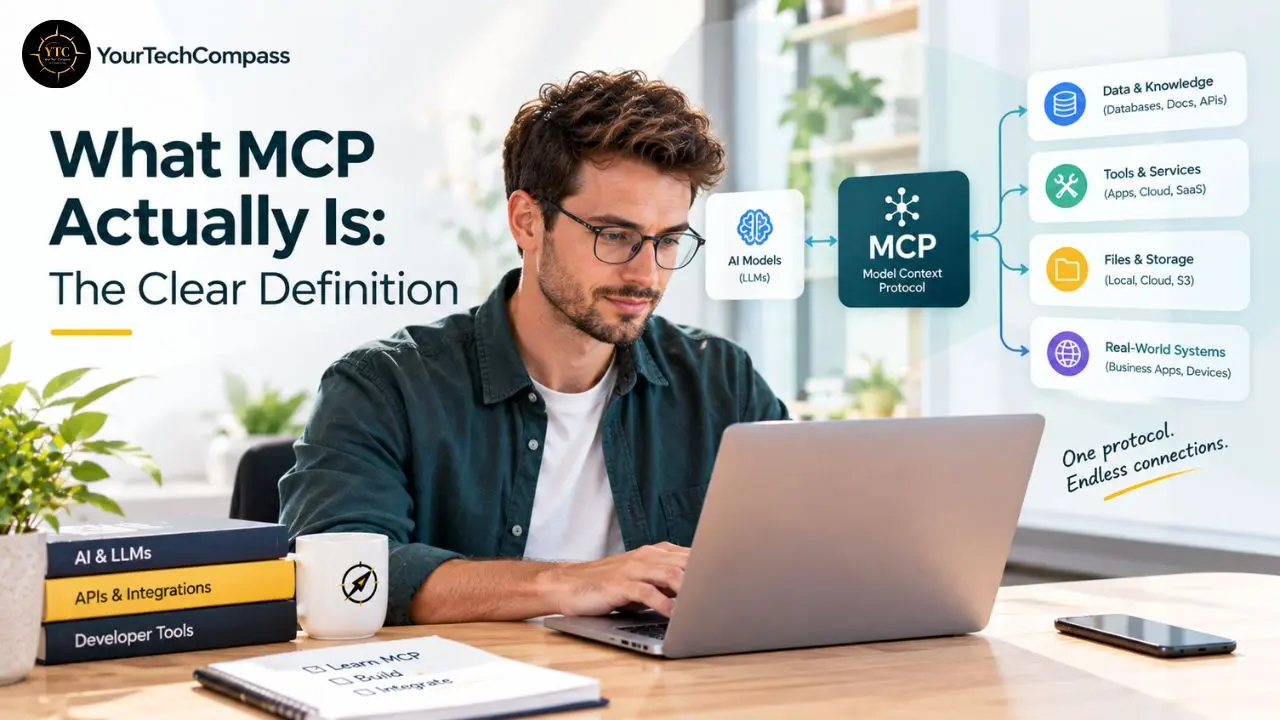
Model Context Protocol is not a framework, not an orchestration layer, and not a replacement for REST. It is a protocol, a specification for how AI agents communicate with external tools and data sources. Anthropic open‑sourced it in November 2024, and the current stable version is the 2026‑07‑28 spec.
The “Context” in MCP is deliberate and specific. It refers to context in the AI sense: the information, tools, and resources that an AI model needs access to in order to be genuinely useful in a given workflow, beyond what’s in its training data or the immediate conversation.
A model that can only reason about what’s in its context window is fundamentally limited. While a model that can query your database, read your files, search the web, and create tickets in your project management system has dramatically different practical capabilities, MCP is the protocol that makes that possible without the integration tax.
MCP standardizes three things:
- How a tool announces what it can do: capability discovery (tools, resources, and prompts), so an AI model can ask “what are you capable of?” and receive a structured answer.
- How an AI model requests a tool to do something: invocation, the actual request–response cycle.
- How the tool returns results to the model: response format, so the model knows how to interpret them.
By standardizing these three interactions, MCP creates an interface that any AI model can speak and any tool can implement, without prior coordination between the specific model and the specific tool.
The USB Analogy: Useful and Honest About Its Limits
The most common analogy for MCP is USB. Before USB, every peripheral needed its own specific connector; keyboards, mice, printers, cameras all had different ports and plugs. USB standardized the physical and electrical interface so that any device works with any USB port. MCP does something analogous for AI and tools.
The analogy is genuinely helpful but has an honest limit: USB standardizes hardware connectivity, while MCP standardizes semantic communication; the meaning of what’s being asked and returned. Semantic standardization is structurally harder than hardware standardization, which is why implementation quality matters more in the MCP ecosystem than it does in the USB ecosystem. Not all MCP servers are equally well-implemented, and understanding the architecture helps you evaluate what you’re working with.
Who Created It and What Its Status Is Now
Anthropic released MCP in November 2024 alongside reference servers for GitHub, Slack, Google Drive, Postgres, and Puppeteer. By March 2025, OpenAI had adopted MCP across its products, including the ChatGPT desktop app.
Anthropic’s donation of MCP to the Agentic AI Foundation under the Linux Foundation in December 2025 was the signal that cemented this. It removed any concern that MCP was a vendor‑controlled standard. The Linux Foundation governance model means no single company can steer it for competitive advantage.
As of early 2026, official SDKs exist for TypeScript, Python, C#, Java, Swift, and Go (with additional languages in beta/community tiers), and the ecosystem has scaled well beyond early “hundreds” counts. Anthropic’s December 2025 update reported 10,000+ active public MCP servers; aggregated directories in 2026 show 10k–20k+ listings depending on counting methodology, covering everything from databases and file storage to web scraping, messaging platforms, and project management tools.
How MCP Works: The Architecture Explained Clearly
This is the technical heart of the protocol, explained accessibly without losing accuracy. If you understand the three-component architecture, you understand how MCP works.
The Three Components
MCP uses a three-layer architecture that cleanly separates concerns. Those three layers correspond to three components: the Host, the MCP Server, and the MCP Client.
1. The MCP Host
This is the AI application or environment where you, as the user, interact, for instance, Claude Desktop, Cursor, Devin Desktop, a custom-built AI agent, or any AI-powered application that has implemented MCP support. The Host manages your interaction, maintains conversation context, and orchestrates which MCP servers are available to the AI model within that environment.
2. The MCP Server
This is a lightweight program that exposes the capabilities of a specific external tool or data source in an MCP-compatible format. A GitHub MCP Server exposes operations like “list repositories,” “read file,” “create issue,” and “search code.”
A filesystem MCP Server exposes “read file,” “list directory,” and “write file.” The server tells the AI what it can do, handles requests, executes operations against the underlying service, and returns results in the MCP standard format. Tool providers build official servers; community developers build servers for tools that haven’t built their own yet.
3. The MCP Client
This is the component within the Host application that handles communication with MCP servers. It manages simultaneous connections to multiple MCP servers, translates between the AI model’s reasoning about what it needs and the MCP protocol’s specific message format, and handles error and retry logic. Typically, the MCP Client is part of the Host application’s implementation rather than something you interact with directly.
The Communication Flow: A Concrete Example
Let me walk you through a specific scenario to make the architecture concrete rather than abstract.
Scenario: You ask Claude (running in Claude Desktop with MCP enabled) to “Check the latest issues on my project’s GitHub repo and create a Jira ticket for any that mention performance.”
- Claude Desktop has two MCP servers registered: a GitHub MCP Server and a Jira MCP Server
- Claude analyzes your request and determines it needs to: list GitHub issues, filter for performance mentions, and create a Jira ticket
- Claude Desktop’s MCP Client sends a request to the GitHub MCP Server: “list-issues” for the relevant repository
- The GitHub MCP Server authenticates with GitHub’s API and retrieves the issues list
- The server returns the formatted issues to Claude via the MCP Client
- Claude processes the response, identifies the relevant issues, and determines the Jira ticket content
- Claude Desktop’s MCP Client sends a request to the Jira MCP Server: “create-issue” with the relevant details
- The Jira MCP Server creates the ticket and returns confirmation
- Claude receives confirmation and reports the completed action back to you
The critical point here is that Claude didn’t require any custom code written specifically for GitHub or Jira. Both exposed their capabilities via MCP servers. Claude’s Host connected to both using the same protocol. You described the desired outcome; the protocol handled connectivity.
What MCP Servers Can Expose
Every MCP server exposes up to five building blocks: Tools (writable), Resources (read-only), Prompts (templates), Elicitation (user input mid-flow), and Sampling (server-side LLM calls).
In practice, the three you’ll encounter most are:
- Tools: Actions the AI model can ask the server to take; execute a database query, create a file, send a message, fetch data from an API.
- Resources: Data sources the AI model can read from, such as file contents, database records, API responses, and documents.
- Prompts: Pre-defined prompt templates that the server can offer to guide specific types of interactions.
The Transport Layer
Communication happens over JSON-RPC 2.0, with two transport options: stdio (local subprocess communication, perfect for desktop apps and development) and HTTP+SSE (remote, scalable connections). HTTP+SSE is deprecated as of the March 2025 spec, replaced by Streamable HTTP for remote, multi‑tenant, and SaaS deployments.
The transport decision is practical: if your MCP server runs on the same machine as the AI host application, use stdio. If it’s deployed remotely for team or enterprise access, use Streamable HTTP.
MCP vs API: The Most Common Point of Confusion
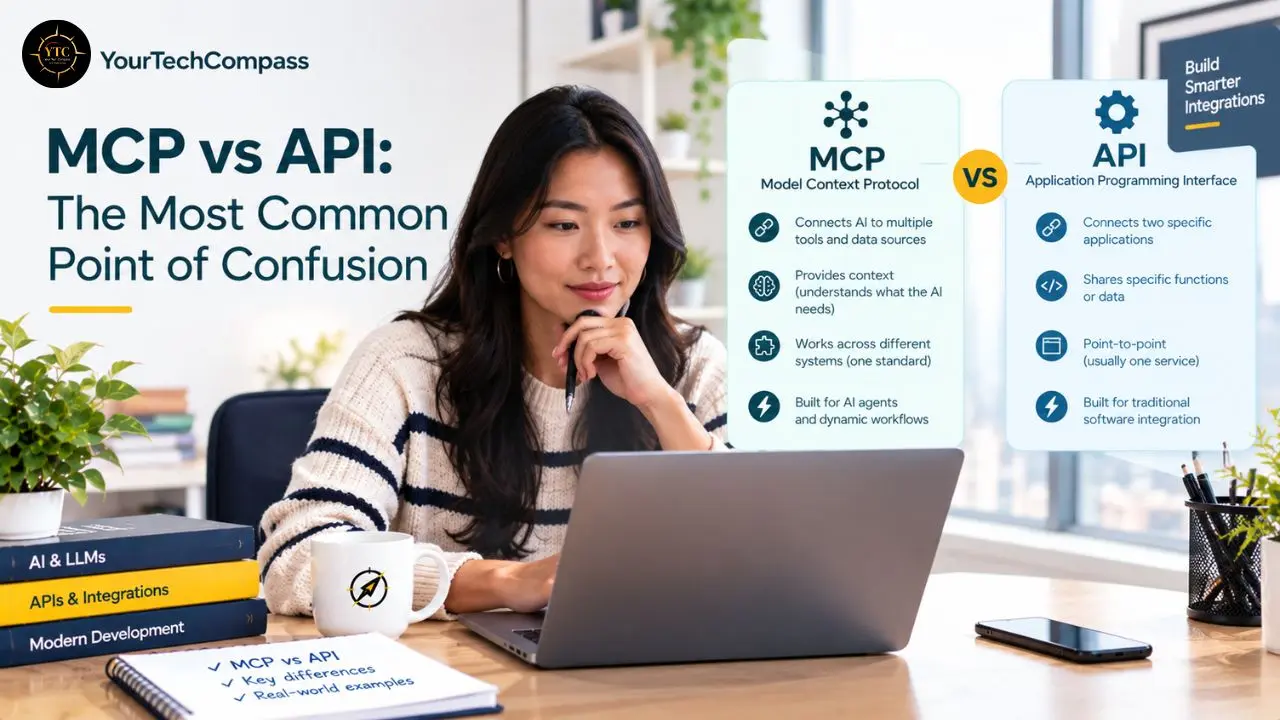
This distinction comes up in nearly every MCP conversation, and it’s worth resolving clearly because getting it wrong leads to misunderstanding what MCP actually does.
They’re Not Competing Technologies
An API (Application Programming Interface) defines how two software systems communicate, which endpoints exist, which data formats are required, and what authentication is required. An API is a specification for direct system-to-system communication.
MCP is a standard for how AI models interact with APIs. It’s a layer that sits on top of existing APIs and standardizes how AI models discover and use them. Think of it this way: GitHub’s API defines how any software communicates with GitHub. The GitHub MCP Server translates GitHub’s API into the standard MCP format so that AI models can understand and use it without needing to know GitHub’s API-specific details, such as the authentication approach, endpoint structure, or response format.
What MCP Adds That Direct API Calls Don’t
Dynamic Capability Discovery
An AI model can ask an MCP server “what can you do?” and receive a structured description of available tools, their input parameters, and their expected outputs. With direct API calls, developers must define all possible operations in advance and hardcode them into the AI’s available functions.
Model-Agnostic Portability
Any host that speaks MCP can connect to any MCP server, regardless of whether the underlying model is GPT-5.5, Claude 4, Gemini, or a fine-tuned open-weight model running on your own infrastructure. Direct API integrations are model-specific and don’t transfer.
Auditable AI Actions
MCP’s server-side control means every tool call goes through a defined, loggable interface. This makes AI-assisted workflows compliance-friendly, essential for teams operating in regulated industries or under data governance requirements.
Reduced Vendor Lock-In
Instead of maintaining separate AI integrations for each model you evaluate or adopt, one well-designed MCP server layer serves all models. Vendor lock-in is reduced; model swaps become configuration changes rather than engineering projects.
When You Still Need Direct APIs
MCP is optimized for AI-to-tool communication within agentic workflows. It’s not a replacement for API integrations between non-AI systems.
Application-to-application integrations, data pipelines, and software connections that don’t involve AI reasoning use APIs directly. MCP adds value specifically when an AI model is in the loop, making decisions about what to do next.
Use MCP for AI-first workflows where multiple tools and hosts need to interoperate. Use REST APIs for traditional app-to-app integrations and webhooks where AI is not in the loop. Use function calling when you’re locked into one model provider and portability isn’t required.
Real-World MCP Use Cases
Abstract capability descriptions are less useful than seeing how MCP plays out in actual workflows. Here are five concrete use cases that illustrate what the protocol makes possible.
Use Case 1: AI-Powered Development Environment
A developer running Claude Desktop or Cursor with MCP servers for filesystem access, GitHub, terminal execution, and web browser automation gets an AI coding assistant that can read their codebase, look up relevant GitHub issues, run tests in the terminal, and check documentation, all within a single conversational interface. The developer describes the outcome; the AI determines which tools to invoke and in what order.
This is exactly the workflow that Devin Desktop (formerly Windsurf) has built around, and it’s why the Cursor AI review on YourTechCompass specifically covers MCP integration as a key capability dimension. Our guide on using Claude AI for coding covers practical Claude-based coding workflows, in which MCP is increasingly central to how the AI interacts with your actual development environment.
Use Case 2: Enterprise Knowledge Assistant
An internal AI assistant with MCP servers for Google Drive, Confluence, Slack, and an internal database becomes a company knowledge tool: an employee asks “what did the Q2 product strategy document say about the mobile roadmap?” and the AI retrieves the relevant document, reads the relevant section, cross-references Slack discussions, and answers, without the employee manually searching through four separate systems. This specific use case (AI that can act on organizational knowledge rather than generic training data) is the primary driver of enterprise MCP adoption.
Use Case 3: Automated Research and Reporting
An AI agent with MCP servers for web search, Notion, email/calendar, and Google Sheets can run a market research workflow: query web sources, compile findings, create a structured report in Notion, and share it via email; an autonomous multi-step workflow that previously required a human to bridge multiple applications at each handoff.
Use Case 4: Customer Support Intelligence
A support tool with MCP servers for a CRM, ticketing system, internal documentation, and product database gives support agents an AI that can look up a customer’s history, check open tickets, query product documentation, and draft a personalized response, all from a single interface rather than four browser tabs.
Use Case 5: MCP in African Tech Contexts
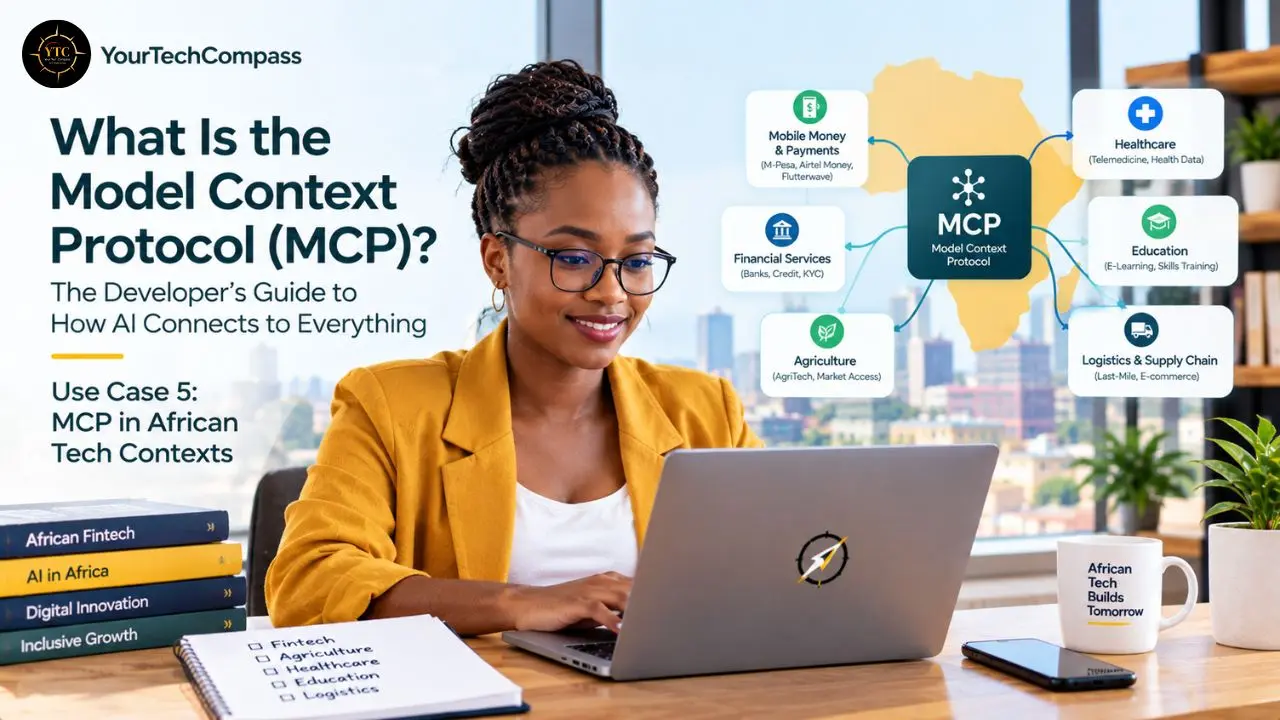
For developers and organizations building AI applications across African markets, MCP is particularly relevant for what it enables in local data connectivity. The protocol allows AI tools to connect to Africa-specific data sources (local ERP systems, government open data APIs, regional financial platforms, agricultural data feeds) using the same standard that connects to global services.
Consider an agricultural advisory AI that connects via MCP to local weather APIs, commodity price feeds, soil-type databases, and crop-calendar systems. With MCP, the developer doesn’t write custom integration code for each data source; they deploy MCP servers for each one, and the AI can dynamically query all of them based on what a farmer asks.
Our guide on how AI is revolutionizing agriculture in Africa covers exactly the application categories where this kind of multi-source AI connectivity matters most for African smallholder farmers. In addition, our AI in Africa category tracks all significant developments in the space.
The compliance and data governance dimension is also specifically relevant in the African regulatory context. MCP’s server-side control means every tool call goes through a defined, loggable interface, making AI-assisted workflows compliant-friendly. As African national AI governance frameworks develop (covered in depth in our AI policy in Africa guide), the auditability of AI tool calls through MCP becomes a technical enabler of the transparency and accountability requirements that those frameworks are building toward.
The MCP Ecosystem: Who’s Building What
Major Platform Adoption
Major adopters include Anthropic (Claude Desktop, Claude Code), OpenAI (ChatGPT desktop app), Google DeepMind, Microsoft (Semantic Kernel, Azure OpenAI), Salesforce (Agentforce), Block, Cloudflare, and Replit. The breadth of this adoption (across the three leading AI labs and major enterprise software companies) is what separates MCP from a single‑vendor integration format and establishes it as genuine infrastructure.
The Server Ecosystem
The official MCP Registry launched in preview on September 8, 2025. By 2026, community directories report widely varying totals depending on counting methodology: curated lists track a few hundred high‑quality servers, while large aggregators index thousands to tens of thousands of entries.
The categories covered by official and community servers now include:
Category | Examples |
Development Tools | GitHub, GitLab, Linear, Jira, Asana |
File Storage | Google Drive, Dropbox, Box, filesystem |
Databases | PostgreSQL, MySQL, SQLite, MongoDB |
Communication | Slack, email, Microsoft Teams |
Web and Search | Brave Search, web scraping, Puppeteer |
CRM and Sales | Salesforce, HubSpot |
Documentation | Confluence, Notion, Readme |
Cloud Infrastructure | Docker, Kubernetes, AWS, Cloudflare |
Payments | Stripe |
Design | Figma |
Development Tool Integration
IDEs such as Cursor, Zed, and Windsurf natively embed MCP clients. Claude Code, Anthropic’s CLI agentic coding tool, relies heavily on MCP for its tool ecosystem. For the developer audience, this means MCP isn’t primarily something you configure separately from your tooling; it’s increasingly built into the development environments you already use.
Our GitHub Copilot guide covers how Copilot’s agent mode has evolved within this tool-connectivity paradigm. In addition, our full AI Unboxed category tracks model and tooling developments across the frontier, and our Tech Guides section covers practical implementations including MCP-based workflows.
MCP and the Agentic AI Shift
MCP is fundamentally an enabling protocol for agentic AI. AI systems can take sequences of actions across multiple tools to complete complex tasks without human intervention at each step. By Q2 2026, the ecosystem has moved from “interesting experiment” to infrastructure-critical for anyone building agentic systems.
The models at the frontier of agentic capability, covered in our Claude Opus 4.7 guide and our GPT-5.5 vs Claude Opus 4.8 comparison, are the primary beneficiaries of MCP’s connectivity standardization. Understanding those models’ capabilities is the right complement to understanding MCP’s role in infrastructure.
Furthermore, our Claude AI guide provides the full picture of Anthropic’s model family that MCP was built alongside. And our ChatGPT 5.4 guide covers OpenAI’s model tier that adopted MCP in early 2025.
Getting Started With MCP: What Developers Need to Know
If You Want to Use Existing MCP Servers
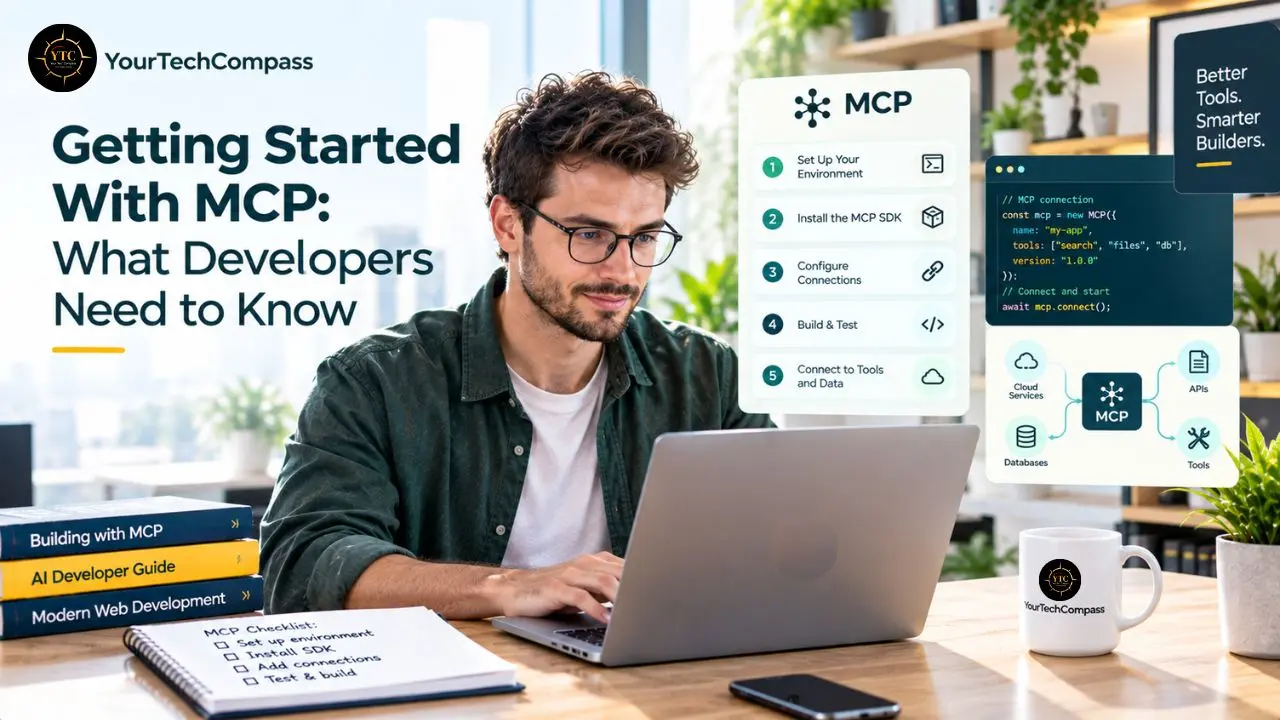
The fastest path to experiencing MCP is through Claude Desktop, currently one of the most fully featured MCP Host environments available. Install it, enable MCP in the settings, and add MCP server configurations to your Claude Desktop config file in JSON format.
The configuration specifies which MCP servers are available and how to launch them. Restart Claude Desktop, and the servers you’ve configured are available to Claude in that conversation environment.
For development environments, Cursor added MCP support in late 2025 with a similar setup: configure servers, restart, and they’re available to the AI within your IDE.
If You Want to Build an MCP Server
The protocol defines three core primitives: Resources are read-only data that a server exposes, such as a file, a database record, or a paginated API response. Tools are callable functions: create a ticket, send a message, fetch an employee record. Prompts are reusable templates.
Official SDKs exist for TypeScript, Python, C#, Java, and Swift. Building an MCP server means implementing the MCP protocol interface in one of these SDKs, defining which tools your service exposes and their input/output schemas, and handling authentication for your underlying service. Anthropic maintains example servers in the official MCP GitHub repository that serve as implementation references.
If You’re Evaluating MCP for an Organization
The key assessment questions to answer before committing to MCP-based architecture:
- Which data sources and tools would most benefit from AI access in your workflows?
- Do MCP servers already exist for those tools, or would you need to build them?
- Which AI models and Host applications does your team use, and do they support MCP?
- What authentication and data governance requirements apply to the connections you’d be making?
The Security Considerations That Matter
MCP servers have real access to your systems. That filesystem server can read any path you allow. That database server can run any query. That shell server can execute commands. This means you need to think about what you expose through MCP the same way you think about API permissions.
Be careful with community MCP servers. The ecosystem is large, and not everything is well-reviewed. For anything touching production systems or sensitive data, audit the server code before using it. Remote MCP servers need proper auth; treat them like any API: authentication, rate limiting, audit logging.
The protocol has built-in security through a permission-scoping model, but implementation quality varies. The security considerations that apply to API permissions apply to MCP server permissions: scope carefully, audit community servers before deploying them in production, and treat remote MCP server deployments as you would any production API surface.
FAQs
Anthropic released MCP as an open-source protocol in November 2024, designed to be vendor-neutral from the start. In December 2025, Anthropic donated the protocol to the Agentic AI Foundation (AAIF), a directed fund within the Linux Foundation co-founded by Anthropic, Block, and OpenAI. It is fully open source, with the specification and official SDKs available publicly on GitHub.
No, and the distinction matters. Function calling is a model-specific capability that lets an AI model call predefined functions during a conversation, but the function definitions are baked into the model’s code. MCP is a protocol that standardizes how AI models discover what tools are available and communicate with them dynamically, independent of which model you’re using. MCP can use function calls under the hood, but it solves a different, broader problem.
Major adopters include Anthropic (Claude Desktop, Claude Code), OpenAI (ChatGPT desktop app), Google DeepMind, Microsoft (Semantic Kernel, Azure OpenAI), Salesforce (Agentforce), Block, Cloudflare, and Replit. Development tools including Cursor, Zed, and Devin Desktop embed MCP clients natively. The short answer: every major AI lab and a growing majority of significant AI development tools now support MCP.
Yes, this is a central design goal of MCP and the reason it became the dominant standard. Any host that speaks MCP can connect to any MCP server, regardless of whether the underlying model is GPT-5.5, Claude 4, Gemini, or a fine-tuned open-weight model running on your own infrastructure. MCP is model-agnostic by design.
An API defines how any software communicates with a service. An MCP server is a specific implementation that translates a service’s API into MCP format, allowing AI models to interact with it using the standard protocol. The API is the underlying service interface; the MCP server is the AI-compatible adapter that sits in front of it.
MCP Is the Map for Agentic AI

MCP is solving what was genuinely the primary practical constraint on agentic AI: the gap between what AI models can reason about and what they can actually access and act on in real‑world tool environments where work happens. As of mid‑2025, MCP functions as the de facto connectivity standard for agentic AI applications, and by 2026, with 10k–20k+ servers, adoption across every major AI lab, and governance moved to the Linux Foundation, that status has only solidified. By standardizing how AI models discover and communicate with external tools, MCP has done for AI integration what USB did for device connectivity: turned a problem that required custom engineering into a standard that anyone can implement once and benefit from everywhere.
The right question for you, whether you’re a developer, a technical product manager, or a business leader trying to understand what your engineering team is actually building, isn’t whether MCP matters. The ecosystem adoption has settled that. The right question is what it changes for your specific workflow. If you’re a developer, the entry point is to deploy existing MCP servers for the tools you already use and experience the workflow shift firsthand. If you’re building a product, the entry point is evaluating whether building an MCP server would make your tool accessible to an expanding ecosystem of AI clients without per‑integration custom work. Either way, the investment in understanding MCP now is an investment in understanding where AI’s tool connectivity is going, because the agentic AI workflows being built today are being built on this infrastructure.
For more practical, research-backed guides on AI tools, protocols, and how they’re reshaping work, head to YourTechCompass.com.