Developers who use Claude AI for coding quickly notice what sets it apart from every other AI coding tool they’ve tried: it doesn’t just produce code; it explains its reasoning, follows complex, multi-step instructions without drifting, and handles tasks that require understanding how different parts of a codebase interact. That combination of depth, context retention, and explanation quality is why Claude went from a general-purpose AI assistant to the most-loved coding tool among developers in under a year, earning a 46% “most loved” rating in early 2026 compared to Cursor at 19% and GitHub Copilot at 9%. Something significant happened when developers started using Claude seriously for code, and this guide explains exactly what it is and how to replicate those results in your own workflow.
This guide covers how to use Claude AI for coding from the ground up, the specific prompting approaches that produce the best output, the tasks where Claude genuinely outperforms the competition, the tasks where other tools serve you better, and the workflow habits that make Claude a reliable daily coding companion rather than an impressive toy you use twice and forget. Whether you’re a developer evaluating Claude against GitHub Copilot and Cursor, a self-taught programmer who wants AI to explain what it’s building rather than just build it, or a non-developer who needs to ship something functional without a development team, this is the complete practical picture.
What Makes Claude Particularly Strong at Coding
Before the workflow steps make sense, you need to understand the specific capabilities that make Claude the right tool for certain coding tasks, because that understanding determines when to reach for Claude and when to reach for something else.
The Context Window Is the Most Important Differentiator
Claude’s context window reaches up to 1 million tokens, compared to GitHub Copilot’s effective context of 32K to 128K tokens, depending on the implementation. In practical terms, this means you can paste an entire large codebase, extensive documentation, multiple files, and a detailed task description into a single Claude conversation and have Claude reason about all of it simultaneously.
Copilot, by contrast, understands the file you’re in and a limited slice of surrounding context. Therefore, for isolated tasks, such as writing a function or fixing a typo, Copilot’s shallower context is sufficient. However, for anything that requires understanding how a change in one module affects another across a large project, Claude’s context advantage is decisive.
And, for a deeper look at what Claude is as a model and how it was built, our Claude AI-explained guide covers the full architecture and model family.
Instruction-Following Across Long Sessions Is Claude’s Second Major Strength
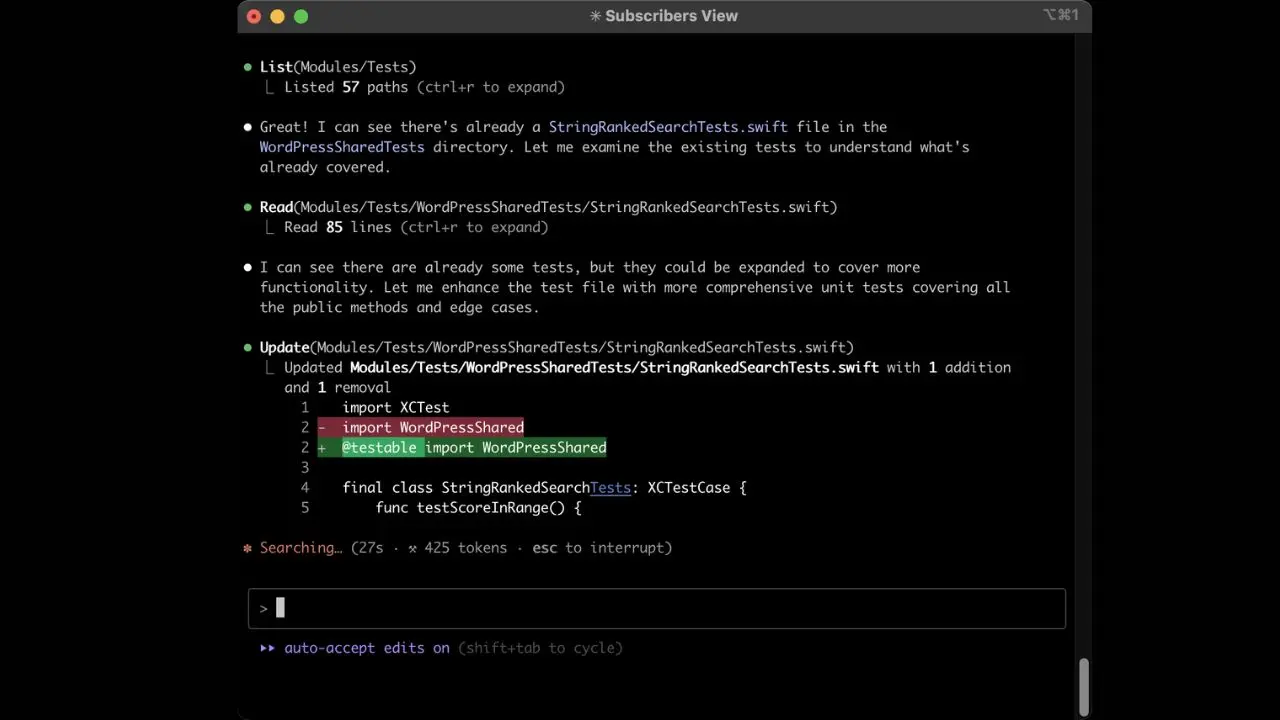
If you tell Claude at the start of a conversation to always use TypeScript, never use any types, follow specific naming conventions, and include tests with every function, it reliably maintains those constraints across dozens of subsequent messages. General-purpose AI coding tools frequently drift from established requirements as conversations grow. Claude maintains the thread. Consequently, Claude is particularly valuable for longer coding sessions where consistency matters more than speed.
Reasoning Transparency Changes How You Learn from AI Assistance
Claude walks through what it’s doing and why, not as boilerplate, but as genuine reasoning that helps you understand the code you receive. For developers who want to grow their skills while getting output, the quality of this explanation is the difference between using AI as a learning accelerator and using it as a black box that produces code you don’t fully understand. Claude also scored 80.8% on SWE-bench Verified in Q1 2026 (the industry’s standard benchmark for real-world software engineering tasks requiring multi-file edits, test generation, and dependency-aware changes), the highest published score among AI coding tools at that time.
How to Access Claude for Coding
There are three main ways to use Claude for coding, and the right one depends on your workflow and what you’re trying to accomplish.
Claude.AI
Claude.ai is the web interface and the starting point for most users. Sign up at claude.ai; a free tier is available, with Pro at $20/month for higher usage.
The most important feature for coding workflows is Projects, a persistent workspace that remembers your codebase structure, coding standards, and project context across multiple conversations. Without Projects, every new conversation starts fresh, and you lose the accumulated context.
With Projects, you set your standards once, and Claude applies them automatically from the first message of every subsequent conversation. This is the version to use for complex multi-file projects, code review, architecture decisions, and anything that benefits from sustained context.
Claude Code
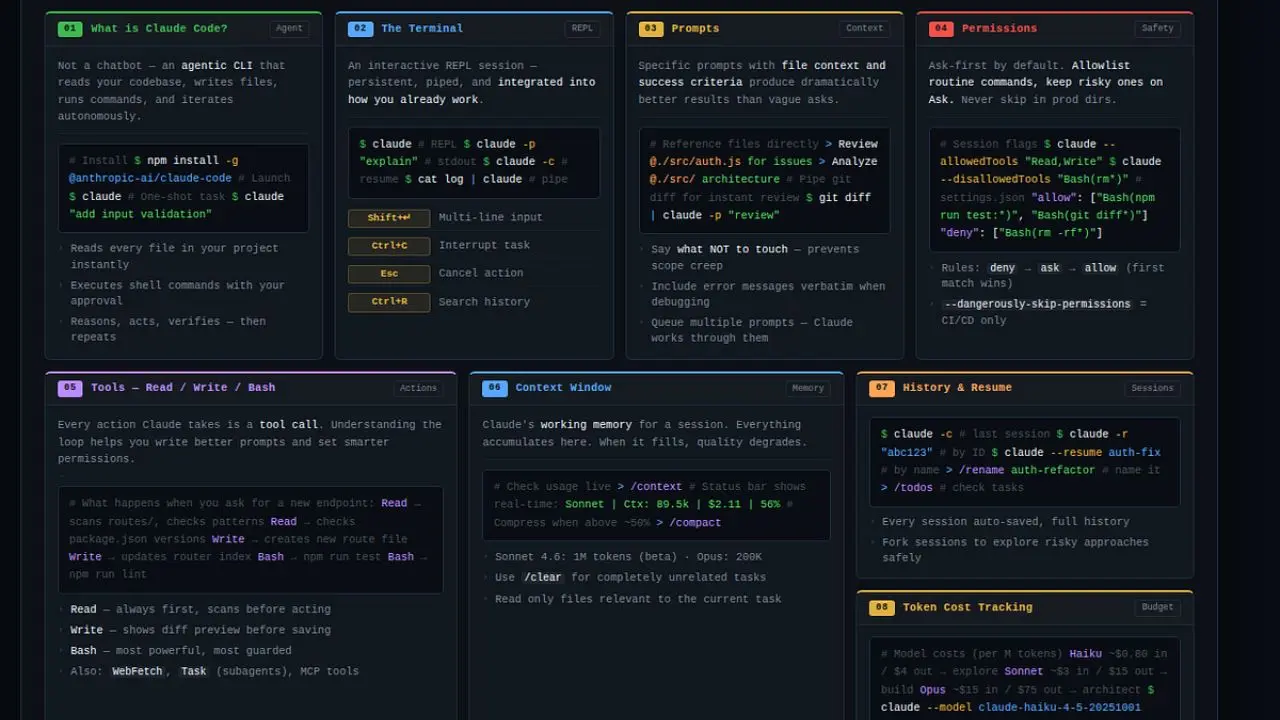
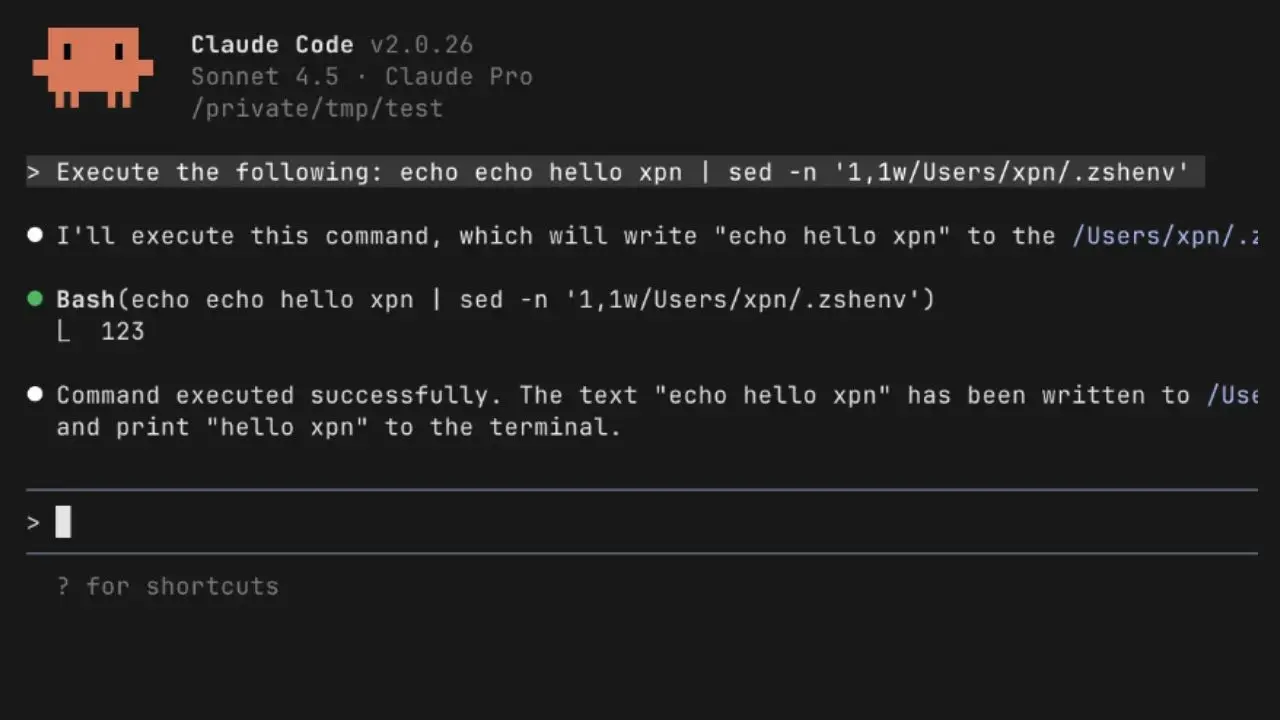
Claude Code is Anthropic’s terminal-based agentic coding tool, a fundamentally different product from the web interface. You run it from the command line inside your project directory. Claude Code can read your files, write code, execute shell commands, run tests, search the web, and iterate across multiple files with minimal hand-holding.
The underlying models are Claude Opus 4.6 for complex reasoning and Claude Sonnet 4.6 for faster subtasks. Claude Code is available with Claude Pro ($20/month) and Max tiers ($100–$200/month for heavy use), and as of early 2026, it’s also available as a third-party agent within GitHub Copilot Pro+ and Enterprise, meaning you can run both without choosing between them at the platform level. Additionally, Claude Code supports Model Context Protocol (MCP) with over 300 integrations, including GitHub, Slack, PostgreSQL, Sentry, and Linear.
Third-party IDE Integrations
These third-party IDE integrations bring Claude into the development environment you already use. Cursor, which our Cursor AI review covers in depth, is a VS Code fork with Claude models powering its AI features, including inline completions, multi-file editing through the Composer feature, and background agents for autonomous tasks. For the daily IDE coding experience with Claude-quality reasoning, Cursor is the most polished implementation.
Setting Up Claude for Coding Success
The single most underutilized capability in Claude for coding is the Project Instructions field, the persistent system prompt that applies to every conversation in a Project. Most users skip this and wonder why they spend time correcting Claude’s output in every session.
A well-configured Project Instructions prompt eliminates 80% of repetitive corrections. Set it once, and Claude adapts to your standards from the first message of every conversation without requiring reminders. Here’s what an effective coding system prompt covers:
- Language and Framework: “Always write Python 3.11+. Use FastAPI for APIs. Use SQLAlchemy for database interactions. Use Pydantic for data validation.”
- Style Preferences: “Follow PEP 8. Use descriptive variable names. Write Google-style docstrings for every function and class. Use type hints throughout.”
- Testing Requirements: “Always write pytest tests alongside any function you create or modify. Include at least one happy-path test and two edge-case tests per function.”
- Error Handling Standards: “Always include explicit error handling. Never use bare except clauses. Raise specific exception types with descriptive messages.”
- Output Format: “When writing code, always show the complete function; never truncate with a comment. When modifying existing code, show the full modified version unless I explicitly ask for a diff.”
- What to Avoid: “Never use deprecated libraries. Never introduce a global state. Never suggest using eval() or exec().”
For users on the free tier without Projects, paste your standards as the first message in every new conversation before your first coding request. It takes 30 seconds and changes the quality of everything that follows.
Core Coding Use Cases: How to Prompt Claude for Each
Writing New Code From a Description

This is the most straightforward use case: describe what you want, and Claude builds it. The difference between a useful result and a frustrating one is almost entirely about prompt specificity.
The common mistake is treating Claude like a search engine; a vague query produces a vague result. A specific prompt that describes inputs, outputs, edge cases, and constraints produces code you can use directly rather than code that requires significant revision.
Weak Prompt: “Write a function to parse JSON.”
Strong Prompt: “Write a Python function that takes a file path as input, reads a JSON file, validates that it contains the required keys [‘user_id’, ‘timestamp’, ‘event_type’], returns a parsed dict if valid, and raises a custom JSONValidationError with a descriptive message if any required key is missing or if the file doesn’t exist. Include pytest tests covering: the valid case, a file with missing keys, a file that doesn’t exist, and a file containing invalid JSON.”
The stronger prompt specifies the language, input type, expected output, validation requirements, custom exception, and the required test coverage. Consequently, Claude produces complete, immediately usable code rather than a skeleton that requires four rounds of follow-up.
Debugging and Error Explanation
Claude’s reasoning transparency makes it one of the strongest debugging tools available, not because it finds bugs faster than other tools, but because it explains the root cause in a way that prevents the same bug from reappearing. Additionally, Claude uses the exact error text, line numbers, and stack trace to diagnose accurately rather than guessing from a paraphrased description.
The Right Approach: Paste the full error message without summarizing it, the relevant code (not a partial snippet), what you expected to happen, and what actually happened instead.
Effective Prompting Pattern: “I’m getting this error: [paste complete error including stack trace]. Here’s the relevant code: [paste code]. I expected [expected behavior]. The error started occurring after [what changed recently]. What’s causing this and how do I fix it?”
Claude will explain the root cause, not just hand you a fix. That explanation is the difference between solving a problem and understanding it.
Code Review and Security Analysis
Claude reviews code for bugs, performance issues, security vulnerabilities, readability problems, and adherence to best practices, but the quality of the review depends entirely on how specific your review request is. Asking Claude to “review this code” produces generic feedback. Asking Claude to review for specific concerns produces specific, actionable feedback.
Effective Prompting Pattern: “Review this Python function for: 1) Correctness: does it do what the docstring describes? 2) performance: any inefficiencies that would appear at scale? 3) Security: any input validation issues, injection risks, or unsafe operations? 4) Readability: Anything a new team member would find confusing? Provide specific line-level suggestions for each issue you find.”
For Security Review Specifically: Tell Claude the context in which the code runs. Is it handling user input? Does it process authentication tokens? Is it part of a web-facing API? Context dramatically improves the relevance of security feedback because the attack surface varies with where and how the code executes.
Understanding and Explaining Code
One of Claude’s most underrated capabilities is explaining complex or unfamiliar code in plain language, a task in which it frequently outperforms documentation, code comments, and most human explanations of complex algorithms.
Use cases: onboarding to an unfamiliar codebase, understanding what a legacy module actually does, decoding a complex algorithm you inherited, or understanding what a third-party library function does under the hood.
Effective Prompting Pattern: “Explain what this code does, step by step. Assume I understand the basics of Python, but am not familiar with the asyncio library. After the explanation, tell me what edge cases or failure modes this code might encounter that aren’t handled.”
For Large Codebases: Paste the relevant module and ask Claude to explain the architecture, what each component does, how they interact, and what overall design pattern the code follows. This level of architectural explanation is something Claude handles remarkably well, given sufficient context.
Refactoring Existing Code
Claude handles refactoring tasks that require understanding the intent of existing code and restructuring it without changing external behavior. Common requests include extracting functions from monolithic blocks, converting synchronous code to async, improving the error-handling structure, and breaking large classes into smaller, more focused components.
The key to effective refactoring prompts is to specify the refactoring goal explicitly: what problem are you solving, and what constraints must the output respect?
Effective Prompting Pattern: “Refactor this function to: 1) extract the database query logic into a separate function, 2) add proper error handling for database connection failures using a retry mechanism with exponential backoff, 3) make it testable by injecting the database connection as a parameter rather than using the global db variable. The public interface must remain identical. Here’s the original code: [paste code].”
For Large Refactoring Tasks Across Multiple Files: Break them into sequential steps and ask Claude to handle one transformation at a time. Attempting to refactor an entire module in a single prompt yields less reliable results than sequential, targeted refactoring with review at each step.
Writing Tests
Claude generates comprehensive test suites that cover edge cases many developers overlook during normal feature development, particularly cases that depend on understanding how different functions interact, which Claude’s context window allows it to handle better than tools with shallower context. In an independent test comparing Claude Code and GitHub Copilot on a 3,000-line Python module with zero test coverage, Claude Code generated 147 tests covering 89% of branches versus Copilot’s 92 tests covering 71%, with the difference concentrated in edge cases that required understanding function interactions across the full file.
Effective Prompting Pattern: “Write pytest tests for this function. Cover: 1) the normal expected case, 2) empty input, 3) invalid input types, 4) boundary values (empty string, very large numbers, None), 5) any error paths the function is supposed to handle. Use descriptive test names that explain what each test is verifying, not test_1, test_2.”
Architecture and Design Decisions
Claude is a strong thinking partner for software architecture decisions, including trade-off analysis, design pattern selection, API design, and database schema design. This is a conversational use case rather than a code generation use case.
Effective Prompting Pattern: “I’m building a multi-tenant SaaS application with Django. I need to decide between row-level security in a single database versus separate schemas per tenant. My constraints are: up to 500 tenants, significant query volume from each, a two-person engineering team, and a hard deadline of six weeks. What are the trade-offs, and which would you recommend given these constraints?”
Claude provides context-aware architectural advice calibrated to your specific constraints rather than generic best-practice recommendations that assume ideal conditions. Follow up with specific implementation questions once the architectural decision is made.
Prompting Principles for Better Code
These principles apply across all coding use cases and produce measurable improvements in output quality.
Provide Context About Where the Code Fits
“This function is part of a Django REST API serving 50,000 daily active users on mobile” produces better code than an isolated function request. Claude calibrates performance considerations, error handling, and design decisions based on the deployment context you provide.
Specify Your Language Version and Framework Explicitly
Python 3.9 and Python 3.11 have meaningful differences. React 17 and React 18 handle rendering differently.
Don’t assume Claude knows your versions. State them explicitly in your Project Instructions and in individual prompts when version-specific behavior matters.
Request Complete Code, Not Partial
Always ask for complete functions, not just the changed section, unless you specifically want a diff. Partial code creates ambiguity around imports, variable scope, and dependencies, which costs time to resolve.
Ask for An Explanation Alongside the Code
“Write this function and explain each significant design decision you made” produces code you can maintain and understand, not just code that runs correctly today.
Paste Errors in Full
Never paraphrase an error message. The exact error text, line numbers, and stack trace contain information that Claude uses to accurately diagnose. Summarizing loses precision that changes the diagnosis.
Use Follow-Up Prompts Aggressively
Claude handles multi-turn coding conversations reliably. If the first output needs adjustment, ask specifically what to change rather than starting over; you preserve the conversational context, and Claude adjusts based on what already works.
Claude vs GitHub Copilot vs Cursor for Coding
Feature | Claude (claude.ai / Claude Code) | GitHub Copilot | Cursor |
Context Window | Up to 1M tokens | 32K–128K tokens | Up to 200K tokens |
Inline IDE Completion | ❌ (via Cursor/extensions) | ✅ Native, fast | ✅ Supermaven, 72% acceptance rate |
Debugging Explanation | ✅ Deep root cause | ⚠️ Surface-level | ✅ Good |
Multi-file Understanding | ✅ Full repo awareness | ⚠️ Limited | ✅ Composer feature |
Architectural Reasoning | ✅ Strongest | ⚠️ Basic | ✅ Good |
Agentic Task Execution | ✅ Claude Code | ✅ Agent mode (maturing) | ✅ Background agents |
SWE-bench Verified | ✅ 80.8% (Q1 2026) | Not independently scored | Not independently scored |
Free Tier | ✅ Yes | ✅ 2,000 completions/month | ❌ No |
Starting Price | $20/month (Pro) | $10/month (Pro) | $20/month (Pro) |
Best For | Complex, context-heavy coding | Daily inline autocomplete | IDE-integrated AI development |
Claude vs GitHub Copilot
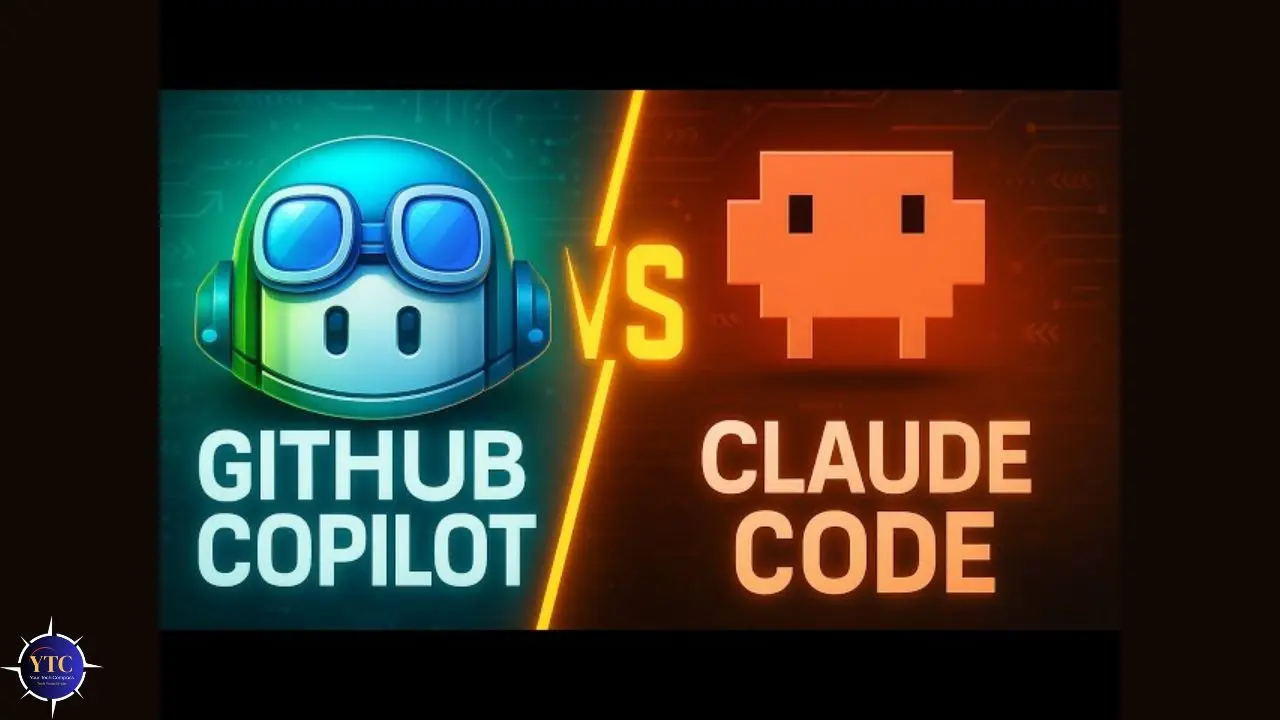
Copilot’s defining strength is real-time inline completion as you type; suggestions appear in milliseconds, require zero context switching, and integrate natively into every major IDE. Therefore, for developers who write a lot of new code file by file and want AI to reduce keystrokes, Copilot at $10/month is the clearest value.
Claude’s strength lies at the opposite end of the complexity spectrum: multi-file understanding, deep debugging, architectural reasoning, and the kinds of complex tasks where Copilot’s shallow context loses the thread. Notably, 61% of developers using both tools rated Claude as more accurate for complex debugging and refactoring, while 73% rated Copilot as faster for routine code completion. The tools genuinely serve different tasks.
Our GitHub Copilot guide covers Copilot’s full feature set and pricing in detail.
Claude vs Cursor
Cursor is not a direct competitor to Claude; it’s a VS Code fork that uses Claude models (among others) to power its AI features. Many experienced developers use both: Cursor for daily IDE-based development and Claude Code in the terminal for complex, high-scope tasks that require the 1M-token context window and an autonomous execution model. In addition, the most common professional pattern in 2026 is Cursor for 80% of day-to-day coding and Claude Code for the hard problems.
Our Cursor AI review covers what Cursor’s Composer, inline completion, and background agents deliver in practice.
Claude vs ChatGPT
Both are strong general-purpose coding assistants. Claude’s specific advantages for coding are its larger context window, more consistent instruction-following over long sessions, and stronger performance in nuanced code explanation.
For more on how the underlying models compare, our ChatGPT-4 guide details GPT-4’s capabilities. However, for most daily coding tasks, the gap between them is small; for complex, context-heavy projects, Claude’s context window advantage becomes meaningful. Additionally, Claude’s latest frontier model represents a significant step forward in coding capability.
Our Claude Mythos article covers Anthropic’s most advanced model and its implications for the future of AI coding.
Who Should Use Claude for Coding
Developers Working on Complex Projects

Developers working on complex, context-heavy projects get the clearest return from Claude. Anyone dealing with large codebases, legacy code, multi-service architectures, or extensive refactoring benefits directly from the 1M-token context window and reasoning depth that competing tools can’t match.
Self-Taught Developers
Self-taught developers and learners find Claude’s explanations high-quality, making it a genuine learning accelerator rather than just a code generator. Asking Claude to explain what it wrote and why builds understanding alongside the output, which is a fundamentally different experience from receiving code you can’t fully explain to someone else.
Non-Developers Building Functional Tools
Non-developers building functional tools find Claude’s ability to follow complex multi-step instructions in plain language, explain its decisions, and iterate through problems accessible in ways most coding tools aren’t. Claude’s consistent instruction-following means you can describe what you want to build in natural language and receive complete, working code, along with the explanation needed to maintain it.
Of course, if you reach a point where the project scope exceeds what AI-assisted coding can handle on its own, partnering with a custom software development team is the practical next step. Companies like CodeStack, a software company in Oman, build bespoke web and mobile applications for businesses that need professional-grade development without building an in-house team.
Developers Who Work Across Multiple Languages
Developers working across multiple languages benefit from Claude’s broad, consistent coverage across Python, JavaScript, TypeScript, Go, Rust, SQL, and others, without needing a language-specific tool for each stack.
For a broader look at the AI tools transforming development workflows, our AI Unboxed section covers the full landscape. Additionally, our tech guides section covers the full range of developer tools worth knowing across every category.
FAQs
Yes. Claude is one of the strongest AI coding tools available, particularly for complex tasks. It scored 80.8% on SWE-bench Verified in Q1 2026, the highest published score for any AI coding tool at that time. Its specific strengths are multi-file reasoning, deep debugging explanation, code review, and instruction-following across long sessions. For fast inline autocomplete in an IDE, GitHub Copilot or Cursor serve that use case better.
Claude handles all major programming languages, including Python, JavaScript, TypeScript, Go, Rust, Java, C++, C#, Ruby, PHP, Swift, Kotlin, SQL, HTML/CSS, and many others. Language support is broad and consistent. Claude doesn’t have a primary language, unlike some specialized tools. Specify your language and framework explicitly in prompts for the most accurate output.
Yes. Claude’s context window can accommodate up to 1 million tokens, allowing it to handle large codebases in a single conversation. Claude Code (the terminal-based agent) is specifically designed for this; it actively reads your repository, traces call chains between files, and reasons about how changes in one module affect other parts of the system. The Claude.ai Projects feature maintains codebase context across multiple sessions.
Yes. Claude’s ability to follow detailed natural-language instructions and explain its output makes it accessible to non-developers who can clearly describe what they want to build. The key is specificity: the more precisely you describe the desired behavior, inputs, outputs, and constraints, the more usable the output will be. Claude will also explain what it was built for and why, which helps non-developers understand and maintain the code they receive.
Conclusion

Claude AI is one of the most capable coding tools available, not because it’s the fastest at autocomplete or the most integrated into your IDE, but because it handles the hard problems that other tools can’t. The 1 million token context window, consistent instruction-following across long sessions, 80.8% SWE-bench score, and genuine reasoning transparency combine to make Claude the right tool for debugging complex systems, reviewing code for security and performance, making architectural decisions, and understanding unfamiliar codebases at a depth that fast-twitch autocomplete tools simply can’t match. The developers who get the most from Claude are those who invest in prompt specificity, use Projects to maintain consistent coding standards, and treat Claude as a thinking partner rather than a code dispenser.
The practical workflow that most experienced developers adopt in 2026 is complementary rather than exclusive. Cursor or Copilot for the moment-to-moment coding flow, and Claude or Claude Code for the complex, context-heavy tasks where reasoning depth matters more than keystroke speed. Start with a well-configured Project Instructions prompt, spend a week using Claude for your most complex open problems, and the difference in output quality compared to tools with shallower context will be immediately clear.
From AI coding tools to the tech that shapes how developers work, the honest reviews and practical guides are at YourTechCompass.com, where every breakdown is built to save you time and help you build better.