An iPhone stuck on the Apple logo, trapped in a boot loop, or frozen during an iOS update can feel like a worst-case scenario, especially when the device holds important data and a factory reset isn’t an option. In those moments, many users turn to third-party iOS repair tools promising quick fixes without data loss. iMyfone Fixppo is one of the most frequently mentioned names in that space, marketed as a simple solution for common iOS system issues.
I’ve analyzed iOS repair tools from a practical, user-first perspective, focusing on what actually works under pressure. This review breaks down what iMyfone Fixppo can realistically fix, where it falls short, and whether it’s a safe and worthwhile option compared to built-in Apple methods and competing tools, so you can decide quickly and confidently.
A note before we begin: every YTC score is earned, never negotiated. If you want to understand exactly how we evaluate apps & tools and how we handle affiliate relationships, our Review Methodology lays it all out.
What Is iMyfone Fixppo?
iMyfone Fixppo is a desktop-based iOS system repair tool designed to fix common software-related problems on iPhone, iPad, and iPod touch devices. It targets issues that typically appear after failed updates, corrupted firmware installations, or unexpected system crashes.
Unlike manual recovery methods that rely on iTunes or Finder, Fixppo automates the repair workflow. The goal is to help non-technical users recover a device without navigating complex menus or risking unnecessary data loss. However, understanding how it works and its limits is critical before relying on it.
How iMyfone Fixppo Works
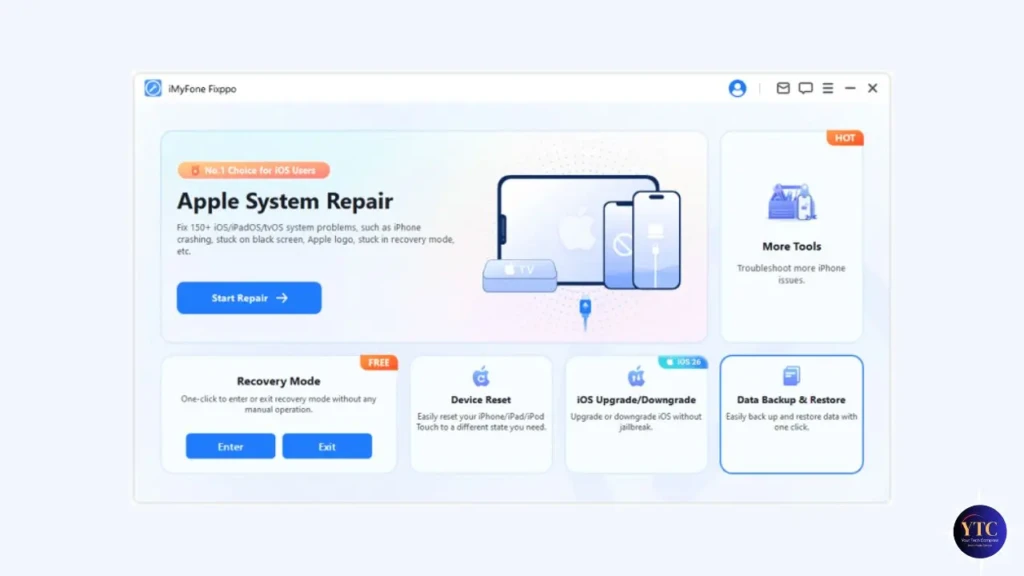
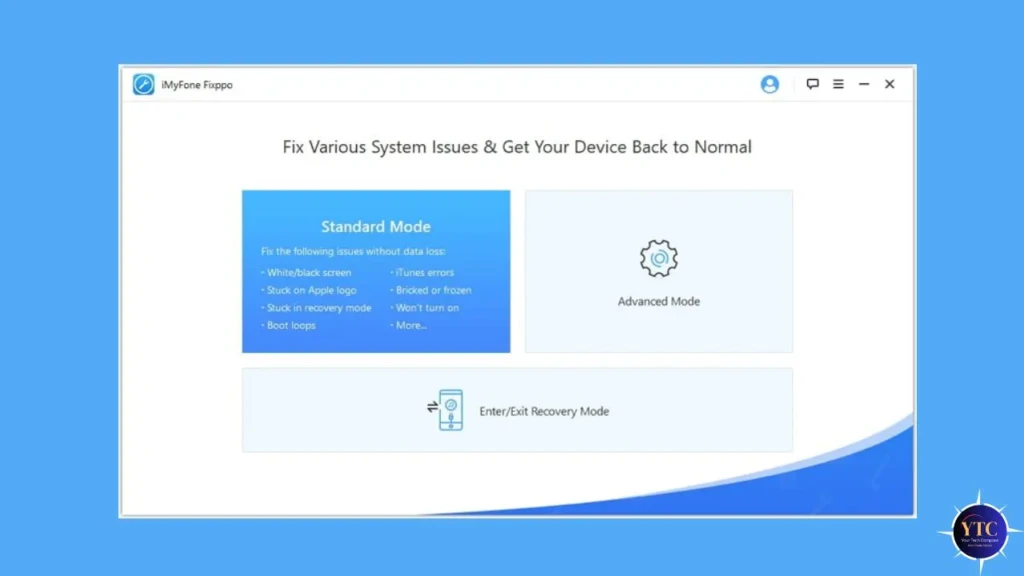
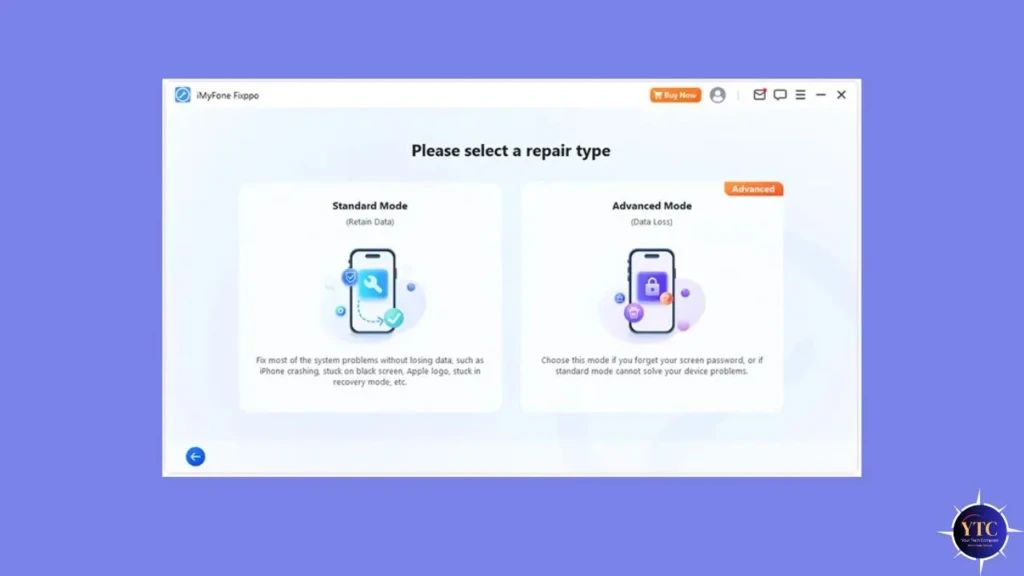
iMyfone Fixppo operates through two primary repair modes, each designed for different levels of system damage.
Standard Mode
Standard Mode is the headline feature. It attempts to repair iOS system issues without erasing user data. This mode is suitable for:
- Devices stuck on the Apple logo
- Endless boot loops
- iOS update failures
- iPhone frozen on startup
Because it preserves data, this is the mode most users should try first.
Advanced Mode
Advanced Mode performs a deeper system reinstall. It can resolve more serious issues, but it will erase all data on the device. This mode is closer to a full firmware restore and should only be used when Standard Mode fails.
The repair process involves downloading the correct firmware package and reinstalling key system components, similar to manual restore methods but packaged in a guided interface.
iMyfone Fixppo Review Summary (Quick Verdict)
iMyfone Fixppo is a legitimate and generally effective iOS repair tool for common software-level issues, especially when built-in Apple methods fail or feel too risky. Standard Mode is its biggest strength, allowing users to fix problems without wiping data.
However, it’s not a miracle solution. Hardware-related issues, severe system corruption, or device component failures often go unresolved. Value depends heavily on whether the problem is software-based and whether data preservation is critical.
Key iOS Problems iMyfone Fixppo Claims to Fix
Fixppo focuses on a specific category of problems, those caused by iOS system errors rather than physical damage.
Common supported scenarios include:
- iPhone stuck on Apple logo
- Infinite boot loops
- Black or white screen of death
- iOS update stuck or failed
- Device stuck in Recovery Mode or DFU Mode
- Unresponsive touchscreen after update
If the issue stems from broken hardware, water damage, or failing storage, no software tool, including Fixppo, can guarantee a fix.
iMyfone Fixppo Features Breakdown
One-Click Repair Workflow
The interface is designed for simplicity. Users connect their device, select a repair mode, and follow on-screen prompts. This makes it accessible even for non-technical users.
Firmware Detection and Download
Fixppo automatically detects the device model and iOS version, then downloads the correct firmware. This removes guesswork and reduces the risk of installing incompatible software.
Compatibility with Recent iOS Versions
Fixppo is regularly updated to support newer iOS releases, which is essential given Apple’s frequent updates. Compatibility matters here, especially for users who update immediately after new iOS releases.
iMyfone Fixppo Safety and Data Loss Risks

Safety is the biggest concern with any third-party iOS repair tool.
- Standard Mode: Designed to preserve data. In most cases, user data remains intact.
- Advanced Mode: Causes full data loss. A backup is strongly recommended.
Compared to restoring with Apple’s own tools (iTunes or Finder), Fixppo’s Standard Mode offers a middle ground: less aggressive than a full restore but more guided than manual recovery.
Performance and Success Rate (Real-World Use)
In real-world scenarios, Fixppo performs best when:
- The device boots but gets stuck early
- An update failed mid-installation
- Recovery Mode loops occur
Success rates drop when:
- Storage hardware is failing
- The device repeatedly crashes even after a firmware reinstall
- Advanced Mode is required, but no backup exists
Repair times are reasonable, usually 10 to 30 minutes, depending on firmware size and connection speed.
iMyfone Fixppo vs Built-In Apple Repair Methods
Before paying for third-party software, it’s worth understanding how Fixppo compares to Apple’s official options.
Comparison: Fixppo vs Apple Repair Methods
Method | Data Loss | Ease of Use | Success Scope | Best For |
iTunes / Finder Restore | Yes | Moderate | Medium | Users with backups |
Recovery Mode | Often | Complex | Medium | Advanced users |
DFU Mode | Yes | Difficult | High (risky) | Severe issues |
Fixppo (Standard) | No | Easy | Medium | Boot/update issues |
Fixppo (Advanced) | Yes | Easy | Medium – High | Serious software issues |
Fixppo’s advantage is accessibility. It simplifies complex recovery steps into a guided process.
iMyfone Fixppo vs Other iOS Repair Tools
To put Fixppo into context, here’s how it compares with similar third-party tools.
iOS Repair Tool Comparison Table
Tool | Data-Safe Mode | Ease of Use | Pricing Model | Best Use Case |
iMyfone Fixppo | Yes | Very Easy | Paid license | Common iOS boot issues |
Tenorshare ReiBoot | Yes | Easy | Paid | Recovery mode loops |
Dr.Fone – Repair | Limited | Moderate | Subscription | Multi-device repair |
iTunes / Finder | No | Moderate | Free | Users with backups |
Fixppo stands out for its balance of simplicity and focused feature set, rather than trying to be an all-in-one device manager.
Pricing, Plans, and Value for Money

iMyfone Fixppo offers a free download, but meaningful repairs require a paid license. Pricing is typically structured as:
- One-month license
- One-year license
- Lifetime license
For users facing a one-time issue, the value proposition depends on the data’s urgency and importance. Paying for Fixppo can be reasonable if it prevents permanent data loss or saves time compared to manual recovery.
Pros and Cons of iMyfone Fixppo
The Pros
- Beginner-friendly interface
- Standard Mode preserves data
- Faster than manual restore workflows
- Supports many iOS system issues
The Cons
- Paid license required for full functionality
- Advanced Mode erases data
- Not effective for hardware failures
Who Should Use iMyfone Fixppo?
Fixppo makes sense for:
- Non-technical iPhone users
- Users stuck in boot loops or recovery mode
- Situations where data preservation matters
It’s especially useful when manual Apple recovery methods feel too risky or confusing.
Who Should NOT Use iMyfone Fixppo?
Avoid Fixppo if:
- The device has hardware damage
- No backups exist, and Advanced Mode is required
- Expecting a permanent fix for failing components
In those cases, professional repair or data recovery services are more appropriate.
Final Verdict: Is iMyfone Fixppo Worth Using?
iMyfone Fixppo is not a magic repair button, but within its intended scope, it works. For common iOS software issues, especially those caused by failed updates or boot loops, it offers a safer and simpler alternative to Apple’s built-in recovery methods.
The key is setting expectations correctly. If the problem is software-based and data is at stake, Fixppo is worth considering. If hardware damage or severe corruption is involved, no software tool can guarantee success. Used wisely, Fixppo can be a practical emergency solution rather than a long-term maintenance tool.
At Your Tech Compass, we publish practical guides and honest tech reviews to help users make smarter decisions.