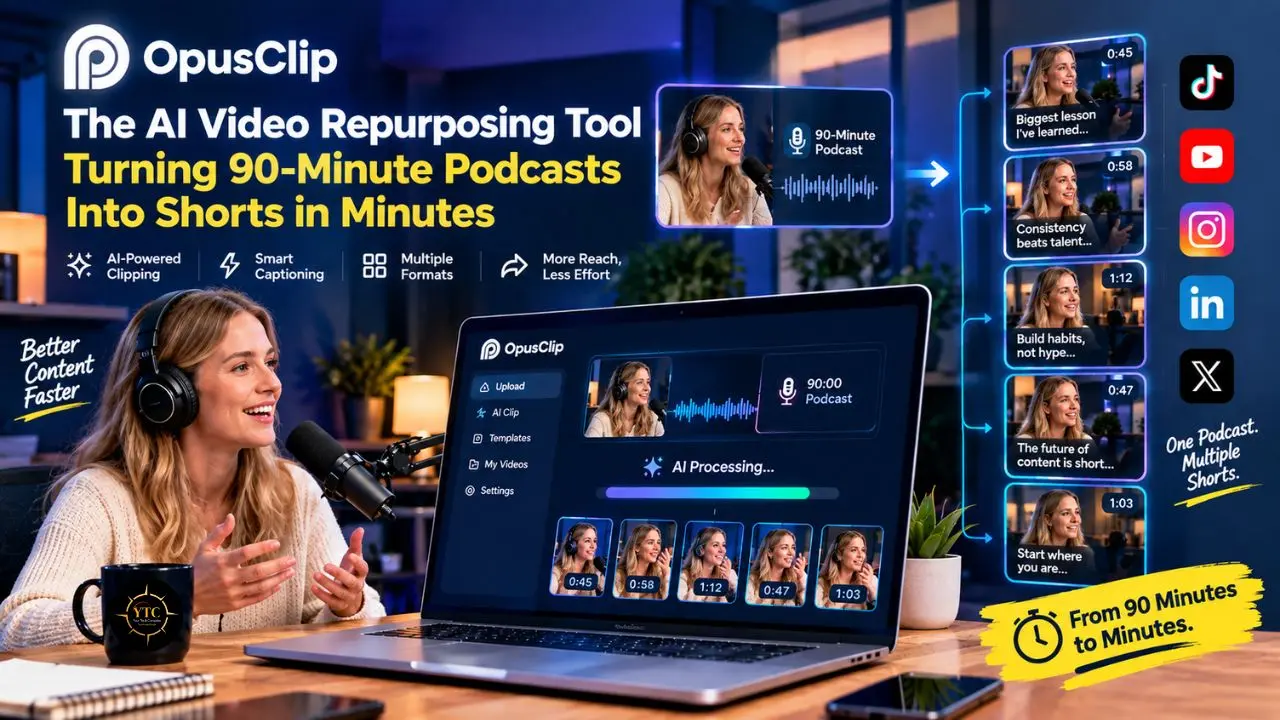
You’ve just wrapped a 90-minute podcast interview, and you already know what comes next. Ten to fifteen short clips need to exist for TikTok, Instagram Reels, and YouTube Shorts before this conversation loses relevance, and that used to mean scrubbing through timestamps by hand, cutting in Premiere, adding captions manually, and reframing every clip for vertical video. That process routinely took three to four hours per episode, and it’s exactly the bottleneck that made you wonder whether AI could actually handle this reliably, rather than just promising to.
That’s what this article sets out to answer honestly. I’m going to walk you through a full teardown of OpusClip’s AI clipping engine, the ClipAnything model behind its genre flexibility, and the real math behind whether its credit-based pricing genuinely beats hiring an editor. I’ll also cover the one billing detail that catches teams off guard when they skip the fine print; how OpusClip stacks up against Ssemble, Vizard, and Munch; the honest gap between the platform’s marketing and power-user sentiment; and what its African accessibility picture actually looks like today.
A note before we begin: every YTC score is earned, never negotiated. If you want to understand exactly how we evaluate apps & tools and how we handle affiliate relationships, our Review Methodology lays it all out.
Quick Verdict
- Best For: Solo creators, podcasters, and marketers who publish long‑form talking‑head video weekly and need fast social clip generation with captions, reframing, and direct platform publishing.
- Skip It If: You process high video volumes where per‑minute credit costs scale fast, you create content in African languages not on the supported list, or you need predictable billing without credit expiry and cancellation friction.
- Bottom Line: OpusClip is the most polished AI clipper on the market for English‑speaking creators. The AI finds hooks, cuts vertical clips, and adds captions in minutes, but the credit system charges for uploaded minutes regardless of output quality, and a significant share of generated clips still needs human review before publishing.
What Is OpusClip?
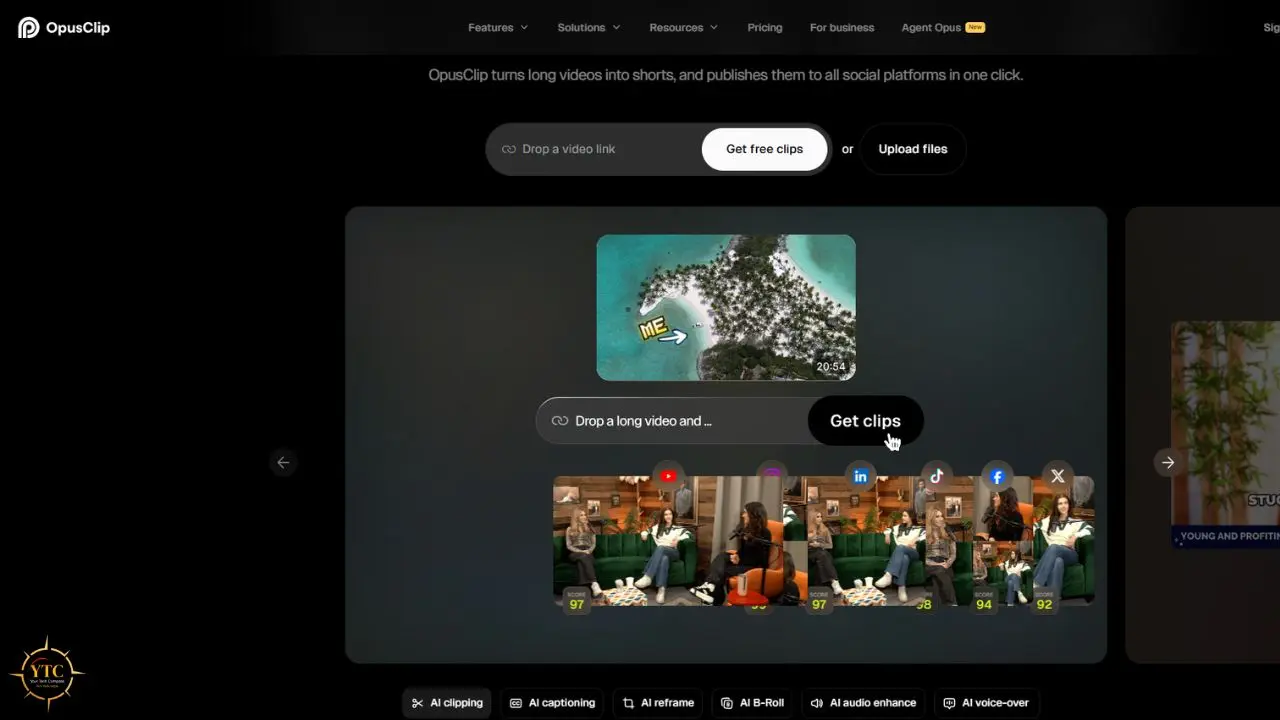
OpusClip was founded in 2022 in the Bay Area by Young Zhao, Grace Wang, and Jay Wu, and was built specifically to solve what you could call the “find the two-minute gold in a 90-minute podcast” problem. What it does today is narrower and more specialized than a full video editor like DaVinci Resolve: it’s an AI-powered repurposing engine that ingests long-form video and outputs short, social-ready clips with auto-captions, virality scoring, and smart reframing, rather than a general editing suite you’d use to build a video from scratch.
The scale here matters as a credibility signal, not just a marketing footnote. More than 10 million creators and businesses use the platform, which has generated well over 100 million clips; some 2026 reports cite more than 172 million clips in a single year. SoftBank’s Vision Fund 2 invested $20 million at a $215 million valuation in March 2025, as part of roughly $50 million raised in total throughout the company’s funding history. This isn’t a scrappy side project; it’s the recognized category leader in AI-driven video clipping.
For context on where this fits in the broader landscape of AI creative tooling, our Apps & Tools coverage and AI Unboxed category both track this fast-moving space more broadly, and if you’re weighing OpusClip against a full-featured editor with built-in AI transcription rather than a dedicated clipper, our Descript review is a useful point of comparison.
How It Works and What’s New in 2026
The Core Workflow
You upload a long video or paste a public URL directly, and OpusClip’s multimodal AI identifies hook moments, scores them for virality, cuts them into vertical, square, or landscape formats, and adds animated captions automatically. The entire process takes two to five minutes per video and typically returns five to fifteen clips from a single long-form upload. OpusClip has evolved substantially since launch, adding broader genre support and longer-form clip options beyond the original short-form focus.
ClipAnything: Beyond Talking Heads
ClipAnything, launched in August 2024, is the biggest differentiator, since it understands visual, audio, and sentiment cues across genres well beyond podcasts and interviews. It works on vlogs, sports footage, gaming streams, and TV-style content, and it supports natural language prompts, so you can tell it to “clip the moment where the speaker talks about pricing,” and it will locate that specific segment. Most AI clippers handle talking-head content reasonably well; ClipAnything extends OpusClip’s usefulness to creators who don’t run a traditional interview show.
The 2026 Feature Stack
OpusClip’s current feature set is genuinely broad. AI reframing automatically tracks speakers and reframes for 9:16, 1:1, 4:5, and 16:9 without manual crop keyframing, while animated captions support more than 20 languages and are stylable to brand colors. The virality score ranks clips to help prioritize publishing, with scoring refined over time to capture more nuance. An AI B-Roll feature combines a stock footage library with AI-generated visuals for abstract concepts, giving paid users access to extensive stock assets and AI-assisted b-roll, though if you need genuinely sophisticated AI-generated video rather than supplementary b-roll, dedicated generative video platforms like the ones covered in our Runway AI, Higgsfield AI, and Veo 3.1 reviews go considerably further.
Beyond that, a mid-form clip generator now creates 3–5-, 5–10-, or 10–15-minute clips in addition to 60-second shorts, and a “captions only” mode adds animated captions to a full video without clipping it at all. Direct social scheduling lets you publish to TikTok, YouTube Shorts, and Instagram from the dashboard, while export options let you send clips to professional editors for finishing.
Filler-word removal now catches a wider range of verbal stumbles beyond basic “ums” and “ahs,” and mobile apps for iOS and Android launched in 2026 with multilingual interfaces and on-the-go editing capabilities. An Advanced Mode, reportedly rolled out in August 2026, introduced script-to-video generation with reference-to-video style matching and multi-shot dialogue with lip sync. This is a meaningfully more ambitious feature than the platform’s original clip-extraction premise, and it signals that OpusClip is positioning itself as more than a clipper. That said, this capability is new enough that independent, large-scale testing of its output quality is still limited, so treat it as an emerging capability rather than a proven production tool.
Standout Features
The Virality Score: Useful Heuristic or Marketing Hook?
The virality score’s multi-dimensional framework (covering aspects like hook, flow, engagement, and trend) genuinely helps you prioritize which clips to review first rather than watching every output in order. However, it’s a heuristic trained on historical engagement patterns, not a prediction of how your specific audience will actually respond, since it can’t see your account, your posting schedule, or the platform’s algorithm you’re publishing on. Many creators discard a significant share of generated clips before publishing, so treat the score as a first-pass filter rather than a publishing decision; a clip scoring 95 still needs human review for context, brand voice, and factual accuracy.
The Credit System and What One Minute Actually Buys You

One credit equals one minute of uploaded source video and is charged as soon as processing starts, regardless of how many clips you ultimately keep. A 45-minute podcast costs 45 credits whether you publish one clip or fifteen, and partial minutes are rounded in a way that does not favor the user. Monthly credits expire after 60 days, meaning you can’t stockpile a quiet month’s unused allocation, while annual Pro plans front-load 3,600 credits that expire after 12 months instead. The single biggest lever for getting real value here is trimming dead air before you upload; a 60-minute raw recording carrying 15 minutes of dead air wastes a quarter of your credits if you upload it unedited.
AI Reframing and Multi-Aspect-Ratio Output
The AI automatically tracks speakers and reframes for 9:16, 1:1, and 16:9. The free tier locks you to 9:16 only, while Pro unlocks the full set of custom aspect ratios. This matters in practice because different platforms want different shapes: TikTok wants vertical, Instagram’s feed wants square or 4:5, and YouTube wants standard landscape. That said, reframing performs best on single‑speaker talking‑head content specifically; multi‑speaker panels, fast‑moving sports footage, and b‑roll‑heavy videos can produce noticeably awkward crops.
Direct Publishing and Social Scheduling
Pro users can schedule and publish clips directly to TikTok, YouTube Shorts, and Instagram without ever leaving the OpusClip dashboard, collapsing what used to be a multi‑step “generate, download, then upload separately” workflow into one continuous process. A limitation worth noting is that LinkedIn and X (Twitter) publishing are available but may be limited or intermittently unavailable, and scheduling itself is behind the Pro paywall.
Honest Limitations: The Flagship Feature Gaps
The Credit System Trap
Credits are charged against uploaded source minutes, not usable clips, so a bad upload burns exactly the same credits as a good one. Videos under 1 minute round up to 1 credit; for longer videos, partial minutes round down. Monthly credits expire after 60 days, and annual credits after 12 months. Pro users can request a project-credit refund within 14 days if no clip from that project has been downloaded; otherwise, there’s no cash refund once processing is complete.
Multiple users have reported friction around cancellation and unclear retention of unused credits after canceling, so don’t rely on keeping projects or credits post-cancellation. The Starter plan compounds this by offering no annual billing option, locking you into a higher effective monthly rate regardless of your actual usage pattern.
Processing Failures and Reliability
Reliability complaints are consistent across recent review platforms, with users reporting videos that hang for extended periods and sometimes never finish processing, as well as slower performance and rising failure rates on projects that previously worked without issue. OpusClip’s own status page documents recurring incidents affecting video rendering, imports, the editor, and social publishing (notably Instagram), confirming that stalls and failures do occur. That gap between the marketing claim of processing an hour-long video dramatically faster than manual editing and the documented user experience with stalled jobs is real, and it’s worth going in with that expectation rather than assuming flawless reliability.
The 20–40% Discard Rate
Many creators discard a significant share of AI-generated clips before publishing, since the AI is genuinely good at finding hook moments but imperfect at judging context, brand voice, or factual accuracy. When generating a dozen clips from a 90-minute podcast, it’s common for several to be unusable outright. That’s not so much a tool failure as the honest reality of AI-assisted editing today, but creators expecting one-click perfection will be disappointed.
Weakness in Non-Talking-Head Content
While ClipAnything genuinely extends OpusClip’s reach across genres, performance is strongest on dialogue-rich footage and can be more variable on heavily visual, music-driven, or chaotic multi-speaker content. The system is designed to understand visuals, actions, emotions, audio, and dialogue, but when source material is noisy or lacks clear structure, clip selection can feel less reliable.
Billing and Cancellation Friction
This is the section you should read most carefully before you subscribe. OpusClip’s Terms of Service state that you may stop using the Services at any time by deleting your OpusClip Account, but also warn that account termination may result in the destruction of any Content associated with your account and that recovery after accidental deletion isn’t guaranteed. The Terms do not spell out detailed refund timelines or rules; instead, they emphasize that fee obligations survive termination and that the company may suspend or terminate access for any reason at its discretion.
Because the documentation on credits, expiry, and what happens to unused credits after cancellation is primarily in the pricing and help pages rather than the main Terms, users should not assume that paid-for credits or projects are preserved once a subscription lapses. The pricing page itself doesn’t display credit allocations directly; you have to consult the help documentation and secondary guides to find figures such as the 150-minute Starter and 300-minute Pro allowances.
Pricing Breakdown: The Real Cost Math
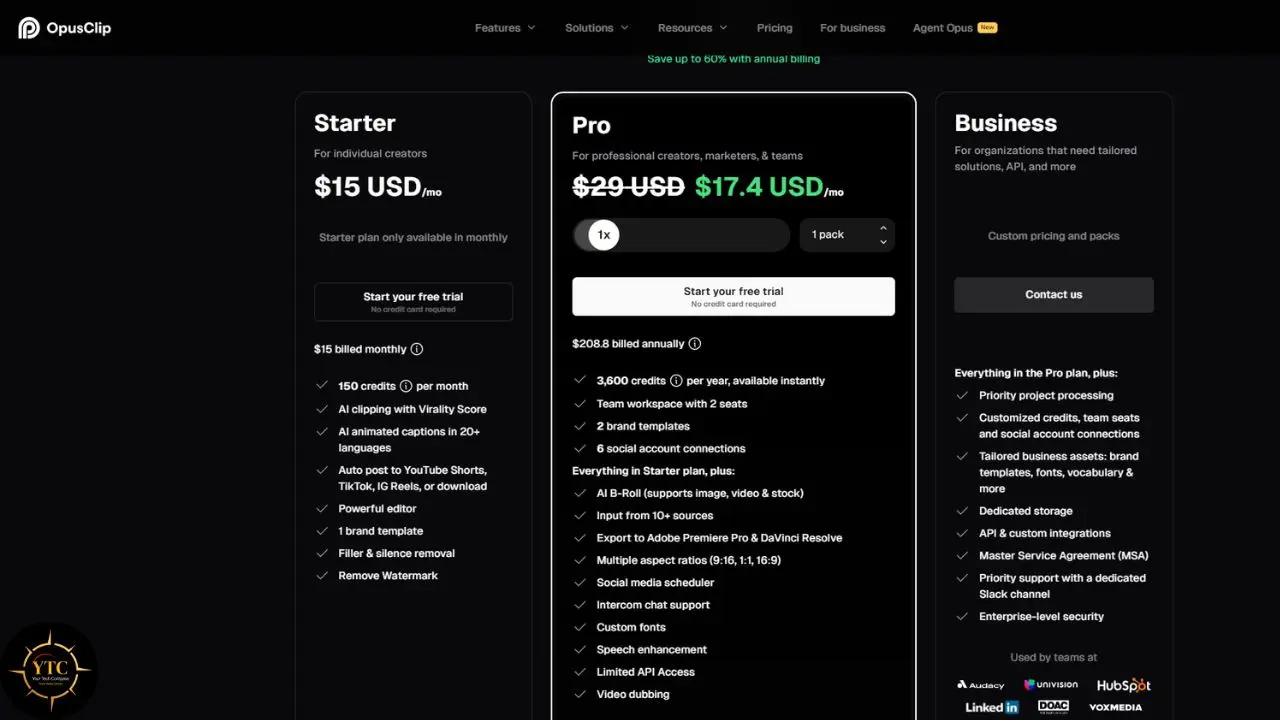
Plan Comparison (as of September 2026)
Plan | Monthly Price | Annual Price (Effective) | Credits | Watermark | Key Features |
|---|---|---|---|---|---|
Free | $0 | $0 | 60/month | Yes | 9:16 only, 3-day export expiry, no advanced editing tools |
Starter | $15/month | Not offered | 150/month | No | Limited editing tools, 1 brand template, 3 AI B-roll clips/month |
Pro | $29/month | $14.50/month ($174/year) | 300/month or 3,600/year | No | Full editor, AI hook detection, B-roll, scheduler, XML export, 2 team seats |
Business | Custom | Custom | Custom | No | API access, SSO, 4K export, priority processing |
The Real Cost Per Minute
The free tier costs nothing but comes watermarked, capped at 1080p, with exports expiring after three days, useful for testing, not for actual publishing. Starter works out to $0.10 per source minute ($15 ÷ 150 minutes), with no full editor, scheduler, or XML export included. Pro on monthly billing runs at approximately $0.097 per source minute, while Pro on annual billing drops to roughly $0.048 per source minute, which is where the value lies if you’re processing content consistently rather than sporadically.
Volume Scenarios
Consider a weekly podcaster uploading one 60-minute episode monthly: Starter’s 150 credits cover this comfortably with 90 to spare, at $15 a month, though without any full editing tools beyond what the AI outputs directly. A daily creator uploading a 20-minute video every day, by contrast, needs 600 minutes per month, and Pro’s 300-credit allocation covers only half of that, forcing a choice between unpublished refill-pack pricing and a Business-tier negotiation with genuinely unpredictable costs. A weekly 90-minute webinar on Pro annual, meanwhile, uses 360 minutes per month against a 3,600-credit annual pool that stretches across roughly ten months, working out to about $17.40 effective monthly, a reasonable trade if those clips are genuinely driving leads or sales for your business.
The Hidden Costs
Refill packs exist for when you exceed your plan’s allocation, but their pricing isn’t published anywhere, which is a real budgeting problem for high-volume creators trying to plan ahead. Pro also caps out at four team seats, meaning a five-person team is forced straight into Business-tier negotiation with no posted price to reference beforehand. Speech enhancement is also capped at 10 clips per day, even on Pro, a limit that power users have specifically flagged as frustrating in practice.
OpusClip vs. the Competition
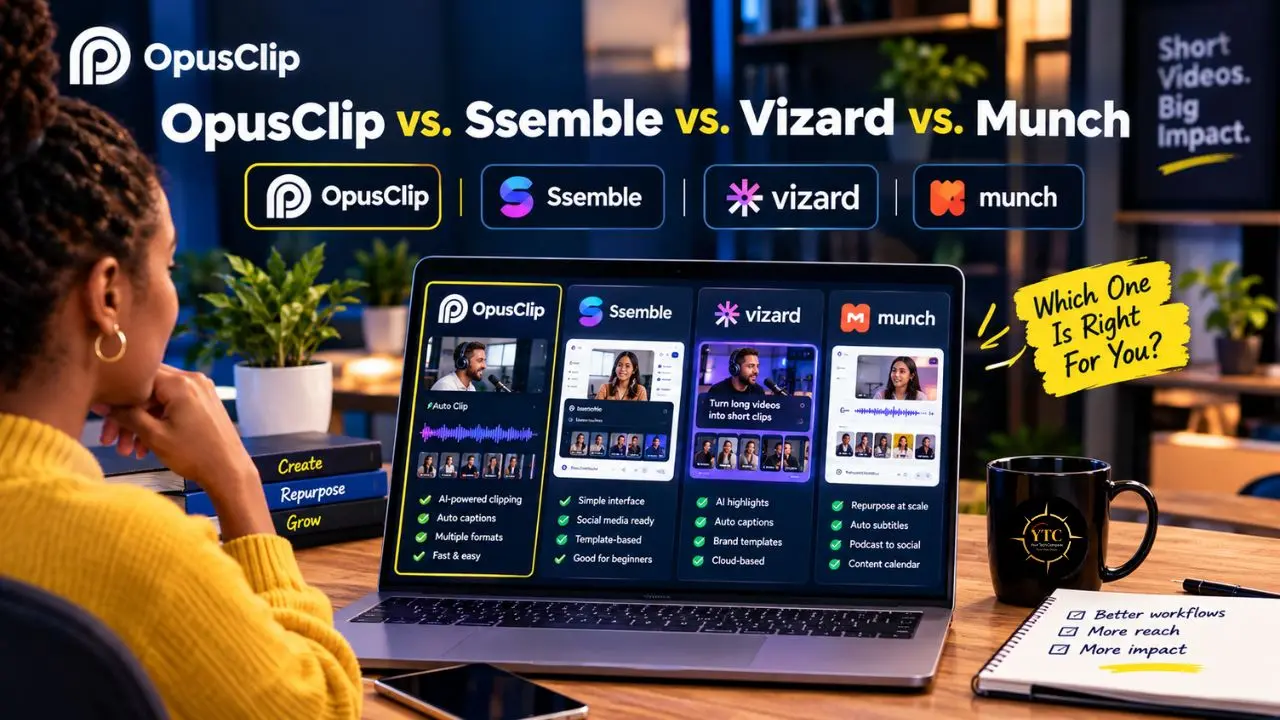
Head-to-Head: OpusClip vs. Ssemble vs. Vizard vs. Munch
Dimension | ||||
|---|---|---|---|---|
Starting Price | $15/month (Starter) | ~$6/month (annual) | ~$12–$15/month equivalent (annual, approx.) | $38/month equivalent ($456/year, Essential annual) |
Pricing Model | Per-minute credits; 1 credit = 1 minute of source video | Per-video credits; 1 credit covers a video up to 20 minutes | Per-minute credits; 1 credit = 1 minute of video | Quota-based; repurposing minutes plus generated videos per month |
Free Tier | 60 credits/month; watermarked; exports expire after 3 days | Limited free tier | 60 minutes/month; watermarked; 720p export | No free tier; trial available |
AI Clipping Quality | Strong for talking-head and dialogue-rich content | Comparable for basic clipping; less specialized | Strong general-purpose clipping | Strong, with trend-aware scoring |
Editing Features | Polished web editor; Pro adds timeline editing, text tools, and brand templates | More built-in creative assets, including hooks, transitions, and sound effects | Full editor with reframing, captions, templates, and timeline editing | More focused on clipping and distribution than deep editing |
Captions | 20+ languages | 30+ languages, with caption translation | Yes, with caption translation in 100+ languages | Yes |
Direct Publishing | TikTok, YouTube Shorts, and Instagram; scheduler included on Pro | TikTok, YouTube Shorts, Instagram Reels, and X; scheduling and auto-posting on paid plans | Available on paid plans; Free tier is limited | Yes; publishing and scheduling included |
API Access | Business tier only; limited API access is listed for Pro | Available from the Pro plan | Available with plan-based rate limits | Custom/enterprise |
Trustpilot Rating | ~4.0/5 from 488 reviews (late 2026) | Not prominently reviewed on Trustpilot; reports 4.6/5 on Google | No clear Trustpilot presence; strong G2/Capterra ratings | Not prominently reviewed on Trustpilot |
Best For | Polished UI, brand familiarity, and English talking-head content | Value, high-volume clipping, and built-in creative assets | Transparent credit model and a reliable all-rounder | Teams and agencies needing trend-aware clipping and custom/enterprise features |
Compared to Ssemble: Ssemble starts materially below OpusClip Pro (about $6/month annually versus OpusClip Pro’s effective $14.50/month) and includes hooks, transitions, sound effects, captions, and social posting. It is not a full substitute for OpusClip Pro, however: OpusClip’s premium covers prompt-based clipping, a more complete text-and-timeline editor, AI B-roll, scheduling, dubbing, professional exports, and integrations on eligible plans. If cost per clip is the priority and you do not need OpusClip’s brand-template ecosystem or scheduling layer, Ssemble delivers the core job at a substantially lower price.
Compared to Vizard: Vizard and OpusClip Pro both land around $14.50/month on annual billing. Vizard has a much larger and stronger Capterra review base (4.9/5 from 485 reviews versus OpusClip’s 3.6/5 from only 5 reviews) while OpusClip’s Trustpilot profile shows recurring billing and cancellation complaints. If review volume, community trust, and billing predictability matter, compare current credit allowances, export limits, and recent reviews immediately before subscribing.
Compared to Munch: Treat Munch as a more premium, team-oriented alternative, and confirm its current price, minutes, storage, seats, and dubbing-language support on its own pricing page. OpusClip Pro includes two team seats, while Business and enterprise options are the route for larger teams. OpusClip does offer video dubbing on eligible paid plans, so it should not be described as lacking dubbing altogether.
If you’re editing on mobile rather than through a web dashboard, our CapCut vs. InShot comparison covers the free, manual-editing alternative worth knowing alongside these AI-driven options.
Real-World Use Cases
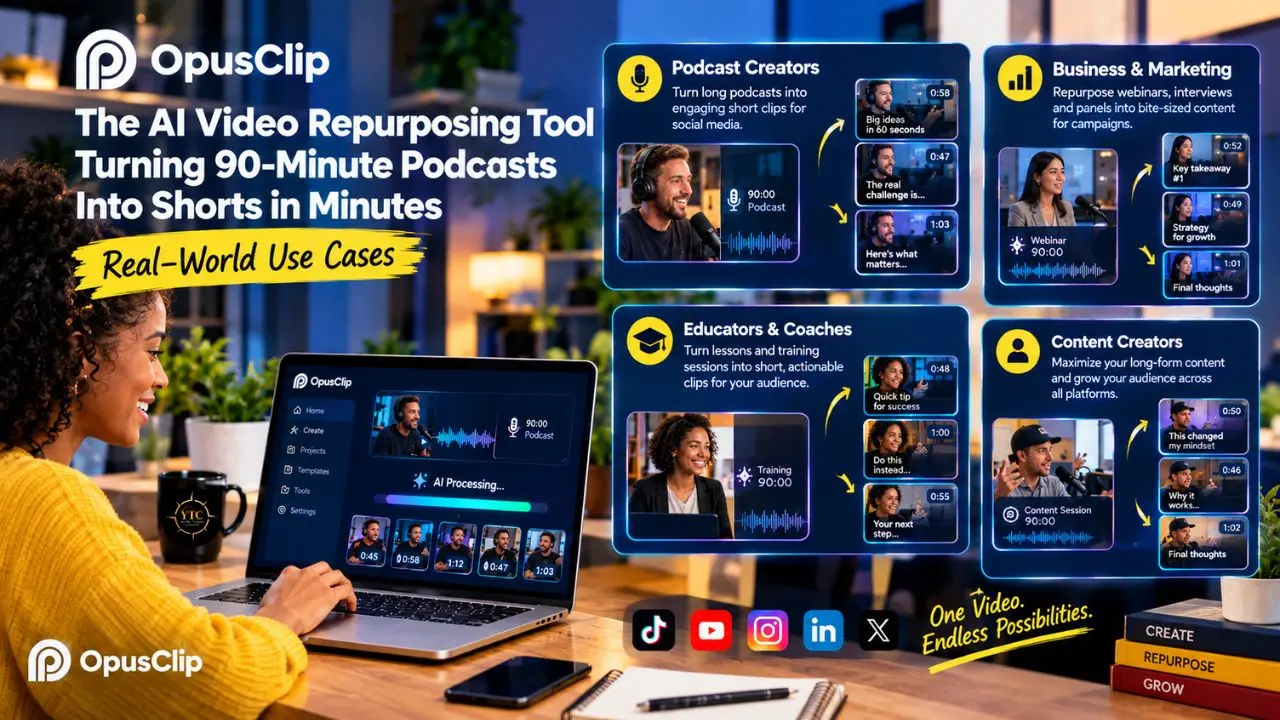
Weekly Podcast Repurposing: A podcaster recording one 60‑minute interview weekly processes about 240 minutes per month, which fits comfortably within OpusClip Pro’s 3,600‑credit annual pool. In practice, a 60‑minute upload typically yields multiple candidate clips; creators often keep a subset after review. For this workload, the effective cost is roughly $14.50 per month on the Pro annual plan, with additional time savings compared to fully manual editing. Getting good source footage matters here too, and our guide to the best webcams for AI video apps is worth a look if your recording setup is the weaker link in this workflow.
Livestream Highlight Extraction: A Twitch streamer running three‑hour sessions can process the full VOD and receive ranked candidate clips, then review and select top moments in far less time than manually scrubbing through hours of raw footage. Exact review time will vary by creator and episode length.
Course and Webinar Repurposing: An online educator recording a 90‑minute webinar can generate both mid‑form 5–10‑minute clips for YouTube and short 30–60‑second clips for social from the same upload, while also applying animated captions to the full original recording for students. This can turn a single upload into multiple pieces of content spanning days or weeks, depending on the publishing cadence.
Agency Clip Production at Scale: A social media agency processing 20 client videos monthly at an average of 15 minutes each uses exactly 300 minutes, which matches OpusClip Pro’s monthly credit limit with no buffer for revisions or errors. Agencies in this position often reach their ceiling before month‑end and must choose between unpublished refill pricing and moving to a custom Business quote. For some high‑volume workflows, OpusClip’s per‑minute model can feel less predictable than per‑video pricing alternatives, though the best choice depends on actual output needs and creative requirements.
Who Should Use It, and Who Shouldn’t
Best For:
- Solo creators and podcasters publishing one to two long-form videos weekly.
- Coaches, consultants, and educators who are repurposing webinars, interviews, and course material.
- Marketers who need fast first-draft social clips with minimal manual editing.
- Teams of two to four people who value a polished interface and direct platform publishing.
- Creators producing English-language talking-head content specifically.
Skip It If:
- You process 10 or more videos monthly, at which point per-minute costs become genuinely unsustainable.
- You create content in African languages such as Swahili, Yoruba, Hausa, or Zulu, since none of these are among OpusClip’s 20-plus supported languages.
- You need API access without incurring enterprise pricing, since Ssemble offers it on every plan.
- Your finance team needs predictable billing, since credit expiry, unpublished refill rates, and cancellation friction all introduce real budgeting risk.
- Your content is heavily visual, with minimal dialogue, such as sports, gaming, or music videos.
The Review Landscape: Power Users vs. App Store Sentiment
OpusClip holds a 4.0/5 Trustpilot rating, with a significant minority landing at one star, and the gap between that headline number and the sentiment inside individual reviews is significant enough to unpack directly. On the positive side, reviewers on Trustpilot describe genuine time savings and describe the platform as effectively replacing a paid editor for their workflow.
On the frustration side, recurring themes include processing failures, confusing credit mechanics, an overcomplicated cancellation process, projects becoming inaccessible after a subscription lapses, and refund delays stretching into weeks rather than days. A commonly referenced community discussion sums up the core tension well: the product structurally combines a subscription with a separate credit allotment, meaning even credits you’ve already paid for can become unusable the moment your subscription itself ends. Both the praise and the frustration are genuinely true at the same time; they just describe different scales and patterns of use.
Africa Accessibility

Language Barrier
OpusClip supports more than 20 languages, including English, German, Spanish, French, Portuguese, Italian, Dutch, Russian, Polish, Indonesian, Ukrainian, Swedish, Turkish, Norwegian, Croatian, Romanian, Slovak, Greek, Danish, Finnish, Hungarian, Czech, Japanese, Korean, Vietnamese, and more to come, but notably absent from that list are Swahili, Yoruba, Hausa, Zulu, Xhosa, Amharic, Igbo, and other major African languages. For African creators producing content in local languages, this is a significant limitation, since the transcription and captioning pipeline is designed around the supported set and does not claim accuracy for languages outside it.
Payment Barriers
OpusClip bills in USD via card; invoice and ACH options are available only at the Business tier; and there is no M-Pesa, Paystack, Flutterwave, or other mobile-money integration listed on its pricing or product pages. That’s a meaningful gap given how far mobile money infrastructure across Africa has matured, with M-Pesa alone processing billions of transactions annually.
Our coverage of how mobile money has evolved across the continent makes clear what’s genuinely possible when fintech products are built around local payment realities, and, by that standard, OpusClip is still catching up. This same infrastructure gap shows up repeatedly across the broader African fintech landscape whenever a US-based SaaS tool assumes card-based USD billing as the default rather than the exception.
Mobile Access
The iOS and Android apps that launched in 2026 are a genuine advantage for Africa’s mobile-first creator economy, letting a podcaster in Nairobi upload, clip, and publish largely from a smartphone. That said, the language gap described above means this advantage primarily benefits creators working in OpusClip’s supported languages, not the full continental creator base. Advanced editing features remain tied to paid plans and may not be fully mirrored on mobile, so “full editing” on phones should be read as “core editing and publishing capabilities” rather than complete desktop parity.
Data and Connectivity
OpusClip is fundamentally a cloud-based tool requiring a full video upload before any processing begins, and for creators managing limited bandwidth or expensive mobile data plans, uploading a 60-minute 1080p file represents a real, tangible cost. Local, offline-capable tools like CapCut may simply be more practical in bandwidth-constrained environments, even without OpusClip’s AI-driven clip selection.
The Alternative
The broader AI landscape in Africa is evolving quickly on this exact problem. Tools like Intron’s Sahara v2 reportedly support 57 African languages for transcription specifically, even without offering OpusClip’s full clip-generation workflow around that transcription. Verify current language counts and accuracy claims directly with the vendor before relying on them in production.
A hybrid approach, transcribing with African-language-aware tools and then editing in CapCut or DaVinci Resolve, may genuinely be more accessible right now than any single US-based clipping platform. For agencies or creators building a more automated content pipeline around these hybrid tools, it’s also worth understanding the broader AI workflow automation layer covered in our LangChain piece, since stitching together transcription, translation, and publishing tools into a single pipeline increasingly relies on such an orchestration framework.
Final Thoughts
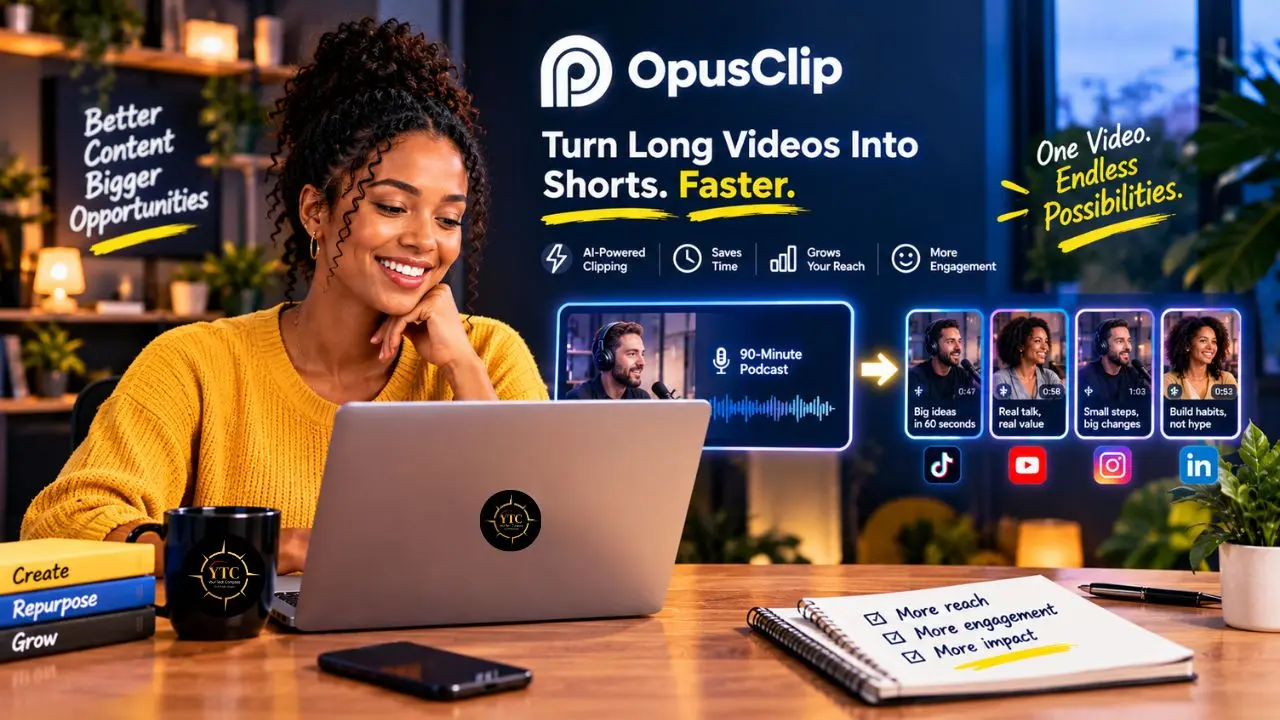
OpusClip is one of the most polished AI video clippers available today for English-speaking creators who produce steady long-form content. The AI genuinely finds hooks, cuts vertical clips, adds captions, and ranks results for virality in minutes, work that used to take hours by hand. That said, the credit system demands real attention before you commit; many creators discard a significant share of generated clips, so setting honest expectations going in is essential, and the billing friction documented across review platforms and community discussions isn’t a fringe complaint; it’s a consistent, recurring pattern. For the right creator at the right volume, this is genuinely good value; for high-volume teams, non-English African creators, or anyone who needs predictable billing above all else, the math points elsewhere.
The decision ultimately comes down to volume and language, not brand loyalty. For African creators specifically, the language gap remains the single biggest friction point: English and French content works reasonably well, while local-language content simply doesn’t. While the mobile apps genuinely help, payment barriers and data costs remain real, unresolved considerations. Whether OpusClip fits your workflow comes down to one honest question: does your content pipeline produce enough long-form English video to justify the credit spend?