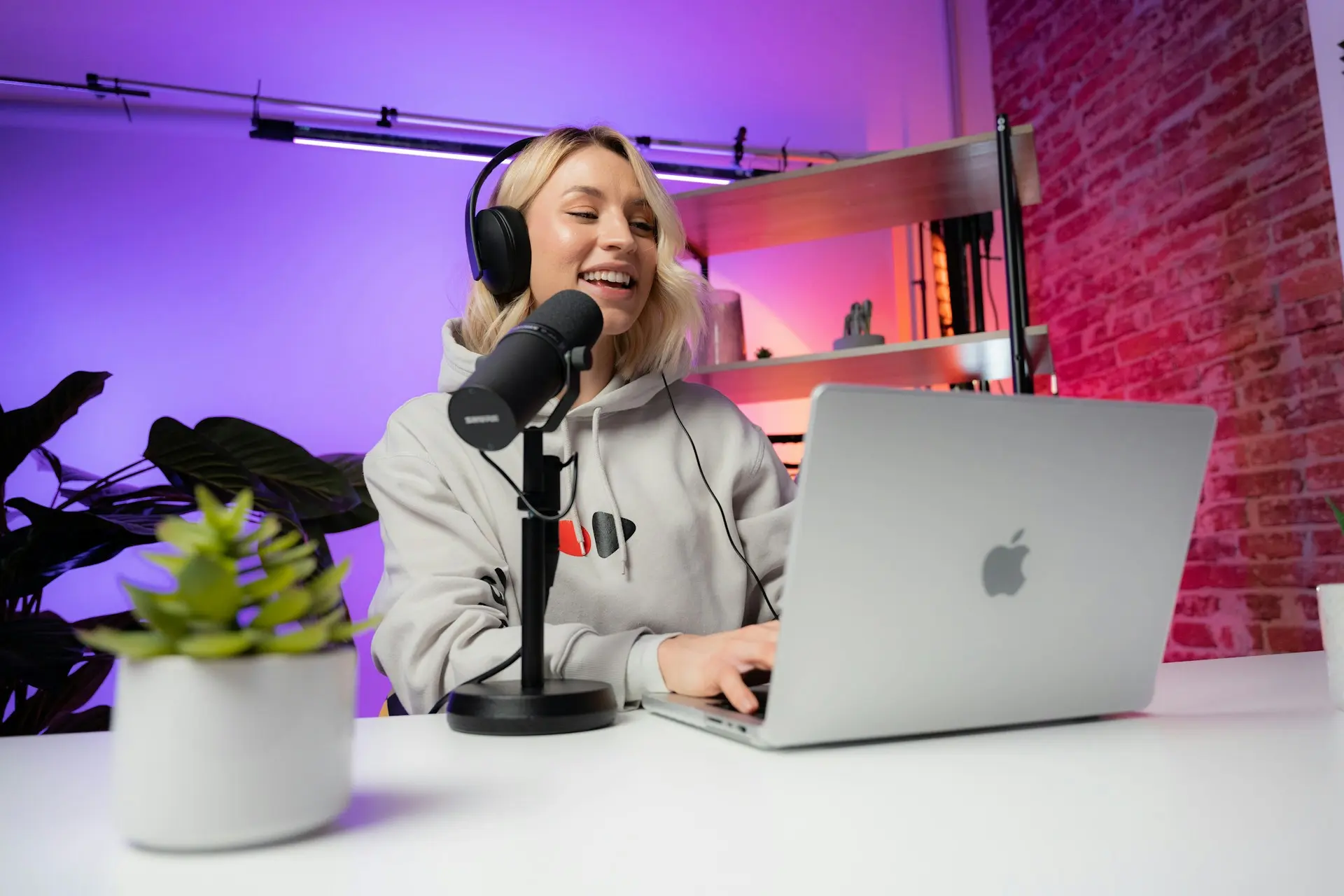
The microphone you use for AI-powered podcasting matters more than most creators expect, not just for sound quality, but because AI tools are fundamentally limited by the quality of the signal you feed them. Platforms like Descript, Adobe Podcast Enhance, Riverside.fm, Podcastle, and Castmagic all use machine learning to transcribe, clean, enhance, and clone your voice. Every single one of those processes performs better when the source audio is clean, close-mic, and free of excessive room noise before it arrives. The principle is the same as any data workflow: garbage in, garbage out.
That said, the right microphone depends heavily on how you record, where you record, and which tools sit at the center of your AI podcasting stack. A dynamic USB mic in an untreated home office is a completely different problem from a condenser XLR setup in a treated studio feeding into ElevenLabs voice cloning. This guide covers both scenarios and every budget in between, with verified specs, honest assessments, and a clear recommendation for each type of creator building an AI-powered podcast workflow.
A Quick Comparison Table
Microphone | Connection | Capsule | Sample Rate | Best AI Tool Pairing | Room Noise Tolerance |
USB-C + XLR | Dynamic | 24-bit/48kHz | Descript, Adobe Podcast | ✅ High | |
USB-C only | Dynamic | 24-bit/48kHz | Adobe Podcast, Riverside.fm | ✅ High | |
USB-C only | Condenser | 24-bit/96kHz | ElevenLabs, Podcastle, Descript | ⚠️ Needs a quiet room | |
USB-C only | Condenser | 24-bit/96kHz | Descript, OBS, Riverside.fm | ⚠️ Needs a quiet room | |
XLR only | Dynamic | Interface-dependent | All AI tools (best signal quality) | ✅ Very High |
Why Your Microphone Matters More With AI Podcasting Tools
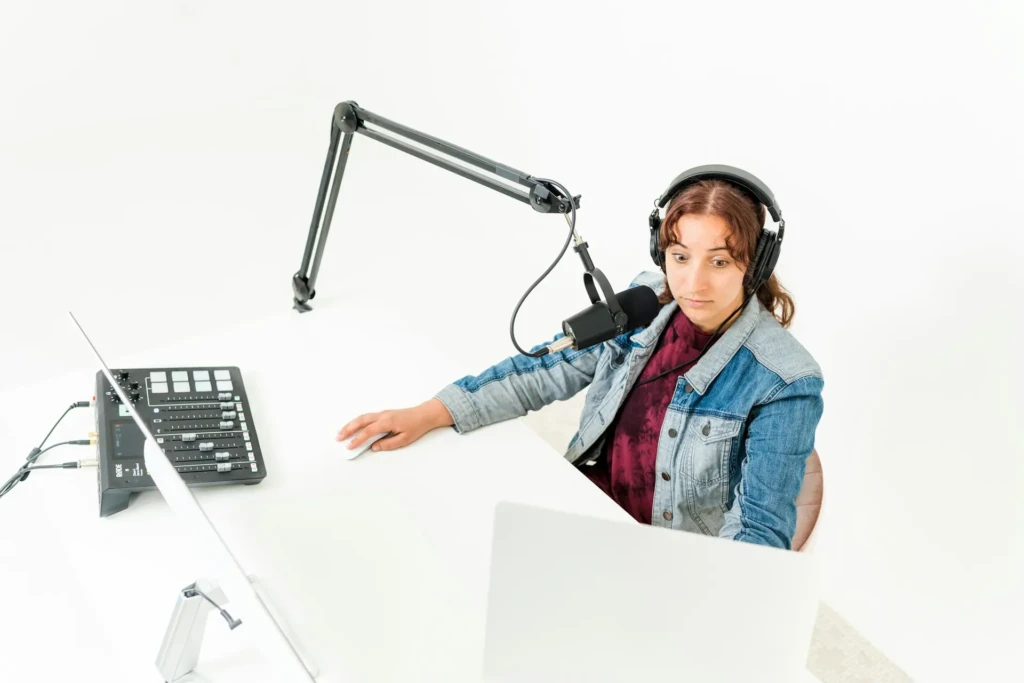
AI Transcription Accuracy and Microphone Quality
Speech recognition models like OpenAI Whisper (which powers Descript), Deepgram, and AssemblyAI perform measurably better on clean, close-mic audio than on distant or room-noisy recordings. Whisper is genuinely impressive at correcting mediocre audio, but it makes more errors when speech is recorded from across the room, with heavy reverb, or with competing background noise. Consequently, a better microphone directly reduces the number of transcription corrections you make after every recording session, which adds up significantly across dozens of episodes.
How AI Noise Removal Works and Its Limits
Adobe Podcast Enhance, Descript’s Studio Sound, and similar AI noise-removal tools don’t actually clean audio; they predict what your voice sounds like without noise, then reconstruct it. That reconstruction introduces artifacts.
The more noise the AI has to remove, the more reconstruction it has to do, and the more likely you are to hear the characteristic metallic, processed, slightly unnatural quality that signals heavy AI enhancement. Additionally, a dynamic cardioid microphone that naturally rejects room noise gives AI tools far less work to do, and the final result sounds more transparent.
USB vs XLR for AI Workflows
USB microphones connect directly to your laptop where AI tools run; no additional hardware is required, and no gain staging needs to be managed. That simplicity is genuine and worth valuing.
XLR microphones require an audio interface (Focusrite Scarlett Solo at approximately $120, Universal Audio Volt 1 at approximately $99) but deliver a lower noise floor, more headroom, and a cleaner signal path than AI tools receive. For most solo podcasters running Descript or Adobe Podcast, a USB is sufficient and significantly simpler to set up. XLR makes sense when audio quality is a professional priority or when the setup already includes an interface.
For a broader look at AI-powered audio and productivity tools across categories, our AI Unboxed section covers the full landscape, and our Castmagic review details one of the most useful AI podcast repurposing tools.
Sample Rate and Bit Depth
Recording at 24-bit/48kHz gives AI tools more information to work with versus 16-bit/44.1kHz. Adobe Podcast Studio captures at 16-bit/48kHz in the browser; the bit depth limitation is the platform’s, not yours. However, recording locally at 24-bit/48kHz before uploading for enhancement yields better results than recording directly in the browser, because you provide a richer source file for the AI to process.
The Best Microphones for AI Podcasting Tools
1. Shure MV7+
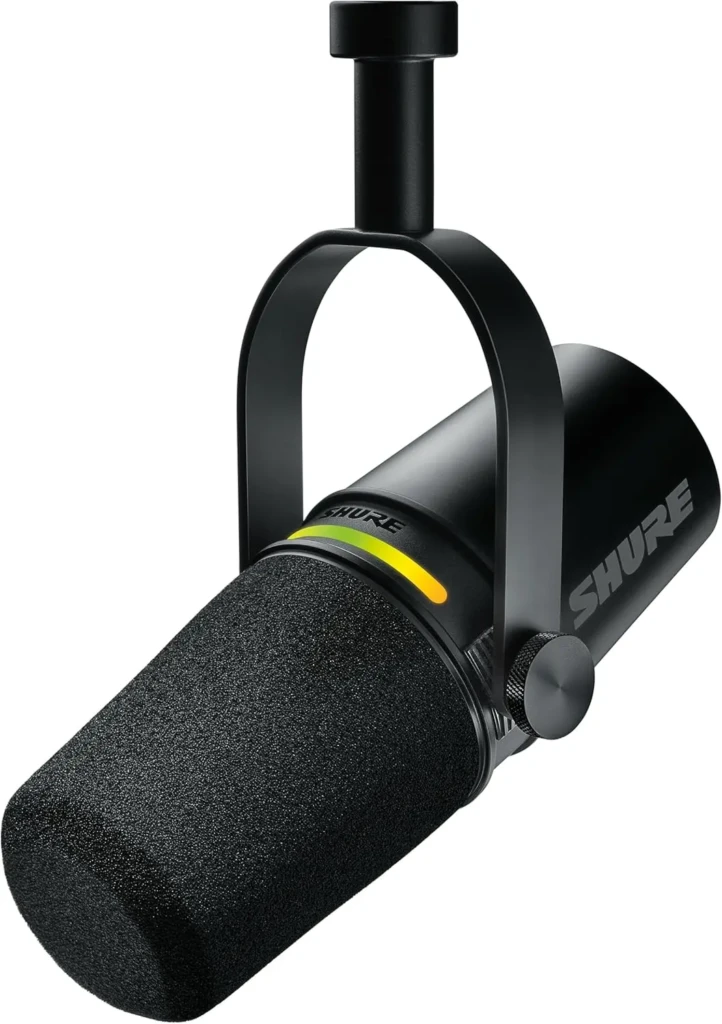
The Shure MV7+ is the best all-around microphone for AI podcast workflows, and the reason is architectural, not marketing. It outputs simultaneously through both USB-C and XLR, meaning you can feed your laptop’s AI tools directly via USB-C today and expand to an audio interface via XLR whenever your setup demands it. No other microphone at this price point gives you that upgrade path without replacing the mic entirely. Additionally, the onboard DSP (accessed through the ShurePlus MOTIV app) includes a real-time denoiser, digital pop stopper, high-pass filter, compression, and EQ that clean up the signal before it even reaches Descript or Adobe Podcast.
For AI-specific workflows, the MV7+ dynamic capsule naturally rejects off-axis room noise, which means Adobe Podcast Enhance has less to reconstruct and produces cleaner output with fewer artifacts.
Key Specs
- Capsule Type: Dynamic
- Connectivity: USB-C + XLR (simultaneous output)
- Sample Rate: 24-bit/48kHz (USB)
- Polar Pattern: Cardioid
- Frequency Response: 20Hz–20kHz
- Onboard DSP: Real-time denoiser, digital pop filter, EQ, compression, limiter
- Headphone Output: 3.5mm with zero-latency monitoring
- App: ShurePlus MOTIV (iOS, Android, Mac, Windows)
Why It Stands Out
- Simultaneous USB-C and XLR output and future-proof connectivity (no competitor matches at its price).
- The onboard real-time denoiser reduces noise before it reaches AI tools (a double-layer noise-processing approach).
- The dynamic capsule naturally rejects ambient noise, reducing the risk of AI artifacts.
- An LED touch panel as an audio level meter makes gain staging visual and intuitive.
- ShurePlus MOTIV app provides DSP controls that optimize the signal for AI processing.
- Zero-latency headphone monitoring lets you hear exactly what your AI tools receive.
Best For: Podcasters who want the best USB/XLR hybrid microphone for AI workflows, from beginners starting on USB to creators planning to expand to an XLR interface setup.
2. Rode PodMic USB
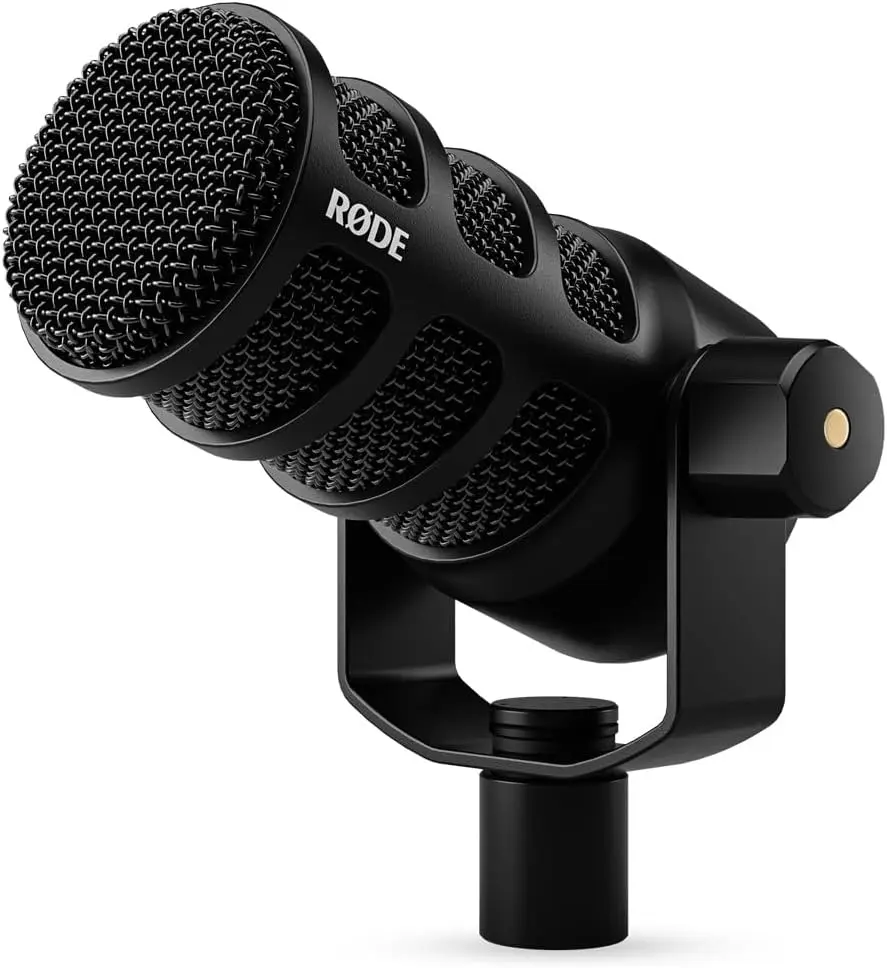
The Rode PodMic USB is the best sub-$200 microphone for AI podcast workflows, and it earns that position not just on price but also on a specific feature that no other budget mic offers: RØDE Connect software with built-in AI voice isolation. That means you get one layer of AI noise removal at the hardware/software level before your audio reaches Descript or Adobe Podcast, effectively running two AI enhancement passes without paying for anything extra. Consequently, the PodMic USB consistently produces cleaner output from Adobe Podcast Enhance than more expensive condenser mics in untreated rooms, because the combined processing removes more noise with fewer artifacts.
The integrated swivel mount means no boom arm is required at launch, keeping your initial investment low. Beyond that, Riverside.fm’s podcast production guide specifically highlights dynamic mics for podcasters who can’t control their recording environment, and the PodMic USB’s tight cardioid pattern directly addresses that use case.
Key Specs
- Capsule Type: Dynamic broadcast-grade
- Connectivity: USB-C only
- Sample Rate: 24-bit/48kHz
- Polar Pattern: Cardioid
- Frequency Response: 20Hz–20kHz
- Internal Pop Filter: Yes (built-in)
- Headphone Output: 3.5mm monitoring
- Software: RØDE Connect with AI voice isolation
Why It Stands Out
- RØDE Connect’s AI voice isolation adds a pre-processing layer that removes noise before AI tools receive the signal.
- An internal pop filter eliminates plosive transients that disrupt AI noise-removal algorithms.
- The dynamic capsule naturally rejects background noise in untreated rooms.
- Broadcast-grade capsule delivers professional vocal quality at the lowest price on this list.
- An integrated swivel mount keeps the total setup cost minimal for entry-level creators.
- 24-bit/48kHz recording provides AI tools with full-quality source material at under $100.
Best For: Beginners and budget-conscious podcasters who want a capable dynamic mic with built-in AI pre-processing for Descript, Adobe Podcast, and Riverside.fm workflows.
3. Audio-Technica AT2020USB-X
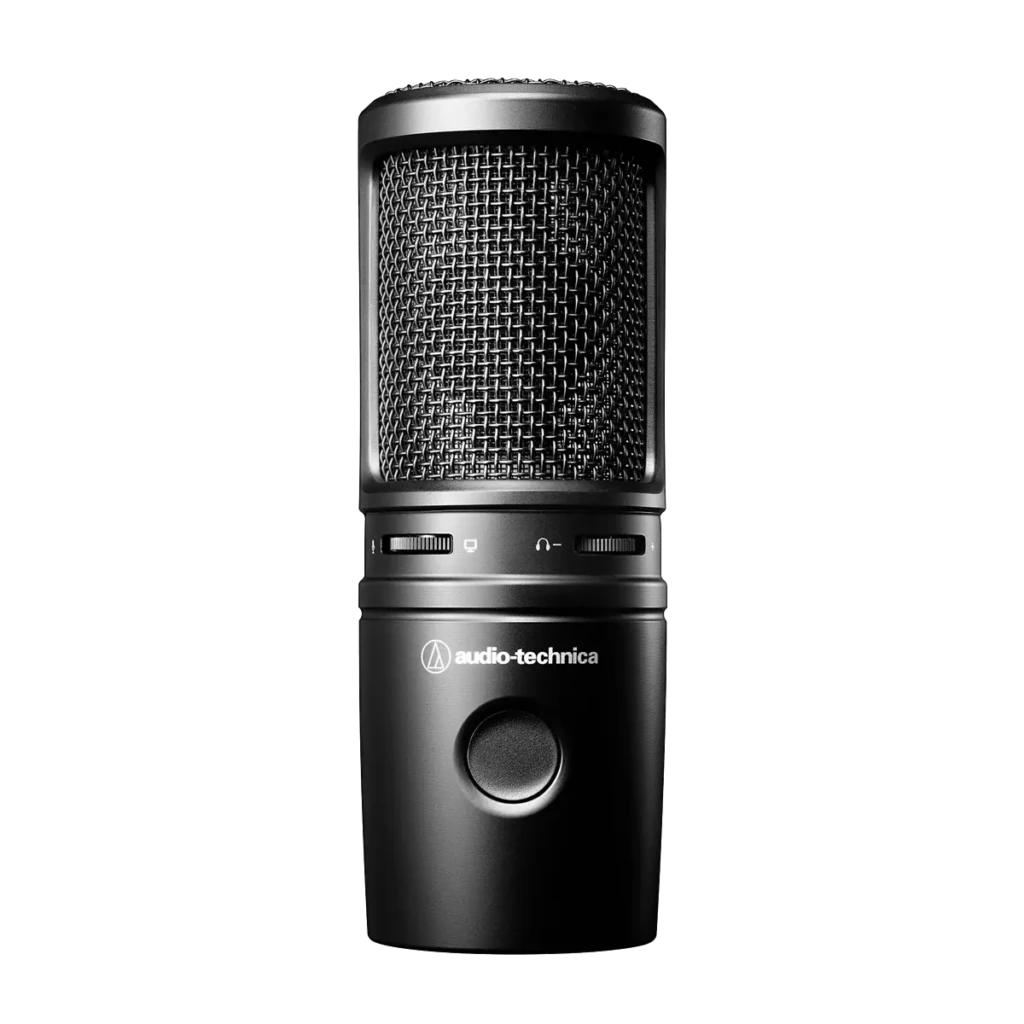
The Audio-Technica AT2020USB-X is the best condenser USB microphone for AI podcasters who record in a treated room or quiet environment, and the reason to choose it specifically for AI workflows is its suitability for voice cloning. ElevenLabs, Podcastle’s Revoice AI, and Descript’s Overdub voice cloning tools all build more accurate voice models from recordings that capture more vocal detail and overtone structure. A condenser capsule captures significantly more detail than a dynamic (the nuance in your voice’s upper harmonics, breath quality, and room character that AI voice models use to distinguish your voice from every other voice).
Additionally, the AT2020USB-X records at 24-bit/96kHz (the highest sample rate on this list), giving AI voice-cloning tools the maximum source material to analyze. The honest limitation is that condensers pick up more room noise than dynamic mics, so this microphone rewards proper room treatment or at least a quiet recording space.
Key Specs
- Capsule Type: Condenser
- Connectivity: USB-C
- Sample Rate: 24-bit/96kHz (highest on this list)
- Polar Pattern: Cardioid
- Frequency Response: 20Hz–20kHz
- Headphone Output: 3.5mm with mix control
- Controls: Gain control, mute button, headphone volume
Why It Stands Out
- 24-bit/96kHz (captures more vocal detail than any other mic at this price for AI voice cloning).
- The condenser capsule picks up harmonic nuance and voice character that AI cloning models rely on.
- Best value option for ElevenLabs, Podcastle Revoice, and Descript Overdub voice training recordings.
- USB-C plug-and-play (no interface, no driver installation, no configuration required).
- Mix control blends direct monitoring and playback for comfortable long-form recording sessions.
Best For: Creators who use AI voice cloning tools (ElevenLabs, Podcastle Revoice, Descript Overdub) and record in a quiet, treated environment where a condenser’s sensitivity is an asset rather than a liability.
4. Elgato Wave 3
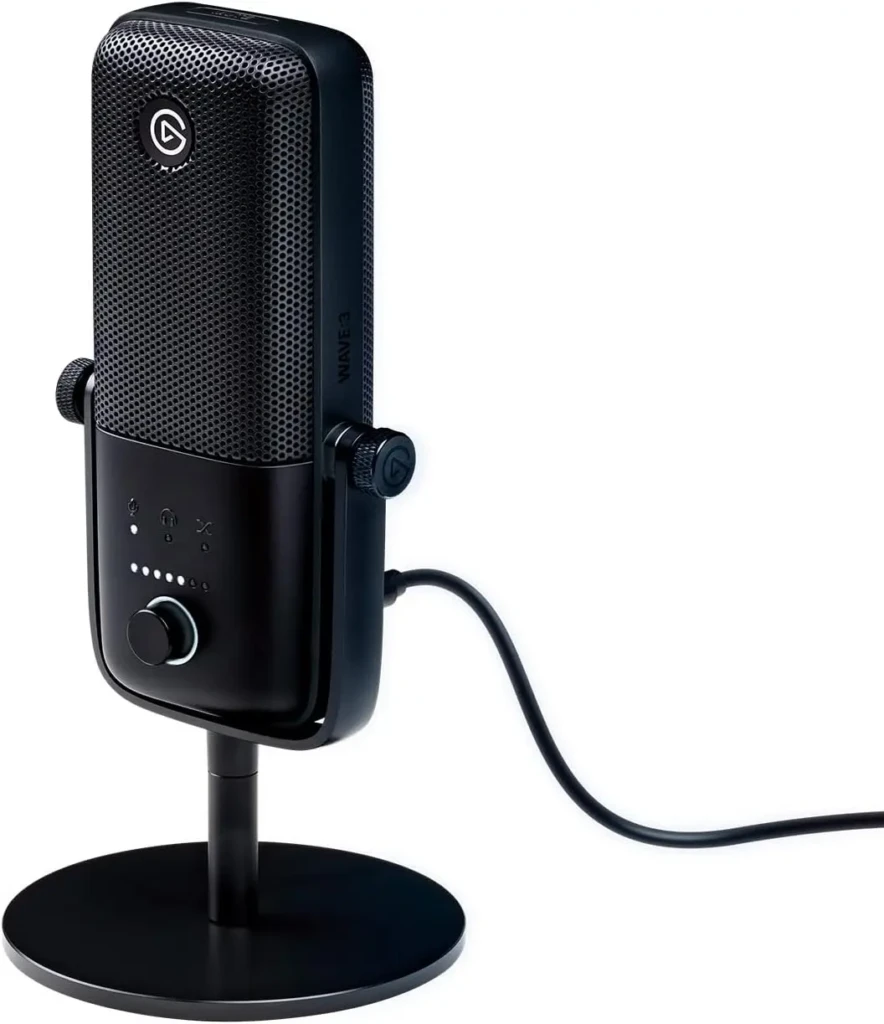
The Elgato Wave 3 is the best microphone for content creators who run multiple AI tools simultaneously across streaming, podcasting, video calls, and social content production. Wave Link software creates a virtual multi-source mixer that routes your audio to Descript, OBS, Zoom, Discord, and other applications simultaneously, with independent volume levels and EQ settings for each. That means one physical microphone can feed your AI podcast tool, your streaming software, and your video call (all with separate levels) without re-routing or re-patching anything.
The Clipguard anti-distortion system uses a dual-capsule design that maintains a second, lower-gain audio path as insurance against unexpected volume spikes. That matters specifically for AI transcription because clipping (audio that exceeds the maximum recording level) introduces distortion that transcription models misinterpret, leading to errors that require manual correction.
Key Specs
- Capsule Type: Condenser
- Connectivity: USB-C
- Sample Rate: 24-bit/96kHz
- Polar Pattern: Cardioid
- Frequency Response: 20Hz–20kHz
- Clipguard: Dual-capsule anti-distortion system
- Software: Wave Link (virtual mixer; routes audio to multiple apps simultaneously)
- Controls: Capacitive mute button, gain dial, headphone volume
Why It Stands Out
- Wave Link routes one mic to multiple AI tools simultaneously, such as Descript, OBS, Zoom, and Discord, each with its own settings.
- Clipguard’s dual-capsule system prevents audio clipping that can cause AI transcription errors.
- Condenser capsule at 24-bit/96kHz delivers detailed source audio for AI enhancement.
- Capacitive touch mute is instantaneous (no accidental noise from physical button presses).
- Purpose-built for multi-platform content workflows that combine AI tools across streaming, podcasting, and video.
Best For: Multi-platform content creators who podcast with AI tools while also streaming, recording video content, and taking calls, and need one microphone to serve all those workflows simultaneously.
5. Shure SM7dB
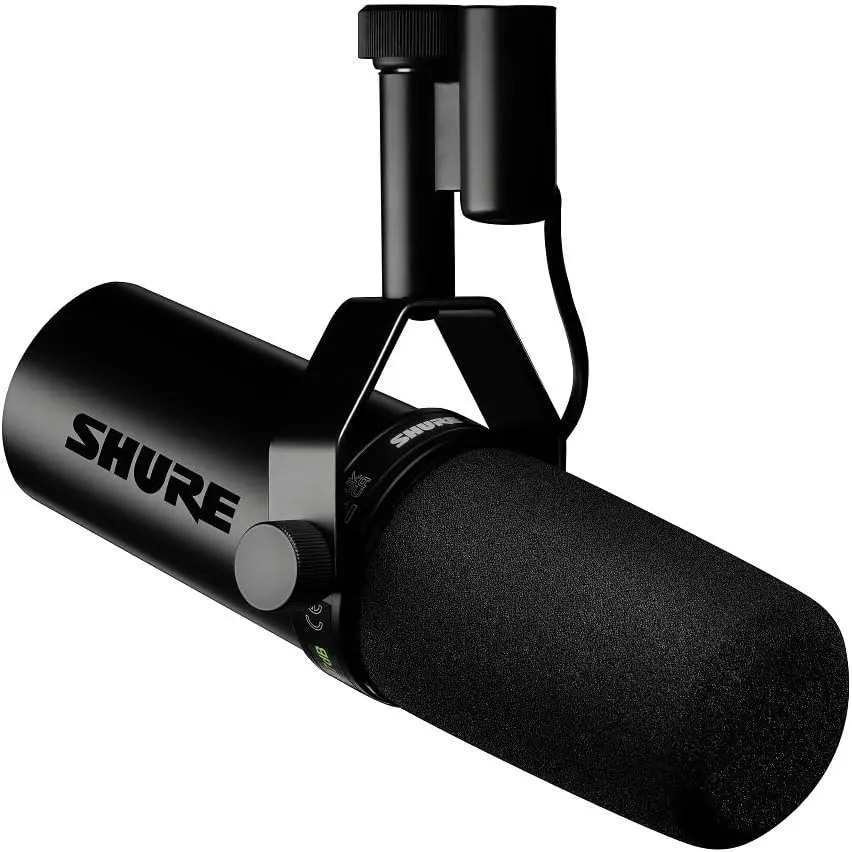
The Shure SM7dB is the professional-grade XLR microphone for AI podcasters who need the cleanest possible source signal, and its defining advantage over the classic SM7B is the built-in active preamp. The SM7B requires enormous gain from an audio interface, to the point that most budget interfaces introduce audible noise just to get the signal to a usable level, often requiring a separate Cloudlifter (around $150) to compensate. The SM7dB eliminates that problem entirely with a switchable built-in preamp (+18dB or +28dB) that boosts the signal at the capsule level, before the XLR cable run, so even a modest Focusrite Scarlett Solo produces a clean, noise-free signal.
For AI podcast workflows specifically, the SM7dB’s clean, low-noise signal floor means Adobe Podcast Enhance and Descript Studio Sound receive audio with a higher signal-to-noise ratio than any USB microphone can deliver, and the difference is audible in the final output.
Key Specs
- Capsule Type: Dynamic (broadcast-grade)
- Connectivity: XLR only (requires audio interface)
- Preamp: Built-in active preamp (switchable +18dB or +28dB)
- Polar Pattern: Cardioid
- Frequency Response: 50Hz–20kHz
- Switches: High-pass filter, presence boost
- Headphone Output: None (monitor via interface)
Why It Stands Out
- Built-in active preamp solves the SM7B’s gain problem; no Cloudlifter required.
- Lowest noise floor among the microphones on this list (cleanest signal for AI enhancement tools).
- A high-pass filter removes low-frequency noise (HVAC, desk vibration) before recording begins.
- The dynamic capsule naturally rejects room noise in imperfect recording environments.
- Industry-standard broadcast quality (the same capsule DNA as the SM7B used by major podcast studios worldwide).
- Presence boost adds vocal clarity in the speech intelligibility range.
Best For: Professional podcasters, studios, and serious creators who already have or plan to purchase an audio interface and want the highest-quality signal into AI tools like Descript, Adobe Podcast, and ElevenLabs.
Which AI Podcasting Tool Works Best With Each Microphone?
Understanding which tool pairs best with your hardware helps you build a workflow rather than just a gear list.
Descript
Descript works well with every microphone on this list; its Whisper-based transcription is robust enough to handle both dynamic and condenser recordings. However, Studio Sound AI noise removal produces the cleanest results with the Shure MV7+ and SM7dB because their dynamic capsules give it less noise to reconstruct. Additionally, Descript’s voice cloning (Overdub) benefits from the AT2020USB-X’s 24-bit/96kHz condenser recording (more source detail means a more accurate voice model).
Adobe Podcast Enhance
Adobe Podcast Enhance produces the most transparent output on dynamic microphone recordings in imperfect rooms. The Rode PodMic USB, combined with RØDE Connect’s AI voice isolation (two noise-reduction layers before the file reaches Adobe), consistently produces cleaner enhancement results than condenser mics in the same untreated environment. Adobe Podcast Studio records all participants at 16-bit/48kHz in the browser, so any USB microphone on this list provides a higher-quality source than the browser capture alone.
Riverside
Riverside benefits most from close-mic dynamic recording because its local capture technology records your raw audio at full quality before uploading. The Shure MV7+ is the natural pairing: USB-C direct into the laptop running Riverside.fm, with onboard DSP cleaning up the signal before local capture. For interview formats with remote guests, each guest’s microphone choice matters independently.
ElevenLabs
ElevenLabs voice cloning requires the cleanest, most detailed recording you can produce. A condenser microphone in a quiet, treated room provides the richest source material for voice model training.
The AT2020USB-X at 24-bit/96kHz is the right choice. Additionally, ElevenLabs recommends at least one hour of clean training audio, so consistency across multiple recording sessions is as important as the equipment itself.
USB vs XLR: Which Is Right for Your AI Setup?
The straightforward answer for most creators: start with USB.
USB microphones plug directly into the laptop where your AI tools run, require no additional hardware, and avoid the gain-staging complexity of XLR. The Shure MV7+ and Rode PodMic USB both deliver professional-quality USB audio that satisfies every mainstream AI podcasting tool without compromise.
Choose XLR when audio quality is a professional priority, when you already own an audio interface, or when you want the lowest possible noise floor feeding your AI tools. The SM7B connected to a Focusrite Scarlett Solo ($120) delivers a signal-quality ceiling that no USB microphone currently matches, and the interface investment pays off over the entire life of the setup, not just the current microphone.
The honest reality, according to multiple podcast production professionals, is that 60% of creators now prefer USB/XLR hybrid microphones specifically for their upgrade-path flexibility. The Shure MV7+ captures that preference perfectly: start on USB and expand to XLR whenever your workflow outgrows it, without buying a new microphone.
Tips for Getting the Best Audio Into AI Podcasting Tools
Small habits consistently produce better results than expensive gear choices. Record at 24-bit/48kHz minimum. Most AI tools perform best at this sample rate, and every microphone on this list supports it.
Keep your mic 4 to 6 inches from your mouth for dynamic mics and 8 to 12 inches for condensers. This is because if it’s too close, it introduces proximity-effect bass boost; if it’s too far, it introduces room noise that AI tools have to remove.
Monitor your gain carefully; audio peaks above -6 dBFS cause clipping that no AI tool can recover cleanly. The Elgato Wave 3’s Clipguard handles this automatically; for every other microphone, watch your level meter during test recordings. Additionally, record a 10-second room-tone sample at the beginning of each session.
Descript and Adobe Podcast use ambient noise profiles to calibrate their noise removal, and a dedicated room tone sample provides a cleaner noise model than inferring it from gaps in your speech. Using a pop filter (or a mic with a built-in one, like the Rode PodMic USB) also reduces plosive transients that cause AI transcription errors and noise-removal artifacts.
For podcast platforms and audio tools, check our Apple Podcast app guide for distribution best practices alongside your recording workflow. Additionally, our Spotify vs. Apple Music audio quality guide provides useful context on how platform encoding affects the final audio quality for listeners.
FAQs
No, the Rode PodMic USB combined with RØDE Connect’s AI voice isolation produces excellent results in Descript and Adobe Podcast. The return on investment from better microphones diminishes quickly above $250 for standard podcast use. The biggest quality gain comes from microphone technique (proximity and gain staging) rather than from hardware alone.
The Shure MV7+ is the most consistently recommended microphone for Descript workflows; the dynamic capsule rejects room noise that Studio Sound would otherwise have to process, and the onboard DSP further cleans the signal before it reaches Descript. The SM7dB is the professional upgrade.
For most AI podcast workflows, USB is sufficient and significantly simpler. USB microphones feed AI tools directly with no additional hardware. XLR delivers a lower noise floor and a cleaner signal ceiling, but requires an investment in an audio interface. Start with USB; expand to XLR when your workflow genuinely demands it.
Yes, measurably. Close-mic dynamic recordings with minimal room noise produce fewer transcription errors in Whisper-based tools (Descript, Riverside.fm) than distant or reverb-heavy recordings. The improvement is most significant when moving from a laptop’s built-in mic to a dedicated USB microphone; incremental gains beyond that are smaller but still real at scale.
Dynamic microphones perform better with AI noise removal in untreated rooms because they naturally reject off-axis room noise before recording. AI noise removal then has less to reconstruct, producing cleaner output with fewer artifacts. Condenser microphones capture more vocal detail, making them better for voice cloning, but only in quiet, treated environments.
Final Thoughts
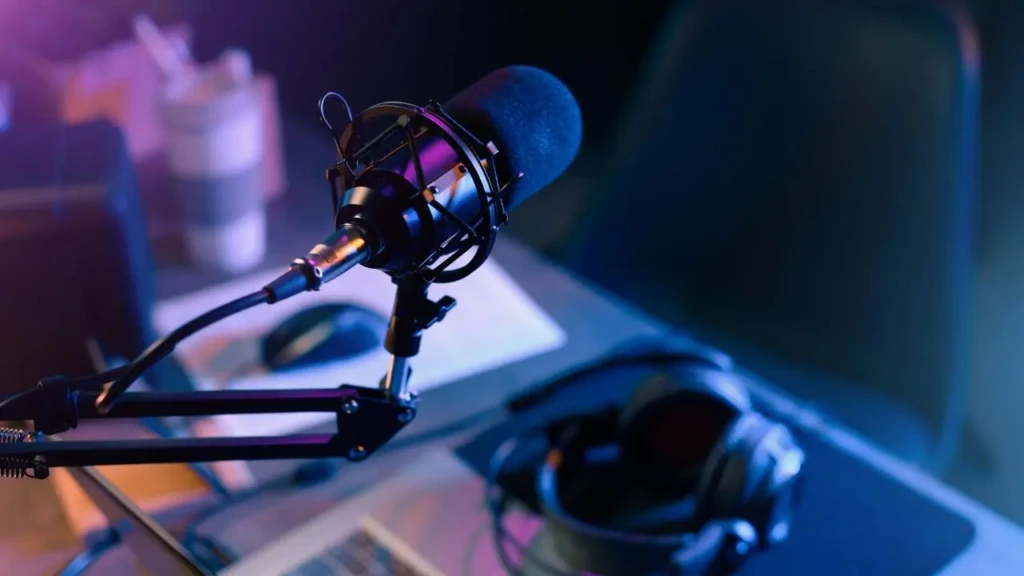
For most creators building an AI podcast workflow, the Shure MV7+ is the right starting point. Dual USB-C and XLR outputs, onboard real-time noise reduction, dynamic capsule noise rejection, and ShurePlus MOTIV app controls give you everything Descript, Adobe Podcast, and Riverside need from a source microphone. If your budget stops at around $200, the Rode PodMic USB is the strongest choice; RØDE Connect’s AI voice isolation adds a pre-processing layer for noise removal, making the budget price point punch significantly above its weight class in AI-enhanced output quality. And if voice cloning with ElevenLabs or Podcastle is central to your workflow, the AT2020USB-X provides the richest condenser source material for AI models that require vocal detail.
The single most important thing to internalize about microphones and AI podcasting tools is the relationship between them: better source audio gives AI tools less work to do, and less AI processing means fewer artifacts in your final output. Every dollar you spend on microphone quality, room treatment, and recording technique returns more quality in the finished episode than the same dollar spent on AI enhancement subscriptions. Build your source audio right first, then let the AI tools handle what’s left.
Ready to explore more? Visit YourTechCompass for hands-on reviews, buying guides, and how-to articles that cut through the noise and give you exactly what you need.