Every business has the same invisible time sink. Data moves manually between apps. Follow-up emails get written one by one. Notifications that should fire automatically sit waiting for someone to remember to send them. The tools you use every day don’t talk to each other by default, and that gap quietly costs your team hours every single week. Zapier was built to close that gap. Founded in 2011, it’s the most widely recognized name in no-code automation, now connecting to 9,000+ apps and, since a major 2025 rebrand, positioning itself as an AI Orchestration Platform rather than just a workflow tool. It’s the platform most people think of first when they hear “automation,” and that reputation is genuinely earned.
That said, this review will give you the complete picture. Zapier is the easiest entry point into automation for non-technical teams, and nothing in this category matches its breadth of integrations. However, the task-based pricing model has real implications that most reviews don’t address in enough detail, and the AI product line uses a cost-stacking structure that can catch you off guard if you’re not paying careful attention. Consequently, by the end of this article, you’ll know exactly how Zapier works, what it actually costs at your usage level, how it compares to Make and n8n, and whether it’s the right automation platform for your specific situation.
A note before we begin: every YTC score is earned, never negotiated. If you want to understand exactly how we evaluate apps & tools and how we handle affiliate relationships, our Review Methodology lays it all out.
What Is Zapier?
Zapier was founded in 2011 by Wade Foster, Mike Knoop, and Bryan Helmig, a fully remote team from day one, before remote work was a trend. The company is headquartered in Sunnyvale, California, bootstrapped to profitability on a single early Bessemer seed round, and was valued at $5 billion in a 2021 secondary transaction. Today, it’s the dominant player in the no-code automation category.
The core product is straightforward: Zapier connects web applications through trigger-and-action workflows called Zaps. You pick a trigger (the event that starts a workflow) and then define the actions that follow across any connected app.
In 2025, Zapier rebranded from an “automation platform” to an “AI Orchestration Platform” and added three AI-native products on top of its core Zap engine: Copilot, Agents, and Chatbots. These are sold as add-ons, not core features, an important distinction that affects how you budget for the platform.
Three capabilities genuinely separate Zapier from every competitor: integration breadth (9,000+ apps, significantly more than n8n’s 500+ or Make’s 2,000+), time to first automation (most non-technical users have a working Zap in under five minutes), and managed reliability. There’s no self-hosting or DevOps, and Zapier maintains 99.9%+ uptime on paid plans, with SOC 2 Type II and SOC 3 certifications.
How Zapier Works: Zaps, Triggers, and Actions
Building a Zap
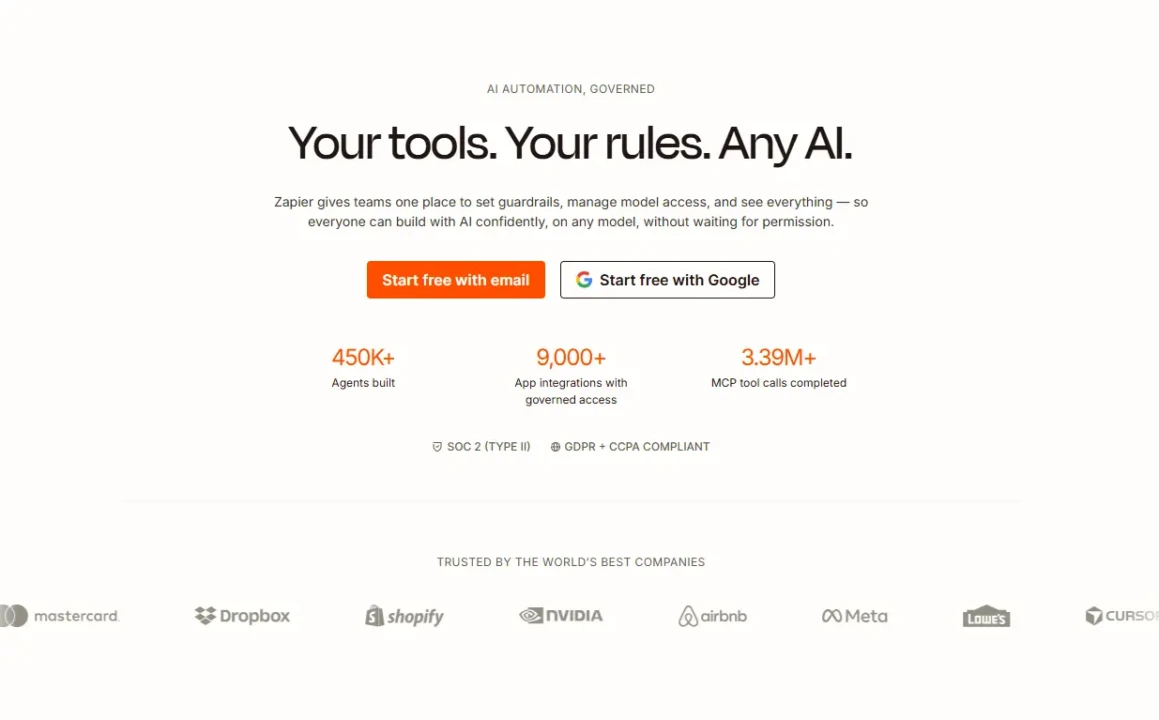
Building an automation in Zapier starts with choosing your trigger app and the specific event that should start the workflow. You then connect your action app(s) and define what should happen in response. Zapier handles authentication, data mapping, and execution automatically. The Zap editor has been rebuilt with a cleaner, modern interface, and Zapier Copilot can now generate a working Zap structure from a natural-language description in seconds, though complex workflows with conditional logic often require manual refinement after generation.
Multi-step Zaps let you chain multiple actions across multiple apps in a single workflow. Paths add conditional branching logic (if/else), so your workflow can take different directions based on the data it receives.
Filters let you run actions only when specific conditions are met, for example, only creating a CRM contact if the lead’s company is above a certain size. Formatter lets you transform, clean, and reformat data between steps without writing code. Critically, Paths and Formatter steps do NOT count toward your task usage, which is a meaningful practical advantage when you’re building logic-heavy workflows.
What Counts As a Task and Why It Matters More Than the Price
This is the section most people don’t fully understand before they commit to a plan, and it’s where the real cost of Zapier lies. Every action a Zap performs counts as one task.
A trigger doesn’t count; only the actions that follow it do. That means a single Zap with five actions burns five tasks every time it runs.
Now apply that to a realistic workflow. You have a Zap that fires when a new form submission comes in, creates a contact in your CRM, sends a welcome email, adds the contact to a Slack channel, and logs the entry to a Google Sheet. That’s four actions (four tasks) per submission.
Consequently, if your form receives 200 submissions per month, that’s 800 tasks from a single Zap alone. The Professional plan includes 750 tasks per month. You’ve already exceeded it.
Furthermore, a misconfigured Zap that loops (triggering itself repeatedly) doesn’t get auto-throttled by Zapier. It keeps running and consuming tasks. Multiple Trustpilot reviewers describe surprise bills in the $400–$1,200 range after a looping Zap ran overnight without intervention. Zapier now pauses Zaps at 3× your subscription limit rather than auto-charging, but paused automations mean broken workflows and missed leads, not cost protection.
The Good News: Tables, triggers, and actions are task-free as of 2025. Additionally, the Filter and Formatter steps are also task-free. Therefore, if you can route your data through Tables rather than through task-counting action steps, you can significantly extend your monthly allocation.
New in 2025–2026: Tables, Forms, and MCP
Zapier Tables and Forms are now bundled free on every plan, including the Free tier. Tables is a lightweight database builder wired directly to your Zaps, a simple Airtable alternative that can store, organize, and pass data between workflows without consuming tasks.
On the other hand, Forms capture user input and trigger workflows without requiring a third-party form tool. Both are useful additions, though neither is a differentiator against dedicated tools in their respective categories.
More significant is Zapier MCP. Zapier’s MCP server exposes 30,000+ Zapier actions as tools that external AI agents, including Claude, GPT-4, and any MCP-compatible platform, can call directly. This means an external AI system can trigger Zapier automations without a human initiating each workflow. MCP is included free on every plan and represents Zapier’s clearest bid to be infrastructure for the AI agent era, not just a workflow tool.
Zapier’s AI Product Line: Copilot, Agents, and Chatbots
This is where Zapier’s most significant 2025–2026 transformation lives, and where costs stack in ways that aren’t immediately obvious from the headline pricing.
Zapier Copilot
Copilot is an AI sidebar assistant built into the Zap editor. Describe what you want in plain English: “When I get a new HubSpot lead, check if they’re already in our CRM, and if not, create a contact and send a welcome email,” and Copilot builds the Zap structure. It can also generate code steps, automatically map data fields, and troubleshoot error messages.
Copilot is included in all plans, though the Free plan has daily message limits, and paid plans unlock expanded access. One verified G2 reviewer described it plainly: “The Zapier AI is honestly kind of wild.
It helps you build things faster and even handles parts of the logic for you, so you’re not stuck figuring out every step manually.” That captures the experience well for straightforward workflows. For genuinely complex, multi-step logic, expect to refine Copilot’s output before it runs reliably.
Zapier Agents
Agents live at zapier.com/agents as a separate product with its own subscription pricing, not included in your base Zapier plan. They are autonomous AI teammates that handle multi-turn decisions and complex task execution.
Unlike Zaps, which are rule-based (trigger happens → actions execute, every time, the same way), Agents are judgment-based: they interpret context, make decisions, and adapt their responses dynamically. An Agent can browse the web, query knowledge bases, decide which action is appropriate given a situation, and execute that action across 8,000+ connected apps, all without a predefined trigger-action chain.
The Free tier allows 400 Agent activities per month for experimentation. The Pro tier allows 1,500 activities per month. AI Guardrails (a newer addition) screen AI output for safety and compliance before any action is executed, which is important for regulated or customer-facing workflows.
The honest limitation here is one that Zapier itself acknowledges explicitly: non-determinism. Agents don’t always produce the same output for the same input. That’s inherent to how LLMs work.
For workflows that need 100% consistent, predictable outputs every time, a structured Zap is the right tool. Agents are for tasks where judgment and adaptability matter more than perfect reproducibility.
Zapier Chatbots
Chatbots let you build customer-facing AI support flows powered by Zapier automation, no code required. You can connect chatbot responses to Zap actions: qualify a lead through conversation → automatically create a CRM record → assign to a sales rep → send a follow-up email.
Chatbots are currently in beta and have separate subscription pricing on top of your base plan. Basic testing access is free; production deployment requires a paid Chatbot subscription.
Cost stacking is the key point to understand here. Professional base plan ($19.99/month annual) + Agents Pro ($33.33/month annual) + Chatbots ($13.33+/month) = $66.65+/month minimum for all three products. That’s meaningfully more than the $19.99 entry point that Zapier prominently displays.
Zapier Pricing: What You’ll Actually Pay
💳 Zapier Plans at a Glance
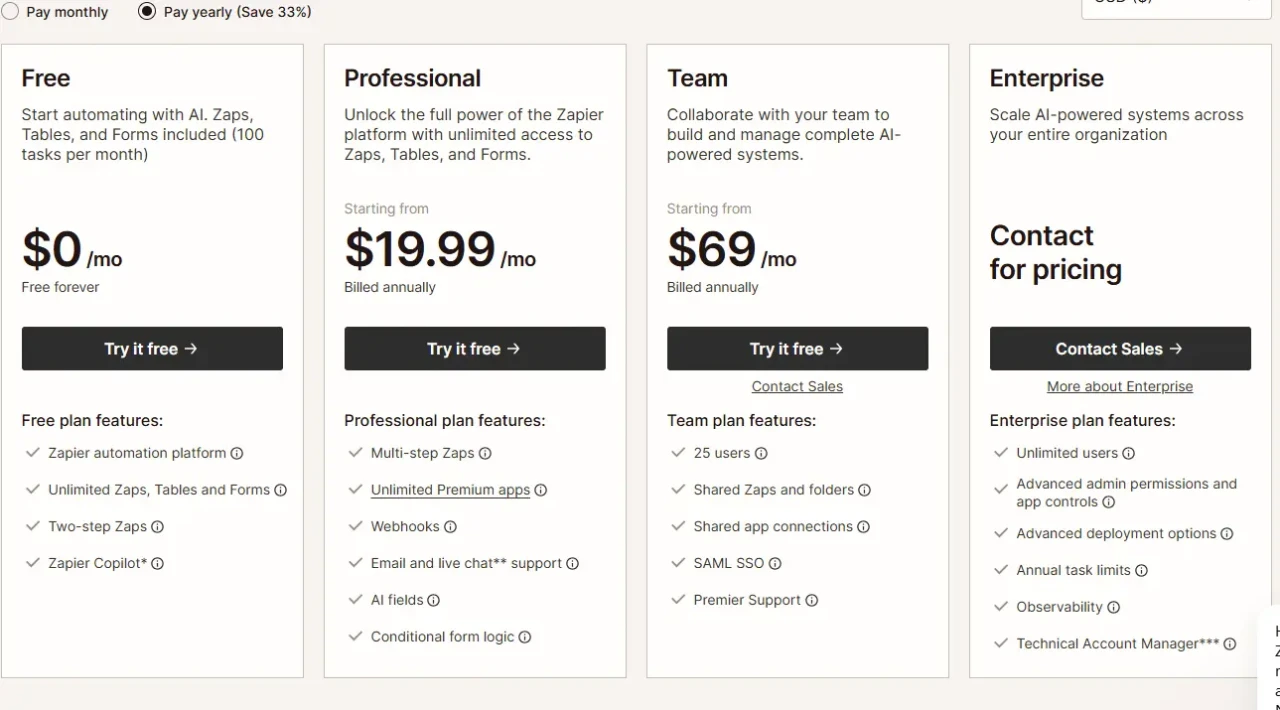
Plan | Monthly Cost (Annual) | Tasks/Month | Multi-Step Zaps | Premium Apps | Best For | Verdict |
Free | $0 | 100 | ❌ 2-step only | ❌ Not included | Testing, demos | 🔍 Demos only |
Professional | $19.99/month | 750 | ✅ Yes | ✅ Included | Solo users, simple flows | ⚠️ Burns fast on multi-step |
Team | $69/month | 2,000 | ✅ Yes + SSO | ✅ Included | Small teams, collaboration | ✅ Good team baseline |
Enterprise | Custom | Custom | ✅ Full features | ✅ Included | Large orgs, compliance | ✅ Full governance |
All prices reflect annual billing. Monthly billing runs approximately 33–50% higher. AI Agents and Chatbots are separate add-on subscriptions not included in any base plan. Always verify current pricing at zapier.com/pricing before committing.
The Real Cost Math
The Professional plan at $19.99/month sounds accessible until you run the task math against your actual workflows. At 750 tasks/month, a Zap with four actions that fires just six times per day (180 times per month) burns 720 tasks, nearly your entire monthly allocation from a single automation. Teams running multiple multi-step workflows will exhaust the Professional tier in days, not weeks.
Beyond task limits, premium apps such as Salesforce, HubSpot, and Marketo are entirely locked out of the Free plan. Even light CRM users are forced to upgrade immediately. And monthly billing costs 50% more than annual billing. Zapier advertises this as a “33% savings” on annual plans, but the inverse framing is accurate: monthly pricing is 50% above the annual rate.
At scale, the numbers become stark. According to independent reviews, 10,000 tasks per month cost approximately $300/month on Zapier.
One hundred thousand tasks cost $800+/month. That’s consistently three to ten times more expensive than n8n Cloud Pro at equivalent volumes.
Teams building AI-heavy workflows reach the break-even point fastest because agent steps and LLM calls each consume a task. Additionally, Zapier’s strict no-refund policy is extensively documented in user reviews; one Trustpilot reviewer reported being charged over $800 for an auto-renewing annual plan without adequate notice; another reported being unable to cancel for three months.
Zapier vs. Make vs. n8n
Choosing among these three platforms is fundamentally a decision about your team’s technical comfort, workflow complexity, and the scale you’ll reach. Here’s the honest comparison.
⚡ Zapier vs. Make vs. n8n: Side-by-Side
Feature | Zapier | Make | n8n |
App Integrations | ✅ 9,000+ | 2,000+ | 500+ (5,800+ community) |
Pricing Model | Per task/action | Per operation | Per operation |
Free Tier | 100 tasks/month | 1,000 ops/month | ✅ Unlimited (self-hosted) |
Self-hosting | ❌ No | ❌ No | ✅ Yes (free Community Edition) |
Custom Code | ❌ Limited | Limited | ✅ JavaScript + Python |
AI-native | ✅ Copilot, Agents, Chatbots, MCP | Partial | ✅ LangChain, 70+ AI nodes |
Learning Curve | ✅ Easiest (under 5 min) | Moderate | Steep |
Cost at Scale | ❌ Most expensive | Moderate | ✅ Cheapest |
Data Control | Cloud only | Cloud only | ✅ Full (self-host) |
Uptime/Reliability | ✅ 99.9%+ managed | Good | Depends on your infra |
Where Zapier Wins
Integration breadth is unmatched; 9,000+ apps cover virtually every business tool in existence, including niche and legacy SaaS that Make and n8n don’t support natively. Setup speed is genuine: a working Zap in under five minutes is achievable for most non-technical users. Managed reliability means no DevOps overhead, and the enterprise security posture (SOC 2 Type II, SAML SSO, role-based access) is production-ready without infrastructure investment.
Where Zapier Loses
Per-task pricing is the biggest structural disadvantage. Independent analysis consistently shows that Zapier is cheaper than n8n, with Zapier only below n8n for roughly 2,000 tasks per month.
Between 2,000 and 5,000 tasks, the costs roughly balance out. Above that, n8n is consistently three to ten times cheaper. For complex, multi-step workflows at volume, this gap compounds quickly.
Who Should Pick Make
Teams that want more visual control over complex branching logic at a significantly lower per-operation cost. Make’s scenario-building is more powerful than the Zap editor for users comfortable with moderate technical complexity. Make’s Core plan at approximately $10.59/month provides substantially more automation capacity than Zapier Professional.
Who Should Pick n8n
Developers, technical operations teams, and any organization that needs self-hosting, data residency, custom JavaScript or Python code, or LangChain-powered AI pipelines at a fraction of Zapier’s cost at scale.
Our n8n review covers the full picture, including honest, in-depth limitations.
Real-World Use Cases for Zapier
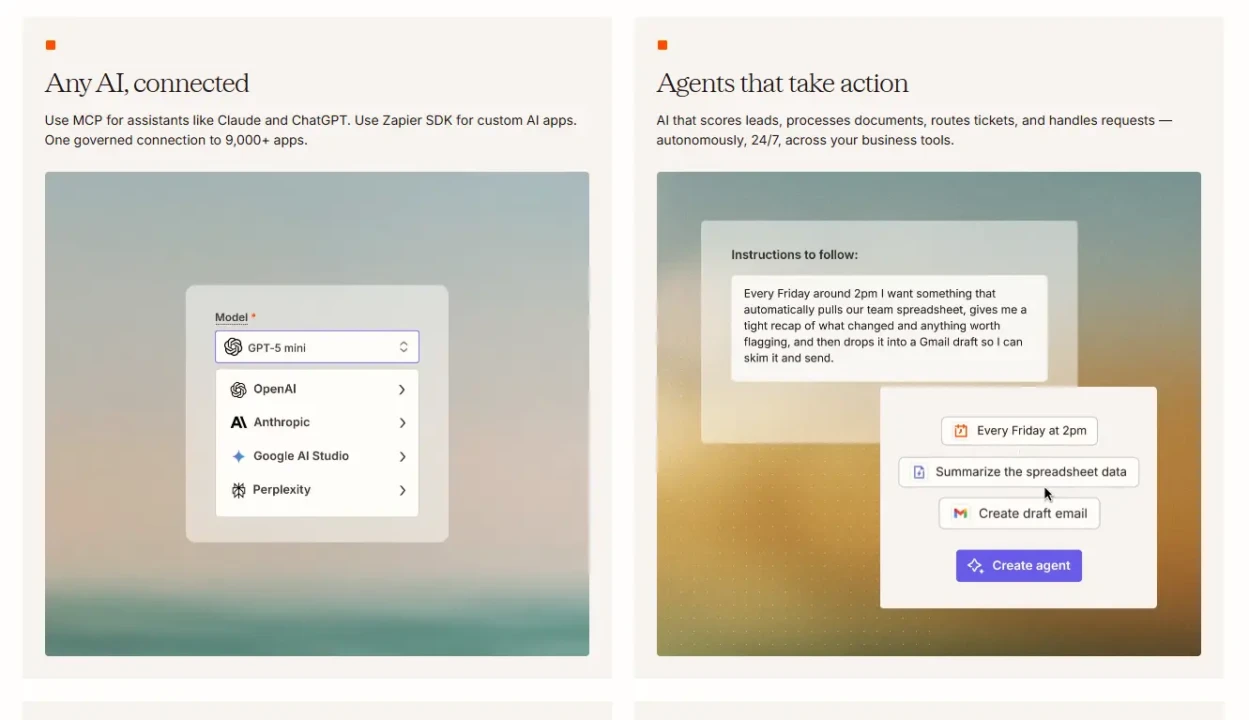
The best way to understand where Zapier genuinely earns its position is to look at what teams are actually building with it and the results they’re getting.
Lead Routing and CRM Automation
Lead routing and CRM automation are classic Zapier use cases. A new Typeform submission triggers the creation of a HubSpot contact, a Slack notification to the sales team, and a confirmation email to the lead, all simultaneously, with zero manual steps.
One G2 reviewer described using Zapier to connect their website application form to Google Sheets, triggering a full hiring workflow for intern applications: “Now when someone applies, it automatically captures their info, organizes it, and even triggers follow-ups. In addition, it feels like the whole pipeline just runs on its own.”
IT Helpdesk Automation
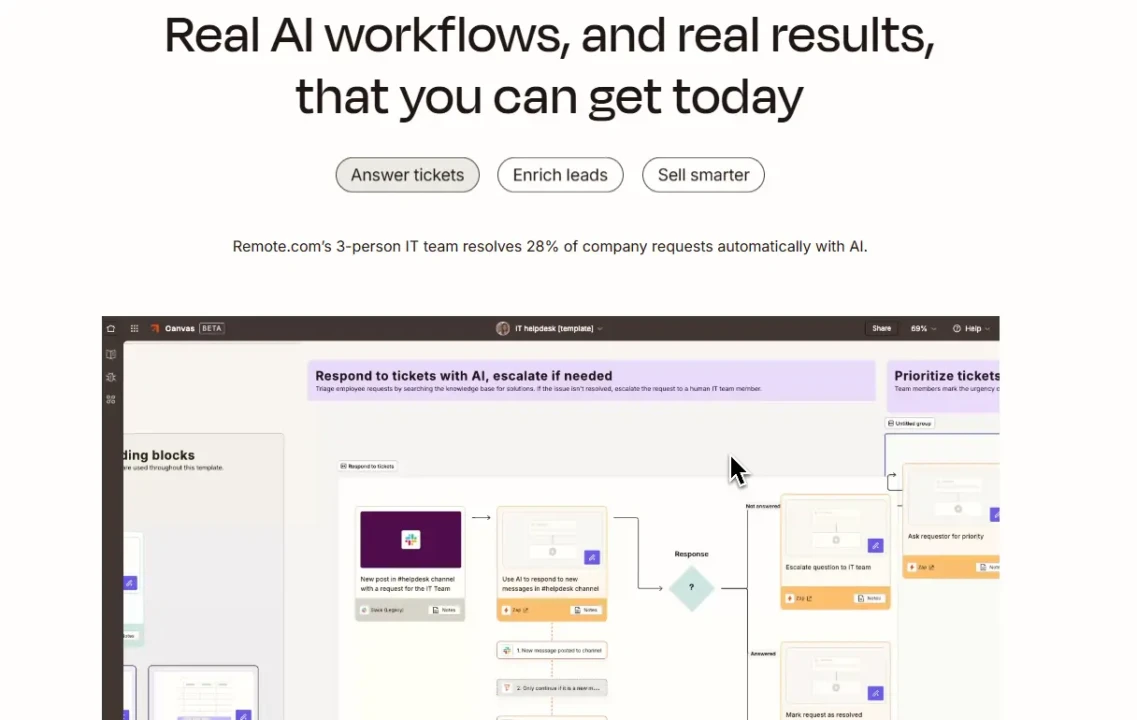
IT helpdesk automation illustrates enterprise-scale ROI. Remote’s three-person IT team automated ticket intake, triage, resolution suggestions, and self-assignment using Zapier’s AI features, saving over 600 hours per month and avoiding approximately $500,000 in additional staffing costs.
Agent Onboarding and Marketing Workflows
Agent onboarding and marketing workflows show what Zapier Tables enables for process-heavy operations. Premiere Property Group used Zapier Forms and Tables to fully automate agent onboarding and branding setup, saving $115,000 per year by building systems rather than adding headcount.
Sales Ops Enrichment
Sales ops enrichment demonstrates Zapier’s ability to orchestrate complex multi-tool pipelines. Vendasta combined Zapier with Apollo, Clay, and ChatGPT to automate lead enrichment, call transcript summarization, CRM record updates, and timed follow-up emails, replacing a previously manual process that required multiple team members.
E-commerce Order Processing
E-commerce order processing is where Zapier’s breadth of integrations shines. A new Shopify order triggers a Google Sheets update, an SMS confirmation to the customer, a ShipStation shipping label creation, and a Slack notification to the warehouse (all in seconds from a single trigger).
For a broader look at the automation and productivity tool ecosystem, our Apps and Tools section covers complementary platforms worth considering alongside Zapier. And if you’re building workflows that include AI-powered feedback collection as a step, our best AI feedback and survey tools guide covers the leading platforms worth integrating.
Who Should Use Zapier and Who Shouldn’t

Zapier is genuinely the right choice if you:
- Are a non-technical user or team that needs automation running in minutes with zero DevOps
- Need to connect two or more of the 8,000+ apps it supports, especially niche or legacy tools that competitors don’t cover natively.
- Want fully managed infrastructure with 99.9%+ uptime, SOC 2 compliance, and enterprise security without self-hosting overhead.
- Are running relatively linear, straightforward workflows where monthly task counts stay within a predictable budget.
Zapier is not the right fit if you:
- Run complex, multi-step workflows at high volume; the per-task model costs three to ten times more than n8n above 5,000 tasks per month.
- Need custom JavaScript or Python code inside your workflows for non-standard data transformations.
- Require data residency or self-hosting for compliance. Zapier is cloud-only with no self-host option.
- Are a developer or technical ops team that values code-level control and pricing at scale.
An Honest Note on the Review Landscape
Zapier holds a 4.5/5 on G2 from 2,000+ reviews and a 4.7/5 score on Capterra, but a 1.4/5 on Trustpilot from hundreds of reviewers. The Trustpilot complaints concentrate on three consistent themes: surprise billing from task overages and auto-renewals, reliability issues including duplicate records and missed triggers on complex Zaps, and poor support responsiveness on billing disputes (live chat is only available on plans above $100/month; email support on lower tiers can take 24–48 hours).
The gap between G2 and Trustpilot likely reflects the difference between established teams with mature automation setups (who find Zapier reliable and valuable) and newer users who hit unexpected cost walls or workflow failures. Both experiences are real, and both are worth understanding before you commit.
FAQs
A task is any action a Zap successfully completes. The trigger that starts the workflow doesn’t count; only the subsequent actions do. A Zap with five actions uses five tasks per run. Filters, Formatter steps, and Tables triggers and actions are task-free, which means you can build logic-heavy workflows without those steps counting against your monthly limit.
Zapier (Zaps) is rule-based: a trigger happens, actions execute, and it happens every time, the same way. Zapier Agents are AI-powered and judgment-based; they interpret context, make decisions, and adapt dynamically. Agents are a completely separate product with their own subscription pricing, in addition to your base Zapier plan.
Zapier MCP (Model Context Protocol) exposes 30,000+ Zapier actions as tools that external AI agents, including Claude, GPT-4, and any MCP-compatible system, can call directly. It’s included free on every plan, including Free. It effectively turns Zapier into infrastructure that AI agents can use to trigger real-world automations on demand, without a human initiating each workflow.
It depends entirely on your workflow complexity and task volume. For simple, linear automations between popular apps that run infrequently, the Professional plan at $19.99/month delivers genuine value. As your workflows become multi-step and run more frequently, task math can push real monthly costs to $100–$300 or more. At that point, evaluating Make or n8n becomes a serious financial decision rather than just a preference.
Final Thoughts
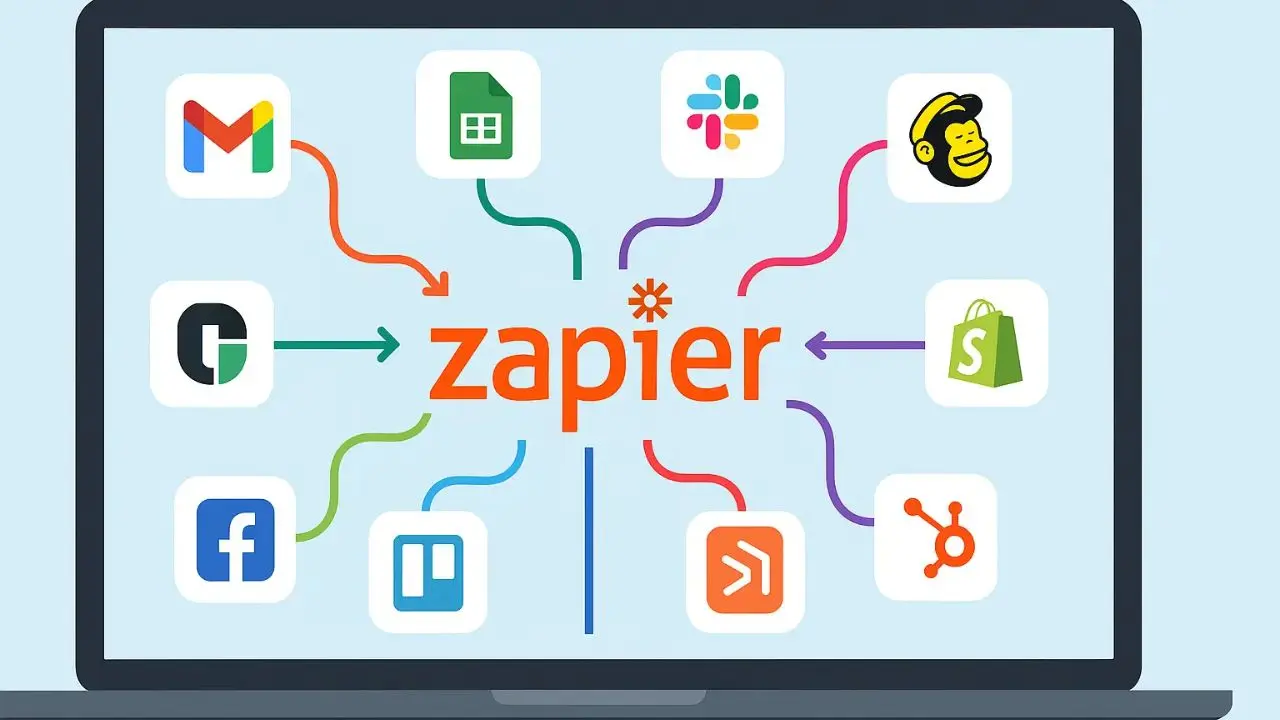
Zapier earned its dominant position in the automation category for real reasons. The 9,000+ integration library is genuinely unmatched; no other platform comes close to that app coverage, especially for niche and legacy tools. The five-minute setup is accurate for non-technical users. The managed reliability and enterprise security posture make it a defensible choice for organizations that need automation without infrastructure overhead. Furthermore, the 2025–2026 AI additions (Copilot, Agents, MCP, and Chatbots) represent a genuine investment in where automation is heading, not just marketing rebranding. For teams new to automation, Zapier remains the fastest onramp available.
That said, going in without understanding the pricing model is where most frustration comes from. The task-based structure is not designed to favor power users, and the cost gap versus n8n widens sharply above 5,000 tasks per month. The AI add-ons stack costs in ways the $19.99 headline doesn’t reflect. The Trustpilot score isn’t an accident; the billing complaints are consistent and specific enough to take seriously, particularly around auto-renewals and the no-refund policy. If you’re running simple, low-volume automations between mainstream apps, Zapier will serve you well. If your workflows are complex, high-frequency, or technically demanding, calculate what you’ll actually pay at your usage level before you sign an annual contract.
The apps, automation platforms, and AI tools that are genuinely worth your time are tested honestly and compared clearly at YourTechCompass.com, because the right tool at the wrong price is still the wrong tool.