AI video apps have fundamentally raised the bar on what your camera signal needs to deliver. Zoom’s AI portrait, Google Meet’s auto-lighting, Teams’ background blur, Runway’s video generation, and HeyGen’s AI avatar tools all process your video feed in real time, and the quality of what they produce is only as good as the footage you give them. A poor webcam doesn’t just make you look bad on a call. It actively limits what your AI tools can do with the image, producing noisier background removal, less accurate face tracking, and more artifacts in AI-generated outputs. If you’re investing in AI video apps, your camera is the foundation on which everything else is built. Consequently, choosing the right webcam for AI video apps matters more than ever.
The good news is that the market has shifted significantly in your favor. AI features like auto-framing, background removal, and real-time noise reduction have migrated from the $200+ premium tier down to $50–$70 webcams in 2026. However, the capabilities that remain genuinely premium (physical motorized tracking, large-sensor low-light performance, and on-device AI processing) are still worth paying for if your use case demands them. This guide reviews seven of the best webcams for AI video apps across every price tier, with a full comparison table, an honest buying framework, and clear verdicts on who each camera is actually built for.
📷 Best Webcams for AI Video Apps: Side-by-Side
Webcam | Resolution | Physical Tracking | AI Features | Built-in Mic | Price | Best For | Verdict |
4K/30fps | ✅ 2-axis gimbal | ✅ Best in class | ✅ Beamforming stereo | ~$249 | AI apps & creators | ✅ Best overall | |
4K/30fps | ❌ Software only | ✅ RightLight 4 + HDR | ✅ Dual omni | ~$200 | Business & enterprise | ✅ Best plug-and-play | |
4K/30fps | ✅ Motorized PTZ | ✅ AI Tracking 2.0 + voice | ✅ Voice locator stereo | ~$349 | Streamers & educators | ✅ Best tracker | |
1080p/30fps | ❌ Software only | ✅ RightLight 4 + Show Mode | ✅ Dual noise-cancel | ~$130 | Remote workers & value | ✅ Best value | |
4K/30fps | ❌ Software only | ✅ Auto-framing + HDR | ❌ None | ~$153 | Video quality & no mic | ⚠️ Needs a separate mic | |
1080p/30fps | ❌ Software only | ✅ RightLight 4 + Show Mode | ✅ Dual noise-reduce | ~$129 | Enterprise fleet & TAA | ✅ Best for IT teams | |
1080p/30fps | ✅ Motorized gimbal | ✅ Tracking + gestures | ⚠️ Limited | ~$89 | Budget physical tracking | ✅ Best budget tracker |
What Makes a Webcam Good for AI Video Apps Specifically?
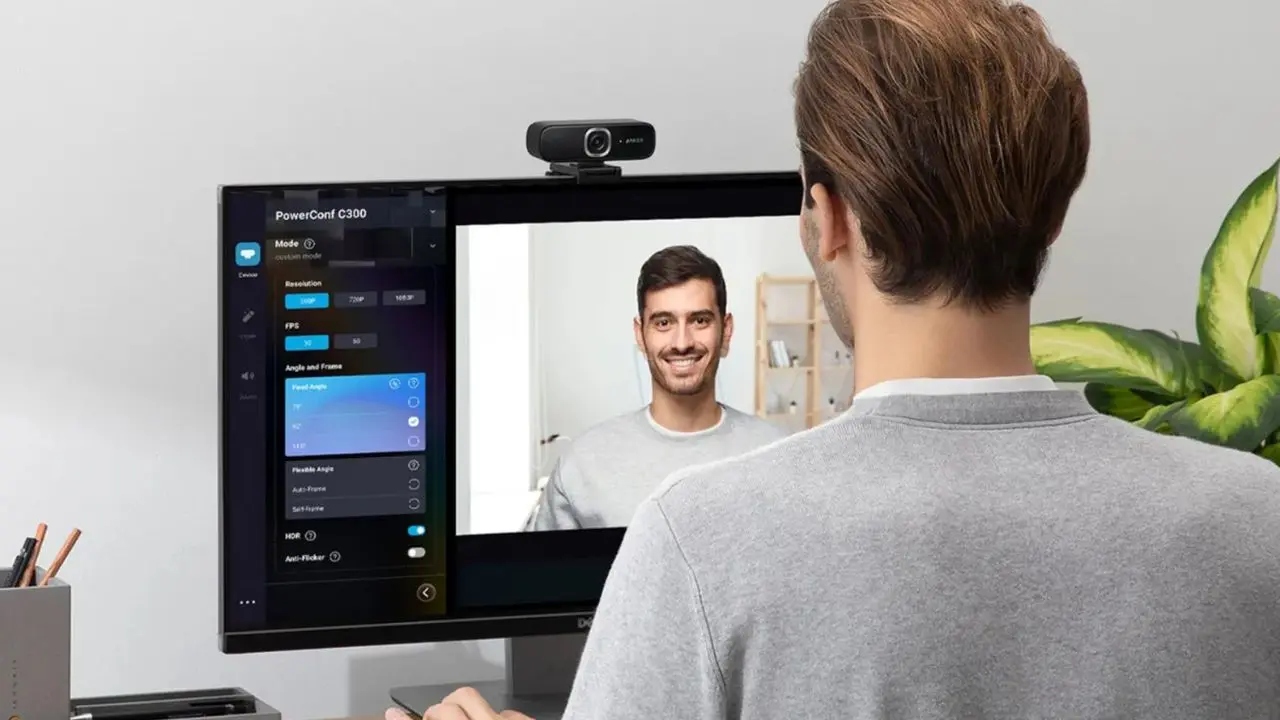
Before getting into specific products, it’s worth understanding what separates a great webcam for AI video apps from one that just looks good on paper. Not all hardware decisions matter equally when your footage is being processed by an AI system.
Sensor Size
Sensor size is the first thing to understand. AI tools that perform background removal, portrait enhancement, and motion analysis work better with a cleaner, higher-fidelity input signal. A 1/2-inch or larger sensor captures more light and produces less noise than a budget 1/4-inch alternative, giving your AI tool more accurate pixel data to work with. That accuracy translates directly into cleaner background edges, more precise face tracking, and fewer rendering artifacts.
Resolution vs Frame Rate
Resolution versus frame rate requires a nuanced take. Most AI video conferencing platforms, such as Zoom, Teams, and Meet, cap streaming at 1080p.
Therefore, a 4K webcam’s real advantage for calls isn’t its 4 K streaming. It’s the ability to digitally zoom in without visible loss of quality and to provide a sharper subject-to-background boundary, which helps AI background removal tools work more cleanly. Consequently, for streaming and content creation, 1080p/60fps consistently outperforms 4K/30fps in perceived quality because motion smoothness matters more to viewers than the resolution they can’t fully see.
Autofocus Speed and Accuracy
Autofocus speed and accuracy matter enormously for AI video apps that track faces and gestures. A slow or hunting autofocus creates lag that breaks AI framing tools; the camera refocuses, the AI tool detects a blurred frame, and the output stutters. Phase Detection Autofocus (PDAF) is the standard to look for at this level: it’s faster, more accurate, and more reliable in changing light than contrast-detection systems.
HDR and Low-Light Performance
HDR and low-light performance directly affect the quality of AI output. This is because AI tools struggle with noisy, underexposed footage.
Therefore, the noise is amplified through processing, not corrected. Consequently, large apertures (f/1.7 or wider) and hardware HDR give your AI tools a fighting chance against backlit windows, overhead fluorescent lights, and other challenging real-world environments.
Built-In AI vs Software AI
This is the final distinction worth understanding. Some webcams process AI on-device; tracking, framing, and noise reduction happen in hardware before the signal reaches your app. Others rely on companion software or the AI features of your video platform.
Hardware AI is generally more reliable, less CPU-intensive, and works consistently regardless of which video app you’re using. Additionally, a hardware-tracked webcam doesn’t force your laptop to process both the AI video app and the tracking simultaneously, which matters if you’re also running demanding tools.
If you’re ever experiencing CPU strain during AI video calls, our guide to the best laptops for running AI tools locally covers hardware configurations you should know about.
The 7 Best Webcams for AI Video Apps Reviewed
1. Insta360 Link 2 Pro: Best Overall for AI Video Apps
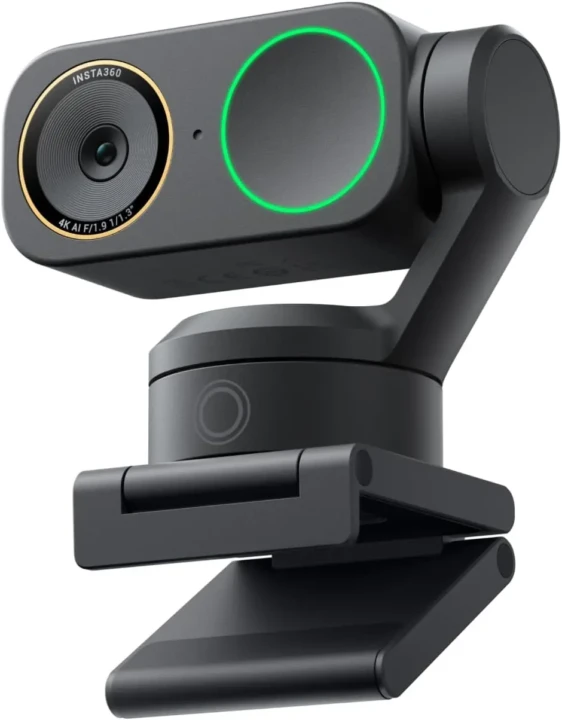
The Insta360 Link 2 Pro is the strongest single webcam on this list for anyone whose work involves AI video apps that process motion, track subjects, or analyze a video feed in real time. It launched in January 2026, earned a 2026 CES Picks Award, and has been reviewed by Tom’s Guide as potentially “the best webcam you can get,” with image quality described as a clear step above current flagship offerings from Logitech, Razer, and Elgato.
The 2-axis motorized gimbal combined with Phase Detection Autofocus is what sets it apart. The gimbal physically moves the camera to follow you around the room, not a digital crop or software zoom, but the lens itself reorients to keep you in frame at full sensor resolution. That means AI video apps receive the clearest possible signal of you at all times, regardless of where you move.
The sensor is the largest in its class: a 1/1.3-inch unit with dual native ISO and HDR, producing impressively clean images even in challenging lighting. Furthermore, the directional audio system uses beamforming and AI noise cancellation to isolate your voice before the signal ever reaches your platform. AI-powered meeting summaries, transcripts, and searchable notes are built into the companion software, with some premium features available only with a subscription.
Key Specs
- Resolution: 4K/30fps; 1080p/60fps
- Sensor: 1/1.3-inch (largest in class); Dual Native ISO (100–3,200); PDAF
- Gimbal: 2-axis motorized pan-tilt
- AI Features: AI subject tracking, gesture control, whiteboard mode, DeskView, beauty mode, background blur, AI meeting summaries and transcripts
- Microphones: Directional beamforming stereo with AI noise cancellation
- FOV: 79° (standard); adjustable
- Connectivity: USB-C
- Compatibility: Zoom, Teams, Meet, OBS; Mac M1+ and Windows (NVIDIA RTX 2060+ required for virtual backgrounds)
- Price: $249.99
Why It Stands Out
- Only webcam in this roundup with a 1/1.3-inch sensor, the largest in its class.
- 2-axis motorized gimbal physically tracks you at full resolution, with no digital-crop artifacts.
- Beamforming stereo audio with AI noise cancellation is the strongest built-in audio on this list.
- Gesture control lets you manage framing and zoom without touching the device.
- AI meeting transcription and summaries are built directly into the companion software.
Best For
Content creators, AI app developers, educators, online trainers, and anyone feeding footage into AI video tools that process motion, track subjects, or generate AI video content.
2. Logitech MX Brio: Best Premium Business Webcam
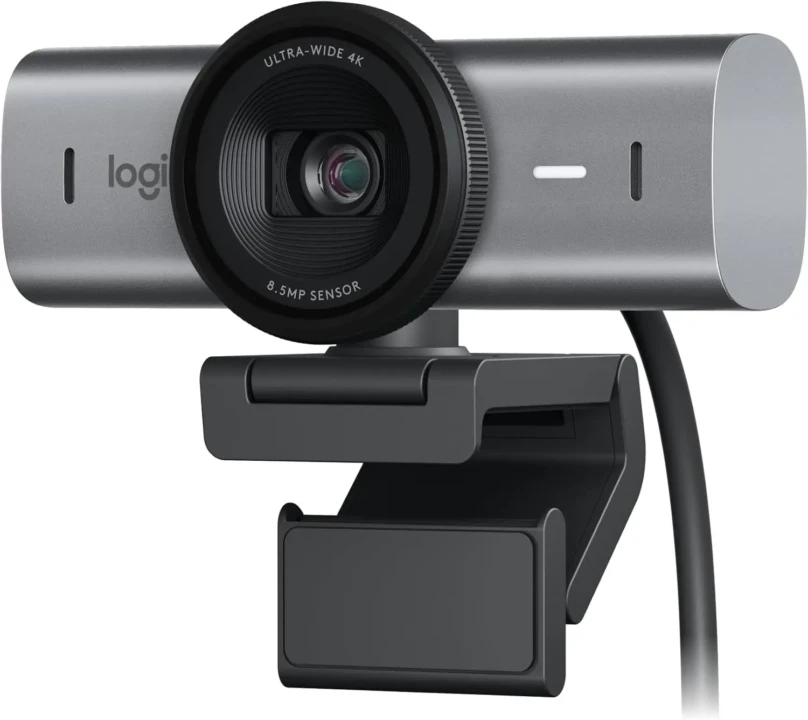
The Logitech MX Brio is the most refined business webcam Logitech has produced. At approximately $200, it delivers 4K/30fps from an upgraded 1/2-inch sensor, a significant improvement over its Brio 4K predecessor, with color accuracy and auto-exposure consistency that make it exceptionally well-suited to AI video call platforms that process your image before it reaches other participants.
RightLight 4 is Logitech’s intelligent exposure system, and it’s one of the best automatic image processors at this price point. It adapts in real time to backlit windows, low ambient light, and overexposed ceiling fixtures (the three lighting conditions that defeat most webcam auto-exposure systems).
Independent testing has found that auto-white balance performance nearly matches that of cameras costing twice as much. That stability is exactly what Zoom AI Portrait and Teams AI need: a consistent, predictable input signal they don’t have to constantly compensate for. Show Mode allows the camera to flip downward to display physical items in calls, and 4K resolution enables clean digital zoom without visible quality loss.
Key Specs
- Resolution: 4K/30fps; 1080p/60fps
- Sensor: 1/2-inch upgraded CMOS
- AI Features: RightLight 4 auto-exposure, auto-framing, Show Mode, background blur, auto-white balance
- Microphones: Dual omnidirectional noise-canceling
- FOV: 90° (adjustable to 78° and 65°)
- Connectivity: USB-C
- Privacy: Built-in privacy shutter
- Chassis: Aluminum
- Compatibility: Certified for Teams, Zoom, Meet; Logitech Sync enterprise management
- Price: ~$200
Why It Stands Out
- RightLight 4 delivers near-best-in-class auto-white balance at this price tier.
- The 4K sensor provides clean digital zoom, which is useful for accurate AI background removal.
- Aluminum chassis with built-in privacy shutter; the most premium hardware feel at $200.
- Logitech Sync enables centralized IT management across enterprise fleets.
- Show Mode adds genuine utility for presentations and product demonstrations.
Best For
Business professionals, remote workers in enterprise environments, and teams who want the best plug-and-play AI video call quality at $200 without a motorized gimbal.
3. OBSBOT Tiny 3: Best AI Tracking Webcam for Streamers and Educators
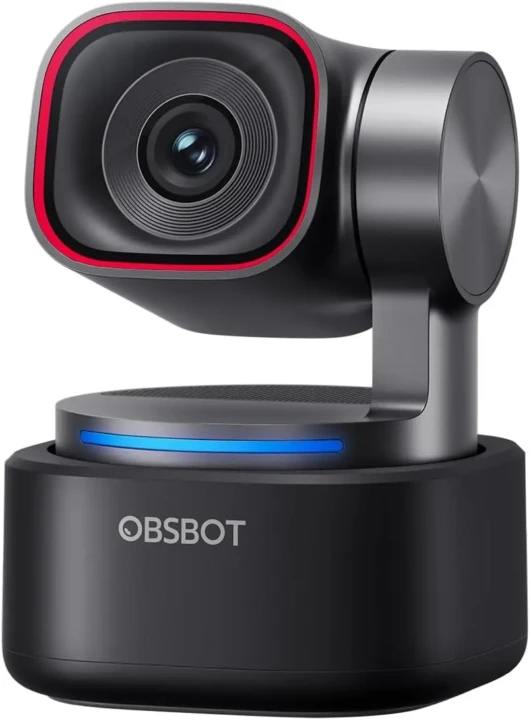
The OBSBOT Tiny 3 is the most capable AI-native tracking webcam on this list for streamers and educators. It physically follows you with a motorized pan-tilt system, adds voice-based audio tracking, and delivers professional low-light performance, all in the smallest motorized PTZ form factor currently available.
What sets the Tiny 3 apart is the same principle that makes the Insta360 Link 2 Pro valuable: physical movement preserves full sensor resolution. When you walk to a whiteboard, turn to a second monitor, or step back from your desk, the gimbal moves the lens to keep the image centered, maintaining image quality rather than cropping it. Moreover, the voice locator mic system identifies where sound is coming from in the room and orients accordingly, making it uniquely useful in group settings.
Dual native ISO up to 12,800 delivers the cleanest low-light signal of any webcam on this list, a meaningful practical advantage for classroom, studio, or office environments without professional lighting. AI Tracking 2.0 combines human tracking and voice tracking simultaneously, and gesture control responds to hand signals without requiring any app interaction.
Key Specs
- Resolution: 4K/30fps; 1080p/60fps
- Sensor: Large CMOS; Dual Native ISO (100–12,800); PDAF
- Gimbal: Motorized pan-tilt PTZ
- AI Features: AI Tracking 2.0 (human + voice tracking), gesture control, beauty mode, background blur
- Microphones: Immersive stereo with voice locator and AI noise cancellation
- Connectivity: USB-C
- Compatibility: Zoom, Teams, Meet, OBS, Stream Deck, Nintendo Switch 2
- Price: ~$229
Why It Stands Out
- Dual native ISO up to 12,800; best low-light performance on this list.
- A voice-locator stereo mic orients audio tracking toward the active speaker in the room.
- AI Tracking 2.0 combines human and voice tracking to enable precise subject tracking.
- Compatible with Stream Deck and Nintendo Switch 2, ideal for multi-platform streamers.
- Smallest motorized PTZ webcam form factor currently available.
Best For
Streamers, educators, live presenters, and remote professionals who move during calls or presentations and need reliable physical tracking at a price below the Insta360 Link 2 Pro.
4. Logitech Brio 500: Best All-Around Value
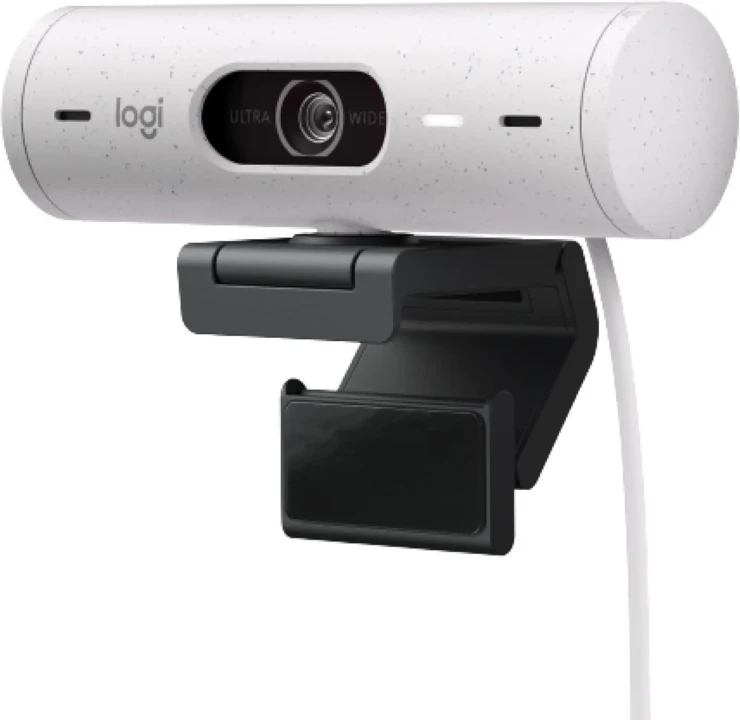
The Logitech Brio 500 earns its position through consistent performance, not a feature list. At approximately $130, it delivers the best out-of-the-box image quality among webcams at its price point, and for most remote workers and professionals using AI video call platforms, it covers everything they actually need.
The core advantage is RightLight 4. Independent testing consistently places the Brio 500’s auto-white balance performance near cameras costing twice as much, and for AI video platforms that process your image before sending it to participants, a correctly white-balanced, exposure-stable signal is worth more than raw resolution.
The adjustable 90°/78°/65° field of view makes it versatile for single-person desk setups and small-group calls. Show Mode flips the camera view downward to display physical items, useful for educators and sales professionals who demonstrate materials during calls. USB-C plug-and-play means no drivers, no configuration, and no compatibility surprises.
Key Specs
- Resolution: 1080p/30fps
- AI Features: RightLight 4 auto-exposure and auto-white balance, AI auto-framing, Show Mode, background blur, HDR
- Microphones: Dual omnidirectional noise-canceling
- FOV: 90° (adjustable to 78° and 65°)
- Connectivity: USB-C (plug-and-play, no drivers required)
- Compatibility: Certified for Zoom, Teams, Meet
- Price: ~$130
Why It Stands Out
- RightLight 4 auto-white balance nearly matches cameras at twice the price in independent testing.
- Adjustable FOV (65°/78°/90°) covers solo and small-group setups without distortion.
- Show Mode adds camera-flip-down functionality for physical demonstrations.
- Plug-and-play USB-C with zero driver or configuration requirements.
- Certified for Zoom, Teams, and Meet, guaranteed compatibility out of the box.
Best For
Remote workers, small teams, and anyone upgrading from a built-in laptop camera who want maximum ease of use, strong AI platform compatibility, and reliable performance at $130.
5. Dell UltraSharp 4K Webcam: Best for Pure Video Quality (Bring Your Own Mic)
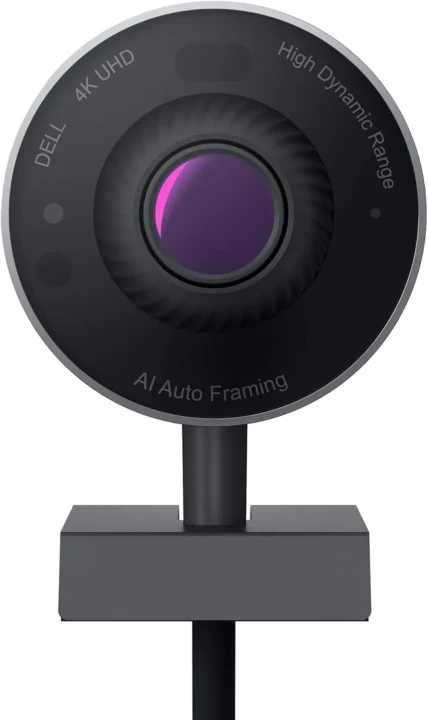
The Dell UltraSharp is one of the best-looking webcams available at its price point, with exceptional image quality, thoughtful hardware design, and solid AI features, and it sits as a very close rival to the Logitech MX Brio at approximately $150. The trade-off is significant and upfront: there is no built-in microphone whatsoever.
The 1/2.5-inch Sony Starvis CMOS sensor delivers sharp, accurate color reproduction and a wide dynamic range. AI auto-framing keeps a single subject centered without manual adjustment. Hardware HDR reliably handles backlit windows and high-contrast environments.
The magnetic lens cap is clean in principle, though reviewers consistently flag that it detaches easily and can get lost. Where the UltraSharp genuinely shines is as the video component of a well-assembled desk setup. And, if you already own a quality standalone microphone, the missing mic becomes irrelevant.
Paired with a dedicated USB microphone and a powerful AI video platform, the combination delivers genuinely impressive results on screen. Our best microphones for AI podcasting tools guide covers the right microphone options to pair with them.
Key Specs
- Resolution: 4K/30fps
- Sensor: 1/2.5-inch Sony Starvis CMOS
- AI Features: AI auto-framing, background blur, hardware HDR, automatic exposure
- Microphones: ❌ None (external microphone required)
- FOV: 65° / 78° / 90° (selectable)
- Connectivity: USB-C
- Lens Cap: Magnetic (detachable, easy to lose)
- Compatibility: Certified for Zoom, Teams, Meet
- Price: ~$200
Why It Stands Out
- Sony Starvis CMOS sensor delivers accurate color and strong dynamic range, a close rival to the MX Brio at the same price
- Selectable FOV (65°/78°/90°) is the most flexible field-of-view option on this list
- Hardware HDR performs reliably in backlit and high-contrast environments
- Clean, premium design that pairs well with a dedicated external microphone setup
- Certified for Zoom, Teams, and Meet with no configuration required
Best For
Professionals who already have a quality standalone microphone and want the best possible video-only output for AI video calls and content recording at $150.
6. Logitech Brio 505: Best Budget Business Webcam for Enterprise Deployment
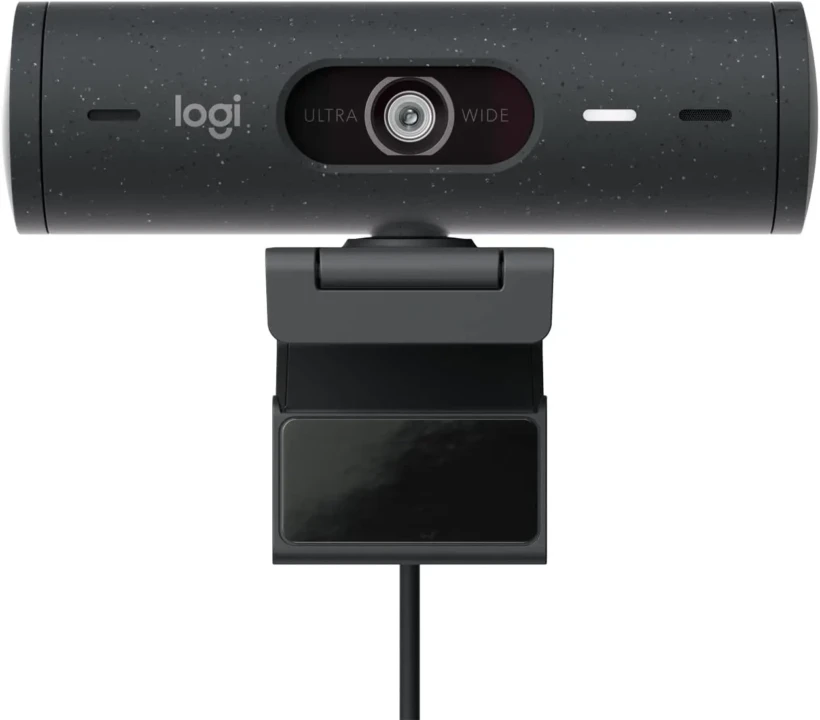
The Brio 505 occupies a specific and valuable position on this list: it’s the most practical webcam for organizations deploying cameras across multiple workstations at scale. At approximately $130, it’s TAA-compliant, IT-manageable via Logitech Sync, and includes every AI feature that matters for professional video calls, without the price that makes fleet deployment financially complicated.
Logitech Sync lets IT teams remotely manage firmware and software updates across every deployed unit from a single centralized dashboard, eliminating hands-on configuration at each workstation. TAA compliance makes it eligible for US government and education procurement contracts. Furthermore, USB-A and USB-C connectivity options provide compatibility with both older and newer workstation configurations, an important consideration for large organizations with mixed hardware environments.
Key Specs
- Resolution: 1080p/30fps
- AI Features: RightLight 4 auto-light correction, AI auto-framing, Show Mode, HDR
- Microphones: Dual noise-reducing
- FOV: 90° (adjustable to 78° and 65°)
- Connectivity: USB-A and USB-C
- Privacy: Built-in privacy shutter
- Compliance: TAA compliant
- Management: Logitech Sync remote firmware and software management
- Compatibility: Certified for Teams, Meet, Zoom
- Price: ~$90
Why It Stands Out
- TAA compliant; eligible for US government and education procurement contracts.
- Logitech Sync enables centralized remote management across entire deployed fleets.
- Built-in privacy shutter included at $90; no additional compliance hardware needed.
- USB-A and USB-C dual connectivity covers mixed workstation environments.
Best For
IT teams and operations managers are deploying webcams at scale across offices and home workstations; organizations that need TAA compliance, remote management, and compatibility with a reliable AI platform for under $150 per unit.
7. OBSBOT Tiny SE: Best Budget Webcam with Physical Tracking
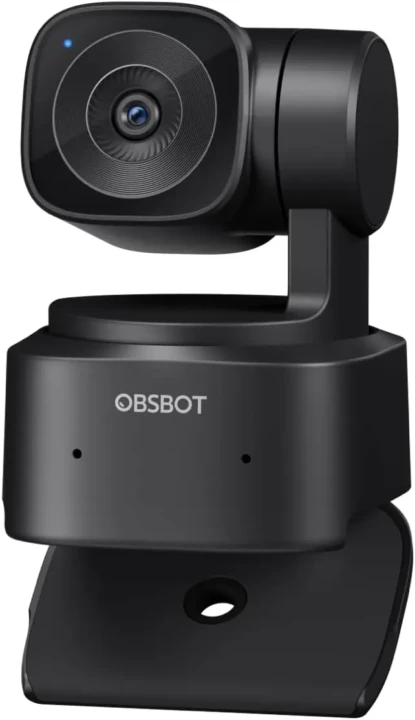
At approximately $89, the OBSBOT Tiny SE does something no other webcam in this price range currently offers: physical motorized tracking. Every other webcam under $150 on this list simulates auto-framing through digital cropping. The Tiny SE actually moves the lens.
That distinction matters directly for AI video apps. Physical tracking keeps you centered at full resolution regardless of where you move. Software auto-framing crops into the image, reducing effective resolution and introducing compression artifacts that AI tools then have to process, degrading their output quality. Consequently, the Tiny SE delivers a cleaner signal to AI video platforms than any software-framing webcam at a similar price.
Gesture control lets you adjust framing and zoom without touching the device, and the compact portable design makes it easy to carry between a home office and an in-person meeting room. For users building a budget AI video setup, pairing the Tiny SE with a quality desktop microphone closes the only meaningful gap this camera has.
Key Specs
- Resolution: 1080p/30fps
- Gimbal: Built-in motorized pan-tilt
- AI Features: AI subject tracking, gesture control, beauty mode, background blur
- Microphones: Built-in (limited quality; separate mic strongly recommended)
- Connectivity: USB-C
- Design: Compact and portable
- Compatibility: Zoom, Teams, Meet, OBS
- Price: ~$99
Why It Stands Out
- Only motorized gimbal webcam available under $100; physical tracking at a budget price is genuinely rare.
- Full-resolution physical tracking outperforms digital cropping for AI video app input quality.
- Gesture control operates framing and zoom without any app interaction.
- Compact, portable form factor, easy to move between the home office and the meeting room.
- Pairs well with a separate USB microphone to cover the audio gap.
Best For
Budget-conscious users, such as students, new remote workers, and small teams, who need physical subject tracking for conference room calls, group meetings, or active presentations and are willing to invest in a separate microphone for better audio.
How to Choose the Right Webcam for Your AI Video App Setup
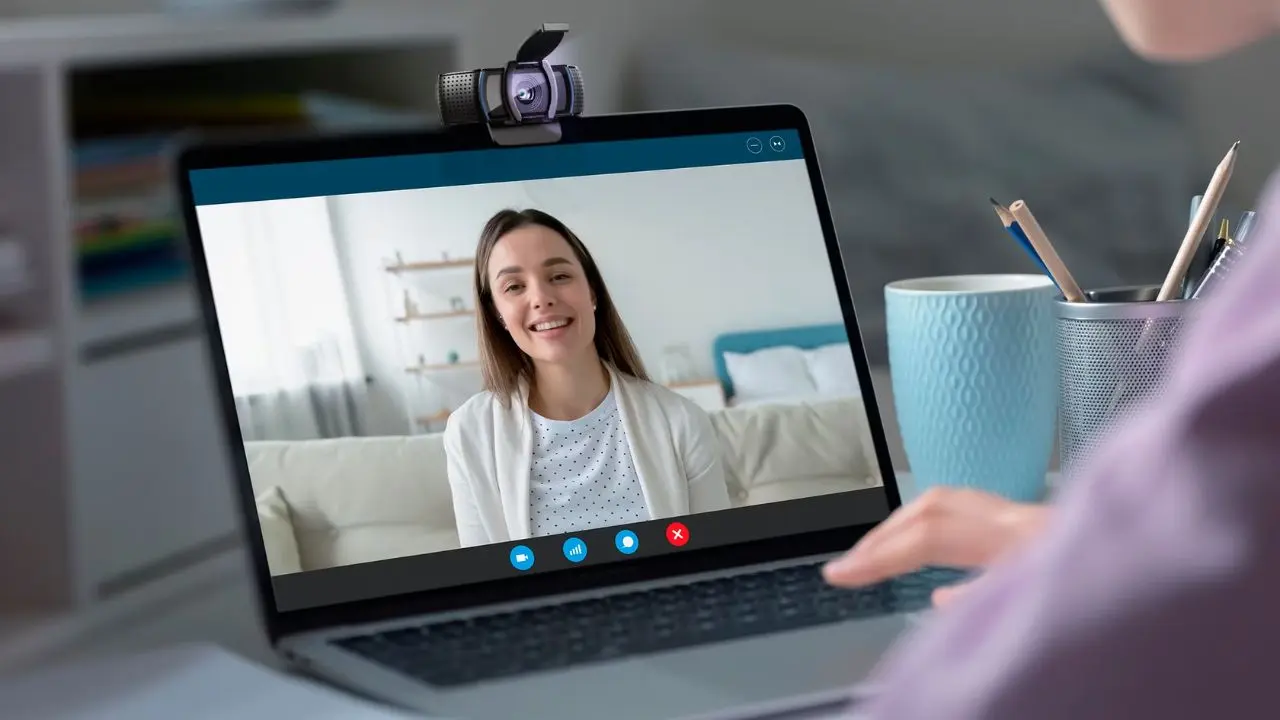
Choosing the right webcam isn’t about picking the most expensive option or the highest resolution. It’s about matching the hardware to the AI apps you actually use and the way you actually work.
Here’s a direct decision framework.
- If you use AI video tools that process motion in real time, such as Runway, HeyGen, AI avatar platforms, or virtual production tools: Physical tracking is the priority. Go with the Insta360 Link 2 Pro or the OBSBOT Tiny 3. Software auto-framing produces digital crop artifacts that reduce the quality of the AI tools receive, which directly degrades their output.
- If your primary use is AI-enhanced video calls: Zoom AI Portrait, Teams AI, Google Meet AI: The Logitech MX Brio or Brio 500 are the cleanest, most compatible options. RightLight 4, certified integrations, and plug-and-play reliability mean zero configuration headaches and consistent output across every call.
- If you create content and use AI tools for post-processing, such as Descript, CapCut AI, or similar platforms: Prioritize sensor size and 4K resolution over AI features. The Insta360 Link 2 Pro’s 1/1.3-inch sensor or the Dell UltraSharp’s Sony Starvis sensor provides the cleanest input signal for downstream AI processing.
- If you’re deploying webcams across a team or organization: The Logitech Brio 505 at $130 is the most practical fleet choice. It’s TAA compliant, remotely manageable via Logitech Sync, and priced for scale without sacrificing the AI call features that matter.
- If your budget is under $100 but you still need physical tracking: The OBSBOT Tiny SE is the only motorized gimbal webcam in this price range. Pair it with a separate USB microphone; the Tiny SE’s built-in audio won’t hold up for professional calls without that addition.
Note:
One practical point on resolution that’s worth repeating: most AI video conferencing platforms cap streaming at 1080p. Therefore, if you never zoom into your frame and your background doesn’t change frequently, a 1080p webcam with a larger sensor and stronger AI features is often a smarter investment than a 4K webcam with a smaller sensor. Furthermore, resolution is one of several factors, not the deciding one.
For deeper technical guidance on building an AI-ready desk setup beyond just the camera, our Tech Guides section covers the complementary hardware and software decisions worth making alongside your webcam choice.
FAQs
Not automatically on calls, as Zoom, Teams, and Meet all support 1080p streaming. However, 4K sensors provide a higher-fidelity signal, helping AI background removal produce cleaner subject edges and making digital zoom usable without visible quality loss. For content creation and AI video processing, 4K input consistently yields better downstream results than 1080p.
The Logitech MX Brio for premium business use, the Logitech Brio 500 for the best value at $130, and the Insta360 Link 2 Pro if your calls involve movement or active demonstrations. All three are certified for Zoom, Teams, and Meet with no manual configuration required.
For solo, close-range desk use: 60–78° FOV. For group meetings or cameras placed further from subjects: 90°+ FOV. Wider FOV at close range introduces perspective distortion that makes faces look bloated, degrading the accuracy of AI portrait and background removal. The Logitech Brio 500’s adjustable FOV of 65°, 78°, or 90° gives you the most flexibility.
Generally no. Purpose-built AI video apps like Zoom AI Portrait and Teams AI process more frames with more compute than on-device webcam AI. Hardware webcam AI is most valuable when you’re using the webcam with a platform that doesn’t have its own AI enhancement layer, such as OBS streaming, basic video recording, or niche AI apps without built-in processing. For the latest AI video tools and what they can do with a quality camera signal, AI Unboxed covers new releases and capabilities as they arrive.
Final Thoughts
The right webcam for AI video apps isn’t the one with the most features on the box; it’s the one that gives your AI tools the cleanest, most consistent signal to work with. The Insta360 Link 2 Pro leads this list for that reason: its 1/1.3-inch sensor, 2-axis motorized gimbal, and beamforming audio combine to deliver studio-quality input that AI video platforms process with significantly better results. The Logitech MX Brio and Brio 500 lead for business and call-first setups where plug-and-play reliability and certified integrations matter more than physical tracking. And the OBSBOT Tiny SE remains the most significant value on this list. Motorized gimbal physical tracking at $89 is genuinely uncommon in this category.
Beyond the picks, the framework matters: sensor size beats resolution headline, physical tracking beats software cropping for AI video quality, and platform certification beats theoretical compatibility every time. Match the camera to the AI apps you actually run and the environments you actually work in, not to a spec sheet that looks impressive on paper. Verify prices directly before purchasing; hardware pricing shifts more frequently than most buying guides are updated.
Hardware guides, AI tool breakdowns, and honest tech recommendations across every category are at YourTechCompass.com, where every pick is based on what actually performs, not what sounds best on a spec sheet.