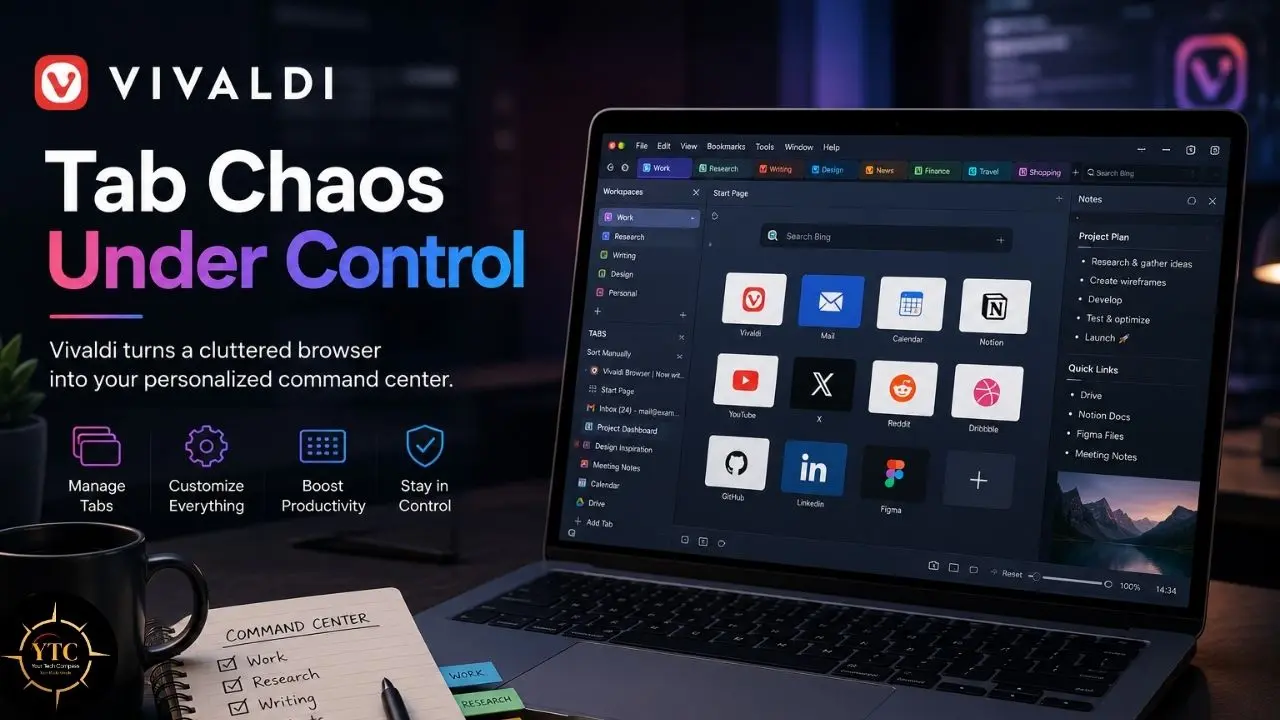
Every time you open a modern browser, you are making a compromise. Chrome treats you like a data source wrapped in a search bar. Safari walls you into Apple’s ecosystem with elegant indifference. Firefox is principled but feels under‑resourced, its market share shrinking year after year, though the rate of decline has slowed. And then there is Vivaldi, a browser built by one of Opera’s original co‑founders that ships with a mail client, a calendar, an RSS reader, tab stacking, split‑screen tiling, mouse gestures, and a note‑taking panel, all inside a single free download. It sounds like overkill because it is. But for the right user, that overkill is the point.
Vivaldi is genuinely free, genuinely private by policy, and genuinely unmatched for customization. However, it is heavier on RAM than some competitors under heavy multitasking; its mobile experience is competent but not exceptional, and the sheer density of options can paralyze a new user before they open their second tab. By the end of this article, you will know whether Vivaldi’s feature buffet justifies the learning curve, how it compares to named alternatives, and whether it fits your hardware and workflow.
A note before we begin: every YTC score is earned, never negotiated. If you want to understand exactly how we evaluate apps & tools and how we handle affiliate relationships, our Review Methodology lays it all out.
Quick Verdict
- Best For: Power users, researchers, multitaskers, and anyone who wants their browser to double as a productivity operating system without paying for extensions.
- Skip It If: You want a lightweight, set‑it‑and‑forget‑it browser, you are on very old or very low‑RAM hardware (especially ≤6 GB on Android), or you need the strongest privacy defaults out of the box without touching a settings panel.
- Bottom Line: Vivaldi is the most feature-rich free browser available. It is not the fastest, not the simplest, and not the most privacy-hardened by default, but for users who want control over every pixel of their browsing experience, nothing else comes close.
What Is Vivaldi?
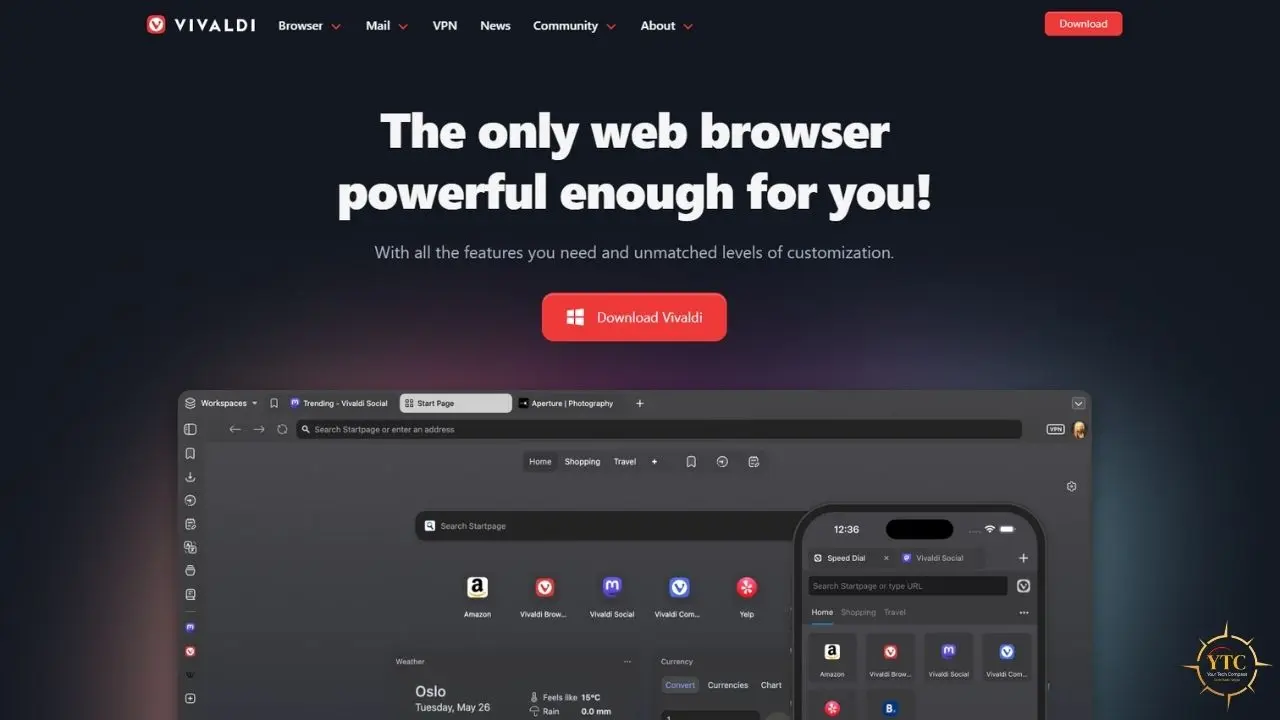
Vivaldi is a Chromium‑based web browser founded in 2015 by Jon von Tetzchner, the co‑founder of Opera, with its first stable release in 2016. It is built explicitly for power users who refuse to accept the “one‑size‑fits‑all” approach of Chrome and Safari. Where mainstream browsers strip features to appeal to the widest possible audience, Vivaldi layers them on: tab stacking, vertical tabs, web panels, workspaces, mouse gestures, a command palette, and a full productivity suite including mail, calendar, RSS, notes, and tasks.
The browser sits in the broader apps and tools landscape we cover across our Apps and Tools category. It competes not just with Chrome and Firefox, but with the very idea that a browser should be a simple content frame. Vivaldi’s premise is that your browser is where you spend most of your computing time, so it should be configurable down to the accent color of the address bar.
How Vivaldi Works: Customization, Privacy, and the Chromium Base
The Interface as an Operating System
Vivaldi’s interface philosophy is simple: everything should be optional, but everything should be available. Tab stacking lets you group tabs into collapsible stacks that can be organized within workspaces. Tab tiling splits the screen so you can view multiple pages side by side without opening a separate window. Workspaces isolate entire browsing contexts, so your work, personal, and research tabs never collide.
Web panels slide in from the sidebar and can host any website (Twitter, WhatsApp, Notion, a documentation site) without cluttering your tab bar. Mouse gestures let you navigate with right-click swipes. The Quick Commands palette, summoned with F2, is a keyboard-driven launcher for tabs, bookmarks, history, and settings. In my opinion, once you internalize Quick Commands and a handful of gestures, going back to a standard browser feels like trading a sports car for a bus.
The Built-In Productivity Suite
Vivaldi Mail is a full‑featured IMAP email client that supports multiple accounts, threaded conversations, and labels. The Calendar aggregates feeds and local calendars into a single view. The Feed Reader handles RSS and Atom subscriptions without a separate app. The Notes panel supports Markdown, screenshots, and attachments. Tasks provides basic to‑do management and can be used alongside the calendar, though it is not deeply integrated for time‑blocking or two‑way sync.
The practical value is consolidation. Instead of running Chrome plus Thunderbird plus a calendar app plus an RSS reader plus a note‑taking app, you can often run one browser. Fewer extensions mean fewer security vectors and less RAM fragmentation from competing background processes, though users with advanced needs may still prefer specialized tools.
Privacy Architecture
Vivaldi’s privacy stance is policy‑first. The company does not profile users for advertising or sell data, though it does send minimal telemetry (a daily “heartbeat” with anonymized data). The browser includes a built‑in tracker and ad blocker with three levels: No Blocking, Block Trackers, and Block Trackers and Ads. Sync is end‑to‑end encrypted using a user‑controlled password, and data is stored on servers in Iceland, which is subject to strict European privacy legislation.
In late 2025, Vivaldi integrated Proton VPN directly into the desktop browser. The free tier hides your IP address and encrypts browser traffic through servers in the Netherlands, Japan, Romania, Poland, Norway, Switzerland, Singapore, Mexico, Canada, and the United States. The catch: it is browser‑only traffic (not system‑wide and does not cover Vivaldi Mail) and requires a Vivaldi account to activate. Full‑device VPN protection requires upgrading to a paid Proton VPN plan.
Version History and Recent Updates
Vivaldi ships updates continuously. In March 2026, the browser added an auto-hide UI toggle that strips away all browser chrome (address bar, tabs, panels) until you move your cursor to the window edge, freeing maximum screen real estate for content. Version 8.1 launched in early July 2026, with point updates such as 8.1.4087.61 arriving later that month with further refinements. The development cadence is aggressive, with meaningful features arriving every few months rather than the annual drip-feed of some competitors.
Standout Features (and the Honest Limitations Behind Them)
Tab Management That Feels Like a Desktop Environment
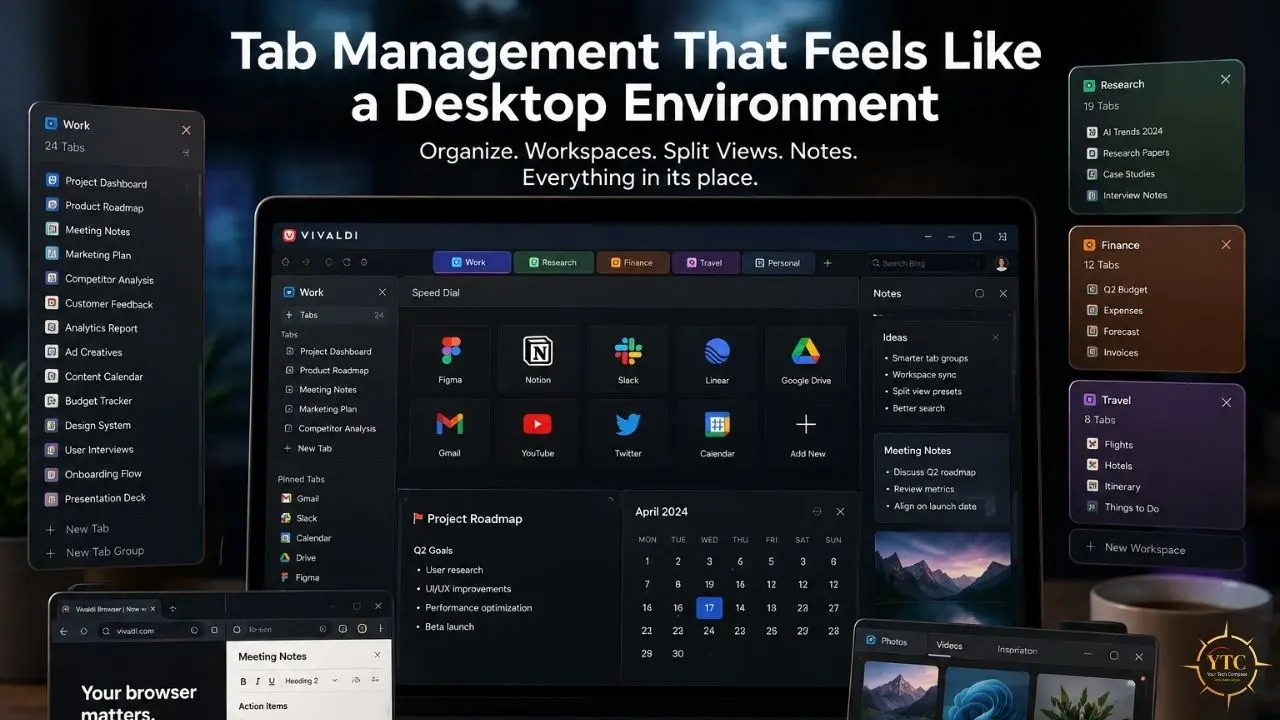
Vivaldi’s tab management is the deepest among browsers. Tab stacks group related tabs into collapsible bundles. Tab tiling views multiple tabs side by side. In addition, tab hibernation unloads inactive tabs from memory. Workspaces create entirely separate browsing contexts. Vertical tabs, tab cycling in the order of recent use, and custom keyboard shortcuts for every action complete the picture.
Chrome offers basic tabs and groups. Firefox shipped vertical tabs in late 2025 but lacks native stacking or workspaces. Safari offers none of these features natively. For users who live in fifty‑plus tabs across multiple projects, Vivaldi’s management tools are not a luxury. They are the reason to switch.
The All-in-One Productivity Stack
The built-in mail client, calendar, RSS reader, notes, and tasks eliminate the need for separate applications. Vivaldi Mail supports multiple IMAP accounts with a unified inbox. The RSS reader auto-discovers feeds from visited sites. Notes sync across devices via the encrypted sync infrastructure.
The limitation is scope. Vivaldi Mail is competent, but not Thunderbird. The calendar handles basic scheduling but lacks the power-user features of Google Calendar or Outlook. The notes panel is useful for quick captures but will not replace Obsidian or Notion for serious knowledge management. In my opinion, these built-in tools are best thought of as “good enough to avoid installing something else,” not “so good they replace dedicated apps.”
Privacy by Policy, Not Just by Feature
Vivaldi’s privacy architecture is genuinely strong. No telemetry to Google (though Vivaldi does send minimal, anonymized telemetry to its own servers). No user profiling. Encrypted sync. Iceland data hosting. Built‑in blocking that operates independently of Manifest V3 constraints.
However, the UI layer is closed source. The Chromium rendering engine is open, but Vivaldi’s interface code is proprietary. The company could theoretically change the JavaScript at any time. For users who require fully auditable software, Firefox or a Chromium fork such as Ungoogled Chromium is a better fit.
Honest Limitations of the Flagship Features
- RAM and CPU usage are the most commonly cited drawbacks. Vivaldi’s built‑in features add roughly 200 to 300 megabytes of baseline overhead compared to a stripped‑down Chrome session (more pronounced with Mail or Calendar enabled). On older machines with 4GB of RAM, the browser can feel sluggish with multiple tabs and panels open. In my experience, 8GB is the practical minimum for a smooth Vivaldi experience with heavy use.
- Complexity overwhelm is real. Eighteen-plus pages of settings await every new user. The first week often becomes a configuration marathon rather than a browsing session. Vivaldi rewards patience, but it punishes impatience.
- The mobile experience is competent but not exceptional. Vivaldi is available on Android and iOS, but the mobile app lacks the desktop productivity suite and advanced tab management. The real magic is on desktop.
- Being Chromium-based means Vivaldi faces the same Manifest V3 constraints as Chrome for content-blocking extensions. However, the built-in blocker is unaffected, so this limitation primarily impacts users who prefer extension-based blocking over the native solution.
Compared to Brave right now: Vivaldi beats it on customization depth and built-in productivity tools. Brave beats Vivaldi on out-of-the-box privacy defaults and lower resource usage. If you want a browser that works immediately without configuration, Brave wins. If you want a browser you can sculpt for weeks, Vivaldi wins.
Vivaldi Pricing: What You’ll Actually Pay

The Browser
Vivaldi costs zero dollars. Completely free. No premium tier, no ads, no data selling, no “freemium” upsell, no subscription wall hiding dark mode or vertical tabs. Revenue comes from default search engine partnerships (DuckDuckGo, Bing, Ecosia, Startpage, and others), all of which are user‑configurable; Google is available as an option but is not a revenue partner.
The Hidden Costs
Hardware is the first hidden cost. Vivaldi rewards modern machines and punishes old ones. If your laptop has 4GB of RAM, the browser will feel sluggish when you have multiple tabs and panels open while the mail client polls in the background.
Time is the second hidden cost. The configuration tax is real. Power users enjoy the deep settings; casual users lose hours to menus they never asked for. In my opinion, the first-day Vivaldi experience is closer to setting up a new operating system than installing a browser.
The VPN limitation is the third. The included Proton VPN only protects browser traffic, not system-wide traffic. Full-device protection requires a separate Proton VPN Plus subscription.
💳 Vivaldi vs. The Competition: Cost at a Glance
Browser | Price | Built-in Ad Blocker | Built-in Mail/Calendar | Sync Encryption | RAM Footprint |
Vivaldi | Free | ✅ Yes | ✅ Yes | ✅ E2EE | Moderate‑Heavy |
Chrome | Free | ❌ No (limited site controls) | ❌ No | ⚠️ Optional E2EE (sync passphrase) | Moderate‑Heavy |
Firefox | Free | ✅ Yes (ETP, tracker‑focused) | ❌ No | ✅ E2EE | Moderate |
Brave | Free | ✅ Yes (Shields) | ❌ No | ✅ E2EE | Moderate |
Safari | Free | ✅ Yes (ITP + content blockers) | ❌ No | ✅ E2EE (Apple, with caveats) | Light |
Edge | Free | ✅ Yes (Tracking Prevention, not full ad block) | ❌ No | ❌ No | Moderate |
The Real Cost Math
Vivaldi is free to use but resource-intensive and time-consuming to set up. Compared to Chrome, you trade Google ecosystem integration for privacy and features. Compared to Firefox, you trade the Gecko engine and lighter RAM usage for Chromium extension compatibility and built-in productivity tools. And compared to Safari on macOS, you trade native Apple optimizations for cross-platform availability and deeper customization.
The honest math is that Vivaldi costs nothing to install and potentially hours to configure. Whether that time is an investment or a tax depends entirely on how much you value the resulting workflow.
Is Vivaldi Safe? Privacy, Security, and Data Handling
Vivaldi is built on Chromium, so security updates follow Chrome’s patch cycle with minimal delay. The Vivaldi team strips Google’s telemetry, Safe Browsing, and other Google services from the Chromium base before building their browser. The built-in tracker and ad blocker operate independently of Manifest V3 limitations, using their own filtering engine.
End‑to‑end encrypted sync uses a user‑controlled password. Vivaldi cannot read your synced content or recover it if you forget the password; you’ll need to delete server data and re-sync from a trusted device. Data is stored on servers in Iceland, which is subject to strict European privacy legislation. As of 2026, Vivaldi has no history of major data breaches or privacy scandals.
The caveat is the closed-source UI layer. While the rendering engine is open Chromium, the interface code is proprietary. Full security auditing is impossible. Trust in Vivaldi Technologies AS is required, and the company’s Norwegian jurisdiction provides legal accountability that some users find sufficient while others do not.
Vivaldi vs. Alternatives
Choosing between Vivaldi and its competitors depends on whether you value features, simplicity, privacy defaults, or ecosystem integration.
⚡ Vivaldi vs. Chrome vs. Firefox vs. Brave vs. Safari: Side-by-Side

Dimension | Vivaldi | Chrome | Firefox | Brave | Safari |
Price | Free | Free | Free | Free | Free |
Engine | Chromium | Chromium | Gecko | Chromium | WebKit |
Customization | Deep (UI, tabs, panels) | Minimal | Moderate | Moderate | Minimal |
Built-in Productivity | Mail, calendar, RSS, notes | ⚠️ Limited (split view, AI/Google integrations) | ⚠️ Limited (productivity widgets in Labs) | ❌ None (no built-in mail/calendar/RSS) | ❌ None (no built-in mail/calendar/RSS) |
Privacy Default | Configurable | Weak | Strong | Very strong | Strong |
RAM Usage | Moderate-Heavy | Moderate-Heavy | Moderate | Moderate | Light |
Extension Store | Chrome Web Store | Chrome Web Store | Firefox Add-ons | Chrome Web Store | Safari Extensions |
Open Source | Partial (engine only) | Partial (engine only) | Fully open | Fully open (MPL-2.0) | Partial (engine only) |
Best For | Power users, multitaskers | Google ecosystem users | Privacy purists, open-web advocates | Privacy-first mainstream users | Apple ecosystem users |
Where Vivaldi Wins
Vivaldi dominates in built-in feature density and customization depth. No other major browser ships with a mail client, calendar, RSS reader, notes, tasks, tab stacking, tiling, workspaces, web panels, and mouse gestures out of the box. The all-in-one philosophy means fewer separate apps, fewer extensions, and a unified workflow.
Where Firefox Still Leads
Firefox remains the benchmark for open-source purity and lighter RAM usage. Its Gecko engine is independent of Chromium, which matters to users concerned about Google’s influence over web standards. Privacy defaults are stronger without configuration, and the fully auditable codebase appeals to security-conscious users. If you are comparing browser options on macOS specifically, our coverage of Safari crashing issues on macOS Sequoia explores where Apple’s native browser falls short for power users.
Where Brave Still Leads
Brave offers stronger privacy defaults out of the box with its Shields system, a lighter resource footprint, and built-in Tor private windows for anonymous browsing. Brave Rewards and Leo AI provide additional features for users who want them. For users who want privacy without touching a settings panel, Brave is the more accessible choice. Our Oasis browser review covers another emerging privacy-focused option for users exploring beyond the mainstream.
Compared to Chrome: Vivaldi is the upgrade path when Chrome feels too basic and like it’s tracking you. Chrome wins only when you are deeply embedded in Google Workspace and need seamless cross-device sync with Android.
Compared to Safari: Safari is lighter, faster on macOS, and deeply integrated with Apple devices. Vivaldi is the cross-platform power-user alternative that Apple will never build.
Real-World Use Cases for Vivaldi
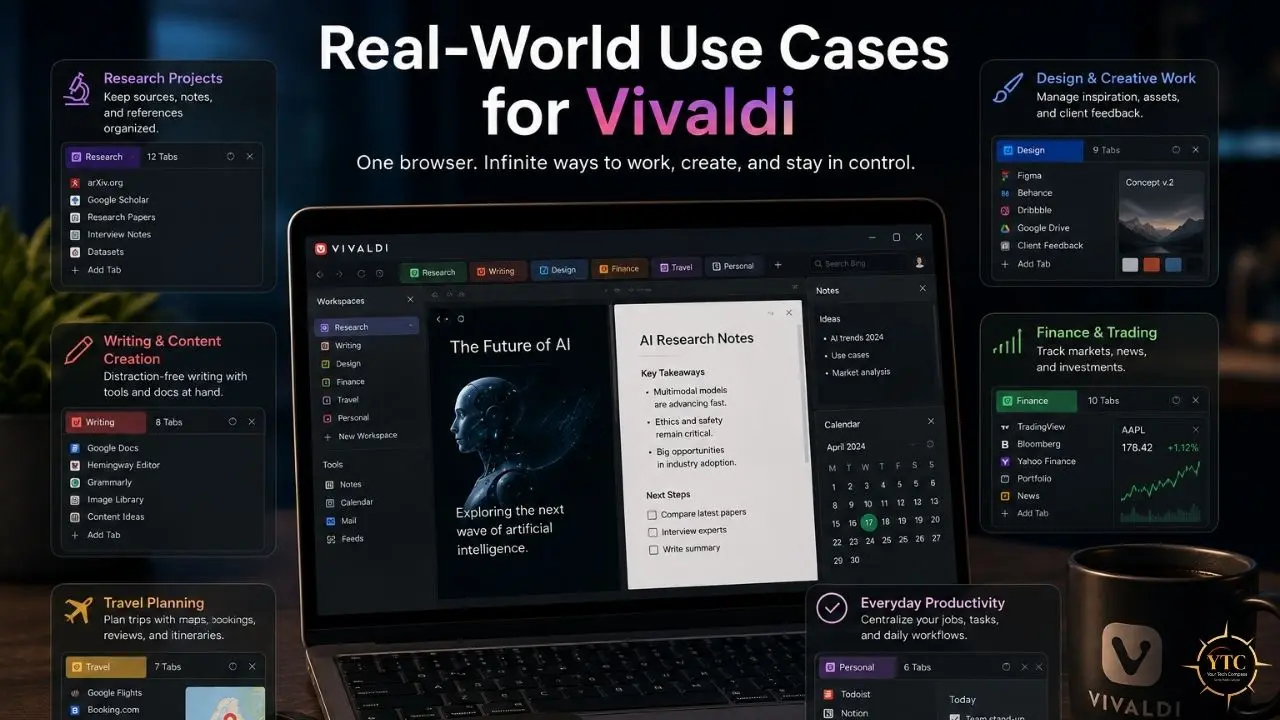
- Research and academic work benefit from split-screen tab tiling with documentation on one side and notes on the other. A researcher can read a PDF, take notes in the sidebar, and manage references through the built-in RSS reader without leaving the browser.
- Social media management uses web panels for Twitter, LinkedIn, and Instagram alongside the main browsing window. Community managers can monitor feeds, respond to messages, and browse source material in a single tiled interface.
- Email-heavy workflows replace Thunderbird or Outlook for users who live in the browser. Vivaldi Mail handles multiple IMAP accounts with threaded conversations, and the calendar integrates feeds and local events.
- Content curation combines the RSS feed reader with the note-taking panel for bloggers and journalists tracking dozens of sources. New articles appear in the feed, get clipped to notes, and become draft material without opening a second app.
- Developers and designers use workspaces to separate client projects, each with its own tab stack, panel configuration, and bookmark set. One workspace for the day job, another for the side project, another for personal browsing.
Who Should Use Vivaldi
- Power users who want to control every aspect of their browser interface.
- Researchers and writers who need tab tiling, notes, and RSS in one window.
- Users leaving Chrome who want Chromium extension compatibility without Google’s telemetry.
- Multitaskers managing multiple projects, accounts, or communication channels.
- Privacy-conscious users who are willing to trade some transparency (closed-source UI) for policy-based privacy.
- Users who want a built-in mail client and calendar without installing separate applications.
Who Shouldn’t Use Vivaldi
- Users on old or low-spec hardware (8GB RAM or less; 16 GB recommended for heavy use).
- Casual users who want a browser that works perfectly out of the box with zero configuration.
- Users requiring fully open-source software for ideological or audit reasons.
- Mobile-first users who primarily browse on phones and tablets.
- Users who need the absolute strongest privacy defaults without touching settings (Brave or Firefox are better fits).
- Anyone who gets decision paralysis from too many options.
An Honest Note on the Review Landscape
Vivaldi receives consistent praise from power users for its depth of features and respect for user choice. The browser has a passionate, vocal community that treats it less like software and more like a cause. However, the criticism is equally consistent: “too heavy,” “too complex,” “overwhelming for beginners.”
The gap between enthusiast praise and mainstream adoption is wide. Vivaldi’s market share is tiny compared to Chrome, but its user retention is reportedly high among those who survive the first week. In my opinion, Vivaldi is a browser with no middle ground. Users either love it deeply or uninstall it within days. There is rarely an “it’s fine” reaction.
Vivaldi in Africa: Accessibility and Practical Realities
Pricing in African Market Context
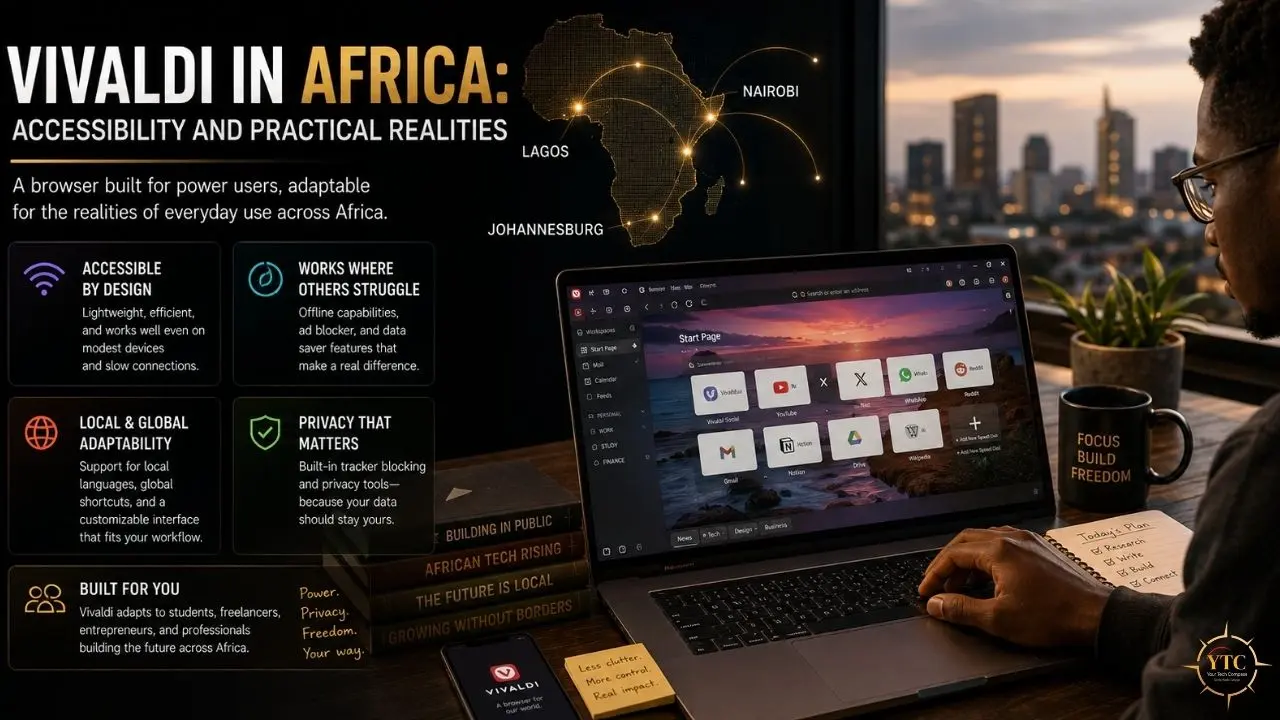
Vivaldi’s completely free download is a genuine accessibility win. Unlike the productivity SaaS tools we typically review, there is no USD subscription, no freemium gate, no credit card required, and no foreign currency outflow to worry about. You download it, install it, and use every feature immediately.
Connectivity and Hardware Considerations
The hardware reality is more nuanced. Vivaldi is resource-intensive. On older machines common in African markets (4GB RAM laptops, entry-level desktops, refurbished corporate hardware), the browser will struggle with multiple tabs and panels, as well as the mail client polling in the background. In my opinion, 8GB of RAM is the practical minimum for a smooth experience, and that excludes a significant portion of the addressable market.
Sync requires internet connectivity and consumes data. Encrypted sync is efficient, but initial setup, large mail imports, and RSS feed polling can use significant mobile data. On metered plans, this adds up.
Mobile and Data Realities
The Android version is available and competent, but it lacks the desktop productivity suite. There is no built-in mail client on mobile, no tab stacking, and no web panels. The mobile app is a standard Chromium browser with Vivaldi’s design sensibility, not the productivity operating system that desktop users get.
On the positive side, the built-in ad blocker actually saves data by blocking heavy ad payloads on websites. For users on metered plans, this is a practical benefit that partially offsets sync costs.
Practical Recommendations
African users with modern hardware (8GB+ RAM) get the full benefit without cost barriers. The built-in mail and RSS features are particularly valuable where separate app licenses or subscriptions are cost-prohibitive. Users on older hardware should consider Firefox or Brave for lighter resource usage. The broader AI and tech landscape on the continent is something we track across our AI in Africa coverage, and Vivaldi represents the kind of zero-cost infrastructure that aligns with open-source adoption trends we see there.
FAQs
Yes. Vivaldi is completely free with no subscription, no premium tier, no ads, and no locked features. Revenue comes from configurable default search engine partnerships. No user data is sold or profiled.
Vivaldi beats Chrome on customization, privacy, and built-in productivity features. It beats Brave on feature density and built-in tools. Chrome wins on ecosystem integration and mainstream simplicity. Brave wins on privacy defaults out of the box and lighter resource usage.
Yes, with caveats. Vivaldi strips Google telemetry from Chromium, offers encrypted sync, blocks trackers and ads natively, and stores data in Iceland. However, the UI layer is closed-source, which prevents a full security audit. For fully open-source alternatives, consider Firefox.
Vivaldi has a moderate-to-heavy RAM footprint. Built-in features add roughly 200 to 300 megabytes of baseline overhead compared to stripped-down browsers. Tab hibernation helps manage memory, but 8 GB of RAM is recommended for heavy use. Older machines with 4GB will struggle.
Yes. Vivaldi has full access to the Chrome Web Store. Extensions install and run without modification (Manifest V3 is required for new installs from the Chrome Web Store as of 2026). The only exceptions are extensions that specifically check for Chrome’s browser signature or those that conflict with Vivaldi’s built-in features.
Yes, via Proton VPN integration on desktop. The free tier includes browser‑only VPN protection through servers in ten countries (Netherlands, Japan, Romania, Poland, Norway, Switzerland, Singapore, Mexico, Canada, United States). System-wide VPN protection requires a paid Proton VPN Plus subscription. Mobile browsers do not currently include VPN integration.
Final Thoughts
Vivaldi is the browser for people who refuse to accept that a web browser should be a simple content consumption frame. It is a productivity environment, a communication hub, and a privacy-respecting alternative to Chrome, all inside a single free download. The feature density is unmatched, the customization is bottomless, and the price is genuinely zero.
But it is not for everyone. The RAM appetite is real, the learning curve is steep, and the closed-source UI will bother purists. If you have spent years duct-taping extensions onto Chrome to get basic functionality (vertical tabs, a sidebar, mouse gestures, a mail client), Vivaldi is the browser you have been asking for. However, if you just want to open Google and check email, it is overkill in the most literal sense.
If this guide helped you find a browser that finally respects your workflow, make YourTechCompass.com your next stop before you install, because the right tool at the right price is only right if it runs on your machine.