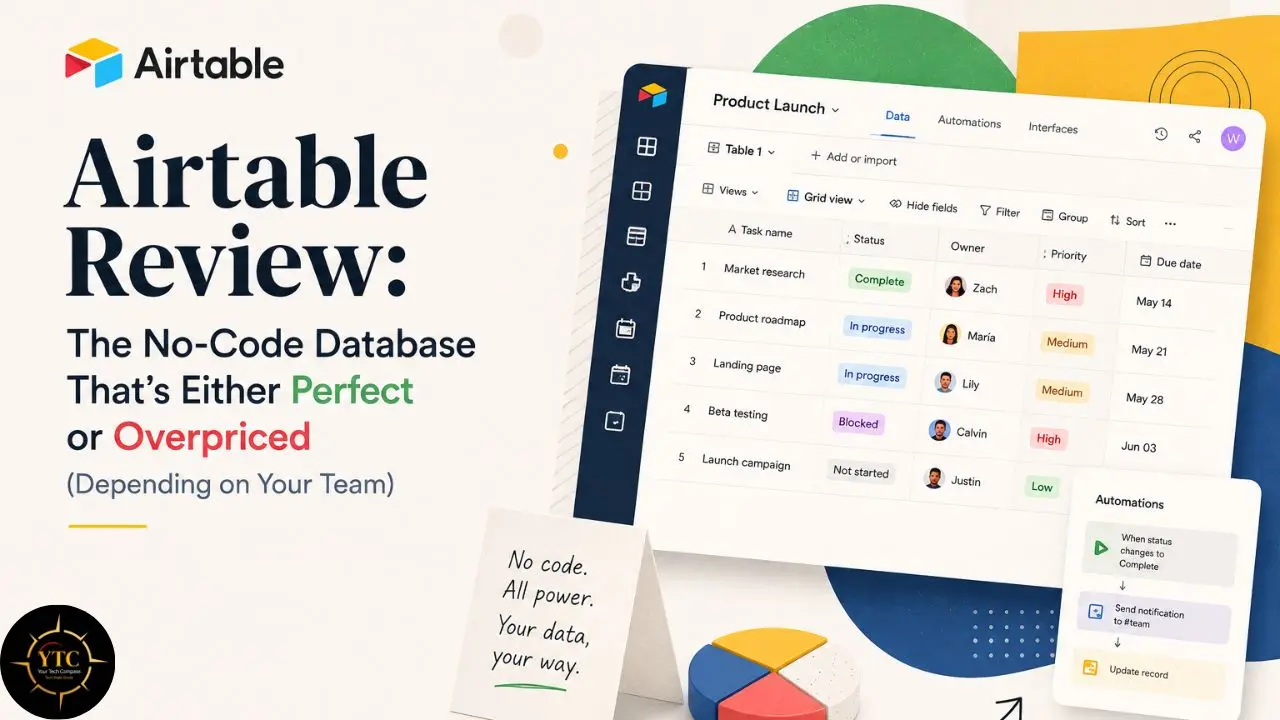
There’s a specific kind of frustration that comes from building a workflow in Airtable, watching it work beautifully, and then opening the pricing page to figure out how to add two more team members. You built the perfect content calendar, linked your clients to their deliverables, set up automations that trigger the right Slack notifications at the right time, and then the bill arrives. You realize the plan you actually need is far from the entry-level tier you had in mind. Airtable is, without qualification, one of the best non-technical database tools available. Recent pricing changes and a growing stack of add-ons make it a premium product that requires careful budget modeling before you commit. In 2026, the question isn’t whether Airtable can do the job. The question is whether it works well enough for your specific team and at your scale to justify what you’re actually going to pay for it.
This review is the honest version of that answer. I’ll cover what Airtable actually does, what makes it structurally different from Google Sheets or Notion, what the 2026 AI layer genuinely changes, and what the total cost looks like when you include the hidden fees that the pricing page doesn’t lead with. Additionally, you’ll find a clear verdict broken down by team type, because Airtable is genuinely excellent for some teams and genuinely overpriced for others, and the difference matters.
A note before we begin: every YTC score is earned, never negotiated. If you want to understand exactly how we evaluate apps & tools and how we handle affiliate relationships, our Review Methodology lays it all out.
What Is Airtable? The Core Concept Explained Simply
Airtable is a cloud-based, AI-native low-code platform that combines relational database functionality with a spreadsheet interface, allowing non-technical teams to build, manage, and automate structured data workflows without writing code. That’s the technical definition. The practical version is this: it looks like a spreadsheet, but it behaves like a database, and that distinction changes what you can build with it in ways that matter daily.
Here’s what structurally separates Airtable from Google Sheets or Notion, and why that matters. Unlike a standard spreadsheet, Airtable enforces schema at the table level. Your fields have defined types: text, number, select, date, formula, linked record.
Your data conforms to those types. That discipline is what makes automation and integration reliable, because the system always knows what kind of data lives in each field and can act on that knowledge without you having to write custom logic. Furthermore, Airtable is built on a relational model.
A Project table can link to a Task table, which can link to a Team Member table, with rollup and lookup fields calculating values across those relationships. This is the architecture that allows you to ask questions like “What’s the total invoice value for this client across all active projects?” and get an accurate, live answer without formulas that break when someone moves a column.
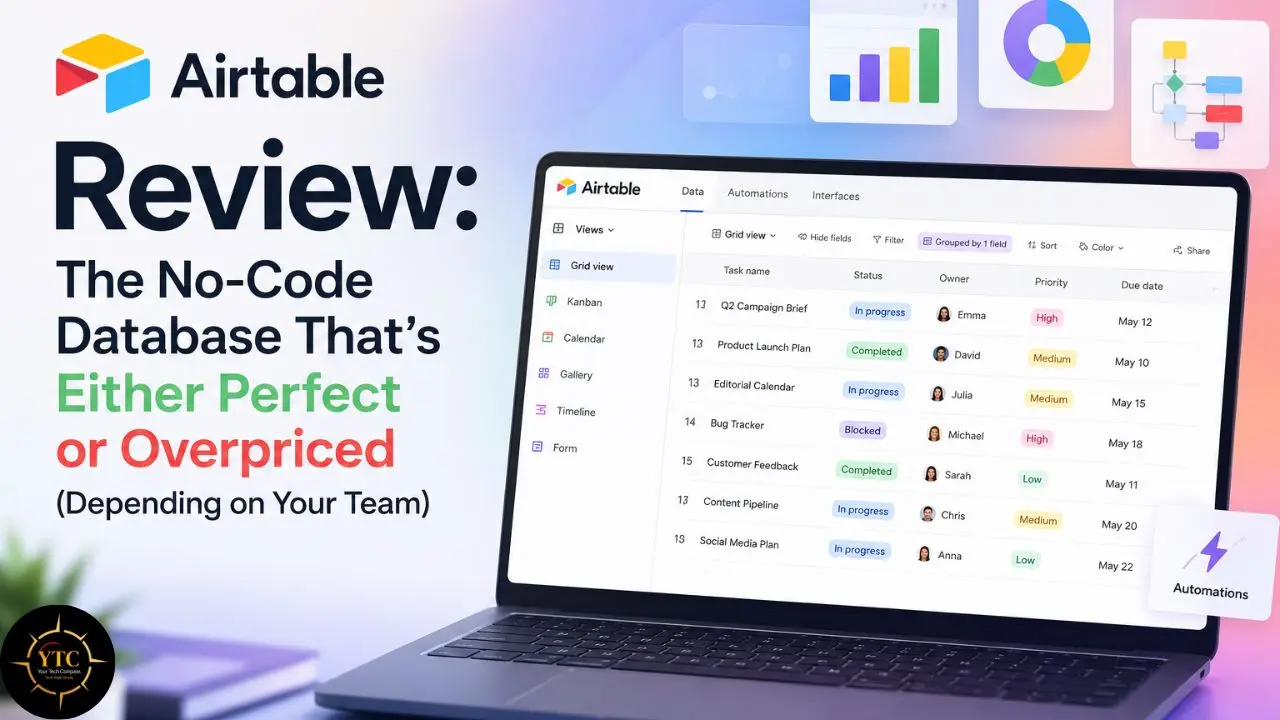
Beyond the database layer, the same underlying data renders in six different view types simultaneously: Grid (the standard spreadsheet layout), Kanban, Calendar, Gallery (a card layout for visual content), Gantt, and Form, with no duplication. One base, multiple lenses, all staying in sync automatically.
The 2026 Context
Airtable has positioned itself as an AI-native platform, launching Omni AI for app building and expanding Field Agents to 16 external integrations. These additions are significant enough to change the value calculation for certain teams; I’ll cover them in detail in the features section.
Airtable’s Core Features: What You Actually Get
The Database Layer
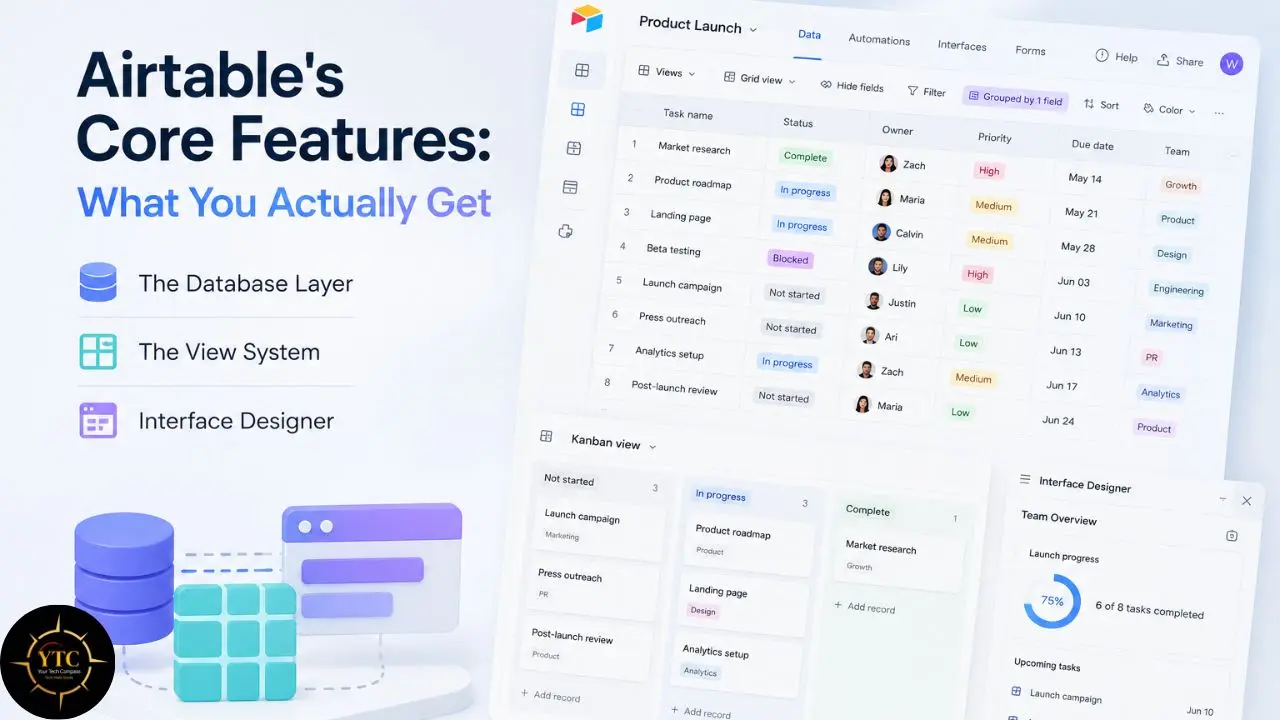
The database is where Airtable genuinely earns its reputation. Thirty-plus field types cover everything from basic text and numbers to attachments, barcodes, ratings, and currency. The linked record field is the foundational capability that sets Airtable apart from simpler options: it lets you link records across tables to build relationships that a spreadsheet cannot replicate, and then use rollup and lookup fields to automatically calculate values across those relationships.
Performance is worth addressing honestly, because it’s a documented limitation at scale. Airtable typically loads quickly for bases with around 5,000 records and often noticeably degrades beyond 10,000 records in a single view.
Sorting, filtering, and grouping operations on large datasets commonly introduce multi-second delays. The platform’s 50,000-record-per-base constraint, together with community best practices, effectively means you’ll need to split large datasets across multiple bases rather than scale a single base beyond that limit. If your use case involves very large record counts, model this constraint into your architecture decisions before you build.
The View System
The multi-view architecture (commonly six core view types) is the most immediately practical feature for day-to-day use. The same CRM base can simultaneously display a Grid view for data entry, a Kanban view organized by pipeline stage, and a Calendar view for follow-up dates: all live, all in sync, and all requiring zero duplicate data entry. For operations teams managing the same information across different workflows and stakeholders, this view flexibility alone justifies significant investigation.
Interface Designer
Interface Designer is one of Airtable’s most compelling differentiators in 2026, and I want to take some time to explain why, because many comparisons still undersell it. Interface Designer lets you build custom no-code interfaces on top of your Airtable data without ever exposing the raw database to the people using the output.
A sales team sees only their pipeline fields. Operations sees a KPI dashboard with filtered summaries. External clients see a clean, read-only portal showing only their project records. All of this is built on the same base, governed by the same data, and updated in real time.
Consequently, you get the organizational clarity of a purpose-built tool with none of the engineering investment. This is what meaningfully sets Airtable apart from Notion in 2026: the ability to build structured, app-like internal interfaces directly on top of your relational database, without any code.
Automations
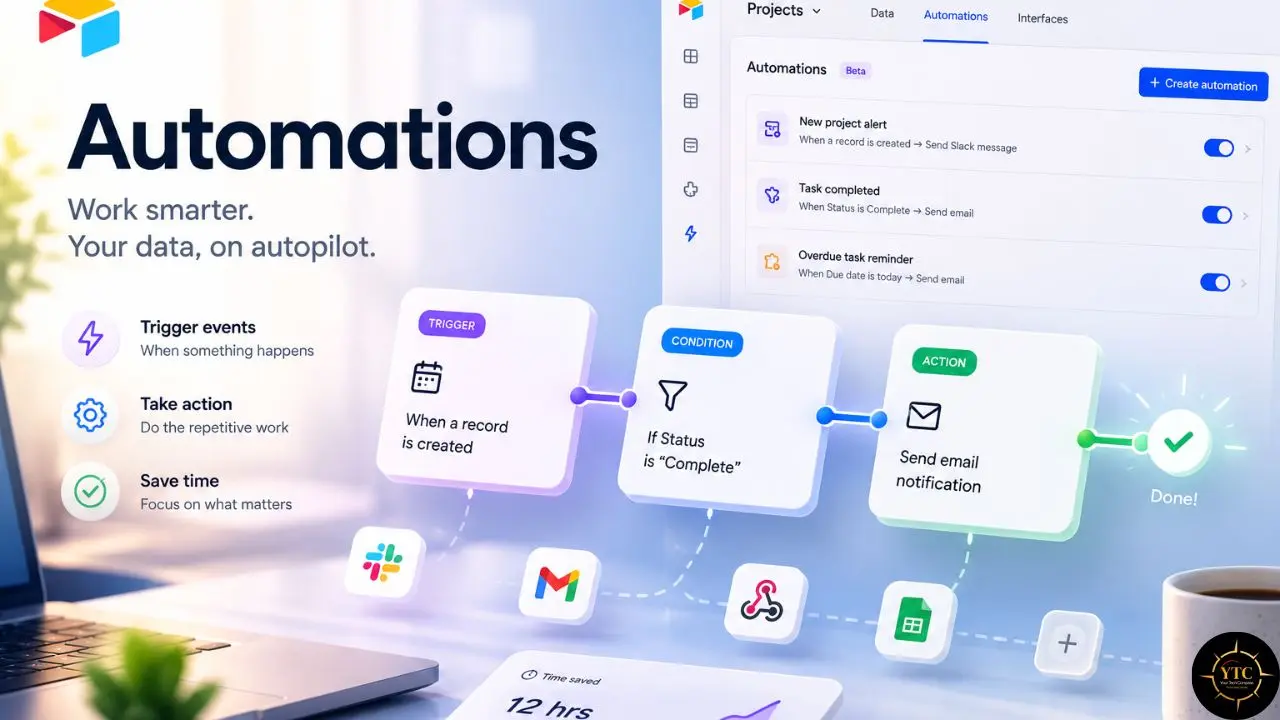
Airtable’s automation builder handles trigger-and-action workflows for repetitive tasks: when a record meets specific criteria, it takes a defined action. Native integrations include Slack, Gmail, Outlook, Microsoft Teams, Salesforce, and Jira.
Team plan gives you 25,000 automation runs per month; the Business plan gives you 100,000. One documented pain point worth flagging: when monthly runs are exhausted, automations stop working until the billing cycle resets. For teams relying on automation for critical operations, this isn’t just an inconvenience; it’s an operational risk that requires budget planning.
If automation is central to your workflow, explore dedicated automation layers. Our Zapier review and Gumloop review cover two of the strongest options for external automation that extend what Airtable’s native integrations can’t.
The 2026 AI Layer: Omni AI and Field Agents
Here’s what’s new in 2026 and what it actually means. Omni AI is an AI-assisted app and interface builder: describe what you want to build, and Omni generates the interface, automations, and structure. Omni is included in paid plans, but many AI operations you trigger through it still draw from your AI credit allocation.
Field Agents are the more significant addition. Field Agents provide a genuine agentic integration layer: agents can read calendar events, send Gmail messages, create HubSpot records, open GitHub issues, and write all results back to Airtable across 16 external tools, including Gmail, Outlook, Google Calendar, Google Sheets, Microsoft Teams, Notion, Zoom, Linear, HubSpot, GitHub, Amplitude, People Data Labs, and Zendesk.
This isn’t a passive trigger-and-action system. The agents read, decide, and act across your connected tool ecosystem. For teams with multi-tool workflows where information must be manually transferred between systems, Field Agents address the integration problem that previously required either expensive engineering time or a separate automation platform.
The honest context is critical here: native Airtable AI handles field-level generative tasks, classification, and workflow orchestration, not arbitrary predictive analytics or complex NLP running natively inside the database. Airtable is an orchestration layer for AI workflows, not a general-purpose AI platform. If your workflow is “receive data → classify it → route it → store result,” Airtable + external AI handles this efficiently. If your workflow requires predictive analytics or custom ML models, Airtable is not the right tool for that need.
AI credits are included in paid plans, but they are not unlimited. Additional credit packs are available as add-ons; exact pricing and pack sizes vary by workspace and plan. Teams using AI-heavy automations have reported burning through included credits within weeks of a billing cycle. Plan for this before you rely on AI automations at high volume.
For the latest AI-native platform developments and their implications for tools like Airtable, our AI Unboxed section tracks how the landscape is shifting.
Airtable Pricing: The Complete Picture Including Hidden Costs
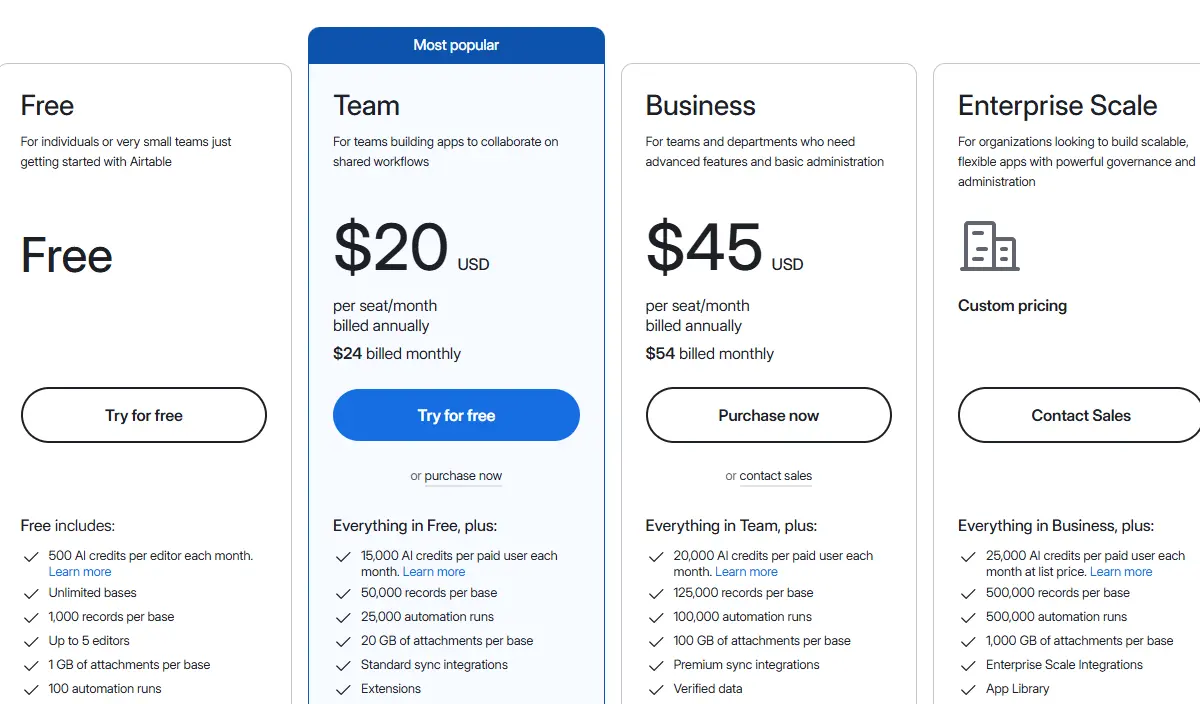
This is the section that most Airtable reviews get wrong, because they stop at the published per-seat prices and call it done. The total cost of running Airtable at real team scale looks significantly different from the pricing page headline. Let me show you exactly what I mean.
💳 Airtable Plans at a Glance (2026)
Plan | Annual Billing | Monthly Billing | Records/Base | Automation Runs/Month | Best For | Verdict |
Free | $0 | $0 | 1,000 | 100 | Solo users, testing | 🔍 Too limited for real workflows |
Team | $20/user/month | $24/user/month | 50,000 | 25,000 | Small teams (3–10) | ✅ Best entry point for most teams |
Business | $45/user/month | $54/user/month | 125,000 | 100,000 | Mid-size teams, scale & admin | ⚠️ Expensive unless you need advanced features |
Enterprise Scale | Custom | Custom | 500,000+ | Custom | Large orgs, compliance | ✅ Strongly recommended for regulated industries |
The Price Increase Context
Airtable significantly raised prices in 2023–2024: the Team plan jumped from around $10 to $20 per user per month, roughly a 100% increase. Business moved from around $20 to $45 per user per month, roughly a 125% increase.
In 2026, the question isn’t just “Is Airtable good?” It’s “Is Airtable worth twice what it used to cost?” That’s a legitimate question, and I’ll give you the honest answer across different team types in Section 4.
One additional change that compounds the pricing impact is the October 2025 billing policy change, which eliminated prorated refunds for mid-cycle seat removals and add-on downgrades. If you add a seat for a short project and then remove it, you continue paying for that seat until your renewal date.
Seat additions take effect immediately (prorated for the remainder of the period); seat reductions take effect only at the next renewal date. This is a meaningful operational consideration for agencies or teams with variable headcount across projects.
Annual billing saves approximately 16–17% compared to monthly, but it locks you into contracted seat counts that cannot be reduced until renewal. Model your seat count conservatively before committing to an annual contract.
The Real Cost Math: What Nobody Budgets For
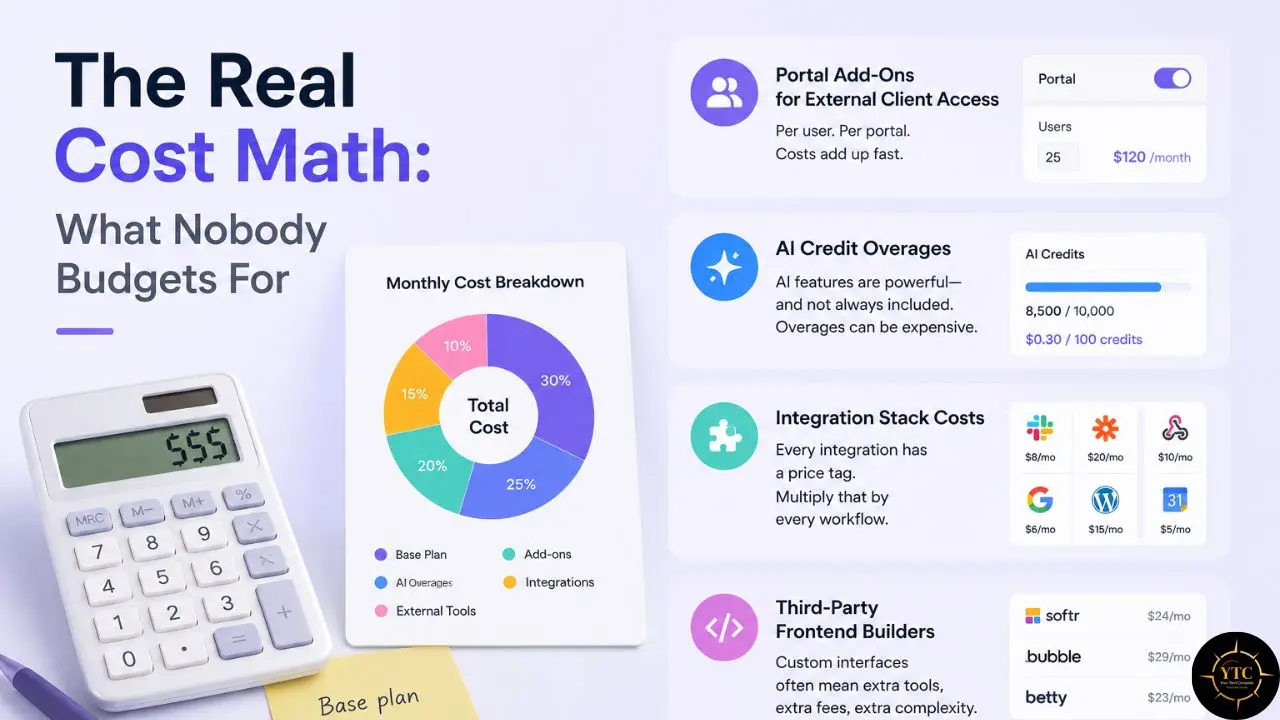
The per-seat cost is the visible part. Here’s the part that catches teams off guard.
Portal Add-Ons for External Client Access
Airtable Portals start at $120/month for 15 external guests on the Team plan, or $150/month on the Business plan. For an agency managing 50 clients, that scales to approximately $4,800–$6,000 per year on top of the base subscription. This is a line item, not a rounding error.
AI Credit Overages
When your included monthly AI credits run out, and at high automation volumes, additional packs cost approximately $40/month for 20,000 credits. A 10-person team using extensive AI automations can exhaust the included credits within weeks.
Integration Stack Costs
Airtable’s native integrations are functional but often insufficient. Connecting Airtable to external tools at scale often requires Zapier or Make.com, which add $200–$300/month beyond the base Airtable subscription, depending on automation volume.
Third-Party Frontend Builders
If you need more sophisticated client portals than Airtable Portals provides, tools like Softr or Noloco run $50–$200/month (or more). Third-party frontend builders for client-facing apps add cost beyond the base subscription when the native Interface Designer doesn’t meet your requirements.
The True Total Cost Example for a 10-Person Agency:
Cost Component | Annual Cost |
Business plan (10 users × $45 × 12) | $5,400 |
Airtable Portals (client access, modest setup) | $1,800 |
Zapier for automation stack (moderate usage) | $1,200 |
AI credit overages (estimated, 1 extra pack/month) | $480 |
Total | ~$8,880/year |
Note: This is a conservative example. Agencies with many client portals, heavy cross-app automation, or AI-heavy workflows can easily see Portal, Zapier, and AI costs 2–3× higher than average.
That’s a very different number from $45/user/month. Plan for the complete picture before you commit.
The Per-Seat Upgrade Trap
Exceeding 50,000 records or 25,000 automation runs on Team effectively forces an upgrade to Business, which comes with a 125% per-seat price increase. For a 25-person team, that’s the difference between $6,000/year and $13,500/year. If your data growth rate suggests you’ll hit the record limit within six months of choosing Team, factor the Business price into your Year 1 budget from the start.
Airtable vs The Alternatives: Honest Side-by-Side
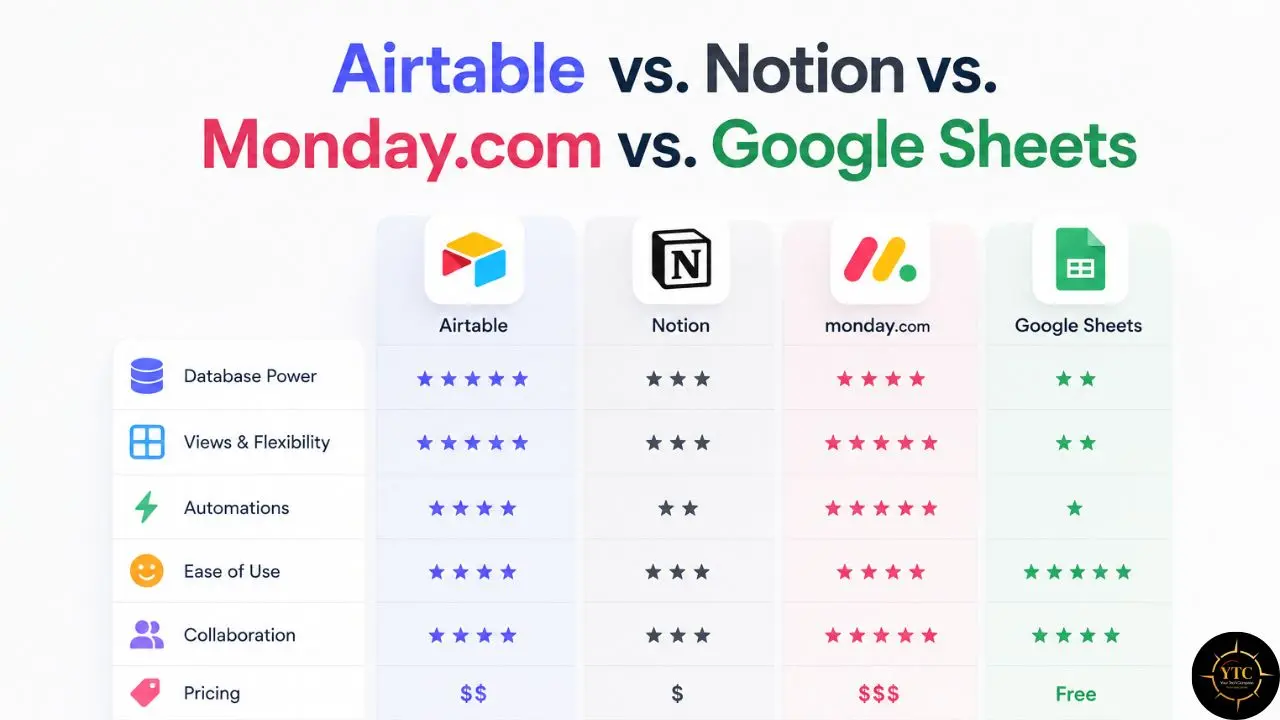
📊 Airtable vs. Notion vs. Monday.com vs. Google Sheets
Feature | Airtable | Notion | Monday.com | Google Sheets |
Core Architecture | Relational database | Document + database | Project/work management | Spreadsheet |
Relational Data | ✅ Native, full | ⚠️ Supported, but less central | ⚠️ Basic board linking | ❌ No |
Six+ View Types | ✅ Grid, Kanban, Calendar, Gallery, Gantt, Form | ⚠️ Multiple views (table, board, calendar, timeline, gallery) | ✅ Multiple views (table, Kanban, timeline/Gantt, calendar, etc.) | ❌ No |
Custom App/Interface Builder | ✅ Yes (Interface Designer + Portals) | ⚠️ No dedicated app builder | ✅ Basic dashboards & views | ❌ No |
Agentic AI Integrations | ✅ Field Agents (16 tools) | ⚠️ Notion AI + API/automation options | ⚠️ Built-in AI, no agentic multi-tool flows | ⚠️ Emerging AI features, no agents |
Team Plan Price (Annual) | $20/user/month | ~$10/user/month | ~$12/user/month | Free (as part of Workspace) |
Business Plan Price (Annual) | $45/user/month | ~$18–$20/user/month | ~$17/user/month (mid-tier) | Free (as part of Workspace) |
Free Plan Record/Page Cap | 1,000 records/base | Unlimited pages | Very limited items/boards | Unlimited (file-size limited) |
API Rate Limit | ~5 req/sec (varies by plan) | Rate-limited, plan-dependent | Rate-limited, plan-dependent | Quota-based, project-dependent |
SSO/SAML | ✅ Business plan | ✅ Business/Enterprise | ✅ Higher/Enterprise tiers | ✅ Google Workspace |
African Data Centers | ❌ No | ❌ No | ❌ No | ⚠️ Some regions, limited control |
Best Use Case | Structured data, ops, custom apps | Docs, wikis, light databases | Project tracking, deadlines | Simple lists and calculations |
Where Airtable Clearly Wins
Relational data modeling, Interface Designer for custom internal apps, and the Field Agents agentic AI layer. For teams whose daily work involves structured data with complex relationships, nothing at this price tier comes close to Airtable’s capability.
Where Airtable Loses Ground
Price. Notion costs roughly 2× less at the team tier, with AI available as an add-on and increasingly bundled on Business plans starting in 2025.
Monday.com costs around 40% less and offers a better project management UX for deadline-driven teams. Google Sheets is free for basic structured data. The per-seat model compounds faster than most teams anticipate when planning.
For a direct head-to-head between Airtable’s closest workspace competitor and Notion AI, our Notion AI vs. ClickUp AI comparison for small teams covers how these AI-native workspace tools stack up for teams navigating the 2026 pricing landscape. Additionally, if you’re evaluating simpler project management alternatives before committing to database-level tooling, our Trello vs. ClickUp comparison covers the range below Airtable in both complexity and cost. And for teams evaluating Notion’s knowledge management and privacy configuration specifically, our Notion AI privacy settings guide covers an aspect of the Notion vs. Airtable decision that often gets overlooked.
Four Use-Case Scenarios: Which Team Should Actually Use Airtable
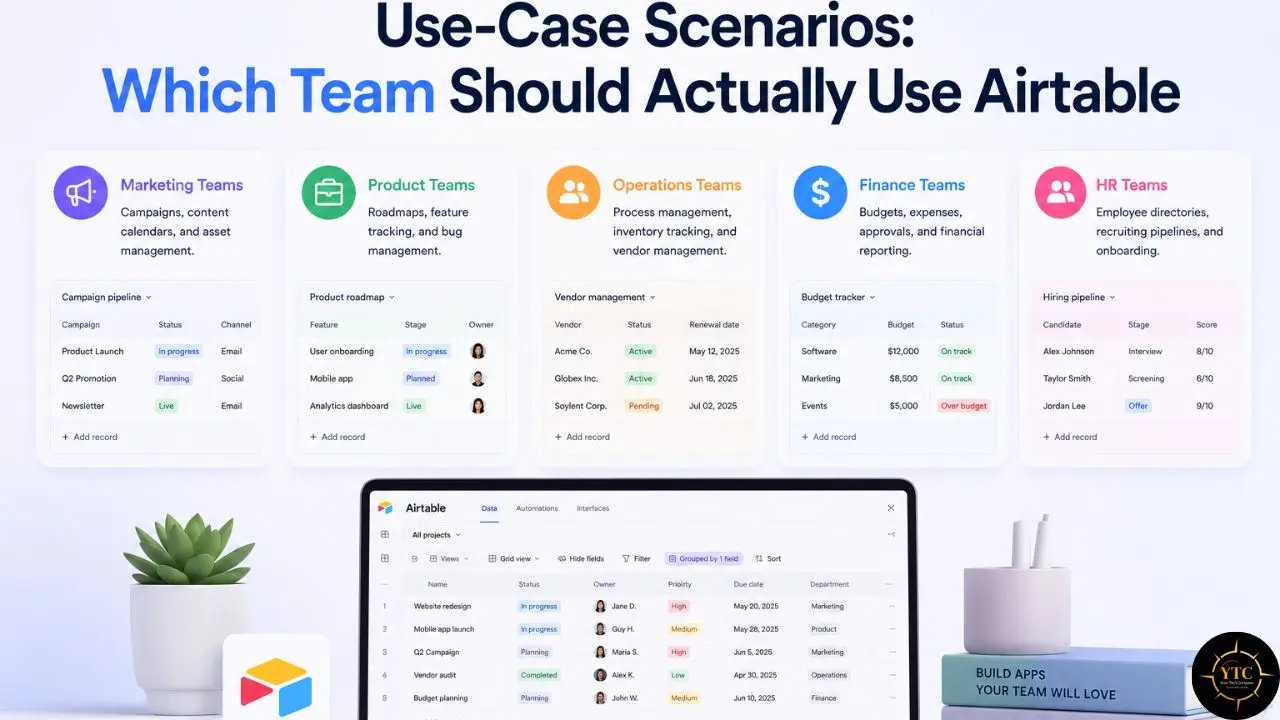
Rather than making a generic recommendation, here’s how the Airtable decision actually plays out across the four team types that most commonly evaluate it.
Scenario 1: The Operations Team (5–15 People)
Verdict: Strong fit
Operations teams manage multi-table data (vendors, projects, contracts, team capacity, compliance records) that genuinely benefits from relational linking and multiple simultaneous views. A vendor management base that links a Vendors table to a Contracts table to a Payment Schedules table, and renders as a Grid for data entry, Calendar for payment dates, and Gallery for vendor profiles (all in sync, all from the same data source) is exactly what Airtable was built for. No other non-technical tool does this as naturally.
The Team plan at $20/user/month is sufficient for most ops teams under 10 people who stay under 25,000 automation runs per month. If your ops team manages high-volume data exceeding 50,000 records, or your automation volume is significant, model Business pricing from the start rather than discovering the need for an upgrade mid-year.
Scenario 2: The Content or Marketing Team (3–8 People)
Verdict: Good fit with an important caveat
Editorial calendars, campaign trackers, asset management systems, and content databases are natural use cases for Airtable. The Form view for content submissions and the Gallery view for asset visualization are genuine workflow improvements over Google Sheets. Additionally, linking the Content Pieces table to the Campaigns table and the Client table allows content teams to answer questions like “What’s the total content volume we’ve delivered for this client this quarter?” in seconds.
The caveat is meaningful: if the team’s primary output is long-form documents (briefs, articles, creative concepts, research documents), Notion’s document-first interface is more natural and significantly cheaper at $10/user/month on the Team plan. Don’t pay Airtable’s premium for a use case that a database-only architecture doesn’t serve better than a document workspace.
For teams who’ve already committed to a knowledge management system and are evaluating where Airtable fits alongside it, our Obsidian PKM setup guide covers how local-first knowledge tools pair with cloud database platforms in a hybrid stack.
Scenario 3: The Agency with External Clients (5–20 People)
Verdict: Fits well, but the cost complexity is very real
Client project tracking, deliverable management, approval workflows, and asset organization are strong use cases for Airtable. Interface Designer creates clean, professional client-facing views without exposing the raw database structure. Field Agents can automatically update client records when projects hit milestones. For an agency managing multiple concurrent client projects with complex deliverable dependencies, Airtable’s architecture is well-suited to the work.
The pricing reality requires explicit pre-commitment modeling. Portal add-ons ($120–$150/month), potential integration stack costs ($200+/month for Zapier or Make.com), and per-seat compounding at scale mean that a 15-person agency’s true Airtable cost can reach $7,000–$10,000/year. That’s a legitimate investment if the efficiency gains justify it. Still, it requires an honest pre-commitment budget model, not a back-of-the-envelope calculation from the pricing page headline.
For content-specific workflow automation that agencies commonly stack alongside Airtable, our Castmagic review covers AI-powered content processing that pairs with Airtable’s database layer.
Scenario 4: The Individual or Small Team (<5 People)
Verdict: Probably not worth it at current pricing
The Free plan’s 1,000-record cap is too restrictive for any real business workflow. The Team plan at $20/user/month ($100/month for five people) is difficult to justify when Notion provides full workspace functionality at $10/user/month, and Google Sheets handles basic structured data for free. The relational database architecture that makes Airtable excellent for operations teams is genuinely overkill for individual users or small teams whose data complexity doesn’t require cross-table linking, custom interfaces, or high-volume automations.
I’d recommend trying the free plan to evaluate whether the relational database architecture solves a specific problem you’re currently experiencing. If it does, the Team plan is worth the investment. If your use case is essentially “a better-organized spreadsheet,” the premium isn’t justified.
For a broader exploration of productivity and database tools for different team sizes, our Apps and Tools and Tech Guides sections cover the full landscape.
Who Should Use Airtable
Airtable is the right choice if you:
- Manage structured data with genuine cross-table relationships: vendors linked to contracts and payment schedules; clients linked to projects and deliverables.
- Need to render the same data in different views for different team members simultaneously: a Grid for data entry, a Kanban for pipeline management, a Calendar for deadlines, all from one base.
- Want to build custom internal apps on top of your database without writing code, using Interface Designer.
- Are ready to use Field Agents as an agentic layer connecting Airtable to Gmail, HubSpot, GitHub, and 13 other external tools.
- Have a team with a defined, complete budget that accounts for portal add-ons, automation stack overflows, and AI credit management.
Who Shouldn’t Use Airtable

Airtable is not the right choice if you:
- Primarily need a document and wiki workspace where your primary output is pages and written content; Notion is better suited and 2× cheaper.
- Have a team larger than 50 people where alternatives save $15,000–$20,000 annually on equivalent functionality.
- Are a heavy API user; Airtable’s hard limit of 5 requests per second per base cannot be increased at any price tier, including Enterprise.
- Need straightforward project management with deadline tracking and visual workload management, rather than complex data modeling; Monday.com or ClickUp are more purpose-built for this.
- Are based in an African market where USD per-seat pricing at Western per-seat rates creates a purchasing power parity problem, with no local data centers available and no regional payment options.
For African teams navigating the AI tool landscape with these structural constraints in mind, our AI in Africa section covers the tools and platforms being evaluated in that specific context.
FAQs
Yes, the Free plan is permanent with no time limit. It supports up to 5 editors, 1,000 records per base, 100 automation runs per month, and 1 GB of attachment storage. For solo users evaluating the platform, it works. For any real team workflow, the record and editor limits force an upgrade quickly. The free plan is honestly better understood as a trial environment than a functional working tool.
Airtable significantly increased prices in 2023–2024: Team from $10 to $20/user/month, Business from $20 to $45/user/month. The company positioned this as reflecting expanded platform capabilities: automations, Interface Designer, integrations, and later AI tools and the Field Agents agentic layer. Whether those additions justify 2× pricing depends entirely on whether your team’s workflow actually uses the added features. For operations teams with complex automation needs, the calculus may work. For content teams using Airtable primarily as a well-organized spreadsheet, it typically doesn’t.
The most important differences are record limits (50,000 on Team vs. 125,000 on Business), automation runs (25,000 vs. 100,000), admin panel with SSO/SAML and audit logs (Business only), field-level permissions (Business only), advanced/premium two-way sync integrations such as Salesforce and Jira (Business only), and higher Airtable AI credit allocations on Business. If you need SSO for enterprise security or high-volume automation, the Business tier is required. If neither applies to your team, Team covers most small- to mid-sized workflows at less than half the price.
Functionally, yes. Airtable is available globally via web and mobile apps. The honest constraints are structural rather than functional. There are no data centers in Africa, which affects latency for users in sub-Saharan Africa. Pricing in USD at Western per-seat rates creates a purchasing-power-parity problem for SME teams across African markets. There are no regional payment options or local pricing adjustments. For African teams whose work genuinely requires relational database functionality and Interface Designer capabilities, Airtable delivers. The cost structure, however, was designed for US and European markets and doesn’t reflect the realities of the African market.
For relational database needs at a lower price: Notion’s Business plan at around $18–$20/user/month with AI included. For project management with a familiar interface: Monday.com at $12–$17/user/month. For simple structured data: Google Sheets at no cost. For no-code app building with client portals included: Softr or Noloco as standalone alternatives that avoid per-seat portal add-on fees. The right alternative depends entirely on which specific Airtable capability you actually need and whether a tool built specifically for that capability serves you better than Airtable’s more general architecture.
Yes, but the honest context matters. Native Airtable AI handles field-level transformations (summarize, classify, extract, generate text) and AI-powered automation steps. Omni AI builds apps from natural language descriptions. Field Agents provide an agentic integration layer across 16 external tools. Airtable provides native generative AI features, but it’s optimized as an orchestration layer for structured-data workflows rather than as a general-purpose AI platform. If you need AI that works within your data workflows as an orchestration and routing layer, Airtable is a capable platform. If you need native generative AI deeply embedded in a writing or document environment, Notion or Claude’s native integrations are architecturally better suited for that purpose.
Conclusion
Airtable is, without qualification, the best non-technical relational database tool available in 2026. The Interface Designer has no true equivalent at its tier for non-technical teams needing custom internal apps. The Field Agents agentic integration layer across 16 external tools represents a meaningful infrastructure upgrade for multi-tool workflows. The six-view architecture makes the same data useful for different team members in different contexts without any duplication. For operations teams, agencies managing complex client data, and teams whose daily work genuinely requires cross-table relational thinking, Airtable delivers value that is difficult to replicate anywhere else.
The pricing structure after the 2023–2024 increases, however, requires honest pre-commitment modeling, especially when portal add-ons, automation stack costs, and AI credit management are included in the total. Operations teams will likely find the value obvious. Content and marketing teams should first compare Notion at half the price. Small teams and solo users should exhaust the free plan before deciding whether the upgrade is warranted. And African-market teams face the sharpest value-for-money challenge of any group; the product works, but the pricing wasn’t designed for local market realities. Start with the free plan, model the full cost (including every add-on you’ll need), and let your specific workflow requirements (not the pricing page headline) guide your decision.
Every no-code tool review, database platform comparison, and honest pricing breakdown worth bookmarking lives at YourTechCompass.com, where we give you the full picture before you sign the annual contract.